
Why a project, not a regular chat
A regular chat starts with whatever Claude remembers about you in general. A project gives your training its own space.
Anthropic's projects article says: "Projects allow you to create self-contained workspaces with their own chat histories and knowledge bases. Within each project, you can upload documents, provide context, and have focused chats with Claude."
Projects are available to everyone. The article says: "Projects are available to all users, including those with free Claude accounts. Free users can create a maximum of five projects."
So a project called Training holds your program, your notes, and every check-in in one place, separate from your work chats.
Write the project instructions
Project instructions shape every chat in the project. Anthropic's personalization article says: "Project instructions help Claude understand the specific context and requirements for a particular project. These instructions only apply to chats within that project."
It lists what they're for, including to "Define roles or perspectives Claude should adopt within the project".
Here's an example to adapt. These are our lines, written as a starting point:
- You're helping me plan and review my training. I lift three days a week and run twice.
- My current goal is a 10K race in March. A secondary goal is to keep my strength steady.
- My left knee is sensitive to deep lunges and jumping. Suggest alternatives instead.
- Each plan should list the exercise, sets, reps, and a note on effort.
- When I report a session, compare it to the plan and suggest the next step.
- Keep answers short unless I ask for detail.
- If something sounds like pain rather than normal soreness, tell me to check with a professional.
Keep the instructions about how Claude should work with you. Put the changing facts, like your current program, in files.
We collected more instruction examples for other kinds of projects in our guide to Claude project instructions examples.
Add files to the knowledge base
The knowledge base is where your program and history live. Anthropic's projects article says: "You can upload relevant documents, text, code, or other files to a project's knowledge base, which Claude will use to better understand the context and background for your individual chats within that project."
Three files cover most of what a trainer needs:
- Your current program. The weekly plan with exercises, sets, and targets.
- A training log. One line per session: date, what you did, and how it felt.
- Constraints and history. Injuries to work around, equipment you have, and what worked before.
Update the log after each week. Claude works from the files you give it, so a log that stops in October gives October answers.
Anthropic notes that large knowledge bases are handled on paid plans: "When using a paid plan, your projects automatically scale to handle large amounts of content through Retrieval Augmented Generation (RAG)."
How project memory fits in
Projects also have memory. Anthropic's memory article says: "Each project has its own memory. While working in a project, Claude uses the project's memory alongside your memory from chats outside of projects, but not memory from other projects."
That means Claude can pick up details from your training chats over time. But memory saves topics as you chat, and you don't control exactly what it keeps. For your program and log, files are more reliable because you decide what they say.
If you want your training kept apart from everything else, the article says to turn off Use account memory under Memory on the project's page. Then the project uses its own memory only.
Read your fitness data on your phone
On iPhone and Android, Claude can read health and fitness data on some plans.
Anthropic's iOS article says: "Claude can read your health and fitness data from Apple Health to help you understand patterns, track progress, and make informed decisions about your wellbeing."
It lists what Claude can read with your permission, including activity metrics, workouts, vitals, body measurements, sleep, and nutrition. For workouts, that's "Type (running, cycling, strength, yoga, etc.), duration, distance, heart rate data, and calories burned."
Availability is limited. The iOS article says: "Health features are available in beta on Pro, Max, and Ultra plans only, and currently limited to users in the US." On Android, the article adds that it requires Android 14 or later and Health Connect.
It's read-only. The iOS article says: "Claude can read health data but cannot write or modify entries in Apple Health." The Android article says the same for Health Connect.
Anthropic's example prompts include one that fits a trainer setup exactly: "Help me create a training plan for my upcoming half-marathon based on my recent running data."
Why Claude doesn't remember your health details
Here's the part that surprises people. Even with memory on, health details aren't kept by default.
Anthropic's memory article says: "By default, Claude does not store topics related to personal or sensitive subject matter, like your health, race, ethnicity, religious beliefs, politics, gender identity, and other similar areas."
The iOS article says the same about health data: "By default, Claude doesn't save health information to memory."
You can change that. Turn on Include sensitive topics in memory in Settings > Your Claude. The iOS article says that with it on, "Claude may remember health-related context from your conversations." Anthropic's memory article adds that it applies going forward: "Anything from before you turned it on isn't saved retroactively."
If you'd rather not, that's fine. Keep the facts that matter, like your knee and your race date, in the project's instructions and files, where they're used in every chat without relying on memory.
Keep some chats out of memory
You may want to talk through something without it shaping future answers, such as a rough week or a one-off question about a friend's program.
Projects don't have incognito chats. Anthropic's incognito article says incognito mode "is currently only available for chats outside of projects". Instead, turn memory off for a single chat from the + menu before your first message.
Anthropic's memory article says this works inside projects too: "A chat started with memory off in a project doesn't use your memory or the project's memory." The chat still stays in the project's history.
If you've turned on sensitive topics, you'll also see when something is saved. The memory article says: "Each time Claude saves something on one of these topics, a notice appears above the message box so you can review it or update your settings."
Run a weekly check-in
A trainer's value is in the review. A short weekly routine keeps the project current.
Report the week. In the project, list what you did and how it felt, or ask Claude to look at your recent workouts on your phone.
Ask for a comparison. Have Claude compare the week to the plan and suggest changes.
Update the files. Add the week to your log and change the program file if the plan changed.
Claude uses the project's files as context for your chats there, so an updated log means the next check-in starts from where you actually are.
What Claude isn't
Anthropic is direct about this in both mobile articles: "We are not a medical device and cannot provide medical guidance. Always consult a licensed professional."
Use the project for planning, tracking, and reflection. For pain, injury, or medical questions, see a professional, and add their advice to your constraints file so Claude plans around it.
What people try first
Starting a new chat each time. A project keeps the program and history in one place.
Relying on memory for injuries. Health details aren't saved by default. Put them in instructions or files.
Uploading a plan once and never updating it. Claude works from the files you give it.
Expecting Claude to log workouts to Apple Health. It can read health data but can't write it.
Treating suggestions as medical advice. Claude isn't a medical device.
The Fix: Build a training project that keeps up
Step 1: Create a Training project
Give your training its own project, separate from other work.
Step 2: Write the instructions
Set your goals, constraints, and how you want plans formatted.
Step 3: Add your program and log
Upload the current plan, a session log, and your constraints.
Step 4: Keep a running summary in your own words
After each week, note what changed, what worked, and what's next.
Setting this up in MemoryLake
A training project works well inside Claude. The summary behind it, such as your goals, what your body tolerates, and what's worked over months, is also useful if you plan meals in another assistant or switch apps later.
MemoryLake is a memory layer for that kind of context, kept in one place you maintain and available to the assistants you connect, such as ChatGPT, Claude Code, and Codex.
You write the entries yourself, in your own words. Nothing is read out of, written to, or deleted from your Claude projects, your Claude memory, Apple Health, Health Connect, or any vendor's store. Claude's projects and health features work the way Anthropic describes them.
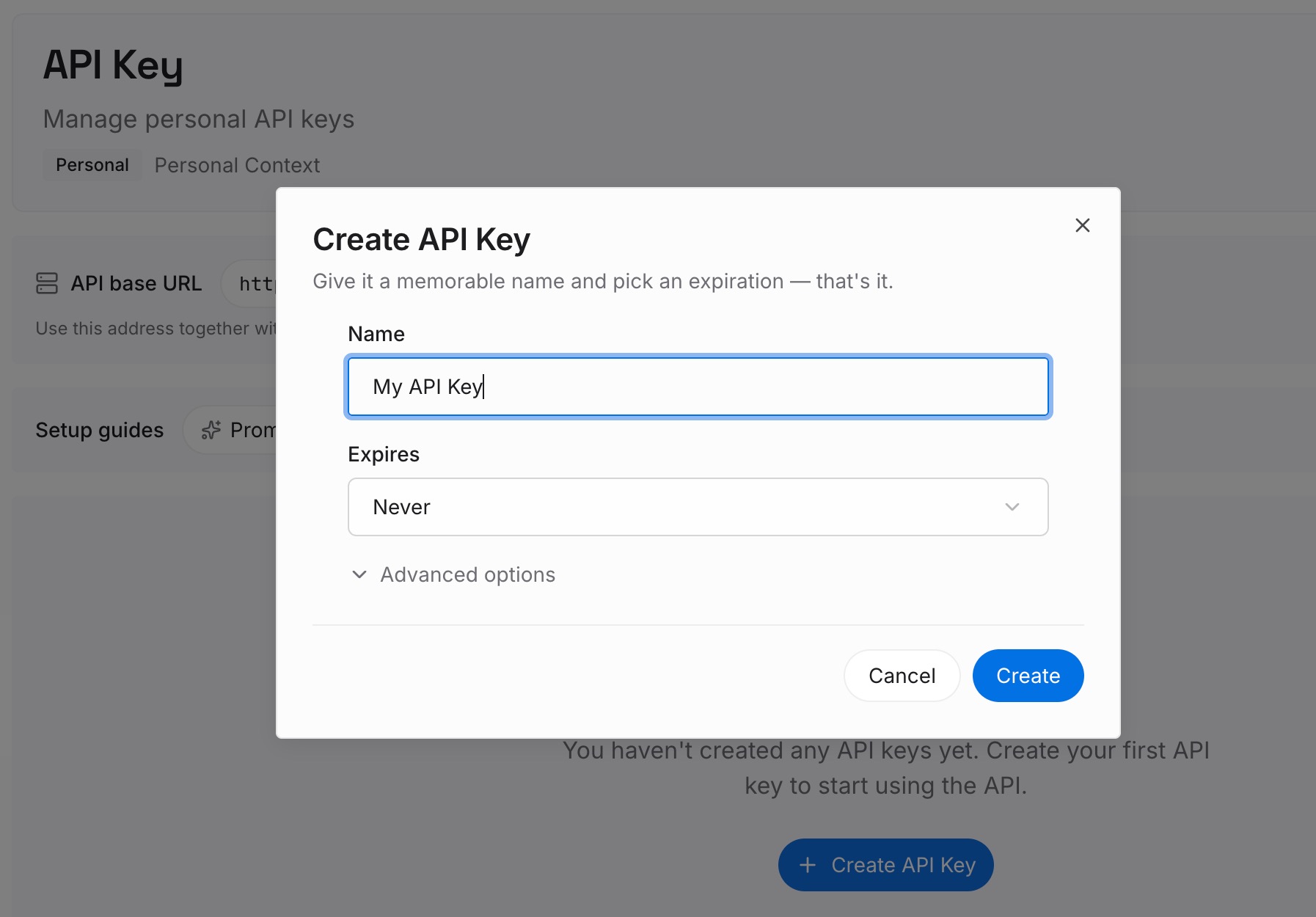
Step 1: Create an API key
Sign in and generate a key from the dashboard. Keep it somewhere private.
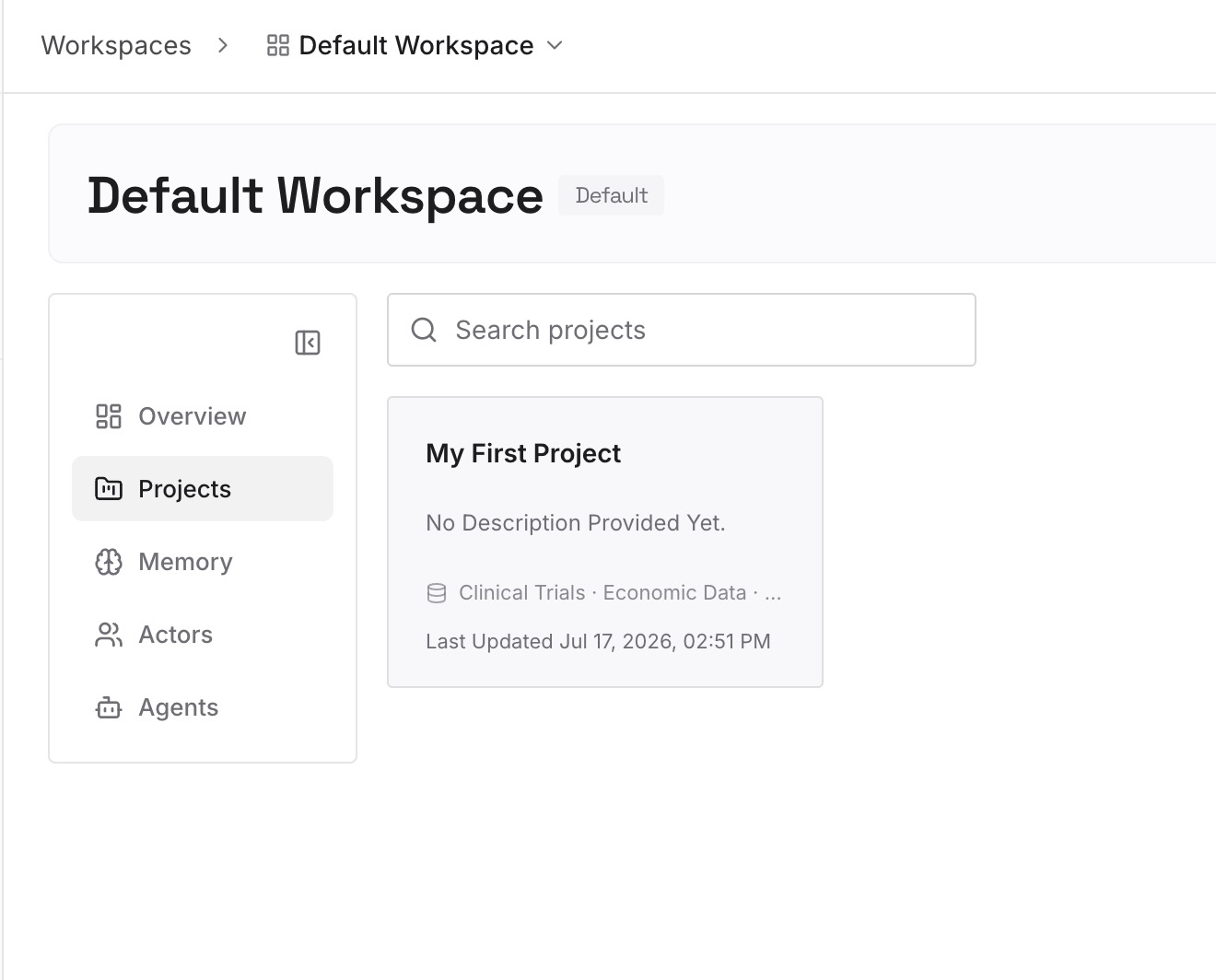
Step 2: Upload your first memories
Start with what you wrote in Step 4 of the fix: goals, constraints, and what's worked. Leave out anything you'd rather keep private.
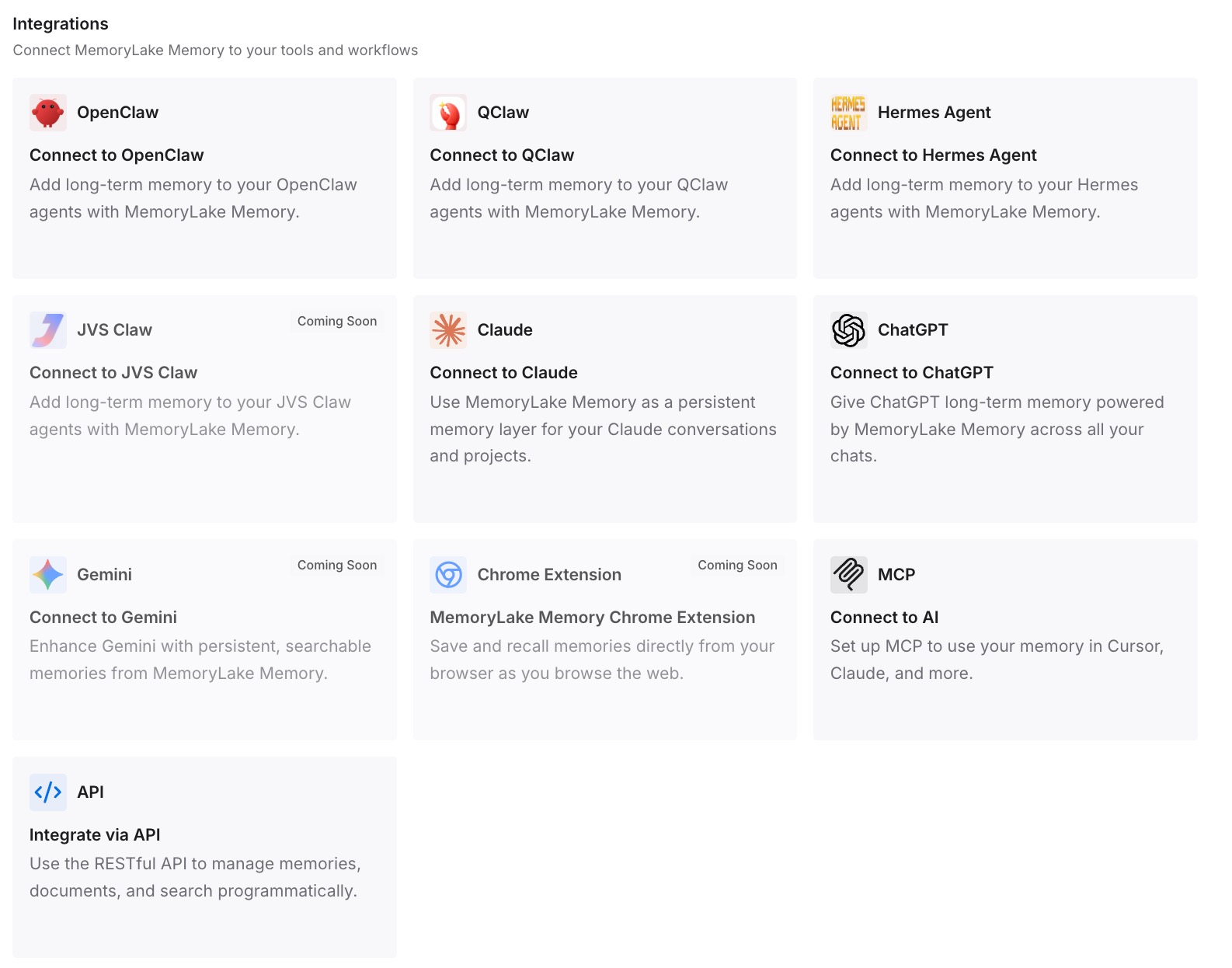
Step 3: Connect your AI & agents
Connect ChatGPT, Claude Code, Codex, and the other assistants you use, so your training context is there in each.
What this changes in practice
The first difference is a history you own. Months of training notes don't depend on one project.
The second is choice about sensitive details. You decide exactly what's written down.
The third is reuse. The same goals and constraints work in another assistant.
Best practices for a Claude training project
Put constraints in instructions. They apply to every chat in the project.
Keep a log file. Update it weekly.
Don't count on memory for health details. They're excluded by default.
Use phone data where you have it. Ask Claude to look at recent workouts on iPhone or Android.
Separate the project if you prefer. Turn off Use account memory on its page.
Check pain with a professional. Add their advice to your constraints.
Conclusion
Claude can work like a personal trainer when you give it the right setup. A project keeps your training in its own space, with instructions for your goals and constraints and files for your program and log. Project memory adds what Claude picks up along the way, but health details aren't saved by default, so the facts that matter belong in instructions and files.
On Pro, Max, and Ultra plans in the US, Claude can read Apple Health or Health Connect data on your phone, read-only. Anthropic is clear that Claude isn't a medical device, so use it for planning and review and see a professional for pain or injury. A short weekly check-in, plus a summary kept in your own words, keeps the plan current.