
What changed, and when
The change is mostly about where things live in the interface. Anthropic describes it: "In the sidebar, what was previously Customize becomes Plugins, and one Plugins page replaces the separate Skills, Connectors, and Plugins tabs in Claude."
For users, the article lists these changes:
- A new name. "Customize now reads Plugins in the sidebar, the chat menu, and settings."
- Your plugins first. "Your plugins appear above the plugins you can browse." That section "includes plugins from your organization and plugins shared with you".
- Quick filters. "You can narrow the list to skills or connectors. Each card shows which type it is."
- Directory labels. "Public plugins show Verified or Community."
- Skills work as plugins. You use a skill the same way as before, by typing a slash or using the plus button in chat. "You can still share skills."
The timing depends on the plan. For Free, Pro, Max, Ultra, and Team plans, the change was "Rolling out gradually starting October 29, generally available November 9." For Enterprise: "This change reaches Enterprise plans on November 30, 2026."
The article's summary for users: "Most users don't need to do anything."
Some older help articles still describe the Customize menu and its separate Skills, Connectors, and Plugins tabs. If a step mentions Customize, look for Plugins in the same place.
Plugins vs. skills: what each one is
The new page puts them side by side, but they aren't the same thing.
A skill is a set of instructions for a task. Anthropic's definition: "Skills are folders of instructions, scripts, and resources that Claude loads dynamically to improve performance on specialized tasks."
A plugin is a package. Anthropic's plugin article says: "Each plugin bundles skills, connectors, and sub-agents into a single package, so you get a ready-to-go setup from your first conversation instead of configuring each piece yourself."
A connector is access to a service. In Anthropic's comparison: "MCP connects Claude to external services and data sources. Skills provide procedural knowledge—instructions for how to complete specific tasks or workflows."
So a plugin can contain skills and connectors, and a skill can exist on its own. The Plugins page now lists all three in one place, with filters to tell them apart.
What skills are for, compared with projects and custom instructions
Skills overlap with two other ways of giving Claude context, and Anthropic draws the lines.
Skills vs. projects. "Projects provide static background knowledge that's always loaded when you start chats within them. Skills provide specialized procedures that activate dynamically when needed and work everywhere across Claude."
Skills vs. custom instructions. "Custom instructions apply broadly to all your conversations. Skills are task-specific and only load when relevant, making them better for specialized workflows."
The loading behavior is what makes skills different. "Skills work through progressive disclosure—Claude determines which skills are relevant and loads the information it needs to complete that task, helping to prevent context window overload."
Put simply: a project holds what Claude should know about one body of work, custom instructions hold how you want every conversation to go, and a skill holds how to do a specific kind of task, loaded only when that task comes up.
Skills also have a requirement that matters for organizations: "This feature requires code execution to be enabled."
What stays installed
The change is a reorganization, not a reinstall. Anthropic's article says: "Your existing connectors, skills, and plugins stay installed."
The article also explains how to find them afterward: click Plugins in the sidebar, open Your plugins, select Show all, and use the quick filters to show plugins that only contain skills or connectors.
A few related behaviors carry on as before:
- Skills from the directory are view-only. "Skills you install from the directory are view-only." To change one, the directory article says to "download a copy, modify it, and upload it as your own".
- Turning a skill off keeps it available. "You can toggle it off at any time, but the skill stays in the directory so you can re-enable it later."
- Shared plugins update for recipients. "If you update the plugin later, recipients automatically get the updated version at next use."
- Deleting a shared plugin removes it for others. "Deleting a plugin removes it for everyone you shared it with".
That last one is worth pausing on before you tidy up. If colleagues use a plugin you shared, deleting it takes it away from them too.
Why removing a plugin doesn't disconnect its connector
This part of the change can leave a service connected that you meant to turn off.
A plugin can bundle a connector, so installing it connects a service for you. But removing the plugin doesn't undo that. "Removing a plugin that packages skills and a connector doesn't disconnect its connector, so you'll need to disconnect it separately."
The plugin is removed, and the connector it brought, with whatever access it was granted, stays connected.
So when you remove a plugin you no longer use, check the connectors list as well. The new page makes that easier: filter to connectors and disconnect the ones you don't need.
Where plugins and skills work
Plugins follow your account, not your device. Anthropic's plugin article says: "Plugins you add are saved to your account, so they're also available in Claude Code in your terminal when you sign in with the same account."
What runs where depends on the part:
- Skills and commands work in chat on the web, the Chat tab in Claude Desktop, Cowork, and Claude Code.
- Hooks and sub-agents "run in Cowork and Claude Code, not in chat, so they appear grayed out in chat."
Claude Code syncs plugins at startup. "Plugins sync once each time Claude Code starts." The article also describes the direction: "The sync is one-way. It reads from your Claude account and never changes anything in it."
There are exceptions. "Plugins don't sync when Claude Code is signed in with an API key or runs on a cloud provider such as Amazon Bedrock." To turn syncing off, set syncClaudeAiPlugins to false in your Claude Code settings. Syncing needs Claude Code v2.1.273 or later.
What organizations with skills turned off need to do
This is the one part of the change with a deadline. "Starting November 30, if Skills are disabled for your organization, plugins are also blocked in the Claude Desktop app. This matches how Claude web and Claude Code work today."
The rule's reach: "The Skills-off rule applies to Team and Enterprise plans starting November 30."
Anthropic's instruction to admins: "Admins of organizations with Skills turned off need to turn on Skills before November 30 to keep plugins in Claude Desktop."
If you choose to leave skills off, the article spells out the result: "Plugins stop working in Claude Cowork and the Code tab starting November 30."
To turn skills on, an owner goes to Organization settings, then Library, then Policy, turns on Cloud code execution and file creation if it's off, and then turns on Skills. The article notes that the Skills setting will be renamed Plugins on November 30.
One more note for regulated organizations: "If your organization uses the HIPAA configuration, your BAA doesn't cover connectors, plugins, or skills, including after an owner turns them on."
If your organization is moving from Team to Enterprise, check this setting along with the move. Skills are off by default on Enterprise.
What a skill holds, and what it doesn't
A skill is good at procedure. Anthropic's examples are applying brand guidelines to documents, following company email templates, structuring meeting notes in a company format, and running company-specific analysis workflows.
What a skill isn't built to hold is the changing context those procedures depend on: which client is in scope this quarter, what the team decided about a template last week, or why an analysis excludes a region. Skills from the directory are view-only, shared plugins are view-only for recipients, and editing a skill means editing a file. That's a reasonable fit for stable procedures and an awkward one for decisions that change.
For how Claude combines skills with your files, memory, and connected apps when it drafts a document, see our guide to what Claude Docs draws on.
What people try first
Looking for Customize. It's now Plugins in the sidebar, the chat menu, and settings.
Reinstalling skills after the change. Existing connectors, skills, and plugins stay installed.
Removing a plugin to cut off a service. The connector stays connected. Disconnect it separately.
Deleting a plugin you shared. It's removed for everyone you shared it with.
Leaving skills off on Desktop. From November 30, plugins are blocked in Claude Desktop when skills are disabled for the organization.
Expecting hooks in chat. Hooks and sub-agents run in Cowork and Claude Code, not in chat.
The Fix: Keep your setup working through the change
Step 1: Find what you have
Open Plugins, select Show all under Your plugins, and filter to skills and connectors.
Step 2: Check connectors when you remove a plugin
After removing a plugin, disconnect any bundled connector you no longer need.
Step 3: Turn on skills before November 30 if your organization needs plugins
Owners turn on code execution and file creation, then Skills, in Organization settings.
Step 4: Keep changing decisions out of skill files
Write the decisions your procedures depend on somewhere you can update without editing a skill.
Setting this up in MemoryLake
Skills package how to do a task, and plugins package skills with the services they need. The decisions those procedures depend on, such as current scope, recent changes to a template, and the reasons behind exceptions, change more often than a skill file should.
MemoryLake is a memory layer for that kind of working context, such as decisions, conventions, and project details, kept in one place you maintain and available to the assistants you connect, such as ChatGPT, Claude Code, and Codex.
You write the entries yourself, in your own words. Nothing is read out of, written to, or deleted from your plugins, your skills, your connectors, your organization's settings, your Claude account, or any vendor's store. Plugins, skills, and connectors work the way Anthropic describes them.
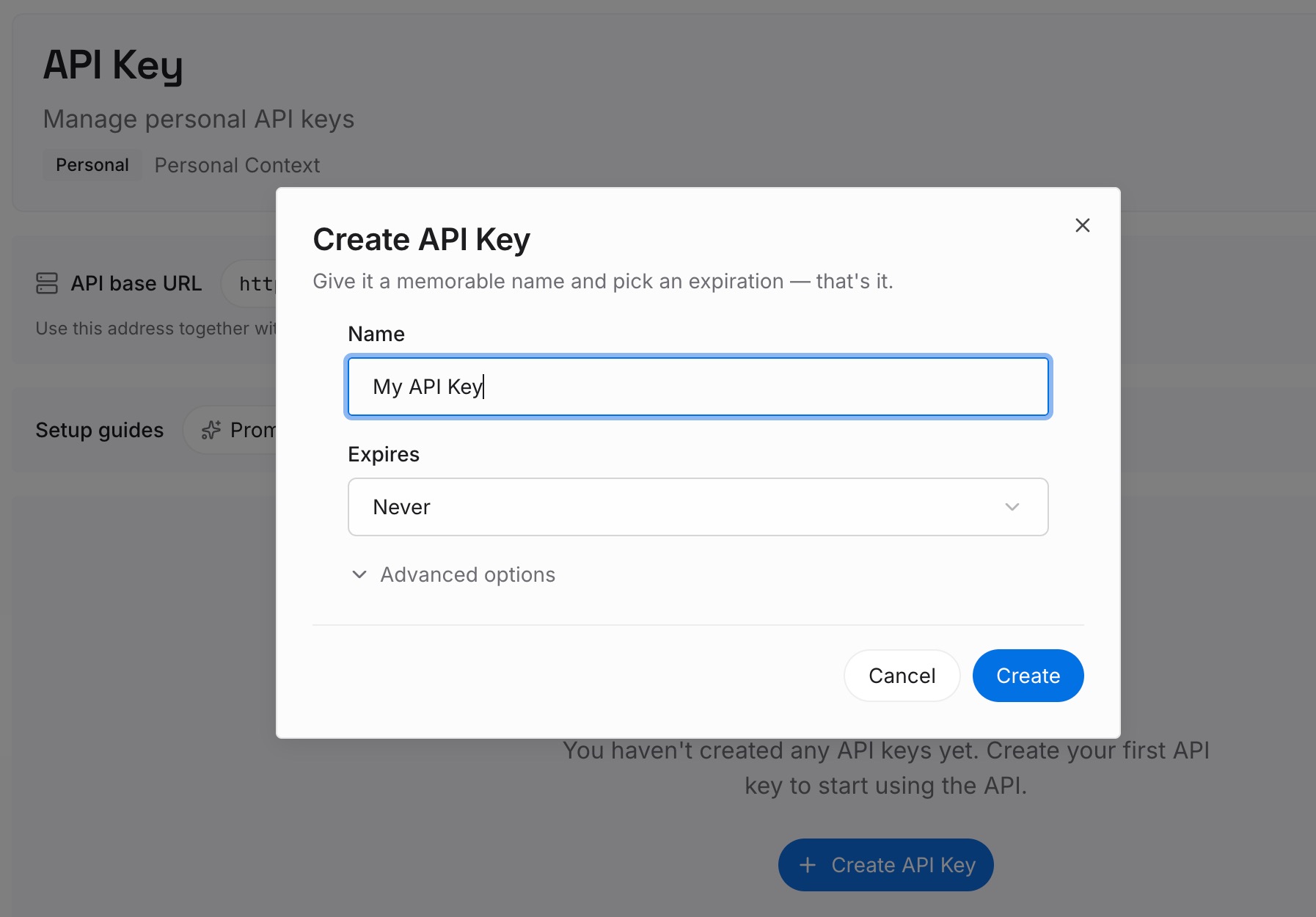
Step 1: Create an API key
Sign in and generate a key from the dashboard. The key belongs to your MemoryLake workspace and is separate from your Claude account.
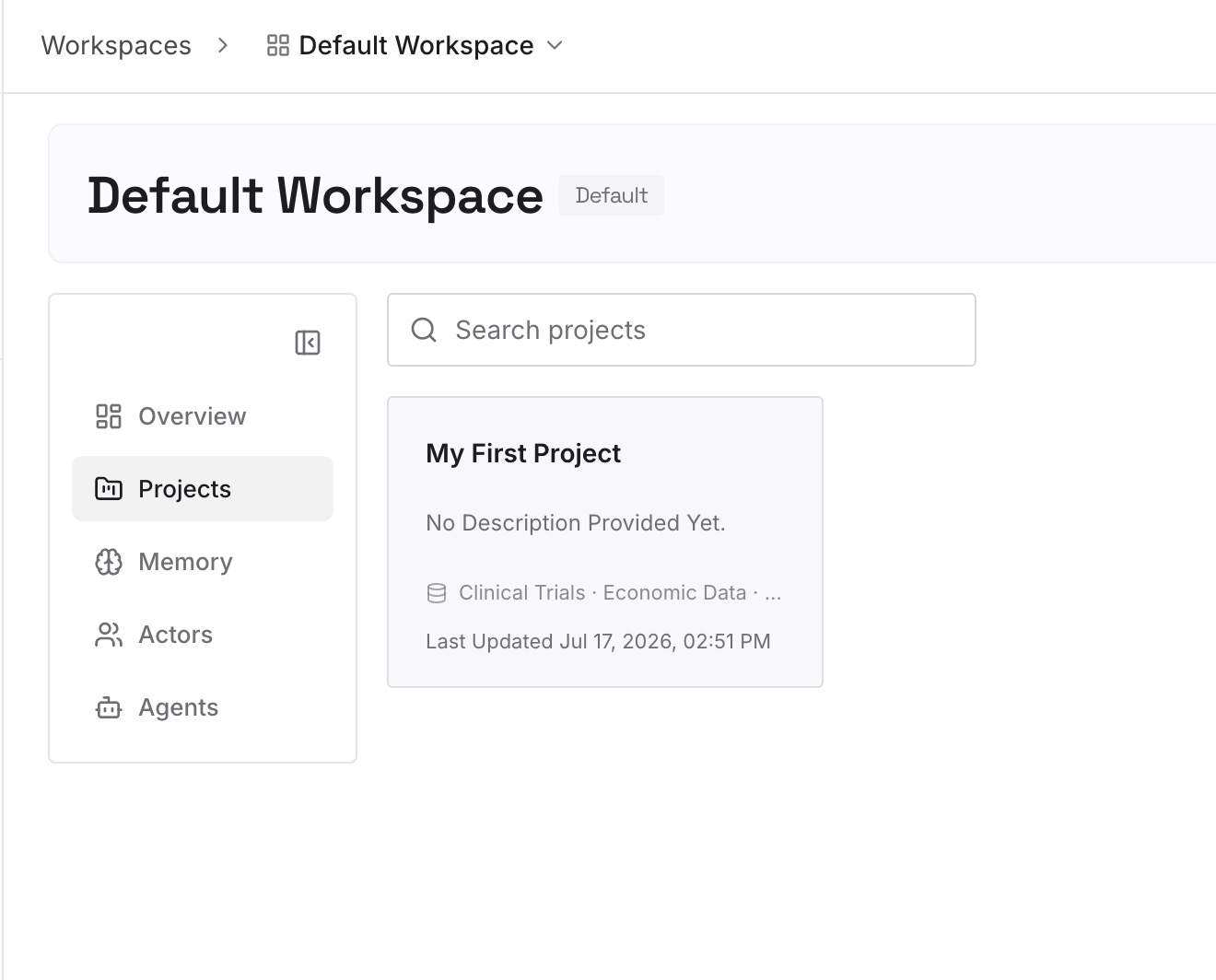
Step 2: Upload your first memories
Start with what you wrote in Step 4 of the fix: the decisions and exceptions your skills assume. One decision per entry.
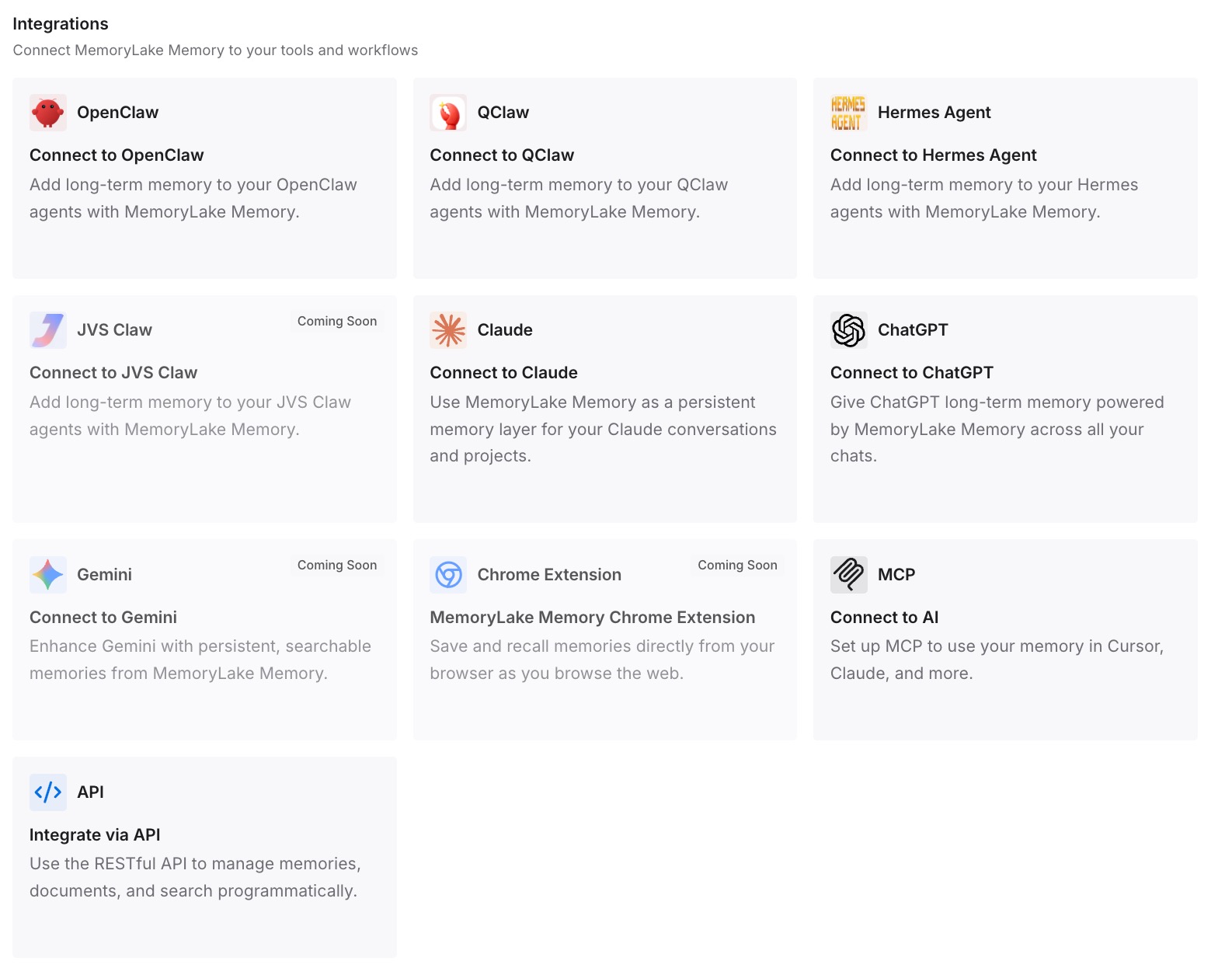
Step 3: Connect your AI & agents
Connect Claude Code, Codex, ChatGPT, or the other assistants you use. Your skills keep the procedure, and the current decisions are available alongside them.
What this changes in practice
The first difference is skills that don't need constant edits. The procedure stays stable, and the changing details live elsewhere.
The second is less risk when you clean up. Removing a plugin doesn't take your team's decisions with it.
The third is continuity across tools. The same decisions are available in Claude Code and in assistants that don't use Claude's plugins.
Best practices for Claude plugins and skills
Look for Plugins, not Customize. The menu was renamed.
Use skills for procedures. Projects hold background, and custom instructions apply to every conversation.
Disconnect connectors separately. Removing a plugin leaves its connector connected.
Think before deleting a shared plugin. It disappears for everyone you shared it with.
Turn on skills before November 30 if you need plugins in Desktop. The skills-off rule blocks them from that date.
Check Claude Code sync settings. Plugins don't sync with an API key or cloud provider sign-in.
Keep changing decisions outside skill files. Skills are best for steps that stay the same.
Conclusion
Claude's Customize menu is now Plugins, and one Plugins page replaces the separate Skills, Connectors, and Plugins tabs. The change became generally available on November 9 for Free, Pro, Max, Ultra, and Team plans, and reaches Enterprise on November 30. Existing connectors, skills, and plugins stay installed.
A skill is a set of instructions for a task, a plugin is a package of skills, connectors, and sub-agents, and removing a plugin doesn't disconnect its connector. From November 30, organizations with skills turned off lose plugins in Claude Desktop. Keep procedures in skills and the changing decisions they depend on somewhere you can update.