
What actually changes when RAG turns on
It solved a real wall, and that part is unambiguous
Worth stating first, because the framing matters. Anthropic's own description of the old behavior: "Previously, projects had a knowledge capacity limit based on the context window. Once you reached this threshold, it wasn't possible to add more content."
A hard stop. You could not add another file. RAG mode removes that, with capacity described as up to 10x, and Anthropic lists "Seamless transition: Automatic activation when needed, no setup required."
So this is not a degradation you should try to avoid. It is a ceiling being lifted, and the rest of this article is about working with the mode rather than escaping it.
The retrieval unit changes from "all of it" to "the relevant part"
"When RAG is enabled for your project, Claude uses a project knowledge search tool to retrieve relevant information from your uploaded documents."
You can see it happen. Anthropic notes that "you'll see Claude using a project knowledge search tool when it needs to find relevant information from your uploaded content" — the same way a web search shows up as a tool call.
The practical consequence is that a fact now has to be retrievable, not merely uploaded. In full-context mode, a detail buried on page 40 of a badly named PDF was in front of Claude regardless. In retrieval mode, it has to match a query well enough to be selected.
Anthropic's own best practices are the tell
Read the four tips in the RAG documentation and notice which two only make sense in retrieval mode.
"Use clear, descriptive filenames" — with the reason attached: "Well-named files help Claude understand and retrieve the right information more effectively." And "Reference specific documents": "you can reference specific documents by name to help Claude focus its search."
In full-context processing, filenames are labels. Naming a document in your question is a courtesy. Under retrieval, both become inputs to the selection step. Q3-pricing-decision-memo.pdf and doc_final_v3.pdf are not equivalent any more.
The other two tips — "Upload comprehensive content" and "Organize related content together" — point the same direction: retrieval works better across a coherent corpus than a pile.
You cannot control it, and it can flip back
Anthropic is direct about this. "RAG activation is handled automatically based on the size of your project knowledge. When possible, projects will use in-context processing for optimal performance."
And it is reversible: "If your project knowledge later drops below the context window threshold, Claude can automatically convert back to context-based processing."
So the same project can be in either mode depending on how much you have uploaded lately, with a visual indicator as the only signal. If a project felt sharper on some detail two months ago, the mode may have been different — not the model.
One documentation conflict worth knowing about
Two official pages disagree on availability, and you should know both readings exist rather than trust one.
The RAG article states that "RAG for projects is available for all Claude plans (free, Pro, Max, Team, and Enterprise)." The projects overview article, updated more recently, states that "Enhanced project knowledge with RAG is only available to users with paid Claude plans (Pro, Max, Team, or Enterprise)."
The newer page is the more restrictive one. If you are on a free account, treat paid-only as the working assumption and verify against the indicator on your own project. Free accounts also have a separate documented limit: "Free users can create a maximum of five projects."
What people try
Deleting files to get back under the threshold. This does work — the mode converts back. It also means throwing away content to change a processing mode, which is backwards.
Re-uploading the same document repeatedly. A common instinct when an answer misses something, and it makes retrieval worse by putting near-duplicates in the corpus. The general version of this habit is in how to stop re-uploading PDFs to Claude.
Splitting one project into several. Sometimes correct, but remember each project is a separate memory space with its own knowledge base, so context does not travel between them. You have solved capacity by creating a boundary.
Pasting the key facts into project instructions. Instructions always load, so this genuinely works for a handful of facts. It does not scale, and instructions are meant to shape behavior rather than store content.
Assuming quality dropped. Anthropic says otherwise, explicitly: "RAG maintains consistent response quality as in-context processing while enabling larger project capacity." If a specific answer got worse, the likelier cause is that a particular fact stopped being findable — which is fixable — rather than a general decline.
Treating retrieval as memory. The deepest one. Retrieval finds passages in documents you uploaded; it does not hold a decision someone made in a chat last month — the distinction in why RAG isn't memory.
The Fix: Make Your Files Findable, and Keep Decisions Out of the Document Pile
Two moves, and the first one is free.
Rename for retrieval. Go through your project knowledge and make every filename say what the document decides or contains. Not notes.md but pricing-model-decision-2026-Q3.md. Not spec_v2_final.pdf but checkout-flow-spec-post-legal-review.pdf. This is Anthropic's own first recommendation and it takes twenty minutes for most projects.
Then, in the questions where accuracy matters, name the document. Anthropic's guidance is that referencing specific documents by name helps Claude focus its search, and that is now a real lever rather than politeness.
Then separate the two kinds of knowledge you have been storing in one place. Project knowledge is documents. It is very good at "what does the spec say" and structurally not built for "why did we decide that." A decision reached in a conversation, a constraint someone mentioned once, an approach you rejected for a reason nobody wrote down — none of those are documents, so none of them are retrievable no matter how you name your files. Every project accumulates them anyway, which is why capacity fills with meeting notes and transcripts that exist only to hold three sentences each.
That is what MemoryLake holds: your project's durable facts in a layer your tools query, so the document pile stays documents. Setup is three steps.
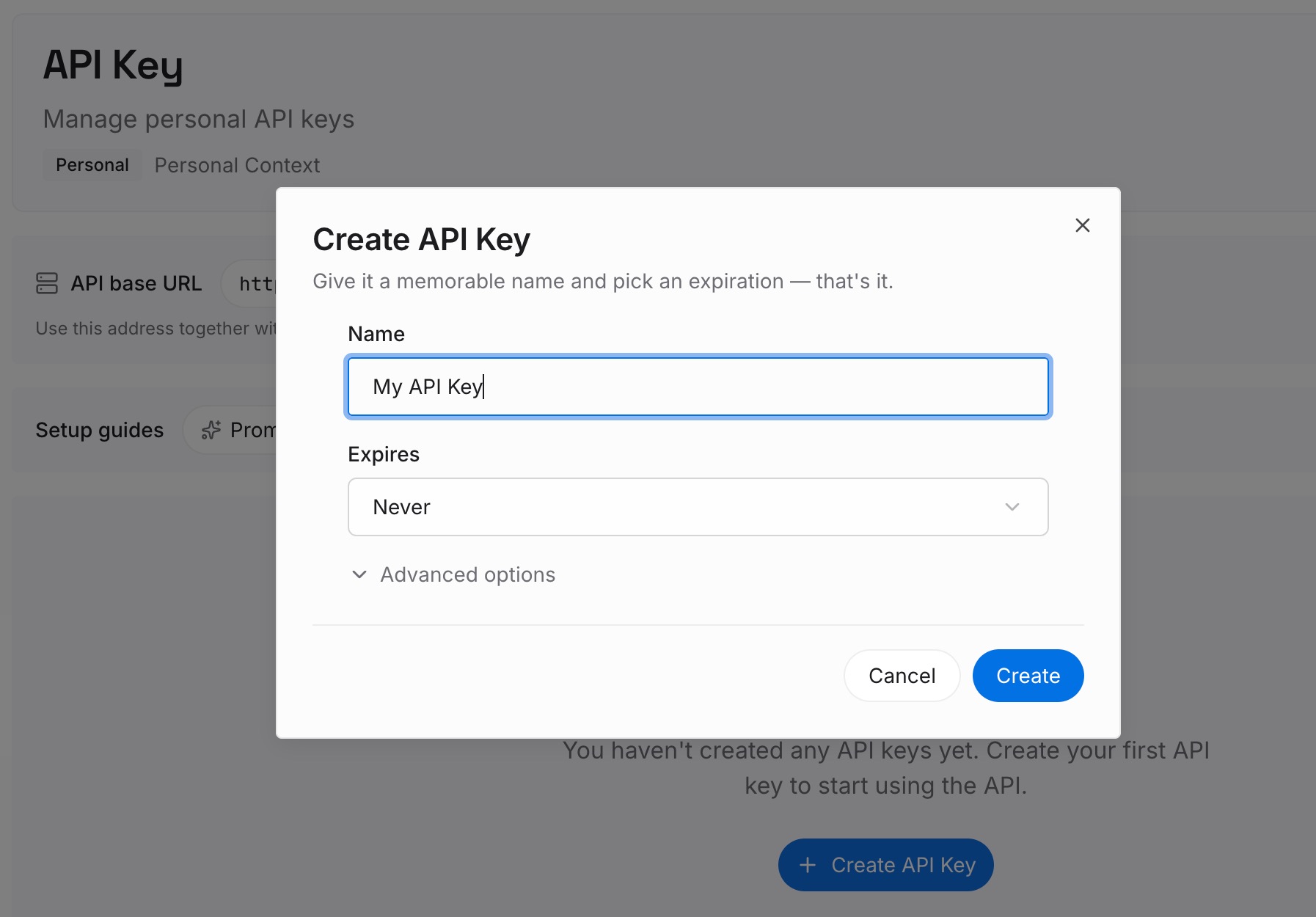
Step 1: Create an API key
Sign in and create an API key. One credential across the tools you connect.
Step 2: Upload your first memories
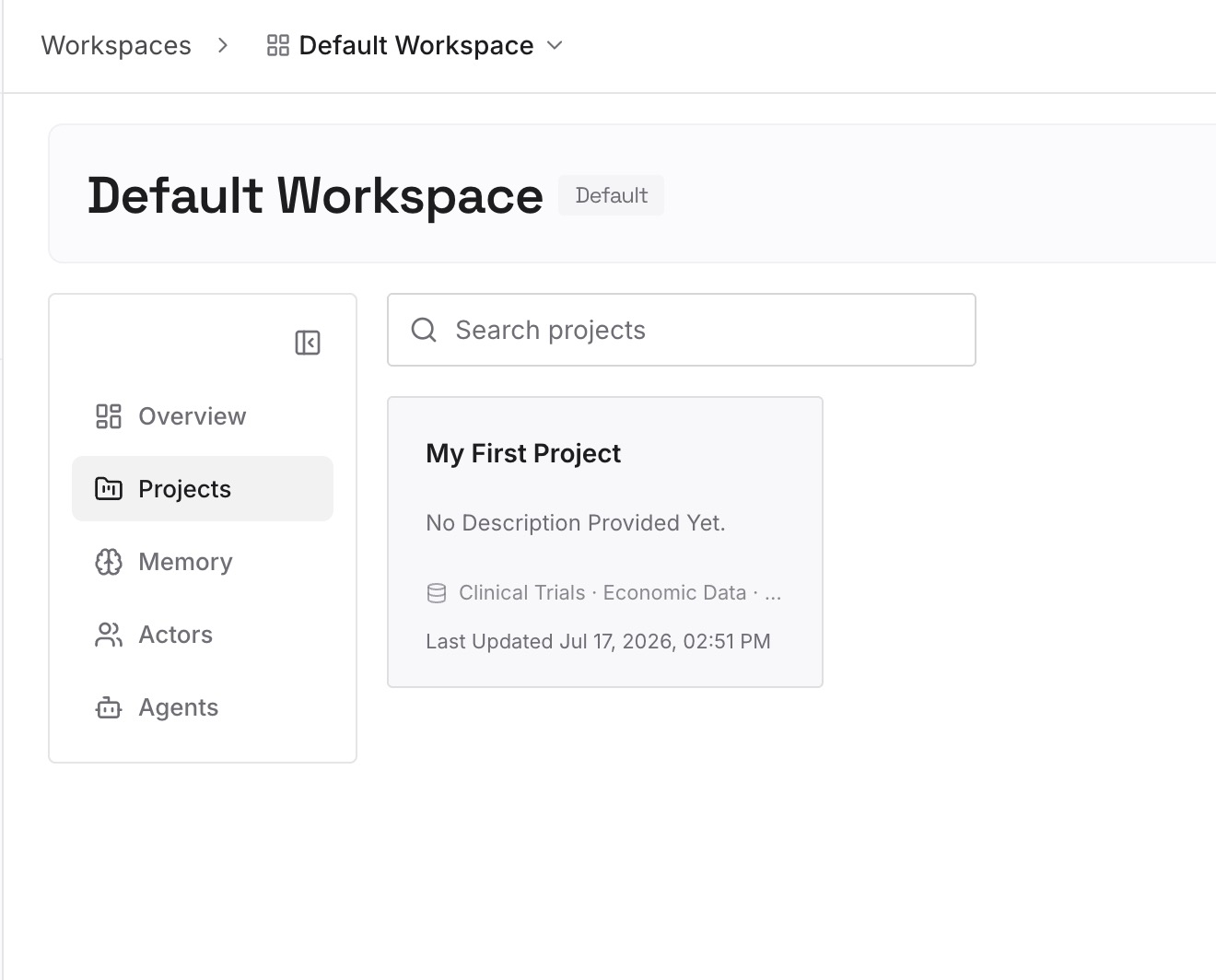
Short entries, one claim each. The best candidates are the files you uploaded only to hold a sentence:
Decisions with the reason attached. "We bill annually because monthly churn ran 4x." One line, permanently useful, and currently living in a 40-page deck.
Constraints that came from a conversation. The legal review outcome, the vendor limit someone mentioned on a call, the deadline that moved.
Approaches already rejected, and why. The category no document contains and every new session re-proposes.
Definitions your team argues about. What counts as an active user. Which date a contract starts. These get re-litigated exactly because they live in nobody's file.
Step 3: Connect your AI & agents
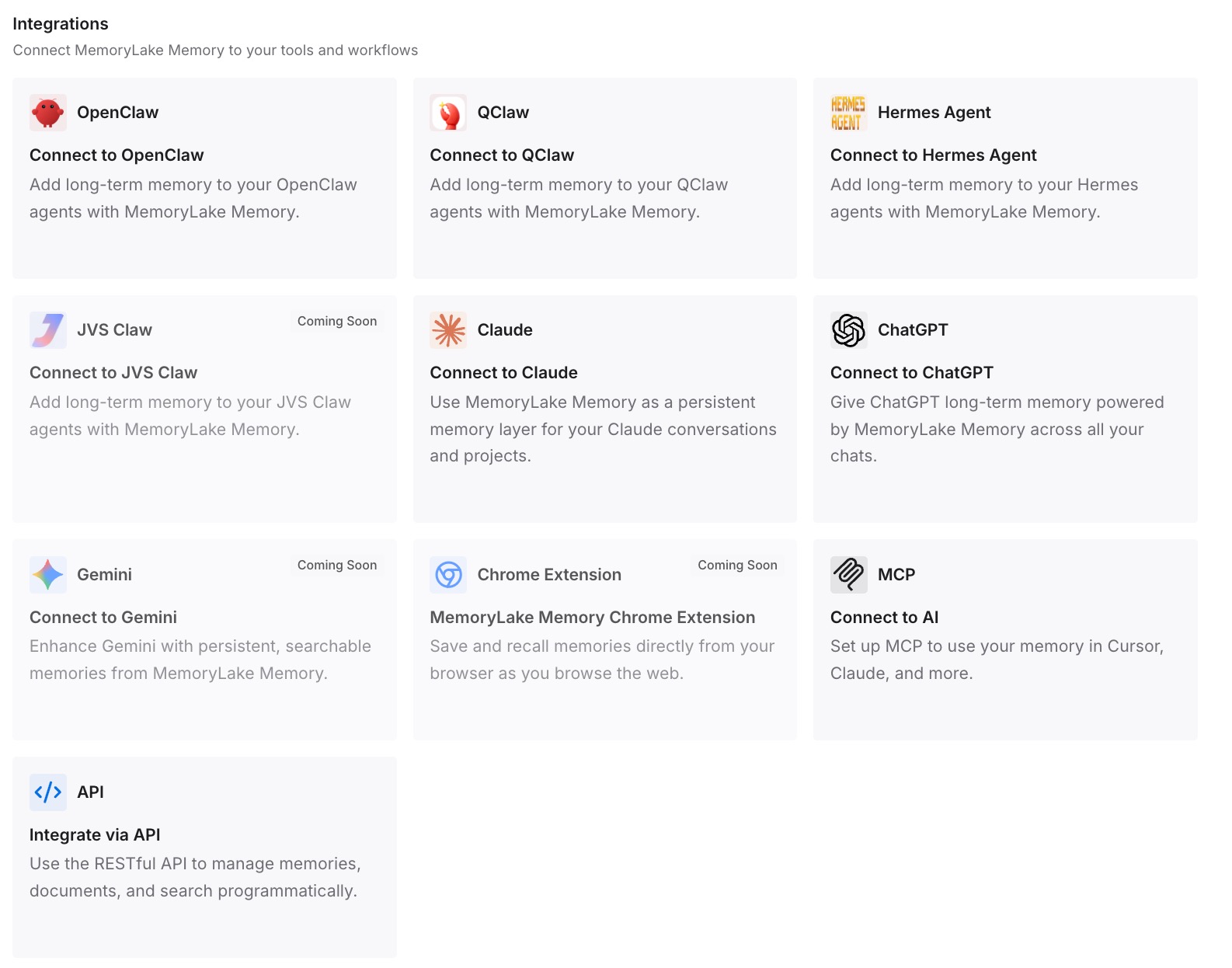
MemoryLake is reachable over MCP and over an API, so MCP-native agents — Claude, Claude Code, Codex, and OpenClaw among them — connect by pointing at the MCP server, while other assistants read the same memory through the API. Which means the answer to "what did we decide" does not depend on whether a transcript happened to be selected by a retrieval step.
Three honest limits. MemoryLake does not read, write, or replace your Claude project knowledge — uploads, the RAG indicator, and the mode switch are all Anthropic's, and nothing outside Claude influences them. It holds only what you or your agents put into it, so Step 2 is manual. And it does not change capacity or thresholds: your project knowledge behaves exactly as documented regardless of what else you run.
What this changes in practice
Filenames become functional. They are inputs to retrieval, not labels.
Naming a document in your question is a real lever. Anthropic recommends it for exactly this reason.
The old hard ceiling is gone. You can keep adding content past the point where you previously could not.
The mode is not yours to pick. Automatic in both directions, with an indicator as the only signal.
Duplicate uploads become actively harmful. Near-duplicates compete in the same retrieval.
Documents and decisions stop sharing a container. Which is also how project knowledge stops filling up with three-sentence transcripts — the shape covered in how to turn project docs into AI memory.
Best practices for a RAG-enabled Claude project
Rename every file to describe what it decides or contains. Anthropic's first recommendation, and the highest return for the effort.
Reference documents by name when precision matters. It focuses the search.
Keep one project per coherent body of work. Retrieval works better across related content than a mixed pile.
Don't delete content to escape RAG mode. You would be trading capacity for a processing preference.
Deduplicate before you upload. Two versions of the same document split the signal.
Check the indicator before diagnosing a regression. Mode changes in both directions, and it explains more "it used to know this" reports than anything else.
Put single facts in instructions, not in a file. Project instructions always load. A one-page PDF holding one sentence does not deserve to be in the corpus.
Keep decisions and reasons outside the document pile. They are not documents, so retrieval cannot find them — and they are what people actually ask for. Note too that each project has its own separate knowledge and memory space, a boundary explained in the ChatGPT parallel at ChatGPT projects don't share memory.
Conclusion
RAG mode in Claude projects is a ceiling being lifted, not a downgrade. Before it, project knowledge had a hard capacity limit and you simply could not add more; now Claude switches automatically, expands capacity by up to 10x, and Anthropic states plainly that response quality is maintained. There is no setup and nothing to turn on.
What changes is the reading mode. Instead of all project content being present at once, Claude "intelligently searches and retrieves only the most relevant information." That is why Anthropic's own best-practice list suddenly includes descriptive filenames and naming documents in your question — two things that were pointless when everything loaded and are levers now. You do not control the switch, it reverses if your knowledge drops back under the threshold, and the only signal is a small indicator. Note also that two official pages disagree on whether free accounts get it, with the newer page saying paid plans only.
So do the twenty-minute rename pass, name documents when accuracy matters, deduplicate, and check the indicator before you conclude Claude got worse. Then move the things that were never documents — the decisions, the constraints, the reasons, the definitions — out of the pile and into somewhere they can be asked for directly. Findability is the whole game now, and a decision nobody wrote down is not findable at any capacity.