
What Claude Reflect is
Anthropic's help article describes it this way: "Your monthly recap shows you how you've been using Claude—the topics you spent time on, when you tend to reach for it, and where you might try something new."
It adds that the recap is "designed to reflect your patterns back without judgment so you can decide what, if anything, you'd like to change."
The November 24 release notes describe the change: "Recaps can now draw on your Claude Code sessions and Claude Cowork tasks in the cloud, and you can delete your stored recaps from the page."
So two things changed at once. The recap now reads more of your work, and you now have a button to delete what it stored.
Who can use it and where to find it
The recap is available on Free, Pro, Max, and Ultra plans on the web, Claude Desktop, and Claude for iOS and Android. It isn't available on Team or Enterprise plans.
Anthropic notes that it's rolling out gradually. Its FAQ says: "The monthly recap isn't on every account yet, so accounts on the same plan may not all see it." On iPhone and iPad, it needs iOS 26 or later for now.
To open it on the web or Claude Desktop, go to Settings > Wellbeing and select View under Reflect. In the older Settings layout, it's Settings > Reflect. On iOS or Android, open Settings from the menu and tap Reflect.
The recap loads for the past month. A dropdown lets you switch to the past 3 months, 6 months, or year, and each range ends with the last full month. A refresh icon regenerates the recap for the current range. Anthropic says: "Your recap is saved, so you normally see the same recap for a period on all your devices."
What a recap shows
The page has several parts, and some depend on your device and plan.
Opening summary. A short headline and paragraph about your month. Anthropic says it "names the actual work and themes from your conversations rather than offering generic praise."
Your time with Claude. Three stats: your most active day, your peak hour, and your total conversations, with a daily activity chart below them.
What you used Claude for. A breakdown of the themes and topics you brought to Claude, each with a short description.
Expanding your skills. Notes on habits that are working, and one or two suggestions to try, each with a button such as Copy a prompt or Connect this tool.
Goals. On Pro, Max, and Ultra plans, you can type a goal, and Claude sets up a scheduled check-in on it with you.
At the bottom are rating buttons, a sentence about memory, and the Delete stored reflections option.
Anthropic is open about accuracy. The FAQ says "occasional inaccuracies can occur in the proportions or the narrative summary", and suggests using the thumbs feedback on the page when something looks wrong.
What the recap reads
This is the part that changed on November 24. Anthropic's article says: "Claude builds your recap from your recent chats, your Claude Code sessions, and Cowork tasks in the cloud."
The page tells you which of these it used. Anthropic gives an example line: "Based on your Claude chats, cloud Claude Code sessions, and cloud Cowork tasks, not sessions or tasks that run only on your computer."
A few details matter for Claude Code and Cowork users:
- The recap reads sessions and tasks that run in the cloud, not ones that run only on your computer.
- If you ran many, the FAQ says "only the newest are read, so older ones can be missing."
- For long sessions: "For a long session, only the start is read, and in a few cases a long session is left out."
- A recap saved before November 24 doesn't include sessions until you regenerate it.
Your chats on all your devices are included.
Connected services are handled more narrowly. The article says that when Claude pulls content from a service like Gmail or Google Drive into a chat, "your recap doesn't incorporate the raw email or file." It continues: "It may incorporate anything Claude wrote in the chat about it." So a summary of your inbox that Claude wrote in a chat can show up in your recap, even though the emails themselves aren't read.
What the recap leaves out
Anthropic lists conversations and sessions the recap is designed to leave out:
- Incognito chats
- Conversations that use a health integration, such as Apple Health or Health Connect
- Conversations that used your linked accounts in Personal Finance, including their titles
- Claude Code sessions and Cowork tasks that run only on your computer
- Cloud sessions where Anthropic can tell Claude used a tool on your computer, phone, or browser
Even for those, Anthropic says it still records the time you have Claude open.
Sensitive topics get separate handling. The article says recaps are designed not to lead with sensitive or distress-related topics or to itemize them with counts, and that support resources may appear alongside your recap where appropriate.
That answers the doctor's appointment question in part. A regular chat about a medical topic isn't on the exclusion list, but the recap is designed not to lead with or itemize sensitive topics. A chat that used a health integration, or one you held in an incognito chat, is left out.
How Reflect depends on Claude's memory
The recap is tied to memory. Anthropic's article says: "Your recap only appears when memory is on."
Turning memory off doesn't remove what's already stored. The article is specific: "Turning memory off hides your stored recaps, and doesn't delete them."
There's no separate switch for the recap. The article says: "There is no dedicated toggle for the recap, so if the memory setting is on, the recap will also be enabled."
But it isn't generated in the background. Even with memory on, the recap is made only when you open the page: "if you don't open it, Claude won't create a recap for you."
We covered the memory controls themselves in our guide to Claude's memory settings.
How long recaps are stored
Recaps aren't temporary. Anthropic's article says: "Your recaps are stored until you delete them, a chat or session they used is deleted, or you delete your account."
A new recap can also replace or remove the one for the same months. And there's a caveat: "In some cases, a recap can stay stored for longer."
Saved recaps also appear in your data export. The FAQ says: "Your saved recaps are included, even those that the Reflect page doesn't show, for example with memory off, or from earlier months." Recaps you deleted aren't included, and neither are ones the app hides because a chat they used was deleted or a newer recap replaced them.
Anthropic's export article confirms that data exports include your saved monthly recaps.
How to delete your recaps
To remove them, open your recap and select Delete stored reflections at the bottom of the page, then confirm with Delete.
Anthropic describes the scope: "This removes the stored recaps of the account you're using, for all periods, on all your devices, and can't be undone."
It also lists what stays. Your chats aren't deleted. Ratings and notes you sent as feedback stay, along with the record of the time you have Claude open, and your goals stay too.
There's one more detail: "With memory on, a new recap may be generated the next time you open the page." Deleting clears what's stored, but opening Reflect again with memory on can create a new one.
You can delete stored recaps with memory on or off.
How to turn the recap off
Because there's no dedicated toggle, turning the recap off means turning off memory from chats. Anthropic's article says to switch off Generate memory from chats in Settings > Your Claude, or Settings > Memory in the older layout.
That changes more than the recap, because it also affects what Claude remembers across your chats. And it hides stored recaps rather than deleting them, so delete them first if you want them gone.
If you'd rather keep memory on, the simplest control is not opening the page. A recap is only generated when you open it.
Viewing a recap doesn't count against your plan. The FAQ says: "Viewing your recap doesn't count toward your usage limits." Starting a chat from one of its suggestions counts like any other chat.
What people try first
Turning memory off to erase recaps. That hides them. Use Delete stored reflections to remove them.
Expecting local Claude Code work to appear. The recap reads cloud sessions and tasks only.
Looking for Reflect on a Team plan. It isn't available on Team or Enterprise plans.
Deleting once and assuming it's over. With memory on, opening the page can generate a new recap.
Treating the stats as exact. Anthropic notes occasional inaccuracies in the summary and breakdown.
The Fix: Decide what your recap can see
Step 1: Check where Reflect lives on your account
Look under Settings > Wellbeing or Settings > Reflect, and note whether your plan has it.
Step 2: Keep private conversations out
Use an incognito chat for conversations you don't want in a recap.
Step 3: Delete stored recaps you don't want
Select Delete stored reflections before turning memory off.
Step 4: Write down what's worth keeping
Note the decisions and goals from your recap in your own words.
Setting this up in MemoryLake
A recap is a summary Claude generates from your month. The useful part, such as the project that took most of your time or the goal you set, is context you might want next month and in other tools, written the way you'd describe it.
MemoryLake is a memory layer for that kind of context, kept in one place you maintain and available to the assistants you connect, such as ChatGPT, Claude Code, and Codex.
You write the entries yourself, in your own words. Nothing is read out of, written to, or deleted from your Claude chats, your monthly recaps, your Claude memory, your Claude Code sessions, or any vendor's store. Reflect works the way Anthropic describes it.
Step 1: Create an API key
Sign in and generate a key from the dashboard. Keep it somewhere private.
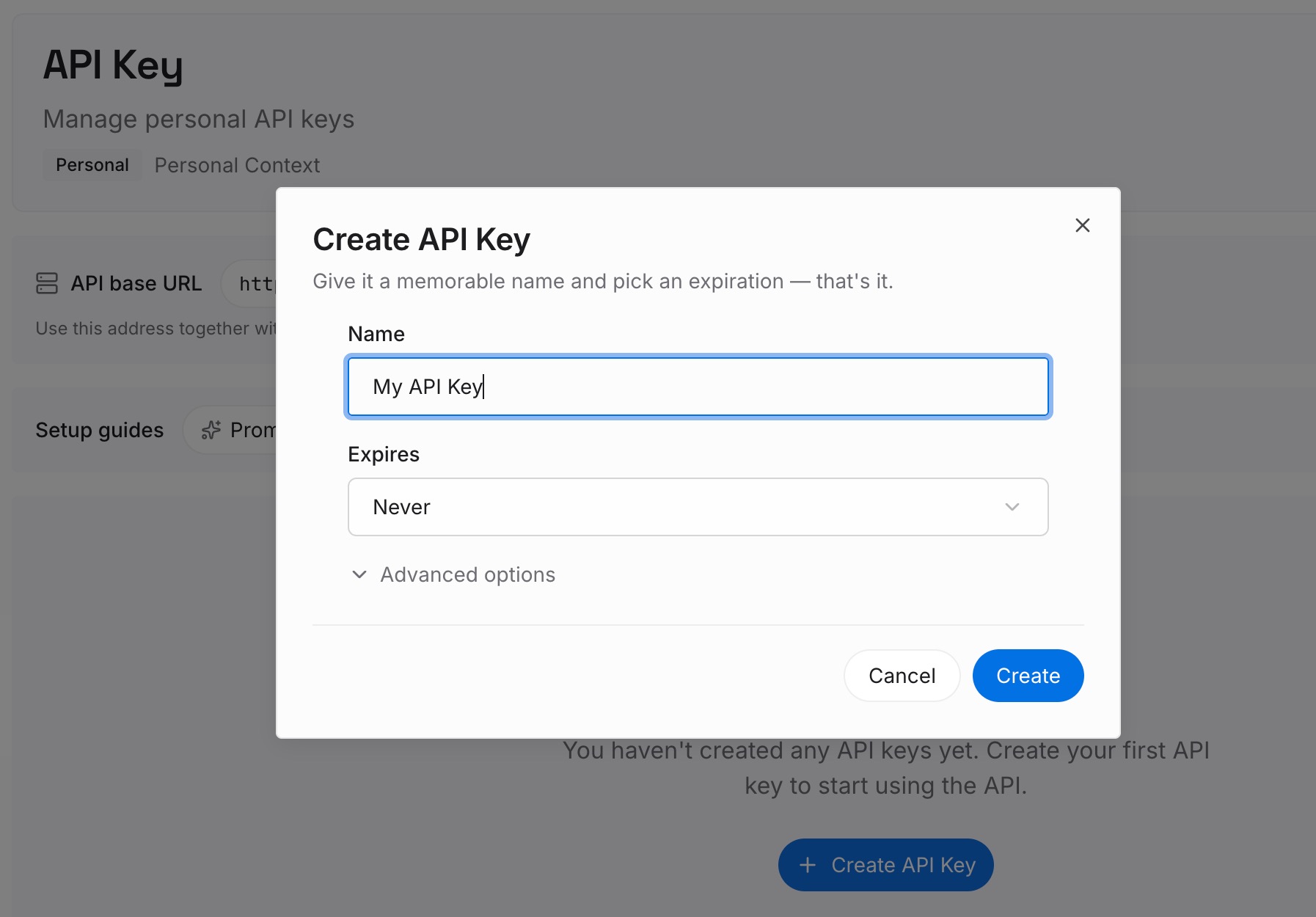
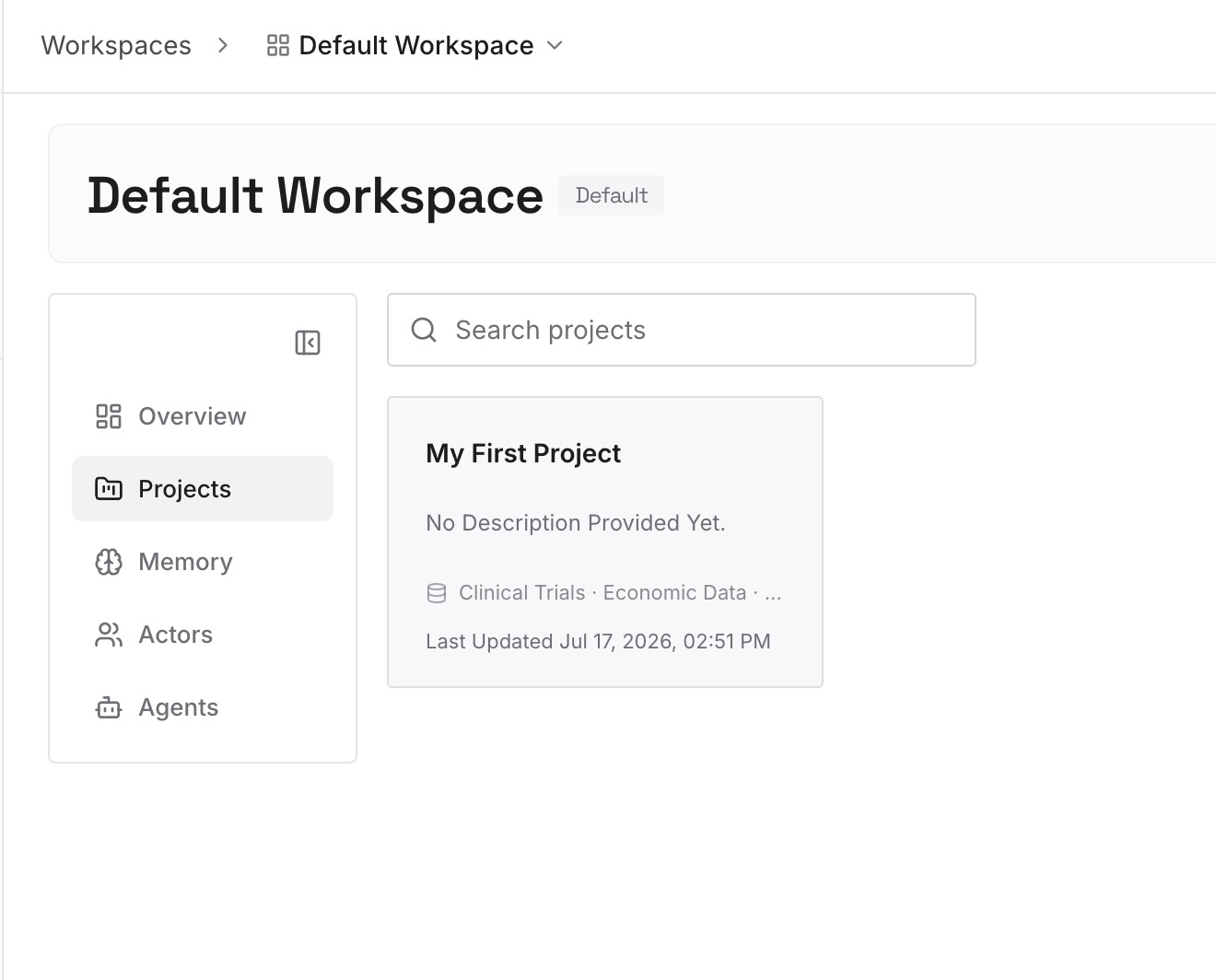
Step 2: Upload your first memories
Start with what you wrote in Step 4 of the fix: the decisions and goals worth keeping. One topic per entry.
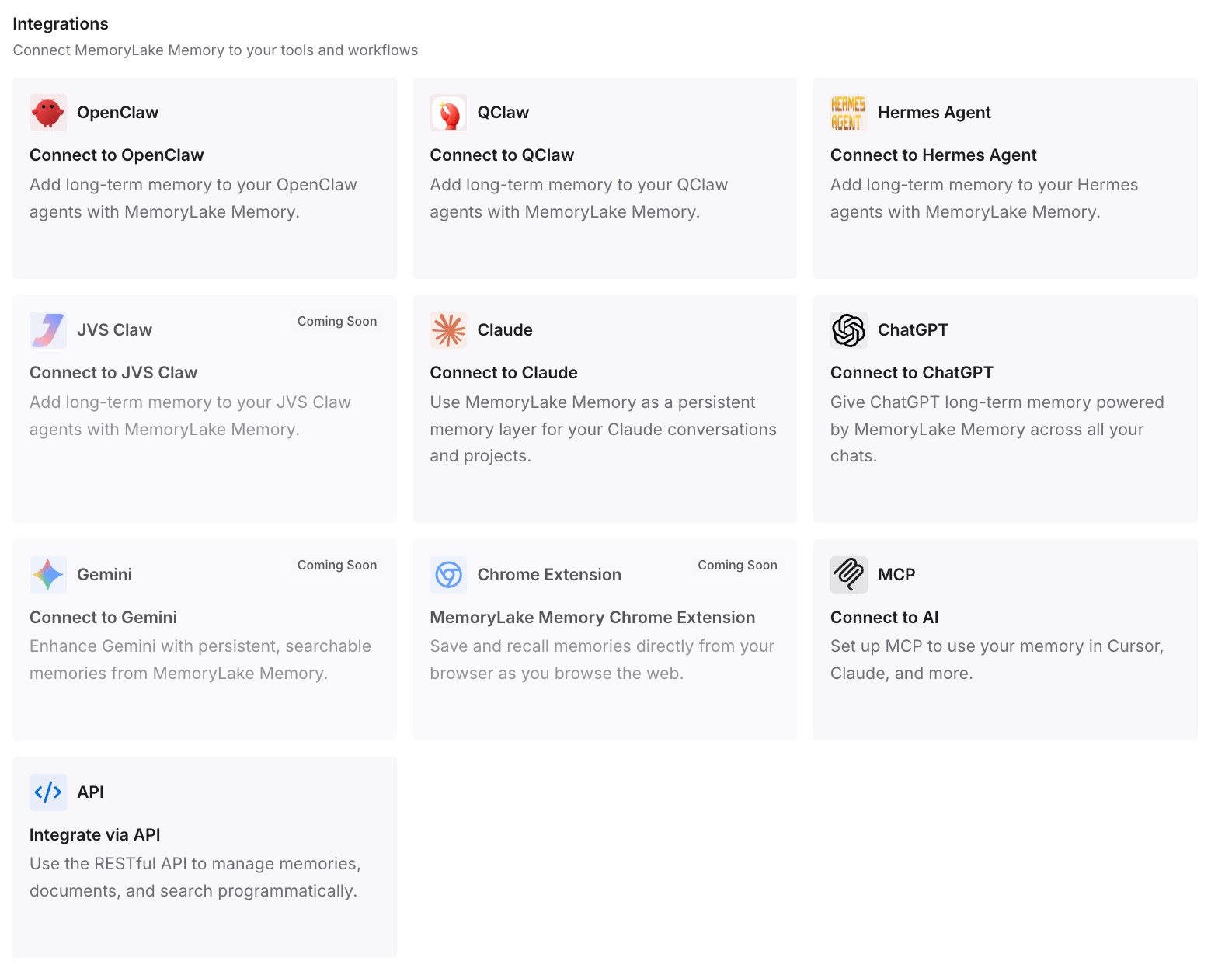
Step 3: Connect your AI & agents
Connect ChatGPT, Claude Code, Codex, and the other assistants you use, so the same context is there in each.
What this changes in practice
The first difference is control. You decide what's kept, and you can read every entry.
The second is durability. Your notes don't depend on whether memory is on or a recap was regenerated.
The third is portability. The same context is available in assistants other than Claude.
Best practices for Claude Reflect
Read the source line. The page says which chats and sessions it used.
Use incognito for private topics. Incognito chats are left out of recaps.
Delete before you turn memory off. Turning memory off hides recaps but keeps them.
Expect cloud work only. Local Claude Code and Cowork work isn't read.
Check your export. Saved recaps are included in it.
Use feedback when a stat looks off. The thumbs buttons are on the page.
Conclusion
Claude Reflect is the monthly recap in Claude's settings. Since November 24, it's out of beta on Free, Pro, Max, and Ultra plans and reads your chats along with Claude Code sessions and Cowork tasks that run in the cloud. It leaves out incognito chats, health integrations, Personal Finance accounts, and work that runs only on your computer, and it doesn't read the raw emails or files Claude pulls in from connected services.
The recap only appears when memory is on, and it's generated only when you open the page. Stored recaps stay until you delete them, a chat they used is deleted, or you delete your account, and they're included in your data export. Delete stored reflections removes them across all periods and devices, while turning memory off only hides them.