
Why a search that works everywhere else stops at the project edge
Anthropic's help article on chat search and memory sets out what the feature does: "You can prompt Claude to search through your previous conversations to find and reference relevant information in new chats." It runs automatically once available — "Once the ability to search past chats is rolled out to your account, it will be enabled by default" — and it is visible when it fires, because "When Claude searches your previous chats, you will see this reflected in your current chat as a tool call."
It also says how it works underneath: "These searches use Retrieval-Augmented Generation (RAG) and will appear as tool calls during your conversations."
Then it states the scope, and this is the sentence the whole problem turns on. Claude can search conversations within these boundaries: "All chats outside of projects. Individual project conversations (searches are limited to within each specific project)."
Read as a diagram, that is not one searchable history. It is one general pool plus one sealed compartment per project. A search launched from the general pool covers the general pool. A search launched inside Project A covers Project A. Nothing crosses.
The design reason is stated elsewhere and is entirely coherent. Anthropic's projects documentation describes them as self-contained by intent: "Projects allow you to create self-contained workspaces with their own chat histories and knowledge bases." Self-contained is the feature. A project for a client whose work should not bleed into another client's answers is doing precisely what it was built to do.
The trouble is that most people do not adopt projects as isolation boundaries. They adopt them as folders. And a folder that silently partitions your search index behaves very differently from a folder that just groups things.
There is a second boundary in the same area, and it is worth knowing before you go looking for a missing conversation. Incognito chats are excluded by design: "Claude won’t pull information from incognito chats when searching previous conversations." Anthropic's incognito documentation is more explicit still — these are "temporary conversations that aren’t saved to your chat history or to Claude’s memory." So a chat you started under the ghost icon is not missing from search; it was never eligible.
What people try instead
Asking again with better wording. Understandable, and useless when the issue is scope rather than phrasing. The tool call fires, searches the pool you are in, and returns the same nothing. If you can see the tool call happening, rewording is not the lever.
Assuming the memory feature will cover the gap. Memory and chat search are related but distinct, and memory does not turn a sealed compartment into an open one. The relationship between the two — and where each one stops — is the subject of Claude's memory across chat and Cowork.
Concluding Claude forgot. This is the wrong diagnosis in a very specific way, and worth separating from the real one. A model that cannot retrieve a conversation it was never pointed at is not the same as a model losing context inside a working session. The second problem is real and has its own causes, which we covered in why Claude forgets previous conversations. This one is a boundary, not a lapse.
Uploading everything into project knowledge instead. A reasonable instinct, and it does help within that project. But project knowledge is a different mechanism from chat search — it is documents you attach, scaled through retrieval when they get large, which Anthropic describes as RAG mode expanding capacity "while maintaining response quality." What it does not do is make your past conversations from elsewhere visible here. We went through that mechanism in how Claude's project RAG mode works, and the failure modes of relying on attachments in when Claude forgets project knowledge.
Turning the search toggle off and on. The control exists — you can navigate to Settings > Memory and switch the toggle next to “Search and reference chats” off — but toggling it does not change scope, only whether search runs at all.
Making one giant project so everything is in one compartment. This works, right up to the point where it defeats the purpose of projects, and it collides with plan limits: "Free users can create a maximum of five projects."
The Fix: Decide which pool a conversation belongs to before you start it
The boundary is fixed and documented. What you control is which side of it your work lands on, and whether the conclusions survive either way.
Step 1: Confirm which pool you are actually searching
Before diagnosing anything, establish where you are. If the current chat sits inside a project, the search reaches that project's conversations. If it sits outside, the search reaches everything outside every project.
Then confirm the search ran at all. Anthropic's documentation says it surfaces as a tool call in the conversation, so you can see it rather than infer it. A search that visibly ran and returned nothing is a scope problem. A search that never appeared is a settings or availability problem — the feature is documented as available "to users on paid plans (Pro, Max, Team, and Enterprise plans) on the web, Claude Desktop, and Claude Mobile apps."
That single check separates the two failure modes that look identical from the outside.
Step 2: Choose the container deliberately, and write the rule down
If a thread will need to be found later from unrelated work, hold it outside projects. If a thread genuinely should not surface elsewhere, put it in a project and accept that this is the point.
The rule worth writing down is which of those two your projects are for. Most fragmented histories come from never deciding — a project created for tidiness in March becomes an invisible wall in September. Also note where incognito fits, because it is a third state, not a stronger version of a project: incognito chats are not saved to history at all, cannot be converted afterwards, and Anthropic notes that incognito mode "is currently only available for chats outside of projects."
Step 3: Lift conclusions out of whichever compartment produced them
Scope stops being load-bearing the moment the thing you need is not trapped in a conversation.
At the end of any session that produced a decision, write the decision down as prose somewhere outside the container — what was chosen, why, and what would change it. Four or five sentences. Then the question "which pool was that in" never has to be answered, because the answer no longer lives in a pool. This is the same discipline that makes an assistant useful across sessions rather than within one, which we set out in making Claude remember previous conversations.
Setting this up in MemoryLake
A store that sits outside every vendor's compartments is the structural answer to a scoped search. MemoryLake is a separate layer for the conclusions you want reachable from anywhere, maintained by you rather than derived from any chat history. You write the entries yourself, in your own words. Nothing is read out of, written to, or removed from Anthropic's systems or any other vendor's store — your Claude conversations stay entirely under Claude's own controls, inside whichever project you put them in.
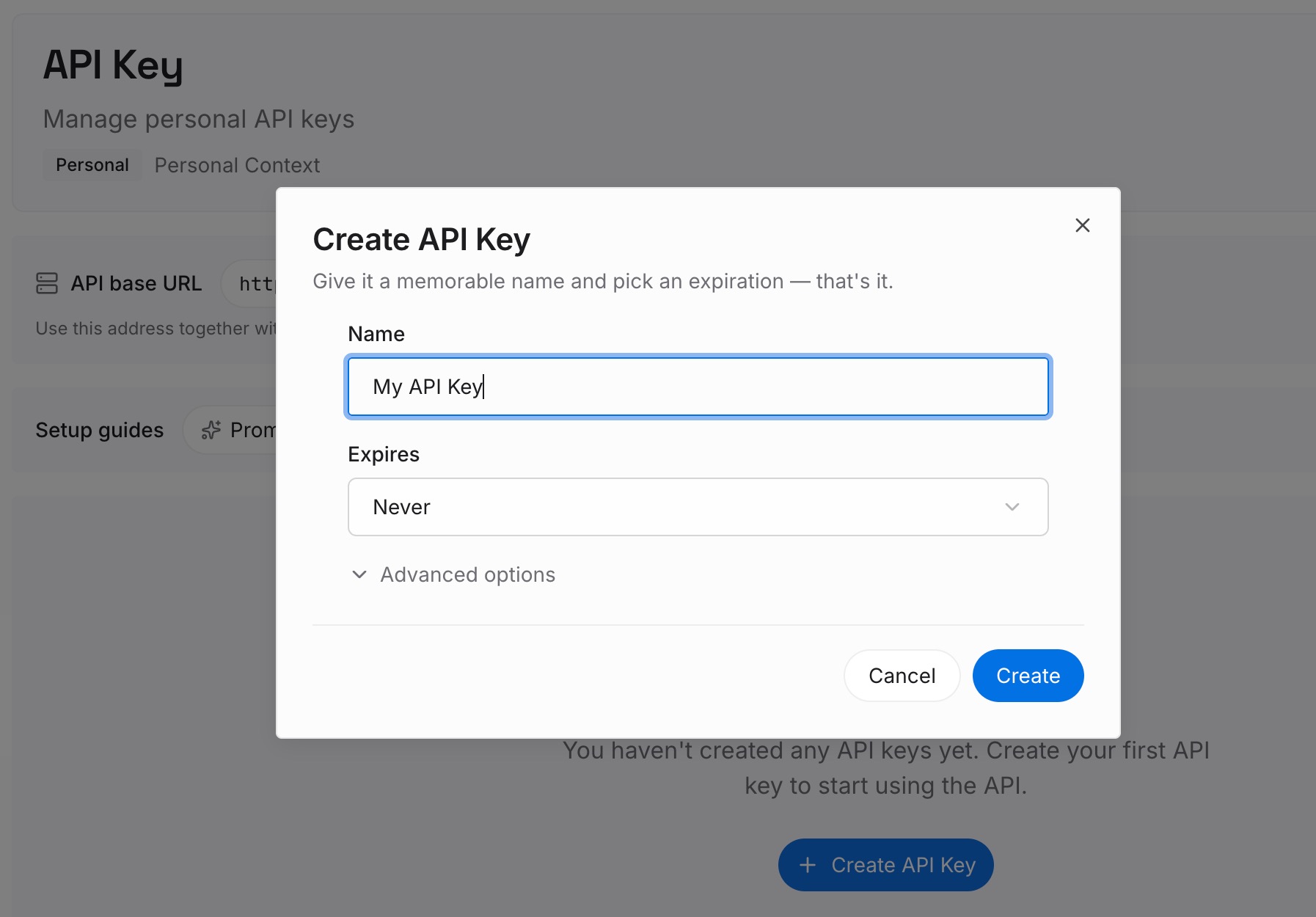
Step 1: Create an API key
Generate a key from the dashboard. It is what lets each assistant reach the same set of conclusions, regardless of which product's compartment the original conversation happened to be in.
Step 2: Upload your first memories
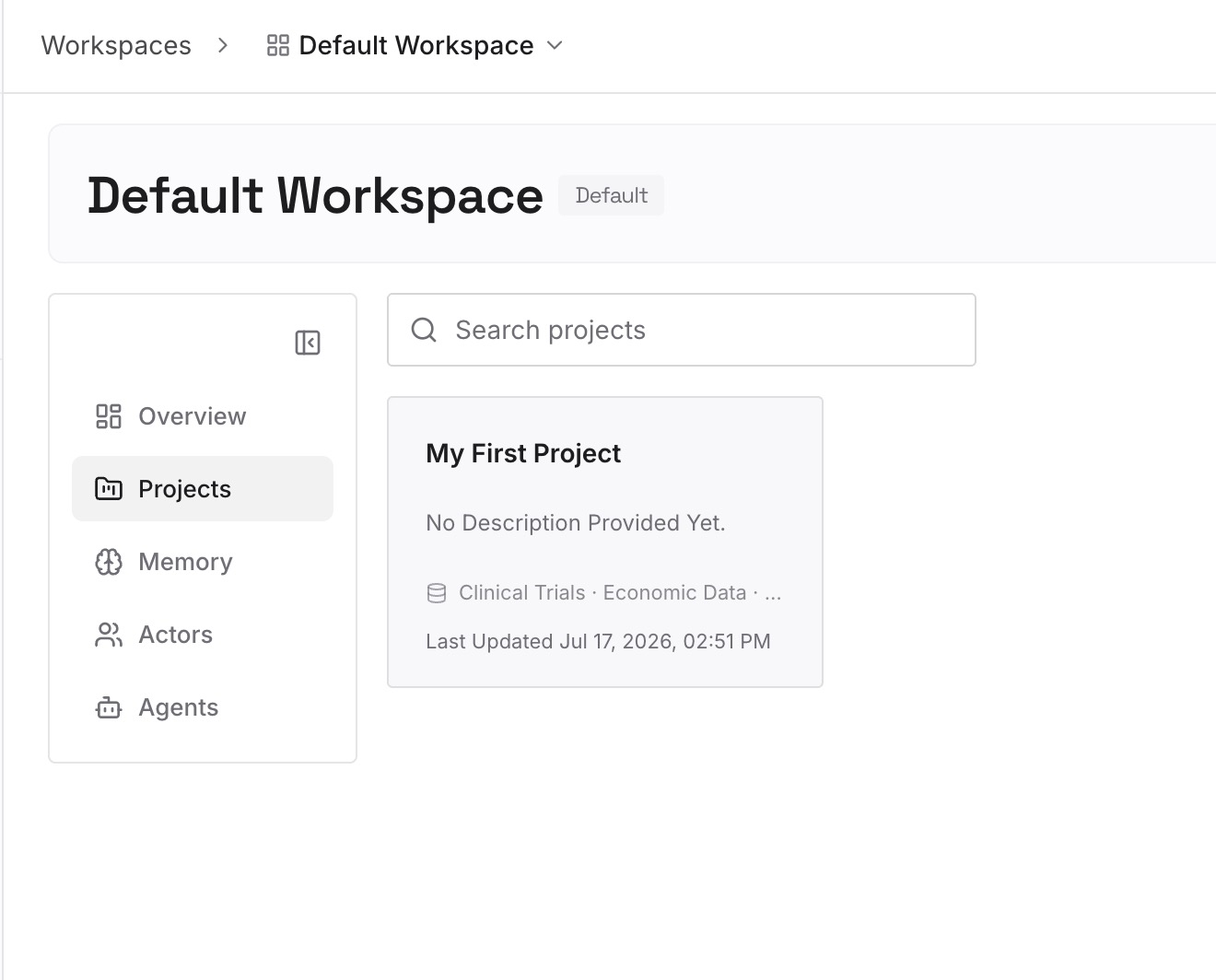
Start with the decisions currently stranded. Think of the two or three projects whose conclusions you would struggle to retrieve from a general chat, and write each one out as a short dated paragraph. You are not copying transcripts; you are recording what they settled.
Step 3: Connect your AI & agents
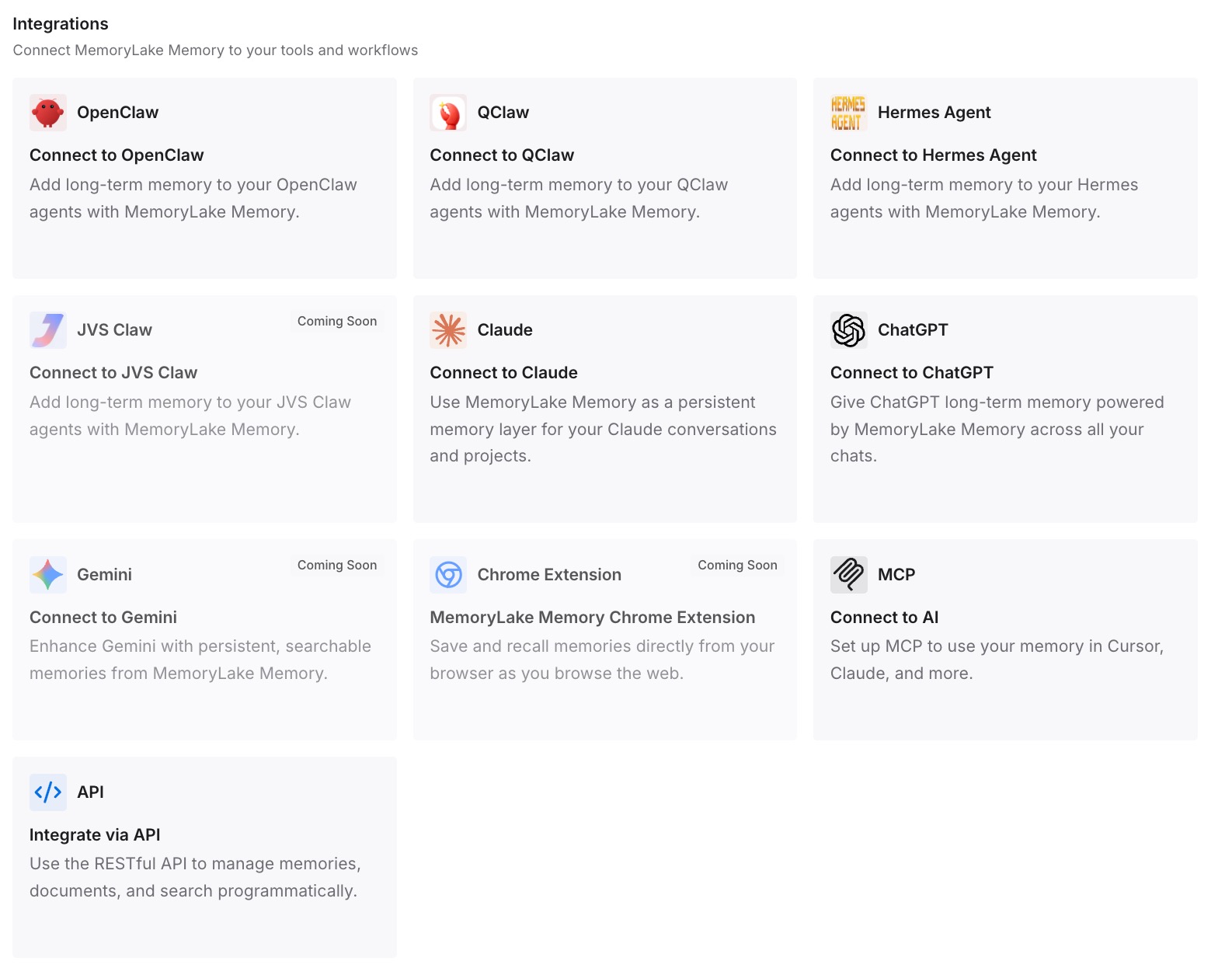
Point your tools at the layer so those conclusions load at the start of work rather than being searched for afterwards. Verify it the only way that counts: open a fresh conversation outside any project and ask for a conclusion that originally came from inside one. If it comes back, the boundary has stopped costing you anything.
What this changes in practice
The first change is diagnostic. "Claude can't find my chat" splits into three distinct situations — a scoped search, a chat that was never saved, or a feature that is not running — and each has a different response. Knowing the boundary exists turns an unanswerable complaint into a two-minute check.
The second is that projects become usable for what they are good at. Isolation is genuinely valuable when you are working for multiple clients, or keeping personal and professional threads apart. It is only harmful when you adopt it by accident. Once the conclusions live elsewhere, you can isolate aggressively without paying a retrieval cost.
The third is that a boundary in one product stops determining what your other tools know. If the decision that came out of a project lives in a store your other assistants can reach, moving between tools stops meaning re-deriving what you already settled — the situation described in cross-tool memory for knowledge workers.
The fourth is quieter and matters for teams. Anthropic notes that on Team and Enterprise plans, incognito chats "are included in organizational data exports available to account Owners," and that Claude can still access profile information such as custom styles inside an incognito chat. Incognito is about what is saved to your history and used for memory — it is not a privacy mode from your own organisation. Knowing that before you rely on it prevents a genuinely awkward conversation later.
Best practices for working across Claude's search boundaries
Decide what projects mean to you, once. Either they are isolation boundaries or they are folders. They cannot be both, and the search scope follows the first reading.
Check for the tool call before you blame the search. It is visible in the conversation by design. Seeing it changes your diagnosis immediately.
Do not use incognito as a tidier project. It is a different mechanism with different consequences: nothing is saved, nothing can be converted back, and on Team and Enterprise plans it still appears in organisational exports.
Write the conclusion outside the container. A decision that only exists inside a project is one reorganisation away from being unreachable.
Keep client work isolated on purpose. This is the case where the boundary is doing exactly what you want. Lean into it rather than working around it.
Re-read your own store quarterly. A conclusion written in March and contradicted in June is worse than no conclusion at all if both are sitting there undated.
Conclusion
Claude's past-chat search is not unreliable. It is scoped, and Anthropic says so in one line: searches cover "All chats outside of projects. Individual project conversations (searches are limited to within each specific project)."
That design is deliberate and defensible. Projects are documented as "self-contained workspaces with their own chat histories and knowledge bases," and a client project that leaked into another client's answers would be a much worse problem than one that does not search across.
What goes wrong is only the mismatch between how the feature is built and how people adopt it. Projects get created as folders, and folders are expected to be searchable from outside. Once you know the compartment is real, the fix is small: check which pool you are in, decide deliberately which side new work belongs on, and keep the conclusions themselves somewhere that no compartment can hold.