
Where Claude Code looks for skills
Claude Code loads skills from several places. The documentation's table lists them:
- Personal:
~/.claude/skills/<skill-name>/SKILL.md, for all your projects on this machine. - Project:
.claude/skills/<skill-name>/SKILL.mdin a repository. - Nested: a
.claude/skillsfolder inside a subdirectory. - Enterprise: skills your organization deploys through managed settings.
- Plugin: skills inside an enabled plugin, named with the plugin's prefix.
- claude.ai account: skills enabled for your claude.ai account.
The last one is what this guide is about. A skill you made in Claude's web app or desktop chat doesn't live in a folder you created. It lives on your account, and Claude Code downloads a copy in the sessions where it can.
To see what's loaded, run /skills. The documentation says synced skills are listed under a group called claude.ai sync.
When skills sync from claude.ai
The documentation says the sync applies if you use Cowork or cloud sessions, "or sign in to Claude Code in your terminal with a claude.ai account."
In a terminal session, here's how it works: "When the session starts, Claude Code downloads your account's skills into ~/.claude/skills/synced/ in the background, then checks claude.ai for changes while the session runs."
The checks don't run constantly. While you or Claude are working, a check runs about every 10 minutes. While the session is idle, about every 40 minutes. When you type again after a long idle period, Claude Code checks within a few minutes.
Two details explain a skill that appears late.
The sync doesn't hold up startup. The documentation says: "The sync never delays startup, because Claude waits for a skill's download only when it invokes that skill." A skill you just added on claude.ai can take a check cycle to arrive.
Short non-interactive runs can miss new skills. A quick run can finish before a newly added skill downloads, and a later session picks it up. The documentation describes a setting that makes a non-interactive run wait for the skill list.
Which skills sync depends on your claude.ai settings. Some of Anthropic's own skills, such as pdf and xlsx, always sync. For the rest, the skill has to be turned on in your skills settings on claude.ai.
Sessions that don't sync
This is the first thing to check when a claude.ai skill is missing in the terminal. The documentation lists the sessions where Claude Code doesn't sync:
- Sessions without a
/loginsign-in, such as ones that authenticate with an API key, or where an auth token variable or an API key helper script supplies the credential. - Sessions that don't fetch feature flags, such as one on Amazon Bedrock, or one where nonessential traffic is turned off.
- Bare mode and safe mode.
- Sessions where managed settings lock skills to plugin sources, or where a settings-sources list leaves out user settings.
One more case applies if you sign in partway through: "If you sign in with /login during a session, restart Claude Code to start syncing."
Skills synced earlier aren't lost when a session can't sync. The documentation says: "Skills that an earlier session synced stay on disk." Claude Code loads them in later sessions signed in to the same account, even without a connection to claude.ai.
On the claude.ai side, skills also depend on account settings. Anthropic's help center says skills require code execution to be enabled, and on Enterprise plans an owner has to enable skills for the organization.
Why a local skill with the same name wins
Every synced skill has two names. The documentation explains: "You can invoke a synced skill by its short name, /<name>, or by its full name, /anthropic-skills:<name>."
When something else already uses the short name, that other thing wins. The documentation gives an example: "With a local deploy skill and a synced deploy, /deploy runs the local skill and /anthropic-skills:deploy runs the synced one."
The other command can be almost anything: a built-in command, a bundled skill, a personal or project skill, a file in .claude/commands/, a plugin skill, or an MCP prompt. The comparison also ignores letter case and some spacing differences, so a synced skill named Commit and a local skill named commit count as the same name.
This is why a skill can seem missing when it's actually there under its full name. Run /skills. The documentation says a note under the list explains each synced skill that lost its short name, and if one of your own skills or command files in ~/.claude/ uses the name, the note says what to rename or delete to free it.
Why edits in the synced folder get overwritten
The synced folder is a download destination, not a place to edit. The documentation is explicit: "If you or Claude edit a file under ~/.claude/skills/synced/, the change isn't saved to your claude.ai account, and a later sync can overwrite or remove it."
Its instruction is just as clear: "To change a synced skill, update it on claude.ai; the next sync downloads the new version."
The same logic applies to deleting. If you remove a synced skill's folder by hand while it's still enabled on claude.ai, the next sync downloads it again. To remove it, turn it off on claude.ai.
If you'd rather work on a copy locally, put it in your personal skills folder under a different folder name. Don't name a folder synced. Claude Code reserves that name and skips a skill you author there.
What changes when a synced skill runs in the terminal
A synced skill can load and still behave differently from the claude.ai version. The documentation describes how Claude Code treats the body of a synced skill in a terminal or VS Code session: it doesn't run lines that inject shell output, doesn't attach files referenced with @, and doesn't fill in placeholders such as the project directory or session ID. Those reach Claude as plain text.
In a cloud session, the body behaves like a local skill, because the session runs in an isolated container. In a Cowork session on your desktop, shell lines are replaced with a placeholder.
If a skill depends on any of these features, it may work in one place and look broken in another.
Skills that exist only on your machine
The sync runs in one direction. Skills in ~/.claude/skills/ on your computer don't travel to claude.ai.
That matters for Cowork and cloud sessions. The documentation says they "don't read ~/.claude/skills/ on your machine." They load the skills enabled for your claude.ai account instead.
The result can look like a missing skill in the other direction. The documentation notes that if a skill exists only in your personal folder, Claude Code reports it wasn't found when a cloud scheduled task invokes it, because each run starts as a fresh cloud session. To make a personal skill available there, enable it on your claude.ai account. For cloud sessions outside project threads, you can also commit it to the repository's .claude/skills/.
Desktop scheduled tasks are different. They run on your machine, so they do load ~/.claude/skills/.
Skills that load late or don't trigger
A few other causes make a skill look missing even when its file is in place.
Nested skills load on demand. Skills in a .claude/skills folder below where you started Claude Code don't load at startup. The documentation says they load "the first time Claude reads or edits a file in that subdirectory". Run /add-dir with the subdirectory to load them sooner.
New skills may need a reload. Claude Code watches skill folders for changes. If a new skill doesn't appear, the documentation suggests running /reload-skills.
Broken frontmatter hides the description. If the YAML at the top of SKILL.md doesn't parse, the skill still loads with no fields set. You can still type its name, but Claude can't match your request to its description. Running Claude Code with --debug shows the error, and claude plugin validate can check a skills folder.
Too many skills can drop descriptions. Claude Code loads a list of skill names and descriptions into context. With many skills, it drops some descriptions to fit a budget, which removes the keywords Claude matches on. Run /doctor to see the listing's cost, or set low-priority skills to list by name only.
Some names are refused. A skill folder named anthropic-skills, or a folder name with characters such as a zero-width space or angle brackets, doesn't load.
Skills that disappeared
If skill folders you created in ~/.claude/skills/ are gone, the documentation points to one place: "look in ~/.claude/skills/.trash/."
Several things move skills there. Turning off sync with the syncClaudeAiSkills setting moves synced skills to the trash folder. If your organization turns Skills off on claude.ai, Claude Code removes the downloaded skills, and the documentation says they move to the same folder. Before version 2.1.280, a file named manifest.json in your skills folder could move skills there too.
You can restore a skill by moving its folder back, before the retention sweep deletes trash entries.
We covered where skills now appear in the Claude app, after the Customize menu became Plugins, in our guide to Claude plugins and skills.
What people try first
Signing in partway through a session. Restart Claude Code to start syncing.
Using an API key and expecting sync. Sync needs a /login sign-in.
Typing the short name. A local command may own it. Try the full anthropic-skills: name.
Editing the synced copy. Change the skill on claude.ai instead.
Expecting Cowork to see local skills. It loads your claude.ai skills.
The Fix: Keep one source for each skill
Step 1: Run /skills
Check which skills loaded and which synced from claude.ai.
Step 2: Check how you signed in
Use a claude.ai sign-in with /login if you want synced skills.
Step 3: Resolve name clashes
Rename the local skill, or use the synced skill's full name.
Step 4: Write down where each skill's source lives
Note which skills are maintained on claude.ai and which in local folders.
Setting this up in MemoryLake
Skills sync in one direction, load in some sessions and not others, and can exist as several copies with similar names. Knowing which copy is the real one, and why a skill was written the way it was, is context that the skill files don't hold.
MemoryLake is a memory layer for that kind of working context, such as conventions, workflow decisions, and the reasons behind your skills, kept in one place you maintain and available to the assistants you connect, such as ChatGPT, Claude Code, and Codex.
You write the entries yourself, in your own words. Nothing is read out of, written to, or deleted from your claude.ai skills, your ~/.claude/skills folder, your synced skills, your settings files, or any vendor's store. Skill sync works the way Anthropic describes it.
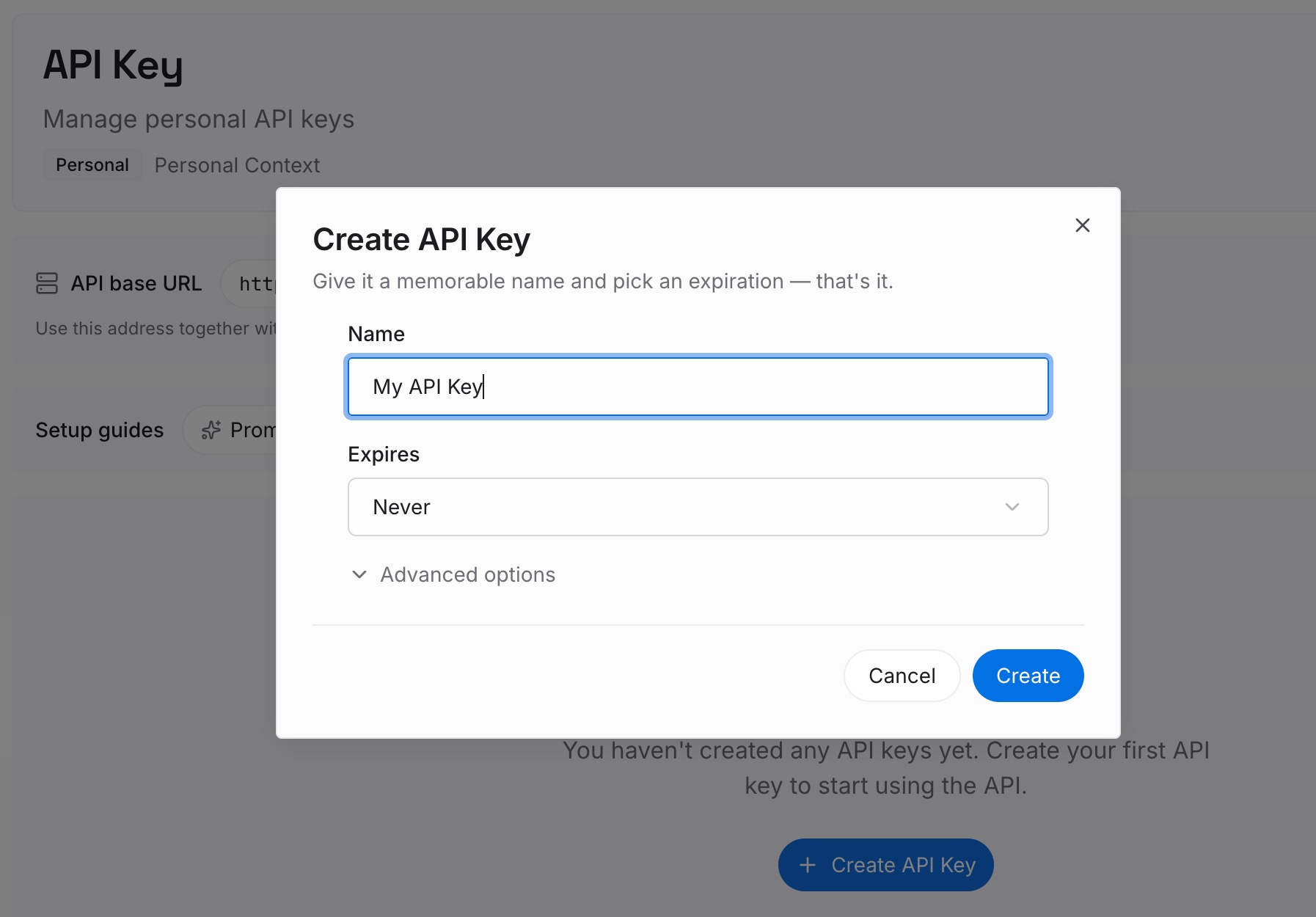
Step 1: Create an API key
Sign in and generate a key from the dashboard. Store it outside your repositories, like any other credential.
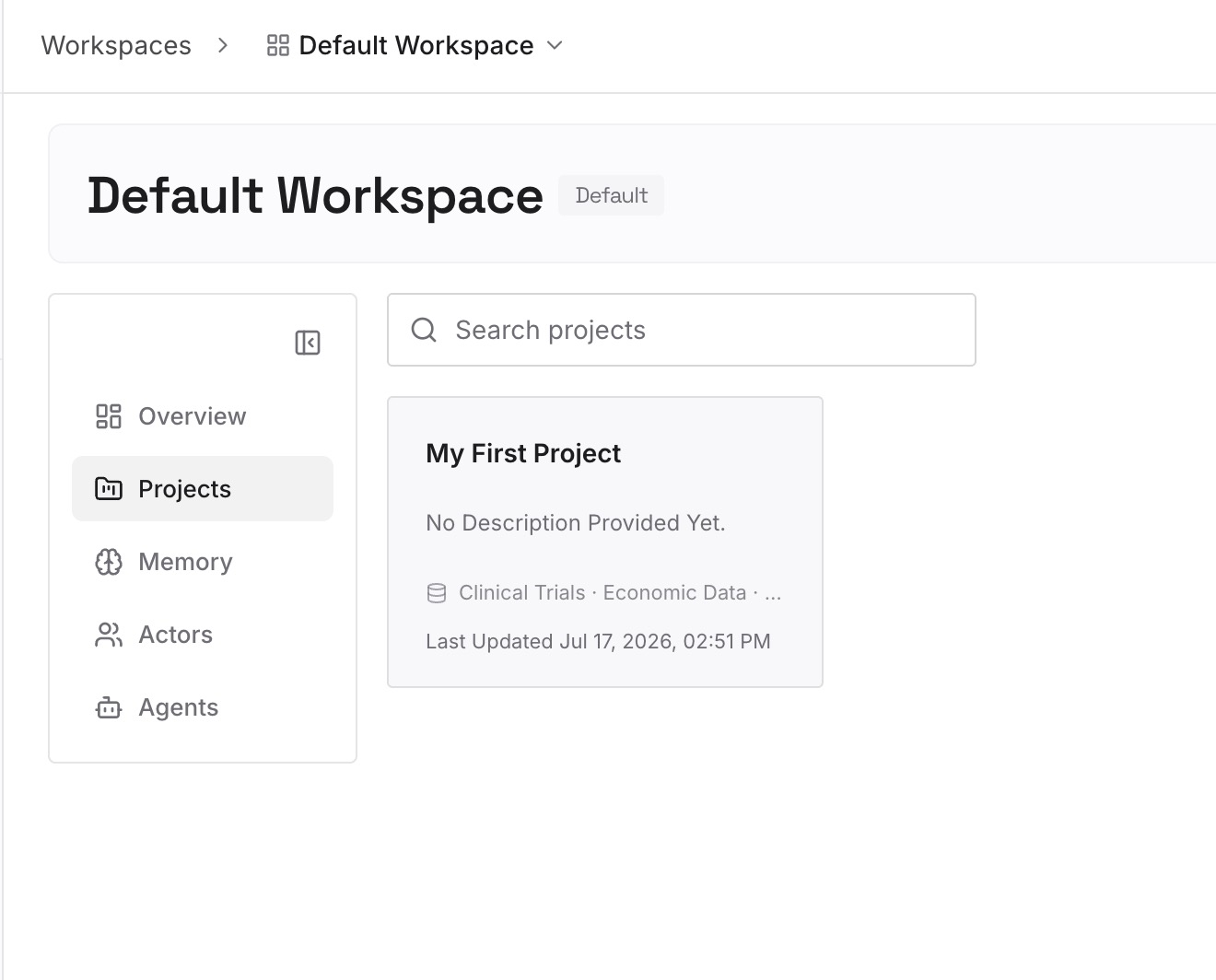
Step 2: Upload your first memories
Start with what you wrote in Step 4 of the fix: where each skill is maintained and why it exists. One skill per entry.
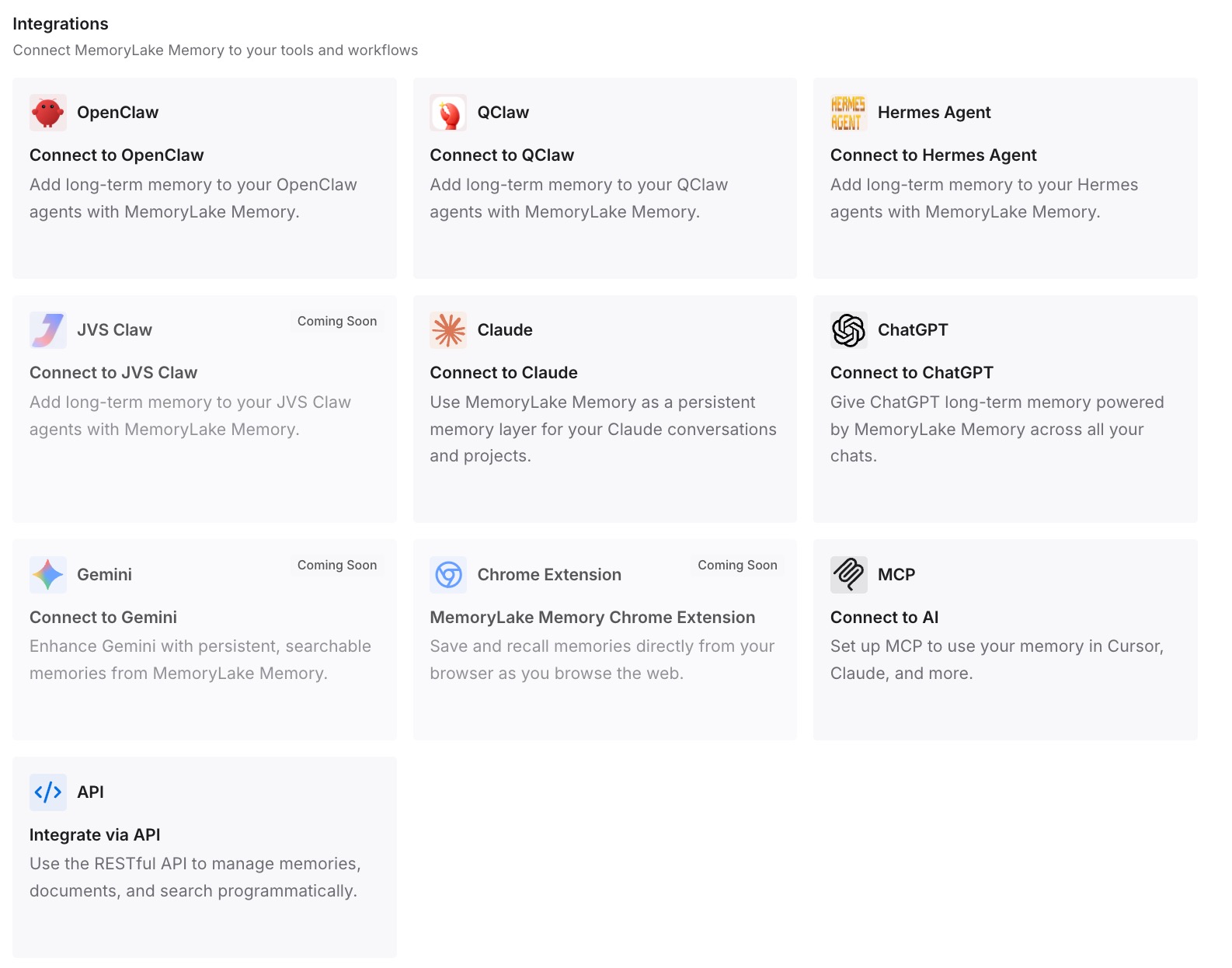
Step 3: Connect your AI & agents
Connect Claude Code, Codex, and the other assistants you use. Each can draw on the same notes about your skills.
What this changes in practice
The first difference is fewer lost edits. You know which copy to change.
The second is faster troubleshooting. When a skill is missing, you know where it should come from.
The third is consistency across tools. The same reasons behind your skills are available in Claude Code and elsewhere.
Best practices for Claude skills in Claude Code
Edit synced skills on claude.ai. Local edits get overwritten.
Avoid name clashes. A local command takes the short name.
Sign in with /login for sync. API key sessions don't sync.
Enable skills on claude.ai for Cowork and cloud. They don't read local folders.
Keep frontmatter valid. Broken YAML hides the description.
Check the trash folder before rebuilding. Removed skills go there first.
Conclusion
Claude Code syncs the skills enabled for your claude.ai account into ~/.claude/skills/synced/, but only in sessions signed in with a claude.ai account that fetch feature flags. API key sessions, Bedrock, bare mode, safe mode, and some managed settings stop the sync, and signing in partway through needs a restart. Skills synced earlier stay on disk.
A synced skill gives up its short name to any other command with the same name, so it can still be there under /anthropic-skills:. Edits to the synced folder aren't uploaded and can be overwritten, so change skills on claude.ai. Cowork and cloud sessions don't read your local skills folder, and the first place to look for a skill that vanished is ~/.claude/skills/.trash/.