
Three kinds of memory in Claude Code
Anthropic's memory documentation starts from a basic fact: "Each Claude Code session begins with a fresh context window." What carries over comes from files.
There are two kinds of files, and the documentation compares them:
- CLAUDE.md files: you write them. They hold instructions and rules, and they load in every session.
- Auto memory: Claude writes it. It holds learnings and patterns, scoped per repository and shared across worktrees.
The third thing people mean by memory is the current conversation, the context window itself.
A preference you mentioned in passing is the kind of thing auto memory holds. Anthropic describes auto memory as "notes Claude writes itself based on your corrections and preferences".
What /clear does
The command reference describes /clear this way: "Start a new conversation with empty context."
That's all it does to memory. It resets the conversation, not the files. Your CLAUDE.md files and your auto memory stay where they are, and auto memory's index loads again at the start of the next session while auto memory is on.
The previous conversation isn't gone either. Anthropic says you can resume it with /resume, or restore it from the rewind menu in the same Claude Code process. /clear also has two aliases, /reset and /new.
If you want to free up space but keep the conversation going, the reference points to /compact instead, which summarizes the conversation so far.
So /clear is the right tool when a conversation has gone off track. It isn't the tool for forgetting a preference.
Where auto memory lives
Auto memory is a folder of plain files. The documentation says: "Each project gets its own memory directory at ~/.claude/projects/<project>/memory/."
The project path comes from the git repository, so all worktrees and subdirectories in the same repo share one memory directory. Outside a git repo, the project root is used instead.
Inside the folder, there's a MEMORY.md index and one topic file per memory. Anthropic explains: "MEMORY.md acts as an index of the memory directory."
Only part of it loads automatically. While auto memory is on, the first 200 lines or 25KB of MEMORY.md load at session start, whichever comes first. Topic files load on demand, when Claude reads them with its file tools.
Auto memory is machine-local. Anthropic says the files "are not shared across machines or cloud environments." Clearing memory on your laptop doesn't touch your desktop.
If you've set autoMemoryDirectory in your settings, your memory lives in that folder instead.
We looked at how worktrees share this folder in our guide to whether Claude Code worktrees share memory.
What Claude saves there
Knowing what's in the folder helps you find the right file. Anthropic says Claude saves four kinds of notes and records the kind in a type field in each file's frontmatter:
user: your role, expertise, and working preferencesfeedback: corrections you give Claude and approaches you confirmproject: ongoing work, deadlines, and decisions Claude can't derive from the code or git historyreference: where to find information outside the project
A preference for a testing library could be a user or feedback note.
Claude skips some things. The documentation says it skips anything it can derive from the codebase, and "anything your CLAUDE.md files already say." It also notes: "Claude doesn't save something every session."
When Claude writes a memory file that begins with frontmatter, Claude Code records the write time in a modified field, so you can see how current each note is.
How to find and delete one memory
Anthropic's documentation is direct about editing: "Auto memory files are plain markdown you can edit or delete at any time."
To get there from a session, run /memory. The command lists your CLAUDE.md files, lets you toggle auto memory, and gives you an option to open the auto memory folder.
Then:
- Open the auto memory folder.
- Read
MEMORY.mdto see what's stored and which topic file holds it. - Open the topic file for the stale preference.
- Edit it to say what's true now, or delete the file.
- If you delete a topic file, remove its line from
MEMORY.mdtoo, so the index matches the folder.
Editing can be better than deleting. A note that says your team switched libraries, and when, is more useful than no note at all, because it stops Claude from relearning the old preference.
How to clear all of it
To clear everything Claude has saved for a project, delete the contents of that project's memory directory. Because one directory serves the whole repository, this affects every worktree of that repo on that machine.
Clearing doesn't happen on its own. Claude Code deletes old session transcripts after its cleanupPeriodDays retention period, but the documentation says memory files are excluded from that sweep: "MEMORY.md and topic files stay until you or Claude edits or deletes them."
If you use subagents with their own memory, those are separate folders. Anthropic says a subagent's own auto memory "is a separate directory", under .claude/agent-memory/ in the project or ~/.claude/agent-memory/ for user-level subagents.
When memory lives somewhere else
Two settings can move the folder, and both change what clearing affects.
A custom directory. If autoMemoryDirectory is set, Claude Code stores auto memory there instead. Anthropic says it's read from any settings scope, such as user, project, local, or policy settings, and the value must be an absolute path or start with ~/. Check your settings before assuming the default location.
A shared project name. If CLAUDE_CODE_PROJECT_DIR_NAME is set beside CLAUDE_CONFIG_DIR, Anthropic says Claude Code uses that name as the project directory whichever repository you launch it in, "so projects launched with that config directory share one auto memory directory." Clearing that folder clears memory for all of them.
Some sessions don't write auto memory by default at all. Anthropic notes that outside Claude Tag sessions, a session in a self-hosted environment runs with auto memory off by default.
How to turn auto memory off
If you'd rather Claude didn't keep notes at all, you can turn auto memory off. It's on by default in local sessions.
- Everywhere: open
/memoryand use the auto memory toggle. Anthropic says it savesautoMemoryEnabledto your user settings at~/.claude/settings.json. - One project: set
autoMemoryEnabledto false in that project's settings. - By environment variable: set
CLAUDE_CODE_DISABLE_AUTO_MEMORYto 1.
One catch: the toggle turns auto memory off in a background session, or in a session another Claude Code session started, but it can't turn it back on there. To turn it on again, Anthropic says to run claude directly in your terminal and use the /memory toggle in that session.
Turning auto memory off isn't the same as clearing it. Anthropic says memory files stay until you or Claude edits or deletes them.
What stays untouched
None of the steps above change your CLAUDE.md files. Those are separate files you write, in your project and in ~/.claude/.
That's the point of the title. Your project rules live in CLAUDE.md and .claude/rules/, and clearing auto memory doesn't reach them. /clear doesn't touch them either.
They also survive compaction. The documentation says: "Project-root CLAUDE.md survives compaction: after /compact, Claude re-reads it from disk and re-injects it into the session."
If you want a preference to be a rule rather than a learned note, put it in CLAUDE.md. Anthropic says that when you ask Claude to remember something, it saves it to auto memory, and to add it to CLAUDE.md instead, you ask Claude to do that directly or edit the file yourself through /memory.
Checking the result
After you edit or delete a note, start a new session and ask Claude what it knows about the topic. Auto memory's index loads at session start, so a new session is the place to see the change.
If the old preference comes back later, look in the folder again. Claude can save new notes as it works, and a fresh correction from you is the kind of thing it records as feedback.
What people try first
Running /clear to forget a preference. It resets the conversation, not the memory files.
Deleting CLAUDE.md to fix a stale note. The stale note is in auto memory.
Expecting cleanup to remove memory. Memory files are excluded from the transcript sweep.
Clearing one machine and expecting the other to forget. Auto memory is machine-local.
Turning auto memory off to erase it. The files already saved stay until someone deletes them.
The Fix: Clear the right memory
Step 1: Decide which memory is wrong
A bad conversation needs /clear. A stale preference is in auto memory. A wrong rule is in CLAUDE.md.
Step 2: Open the auto memory folder
Run /memory and open the folder for this project.
Step 3: Edit or delete the note
Update the topic file or delete it, and keep MEMORY.md in step.
Step 4: Record the decision that replaced it
Write down what changed and why, so the old preference doesn't come back.
Setting this up in MemoryLake
Auto memory is Claude's own notes, on one machine, for one repository. Decisions like switching testing libraries are context you'll want on every machine, in every repository, and in other tools.
MemoryLake is a memory layer for that kind of context, kept in one place you maintain and available to the assistants you connect, such as ChatGPT, Claude Code, and Codex.
You write the entries yourself, in your own words. Nothing is read out of, written to, or deleted from your auto memory folder, your MEMORY.md, your CLAUDE.md files, your Claude Code sessions, or any vendor's store. Auto memory works the way Anthropic describes it.
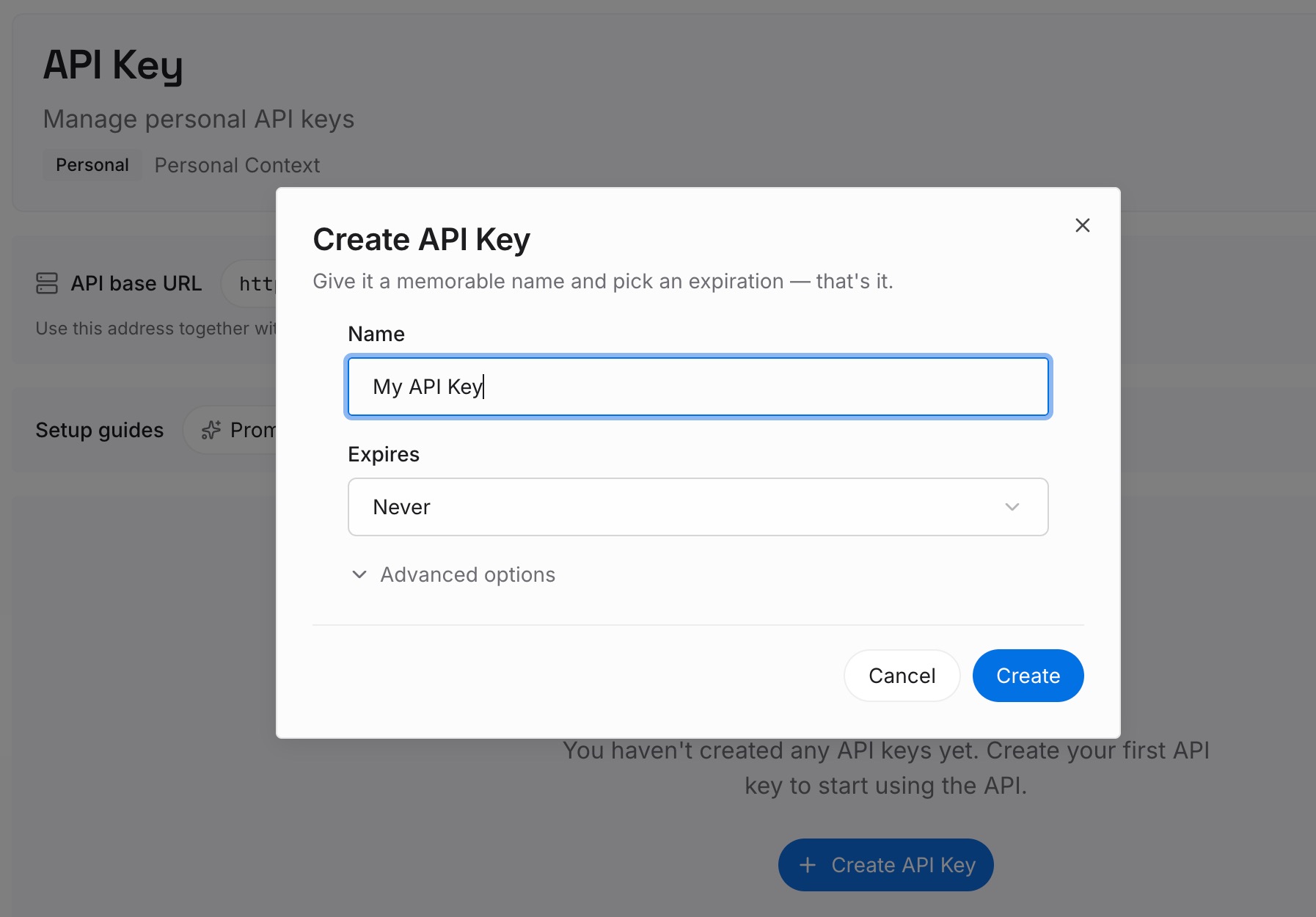
Step 1: Create an API key
Sign in and generate a key from the dashboard. Store it outside your repositories, like any other credential.
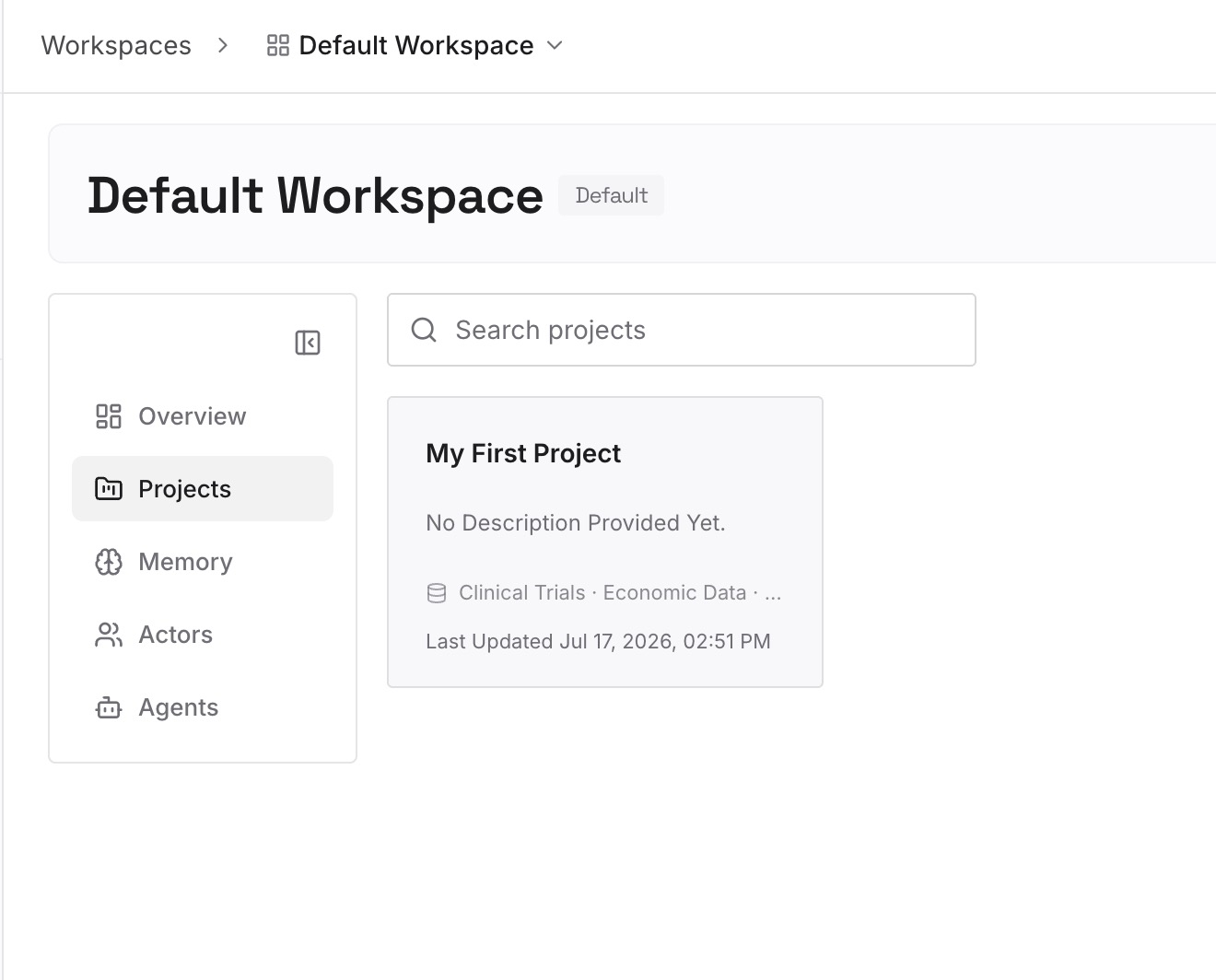
Step 2: Upload your first memories
Start with what you wrote in Step 4 of the fix: the decisions that replaced old preferences. One decision per entry.
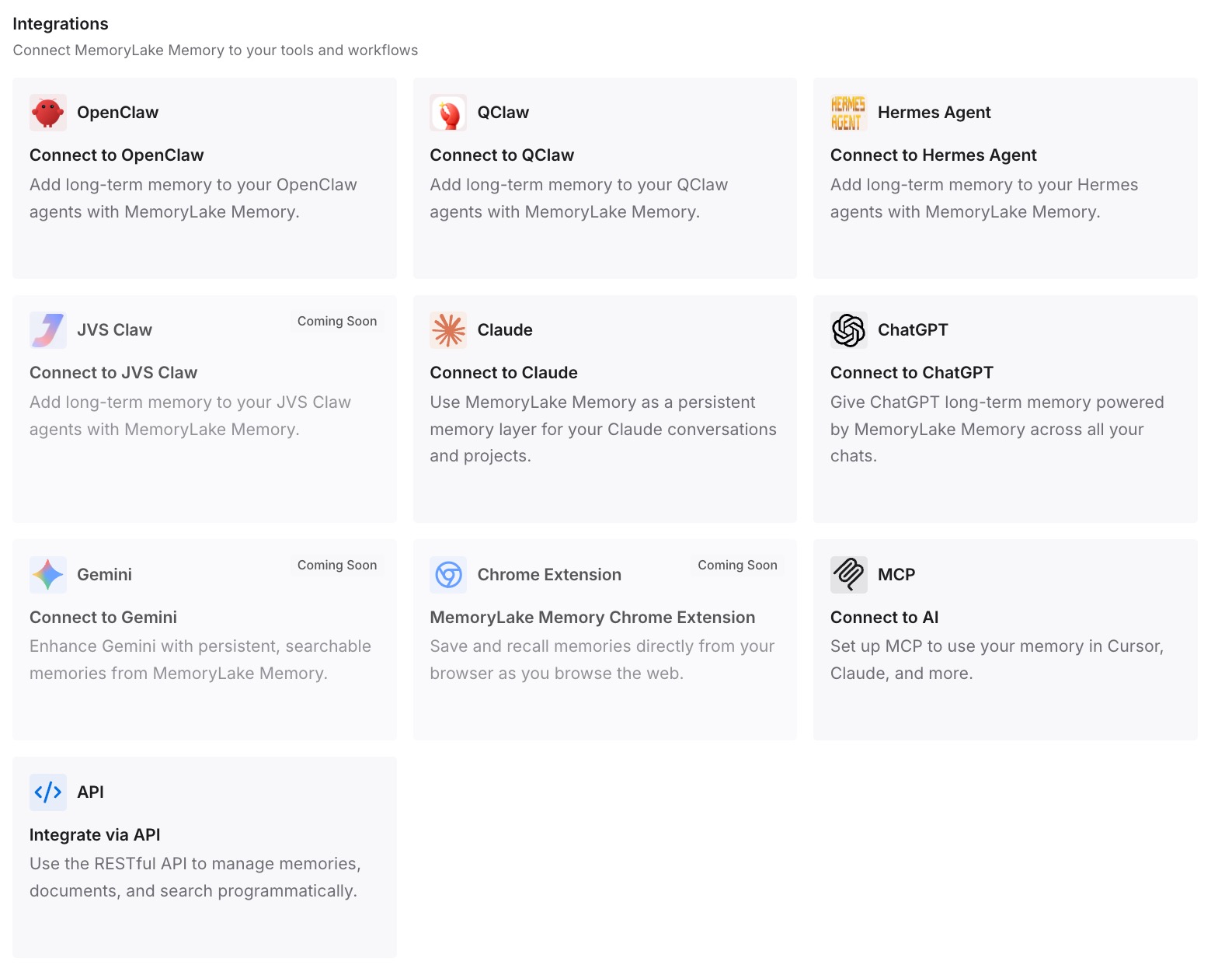
Step 3: Connect your AI & agents
Connect Claude Code, Codex, ChatGPT, and the other assistants you use, so each starts from the current decision.
What this changes in practice
The first difference is fewer relearned mistakes. The current decision is written down once.
The second is consistency across machines. Your notes aren't tied to one laptop.
The third is portability. The same decisions are available in other coding agents.
Best practices for clearing Claude Code memory
Match the tool to the memory. /clear for conversations, files for memory.
Edit before you delete. A corrected note prevents relearning.
Keep the index in step. MEMORY.md lists what's stored.
Check every machine. Auto memory doesn't sync.
Keep rules in CLAUDE.md. Clearing auto memory leaves them alone.
Review notes occasionally. The modified field shows how current each one is.
Conclusion
Claude Code has three kinds of memory: the current conversation, CLAUDE.md files you write, and auto memory Claude writes. /clear starts a new conversation with empty context and leaves both kinds of files alone. Auto memory lives in a per-repository folder on your machine, with a MEMORY.md index and one topic file per note, and it isn't removed by the transcript cleanup.
To clear a stale preference, open the folder with /memory, then edit or delete the topic file and keep the index in step. To clear everything, empty the project's memory folder on each machine. Turning auto memory off doesn't delete the notes already saved. Your CLAUDE.md rules stay untouched throughout, and writing down the decision that replaced an old preference keeps it from coming back.