
Where Codex reads AGENTS.md
Codex builds what the documentation calls an instruction chain when it starts. That happens "once per run; in the TUI this usually means once per launched session". It looks in two scopes.
Global scope. In your Codex home directory, which defaults to ~/.codex, Codex reads AGENTS.override.md if it exists, and AGENTS.md otherwise. The documentation adds: "Codex uses only the first non-empty file at this level."
Project scope. Starting at the project root, usually the Git root, Codex walks down to your current working directory. In each directory along that path, it checks for AGENTS.override.md, then AGENTS.md, then any fallback names you've configured. The documentation is specific: "Codex includes at most one file per directory."
Two consequences follow. Files in directories below where you start Codex aren't part of the chain, because the walk stops at your current directory. And if a directory has both an override and a regular file, only the override counts.
How the files combine
Codex doesn't pick one file. It joins them. The documentation explains: "Codex concatenates files from the root down, joining them with blank lines. Files closer to your current directory override earlier guidance because they appear later in the combined prompt."
There's a size limit on the result. Codex skips empty files and "stops adding files once the combined size reaches the limit defined by project_doc_max_bytes (32 KiB by default)." If you hit it, the documentation suggests raising the limit or splitting instructions across nested directories.
That limit shapes how you write. Long files near the root can crowd out the specific guidance closer to where you work, because the files nearer your current directory are added last.
Example 1: Your global file
This goes in ~/.codex/AGENTS.md and applies to every repository. Keep it to how you personally like to work. OpenAI's own example uses lines like "Prefer pnpm when installing dependencies." Here's a fuller version to adapt:
- Ask before adding a new production dependency.
- Prefer small, focused commits with a one-line summary.
- When a task is ambiguous, state your assumption and proceed.
- Don't reformat files you aren't otherwise changing.
- After changing code, run the narrowest test command that covers it.
Nothing here names a project. Project details belong in the repository.
For a temporary change, the documentation suggests ~/.codex/AGENTS.override.md: "Use ~/.codex/AGENTS.override.md when you need a temporary global override without deleting the base file."
Example 2: A repository root file
This goes in AGENTS.md at the repository root and covers what everyone working in the project should know.
- This is a TypeScript monorepo managed with pnpm workspaces.
- Use pnpm for dependencies. Don't use npm or yarn.
- Run tests for one package with
pnpm --filter <package> test. - Generated files live in
src/generated/. Don't edit them by hand; runpnpm codegeninstead. - Public utilities must be documented in
docs/when their behavior changes. - Run
pnpm lintbefore opening a pull request.
This is the file that fixes the opening example. It tells Codex which package manager to use, how to run a narrow test, and which files to leave alone.
Example 3: An override for one service
Some parts of a repository work differently. OpenAI's example puts AGENTS.override.md in services/payments/ with rules such as "Use make test-payments instead of npm test." A version to adapt:
- Tests for this service run with
make test-payments. - Never change the database migration files in
migrations/without asking. - All money values are integers in the smallest currency unit.
- Log statements must not include card or account numbers.
Because this file is an override, Codex uses it instead of any regular AGENTS.md in the same directory. The root file still applies, and this one is added after it.
OpenAI's example shows the expected order when you start Codex in that directory: the global file first, the repository root file second, and the payments override last.
Example 4: Code review rules
If you use Codex code review in GitHub, the documentation says to "add a ## Code Review Rules section to the AGENTS.md closest to the code the rules govern." Repository-wide checks go at the root and service-specific checks in nested files.
A section to adapt, under a ## Code Review Rules heading:
- Flag any new endpoint that doesn't check the caller's permissions. Safe path: reuse the existing permission helper.
- Flag queries built by string concatenation. Safe path: use the query builder.
- Don't comment on formatting; CI handles it.
The documentation's guidance on these rules is short: "Keep rules concise, explain the behavior to flag and any safe path or exception, and reserve formatting and lint checks for CI."
Example 5: Using an existing team guide
If your repository already has a file like TEAM_GUIDE.md, you don't need to copy it. You can add it to the fallback list in config.toml with the project_doc_fallback_filenames setting, and Codex treats it as an instructions file.
With TEAM_GUIDE.md and .agents.md on the list, the documentation says Codex checks each directory in this order: AGENTS.override.md, AGENTS.md, TEAM_GUIDE.md, .agents.md. It adds: "Filenames not on this list are ignored for instruction discovery."
The same setting area lets you raise project_doc_max_bytes if the combined guidance needs more room. Restart Codex or run a new command so the change loads.
AGENTS.md and Codex memories
Codex also has a memories feature, and it's easy to wonder whether it makes AGENTS.md unnecessary. OpenAI's memories documentation answers that directly: "Keep required team guidance in AGENTS.md or checked-in documentation. Treat memories as a helpful recall layer, not as the only source for rules that must always apply."
The two also live in different places. The same page says: "ChatGPT web uses ChatGPT memory, while local Codex clients use a separate local memory store and controls." AGENTS.md is a file in your repository that anyone with the code can read. Local memories belong to one machine's Codex setup.
So a rule that must hold for everyone on the team belongs in AGENTS.md, not in memory.
What to leave out
A few kinds of content make AGENTS.md worse.
Secrets. Keys and passwords don't belong in a file that's committed to the repository and read on every run.
Things CI already enforces. OpenAI's review guidance says to reserve formatting and lint checks for CI.
Long background. Architecture histories and meeting notes take up the size limit without telling Codex what to do.
Rules for other directories. Put service-specific rules in that service's directory, as close to the code as possible. The documentation notes: "Codex stops searching once it reaches your current directory, so place overrides as close to specialized work as possible."
We looked at what to check when Codex seems to skip a rule in our guide to stopping Codex from skipping AGENTS.md rules.
How to check what Codex loaded
OpenAI suggests asking Codex directly. From a repository root, ask Codex to summarize the current instructions, and it should echo guidance from your global and project files in precedence order. From a subdirectory, ask which instruction files are active to confirm that nested overrides replace broader rules.
For a record, the documentation describes opting into a plaintext TUI log and checking codex-tui.log, or inspecting the most recent session log if you enabled session logging.
If instructions look out of date, restarting is enough. The documentation says: "Codex rebuilds the instruction chain on every run (and at the start of each TUI session), so there is no cache to clear manually."
The troubleshooting list covers the common surprises:
- Nothing loads: check that you're in the intended repository and that the files aren't empty.
- Wrong guidance appears: look for an
AGENTS.override.mdhigher in the tree or in your Codex home. - Instructions truncated: raise
project_doc_max_bytesor split large files. - Profile confusion: a non-default
CODEX_HOMEpoints Codex at a different home directory.
What people try first
One giant file at the root. It can hit the 32 KiB default limit and crowd out nested guidance.
Putting service rules in the root file. They apply everywhere. Use a nested file instead.
Leaving an old override in place. An override replaces the regular file in the same directory.
Expecting files below the current directory to load. The walk stops at where you start Codex.
Naming the file something else. Unlisted filenames are ignored unless you add them as fallbacks.
The Fix: Build your AGENTS.md in layers
Step 1: Write a short global file
Put your personal working agreements in ~/.codex/AGENTS.md.
Step 2: Add a root file for the repository
Cover the package manager, test commands, generated files, and pull request expectations.
Step 3: Add nested files where rules differ
Put service-specific rules and review rules in the directory they govern.
Step 4: Write down why each rule exists
Record the incident or decision behind each rule, separately from the file Codex reads.
Setting this up in MemoryLake
AGENTS.md tells Codex what to do in one repository. The reasons behind the rules, such as the incident that led to the migration rule or the decision to standardize on pnpm, are context you'll want in other repositories and other tools.
MemoryLake is a memory layer for that kind of context, kept in one place you maintain and available to the assistants you connect, such as ChatGPT, Claude Code, and Codex.
You write the entries yourself, in your own words. Nothing is read out of, written to, or deleted from your AGENTS.md files, your Codex config, your Codex sessions, your repositories, or any vendor's store. Codex reads its instructions the way OpenAI describes it.
Step 1: Create an API key
Sign in and generate a key from the dashboard. Store it outside your repositories, like any other credential.
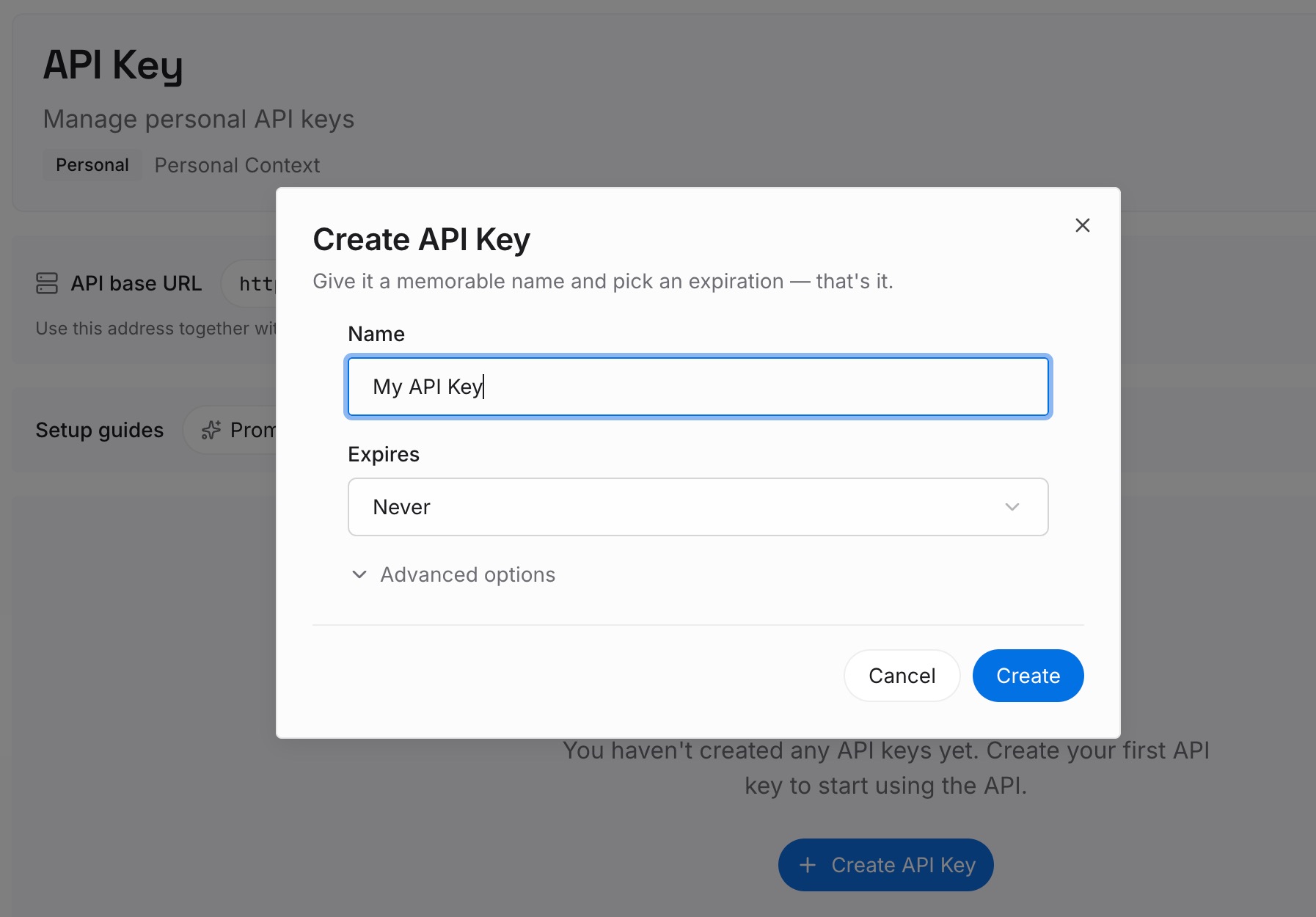
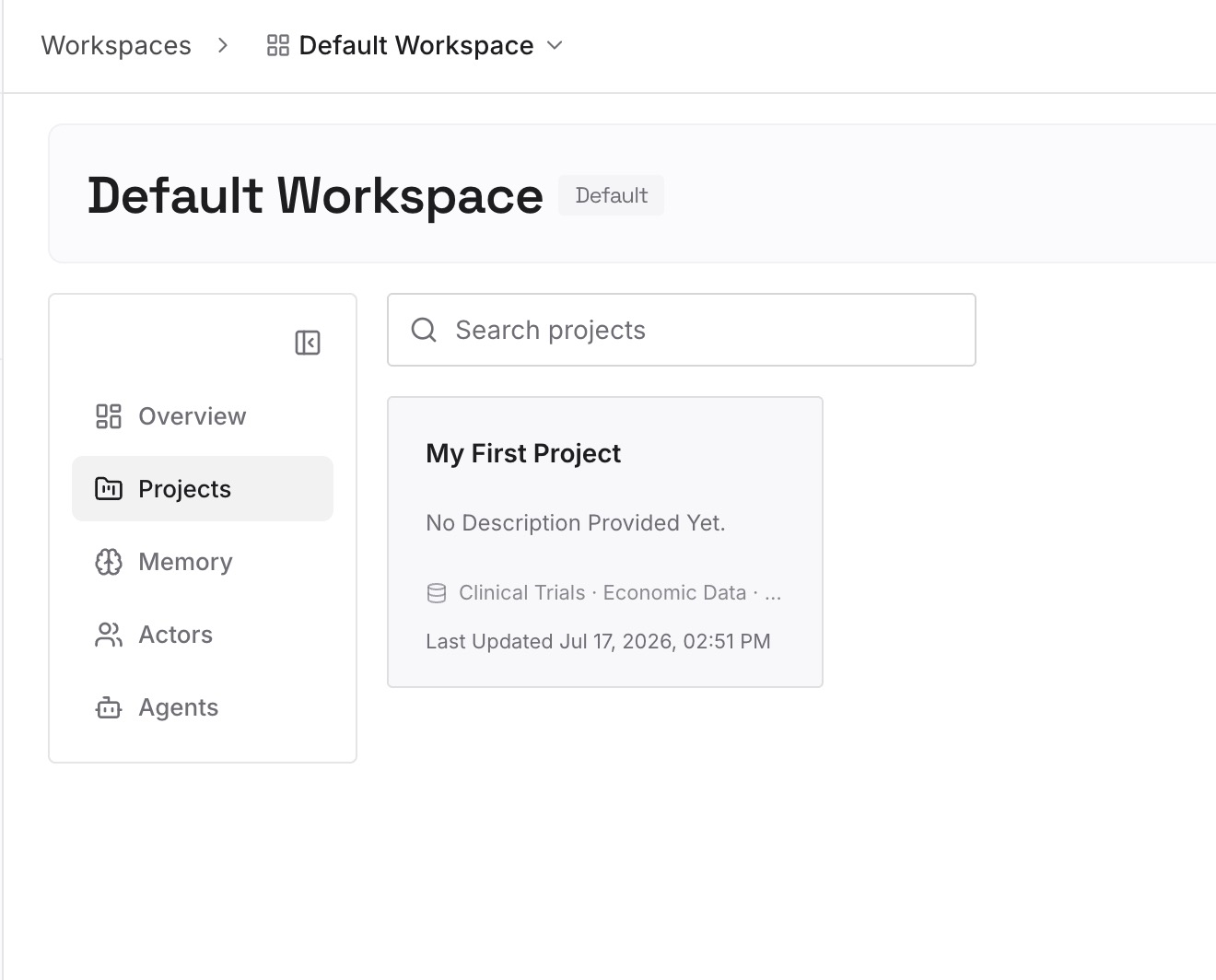
Step 2: Upload your first memories
Start with what you wrote in Step 4 of the fix: the reason behind each rule. One rule per entry.
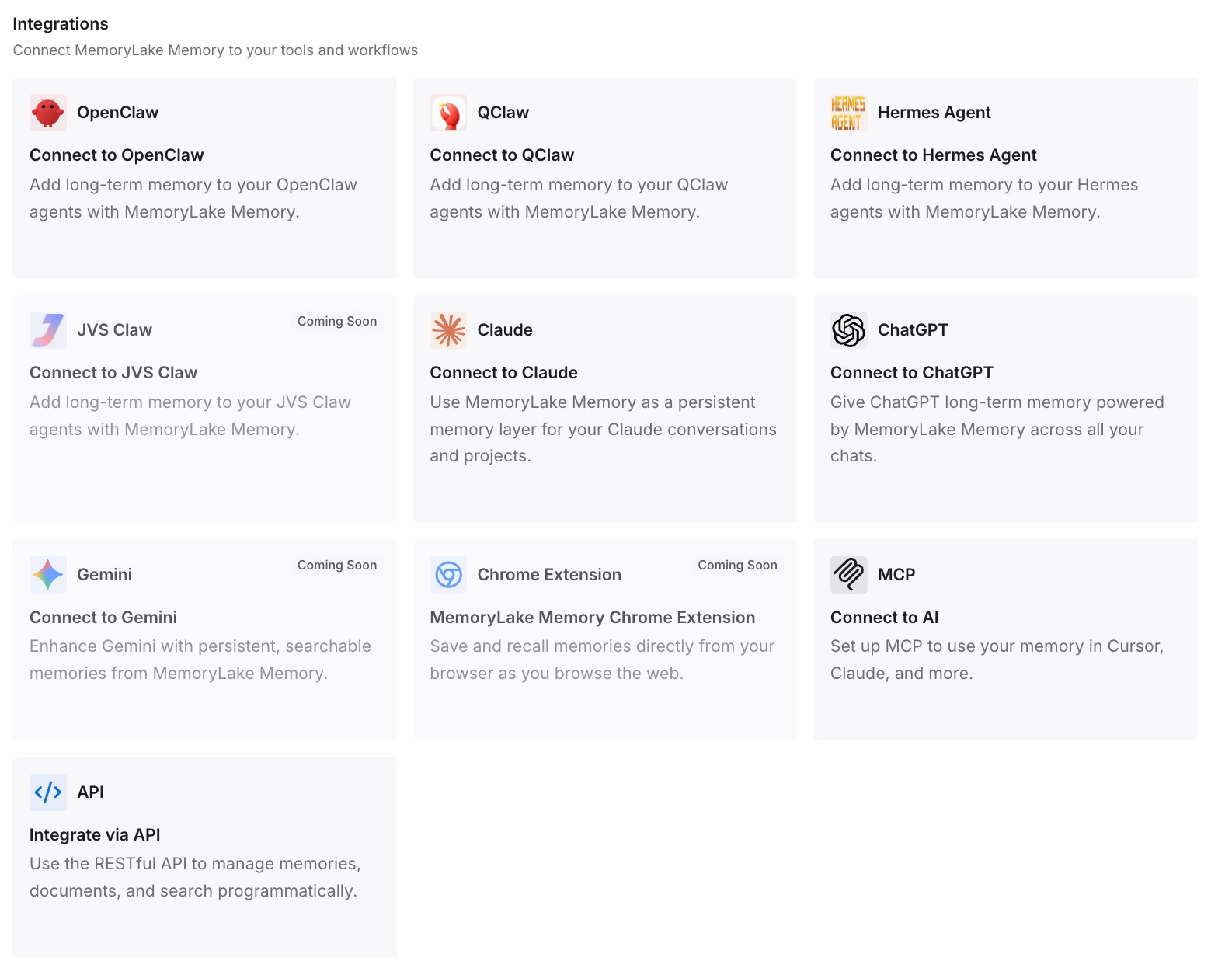
Step 3: Connect your AI & agents
Connect Codex, Claude Code, ChatGPT, and the other assistants you use, so each one can explain a rule as well as follow it.
What this changes in practice
The first difference is shorter instruction files. The reasoning lives elsewhere, so AGENTS.md can stay within its limit.
The second is safer edits. Whoever changes a rule can see why it was added.
The third is reuse. The same decisions are available when you set up the next repository or switch tools.
Best practices for AGENTS.md in Codex
Keep files short. The combined chain has a 32 KiB default limit.
Put rules close to the code. Nested files are added after the root file.
Use overrides on purpose. They replace the regular file in that directory.
Leave formatting to CI. Spend the space on behavior.
Check what loaded. Ask Codex to summarize its instructions.
Restart after edits. Codex rebuilds the chain on every run.
Conclusion
Codex reads AGENTS.md before doing any work. It reads one global file from your Codex home, then walks from the project root down to your current directory, taking at most one file per directory and preferring AGENTS.override.md. It joins the files from the root down, so closer files come later and take precedence, and it stops at 32 KiB by default.
Good files are layered: personal working agreements in the global file, project commands and conventions at the root, service rules and code review rules close to the code they govern. Checking what Codex loaded, keeping files short, and writing down why each rule exists keep the guidance useful as the project grows.