
What Codex personality used to be
Codex had two named styles. The ChatGPT for iOS release notes from June 22, 2026 list "Added per-host personality settings with Friendly and Pragmatic options." The same names worked in config.toml, along with a third value, none, and the CLI had a /personality command to switch between them.
What changed in September 2026
Codex CLI 0.156.0, released September 22, 2026, carried the change. Its documentation notes say "Clarify that deprecated friendly and pragmatic personality settings no longer select response styles." The list of merged changes in the same release includes "Retire Friendly and Pragmatic personality selection" and "Remove personality selection from the TUI".
The model side matches. The app-server reference describes supportsPersonality as a "deprecated compatibility field; always false. Models no longer support personality selection."
Codex accepts the old values but no longer uses them to select a style.
What the personality setting does now
The configuration reference describes the current behavior under Communication style. To omit the built-in personality instructions, you set personality to none, and "This removes the Personality section from the model's built-in instructions. It doesn't change explicit custom base instructions."
The configuration schema gives the full picture in one line: "Deprecated compatibility setting. friendly and pragmatic no longer select a style. none omits the built-in Personality section from model instructions; explicit instruction overrides are unchanged."
In practice, that leaves three cases:
- The key isn't set. Codex uses its built-in instructions, including the Personality section. This is the default.
- It's set to
none. Codex leaves out the built-in Personality section. Your own instructions are unaffected. - It's set to
friendlyorpragmatic. OpenAI's sample config says: "Legacy friendly and pragmatic values are accepted but no longer select a style." Codex won't reject the file, and the value won't change the style.
The last case is why an old setting fails quietly. Your config.toml still loads, so there's no error to tell you the line has stopped doing anything.
Why old instructions still show up in search
Guides published while the feature existed can describe a /personality command and a Friendly or Pragmatic choice. Those steps were accurate when they were written. Since 0.156.0, the command isn't there, and the values don't select a style.
If a guide tells you to pick a personality in the Codex settings, check it against OpenAI's current settings reference. Its Personalization section now reads: "Edit your personal instructions in AGENTS.md for the selected machine. Repository instructions can also apply to your chats."
Codex personality vs ChatGPT's base style
ChatGPT on the web has its own style setting, and it's easy to confuse the two. OpenAI's personalization page points ChatGPT web users to Settings, then Personalization, then Base style and tone, to choose how ChatGPT responds. It adds: "A personality changes its style and tone; it doesn't change its capabilities."
That setting is part of ChatGPT on the web. For Codex, the same page points somewhere else: "In Codex, these personal instructions are stored in your global AGENTS.md file. Projects and repositories can also provide their own instructions."
So if you want Codex to answer in a particular way, the setting to change isn't a style picker. It's a file.
Where your preferences go instead
Your global AGENTS.md
The file Codex reads for personal preferences is AGENTS.md in your Codex home, which is ~/.codex unless you set CODEX_HOME. OpenAI's instructions guide says "Codex reads AGENTS.md files before doing any work." For global guidance, it says to "Create persistent defaults in your Codex home directory so every repository inherits your working agreements."
This is where the preferences behind Friendly or Pragmatic belong, written out in your own words. Instead of a label, say what you want. For example, you might ask for short answers that lead with the result, explanations only when you ask, a summary of changed files at the end of each task, or confirmation before adding a dependency.
To check that Codex picked up the file, OpenAI's example asks Codex to summarize the current instructions and expects it to quote the items from your global file before proposing work.
If you need a temporary change, OpenAI describes an override file: "Use ~/.codex/AGENTS.override.md when you need a temporary global override without deleting the base file."
Turning a label into instructions
A label like Friendly or Pragmatic packed several preferences into one word. Written instructions can name each one separately. Think about what you wanted from the setting you used, then write a line for each of these:
- Length. How long a typical answer should be, and when a longer one is fine.
- Order. Whether the result comes first and the reasoning after, or the other way around.
- Explanations. How much background to include by default, and when to skip it.
- Check-ins. What Codex should confirm with you before acting, such as new dependencies or file deletions.
- Reporting. What to list when a task is done, like changed files, tests run, or open questions.
Each line is something Codex can follow and you can check. Our guide to teaching ChatGPT your writing style uses the same approach of turning a style into testable rules. If a preference stops being right, you change one line instead of switching a style that bundled everything together.
Repository AGENTS.md for project rules
Style preferences are personal. Conventions for a codebase are shared. The instructions guide describes a chain: the global file first, then files from the project root down to your working directory, joined in that order. Files closer to your working directory appear later and override earlier guidance.
Codex also stops adding files once the combined size reaches project_doc_max_bytes, which OpenAI lists as 32 KiB by default. Our guide to Codex skipping AGENTS.md rules explains what happens at that limit.
Memories are not the place for rules
Codex memories can pick up preferences over time, but OpenAI separates them from instructions: "Memories are separate from required project guidance. Keep instructions that must always apply in AGENTS.md or checked-in project documentation." Codex memories are off by default and stored locally. Our guide to Codex memories v2 covers how they're stored.
Reusable prompts belong in skills
If you used a personality as a shortcut for a certain kind of task, like a careful review or a quick fix, a skill may fit better than a global instruction. Our guide to converting Codex custom prompts into skills shows how to package one.
Should you set personality to none?
That depends on whether you want Codex's built-in Personality section at all. Setting none removes it from the model's built-in instructions, and leaves your own instructions as they are. OpenAI doesn't describe what the built-in section says, so the practical test is to try a few tasks with and without it and compare.
If you go with none, put the tone you do want in your global AGENTS.md, so the model still has guidance about how to respond.
If you have friendly or pragmatic in your config, you can remove the line or replace it with none. Leaving it doesn't cause an error, but it no longer selects a style.
What people try first
Looking for the /personality command. Codex no longer provides it.
Setting personality to pragmatic in config.toml. The value is accepted but no longer selects a style.
Changing ChatGPT's base style and expecting Codex to follow. That's a ChatGPT web setting. Codex reads personal instructions from your global AGENTS.md.
Relying on memories for tone. OpenAI says to keep instructions that must always apply in AGENTS.md.
Putting personal style rules in the repository file. Your teammates read that one too. Keep personal preferences in the global file.
The Fix: Replace the label with instructions you write
Step 1: Clean up the old setting
Open your config.toml and find the personality line. If it says friendly or pragmatic, delete it, or set it to none if you don't want the built-in Personality section. Then start a new Codex session. Our guide to Codex /clear vs /new explains when Codex reads your instructions again.
Step 2: Write your preferences into the global AGENTS.md
Open ~/.codex/AGENTS.md, or the AGENTS.md in your CODEX_HOME, and describe how you want Codex to work: answer length, when to explain, what to confirm before acting, what to report at the end. Keep it short, since the global file shares the size limit with your project files.
Step 3: Check it loads, on every machine you use
Ask Codex to summarize its current instructions and confirm your items appear. OpenAI's settings reference describes personal instructions as set for the selected machine, so repeat the file on each computer where you use Codex. Our guide to making ChatGPT remember your preferences covers the ChatGPT side, if you want the two to match.
Setting this up in MemoryLake
Instructions in AGENTS.md handle how Codex should behave. The reasons behind your preferences, and the decisions you've made on past projects, don't fit well in a file that's loaded into every prompt and shares a size limit. And the global file is per machine.
MemoryLake is a memory layer for keeping those preferences and decisions in one place you maintain, available to the assistants you connect, such as ChatGPT, Claude Code, and Codex.
You write the entries yourself, in your own words. Nothing is read out of, written to, or deleted from your config.toml, your AGENTS.md files, your Codex memories, your Codex chats, your ChatGPT settings, or any vendor's store. The personality setting and AGENTS.md keep working the way OpenAI describes them.
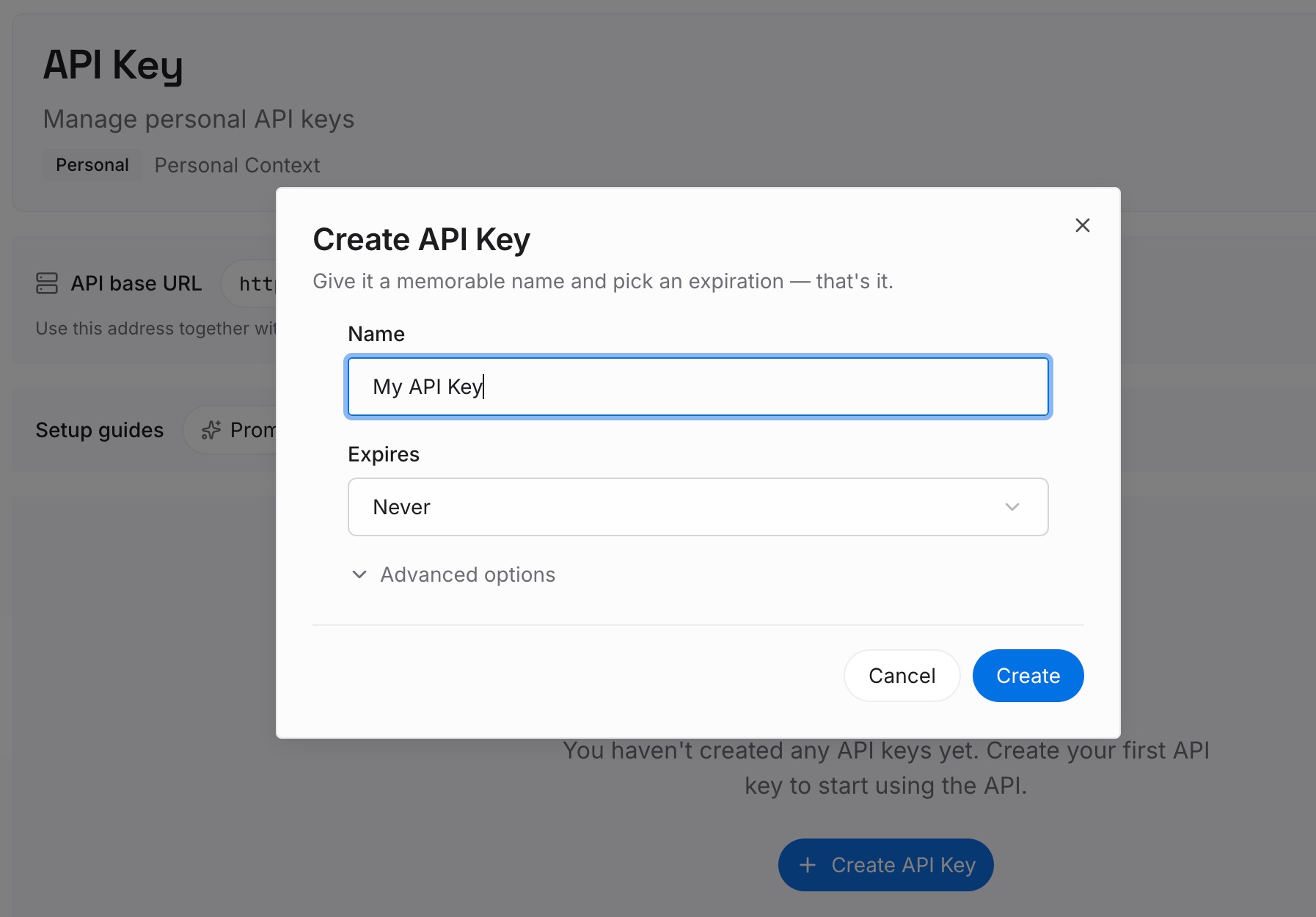
Step 1: Create an API key
Sign in and generate a key from the dashboard. The key belongs to your MemoryLake workspace and is separate from your OpenAI account.
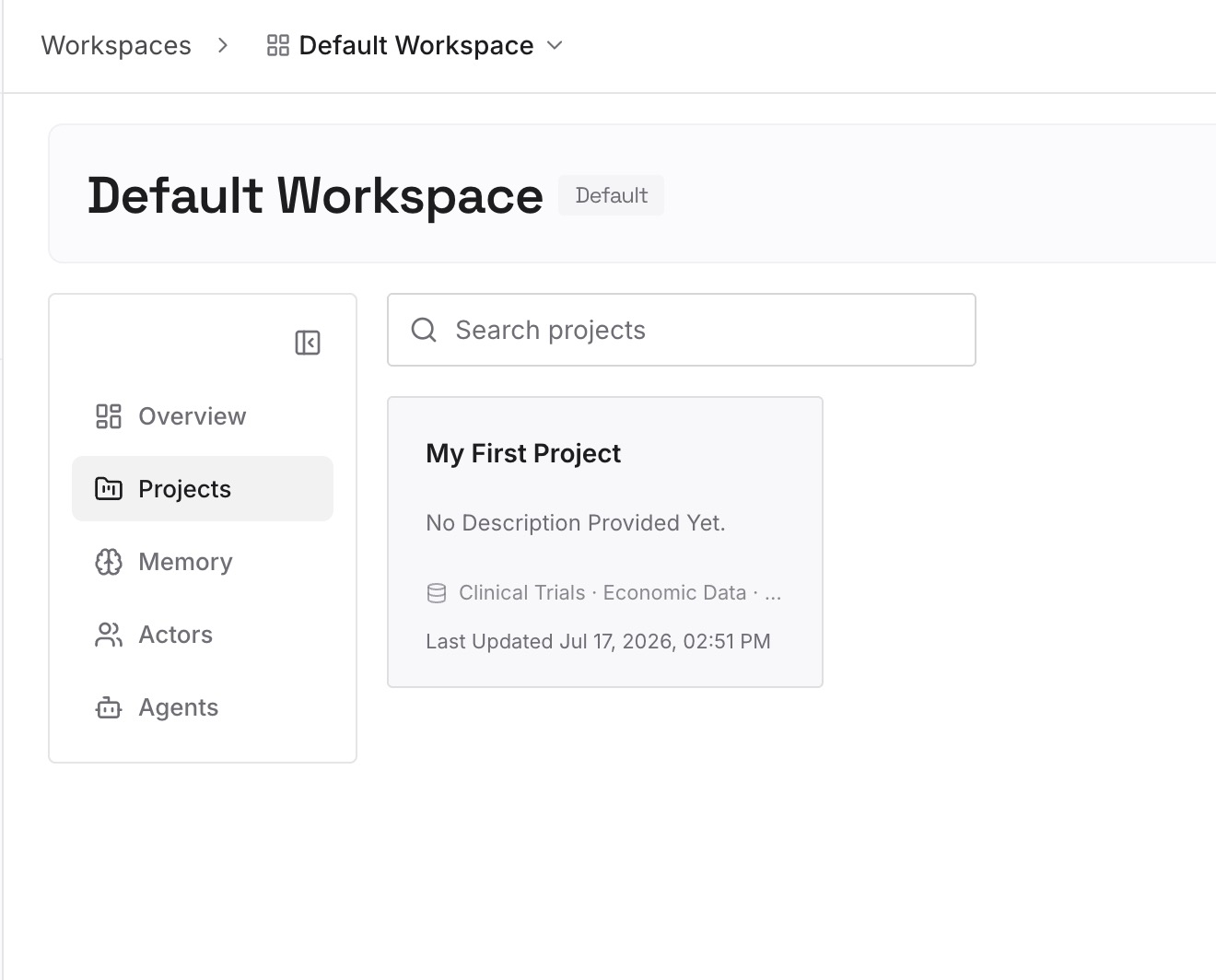
Step 2: Upload your first memories
Start with the preferences you wrote in Step 2 above, plus the reasons behind them. One preference per entry, so you can update one without rewriting the rest.
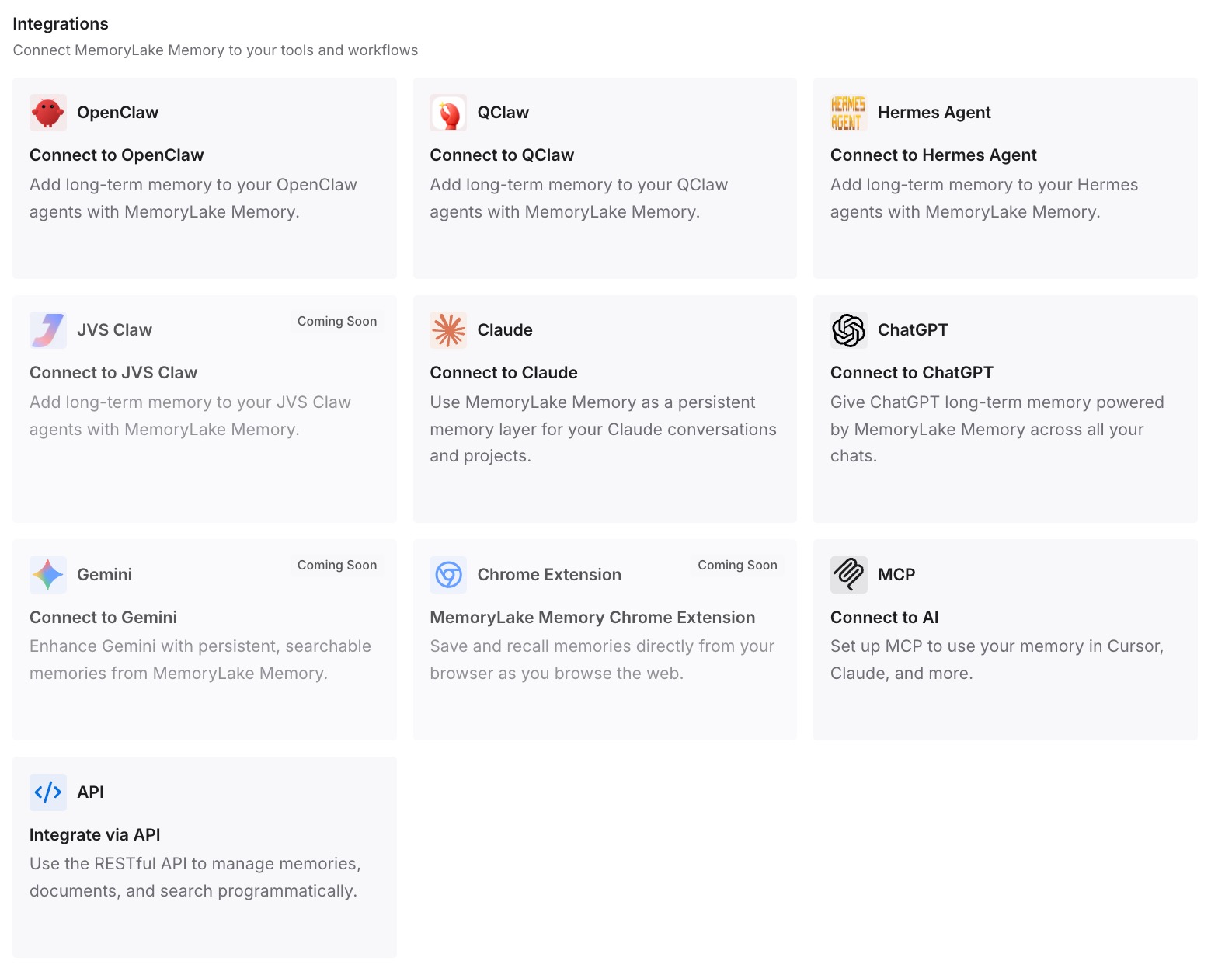
Step 3: Connect your AI & agents
Connect Codex and any other assistants you use. The same preferences are available whether you're in Codex on your laptop, Codex on another machine, or another assistant.
What this changes in practice
The first difference is a shorter global file. AGENTS.md can hold the rules, while the background lives in entries you look up when you need them.
The second is one set of preferences across tools. A preference you wrote once isn't tied to Codex's config format or ChatGPT's style setting.
The third is less drift between machines. Instead of keeping several copies of the same notes in step, you keep the reasoning once.
Best practices for Codex communication style
Remove legacy personality values. They're accepted but no longer select a style.
Use none only if you want the built-in section gone. Put your own tone guidance in AGENTS.md.
Write preferences as instructions, not labels. Say what you want Codex to do.
Keep personal style in the global file. Repository files are for shared conventions.
Keep the global file short. It shares the size limit with project files.
Confirm the file loads. Ask Codex to summarize its current instructions.
Check guides for their date. Instructions written before September 2026 may describe the old options.
Conclusion
Codex's Friendly and Pragmatic personalities were retired in September 2026. The /personality command is gone, and the friendly and pragmatic values in config.toml are accepted but no longer select a style. The only value that still changes anything is none, which removes the built-in Personality section from the model's instructions without touching your own.
The place to tell Codex how you want it to work is now your global AGENTS.md, with repository files for shared conventions. Write your preferences out in plain words, keep the file short, check that it loads, and repeat it on each machine you use.