
What the plugin is
The README opens with its purpose: "Use Codex from inside Claude Code for code reviews or to delegate tasks to Codex."
It's built for people already working in Claude Code: "This plugin is for Claude Code users who want an easy way to start using Codex from the workflow they already have."
The requirements are short. You need a ChatGPT subscription, including Free, or an OpenAI API key, and Node.js 18.18 or later. The README notes that usage will contribute to your Codex usage limits.
Installation happens inside Claude Code. The README walks through adding OpenAI's plugin marketplace, installing the plugin, and reloading plugins. After that, /codex:setup checks whether Codex is installed and signed in.
The plugin doesn't run a separate copy of Codex. The README says it "delegates through your local Codex CLI and Codex app server on the same machine", which means it uses the same Codex install, the same sign-in, and the same repository checkout.
The normal review: /codex:review
This is the command for a standard second opinion. The README says it "Runs a normal Codex review on your current work" and adds: "It gives you the same quality of code review as running /review inside Codex directly."
It covers two targets:
- your current uncommitted changes
- your branch compared to a base branch, using
--basewith a branch likemain
It doesn't take instructions. The README says: "It is not steerable and does not take custom focus text."
And it doesn't touch your code: "This command is read-only and will not perform any changes."
So /codex:review fits the moment in the opening example: before you commit, ask for a review of the uncommitted changes.
The challenge review: /codex:adversarial-review
The second command is for questioning a decision, not just the code. The README describes it as a review "that questions the chosen implementation and design."
It lists what it's for: "a review before shipping that challenges the direction, not just the code details", and pressure-testing around risk areas like auth, data loss, rollback, race conditions, or reliability.
Unlike the normal review, this one takes direction. The README says: "Unlike /codex:review, it can take extra focus text after the flags." Its examples include asking Codex to challenge whether the caching and retry design was the right one.
It's read-only too. The README says: "It does not fix code."
Running reviews in the background
Reviews of larger changes take time. The README notes: "Code review especially for multi-file changes might take a while." It recommends running them in the background.
Both review commands support --background and --wait. Three more commands manage background jobs:
/codex:statusshows running and recent Codex jobs for the current repository/codex:resultshows the final output for a finished job/codex:cancelcancels an active background job
When available, /codex:result also includes the Codex session ID, so you can reopen that run directly in Codex.
The review gate
The plugin can also review automatically. The README says that with the review gate enabled, "the plugin uses a Stop hook to run a targeted Codex review based on Claude's response." It continues: "If that review finds issues, the stop is blocked so Claude can address them first."
You turn it on and off through /codex:setup.
The README attaches a clear warning: "The review gate can create a long-running Claude/Codex loop and may drain usage limits quickly. Only enable it when you plan to actively monitor the session."
If you'd rather avoid that risk, run /codex:review yourself before you commit.
What a Codex review reads
OpenAI's code review documentation describes what Codex's /review does in the CLI: it "starts a dedicated reviewer that reads the selected diff and reports prioritized, actionable findings without changing your working tree."
The scopes are specific. In the CLI, Review against a base branch "finds the merge base and reviews your branch diff", and Review uncommitted changes "includes staged, unstaged, and untracked files."
The plugin uses your local Codex and, per the README, "applies the same configuration." OpenAI's instructions documentation says: "Codex reads AGENTS.md files before doing any work."
What's not in that list is your Claude Code conversation. The documented input to a review is the diff, plus the instructions Codex loads. The discussion where you and Claude weighed two caching designs, and the reason you picked one, isn't part of the review target.
We looked at what a different Codex reviewer sees from your chat in our guide to what Codex auto-review approves.
Giving the reviewer the reasons
A reviewer that sees only the diff can flag a deliberate choice as a mistake. There are three documented places to put the reasons.
Focus text in an adversarial review. The challenge review takes extra text after the flags. Use it to state the decision and the constraint behind it, and ask Codex to test that reasoning.
Rules in AGENTS.md. For Codex code review in GitHub, OpenAI says to "add a ## Code Review Rules section to the AGENTS.md closest to the code the rules govern." Its guidance on writing them: "Keep rules concise, explain the behavior to flag and any safe path or exception, and reserve formatting and lint checks for CI."
One file both tools read. Claude Code can read AGENTS.md too. Anthropic's memory documentation says Claude reads it by default "only when you have no CLAUDE.md in your working directory or above it." If you have a CLAUDE.md, Anthropic suggests importing AGENTS.md into it with @AGENTS.md, so the coder and the reviewer start from the same project instructions.
When the review finds something
Both review commands report findings and stop there. What you do next is your choice.
The simplest path is to read the findings in your Claude Code session and ask Claude to address the ones you agree with. That keeps the change in the same session that wrote it, with Claude's context intact.
If you'd rather Codex make the fix, OpenAI's documentation notes that when you ask Codex to apply the fixes it finds, "your normal sandbox and approval settings apply." The plugin's /codex:rescue command is the route for that from inside Claude Code.
Either way, run the review again after the fix. A second pass on the new diff checks that the fix didn't introduce something else.
Writing review rules that help
Rules work best when they describe a behavior and the accepted alternative, which is the shape OpenAI's guidance asks for. For the caching example, a Code Review Rules section might say:
- Flag cache writes that don't set an expiry. Safe path: use the cache helper's default expiry.
- Flag retries without a limit. Safe path: use the shared retry wrapper.
- The read-through cache in the orders service is intentional; don't flag it as duplicate logic.
The last line is the kind of reason a diff can't carry. It tells the reviewer a choice was deliberate.
Choosing the review model
Codex reviews follow your Codex configuration. OpenAI's code review documentation says to set review_model in config.toml "when you want reviews to use a different model from the current session."
The plugin's README says you can set the default model and reasoning effort in your user-level or project-level config.toml, and adds that project-level overrides only load when the project is trusted.
Moving work between the two
The plugin also hands work in the other direction. /codex:rescue hands a task to Codex through a subagent, for example to investigate a bug or try a fix. /codex:transfer creates a Codex thread from the current Claude Code session, so you can continue the same context in Codex.
These are useful when a review turns into a fix you'd rather have Codex make. For the review itself, keep the commands read-only and let Claude Code make the changes.
We covered the other ways the two tools share setup in our guide to using Claude Code and Codex together.
What people try first
Expecting the reviewer to know your reasons. It reads the diff. Put the reasons in focus text or AGENTS.md.
Adding focus text to /codex:review. It isn't steerable. Use the adversarial review.
Turning on the review gate and walking away. The README warns it can drain usage limits quickly.
Asking the review to fix things. Both review commands are read-only.
Keeping separate rules for each tool. Share one AGENTS.md and import it from CLAUDE.md.
The Fix: Review with context
Step 1: Run a normal review before you commit
Use /codex:review on uncommitted changes, in the background for larger diffs.
Step 2: Challenge the big decisions
Use /codex:adversarial-review with focus text that states the decision and its constraint.
Step 3: Share one instruction file
Keep project rules in AGENTS.md and import it from CLAUDE.md.
Step 4: Write down why each decision was made
Record the reasoning behind design choices, separately from the code.
Setting this up in MemoryLake
A Codex review reads the diff and the instructions Codex loads. The reasons behind a design, such as why you chose one caching approach over another, are context both tools need and you'll want again in the next project.
MemoryLake is a memory layer for that kind of context, kept in one place you maintain and available to the assistants you connect, such as ChatGPT, Claude Code, and Codex.
You write the entries yourself, in your own words. Nothing is read out of, written to, or deleted from your Claude Code sessions, your Codex sessions, your AGENTS.md or CLAUDE.md files, your repositories, or any vendor's store. The plugin works the way OpenAI describes it.
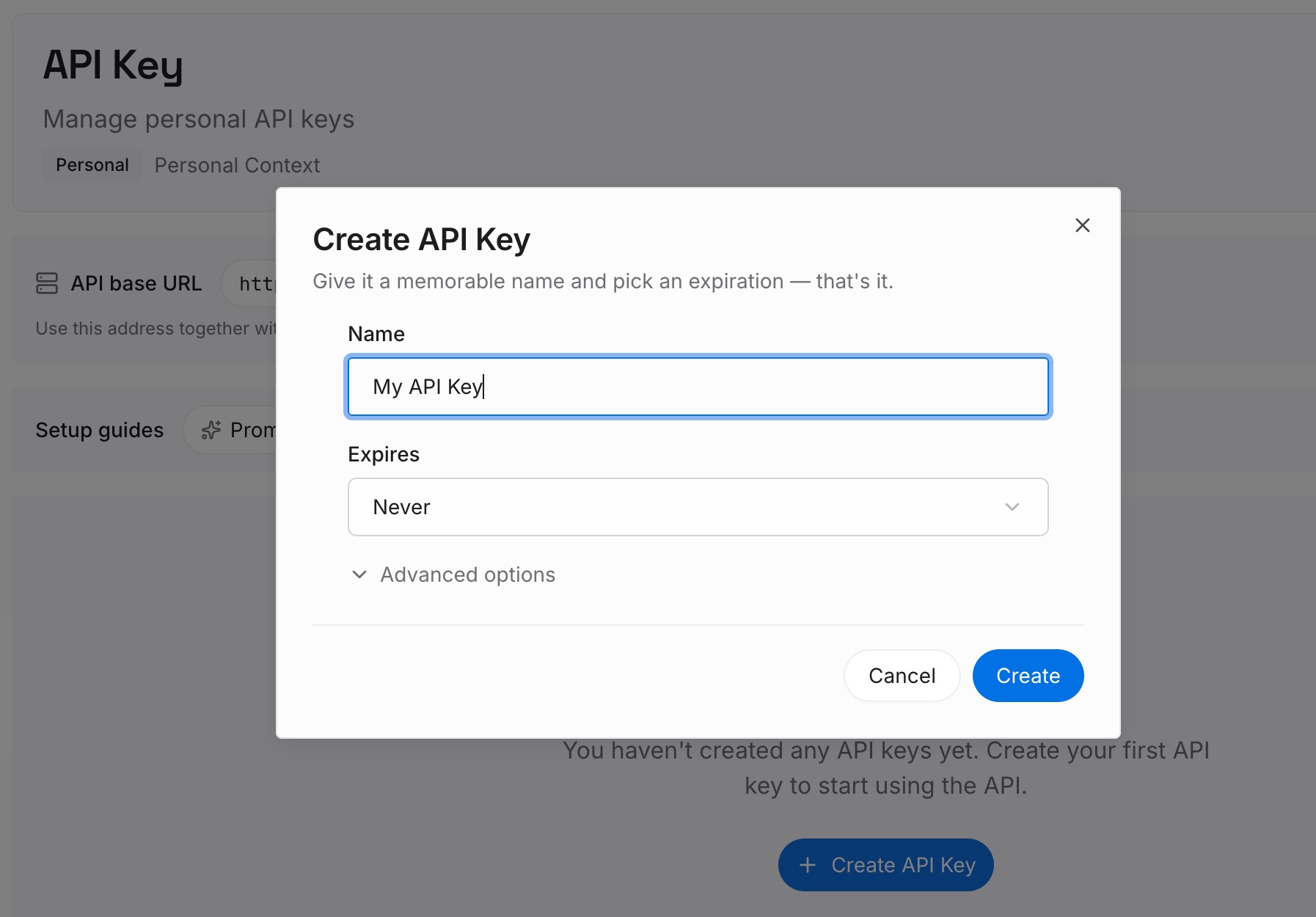
Step 1: Create an API key
Sign in and generate a key from the dashboard. Store it outside your repositories, like any other credential.
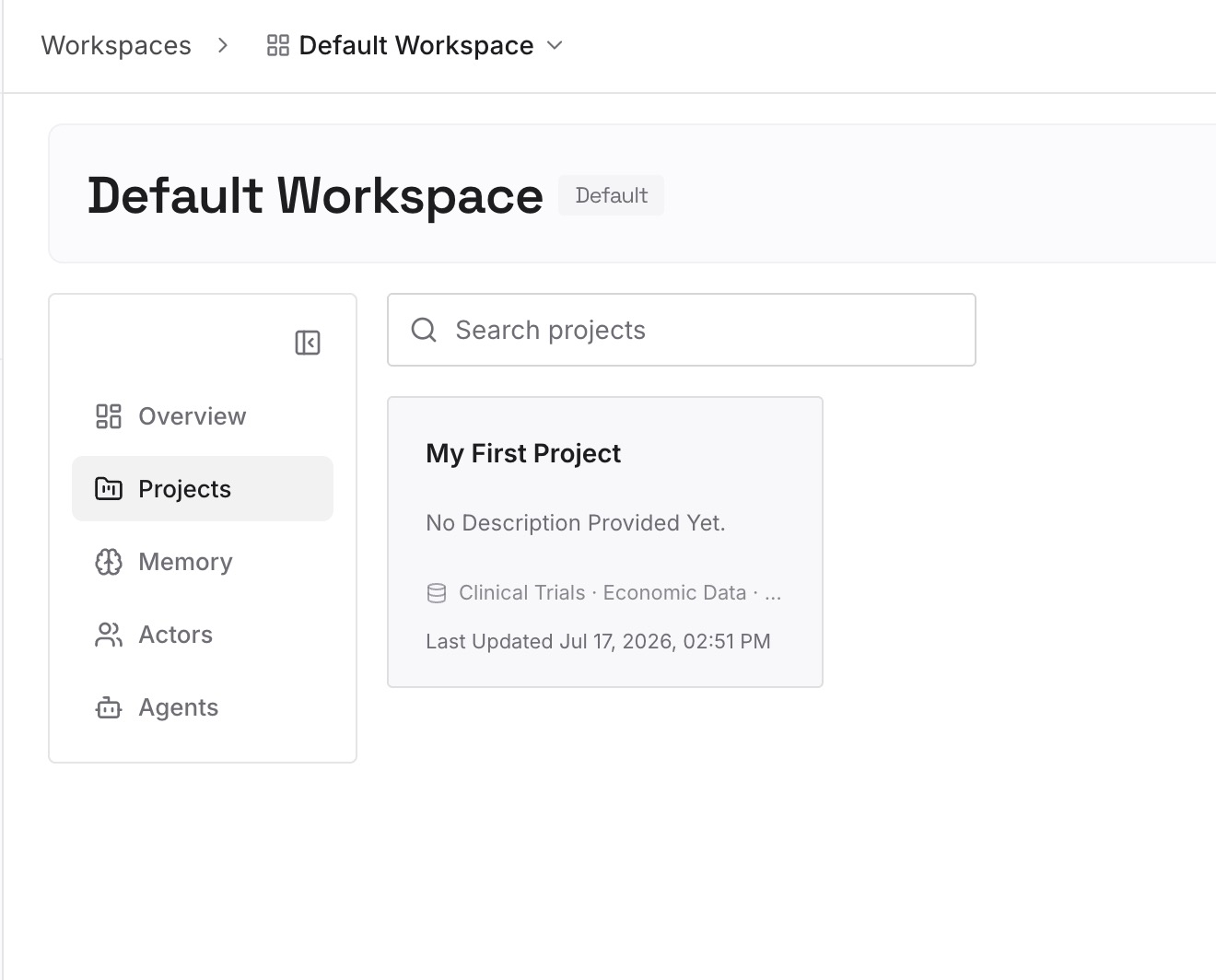
Step 2: Upload your first memories
Start with what you wrote in Step 4 of the fix: the reasoning behind each design choice. One decision per entry.
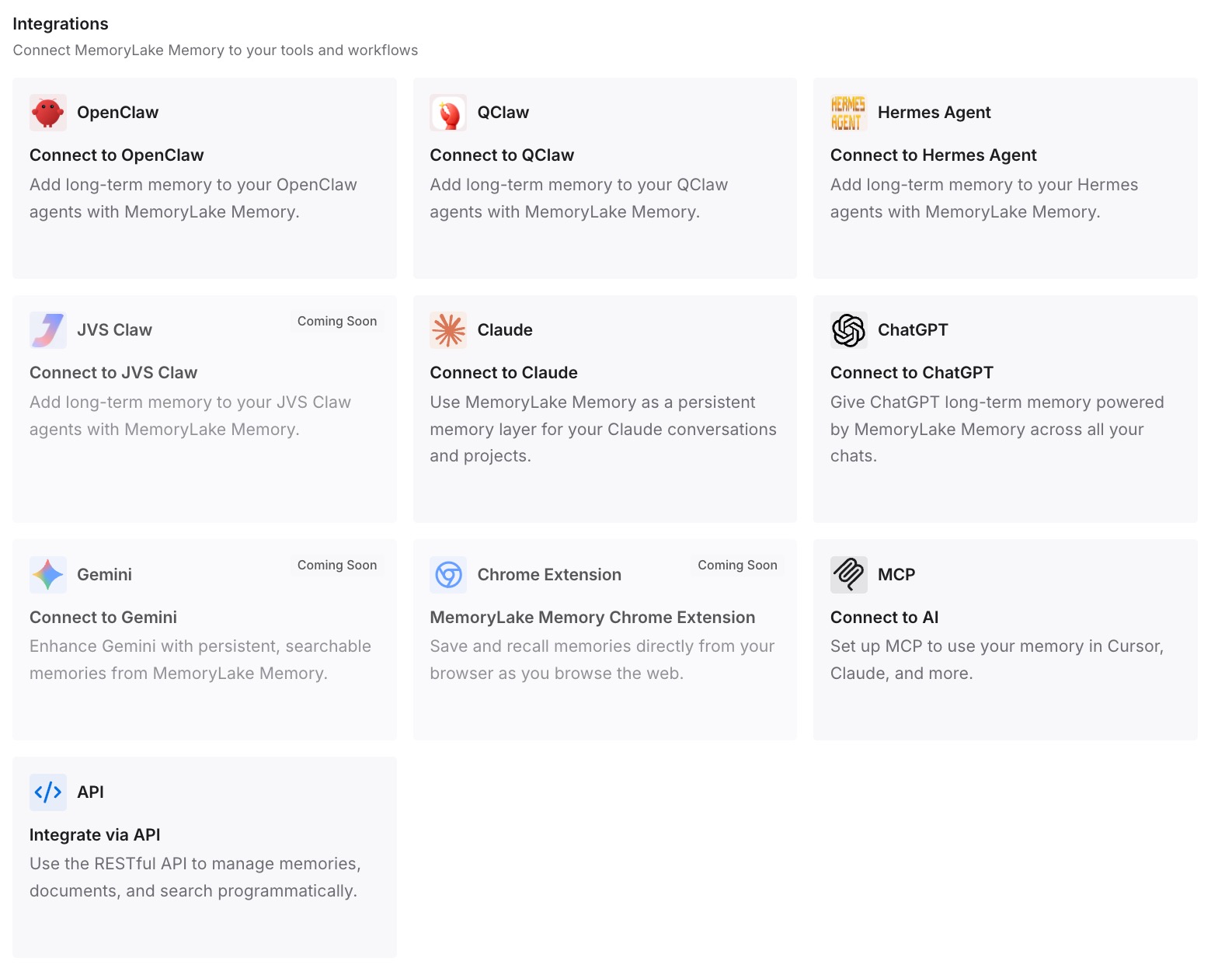
Step 3: Connect your AI & agents
Connect Claude Code, Codex, ChatGPT, and the other assistants you use, so the coder and the reviewer start from the same reasons.
What this changes in practice
The first difference is fewer false alarms. A reviewer with the reasons can tell a choice from a mistake.
The second is better challenges. Adversarial reviews can test the actual reasoning.
The third is reuse. The same decisions are there for the next change and the next project.
Best practices for having Codex review Claude Code
Review before committing. Run /codex:review on uncommitted changes.
Use the background for big diffs. Check in with /codex:status and /codex:result.
Steer only the adversarial review. The normal review takes no focus text.
Watch the gate. Enable it only when you're monitoring the session.
Share instructions. One AGENTS.md, imported from CLAUDE.md.
Write rules concisely. Explain what to flag and any safe path.
Conclusion
OpenAI's Codex plugin for Claude Code lets you ask Codex for a review without leaving your session. /codex:review runs a read-only review of uncommitted changes or a branch against its base, which the README compares to running /review in Codex, and takes no focus text. /codex:adversarial-review challenges the design and accepts focus text. Both can run in the background, and the optional review gate reviews automatically when Claude stops, with a warning about usage.
A Codex review reads the selected diff and the instructions Codex loads, not your Claude Code conversation. Giving it the reasons through focus text, Code Review Rules in AGENTS.md, and one instruction file both tools read turns a second opinion into an informed one. Writing down why each decision was made keeps that context available for every review.