
What steering does
When you steer, your message joins the turn Codex is already working on. Nothing restarts. Codex reads the new instruction as part of the same run and adjusts what it does next.
The CLI documentation describes the key this way: "Press Enter while Codex is working to inject new instructions into the current turn."
Codex's app server, which client apps use to talk to Codex, has a matching method. Its documentation says: "Use turn/steer to append more user input to the active in-flight turn." Two details show what a steer is and isn't. The method "doesn't emit a new turn/started notification", so no new turn begins. And it "doesn't accept turn-level overrides (model, cwd, sandboxPolicy, or outputSchema)." A steer adds words to the current turn. It doesn't change the model or the working directory partway through.
When a steer reaches Codex
A steer doesn't interrupt Codex in the middle of a command. In the terminal, pending steers appear in a preview list under a heading that says they'll be submitted after the next tool call, with a hint showing the key that interrupts and sends them immediately. So the usual path is that Codex finishes the step it's on, then reads your message before deciding on the next one.
There's one timing exception, from Codex's own change history. Pressing Enter while Codex is still streaming its final answer used to be able to leave the session stuck. The fix, merged in February 2026, makes Codex queue the message in that window instead, so it runs after the answer finishes.
What queueing does
A queued message waits. The current run finishes as planned, and your message starts the next turn.
The CLI documentation says: "Press Tab while Codex is working to queue a follow-up prompt, slash command, or shell command for the next turn." You can queue more than one, and they run in order.
Slash commands behave a little differently when queued. "Codex parses queued slash commands when they run, so command menus and errors appear after the current turn finishes." If you queue a command with a typo, you'll find out when its turn comes.
Some commands are meant for a session that's already working. OpenAI's slash command guide says it shows you how to "Steer an active session with commands like /model, /fast, /permissions, /approve, /raw, /agents, /subagents, and /status". The same guide notes that slash completion still works before you queue a command, so you can check the name before pressing Tab. That gives you three tools while Codex works: a steer for words, a queued message for the next step, and a command for settings.
In the terminal, queued messages get their own section in that preview list, separate from pending steers, with a key hint for editing the last one you queued. In the desktop app, OpenAI says "Queued messages appear above the composer, where you can edit, reorder, send, or delete them."
Which one Enter does
This is where people get surprised, because the default depends on where you use Codex.
In the CLI
Enter steers and Tab queues. That has been the default since a February 2026 change that, in its own words, "Promotes the Steer feature from Experimental to Stable and enables it by default." Before that, Enter queued while a task was running. If you learned Codex before then, your habit may still expect the old behavior.
In the IDE extension
The extension defaults the other way. Its setting, chatgpt.followUpQueueMode, has a default of queue, and the reference describes it as a choice between messages that "wait for the next run (queue) or steer the current run (steer)." The extension also maps an older value: "The extension treats the legacy interrupt value as steer." For a single message, Cmd or Ctrl with Shift and Enter does the opposite of your setting.
In the desktop app
The app has a setting for it. OpenAI's settings reference describes a Follow-up behavior option under General, where you choose whether a message sent while Codex works steers the current run or waits for the next run. The prompting guide adds that "The setting also shows the shortcut for using the other behavior for one message without changing your default."
So the same key can mean steer in your terminal and queue in your editor. If a correction you typed seemed to be ignored, check which surface you were in.
What steered conversation means
People search for a steered conversation in Codex because a message they sent mid-task changed what Codex was doing without starting a new turn. That's what steering is. The conversation keeps one turn, with your instruction added partway through.
The open-source code treats it the same way. When Codex builds a recap of a conversation, the code notes that adjacent user messages preserve steering as part of one request, so a steer and the request it modified are read together.
For your context, steering and queueing end up in the same place. Both become part of the conversation Codex reads. The difference is timing: a steer arrives inside the current turn, and a queued message arrives as the next one. Either way, the message counts against the chat's context like anything else you type; our guide to Codex's context left figure explains how that adds up.
Queueing a message from outside the session
Codex also has a command for sending a message to a session you don't have open. The CLI reference describes codex queue as a way to "Queue a text message for an existing session" by its ID or exact name.
A few rules come with it. "Queued messages use the session's model. The command accepts text only." And for a session that isn't loaded: "Add --resume to queue the message and then resume the session if it isn't already loaded." The resume step needs a running local daemon or a remote server. If it fails, "it prints a warning and still exits successfully", so check the session afterward rather than relying on the exit code. The resume option arrived in Codex 0.166.0.
Steering goals and subagents
Long-running work has its own steering options. OpenAI's goal documentation says that in an interactive CLI session you can "Send a follow-up message in the same interactive session to add context or adjust constraints." Our guide to Codex goal mode covers what a goal keeps attached to the task.
For delegated work, OpenAI says you can ask Codex directly to steer a running subagent, stop it, or close completed agent threads. Our guide to Codex subagents explains what each subagent starts with.
What people try first
Pressing Enter in the IDE and expecting a steer. The extension's default is queue. Your message waits for the next run unless you change the setting or use the one-message shortcut.
Expecting a steer to stop the current command. Pending steers go in after the next tool call. To send immediately, use the interrupt key shown in the hint.
Steering a model change. A steer can't carry turn-level overrides. Change the model with a command, or queue it for the next turn.
Queueing a slash command and assuming it ran. Queued commands are parsed when their turn comes, so errors appear later.
Trusting the exit code of codex queue with --resume. It exits successfully even if the resume fails. Check the session.
The Fix: Decide where each kind of instruction should go
Step 1: Pick a default per surface
Decide whether you want Enter to steer or queue, and set the IDE extension and desktop app to match how you use the CLI. Learn the one-message shortcut for the other behavior.
Step 2: Steer for corrections, queue for new work
Use a steer when Codex is heading the wrong way on the current task. Queue anything that's a separate step, like running checks after the change or writing a summary. If a run has already gone too far, the CLI lets you press Escape twice with an empty composer to edit your previous message and fork the chat from that point; our guide to forking a Codex chat covers the options.
Step 3: Move repeated steers out of the chat
If you find yourself steering the same correction in every session, like where tests live or which files are off-limits, it belongs in your project's AGENTS.md or in written notes you maintain, not in a message you retype.
Setting this up in MemoryLake
Steering fixes the current run. The corrections you make often are a different matter: they're facts about your project, and typing them again in every session is how they get missed.
MemoryLake is a memory layer for keeping those facts in one place you maintain, available to the assistants you connect, such as ChatGPT, Claude Code, and Codex.
You write the entries yourself, in your own words. Nothing is read out of, written to, or deleted from your Codex sessions, their transcripts, your AGENTS.md files, your Codex memories, or any vendor's store. Steering and queueing keep working the way OpenAI describes them.
Step 1: Create an API key
Sign in and generate a key from the dashboard. The key belongs to your MemoryLake workspace and is separate from your ChatGPT and Codex accounts.
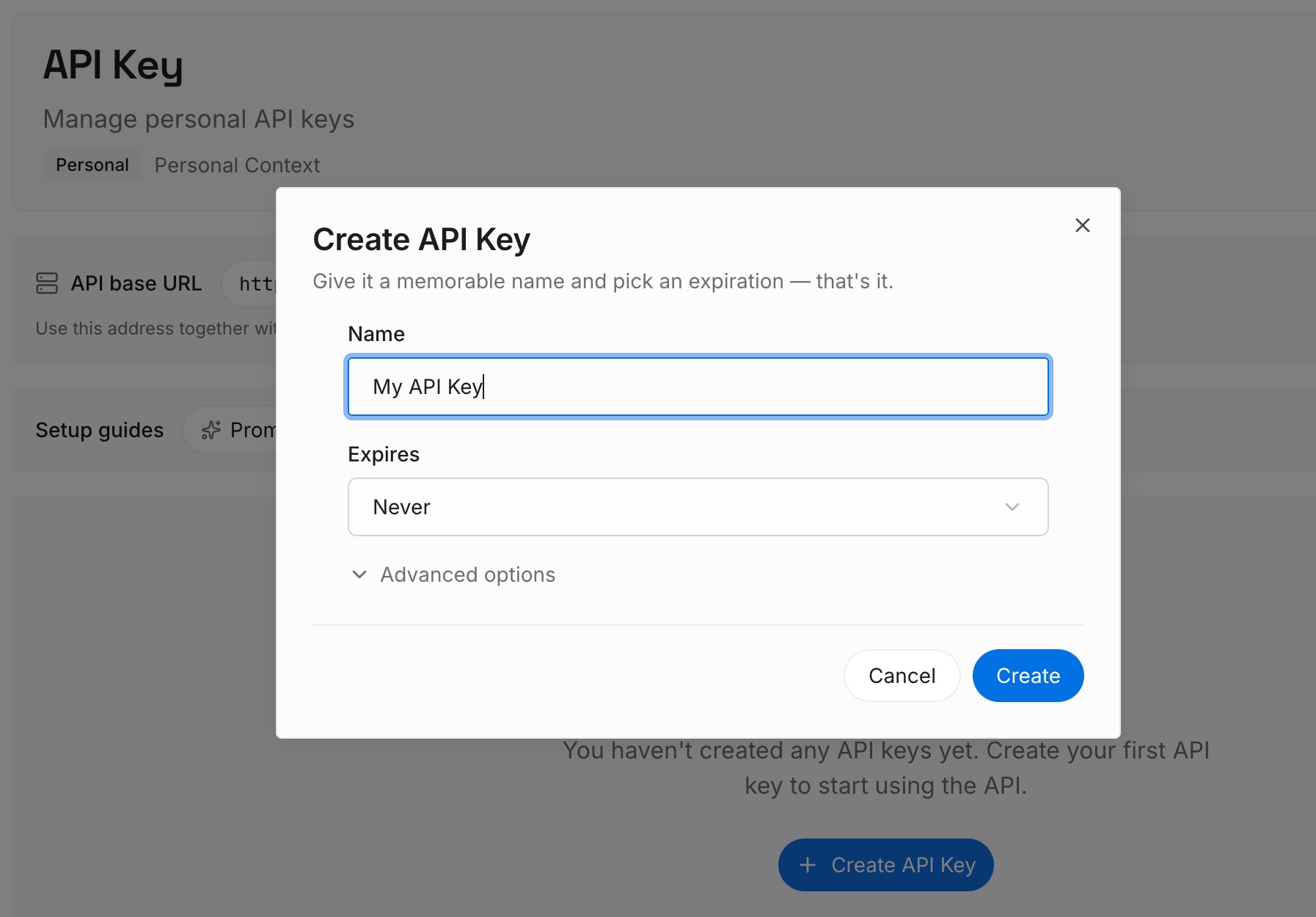
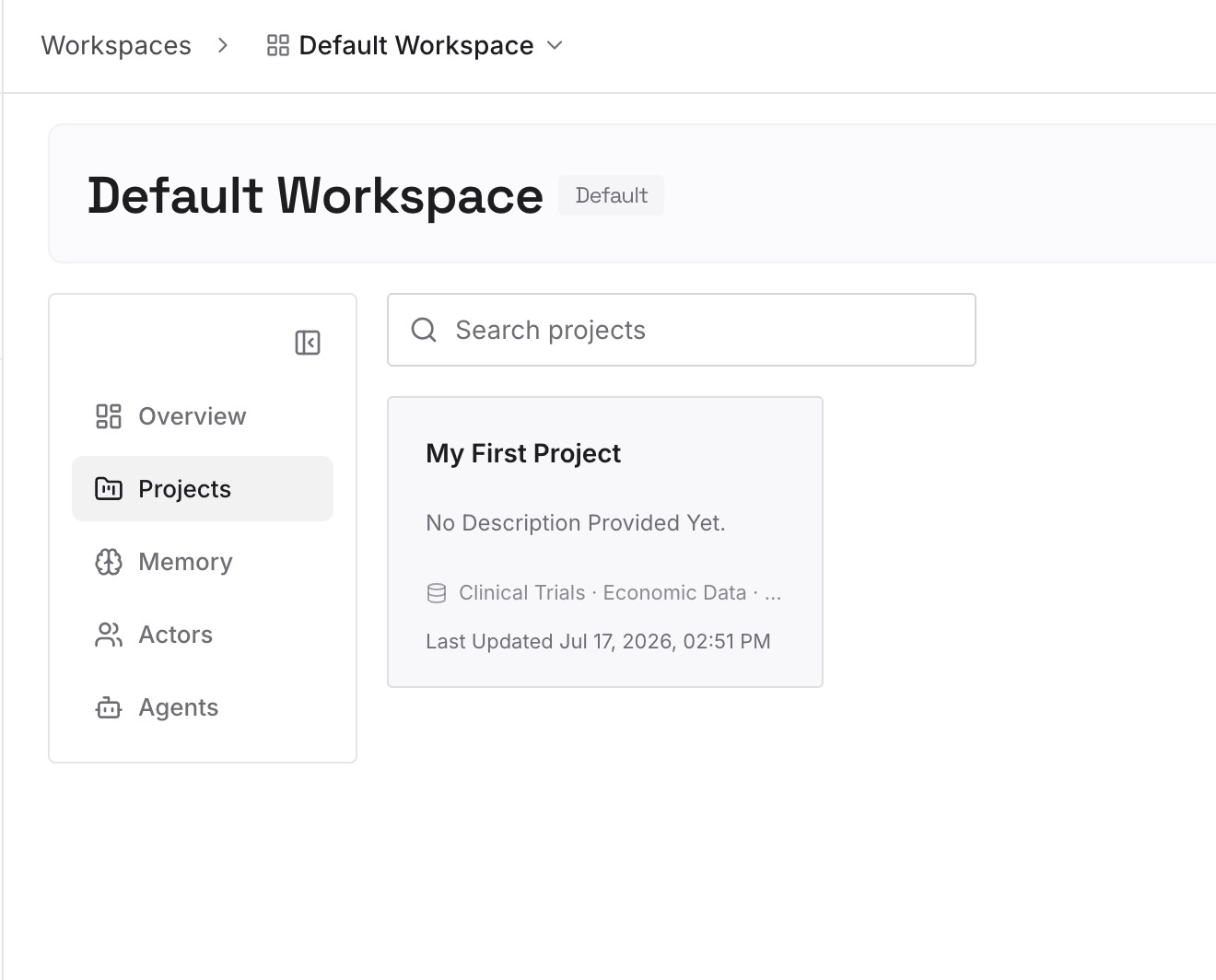
Step 2: Upload your first memories
Start with the repeated corrections from Step 3 of the fix: where things live, what not to touch, and the conventions you keep restating. One point per entry.
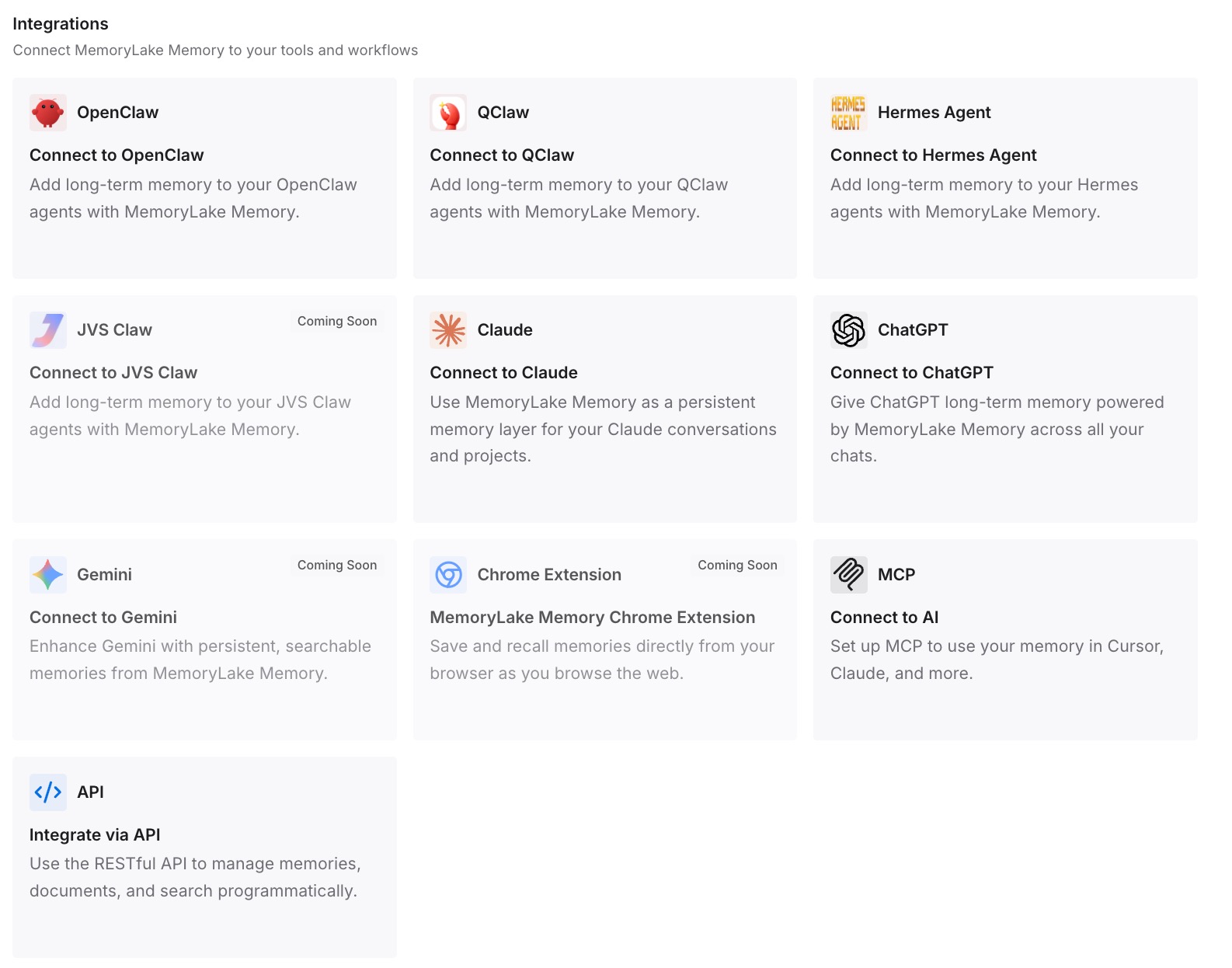
Step 3: Connect your AI & agents
Connect the assistants you use. If you work across tools, our guide to using Claude Code and Codex together covers how to keep shared context in one place.
What this changes in practice
The first difference is fewer surprises from Enter. You know which surface steers and which queues.
The second is cleaner turns. Corrections go into the run they're meant for, and separate work waits its turn.
The third is less steering overall. The corrections you used to repeat are already written down, so Codex starts with them.
Best practices for steering and queueing
Check your surface's default. The CLI steers on Enter. The IDE extension queues.
Steer early. A correction before the next step saves undoing it later.
Queue separate tasks. Checks, summaries, and follow-ups can wait for the next turn.
Watch the pending area. It shows what's waiting to be steered and what's queued.
Don't steer settings. Model and directory changes need commands, not steers.
Verify codex queue deliveries. A failed resume still exits successfully.
Write down repeated corrections. In AGENTS.md or notes you maintain.
Conclusion
In Codex, a steer adds your message to the run that's already going, and a queued message waits to start the next one. In the CLI, Enter steers and Tab queues; the IDE extension defaults to queue; the desktop app lets you choose. Pending steers go in after the next tool call, and both kinds of message become part of the conversation Codex reads.
Steer for corrections and queue for separate work. When the same correction keeps coming up, move it out of the chat and into instructions you maintain.