
How to switch accounts in Codex
In the CLI, you switch by signing out and signing in again.
Codex CLI. "Run codex login status to see the active authentication method." Run codex logout to clear the stored credentials, then codex login to sign in with the other account. Inside an interactive session, /logout signs you out as well.
IDE extension and desktop app. OpenAI's documentation says to open the profile menu to see the active account or API key status, then select Log out to clear the current credentials and sign in again.
ChatGPT sign-in or API key. Both work for local Codex. The CLI's API key sign-in reads the key from standard input. Codex cloud is different: "Codex cloud requires signing in with ChatGPT."
The CLI and the extension share one login
One detail surprises people who use both. OpenAI says "The CLI and extension share the same cached login details. If you log out from either one, you'll need to sign in again the next time you start the CLI or extension." So switching accounts in the terminal switches the extension too, and the other way around.
Where your login is stored
"Codex caches login details locally in a plaintext file at ~/.codex/auth.json or in your OS-specific credential store." The cli_auth_credentials_store setting picks which: file, keyring, auto, or ephemeral, which keeps credentials in memory for the current process only.
OpenAI's warning about the file is worth repeating: treat ~/.codex/auth.json like a password, because it contains access tokens. Don't commit it, paste it into tickets, or share it in chat. If you keep two accounts in two homes, as described below, you'll have two of these files.
What stays on your machine when you switch
Here is the part that matters for context. Codex keeps its local state in one place. OpenAI's environment variable reference describes CODEX_HOME this way: it "Sets the root for Codex state, including config, auth, logs, sessions, skills, and standalone package metadata." The default is ~/.codex.
Session history
"By default, Codex saves local session transcripts under CODEX_HOME (for example, ~/.codex/history.jsonl)." Your chats are files in the Codex home. Logging in to another account changes the credentials, not this folder. If you're looking for a chat after a switch, our guide to finding missing Codex chats covers where else to check.
Local memories
"Codex stores memories under your Codex home directory." In a fresh home, Codex uses $CODEX_HOME/memories_v2/ by default; a home that already has $CODEX_HOME/memories/ keeps using that store. Our guide to Codex memories v2 covers the two stores.
The desktop app's controls describe memory as belonging to the machine. Enable Codex memories turns the feature on or off for the selected machine, and Delete Codex memories resets "the selected machine's memory store". The documentation doesn't describe a memory store per account.
So if you switch accounts on one Codex home, plan as if both accounts draw on the same local memories and history, because nothing in OpenAI's documentation describes separating them.
Config, instructions, and skills
Your config.toml, your global AGENTS.md, and your personal skills follow the same rule: they're in the Codex home or your own folders, not in the account. A switch doesn't change them.
What belongs to the account
Some things do change with the sign-in.
Data handling and admin controls
OpenAI says your sign-in method determines which admin controls and data-handling policies apply. "When you sign in with ChatGPT, Codex usage follows your ChatGPT workspace permissions, role-based access control (RBAC), and ChatGPT Enterprise retention and residency settings." And: "With an API key, usage follows your API organization's retention and data-sharing settings instead."
Billing follows the sign-in as well. With an API key, Codex uses standard API pricing instead of the credits included in a ChatGPT plan.
Codex cloud and workspace content
Codex cloud tasks need a ChatGPT sign-in, and they run against your workspace's environments and repository access. OpenAI's enterprise guidance on a user who can't find a chat, file, or shared resource is to switch to the workspace where the work was created, and it adds: "Switching workspaces does not transfer content."
ChatGPT memory
ChatGPT on the web has its own memory. OpenAI separates the two plainly: "ChatGPT web uses ChatGPT memory, while local Codex clients use a separate local memory store and controls." So Codex's local memories are a different store from the ChatGPT memory on whichever account you sign in to.
When Codex logs you out after a switch
In managed environments, admins can restrict which login method and which workspace you use, with forced_login_method and forced_chatgpt_workspace_id. OpenAI describes what happens if you sign in with something else: "If the active credentials don't match the configured restrictions, Codex logs the user out and exits."
If Codex exits right after you log in to a personal account on a work machine, check for these settings. They come from the machine's managed configuration, so they apply whichever account you try.
How to keep two accounts apart
If you want work and personal Codex to have separate history and memories, logging out and in isn't what the documentation describes for that. A separate Codex home is.
OpenAI's instructions guide says "Set the CODEX_HOME environment variable when you want a different profile, such as a project-specific automation user". Point Codex at a different directory for the second account, and it reads config, credentials, sessions, and memories from there. The environment variable reference adds: "If you set it, the directory must already exist."
Three details to know:
- Config profiles aren't separate homes. Codex's
--profileoption layers a profile file that lives next toconfig.tomlin the same Codex home. It changes settings; the sessions and memories in that home stay the same. - Check which home you're in. OpenAI's troubleshooting advice: "Run
echo $CODEX_HOMEbefore launching Codex." Our guide to Codex skipping AGENTS.md rules covers what a wrong home does to your instructions. - Credential stores. The documentation describes
auth.jsonunder each home directly. If you use the OS credential store instead, check that each account's login holds after switching homes.
If you keep one home: control memory per chat
Not everyone wants two homes. If you switch accounts on one Codex home but don't want a particular chat to draw on, or add to, the shared local memories, Codex has a per-chat control.
OpenAI says that in Codex CLI, you can "use /memories in an interactive session to control whether the current chat can use existing local memories or become an input for future memories." The ChatGPT desktop app has the same command. The documentation adds that "Chat-level choices don't change your global memory settings."
That gives you a middle path. Keep one home, and for chats on the account whose work shouldn't feed the shared memories, turn memory use and memory generation off in that chat.
There's also a setting for chats that use outside context. memories.disable_on_external_context keeps chats that used MCP tool calls, web search, or tool search out of memory generation. If your work account's chats pull from company systems through MCP, that setting keeps them from becoming memory inputs.
Local memories are off by default, so none of this applies until you or your setup turned them on. Check Settings > Personalization in the desktop app, or the [features] table in config.toml.
What people try first
Logging out and in, expecting a clean slate. The credentials change. The local sessions, memories, and config in that Codex home stay.
Signing out of the CLI only. The extension shares the same cached login, so it signs out too.
Using a config profile to separate accounts. Profiles change settings within one home. Use a separate CODEX_HOME instead.
Expecting ChatGPT memory to follow into Codex. ChatGPT web memory and local Codex memories are separate stores.
Assuming a workspace switch brings cloud work along. OpenAI says switching workspaces doesn't transfer content.
The Fix: Decide what each account should share
Step 1: Check what you're signed in to
Run codex login status in the CLI, or open the profile menu in the extension or app. Note the account and, for ChatGPT sign-ins, the workspace.
Step 2: Choose one home or two
If the accounts can share local history and memories, keep one Codex home and switch with logout and login. If they shouldn't, create a second directory and start Codex with CODEX_HOME pointing at it for the other account.
Step 3: Write down what both accounts need
Some context belongs to you, not to either account: your conventions, your preferences, the decisions on long-running work. Put durable project rules in AGENTS.md in the repository, and keep the rest in notes you maintain. OpenAI's own advice points the same way: "Treat memories as a helpful recall layer, not as the only source for rules that must always apply."
Setting this up in MemoryLake
Separate Codex homes keep accounts apart, but they also split what you've taught Codex. The facts you'd want in both, such as how you name branches or which tests to run, end up written twice or only once.
MemoryLake is a memory layer for keeping those facts in one place you maintain, available to the assistants you connect, such as ChatGPT, Claude Code, and Codex.
You write the entries yourself, in your own words. Nothing is read out of, written to, or deleted from your Codex home, your auth.json, your session history, your local Codex memories, your ChatGPT memory, or any vendor's store. Codex's logins and memories keep working the way OpenAI describes them.
Step 1: Create an API key
Sign in and generate a key from the dashboard. The key belongs to your MemoryLake workspace and is separate from your OpenAI accounts.
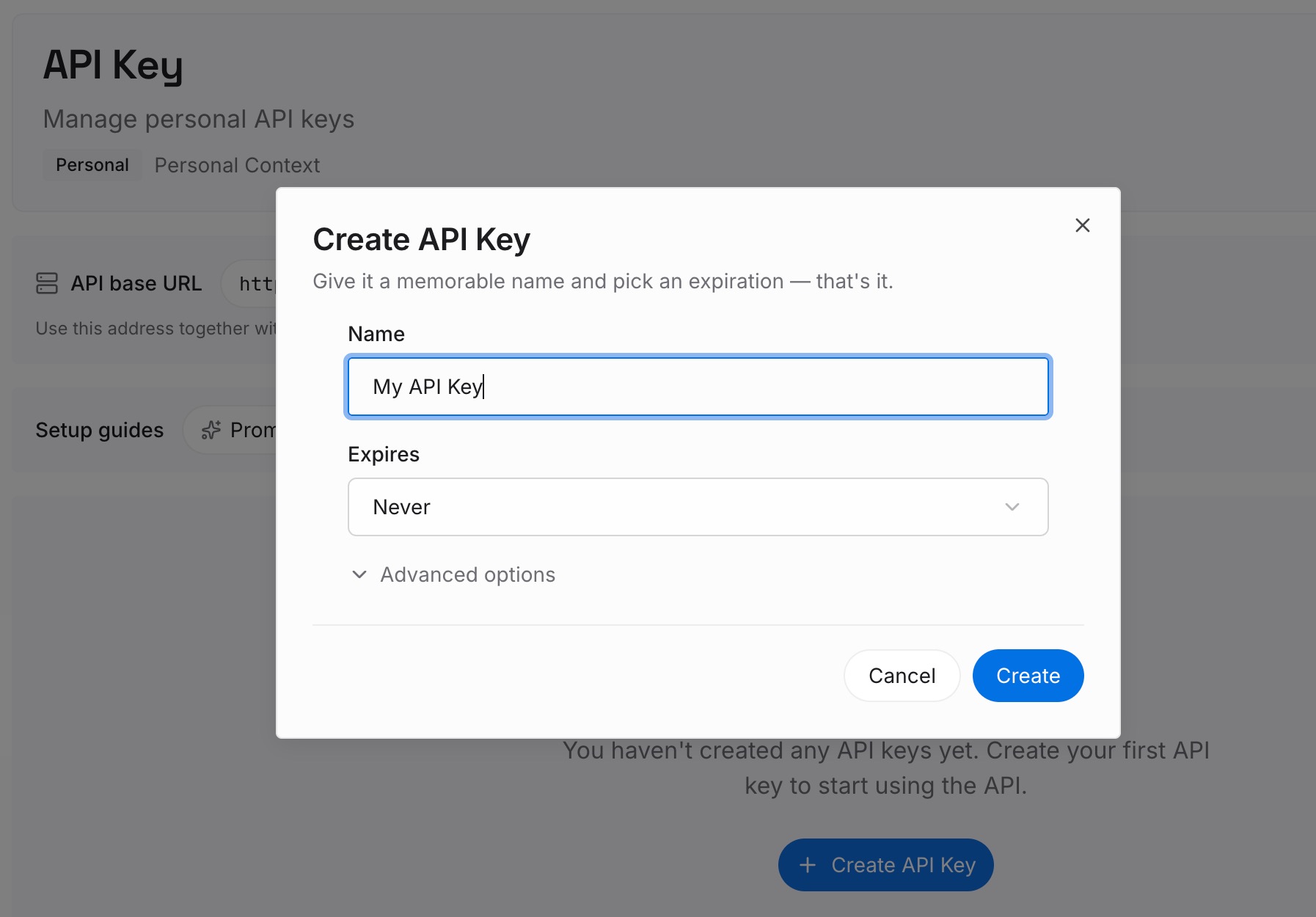
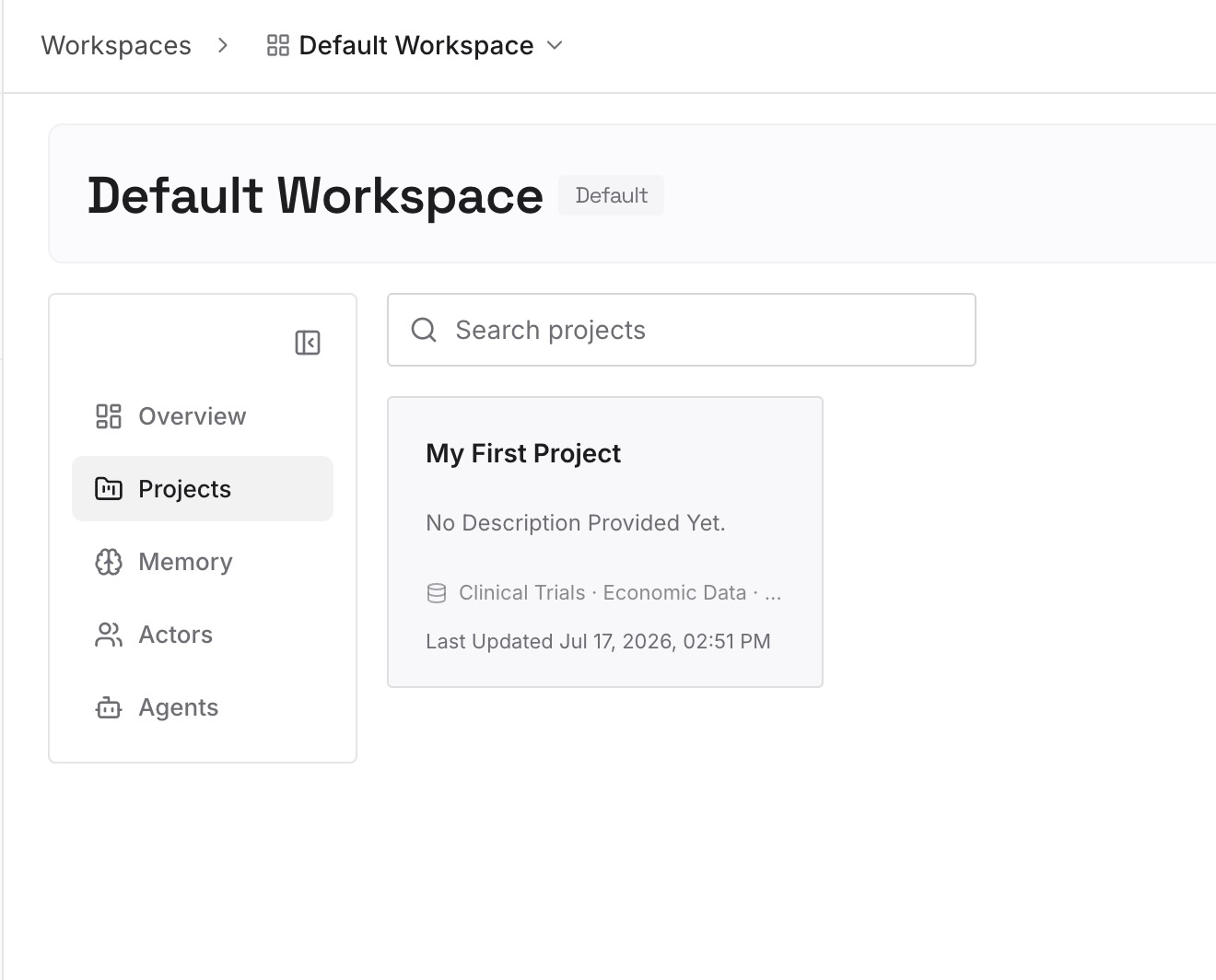
Step 2: Upload your first memories
Start with the notes from Step 3 of the fix: the conventions and decisions both accounts need. One point per entry, and check work content against your company's policy first.
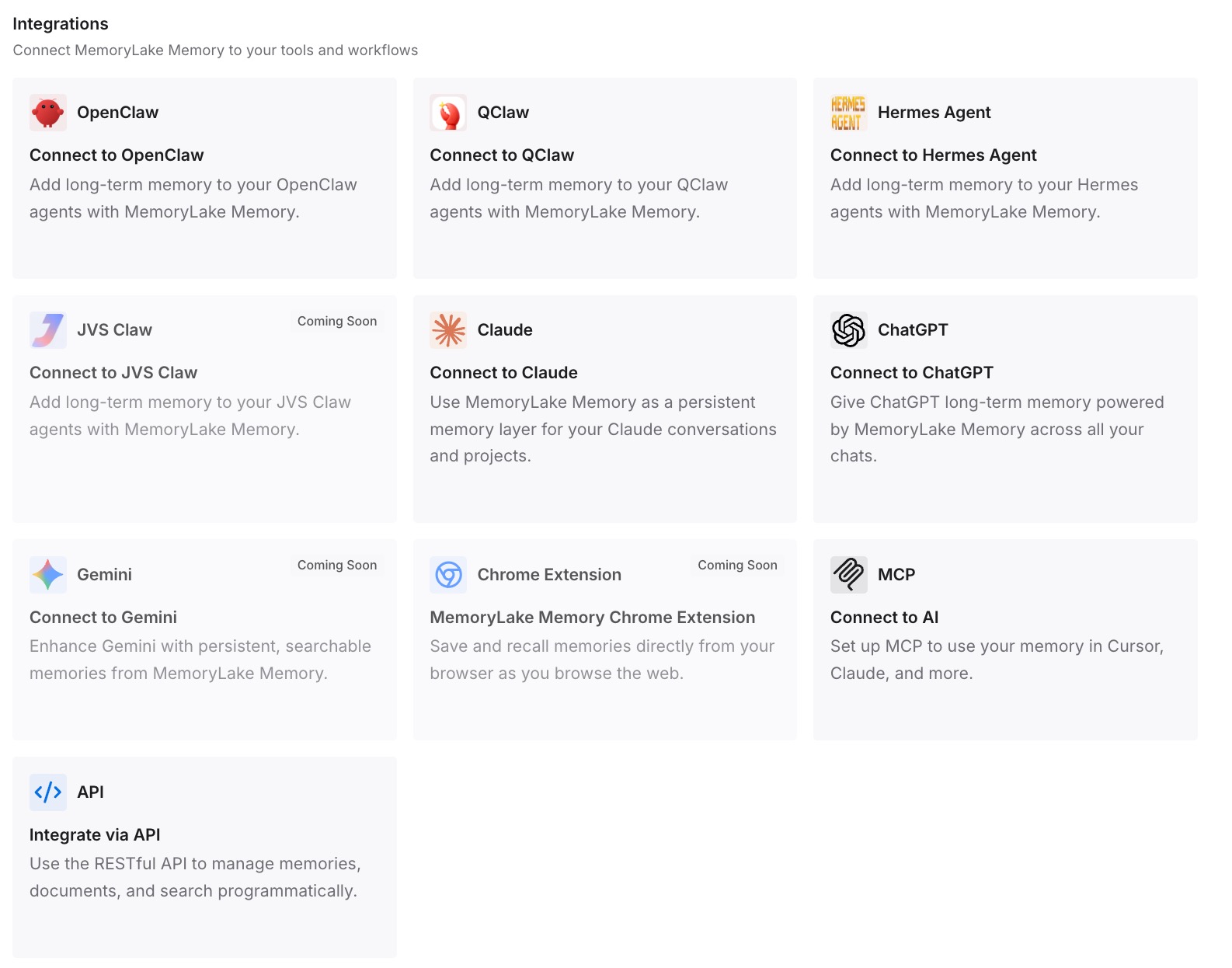
Step 3: Connect your AI & agents
Connect Codex in each setup you use, and any other assistants. The same entries are available whichever account you're signed in to.
What this changes in practice
The first difference is a predictable switch. You know the login changes and the Codex home doesn't, so nothing in your history surprises you.
The second is a clean split when you want one. Two homes keep sessions and memories apart, and the shared facts live outside both.
The third is less repetition. If you later export a chat or start fresh, our guide to exporting Codex chats and our guide to /clear and /new in Codex start from notes you already have.
Best practices for switching accounts in Codex
Check the active login first. codex login status shows the method in use.
Remember the shared login. The CLI and extension sign out together.
Use a separate CODEX_HOME for separation. Config profiles don't split sessions or memories.
Create the directory first. Codex requires it to exist.
Treat auth.json like a password. It contains access tokens.
Expect managed restrictions on work machines. A mismatched login is signed out.
Keep shared rules in AGENTS.md. Memories are a recall layer, not the rulebook.
Conclusion
Switching accounts in Codex changes the credentials and what follows from them: data handling, admin controls, billing, and access to cloud work. It doesn't change your Codex home, where OpenAI's documentation places your config, session transcripts, skills, and local memories.
If both accounts can share that history, logout and login is enough. If they shouldn't, give each account its own CODEX_HOME, and keep the facts you need in both somewhere neither switch touches.