
How web search works in Codex
Codex has a built-in search tool. OpenAI's documentation describes it with a warning attached: "ChatGPT includes a first-party web search tool. Treat all web results as untrusted input."
You can see when Codex searched. The documentation says: "Searches appear as web_search items in the interactive transcript and in codex exec --json output." In the IDE extension, search activity also appears in the chat transcript, and the documentation notes: "The extension uses the connected Codex host's search mode."
The key question is where the results come from. That depends on the search mode.
What cached search is
Codex's configuration documentation explains the default in more detail: "The cache is an OpenAI-maintained index of web results, so cached mode returns pre-indexed results instead of fetching live pages. This reduces exposure to prompt injection from arbitrary live content."
So in cached mode, Codex isn't visiting the page you asked about at the moment you ask. It's reading results from an index. That's the reason for the opening example. A page published or updated very recently may not be reflected yet.
The trade-off is deliberate. Live pages can contain instructions written to manipulate an agent. An index reduces that exposure, though the documentation is careful to say it lowers the risk rather than removing it.
The four search modes
Codex's configuration reference lists four values for the web_search setting. The documentation describes each one:
- Cached is the default. It serves results from the web search cache.
- Indexed permits external web access only when the search index gates the request.
- Live fetches the most recent data from the web. The documentation says it's the same as the
--searchflag. - Disabled turns off the web search tool.
There's one exception to the default. The documentation says: "When Codex runs with full access, web search defaults to live results." So if you run Codex with full access, you may already be getting live results without having set anything.
When cached results are enough
For a lot of everyday work, the index is fine:
- Looking up how a well-established library function works.
- Finding documentation pages that don't change often.
- Researching background for a design decision.
- Comparing approaches that have been written about for a while.
In these cases, the index is likely to have what you need, and you keep the lower exposure to live content.
When to switch to live results
The documentation's guidance is short: "Use live search when your task depends on the latest information."
That covers tasks like these:
- Checking a release published today.
- Reading the current state of a status page or an incident report.
- Looking up a changelog that updates often.
- Verifying that a fix or a deprecation has landed.
For a single run, the CLI has a flag. The documentation says: "In the CLI, pass --search to fetch live results for one run". This leaves your default unchanged.
For a lasting change, set the mode in your configuration file. The documentation says to set the web_search value to live in config.toml, or to disabled to turn the tool off.
How to change the mode
The setting goes in a Codex configuration file. Codex's configuration documentation lists the order in which values are resolved, from highest precedence to lowest:
- CLI flags and
--configoverrides. - Project config files in
.codex/config.toml, closest to your working directory first, for trusted projects only. - Profile files selected with
--profile. - Your user config in
~/.codex/config.toml. - Cloud-managed defaults, when delivered for your workspace.
- System config, if present.
- Built-in defaults.
So a project can set its own search mode, a profile can switch it for one kind of work, and a single command can override both. If a project is marked untrusted, the documentation says Codex skips project-scoped .codex/ layers, including project-local config.
If you've used Codex for a while, check for older settings. The configuration reference lists legacy toggles under [features], such as web_search_cached and web_search_request, as deprecated. When the top-level web_search setting is unset, they still map to cached or live. Setting web_search directly makes the mode clear.
Which network rules web search doesn't follow
This is the detail in the title, and it matters if you've configured network restrictions for Codex.
The documentation says: "Web search is a hosted tool, separate from sandboxed local command networking. It does not use the permission profile's network proxy or domain allowlist, and it can remain available when command network access is disabled."
So there are two separate systems:
- Command networking. The sandbox rules that decide whether commands Codex runs, such as a package install or a
curl, can reach the network, through which proxy, and to which domains. - Web search. A hosted tool with its own settings.
Turning off network access for commands doesn't turn off web search. A domain allowlist for commands doesn't limit which sites search can return.
Web search has its own domain filter. The configuration reference describes an object form of tools.web_search that "can set search context size, allowed search domains, and approximate user location." It adds that these filters "are separate from sandboxed-command network domain rules and do not restrict connectors or MCP servers."
The web search page says the same from the other side: "Search-domain filters do not restrict local command traffic, apps, connectors, or MCP servers."
If you want to limit both, you need both settings. We covered how Codex decides which commands can run outside the sandbox in our guide to Codex rules.
How administrators can limit search modes
For managed environments, OpenAI's documentation mentions a requirement called allowed_web_search_modes. The configuration reference describes it as the allowed values for web_search, and adds: "disabled is always allowed; an empty list effectively allows only disabled."
So an organization can, for example, allow cached and disabled but not live. The documentation suggests combining command network policy with controls such as allowed_web_search_modes, approved MCP servers, and feature requirements for apps, plugins, browsers, or Computer Use.
In ChatGPT on the web, the documentation notes: "Workspace settings can limit whether search is available."
How web search interacts with Codex memories
Codex can turn useful context from earlier chats into local memories. Its configuration reference includes a setting that connects memories and search.
The memories documentation describes memories.disable_on_external_context this way: "when true, keeps chats that used external context such as MCP tool calls, web search, or tool search out of memory generation." The configuration reference says it defaults to false.
So by default, a chat that used web search can still contribute to memory generation, the same as any other eligible chat. If you'd rather keep chats that pulled in outside content from shaping what Codex remembers, set that option to true. The documentation notes that an older key name, memories.no_memories_if_mcp_or_web_search, is still accepted as an alias.
This matters more when search results are untrusted input. A chat that read web pages is a chat whose content came partly from outside your project.
A note on prompt injection
The configuration documentation ends its section on search with a caution: "Use caution when enabling network access or web search in Codex. Prompt injection can cause the agent to fetch and follow untrusted instructions."
Cached mode is the default because it reduces that exposure. Live mode is there when freshness matters more. Neither makes web content trustworthy, so review what Codex does with results, especially before it runs commands based on them.
What people try first
Expecting search results to reflect today's changes. Local chats use a cached index by default.
Turning off command network access to stop searches. Web search is separate and can remain available.
Using a command domain allowlist to limit search. Search has its own domain filter in tools.web_search.
Leaving old feature toggles in place. Set the top-level web_search value instead.
Assuming search never affects memory. By default, chats that used web search can feed memory generation.
The Fix: Choose the search mode per task
Step 1: Keep cached as your default
Use the index for background research and stable documentation.
Step 2: Use live for time-sensitive checks
Pass --search for a single run, or set live in a profile you use for that kind of work.
Step 3: Set search limits separately from network limits
Use tools.web_search for search domains and sandbox settings for command traffic.
Step 4: Record what you verified
When a live search confirms a version, a fix, or a deprecation, write down the result and the date.
Setting this up in MemoryLake
Web search answers a question at one moment. What you learn from it, such as which version introduced a fix, which API was deprecated, or which source your team trusts for a dependency, is project context that's useful long after the search.
MemoryLake is a memory layer for that kind of project context, such as verified facts, decisions, and the sources behind them, kept in one place you maintain and available to the assistants you connect, such as ChatGPT, Claude Code, and Codex.
You write the entries yourself, in your own words. Nothing is read out of, written to, or deleted from your Codex chats, your search results, your config.toml, your Codex memories, or any vendor's store. Codex web search works the way OpenAI describes it.
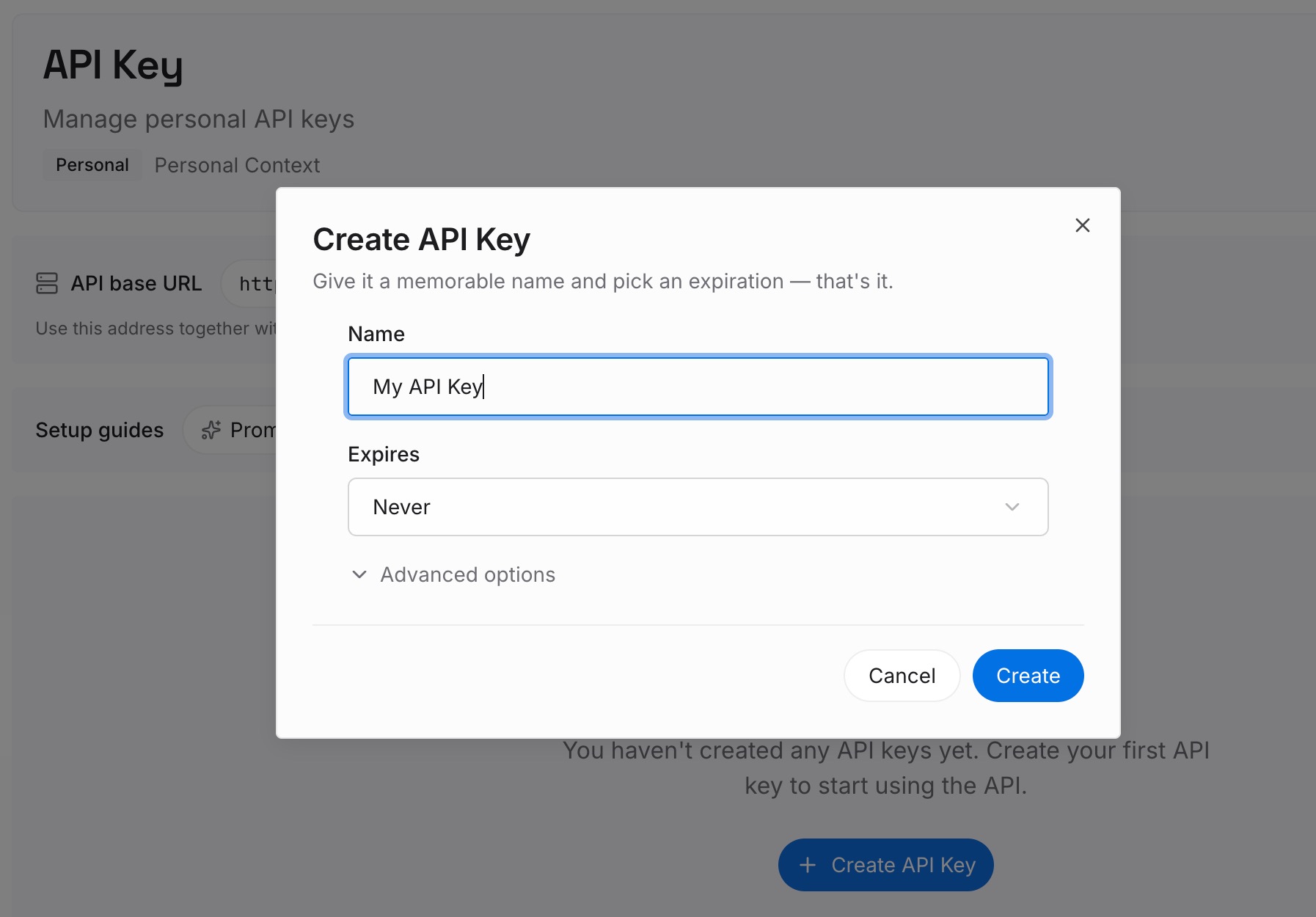
Step 1: Create an API key
Sign in and generate a key from the dashboard. Store it outside your repositories, like any other credential.
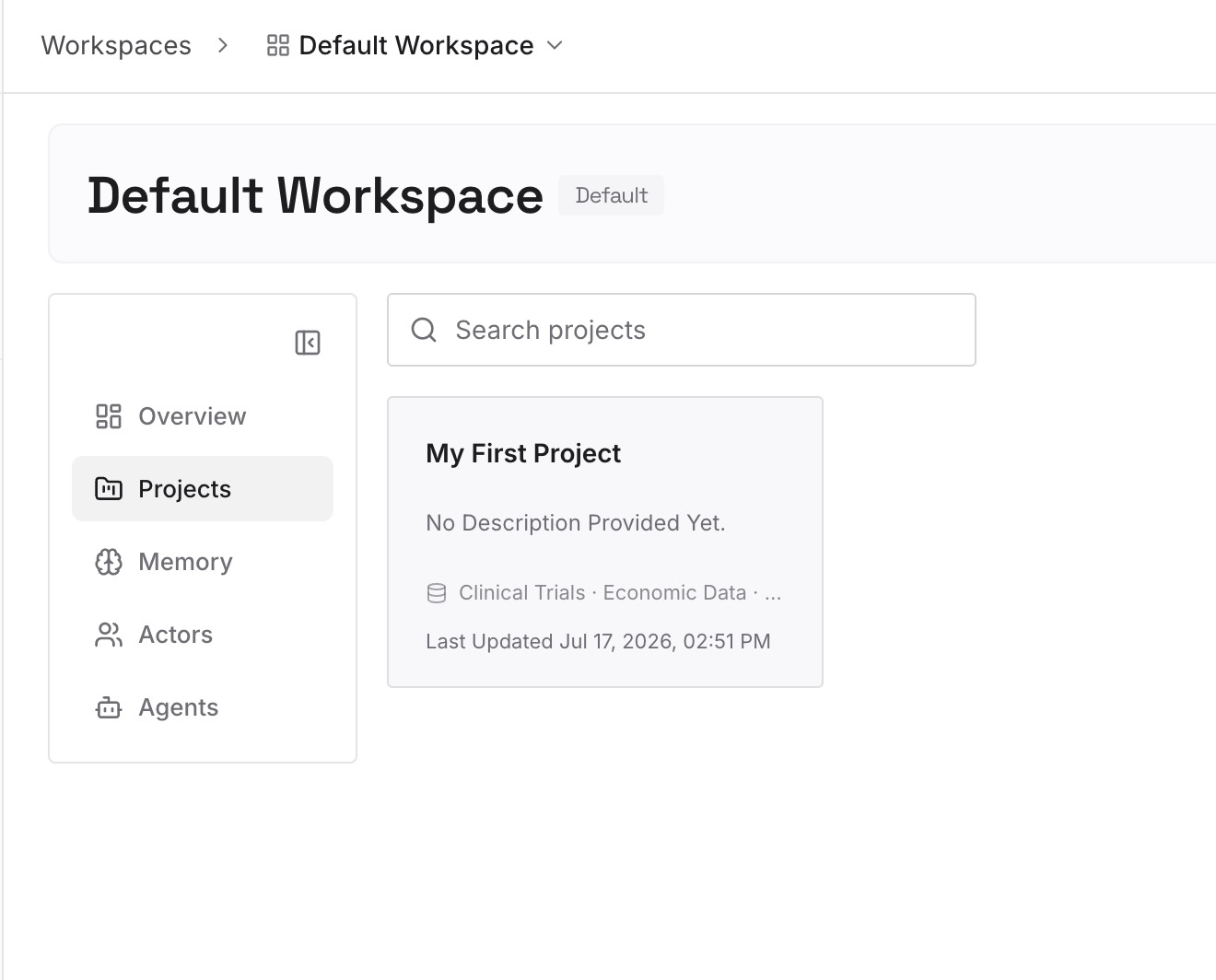
Step 2: Upload your first memories
Start with what you wrote in Step 4 of the fix: the facts you verified and when. One fact per entry, with the source.
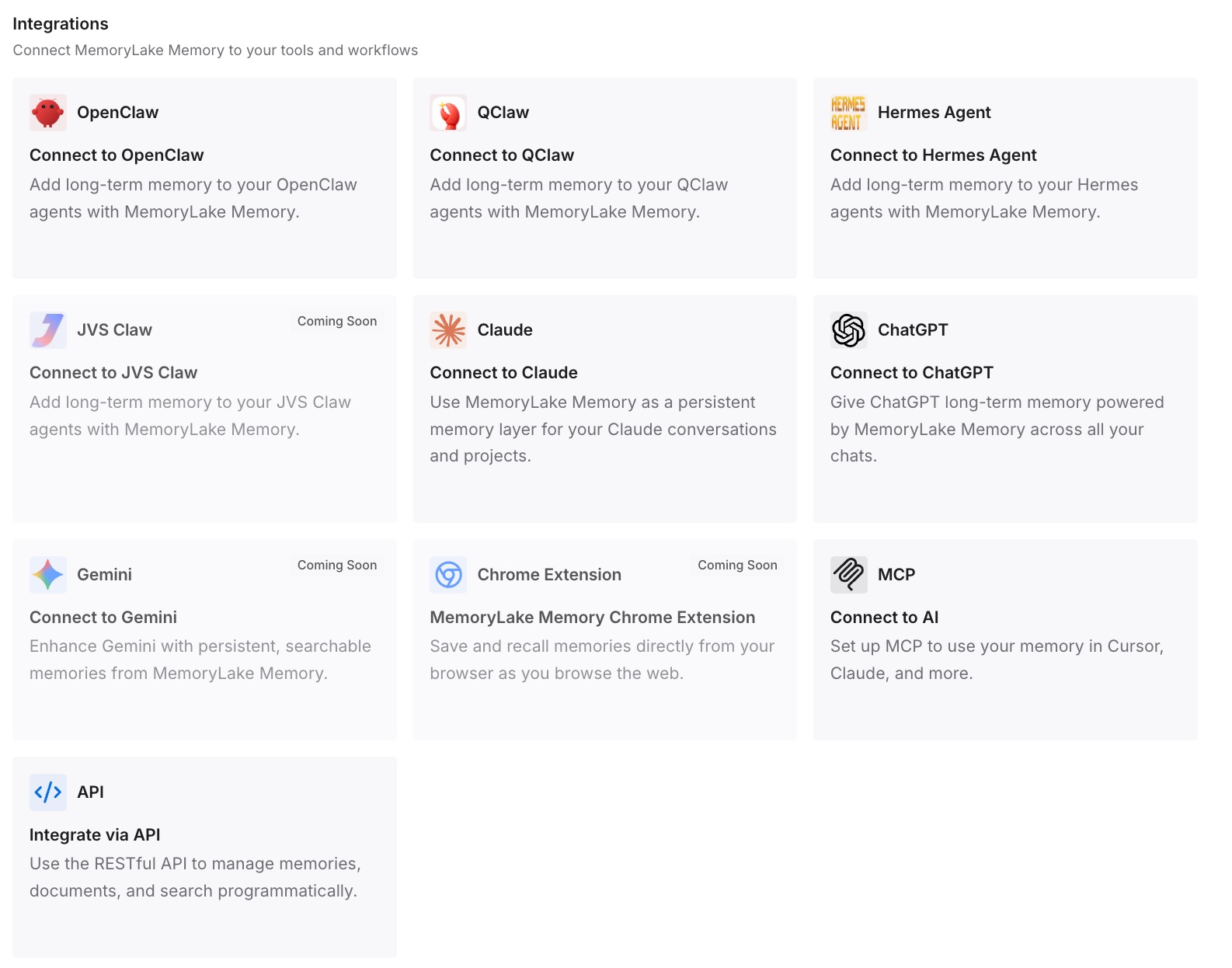
Step 3: Connect your AI & agents
Connect Codex, Claude Code, and the other assistants you use. Each can draw on the same verified facts without searching again.
What this changes in practice
The first difference is fewer repeated searches. A fact you verified once is available next time.
The second is clearer provenance. Each entry says where a fact came from and when.
The third is consistency across tools. The same verified facts are there in Codex and in other assistants.
Best practices for Codex web search
Keep cached as the default. It reduces exposure to live content.
Use --search for one-off freshness. It doesn't change your default.
Use profiles for repeated live work. Set the mode where it applies.
Limit search domains separately. Command network rules don't apply to search.
Check for legacy toggles. Prefer the top-level web_search setting.
Decide about memory generation. Use memories.disable_on_external_context if you want searched chats left out.
Treat results as untrusted. Review before acting on them.
Conclusion
Codex web search uses a cached, OpenAI-maintained index by default in local chats. That lowers exposure to prompt injection but means very recent pages may not be reflected. Live mode, set with web_search in config.toml or the --search flag for one run, fetches the most recent data, and full-access sessions default to live.
Web search is a hosted tool, separate from the sandbox's command networking, so it doesn't use your network proxy or command domain allowlist and can stay available when command network access is off. It has its own domain filter, administrators can limit the allowed modes, and by default a chat that used search can still feed memory generation unless you set memories.disable_on_external_context to true.