
Why Computer History keeps more than you expect
It captures interaction events, not screenshots
The mechanism is specific, and worth stating precisely because the obvious guess is wrong. Computer History "creates an interaction-event stream from allowed apps and websites. Events can include clicks, typing, keyboard shortcuts, app switches, and context that macOS exposes through its accessibility system. Computer History periodically turns these events into text summaries and local memory files."
What it does not do is also documented: it "does not include screenshots in your history or record microphone input or system audio," and "Private-mode web browsing activity is never included." It also "does not require Screen Recording permission."
So this is not screen recording. It is an accessibility-tree and interaction stream, summarized into text. That is a narrower capture than people assume and a broader one than a chat history, because it includes text from windows you never sent to ChatGPT.
It is also new rather than renamed: "Computer History replaces the earlier Chronicle research preview, but it is a rebuilt system rather than a rename."
The files are plain Markdown, on your disk, unencrypted
Computer History "generates the same kind of local memories as Codex: plain-text Markdown files that you can read and modify." They live under $CODEX_HOME/memories/extensions/skysight/, "which typically resolves to ~/.codex/memories/extensions/skysight/."
Then the warning that should decide whether you enable this on a shared or work machine:
"Computer History files can contain sensitive information. They are not encrypted by Computer History, and other programs running as your macOS user may be able to access them. Protect your Mac account and exclude sources you do not want included."
The raw interaction events are handled differently and more strictly. They are stored "temporarily on your Mac," isolated within the ChatGPT App Group, and "ChatGPT and Codex delete these event files after 48 hours." The generated memory files have no such expiry: they "remain on your filesystem until you delete or clear them."
Note that this is the same directory tree Codex uses for its own chat-derived local memories, in a separate extensions/skysight/ subdirectory. Two different mechanisms, two different sets of controls, one parent folder — which matters when you go looking for what is stored.
Summarizing happens on OpenAI's servers, and the memories come back local
The data flow is documented and slightly counterintuitive. Computer History "captures interaction events locally, then periodically starts an ephemeral Codex session with access to the interaction-event stream to summarize your activity into memories."
"OpenAI processes temporary event files on its servers to generate memories, which are then stored locally on your Mac. OpenAI does not retain those event files after processing unless required by law and does not use them for training."
There is a second hop worth knowing about: "When ChatGPT or Codex uses a memory in a future chat, relevant memory contents and interaction events may be included as context. This chat content may be used to improve OpenAI models if allowed by your ChatGPT data controls."
So the events are transient and not used for training; the memories are local; and once a memory is used in a chat, that chat follows your normal data controls like any other conversation.
It widens the prompt injection surface, and OpenAI says so
This is stated directly rather than buried: "Computer History increases the risk of prompt injection from content in apps and websites. For example, if you visit a website containing malicious instructions, ChatGPT or Codex might follow those instructions."
That is the honest cost of turning ambient content into agent context. A page you merely looked at can become part of what an agent reads later. It is a good argument for the include-only controls described below, and a strong argument against treating this store as a source of truth for anything.
Access is gated in two independent places
For Business and Enterprise workspaces there are two switches and both must be thrown. An administrator uses "Enable Computer History" in Workspace Settings > Permissions & roles to grant access to roles — and then, critically: "Granting workspace access only lets a member choose to turn on Computer History. It does not turn on the feature for anyone. Each person must opt in individually, including ChatGPT Pro users."
It also depends on the Memories feature being on, and it "is not available with an API key or Amazon Bedrock." If your role lacks access, "changing local settings cannot enable Computer History."
What people try
Turning it on and choosing apps later. The permission model is future-facing: "Changing app or website permissions affects future history. To remove existing items, delete or clear them." Decide the source list first.
Excluding apps one at a time. Workable but reactive. The stronger control is "Include only these apps" and "Include only these websites," which allows only what you explicitly choose instead of blocking what you happen to notice.
Assuming private browsing covers it. It does, for browsing — private-mode activity is never included. It does nothing for the desktop apps in your allow list.
Treating the timeline as a work log to keep. It is designed to be cleared, and clearing is destructive: "Clearing history deletes the relevant interaction events and any memories created from them. This cannot be undone."
Hand-editing the Markdown files. You can — they are documented as files "you can read and modify" — but they are generated state that later summarization passes maintain. Editing them is not a durable control surface.
Leaving it running during meetings. OpenAI's guidance is explicit about this, and it is in the next section because it is not a preference.
The Fix: Decide the Sources, Then Keep Anything Durable Out of This Store
Set it up in this order, and treat the first item as a rule rather than a setting.
Consent first. OpenAI's documentation states: "Computer History can include interaction events from communication apps and websites. Turn it off during communications with other people unless you have their prior express consent. Consider pausing it or excluding apps that contain sensitive health, financial, or personal information." Pause it before calls and shared sessions. Exclude your messaging apps rather than relying on remembering. This feature is for reconstructing your own work, and nothing in this article is advice for capturing anyone else's.
Then narrow the sources. Under Settings > Computer history > Permissions, prefer "Include only these apps" and "Include only these websites" over the exclude lists. You can also click an app icon in a timeline item to exclude that app from future history.
Then learn the pause control. The ChatGPT icon in the macOS menu bar expands to show what activity is being captured and gives you Pause and Resume. The menu bar can also clear the last session for a recent app.
Then set a clearing habit. Settings > Computer history > History lets you reveal a summary's local memory file in Finder, delete an individual timeline item, or clear the last 10 minutes, hour, day, or everything.
That handles the store. It leaves one problem, and it is the one that outlasts every setting above: a store you are pausing, narrowing, and clearing on purpose is the wrong place for knowledge you cannot afford to lose. Event files expire after 48 hours by design. Memories vanish with the timeline items that produced them. Both are correct behaviour for an activity log and disqualifying for a system of record.
That is the split MemoryLake exists for — durable project knowledge in a layer you curate deliberately, so the activity timeline can stay disposable. Setup is three steps.
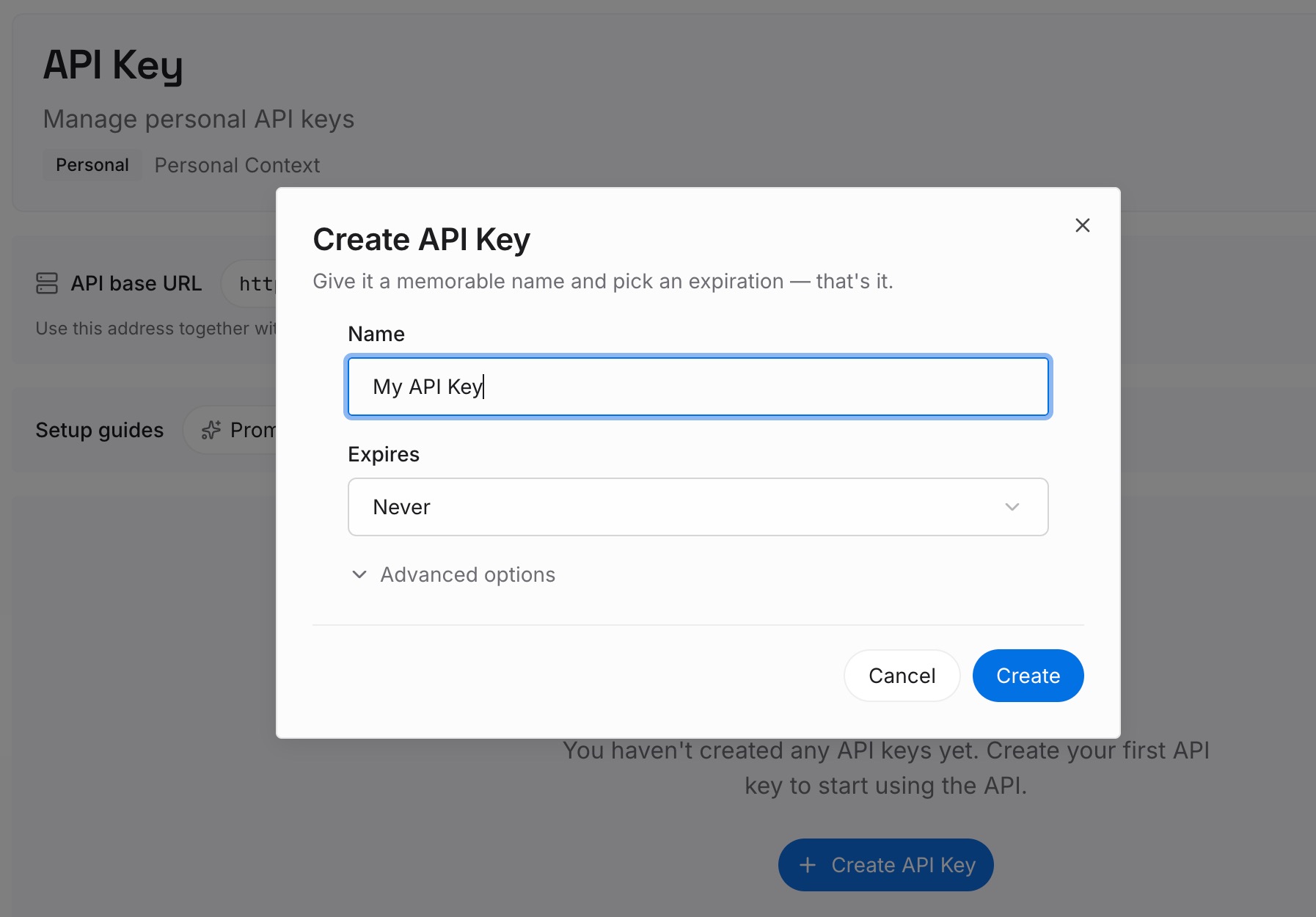
Step 1: Create an API key
Sign in and create an API key. One credential across the tools you connect.
Step 2: Upload your first memories
Short entries, one claim each. The test is whether you would want it after clearing your history:
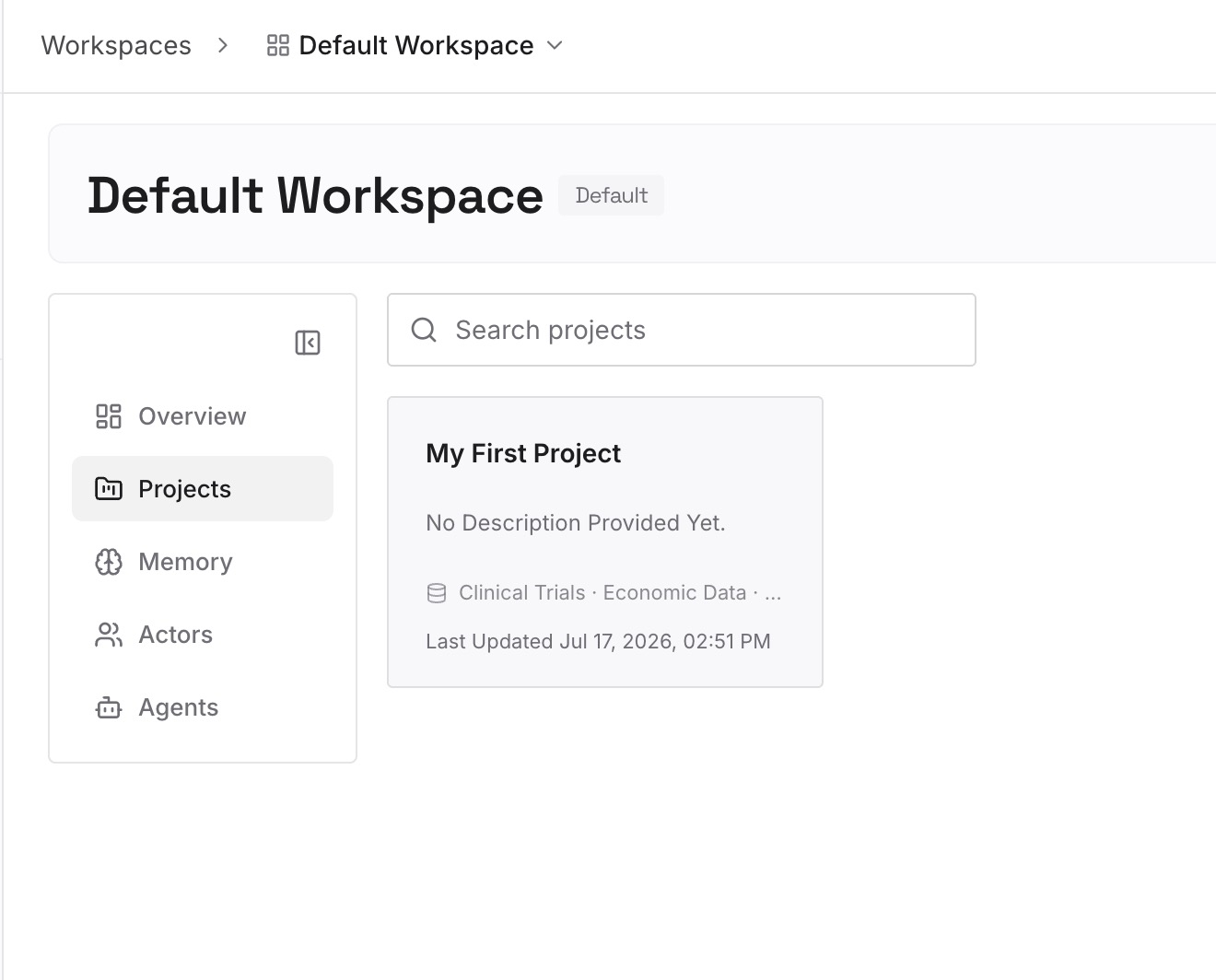
Decisions and their reasons. "We moved the nightly job to 03:00 because the warehouse load finishes at 02:40." An activity timeline can show you opened the scheduler; it cannot tell you why.
Conclusions, not sessions. Computer History is good at "what was I doing" and not designed for "what did we decide." Write the decision down where it will still be there next quarter.
Approaches already ruled out. The category that exists in no timeline entry and gets re-proposed every time.
Anything you would not want summarized by an automated pass. Curated entries you wrote are auditable in a way generated summaries are not — the general argument is in what memory provenance means and why it matters.
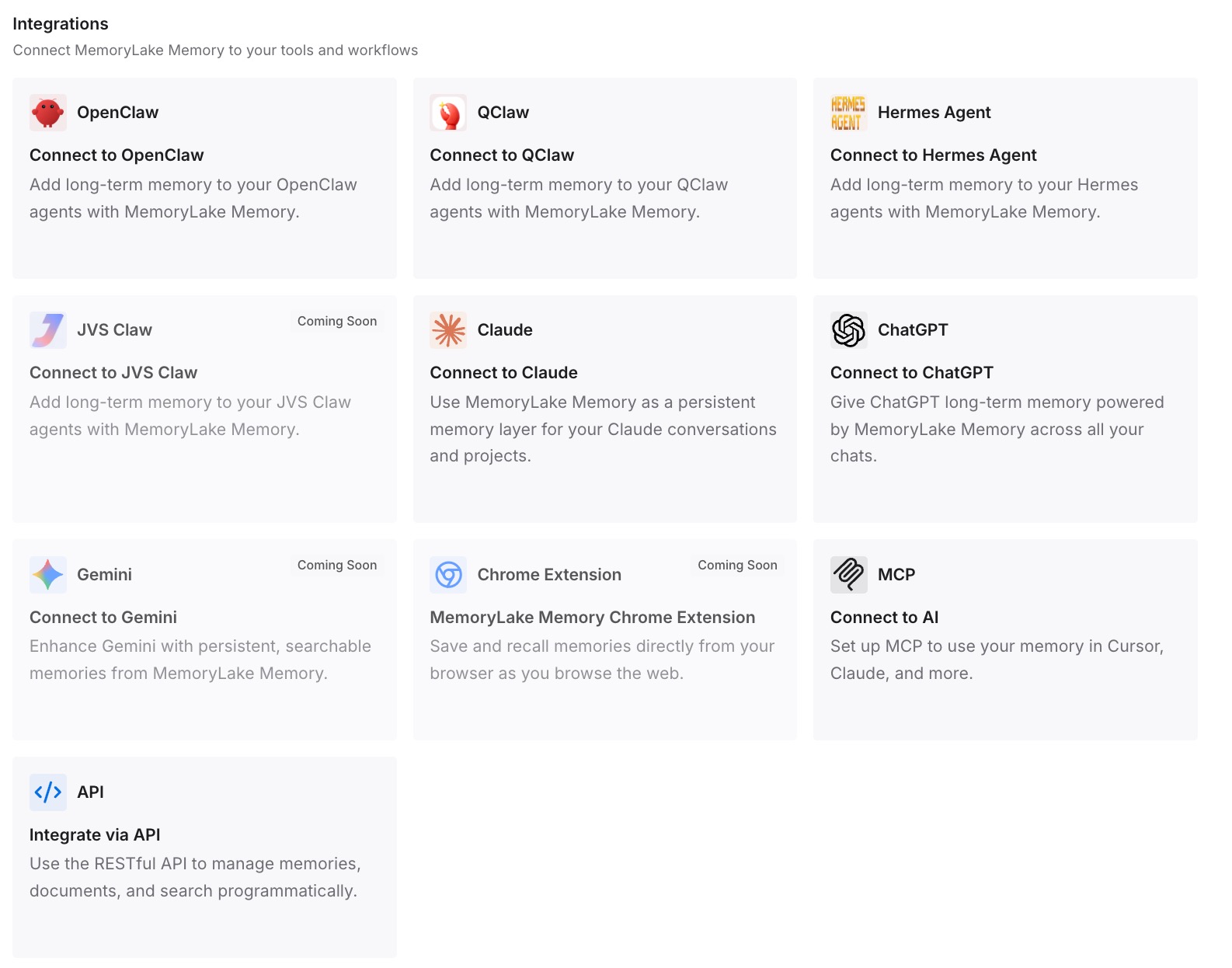
Step 3: Connect your AI & agents
Connect what you use. MemoryLake is reachable over MCP and over an API, so MCP-native agents such as Claude Code, Codex, Cline, and OpenClaw read the same memory, and anything else reaches it through the API.
Three honest limits. MemoryLake cannot read, write, or delete anything under ~/.codex/memories/, including the extensions/skysight/ files — that is OpenAI's generated state and no external tool should be editing it. It does not change what Computer History captures; the permission, pause, and clearing controls above are OpenAI's, and they are the only things that govern capture. And nothing lands in memory unless you or your agents put it there, which is the point: a curated store is curated.
What this changes in practice
Clearing your history stops being a loss. The decisions were written down somewhere else.
Pausing during calls becomes easy. You are not relying on the timeline for anything important.
The source list gets short. Include-only beats exclude-later, and fewer sources means less in an unencrypted file.
The prompt injection surface stays bounded. Fewer allowed websites, less ambient content that can become agent context.
Two stores stop being confused. Activity summaries are disposable; curated knowledge is durable.
Best practices for Computer History
Pause it during any conversation with another person unless they have agreed. OpenAI's own instruction, and the one that is not a matter of taste.
Exclude communication, health, and finance apps up front. The documentation names these categories specifically.
Use include-only lists rather than exclude lists. An allow list fails closed.
Remember that permission changes are not retroactive. They "affect future history"; existing items need deleting or clearing.
Treat the memory files as sensitive. They are not encrypted by Computer History, and other programs running as your macOS user may be able to read them.
Do not use it as a system of record. Event files expire after 48 hours; clearing is irreversible.
Review the timeline occasionally, not just when troubleshooting. You can reveal any summary's file in Finder.
Keep the durable layer small and curated. Fewer, better entries beat exhaustive capture — the argument is in why agent memory should keep less.
Conclusion
Computer History is a well-documented feature with an unusually large surface, and OpenAI has been straightforward about both halves of that. It is off by default, requires a personal opt-in even after an administrator grants workspace access, captures interaction events rather than screenshots, never includes private browsing, and does not need Screen Recording permission. It gives you include-only lists, a menu bar pause, per-item deletion, and time-bounded clearing.
It also writes plain-text Markdown to ~/.codex/memories/extensions/skysight/ that Computer History does not encrypt and that other programs running as your macOS user may be able to read. It increases the prompt injection surface, by OpenAI's own statement. And it can pick up interaction events from communication apps, which is why the documentation tells you to turn it off during conversations with other people unless you have their prior express consent. That instruction is the first thing to configure, not the last.
Set the source list before you turn it on, learn where the pause control is, clear on a schedule, and then accept what the design is telling you: a store with 48-hour event expiry and one-click irreversible clearing is meant to be disposable. Let it be good at reconstructing your afternoon, and put the decisions, reasons, and constraints you will still need next quarter in a layer you curate on purpose. Other limits of automatic memory in the same product family are covered in ChatGPT's memory limitations.