
Why cloud agents start cold even when the environment is warm
Builds prepare the machine, not the model
Read what a build actually contains. The docs describe the development environment as "similar to the setup on your laptop: cloned repos, installed dependencies, secrets, startup commands, and network access," configured through .cursor/environment.json with agent-led setup, a saved snapshot, or a Dockerfile. Builds prepare that environment ahead of time so agents "start with repositories and dependencies ready," and agents consistently start from the latest successful build — if a dependency update breaks the environment, the failed build never activates.
Every item on that list is infrastructure. Not one of them is knowledge. The install command runs once during build creation and the start command re-executes each session, which is exactly the right design for services and containers — and completely orthogonal to whether the agent knows your billing module can't take a breaking change this sprint.
Cursor is direct about how much environments matter: "Agents are only as capable as the environments they run in," and "environment setup is the most important step to improve the effectiveness of cloud agents." That's true, and builds make it cheap. It just answers a different question than the one people ask after their third cloud run repeats a mistake.
The trigger is the entire brief
Local sessions have a conversation. Cloud agents often don't. The documented entry points include Cursor Desktop, Cursor Web at cursor.com/agents, an iOS app or Android PWA, Slack via an @cursor command, a comment mentioning @cursor on a GitHub or Bitbucket pull request or issue, Linear, and the API.
Look at what most of those have in common: the agent is launched by someone writing one message, frequently while not sitting at their editor, sometimes by a teammate who didn't write the code. That message is the complete brief. Everything the agent will know beyond your repository contents comes from that sentence plus whatever files it reads on its own — and a sentence written on a phone from a Linear ticket is a thin brief compared with a local session where you've been talking to the agent for twenty minutes.
This is also why the failure feels different from local forgetfulness. Locally you notice the agent losing the thread and you re-explain. In a cloud run there's nobody in the room to notice, so the misunderstanding lands as a pull request.
Rules are the only knowledge channel — and one form of them fails silently
Because the trigger is thin, the repository is where all durable knowledge has to live. Cursor's rules documentation says so explicitly: "Large language models don't retain memory between completions. Rules provide persistent, reusable context at the prompt level." Rules come in four documented forms — project rules as .mdc files in .cursor/rules under version control, user rules global to your Cursor environment, team rules managed from the dashboard on Team and Enterprise plans, and AGENTS.md in the project root with nested files supported and more specific ones taking precedence.
Here's the trap, quoted from the same docs: "A plain .md file in .cursor/rules is ignored by the rules system because it has no frontmatter to specify description, globs, and alwaysApply."
No warning, no error, no entry in a log. A file that looks like a rule, sits in the rules directory, and reads like it's working. This bites hardest for teams who arrived from another tool whose rules were plain markdown, and it's invisible precisely where you can least afford it: in a cloud run, nobody is watching the session to notice that the conventions file never loaded. Worth pairing with the four application modes, since they decide when a valid rule loads — alwaysApply: true, a description for intelligent application, globs for specific files, or nothing at all, which requires an explicit @-mention. A rule set to manual application will never load itself into a cloud agent's run.
Two more constraints matter for cloud work. The docs advise keeping rules under 500 lines and splitting large ones into composable pieces, which means the always-loaded channel is deliberately narrow. And a rule scoped by globs only enters context when matching files are in play — appropriate, but it means area-specific knowledge is invisible until the agent has already decided which files to touch.
The docs list what persists, and memory isn't on the list
This is the part I want to be careful about. Cursor's cloud agent documentation covers environments, snapshots, builds, hooks from .cursor/hooks.json, multi-repo workspaces where "the agent can inspect the full workspace, make coordinated changes," model selection where "Cloud Agents use a curated selection of models" with a selectable context window size, and a dashboard showing which environment and build an agent used along with version history.
What it does not do is describe context, state, or memory persisting between separate agent runs. The rules documentation likewise contains no statement about a memories feature, and cursor.com/docs/agent/memories returns a 404 as of this writing. So the accurate claim is not "Cursor has no memory" — it's that the documented mechanism for carrying knowledge across runs is rules files, and nothing in the docs promises that an agent's second run inherits anything from its first beyond what's in the repository.
Plan around what's documented. If your team is relying on an undocumented assumption that a cloud agent remembers last week, that assumption has no support in the docs, and the symptom will show up as inconsistency between runs — the cloud counterpart of the local problem described in why Cursor forgets previous sessions.
What people try
Writing longer rules files. The natural move, and it collides with the 500-line guidance. Past a certain size, the always-loaded file becomes a wall of text competing with the actual task for the model's attention — and everything in it is paid for on every run, whether relevant or not.
Putting the context in the trigger comment. Works for one run. It means the person filing the ticket has to know all the project constraints and remember to restate them, which defeats the purpose of delegating to an agent, and it doesn't survive to the next ticket.
Adding it to the environment. People try to encode knowledge as setup: a README the install script cats, a file the start command echoes. Environments are for dependencies and services. Knowledge routed through them is fragile and invisible in review.
Running everything locally instead. The safest answer and the most expensive one. You give up the reason cloud agents exist — that a teammate can trigger work from Slack or a PR comment without a machine of their own.
Assuming rules loaded. Extremely common, and the plain-.md trap makes it worse. Teams debug the model when the file was never in context. Before blaming a model, verify the rules actually applied — the failure pattern in why Cursor forgets project rules.
Spawning more agents. Parallel cloud agents multiply the problem instead of solving it: each one starts from its own thin brief, and none of them knows what the others concluded. That's the shape covered in multi-agent memory.
The Fix: Put the Project's Knowledge Somewhere the Cloud Can Reach
The structural issue is that a cloud agent has exactly two inputs — the trigger and the repository — and one of them is a sentence. Rules files handle the small set of things that must be in context every single run. What they can't hold is the growing body of project knowledge: the decisions, the rejected approaches, the constraints that made a weird piece of code the right choice. That material is too large for an always-loaded file and too valuable to leave in a local session that ended.
MemoryLake gives that knowledge a home the agent can query instead of a file it must always carry: a memory layer that any connected agent reads from, so a run triggered from a PR comment can look up what the team already decided. Setup is three steps.
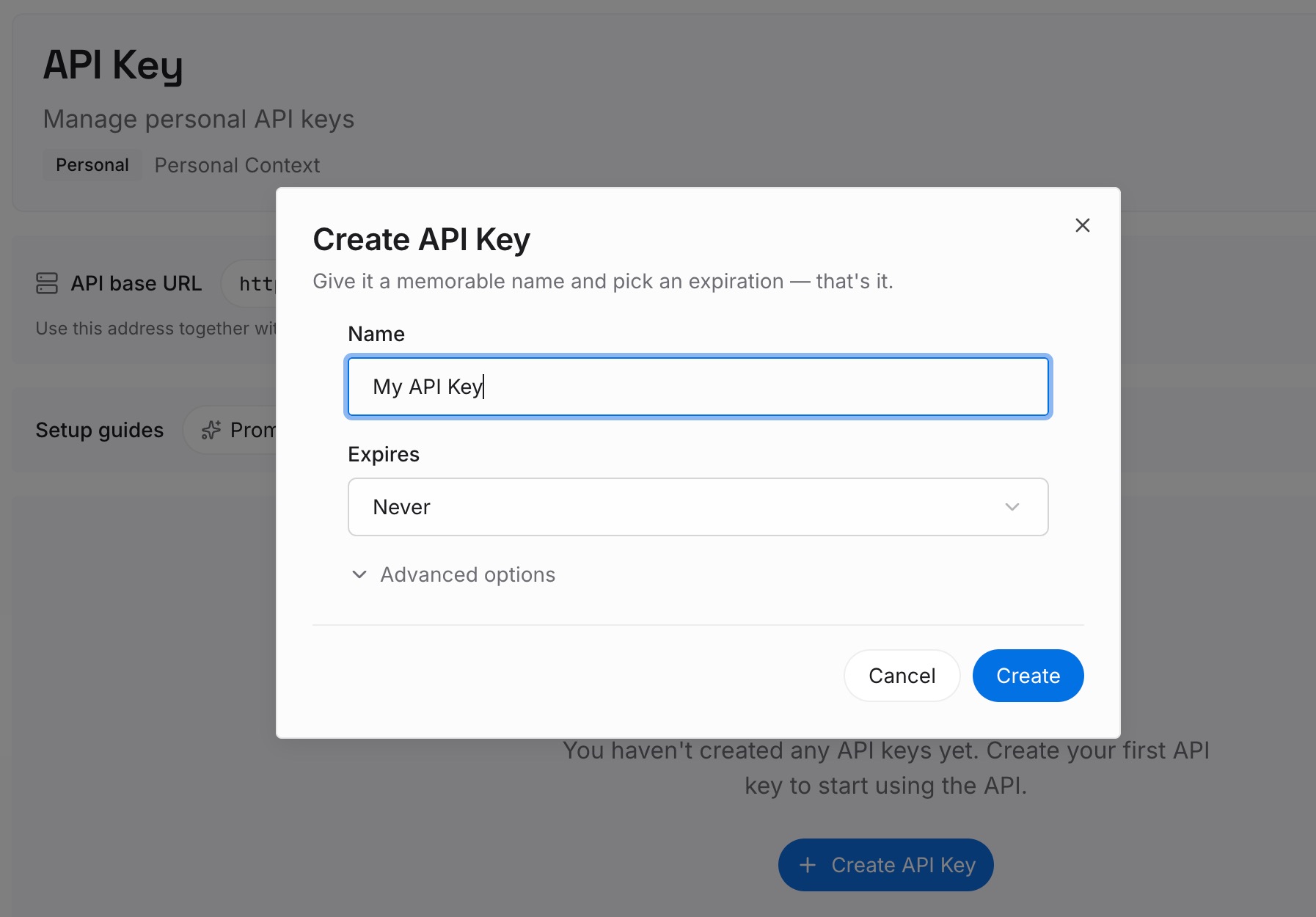
Step 1: Create an API key
Sign in to MemoryLake and create an API key. One credential shared by every agent you connect — which matters here, because cloud runs are triggered from several surfaces and you don't want per-surface configuration.
Step 2: Upload your first memories
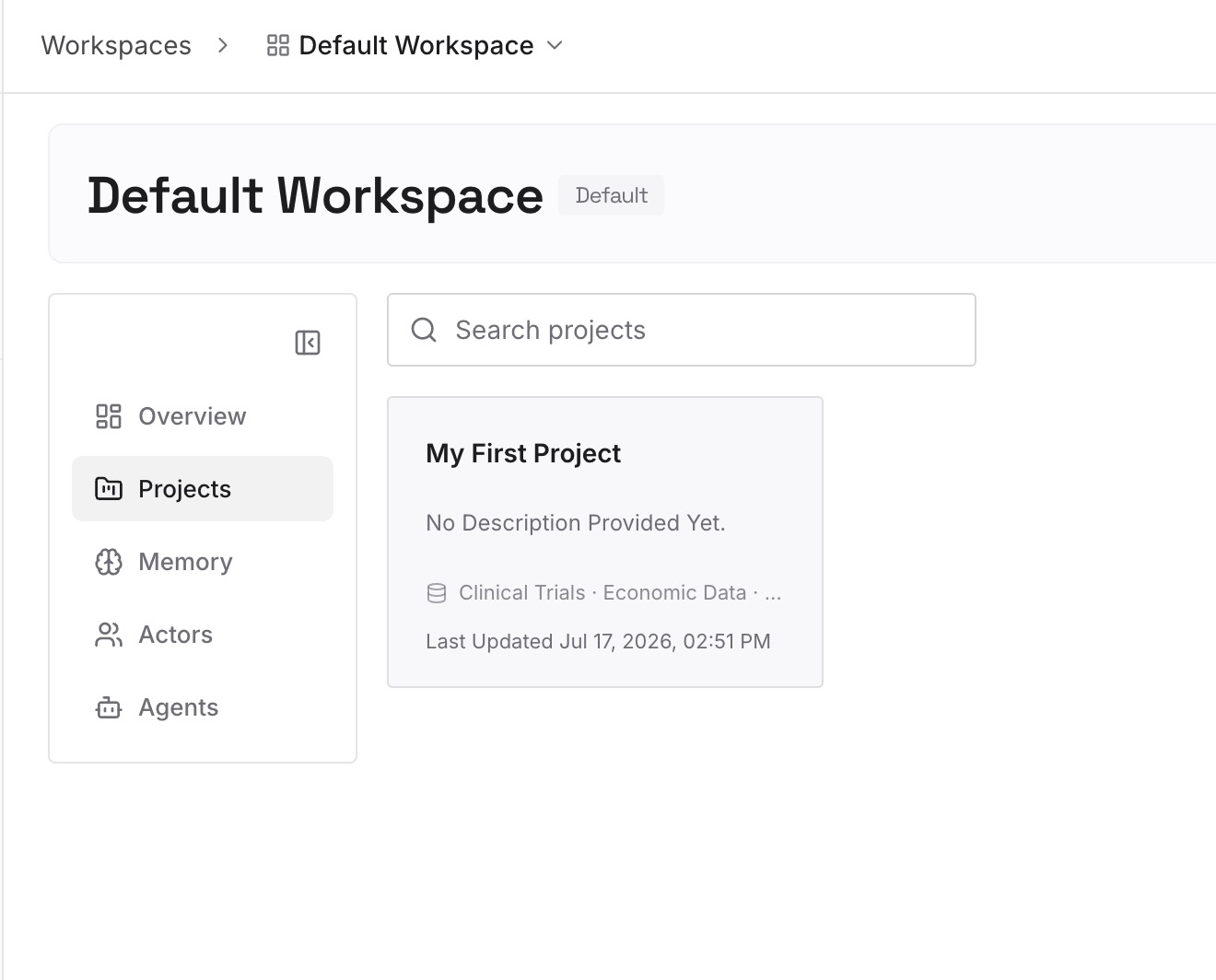
Load the knowledge your rules files can't afford to carry. Architecture decisions and the reasoning behind them. Approaches you tried and abandoned, with the reason — the single highest-value category, because a fresh agent with a thin brief will otherwise re-propose them confidently. Constraints that look arbitrary without context. Conventions that live in people's heads because nobody thought to write them down. Keep entries short and one idea each, so retrieval returns something an agent can act on.
Step 3: Connect your AI & agents
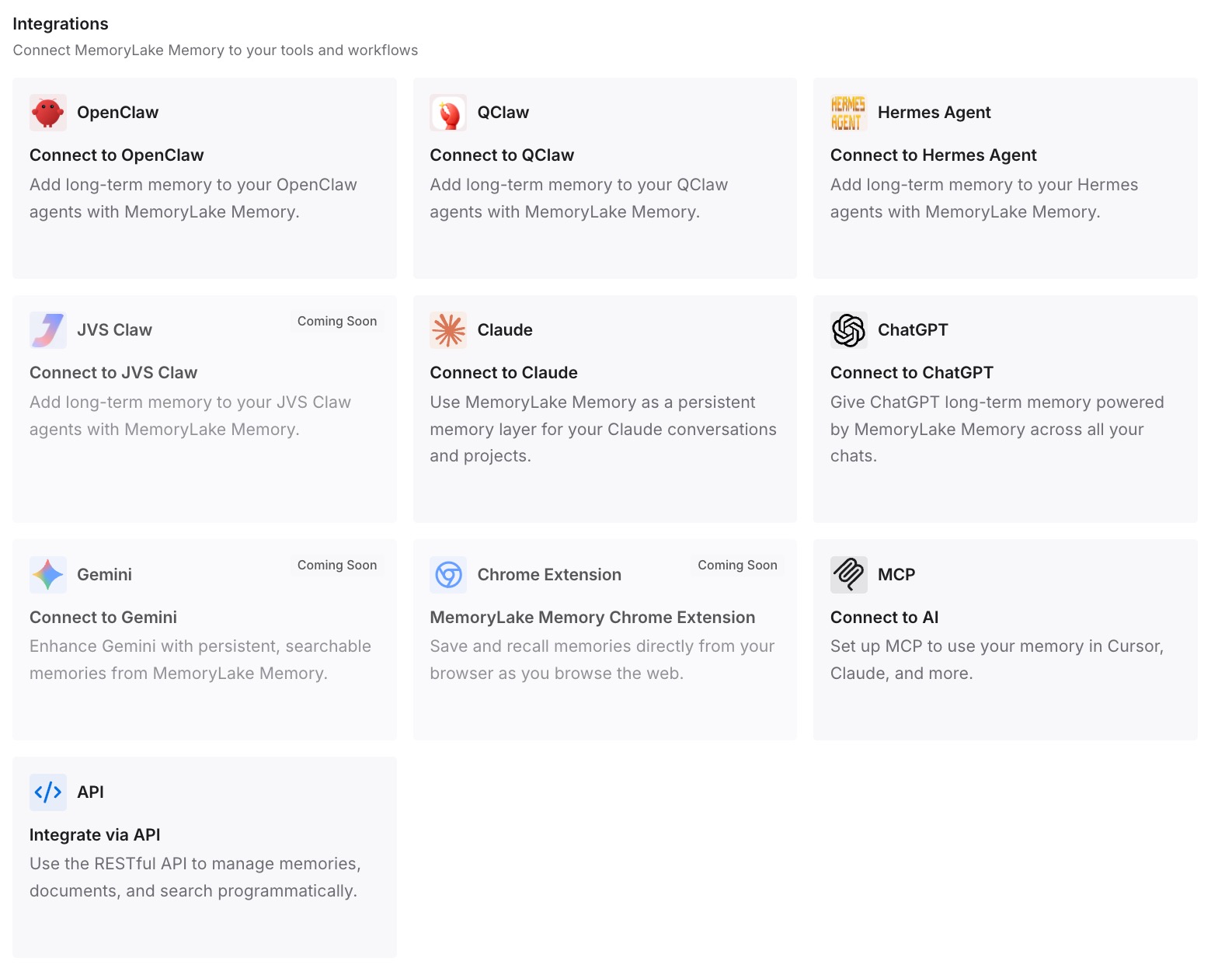
Connect your agents. MemoryLake is reachable over MCP and over an API, so MCP-native agents — Claude Code, Codex, and OpenClaw among them — connect by pointing at the MCP server, and other tools read the same memory through the API. Rules keep doing their narrow job: the handful of things that must be in context on every run. Everything else becomes retrievable, so a thin trigger stops meaning a thin brief. If you're wiring the MCP side for the first time, setting up cross-AI memory with MCP walks through it.
Honest limits. MemoryLake doesn't watch your cloud runs and won't capture what an agent learned unless something writes it down. It isn't an enforcement layer — if a rule must hold no matter what a model decides, that belongs in a hook or a CI check, which is precisely what .cursor/hooks.json is for. And it doesn't replace rules files; the two do different jobs, and the mistake is asking either to do both.
What this changes in practice
A thin trigger stops producing thin work. The person filing the ticket no longer needs to be the person who remembers every constraint. That's the actual promise of cloud agents, and it only holds if the constraints are reachable without them.
Cloud and local runs converge. Right now the same request often produces different work depending on whether you ran it in your editor after a long conversation or from a Slack message. When both read the same memory, the surface stops mattering — which also means context stops living on one machine.
Rules files get shorter, and therefore better. Moving reference knowledge out of the always-loaded channel isn't just tidiness. It keeps you inside the 500-line guidance and reduces the noise competing with the rules that genuinely must apply every time.
Repeated corrections stop repeating. The most demoralizing cloud-agent experience is watching run three make the mistake you corrected in run one. That happens because the correction lived in a session, and sessions end. Written down once, it's available to every run afterward.
Reviews get shorter. Most review comments on agent-authored pull requests aren't about code quality — they're about context the agent didn't have. Move the context and a chunk of the review disappears.
Best practices for cloud agent context
Audit .cursor/rules for plain .md files today. Any file in there without frontmatter specifying description, globs, and alwaysApply is ignored, silently. This is a five-minute check with a high hit rate, especially in repos migrated from another tool — the same conversion trap described in migrating Windsurf to Cursor.
Know which mode each rule uses. alwaysApply: true for the small set that must always load; globs for area-specific rules; description for intelligent application. Manual rules requiring an @-mention will never load themselves in a cloud run — treat them as local-only.
Write triggers as if the agent knows nothing beyond the repo. Because it doesn't. State the goal and the acceptance criteria; let the retrievable layer supply the background.
Use the environment dashboard when a run goes wrong. The docs describe it showing which environment and build an agent used, with version history. If a run behaved unlike its predecessor, check whether it was on a different build before assuming the model changed.
Put must-hold constraints in hooks, not prose. Cloud agents run command-based hooks from .cursor/hooks.json. Anything that must be true of every change belongs there, where it's enforced rather than suggested.
Keep secrets out of memory. Environment secrets belong in environment configuration. A memory layer holds knowledge, not credentials.
Conclusion
Builds are a genuine improvement and the pricing is hard to argue with — free, on by default from August 17th, and agents always starting from the last successful build instead of a cold machine. The reason it's worth talking about the remaining gap now is that builds remove the excuse. When a cloud agent took four minutes to boot, slow felt like the problem. Starting in seconds and immediately proposing the design you rejected last month makes it obvious that speed was never the issue.
The fix isn't a longer rules file. It's recognizing that a cloud agent has two inputs, that one of them is a single sentence, and that everything else your team knows needs to be retrievable from the other one. Pre-warm the knowledge the way Cursor now pre-warms the machine.