
Why the two mechanisms feel interchangeable
They overlap on the surface because both can be selected by the agent based on a description.
On the rules side, Cursor documents four application modes: Always Apply ("Apply to every chat session"), Apply Intelligently ("When Agent decides it's relevant based on description"), Apply to Specific Files ("When file matches a specified pattern"), and Apply Manually ("When @-mentioned in chat"). The underlying mechanic is stated even more simply: "If alwaysApply is true, the rule will be applied to every chat session. Otherwise, the description of the rule will be presented to the Cursor Agent to decide if it should be applied."
On the skills side, the selection story sounds almost identical: "When Cursor starts, it automatically discovers skills from skill directories and makes them available to Agent. The agent is presented with available skills and decides when they are relevant based on context." The frontmatter field that drives it is described the same way too — description is "Used by the agent to determine relevance."
So both can be description-selected and both can be file-scoped. Skills take a paths field where, "When set, the skill is only surfaced when the agent works with files that match," which is the same idea as a rule's globs. Skills can also be pinned shut: disable-model-invocation, "When true, the skill is only included when explicitly invoked via /skill-name. The agent will not automatically apply it based on context."
Where they genuinely differ is in what each can hold and when it gets read.
A rule is text that goes into the prompt. Cursor's framing of why rules exist at all is worth quoting because it names the underlying problem: "Large language models don't retain memory between completions. Rules provide persistent, reusable context at the prompt level."
A skill is a package. "A skill is a portable, version-controlled package that teaches agents how to perform domain-specific tasks. Skills can include scripts, templates, and references that agents may act on using their tools." And it is not Cursor-specific: "Skills work across any agent that supports the Agent Skills standard."
That last sentence is the part that changes the decision. One of these formats leaves with you, and one of them is a Cursor construct. Portability is also why the same question keeps reappearing whenever teams move between agents, as in migrating Cursor rules into Codex.
What people try instead
Running the converter on everything. The command exists, so it looks like a decision Cursor has already made for you. It converts eligible dynamic rules and slash commands — the word is doing real work, and an always-apply convention is not a multi-step procedure waiting to be packaged.
Keeping everything as rules because they already work. Defensible, and it has a cost the docs name: rules go into the model context at the start. Cursor's own best practices push back on bulk — "Keep rules under 500 lines", "Split large rules into multiple, composable rules", and "Reference files instead of copying their contents—this keeps rules short and prevents them from becoming stale as code changes."
Putting a plain Markdown file in the rules directory. This is the mistake with the cleanest documentation, and Cursor now spells it out: "Project rules must use the .mdc extension. A plain .md file in .cursor/rules is ignored by the rules system because it has no frontmatter to specify description, globs, and alwaysApply." The docs also give the alternative: "If you prefer plain markdown, use AGENTS.md instead." Whether to consolidate on that file at all is its own decision, and we walked through it in moving a CLAUDE.md into AGENTS.md.
Assuming skills in your home directory travel with your work. They mostly don't, and Cursor states the boundary: "Cursor does not copy ~/.agents/skills/ or unsynced local skills to Cloud Agents, Agents Window remote SSH sessions, or self-hosted workers." The docs give the remedy for one of those cases — "On self-hosted workers, use project skills from the repo or bake skills into the worker image."
Writing more rules whenever the agent gets something wrong. Cursor's guidance is deliberately slower: "Start simple. Add rules only when you notice Agent making the same mistake repeatedly." Its list of what to avoid is equally pointed — "Copying entire style guides: Use a linter instead", "Documenting every possible command", "Adding instructions for edge cases that rarely apply", and "Duplicating what's already in your codebase". Rules that pile up tend to produce the drift described in when Cursor forgets your project rules.
Treating skills as the agent's memory. They are packaged procedures, not a record of what your team decided. That distinction matters more than it sounds, and we set it out in why agent skills aren't memory.
The Fix: Split by what the item is, not by which format is newer
One question decides almost every case: is this thing always true, or is it something you do?
Step 1: Sort each item into always-true, file-scoped, or procedural
Always true belongs in a rule with alwaysApply on. Copyright headers, the instruction to read source files before proposing changes, directories that must never be edited — Cursor's own always-applied example is exactly this kind of list. These are cheap in tokens and expensive to miss, and you do not want the agent deciding whether they are relevant.
File-scoped can go either way, and the honest tiebreaker is portability. A rule with globs and a skill with paths do the same job. If the convention is likely to matter in another agent as well, the skill format is the one that travels.
Procedural belongs in a skill, and this is where the converter earns its keep. Anything with steps, a template to fill, a script to run, or reference material attached is what the skill format is built for — it can carry "scripts, templates, and references that agents may act on using their tools" and load them only when needed. Squeezing that into a rule means the whole procedure sits in your prompt whether or not today's task involves it.
Cursor's own repo scoping is a useful hint about intent: "Skills in nested project directories are automatically scoped to files inside that directory," so a skill placed beside the package it applies to is scoped without any configuration. That is the same file-locality principle we examined in scoping instructions to files.
Step 2: Decide who picks each item, and set the field that says so
For each item, write down who should choose it: always loaded, agent-selected, file-matched, or invoked by hand. Then set the field that matches, because the defaults are not the same on both sides.
A rule gets alwaysApply: true for always, a description for agent-selected, globs for file-matched, or neither for manual — Cursor notes that with no description and no globs a rule is "Included only when you @-mention the rule in chat."
A skill is agent-selected by default, since Cursor presents available skills and the agent decides relevance from the description. To make one manual-only, set disable-model-invocation. To make one file-scoped, set paths. And note the invocation behaviour: a skill invoked with a slash "attaches to one message," so a skill you want active for a whole session is a different setup from one you want for a single turn.
One naming rule to respect: a skill's name must be "Lowercase letters, numbers, and hyphens only" and "Must match the parent folder name."
Step 3: Write down why each convention exists, somewhere neither format governs
Rules and skills both hold instructions. Neither is a good place for the argument behind the instruction, and Cursor's own advice pushes content out of these files rather than in — reference files instead of copying them, point at canonical examples, keep rules short.
That leaves a gap. "Never alter a column type in-place" is a rule. Why — which migration broke, in which month, and what the team agreed afterwards — is the thing that stops someone deleting the rule next quarter. Put it somewhere that outlives both formats.
Setting this up in MemoryLake
Rules and skills answer how the agent should behave. They are a poor home for what your team decided and why, which is what people keep trying to store in them. MemoryLake is a store you write those decisions into on purpose, kept apart from any one editor's configuration and readable from every assistant you connect. You write the entries yourself, in your own words. Nothing is read out of, written to, or deleted from Cursor's systems or any other vendor's store — your rules, skills, and repositories stay entirely under their own controls.
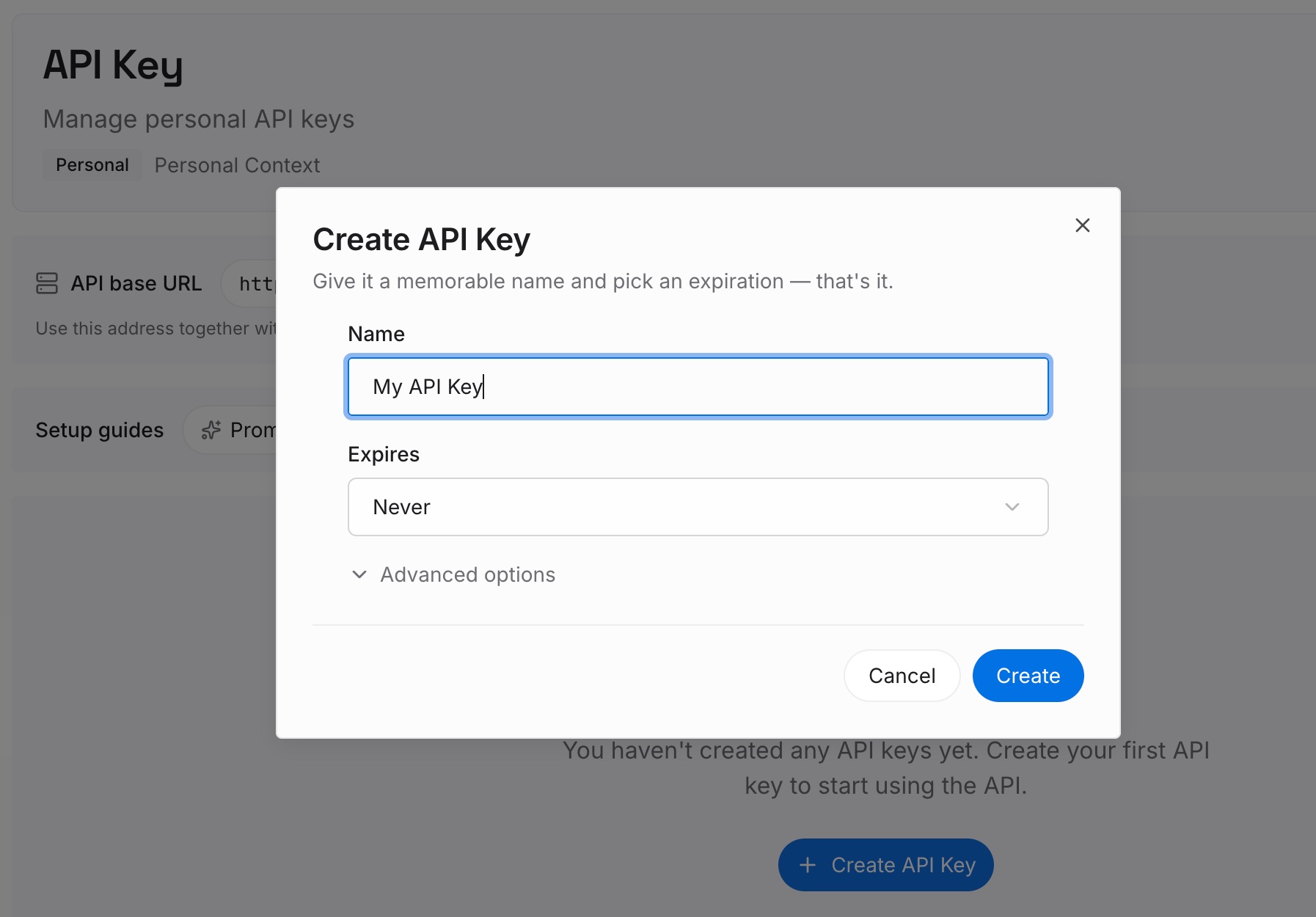
Step 1: Create an API key
Generate a key from the dashboard. It is what lets Cursor, a terminal agent, and a chat assistant reach the same set of facts without each of them carrying its own copy of the reasoning.
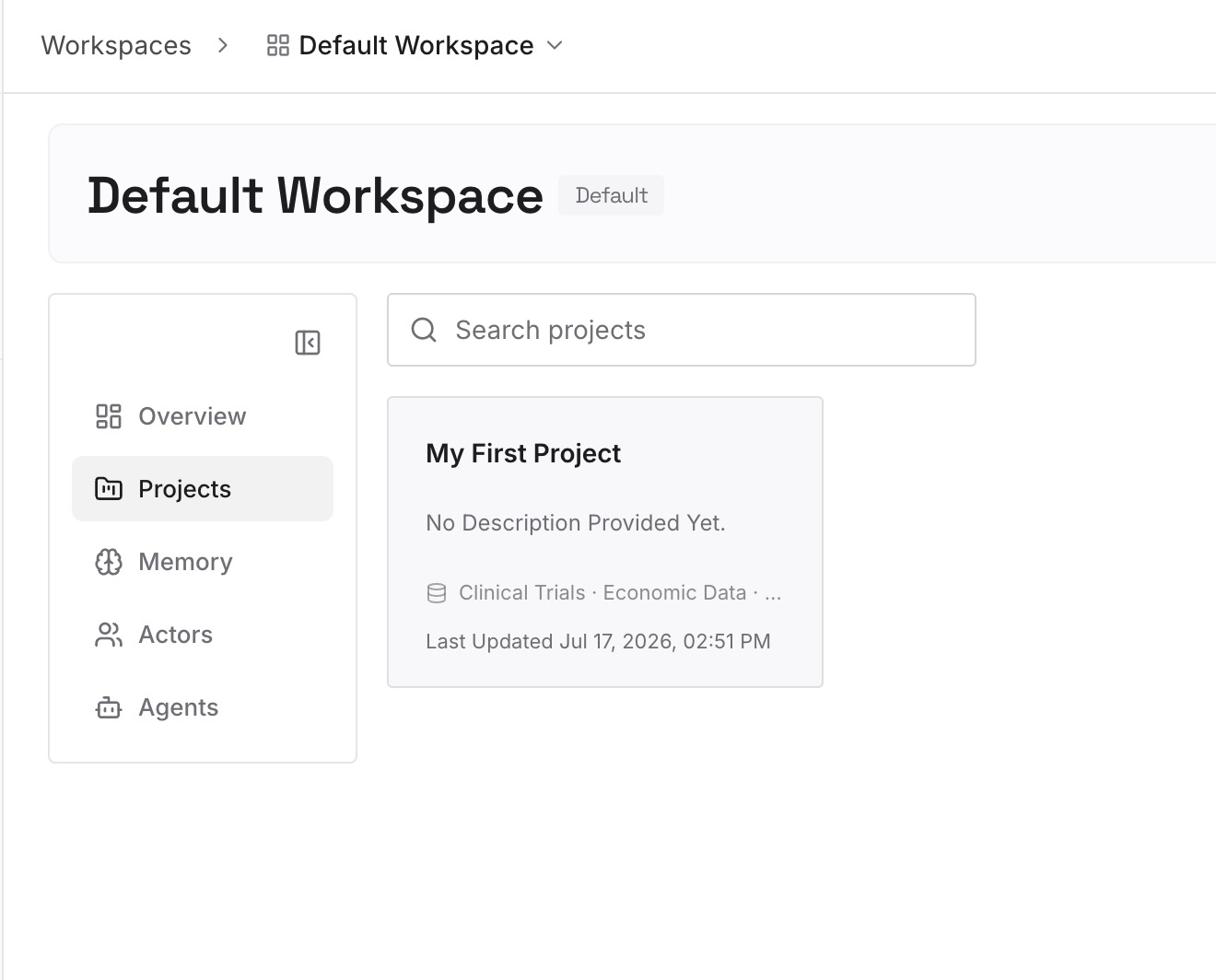
Step 2: Upload your first memories
Start with the decisions behind the rules: the approach that was ruled out and on what grounds, the incident a convention exists to prevent, the person to ask before touching a specific service. A rules file carries the instruction; it almost never carries the reason.
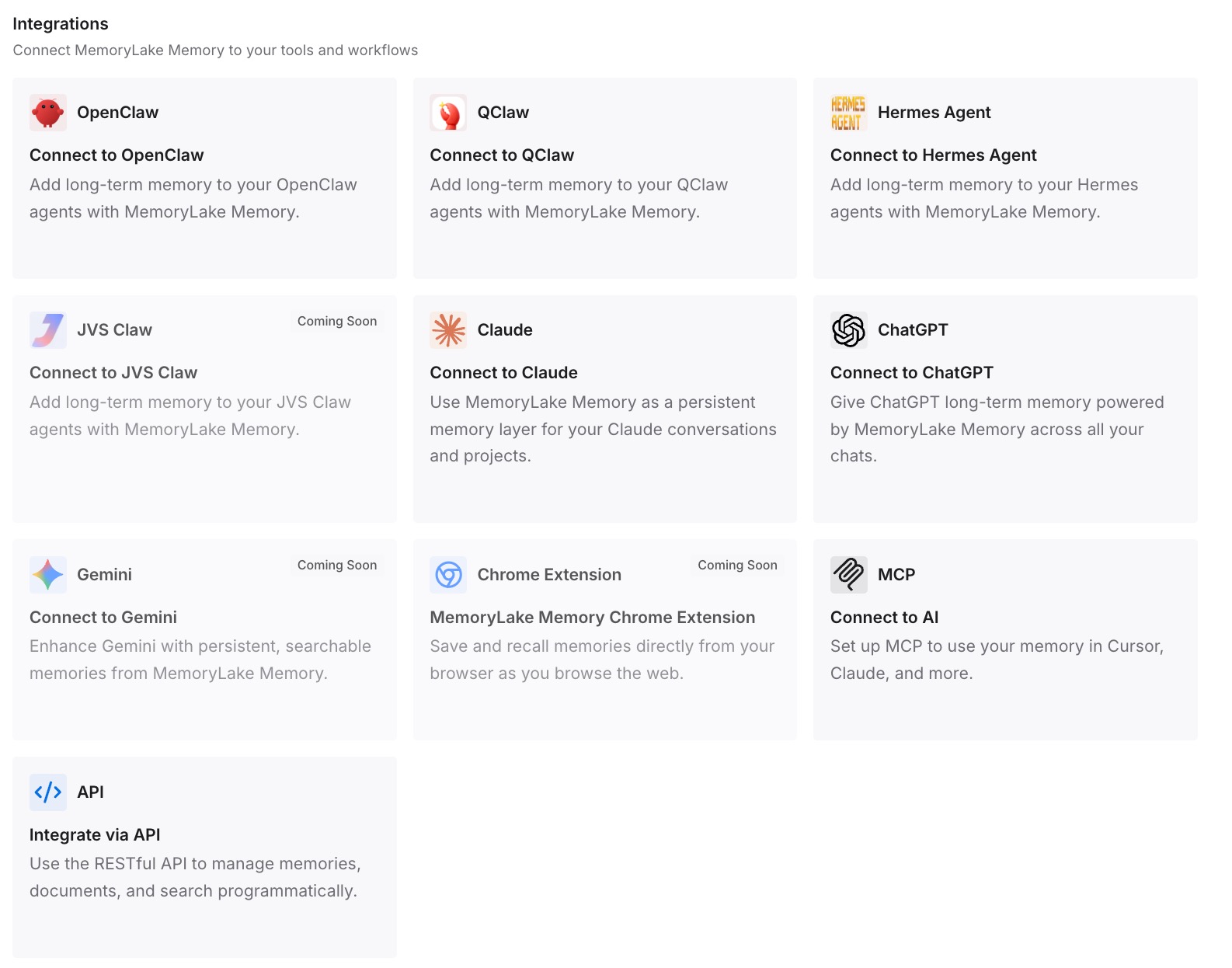
Step 3: Connect your AI & agents
Point your tools at the layer so those facts load at the start of a session instead of being inferred from a configuration file. Then run the test that actually proves something: ask a different assistant for one of the decisions back. If it answers, your reasoning stopped being tied to one editor's file format.
What this changes in practice
The first change is that the converter becomes safe to use, because you know what to feed it. Procedures with steps, scripts or templates go in. Always-apply conventions stay where they are.
The second is that your prompt gets smaller. Everything with alwaysApply on is read every session; procedures moved into skills load on demand. That is the actual mechanical benefit, and it only arrives if you move the right things.
The third is that the .mdc requirement stops costing anyone an afternoon. A plain .md file in the rules directory is ignored by the rules system, and Cursor now says so in the same paragraph as the fix.
The fourth is that remote and cloud runs stop surprising you. Unsynced local skills and ~/.agents/skills/ do not reach Cloud Agents, remote SSH sessions, or self-hosted workers, so anything a cloud run depends on belongs in the repo.
The fifth is that portability becomes a thing you chose rather than a thing you discover. Skills are described as working across any agent supporting the standard; rules are a Cursor construct. Knowing which of your context is in which format is the difference between a migration and a rewrite — the same problem another vendor documents from the other side, as in which Copilot instructions file gets read.
Best practices for splitting Cursor rules and skills
Keep always-apply lists short and absolute. They are read in every session, so every line competes with the actual task.
*Give every description a when, not just a what.* On both sides, the description is what the agent uses to judge relevance.
Put skills a cloud run needs in the repo. Project-level skill directories travel; unsynced local ones are documented as staying on your machine.
One skill per procedure, in its own folder. The skill's identity comes from the folder containing SKILL.md, and category folders above it are organizational only.
Use nesting instead of glob lists where you can. A skill inside a package directory is scoped to that directory automatically.
Respect the extension rules. .mdc for project rules; plain Markdown belongs in AGENTS.md instead.
Keep the reasoning somewhere else. A rules file that also carries its own history stops being short, and short is what makes it work.
Conclusion
Cursor documents both mechanisms clearly; it just doesn't put them on the same page. Rules are prompt-level context, included at the start of the model context, with four application modes and a hard requirement that project rules use the .mdc extension. Skills are portable, version-controlled packages that can carry scripts, templates and references, load their resources on demand, and work across any agent supporting the Agent Skills standard.
The sorting question is simpler than the feature comparison suggests. Always-true conventions stay as always-apply rules, because you do not want relevance judged. Procedures with steps and attachments become skills, because that is what on-demand loading is for. File-scoped guidance can be either, and portability is the sensible tiebreaker.
Two boundaries are worth writing on a sticky note: a plain .md in .cursor/rules is ignored by the rules system, and unsynced local skills do not reach Cloud Agents, remote SSH sessions or self-hosted workers.
Then take the one step neither format supports. Record why each convention exists somewhere that isn't a rule file or a skill package, so the next person to read the rule also finds the reason it is there.