
Why custom GPTs start fresh every time
A GPT is a configuration, not an account
The help center defines them as "versions of ChatGPT configured for a specific purpose," where "A GPT can combine specific instructions, knowledge, and selected capabilities to create a more tailored experience in ChatGPT."
Read that as an architecture statement. A GPT is a bundle of settings that anyone with access can run. Your ChatGPT memory, by contrast, belongs to your account — it's built from your chats, about you. If a shared configuration could read the memory of whoever happens to be using it, the same GPT would behave differently for every person and would be silently pulling personal context into a shared surface.
So the boundary isn't between "GPTs" and "memory." It's between something you share and something that's yours. Everything a GPT knows has to be inside the configuration, because the configuration is the only part that travels with it.
What a GPT can hold, and why it feels like memory at first
The documented configuration elements are: Instructions ("Define the GPT's behavior, tone, goals, and boundaries"), Conversation starters (example prompts), Knowledge ("Uploaded files the GPT can use as reference when answering questions"), Capabilities (selected tools such as web search or image generation), Apps (connections to outside services through user-connected tools), and Actions ("Ways a GPT can connect to external APIs you define"). One constraint worth noting: "A GPT can use either apps or actions, but not both at the same time."
Knowledge files are what create the illusion. A GPT with your style guide uploaded will answer style questions correctly forever, which feels like memory. It isn't — it's a fixed reference the GPT consults, identical on day one and day two hundred. The difference shows up the moment something changes: memory would absorb the change from the conversation where it happened; a knowledge file needs a human to edit and re-upload it. This is the same distinction that makes people think ChatGPT retains their uploads generally — the boundary in why ChatGPT forgets uploaded files.
Your custom instructions don't apply either
This is the part that surprises people who set up their ChatGPT preferences carefully. The same FAQ sentence covers it: GPTs don't use saved memory, custom instructions, or previous conversations. So the "always give me the code first, explain after" setting you rely on everywhere else silently stops applying inside a GPT — unless the GPT's own instructions say so.
That's consistent with the design (a shared configuration shouldn't inherit one user's preferences), and it's a common source of "why is this GPT so verbose" confusion.
The one documented way to bring context in
There is a workaround in the docs, and it's genuinely useful: you can bring a GPT into a conversation that already has context. The help center describes using a GPT from a regular ChatGPT conversation, and notes that when you do, "the conversation keeps its current context."
Two limits come with it. First, it's the current conversation's context — not your memory, and not last week's thread. Second, the documentation states this @-mention flow "isn't available in the iOS or Android apps," and that on mobile you open the GPT from the GPTs menu or sidebar instead. So the workaround is desktop-and-web only.
Worth knowing: who can build one right now
If you're planning around GPTs, one current fact matters more than it used to. The help center states: "New GPT creation and publishing are not available on personal ChatGPT accounts, including Free, Go, Plus, and Pro." Existing GPTs remain usable, and editing an existing GPT "continues to require an eligible subscription and any applicable account or workspace permissions." In Business, Enterprise, and Edu workspaces, creation, editing, and publishing depend on workspace settings and permissions.
That reshapes the practical question. For most teams, GPTs are now a workspace artifact governed by admins — which makes the "no memory" property more relevant, not less, since a workspace-shared GPT is exactly the case where inheriting an individual's memory would be wrong.
What people try
Putting everything in the instructions field. The first instinct, and it works up to a point. Instructions are a fixed budget: they load on every conversation, they can't be updated by the conversation, and past a certain length they compete with the user's actual question. It's a place for behavior, not for an accumulating knowledge base.
Re-uploading knowledge files whenever something changes. Sustainable for a style guide that changes twice a year. Not sustainable for anything that moves weekly — and there's no signal to users that the file is stale, so the GPT stays confidently wrong until someone notices.
Asking users to paste context every time. What most teams actually land on, which converts the GPT from a tool into a form. It also means the quality of the answer depends on whether the person remembered which details mattered.
Switching to a Project instead. Reasonable — Projects do have memory. But project memory has walls of its own, in both directions, which is a different problem covered in why ChatGPT Projects don't share memory.
Assuming memory is broken and troubleshooting it. A real time sink: people go check Settings, refresh the memory summary, and find nothing wrong, because nothing is wrong. If you're debugging memory behavior in normal ChatGPT, that troubleshooting guide applies — but it doesn't apply inside a GPT, where memory is off by design.
The Fix: Give the GPT Something to Read That Isn't Frozen
Separate the two things a GPT needs. Its behavior — tone, boundaries, procedure — belongs in instructions, where it's fixed on purpose. Its knowledge — what's true about your project this week — needs to come from somewhere that updates without a human re-uploading a file.
The documented mechanism for that already exists in the GPT builder: Actions are "ways a GPT can connect to external APIs you define." That's the hook a live knowledge source plugs into.
MemoryLake is a memory layer reachable over an API, so the knowledge stays current in one place and every assistant reads the same thing — including a GPT that otherwise starts each conversation blank. Setup is three steps.
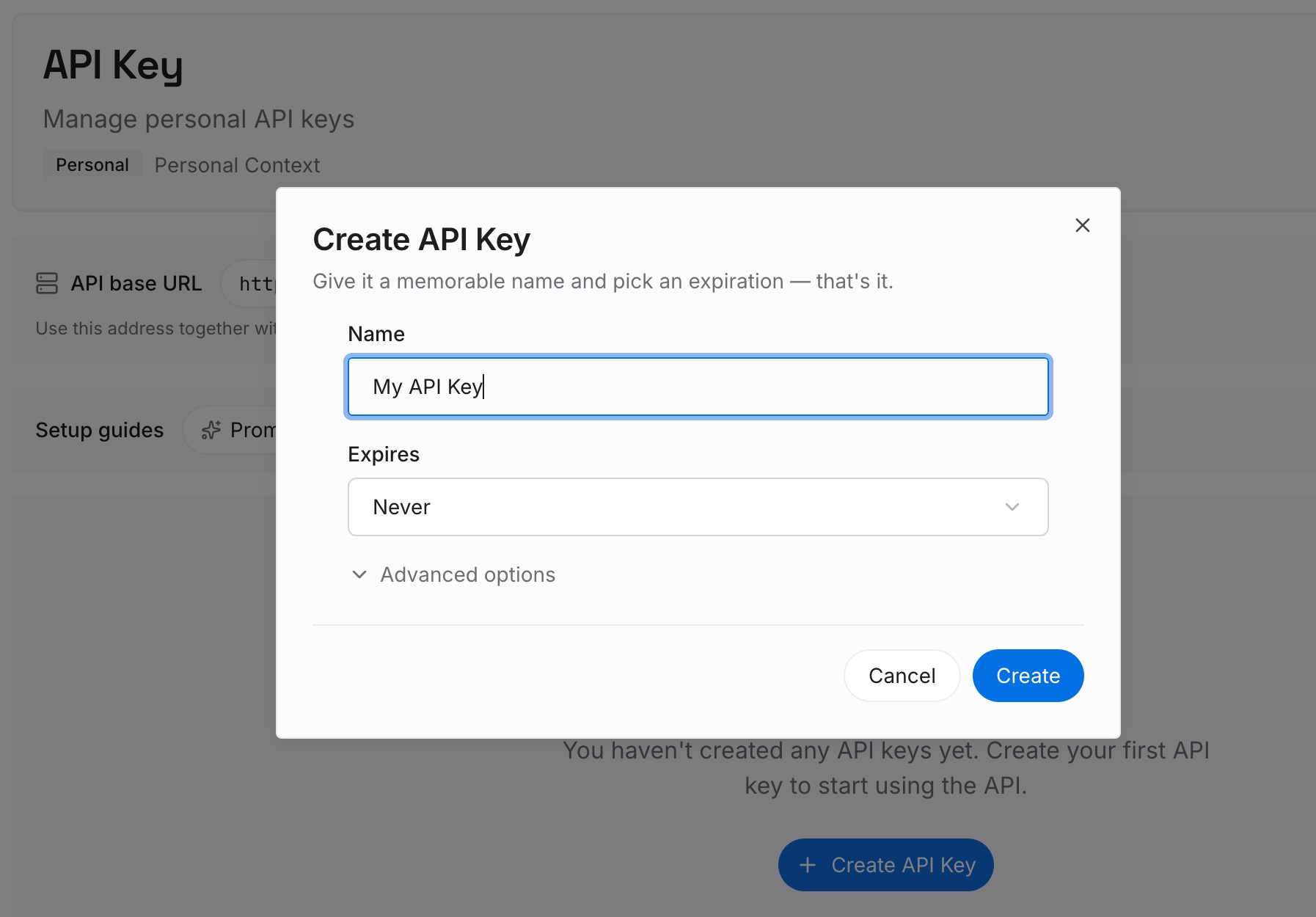
Step 1: Create an API key
Sign in to MemoryLake and create an API key. This is the credential used to read and write memory, and it's independent of any one assistant — the same memory serves your editor, your agents, and your GPT.
Step 2: Upload your first memories
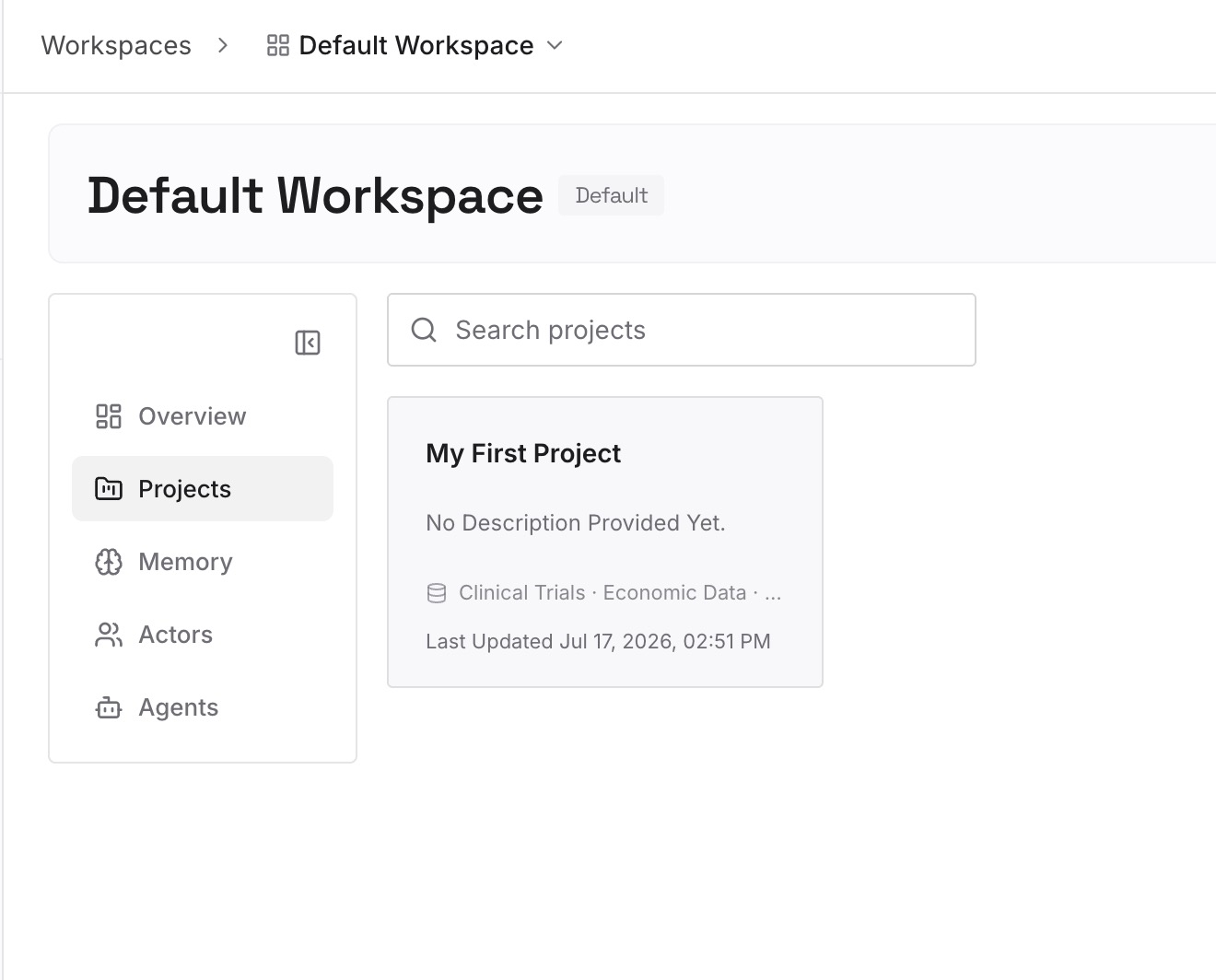
Put in the knowledge that would otherwise be pasted into every conversation: how the project is structured, the constraints that aren't obvious, decisions and the reasoning behind them, what was tried and rejected. Keep entries short and single-topic — one fact per entry retrieves better than a long document, and it's easier to correct when something changes.
Step 3: Connect your AI & agents
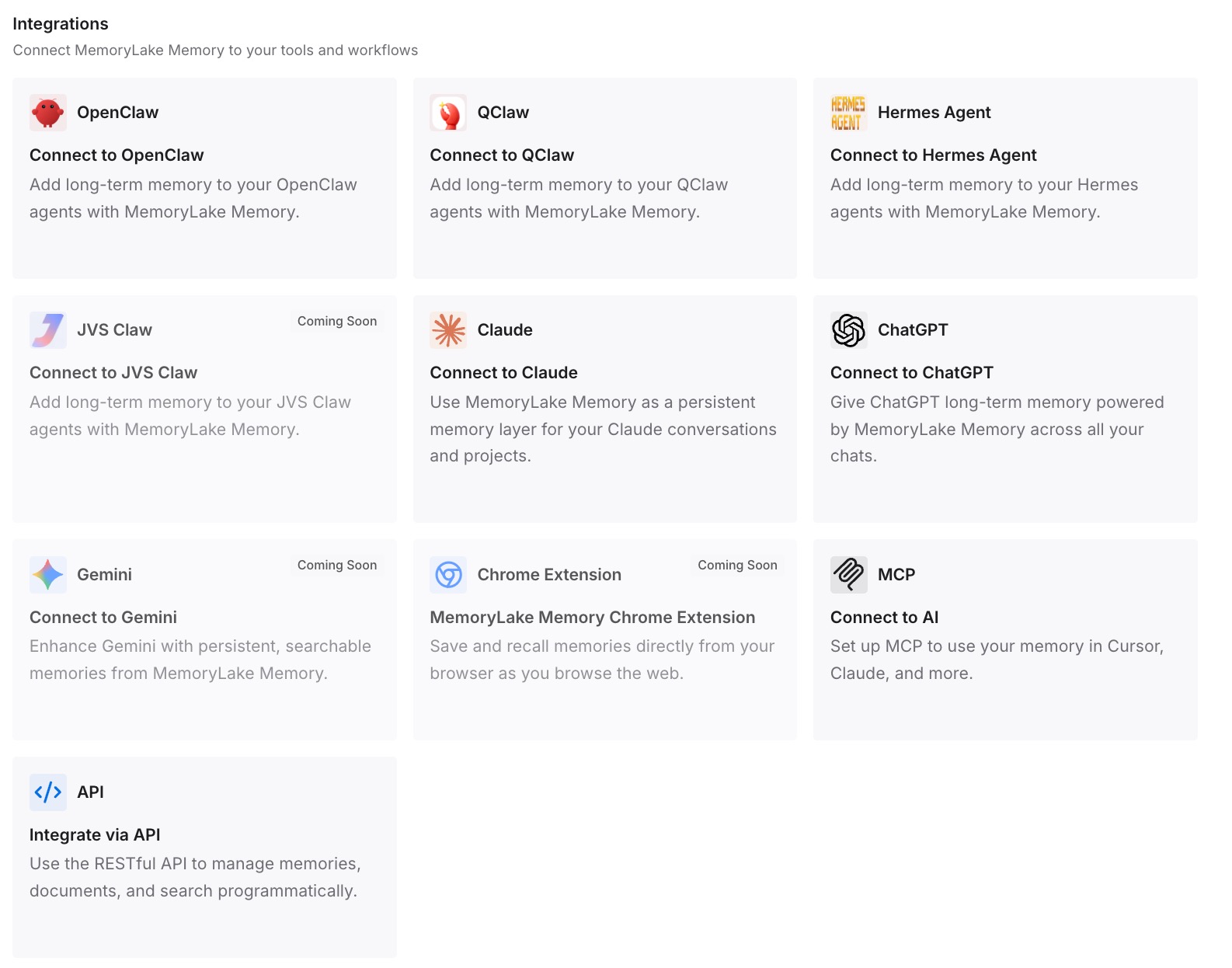
Connect your tools. MemoryLake is reachable over MCP and over an API — MCP-native agents such as Claude Code, Codex, and OpenClaw point at the MCP server, while anything that speaks HTTP uses the API. For a custom GPT specifically, the API is the path, wired through the builder's Actions; keep in mind the documented constraint that a GPT can use either apps or actions, not both at once. The result is that updating a fact updates it everywhere, instead of requiring a new knowledge file upload and a re-share.
Honest limits. This doesn't give a GPT memory in the ChatGPT sense — it won't learn from conversations on its own, and OpenAI's statement that each conversation starts fresh still holds. What changes is that "fresh" no longer means "uninformed": the GPT can look up current knowledge instead of relying on a frozen file. And nothing here is an enforcement layer; instructions still govern behavior.
What this changes in practice
Stale knowledge files stop being a maintenance job. The re-upload treadmill is the hidden cost of GPTs. A source that's read at question time removes it, and removes the window where the GPT is confidently citing last quarter's numbers.
Shared GPTs stay genuinely shared. Because the knowledge lives outside any individual's account, everyone using the GPT gets the same current context — which is what people wanted from memory in the first place, without the privacy problem that made memory off by default here.
Instructions get shorter and better. When the instructions field isn't doing double duty as a knowledge base, it can do what it's for: behavior, tone, boundaries. Shorter instructions are followed more reliably.
The same knowledge serves your other tools. The context your GPT needs is the context your editor and your agents need. Maintaining it once, rather than once per surface, is the actual saving — the shape described in one memory across ChatGPT, Claude, and Gemini.
You stop paying for the wrong fix. Teams routinely rebuild a working GPT as something more complicated because "it doesn't remember." Usually the GPT was fine; the knowledge just needed a home that wasn't frozen.
Best practices for building GPTs that need context
Put behavior in instructions, facts somewhere updatable. The cleanest division available, and it survives every future change to how GPTs work.
Date your knowledge files. If you're going to rely on uploaded reference material, put a "current as of" line at the top of each file. Users can't tell a stale file from a fresh one, and neither can the GPT.
Tell users what the GPT doesn't know. A conversation starter that says "tell me which service you're working on — I don't carry context between chats" saves more time than any prompt engineering.
Use the @-mention flow when context already exists. Bringing a GPT into a conversation that has the background is the one documented way to give it context it didn't have. Just remember it's desktop and web only, and it carries the current conversation, not your history.
Don't expect your custom instructions to apply. They don't. If a GPT needs your preferred response format, that has to be written into the GPT's own instructions.
Check who can create and edit before planning a rollout. New GPT creation and publishing aren't available on personal accounts including Free, Go, Plus, and Pro, and in managed workspaces the options depend on admin settings.
Conclusion
"Do custom GPTs have memory?" is one of the few questions in this space with a flat, documented answer: they don't, they don't use your custom instructions either, and each conversation starts fresh. That's the correct design for something built to be shared — a configuration that inherited whoever's memory happened to be running it would be both unpredictable and a privacy problem.
Which means the fix isn't to make the GPT remember. It's to stop requiring memory for something that was really a knowledge problem: give the GPT a current source it can read instead of a frozen file someone has to re-upload, and keep the instructions for behavior. Then "starts fresh" describes the conversation, not the GPT's understanding of your work. If you're weighing the broader boundaries of ChatGPT's memory, ChatGPT memory limitations covers them, and if you're coming from Anthropic's side, migrating Claude Projects to custom GPTs covers that route.