
Why a Knowledge item you wrote never shows up
Start with the retrieval model, because it is the opposite of how instruction files usually work. Cognition's own tip says it directly: "Devin retrieves Knowledge when relevant, not all at once or all at the beginning. Be sure to make your retrieval trigger highly relevant to the contents."
So the trigger description is not metadata. It is the gate. The onboarding guide repeats the point with the shape of a good trigger spelled out: "Knowledge is retrieved based on the Trigger you set. The more specific the trigger (e.g. which file, repo or type of task the Knowledge applies to), the better the retrieval."
That is a genuinely different design from a rules file that is concatenated into every prompt, and it has a different failure surface. A rules file that is too long gets diluted. A Knowledge item whose trigger is vague gets skipped. The reason instruction files get quietly passed over across the whole category is a related problem, one we took up in why agents skip your instruction files.
There are three more reasons an item may not reach a session, all documented.
It is pinned to nothing. Cognition describes pinning as the override: "Pinning to no repo: The Knowledge is only retrieved when Devin decides it's relevant to your current context." Pin to a specific repo and the behaviour changes entirely — "The Knowledge is always used whenever Devin is working in that specific repo." Pin to all repos and "The Knowledge automatically applies to every repo that Devin is working on in any session." The onboarding guide makes the decision rule explicit: "If you want Devin to retrieve the Knowledge note anytime it's working on a session, make sure to pin it to all repositories."
It is disabled, possibly by a folder. Items can be switched off per person: "Each knowledge item can be individually enabled or disabled per user. Disabling a knowledge item prevents Devin from retrieving it in your sessions, without deleting it from the organization." Folders inherit that switch — "When a folder is disabled, all knowledge items inside it are disabled for your sessions." A colleague who sees the item working is not contradicting you; they have a different enabled set.
It is at a different scope than you think. New items default to one level: Organization Knowledge items "are visible to all members of the organization and are the default scope for new knowledge items." Enterprise Knowledge items "apply across all organizations in your enterprise," and moving something up requires permission — "Promotion requires enterprise knowledge management permissions, and is only available for user-created knowledge items in organizations that belong to an enterprise."
One more thing worth knowing before you write anything: some of your Knowledge arrived without you. "Devin will automatically generate repo knowledge based on the existing READMEs, file structure and contents of the connected repositories," with the access caveat attached — "if you don't give Devin access to the repo, it won't generate any associated Knowledge." Cognition's first onboarding step is to check that material: "Review any auto-generated Knowledge and verify for (a) completeness and (b) accuracy."
And Devin keeps proposing more. "Devin will automatically suggest Knowledge to remember based on your feedback in chat," with editing and dismissal in your hands, and it "can also suggest updates to existing knowledge items in addition to suggesting new knowledge items."
What people try instead
Writing one long Knowledge item that covers everything. Understandable, and it works against the retrieval model twice. Cognition's guidance is the reverse: "Create specific Knowledge that is targeted at one workflow or action. Devin will read the entire Knowledge contents, so keep it all relevant and up-to-date!" and "Split up your Knowledge into smaller ones where possible." A single omnibus item needs one trigger description that somehow describes everything in it.
Moving the content into a playbook. A playbook is a different tool, and Cognition is unusually direct about the split: "Most best practices, style guides, or other project-specific instructions should be shared with Devin by using Knowledge. We recommend reading the docs on Knowledge before creating Playbooks, to understand which method better fits your needs." A playbook, in their words, "is like a custom system prompt for a repeated task" — you attach it when you start a session. They also note it is not the easy option: playbooks "today require skill to write."
Putting everything in a Markdown file in the repo. Reasonable instinct, and it runs into a file-extension gate. Devin "will automatically pull and update Knowledge based on specialized files in your codebase including .rules, .mdc, .cursorrules, .windsurf, CLAUDE.md, and AGENTS.md," followed by the limit: "Note that Devin won't automatically pull in more general file types like .md." A file named for the convention it holds behaves differently from a file named notes.
Repeating the instruction in the prompt every time. This is the workaround that hides the problem. It works, so nobody fixes the trigger, and the repetition never ends. Cognition's own advice on what belongs in Knowledge is the mirror image: "We recommend including the aspects of your prompts or playbooks you find yourself repeating regularly."
Assuming the session simply lost context. Sometimes it did, and that is a different problem with a different shape, described in when Devin forgets task context. A Knowledge item that was never retrieved was never in the session to be lost.
Replacing Knowledge with skills. Also a real option with real trade-offs, and one we mapped in moving Devin memories into skills. It does not remove the retrieval question; it moves it.
The Fix: Make retrieval deterministic where it matters, and verify it once
Three steps. The first two take ten minutes and turn the whole feature from probabilistic to predictable.
Step 1: Sort your items into triggered and always-on
Go through what you have and ask one question per item: does this apply to a specific kind of task, or to every session in a repo?
Task-specific items keep their trigger and get a sharper description. Follow Cognition's own hint about what a good trigger names — which file, which repo, or which type of task. "Deployment" is a category. "Anything touching the release pipeline or the deploy scripts under the infra repo" is a trigger.
Repo-wide items get pinned instead. Pinning to a specific repo makes the item always used whenever Devin works in that repo, which removes the trigger from the equation. Reserve pin-to-all-repos for the small set of things that genuinely apply everywhere, since every item pinned there is read in every session.
For the handful of items you want to summon by hand, assign a macro — "a short identifier starting with !" that you type in the prompt. Cognition notes macros "can only contain letters, numbers, and hyphens, and must be unique within your organization."
Step 2: Run one session and read Accessed Knowledge
This is the verification step, and it exists. Cognition documents it: "Devin will tell you in a session what Knowledge it used" — visible under the Accessed Knowledge heading in the session chat.
Pick a task you wrote an item for, run it, and look. If the item is listed, the trigger works. If it isn't, you now know the difference between a Knowledge problem and a trigger problem, which is the distinction that makes everything else fixable. Then check the obvious confounders: is the item enabled for you, is its folder enabled, is it at the scope you expected.
Rule-trigger modes are becoming a standard piece of agent configuration rather than a quirk, and comparing how another vendor models the same choice is a fast way to build intuition — we laid one out in choosing rule trigger modes.
Step 3: Keep the reasoning where retrieval cannot decide its fate
Knowledge is a retrieval layer for a coding agent, and it is good at that. The decisions behind the conventions — what you tried first, what broke, why the rule exists at all — are not task-triggered. They are the things you want to read yourself, six months from now, possibly in a different tool.
Keep those somewhere retrieval rules do not govern. A convention whose reason is only implicit in an item's content is a convention the next person will reverse.
Setting this up in MemoryLake
The durable half needs a home that is not gated by a trigger description. MemoryLake is a store you write those decisions into on purpose, kept apart from any single agent's retrieval rules and readable from every assistant you connect. You write the entries yourself, in your own words. Nothing is read out of, written to, or deleted from Cognition's systems or any other vendor's store — your Knowledge items, playbooks, and repositories stay entirely under their own controls.
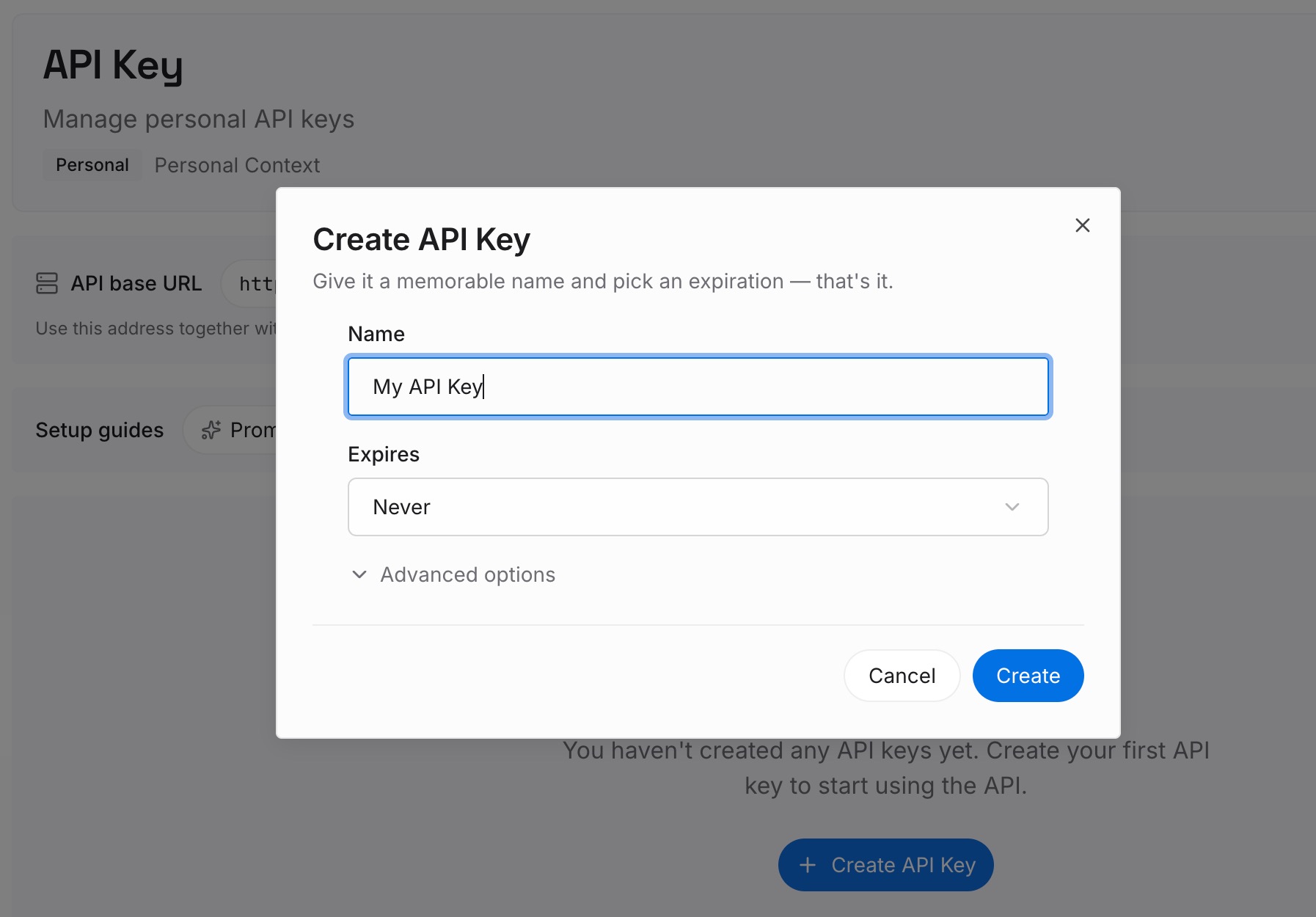
Step 1: Create an API key
Generate a key from the dashboard. It is what lets a cloud agent, a terminal assistant, and a chat client reach the same set of facts without each one keeping its own version.
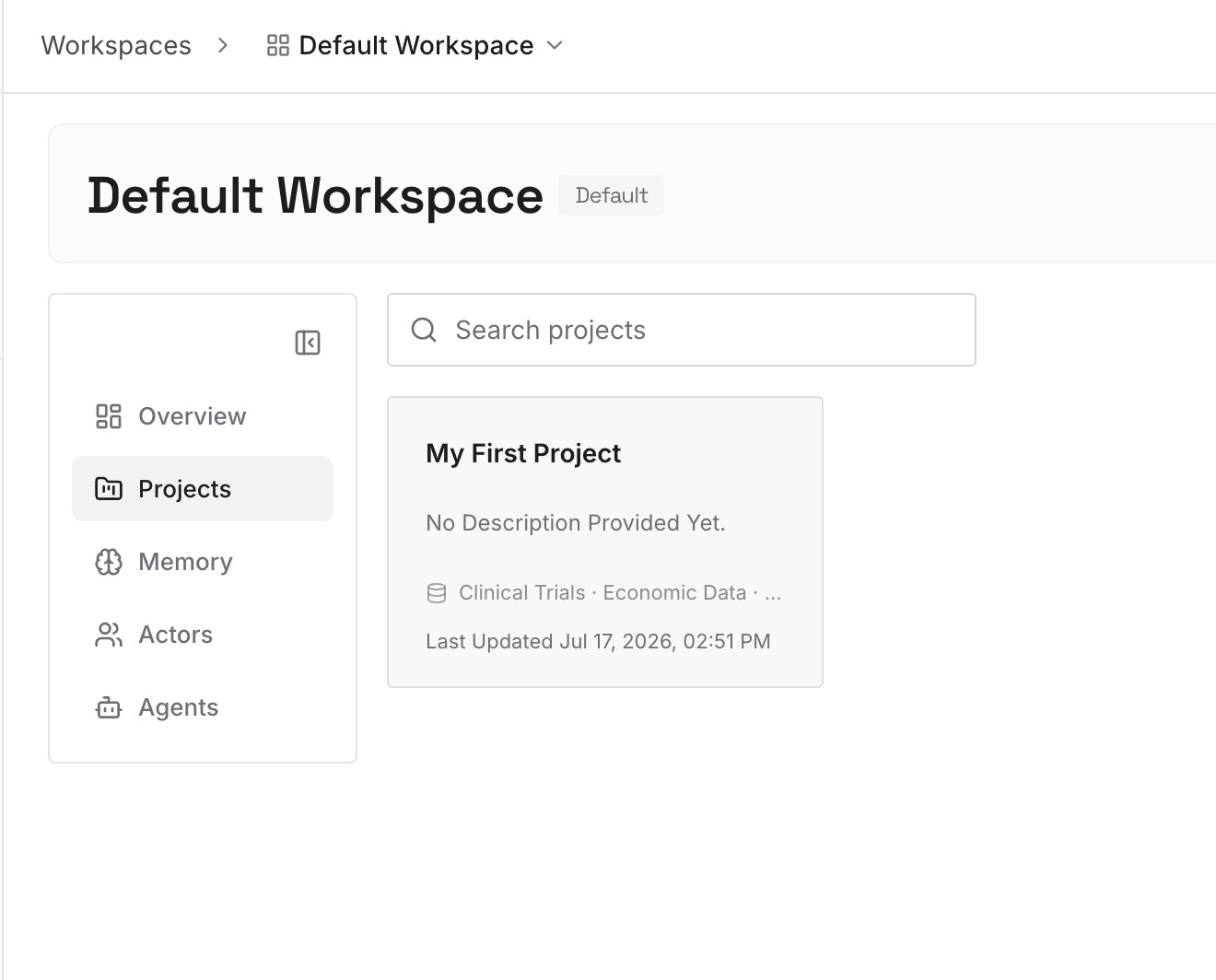
Step 2: Upload your first memories
Start with the reasons rather than the rules: why the deployment order is what it is, which approach was ruled out and on what grounds, who owns the service and what they need told. Knowledge items carry the instruction; they rarely carry the argument, and the argument is what stops the instruction from being overwritten.
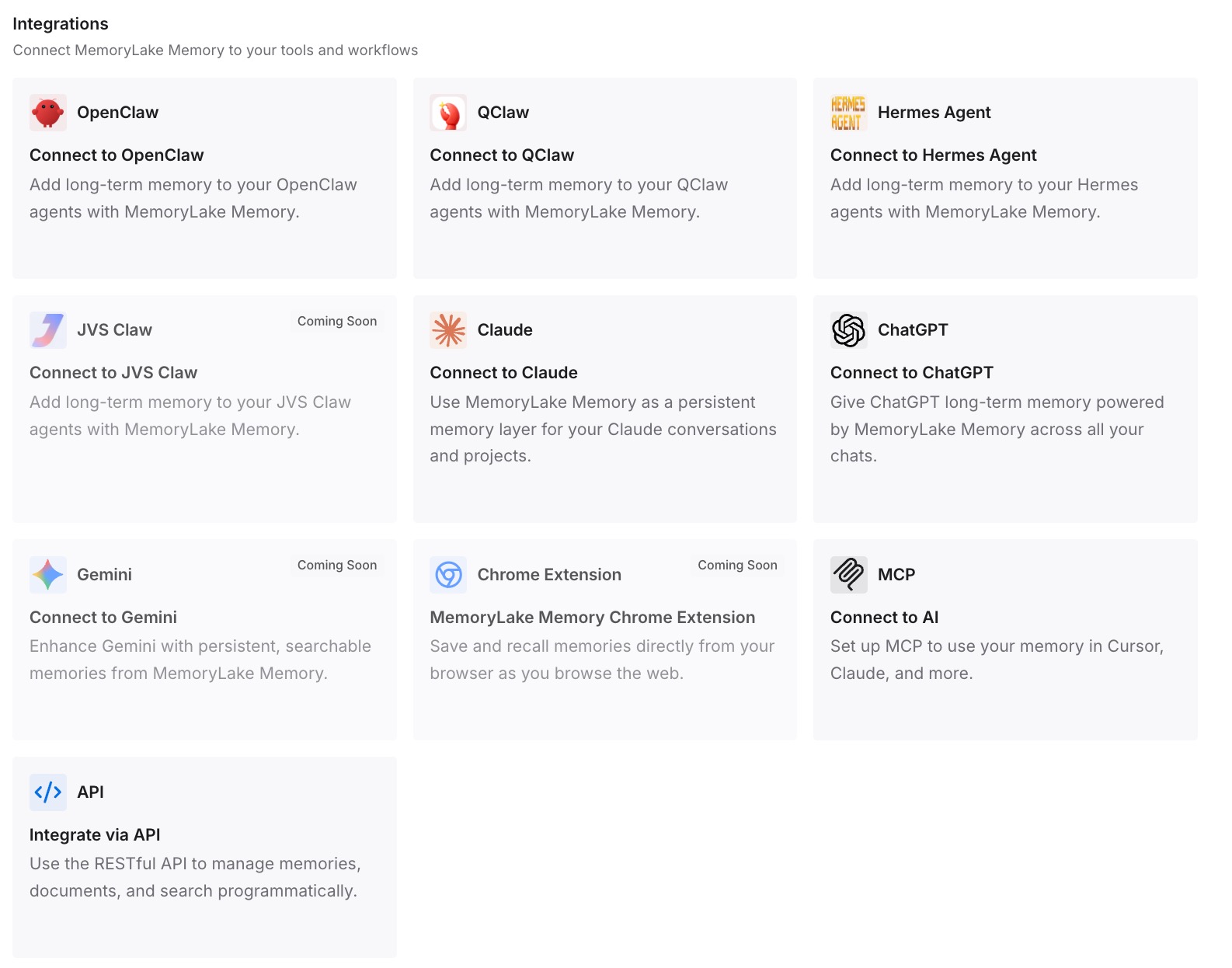
Step 3: Connect your AI & agents
Point your tools at the layer so those facts load at the start of work rather than depending on whether a description matched. Then test it the only way that means anything: ask a different assistant for one of the decisions back. If it answers, your reasoning is no longer inside one vendor's retrieval path.
What this changes in practice
The first change is that "Devin ignored my Knowledge" becomes a testable claim. Accessed Knowledge tells you what was used. Either the item was retrieved or it wasn't, and the fix differs.
The second is that pinning becomes a deliberate choice rather than a field you skipped. Pin to a repo and retrieval stops being a judgement call for anything that always applies there.
The third is that your items get shorter. Once retrieval depends on a trigger describing the contents, one item per workflow is the natural shape, and Cognition recommends exactly that.
The fourth is that auto-generated and auto-suggested Knowledge stops being background noise. Devin generates repo knowledge from READMEs, file structure and repository contents, and suggests new items from your chat feedback. Reviewing both is maintenance, and the alternative is a bank of items nobody has read.
The fifth is that your durable reasoning stops depending on file extensions and scope levels. The material that matters across tools belongs in a layer that follows you — which is the case we made in turning project docs into AI memory.
Best practices for Devin Knowledge
Write the trigger before the content. If you cannot describe when an item should be fetched, the item is probably two items.
One workflow per item. Cognition's guidance is to target one workflow or action and split where possible, because the whole item is read once retrieved.
Pin what is unconditional. A repo-wide convention should not be competing for relevance in every session.
Use a specialized file extension for in-repo context. Devin pulls from a named list of specialized files and does not automatically pull general Markdown, so the extension is part of the design.
Check enablement before rewriting anything. Per-user disabling and folder-level toggles are the cheapest explanation for an item that works for someone else.
Review the suggestions, don't accept them silently. Devin proposes both new items and updates to existing ones, and they are editable before saving for a reason.
Keep the argument outside the item. The instruction lives in Knowledge; the reason it exists should live somewhere that every tool can read.
Conclusion
Devin's Knowledge system is well documented and slightly counterintuitive. Items are not loaded at the start of a session; they are retrieved when the work is related to their triggers, and every item requires a trigger description. That single design decision explains most of the cases where a well-written item appears to have been ignored.
Cognition also documents the ways to stop depending on retrieval. Pin an item to a specific repo and it is always used when Devin works there. Pin to all repos and it applies in every session. Assign a macro and you can summon it by name. And the Accessed Knowledge view in the session chat tells you what Devin actually used, which converts a suspicion into a check.
Two boundaries are worth committing to memory: Devin pulls Knowledge automatically from a specific list of specialized files and not from general Markdown, and per-user or per-folder disabling means your colleague's session and yours are not running the same set.
Sort your items into triggered and always-on, verify one of each against Accessed Knowledge, and keep the reasoning behind the rules somewhere a retrieval trigger cannot decide whether you get to see it.