
What Cognition actually published
The product announcement describes Memory as a way to "carry useful learnings about the way you like to work across sessions: your preferences, corrections you've made, and lessons learned about your projects and workflows." On X, Cognition put it more briefly: "Across sessions, Devin builds a memory graph of how you like to work."
The documentation describes the storage. "Your memories live in a memory drive: a persistent Git repository of Markdown notes." A short MEMORY.md file holds general preferences and an index, and other notes sit in folders by project or topic.
It also describes a three-part loop. In the first part, "Each session gets its own checkout of the drive and receives MEMORY.md as context." Devin searches and reads other notes only when a task needs them. In the second, when you correct Devin or it works out something reusable, it edits a note, and each entry is a one-line bullet linking back to the session where it was learned. In the third, Devin commits, merges changes from other sessions, and saves. Parallel sessions can write to the same drive, and the blog says "Conflicting edits are surfaced for resolution rather than silently overwritten."
One timing detail is easy to miss: "New memories apply to future sessions, not the one that wrote them."
Then there is the open standard. The documentation says Devin's memory "is built on Agent Memory Repo, an open spec that treats agent memory as a Git repository with a MEMORY.md entry point," and adds: "You can use the same format in your own agents."
What this does and doesn't change
Devin decides what to save, within stated limits. The documentation includes a table. Saved: preferences, corrections, decisions with the reasons you gave, and gotchas about your repositories. Not saved: "Summaries of sessions," "Task state, such as PR numbers or statuses," "Anything cheap to rediscover," and "Secrets and credentials." The blog puts the same idea another way: "Memories are not summaries of sessions."
Dreaming adds, merges and removes. "Dreaming is a background session that runs about once a day when you've been using Devin." It consolidates overlapping notes, adds lessons that weren't captured, and reorganizes the index. It also "Removes transient details and stale notes that no session has used." The blog lists the same step as removing "stale memories records that weren't used by any sessions." Cognition notes that "Source links and explicit preferences are preserved."
Memory is personal. This is the line that matters most for teams. "Memory is personal to you within each organization. It is not shared with your teammates or your organization." The blog frames it as a design choice: "It is personal to you, rather than becoming shared instructions for your organization."
Automations stay outside it. "Sessions started by automations don't read or write your memory." Work that Devin starts from a schedule, a Slack trigger or a webhook runs without your personal notes.
You manage it through Devin. You can browse memory files under Customize, then Memory, and see what each dreaming session changed. But "Memory files are read-only in the app." To change something, you ask Devin in a session, for example to forget a preference or remember a rule.
Turning it off keeps the notes. Memory is on by default. If you turn your personal memory off, "Devin stops reading and writing memory; your existing notes are kept if you turn it back on." When an admin turns it off for an organization, "Dreaming doesn't run, and the Memory tab is hidden. Existing notes are not deleted."
Team guidance has its own home, and it is moving. For shared instructions, Devin points to skills. "Skills are procedures you write deliberately," the skills page says, and skills in plugins "can be installed at the personal, organization, or enterprise scope." Devin's older Knowledge feature now carries a banner: "Knowledge is deprecated and will be removed in a future update." Existing Knowledge is being migrated to skills automatically. If you set up triggers the way our guide to Devin Knowledge describes, expect them to arrive as skills.
This is also separate from Devin Desktop, Cognition's local agent, whose Cascade-era memories are covered in moving Devin's Cascade-only memories into skills. The memory drive described here belongs to Devin on devin.ai.
What people will take from this, and what they shouldn't
Assuming Devin now remembers what your team decided. It remembers what it learned while working with you. Your teammate's Devin has its own drive. A decision you explained to Devin last week is in your memory, not theirs.
Reading the open spec's team use cases as a description of Devin's memory. The specification does list team memory as a use case: "Share knowledge about customers, processes, and tools, especially for teams without a code repo." That describes what the format can support. Even there, sharing is opt-in: in the spec's example of two people in one session, "Bob's memory is cloned only if he chooses to share it with the session," and each repository keeps "its own ownership, permissions, and history." Devin's product documentation describes its own memory as personal, and team guidance goes through skills.
Assuming that if Devin learned it once, it will be there next month. Dreaming removes notes that no session has used. That keeps memory focused, and it means a decision that matters rarely, such as why a migration was abandoned or what a compliance review required, can be pruned between the times it is needed.
Expecting scheduled runs to benefit from what Devin learned in your sessions. Automations don't read or write personal memory.
Assuming the Git format means your memory moves with you. The spec's own trial instructions note that "Cloud sessions or another machine need a private remote or other persistent storage to carry memory across sessions," and that "Automatic startup and scheduled Dreaming are not included" in the standalone version. The format is portable. The behavior around it comes from each agent that implements it.
None of these are criticisms. A personal, self-pruning memory is a sensible design for an agent that works alongside one developer. The point is to know which kind of context it holds, so you can put the rest somewhere else.
The Fix: Let Devin learn the personal things, and put the team things where the team can read them
Step 1: Sort what Devin should learn about you from what the team needs
List what you find yourself telling Devin. Then split it.
Personal context belongs in Devin's memory: how you like updates written, which tools you prefer, the corrections that reflect your own style. Let Devin pick these up as you work, and correct it in session when it gets one wrong.
Team context needs a different home: build and test commands everyone uses, architecture boundaries, release rules, and the reasons behind them. If it should apply to a teammate's session or an automated run, personal memory is the wrong place for it.
A useful test is to ask: if a colleague started a session tomorrow on the same repository, would they need this? If yes, it is team context.
Step 2: Put procedures in skills and repository files, and keep reasons with them
Devin's own guidance is that a skill "provides the procedure, and memory supplies the context for applying it to your work." So write repeatable procedures as skills, in .agents/skills/ in the repository or at organization scope through plugins. Keep repository conventions in files Devin reads, such as AGENTS.md.
When you write a procedure, include the reason for it. A skill that tells Devin to run the integration suite before merging gets followed. A skill that also says why, and what went wrong the last time it was skipped, survives the next refactor. Skills and memory serve different purposes, a distinction covered in why agent skills aren't memory.
Then check your old Knowledge items as they migrate. Make sure each one lands at the scope you intended, and that nothing important was only ever living in a trigger that no longer fires.
Step 3: Write down the decisions that rarely come up but must not be lost
Some context is too important to depend on recent use. Why a service was split. Which vendor was rejected and why. What a customer contract requires. These come up a few times a year, which is exactly the pattern a pruning pass is designed to clean out.
Keep them in a record you maintain deliberately, with a date and a source for each. Devin's entries already link back to the session they came from, a good habit that memory provenance explains in more depth. Apply the same habit to the decisions you keep yourself.
When a rarely used decision becomes relevant, bring it into the session explicitly. Devin can then use it, and if it matters to you personally, save it to memory again.
Setting this up in MemoryLake
Step 3 describes a layer of team and long-lived context that should not depend on one person's agent. MemoryLake is built for that: long-term memory you write once and share across the people and agents who need it.
You write the entries yourself, in your own words. Nothing is read out of, written to, or deleted from Devin's memory drive, your skills, or any vendor's store.
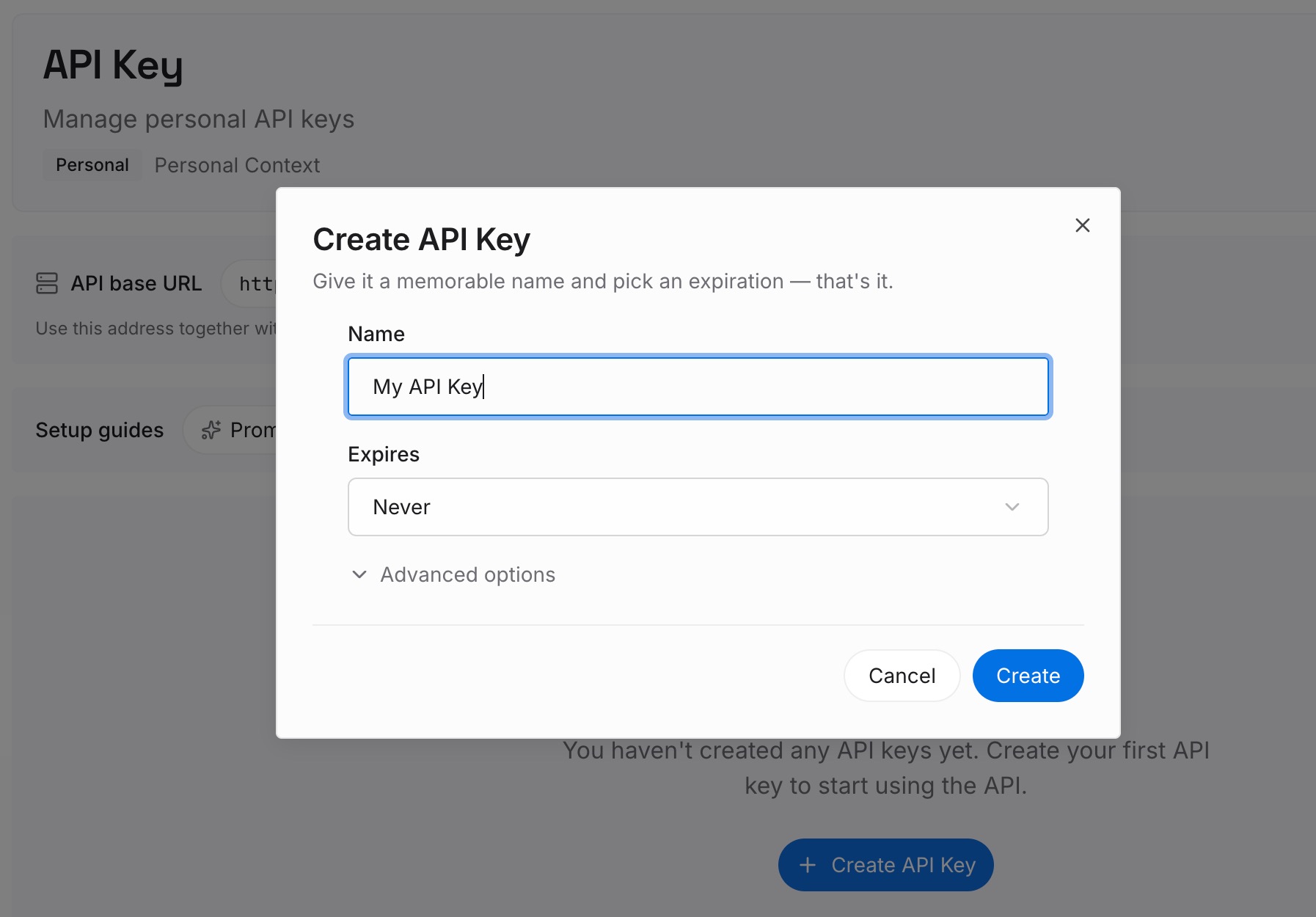
Step 1: Create an API key
Sign in and generate a key from the dashboard. The key belongs to your MemoryLake workspace, independent of any Devin organization.
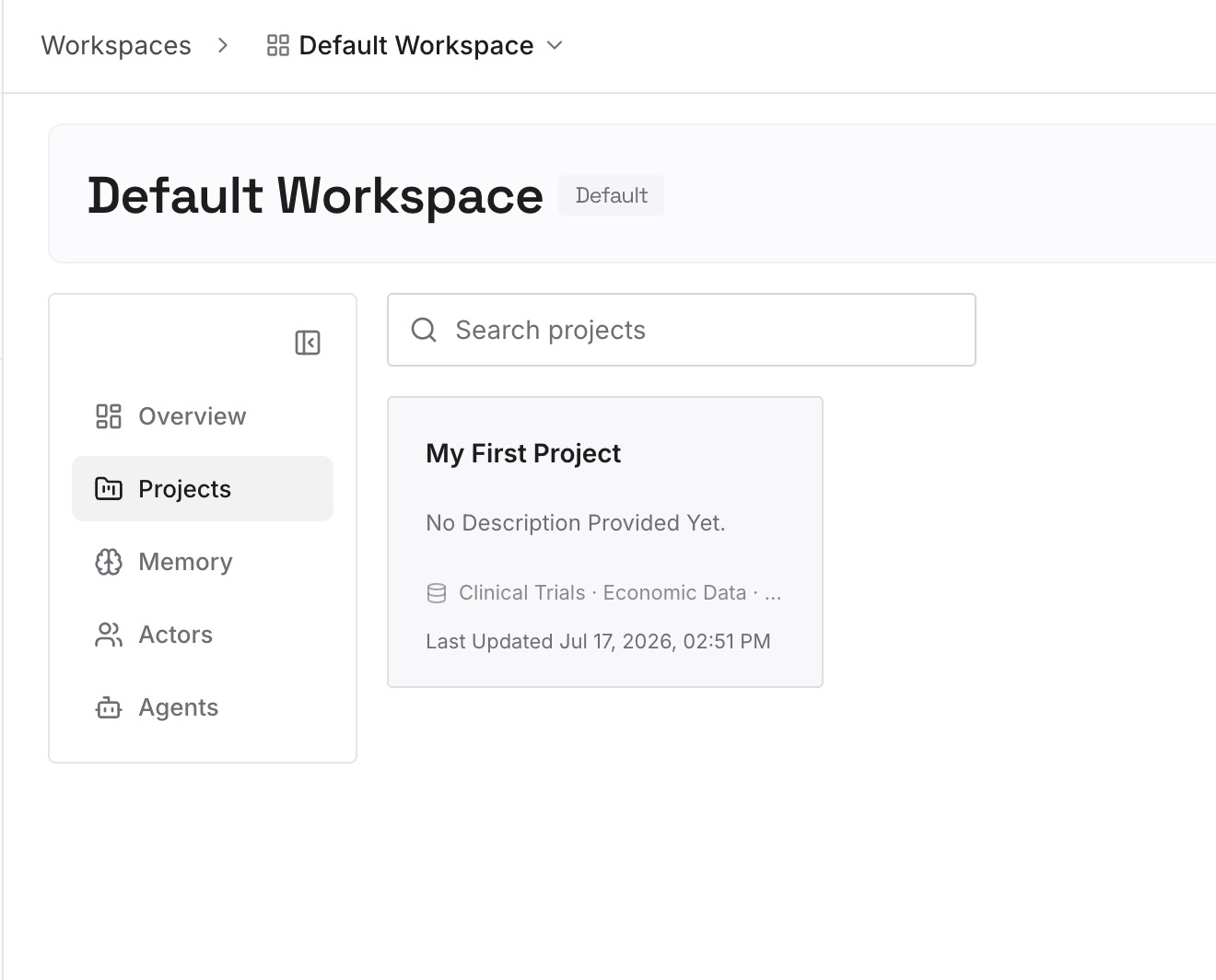
Step 2: Upload your first memories
Start with the decisions from Step 3: the rare but important ones, each with a date and a reason. Add the team context from Step 1 that does not fit naturally into a skill.
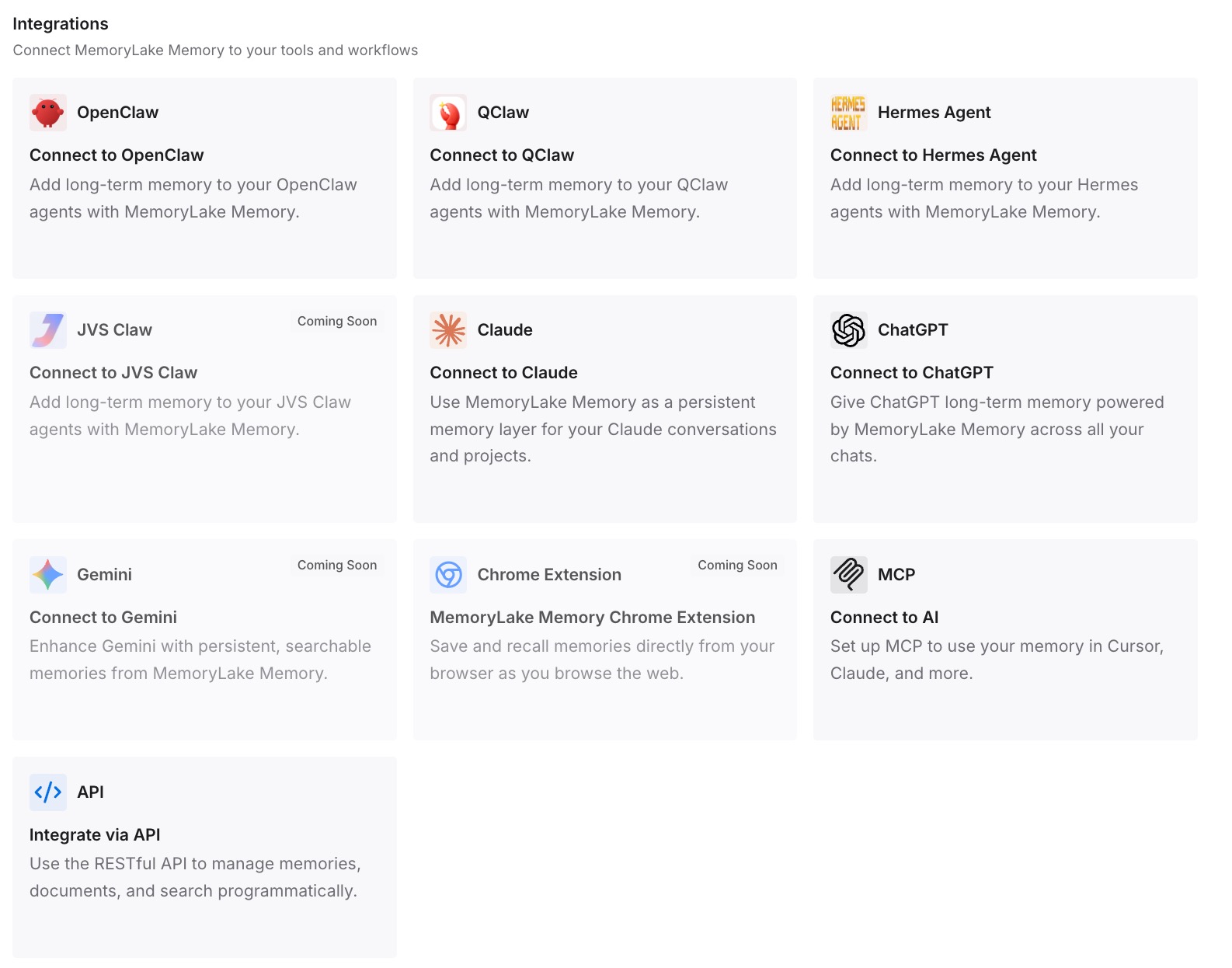
Step 3: Connect your AI & agents
Connect Devin and the other agents your team uses. The same decisions are then available to every teammate and every tool, including runs that start without anyone's personal memory.
What this changes in practice
The first difference is that Devin's memory gets to do what it is good at. Personal preferences and corrections accumulate without anyone maintaining them, and Dreaming keeps them tidy.
The second is that team context stops depending on who ran the session. Procedures live in skills, conventions live in the repository, and long-lived decisions live in a shared record. A teammate's session and an automated run start from the same ground. For the broader setup, see setting up shared AI memory for your team.
The third is that pruning stops being a risk. When the decisions that matter rarely are written down elsewhere, Dreaming removing an unused note is housekeeping, not loss.
The fourth is clarity about what moves. The memory format is open, but your team's knowledge should not have to move with one person's agent. Teams running several agents in parallel face the same question at larger scale, as shared memory for multi-agent systems discusses.
Best practices for Devin memory
Let Devin learn your personal preferences. That is what memory is for.
Correct memory in session. The app shows memory files as read-only; ask Devin to forget or remember.
Put team procedures in skills. Memory is personal; skills can be set at organization scope.
Check migrated Knowledge. Confirm each item landed as a skill at the right scope.
Brief automations explicitly. Scheduled and triggered runs don't use personal memory.
Keep rare decisions somewhere durable. Dreaming removes notes that no session has used.
Compare designs before assuming. Other assistants now consolidate memory in the background too, as Claude's dreaming memory store shows, and each draws its boundaries differently.
Conclusion
Devin's new memory is well designed for what it sets out to do. It saves preferences, corrections and lessons as short notes in a Git repository, links each one to its source, and runs a daily Dreaming pass that consolidates, adds and removes. Cognition has opened the format so other agents can use it.
The documentation is clear about scope. Memory is "personal to you within each organization," automations don't read or write it, and Dreaming removes notes that no session has used. Team guidance belongs in skills, and Devin's older Knowledge feature is being migrated there.
So let Devin learn about you, put team procedures in skills and repository files, and keep the decisions that rarely come up but must not be lost in a record your whole team can reach.