
Why domain knowledge has nowhere to live in Claude
First, separate three things people call the same thing
Getting this wrong is why most attempts fail, because each one belongs somewhere different:
Domain knowledge is what stays true across all your work. How claims adjudication works. What "cohort" means in your field versus the general sense. The regulation that constrains every project. It outlives any single project and gets reused constantly.
Project knowledge is the material for one body of work — the spec, the dataset, the contract. It's specific and it expires with the project. That's the case covered in why Claude forgets your project knowledge.
House conventions are how your team does things — formatting, review standards, naming. Different again, and covered in why Claude forgets your house conventions.
Try to store domain knowledge as project knowledge and you'll be maintaining a copy per project. Try to store it as an instruction and you'll hit the ceiling of a settings field fast.
The account-wide field is for direction, not documents
"Instructions for Claude" is genuinely account-wide: "Any instructions you add here will be applied to all of your conversations with Claude." And the documented examples aren't unfriendly to domain material — Anthropic lists "Common terms or concepts you use" and "Typical scenarios you encounter" among the things to put there.
So a compact glossary belongs here. Ten terms, defined in a line each, is a legitimate and underused move. A corpus does not. It's a text box for standing direction, and every word in it is sent with every conversation you have, on every topic. Load it with your field's reference material and you've made all your unrelated chats worse to make one of them better.
Project knowledge is strong — and walled into one project
Project knowledge is the right container for documents, and it works well. "Anything you upload to this space will be used across all of your chats within that project," and on paid plans the capacity scales: "When your project knowledge approaches context limits, Claude seamlessly enables RAG mode to expand capacity by up to 10x while maintaining response quality." That enhanced capacity is documented as available to Pro, Max, Team, and Enterprise plans.
The catch is in the first word. Projects "allow you to create self-contained workspaces with their own chat histories and knowledge bases." Self-contained is the point of them — and the reason your domain corpus can't live in one and serve the rest.
Project memory is isolated by the same design
The memory feature doesn't bridge it either: "Each project has its own separate memory space and dedicated project summary, so the context within each of your projects is focused, relevant, and separate from other projects or non-project chats."
And memory isn't a document store in the first place. What Claude's memory focuses on is work context about you — your role and professional context, communication preferences and working style, technical preferences and coding style, project details and ongoing work. Useful, and a different category from "how settlement timing works in this industry."
Two smaller traps in the same area. Context "is not shared across chats within a project unless the information is added into the project knowledge base" — so a definition you explained in one chat isn't available in the next one, even inside the same project. And when you create a project you "Give your project a name and description (note that Claude will not have access to these details)." Naming a project Insurance Claims — EU conveys nothing to Claude.
Uploading the same files into every project is a maintenance system
Which is what most people do, and it works on day one. By month three you have the regulatory summary in five projects, three of which predate the amendment, and no way to tell which chat used which. The knowledge didn't rot — your copies diverged.
What people try
Pasting the background at the top of every chat. Effective and unbounded. It's the loop described in how to stop re-explaining context to AI.
Uploading the same PDFs into each project. Solves access, creates version drift. Also the reason people end up re-uploading the same documents forever.
Making one giant project for the whole domain. Then every unrelated task shares one memory space and one summary, and the isolation you wanted for your client work is gone.
Stuffing the account-wide instructions field with reference material. Applies your domain corpus to every conversation you have, including the ones about scheduling.
Trusting chat search to find it. Search works on request, within documented boundaries — searches inside a project stay inside that project. It's retrieval, not a standing knowledge base, and the distinction matters: why RAG isn't memory.
Waiting for memory to pick it up. Memory focuses on work-related context about you and your projects. It isn't designed to absorb a field's reference material, and treating it as a document store leads to quiet gaps.
The Fix: One Domain Layer, With Project Files Layered on Top
The structure that works separates what's always true from what's true for this job, and stops asking one container to do both.
Keep project knowledge for project material. Don't fight this — it's the right tool. The spec, the data, the contract, the current draft. On paid plans it scales when it needs to, and documents added from Google Drive sync so you're working with the current version rather than a stale upload.
Put a short glossary in your account-wide instructions. Ten to fifteen terms your field uses in a specific way, one line each. Anthropic explicitly lists common terms and typical scenarios as suitable content for that field. Resist the urge to make it twenty pages.
Give every project a real scope and put the context inside it. One project per body of work, because each carries its own memory and summary — and remember the name and description aren't visible to Claude, so anything scoping matters goes into the instructions or the knowledge base.
Then give the domain itself one home outside any project. This is the piece Claude doesn't provide, and it's what MemoryLake is: a memory layer holding your durable knowledge, readable from every project, every plain chat, and the other tools you use. Setup is three steps.
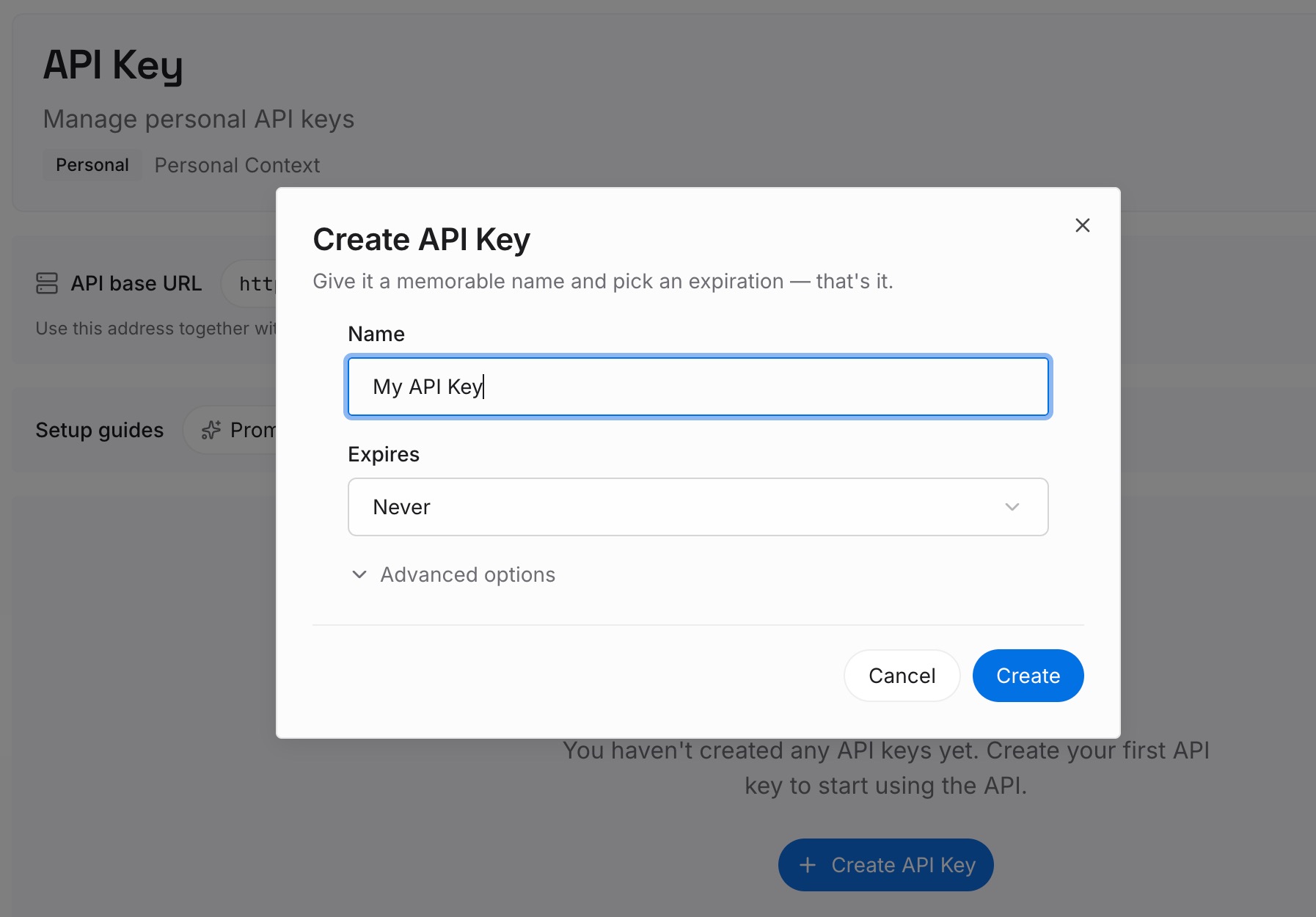
Step 1: Create an API key
Sign in to MemoryLake and create an API key. One credential across the tools you connect.
Step 2: Upload your first memories
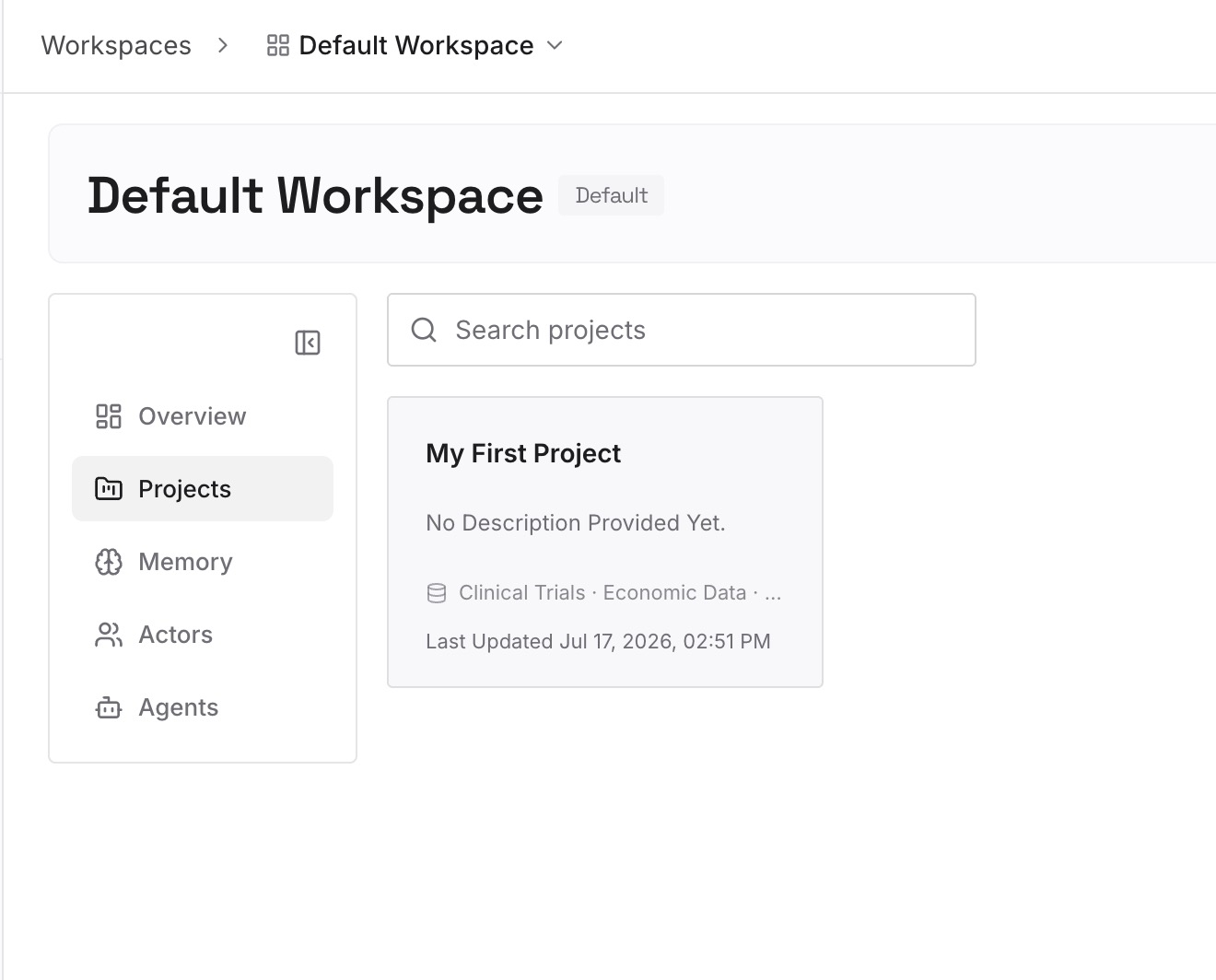
The mistake here is uploading your documents. Domain knowledge in a usable form is extracted, not indexed — short entries, one claim each, stated so they're checkable. What to capture:
Definitions that differ from the general meaning. Every field has words that mean something specific internally. These cause more silent errors than anything else, because the model will confidently use the general sense.
Rules and the constraint that produces them. "Settlement runs T+2" is a fact. "Settlement runs T+2, which is why the reconciliation job can't be same-day" is knowledge that prevents a bad suggestion.
Boundaries and exceptions. The case where the normal rule doesn't apply. This is the highest-value material and the least likely to be written down anywhere.
What's been ruled out, and why. Approaches your field has already abandoned. Without this, every new conversation proposes them again.
The numbers that matter, with their as-of date. Thresholds, limits, rates. Dated, so a stale entry announces itself.
Expect a real ratio: a forty-page reference document typically yields fifteen to thirty entries. If you're producing two hundred, you're transcribing rather than extracting.
Step 3: Connect your AI & agents
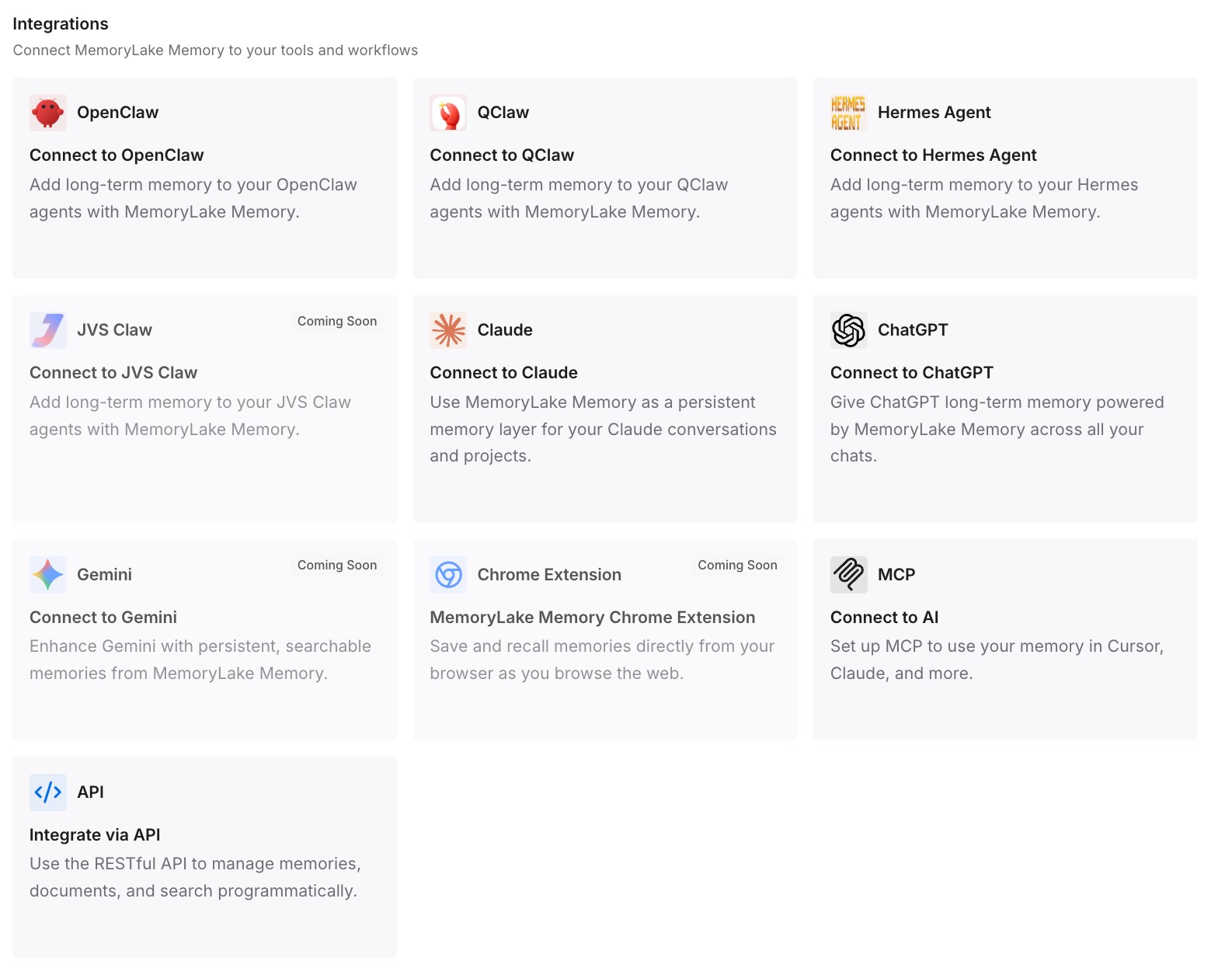
Connect the tools you use. MemoryLake is reachable over MCP and over an API, so MCP-native agents — Claude Code, Codex, and OpenClaw among them — connect by pointing at the MCP server, while other assistants read the same memory through the API. Your domain layer is then readable wherever you're working, while each project keeps its own files.
Three honest limits. This does not replace project knowledge — project files belong in the project, and MemoryLake isn't a document management system. It holds only what you or your agents write into it, so Step 2 is real work. And it isn't a compliance or retention system.
What this changes in practice
Starting a project stops meaning re-establishing the field. New project, and the domain layer is already readable. You upload the spec, not the industry.
One source of truth for the amendment. When the regulation changes you update one entry, not five project knowledge bases with three stale copies among them.
Project isolation becomes purely useful. You keep the separation you want between bodies of work without paying for it in re-explanation.
Definitions stop drifting. A term defined once, in one place, is used the same way in every project and every tool.
Your other tools inherit it. Domain knowledge is exactly the context that's identical across assistants. Once it's outside Claude, Cursor and your agents read the same thing — the shape in cross-tool memory for knowledge workers.
Best practices for domain knowledge
Sort before you store. Domain, project, or convention. Each has a different home and a different lifetime, and mixing them is what creates the maintenance problem.
Extract, don't upload. A document is something to read. An entry is something to retrieve. The conversion is where the value is.
Write the reason next to the rule. Reasons let Claude handle a case you didn't anticipate. Bare rules don't.
Date anything numeric. Thresholds and rates change. An undated number is a future error.
Keep one entry to one claim. Long combined entries retrieve poorly and are hard to correct when one half becomes wrong.
Record the exceptions. The boundary cases are the difference between a plausible answer and a correct one.
Keep the account-wide glossary short. It's sent with every conversation you have. Ten terms is useful; a chapter is a tax on unrelated work.
Review after anything changes in your field. Delete the entries describing how it used to work rather than adding a note beside them. Two contradictory entries are worse than one outdated one — the general problem in what AI memory is and isn't.
Conclusion
Claude has good containers for context and none of them is shaped like domain knowledge. The account-wide instructions field is for standing direction and travels with every conversation you have. Project knowledge is the right place for documents and is sealed inside one self-contained project, as is that project's memory. Memory itself focuses on work context about you rather than the reference material of your field.
So the working setup is a split. Project files stay in projects. A short glossary goes account-wide. And the domain — the definitions, rules, reasons, exceptions, and the things already ruled out — gets extracted once into a layer that every project and every tool can read. That's the version where a new project starts with your field already understood, and where an amendment means editing one entry instead of hunting five copies.