
What OpenAI announced
On November 23, OpenAI said in a post from its ChatGPT account on X that it will generally retire models that are two generations back as new models roll out, which frees up compute for the newer ones. In the same announcement, as reported by IT Home, OpenAI gave the dates: GPT-5.6 Sol retires from the Chat tab, ChatGPT Work, and Codex on December 23, and GPT-5.6 Terra retires from ChatGPT Work and Codex on the same day.
As of November 24, OpenAI's help center and Codex documentation don't have a retirement page for GPT-5.6 yet. The ChatGPT release notes for November 23 cover the GPT-6.2 rollout, and the help article on GPT-6 and other models still describes GPT-5.6 Sol as a model you can select. So the date comes from the announcement, and the details of how chats and settings move over haven't been written down for this retirement specifically.
That matters for how you read the rest of this guide. Where OpenAI has written something about GPT-5.6, we quote it. Where we rely on how earlier retirements worked, we say so.
What changed in the Chat tab on November 23
The release notes describe the update this way: "We're rolling out a version of GPT-6.2, optimized for the chat tab, for Plus, Pro, Business and Enterprise tiers."
The same entry explains what powers it: "GPT‑6.2 in ChatGPT is powered by a version of GPT‑6.2 Sol for Plus, Pro, Business, and Enterprise tiers, and is tuned for everyday conversation." It also notes that Enterprise availability depends on workplace admin settings.
One line in that entry matters for anyone using Work or Codex: "The models powering Work and Codex are not changing as part of this release."
So November 23 changed the default in Chat. December 23 is when GPT-5.6 Sol and Terra are scheduled to leave.
Who is still using GPT-5.6
The help article on GPT-6 and other models, updated after the rollout, shows how many places GPT-5.6 still appears.
In Chat, if you chose it yourself. The article says: "If you selected GPT-5.6 Sol, that selection stays the same." It repeats the point in its availability section: "explicit GPT-5.6 Sol selections remain on GPT-5.6." If you never picked a model, you're already on the newer default. If you picked GPT-5.6 Sol, you're still on it until the retirement.
In ChatGPT Work. The article lists Sol, Terra, and Luna for Plus, Pro, Business, and Enterprise.
In Codex. The article lists Terra for Free and Go, and Sol, Terra, and Luna for Plus, Pro, Business, and Enterprise.
On Free and Go. These plans use GPT-5.6 Luna. The article says: "Free and Go users do not have access to GPT-5.6 Sol." Luna isn't part of the December 23 announcement.
Put together, the people the December 23 announcement affects are paid users who picked GPT-5.6 Sol in Chat, anyone who picks Sol or Terra in Work, and Codex users whose settings name either model.
What happens to your chats when a model changes
OpenAI has a general help article on model changes. It doesn't mention GPT-5.6, but it describes how a transition is meant to work for your conversations: "To support continuity, your prior conversations can carry over to newer models, including any background you've shared about your interests, preferences, or goals."
It's also direct about what can change: "While tone or style may change, that retained context helps the conversation remain attentive, responsive, and grounded in what you've already shared."
A retirement changes the model that writes the next reply. The context ChatGPT uses to personalize that reply comes from somewhere else. OpenAI's memory article lists those sources: past chats, saved memories, custom instructions, saved files in Library or Space, and connected apps such as Gmail.
What can change is how the new model uses that context. If GPT-5.6 Sol had a way of answering you that you relied on, the newer model may handle the same background differently. The model-change article acknowledges this directly: "some people grow accustomed to a particular model's conversational style or way of responding."
What the last retirements said about chats, projects, and GPTs
For the February and March retirements of GPT-4o, GPT-4.1, GPT-5.1, and others, OpenAI published a FAQ. It doesn't cover GPT-5.6, but it shows how ChatGPT handled the same questions last time.
On conversations, it said: "Conversations and projects are defaulted to their GPT-5.3 Instant and GPT-5.4 Thinking and Pro equivalents going forward."
On GPTs, it said: "GPTs using retired models will automatically move to the closest GPT-5.3 Instant and GPT-5.4 Thinking and Pro equivalent."
If December follows the same pattern, a chat or project you've been running on GPT-5.6 Sol would continue on a newer model. OpenAI hasn't confirmed that for GPT-5.6, so check the help center after December 23 for a specific notice.
Custom GPTs have their own, earlier deadline. OpenAI's GPTs article says: "Standard retirement is scheduled for December 11, 2026." If you depend on a GPT that runs on GPT-5.6, the GPT itself is scheduled to retire first, and OpenAI points creators to plugins.
What happens to Codex settings that name GPT-5.6
In Codex, a retirement can break something quietly, because the model name lives in files and scripts you don't look at every day.
The Codex documentation explains that one file controls the default model across surfaces: "The ChatGPT desktop app, Codex CLI, and IDE extension use the same config.toml". If that file sets model to gpt-5.6-sol or gpt-5.6-terra, every one of those surfaces is affected.
There's no GPT-5.6 retirement section in the Codex docs yet. But the GPT-5.5 retirement in October came with a checklist that shows where a model name tends to hide. The docs said to "Replace gpt-5.5 in workspace defaults, saved model settings, managed configurations, custom agents, scheduled tasks, and scripts that select a model."
The same section separated two kinds of access: "The OpenAI API and Codex sessions authenticated with an API key aren't affected." In that retirement, only Codex signed in with ChatGPT lost the model. Whether GPT-5.6 follows the same split hasn't been stated yet.
For Enterprise and Edu admins, the earlier guidance added one more point: "Changing a default doesn't grant model access." If you switch a workspace default to a newer model, confirm that the people affected can actually use it.
Why Codex history matters
The Codex troubleshooting docs note that "Codex has a separate history" from ChatGPT Work. The decisions behind a long-running Codex chat live in that history, in AGENTS.md, and in your config. None of them is stored inside the model.
That's worth remembering when you test a replacement. A newer model reads the same AGENTS.md and the same project files. If a convention gets lost in the switch, check whether it was only ever said in conversation and never written down.
We compared the two GPT-6.2 models for coding work in our guide to GPT-6.2 Astra vs. Sol in Codex.
What people try first
Waiting for the switch to happen. In Chat, a manual GPT-5.6 Sol selection stays until the retirement. You can move to the newer default now and compare.
Assuming memory belongs to the model. Memory draws on your chats, saved memories, custom instructions, files, and apps. The model that reads them is what changes.
Updating only the CLI. The desktop app, CLI, and IDE extension share one config.toml, but scheduled tasks, custom agents, and scripts can name a model separately.
Expecting a help-center notice before acting. As of November 24, there isn't one for GPT-5.6. The date is in OpenAI's announcement.
Relying on a custom GPT for the transition. Custom GPTs are scheduled to retire on December 11, before GPT-5.6 does.
The Fix: Move off GPT-5.6 before December 23
Step 1: Switch your Chat selection and compare
If you picked GPT-5.6 Sol, switch to the current default for a few of your usual tasks. Note anything that comes out differently, such as length, tone, or format.
Step 2: Search Codex for every model name
Check config.toml, workspace defaults, managed configurations, custom agents, scheduled tasks, and scripts for gpt-5.6-sol and gpt-5.6-terra.
Step 3: Replace them with a model your account can use
Pick a replacement that's available on your plan and client, then run one real task to confirm it works.
Step 4: Write down what you liked about GPT-5.6
Record the answer styles, formats, and conventions you relied on, so you can ask for them from any model.
Setting this up in MemoryLake
Model retirements will keep coming, roughly two generations behind each new release. What carries you through them is context written down outside any one model: the formats you want, the decisions you made, the conventions your projects follow.
MemoryLake is a memory layer for that kind of context, kept in one place you maintain and available to the assistants you connect, such as ChatGPT, Claude Code, and Codex.
You write the entries yourself, in your own words. Nothing is read out of, written to, or deleted from your ChatGPT chats, your saved memories, your Codex config, your Codex history, or any vendor's store. The retirement works the way OpenAI describes it.
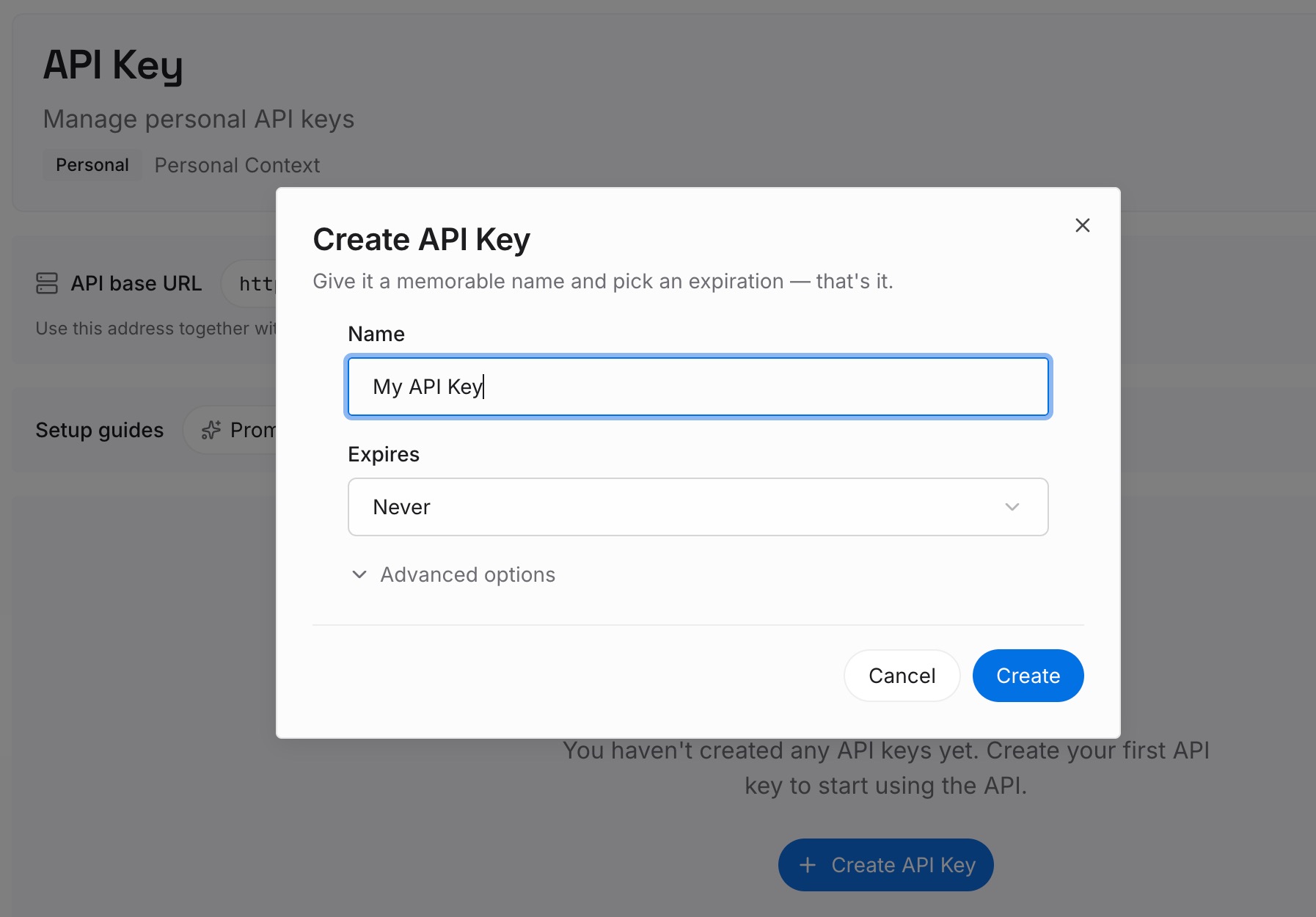
Step 1: Create an API key
Sign in and generate a key from the dashboard. Store it outside your repositories, like any other credential.
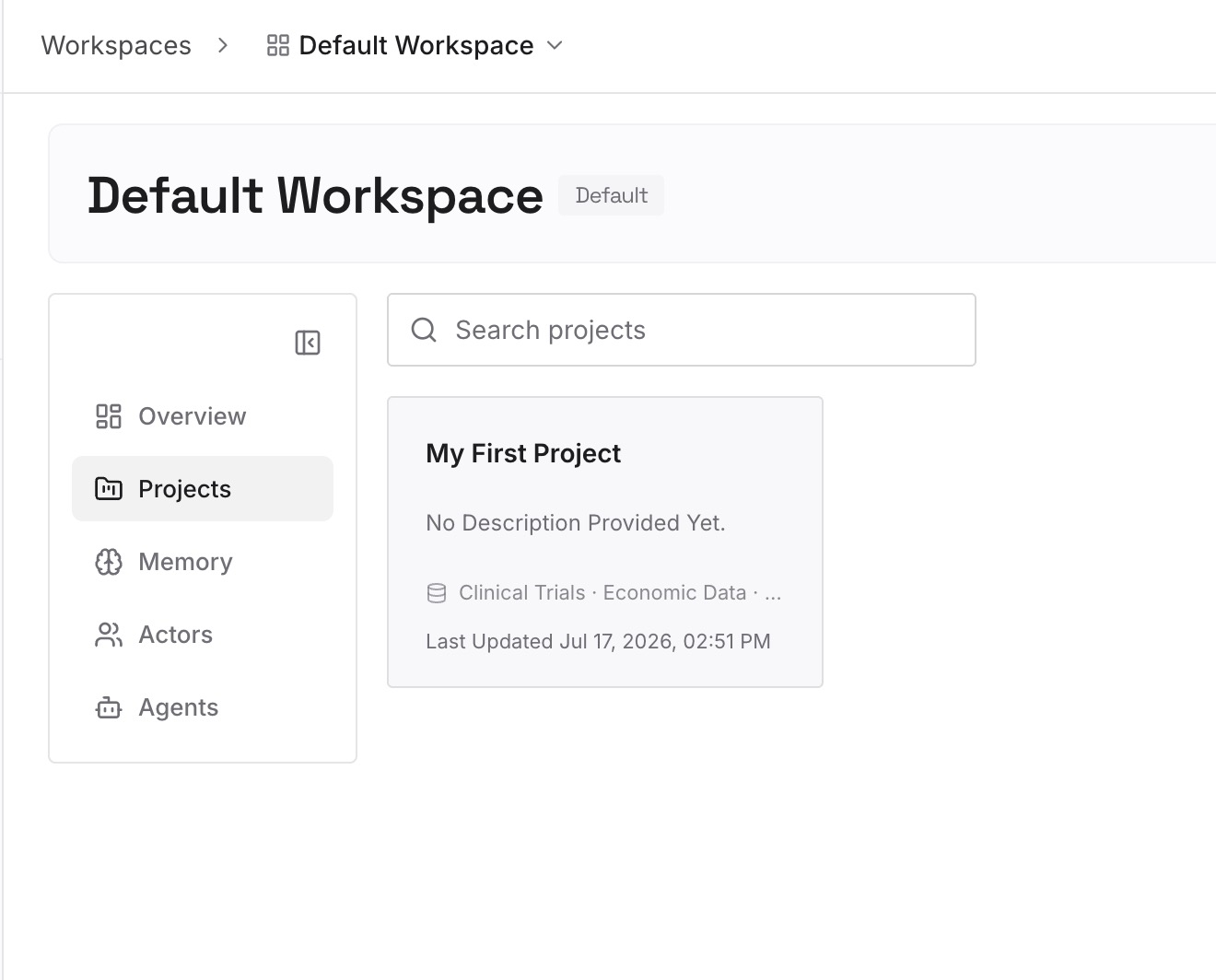
Step 2: Upload your first memories
Start with what you wrote in Step 4 of the fix: the formats, tone, and conventions you want from any model. One topic per entry.
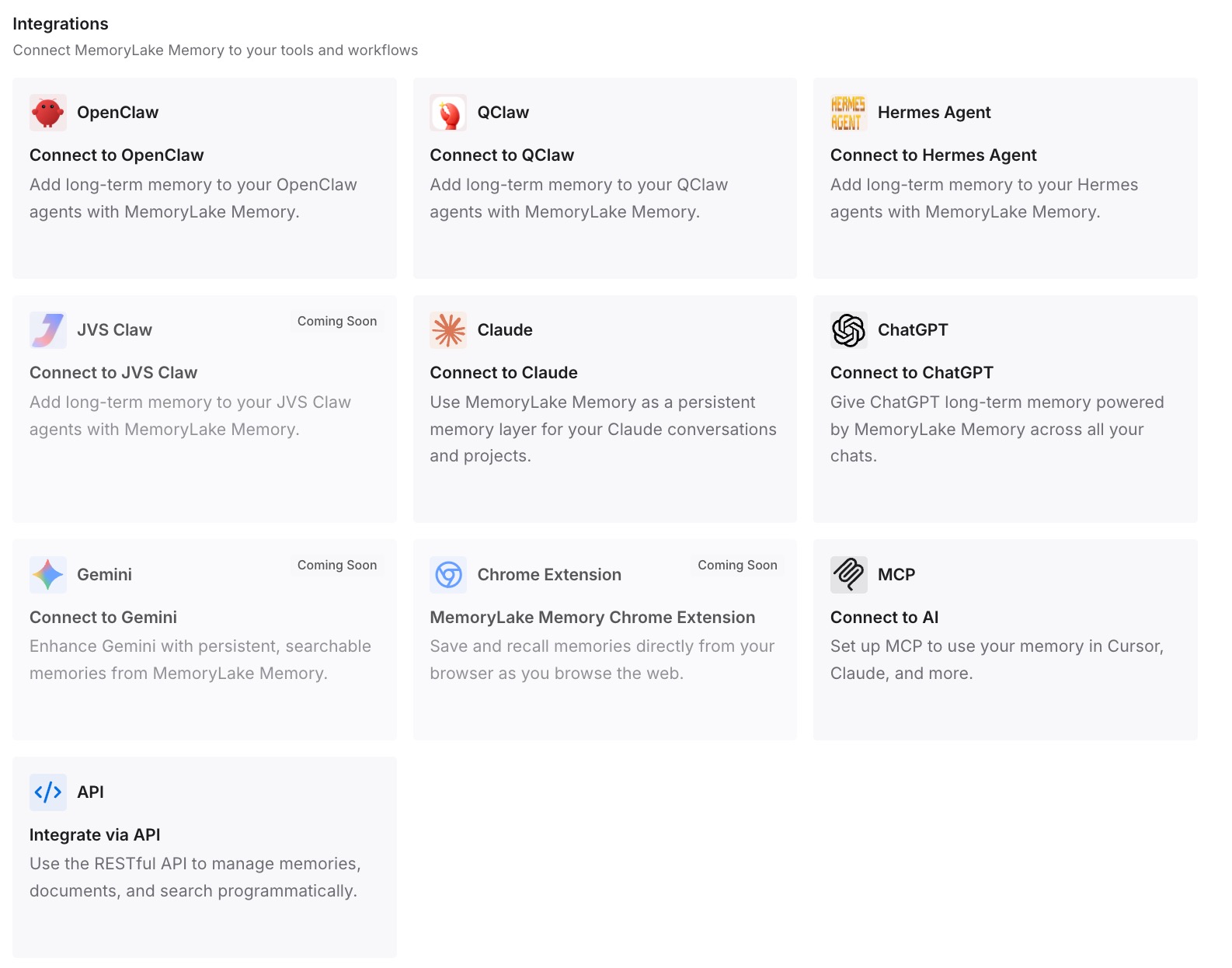
Step 3: Connect your AI & agents
Connect ChatGPT, Codex, Claude Code, and the other assistants you use, so a new model starts from the same notes.
What this changes in practice
The first difference is a calmer switch. When a model retires, your preferences are already written down.
The second is faster comparison. You can test a replacement against the same notes instead of from memory.
The third is less lock-in. The context you built up isn't tied to one model or one tool.
Best practices for model retirements
Check your model picker. A manual selection stays until the model retires.
Search Codex settings by model name. Config files, custom agents, scheduled tasks, and scripts can each name a model.
Test before the deadline. A week of side-by-side use shows what changes.
Watch the help center. OpenAI may publish a GPT-5.6 notice with details about chats and settings.
Keep conventions in files. AGENTS.md and project instructions outlast any model.
Plan for the next one. OpenAI said it will generally retire models two generations back.
Conclusion
OpenAI announced on November 23 that GPT-5.6 Sol will retire from the Chat tab, ChatGPT Work, and Codex on December 23, and GPT-5.6 Terra from Work and Codex on the same day. The Chat tab already moved to GPT-6.2 for paid plans, but a manual GPT-5.6 Sol selection stays until the retirement. As of November 24, there's no help-center page for this retirement.
OpenAI's general guidance says prior conversations and the background you've shared can carry over to newer models, and the last retirement moved chats, projects, and GPTs to newer equivalents. In Codex, the GPT-5.5 retirement showed where model names hide: config files, workspace defaults, custom agents, scheduled tasks, and scripts. Clearing those before December 23, and writing down what you want from any model, makes the switch routine.