
What changed on October 22
The October 22 entry covers versions 0.72.0 through 0.75.2. Two memory lines sit in its Improved section:
- "What a personal Bot saves to memory in one chat is remembered in all your chats with it, and only you can change it."
- "Deleting a Bot permanently erases its conversations, memory, routines, and attachments, and removes its Slack app."
A third line extends the same idea to voice: "Voice calls can draw on your earlier calls and recent chat with the Bot."
Put together, a personal Bot's memory belongs to the Bot rather than to any one chat. Something you tell it in one chat is there in a fresh chat with the same Bot next week, but not in a different Bot. Grok Bot's design keeps memory with the Bot: xAI's September design essay says "Memory and Routines belong to the Bot because they reflect what that particular role knows and does over time." The October release spells out what that means across chats.
What a personal Bot remembers
xAI's documentation describes the content of a Bot's memory in one sentence: "A Bot can retain stable working preferences, important facts, and summaries from its work."
That's narrower than a transcript. A Bot keeps what's stable and useful, such as how you like reports formatted and what was decided last week, without replaying every message.
The documentation is also direct about what memory shouldn't be used for. Its guidance under the heading on what a Bot remembers:
- "Keep changing facts in the source system"
- "Ask the Bot to cite or reopen current data for consequential decisions"
- "Correct stale assumptions directly"
So a personal Bot is a good place for how you work and a poor place for numbers that change. A price list, a pipeline total, or a contract term belongs in the system it comes from, and the Bot should read it from there.
Memory stays with one Bot
Each Bot has its own memory. The FAQ says a Bot's "conversation and learned role are separate from other Bots, while shared files, browser sessions, group messages, and direct handoffs can move context between them."
A research Bot and a finance Bot on the same account don't read each other's memory. If both need a fact, tell both, or put it in a shared file. The design essay explains the line: "Combining those histories into one large memory would make it harder to give each Bot the information relevant to its work."
Only you can change it
The second half of the October line, "only you can change it", applies to personal Bots. The memory is yours. You change it by telling the Bot what to keep, correct, or forget in chat. xAI's documentation describes reviewing and correcting memory through the Bot itself: ask it what it knows, and correct it directly.
How Team Bot memory works
Team Bots, launched on September 28, are one Bot that a whole team talks to. Their memory works differently, and the documentation lays it out in a comparison table:
| Personal Bot | Public template | Team Bot | |
|---|---|---|---|
| Who talks to it | Only you | Each person who adds it talks to their own copy | Everyone on your team, each in their own chat |
| Memory | Yours | Starts from what the template shares, then separate per copy | Team memory, plus private notes with each person |
The Team Bots page then describes the two kinds of memory.
Team memory is shared. "Team memory is read by every teammate's conversation. The Bot saves a fact there only when someone says the whole team should have it, and it tells you when it does."
Notes with each person are private. They "are private to that person. They hold that person's preferences and context and follow them across their app chat and Slack DMs with the Bot. No other teammate's conversation reads them."
The September 26 release notes describe the same split from the other side: the Bot "keeps private notes for each person across the app, Slack, and routines."
So a Team Bot doesn't pool everything it hears. If you tell it your preferred report format, that stays in your notes. If you tell it the team's naming convention and say the whole team should have it, it goes into team memory and every teammate's chat reads it.
Two descriptions to read together
xAI's launch post for Team Bots describes a data Bot that "remembers every correction and confirmation, so answers get better for everyone over time." Read on its own, that sounds like every correction becomes shared. The documentation is more specific: a fact reaches team memory "only when someone says the whole team should have it". The practical reading is that corrections improve the shared Bot when they're saved for the team, and the Bot tells you when that happens. If you want a correction to reach everyone, say so.
Each chat starts fresh, with two exceptions
From a teammate's side, the documentation says: "Your chat with a Team Bot is yours alone and starts fresh. The Bot knows what is saved on it for the team and what it has learned about you, not what other teammates said to it."
The owner can't read teammates' chats, and teammates can't read the owner's. To see or fix what's in team memory, the documentation's instruction is simple: "To see what the Bot has saved for the team, ask it in chat. To correct or remove something, tell it."
What carries over when a Bot is copied
Grok Bot has three ways to make one Bot from another, and each handles memory differently.
Duplicating a Bot. On iPhone you can duplicate a Bot to reuse its setup for a different scope. The copy "carries the profile, settings, enabled skills, routines, and avatar. It does not copy conversation history, learned memory, or chat attachments." A duplicate starts with the same skills and none of the learned context.
Sharing a template. A template link lets someone else start from your Bot. "Adding a shared Bot creates a copy on the recipient's account. It does not give them your computer, logins, or conversation history." The template shows the Bot's configuration, including skills and routines, so the documentation advises removing API keys, internal URLs, and customer data before you share.
Publishing to the team. Turning a personal Bot into a Team Bot is the path built around choosing which memories come along. The documentation says the Bot first "checks what a copy would start from: this chat and its own memories." If most of those memories are personal facts about you, it asks whether to copy them or start fresh. During setup you choose what the team copy gets, and "Memories you don't pick stay private". Your original personal Bot keeps working for you.
That last step is where memory decisions matter most. A Bot that has learned your client list, your preferences, and your schedule isn't a team asset. The documentation makes the same point: "If most of what a Bot knows is about you personally, a copy won't do much for your team."
What deleting a Bot removes
Deletion is where the release notes and the documentation read a little differently, and both are worth knowing.
The October 22 release notes say deleting a Bot "permanently erases its conversations, memory, routines, and attachments, and removes its Slack app."
The documentation's delete section says deleting a Bot "removes its active profile, conversation, and routines from Grok Bot", and adds that "Shared computer files and sign-ins are not isolated by Bot and may remain on the computer." It also points to the applicable terms for backend retention.
Read together: the Bot's memory goes with it, but anything the Bot saved to the shared computer, and any sign-ins it used there, may still be on that computer. If you need the work later, the documentation's advice is to hide the Bot instead: "If you may need the work later, hide the Bot instead."
For Team Bots, deletion reaches everyone. "Deleting it removes the Bot for your whole team: teammates lose it, along with their chats and routines on it. This can't be undone." Unpublishing is the reversible option: teammates lose access, and "Their chats and routines come back when you do."
What people try first
Starting a new chat to get a clean slate. With a personal Bot, a new chat doesn't clear what it learned. Memory follows the Bot. To change what it knows, tell it in chat.
Duplicating a Bot to keep its knowledge. A duplicate copies skills and routines, not learned memory. The new Bot starts without what the original learned.
Sharing a template so a colleague gets your context. The recipient gets a configured copy without your conversation history.
The Fix: Decide what each Bot should know, check what it kept, then keep the rest where you control it
Step 1: Give each Bot one role and tell it what's durable
Because memory lives with the Bot, the role decides what it should learn. Start each Bot with the facts that won't change soon: who you are, what the Bot is for, the formats you want, and the decisions it should treat as settled. Say these plainly in a chat. With the October change, you don't need to repeat them in every new chat with that Bot.
Keep changing data out of memory. Point the Bot at the source instead, as the documentation advises.
Step 2: Ask the Bot what it remembers, and correct it
Every few weeks, ask the Bot to list what it has saved about you and the work. For a Team Bot, ask it what's saved for the team, separately from what it knows about you. Correct anything stale in chat. The documentation's guidance applies to both: "Correct stale assumptions directly".
Before you publish a personal Bot to your team, ask it the same question and decide which memories should stay private.
Step 3: Keep a copy of the context that matters outside the Bot
A Bot's memory is tied to that Bot. A duplicate doesn't carry it, a template starts from only what the template shares, and deleting the Bot erases it. If you rely on what a Bot has learned, write the durable parts down somewhere you control: a short list of decisions, preferences, and conventions, dated and in your own words. That list is also what you'd give a new Bot, a teammate, or another assistant.
Setting this up in MemoryLake
A Grok Bot is good at learning one role. The context behind that role, the decisions, the preferences, the conventions your team settled on, is useful beyond one Bot and beyond Grok Bot.
MemoryLake is a memory layer for keeping that context in one list you maintain, available to the assistants you connect, such as ChatGPT, Claude Code, and Codex.
You write the entries yourself, in your own words. Nothing is read out of, written to, or deleted from your Grok Bot memory, your Bots' computer, your Team Bot notes, or any vendor's store. For work content, follow your organization's policy on what you keep outside its tools.
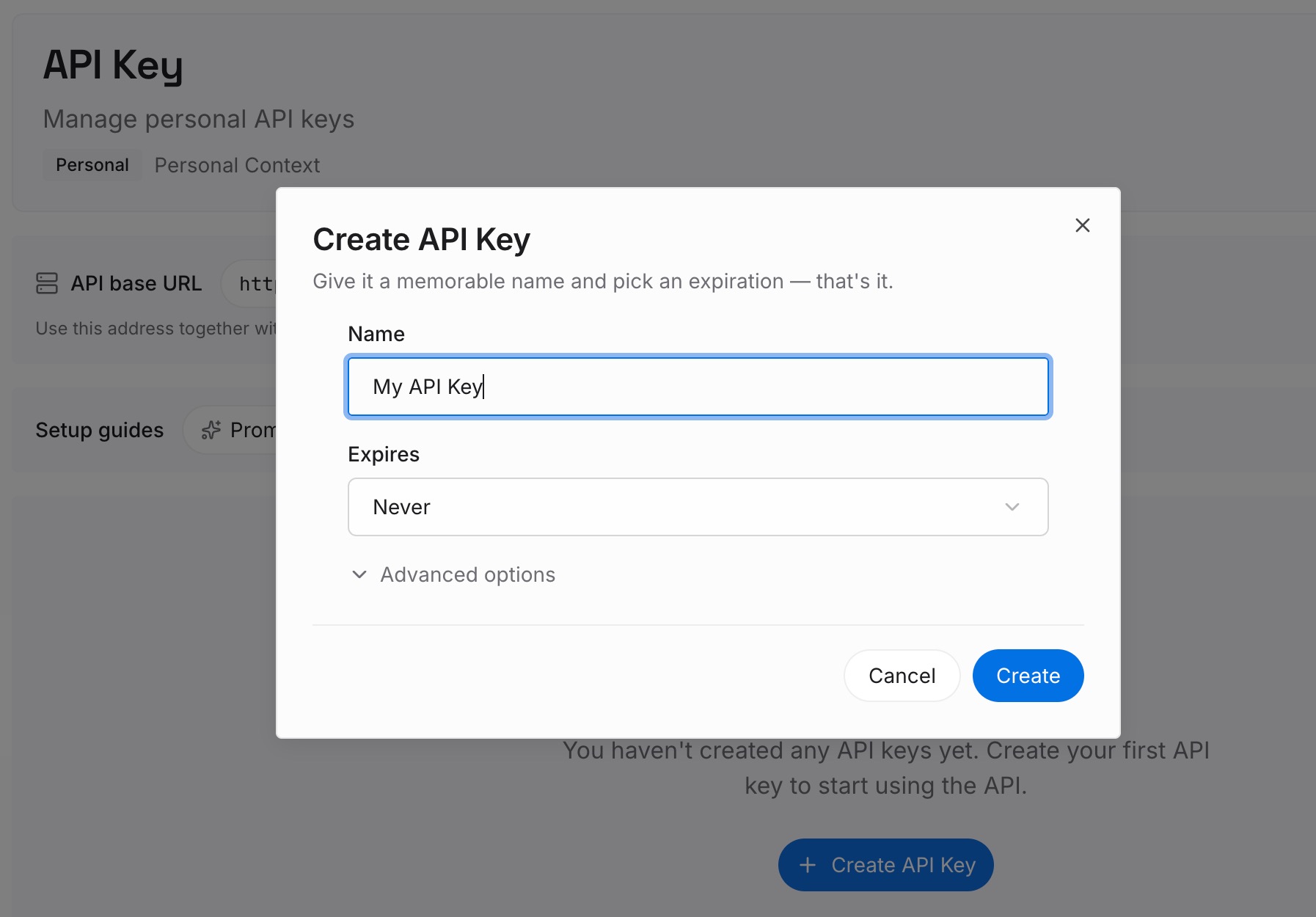
Step 1: Create an API key
Sign in and generate a key from the dashboard. The key belongs to your MemoryLake workspace and is separate from your Grok account.
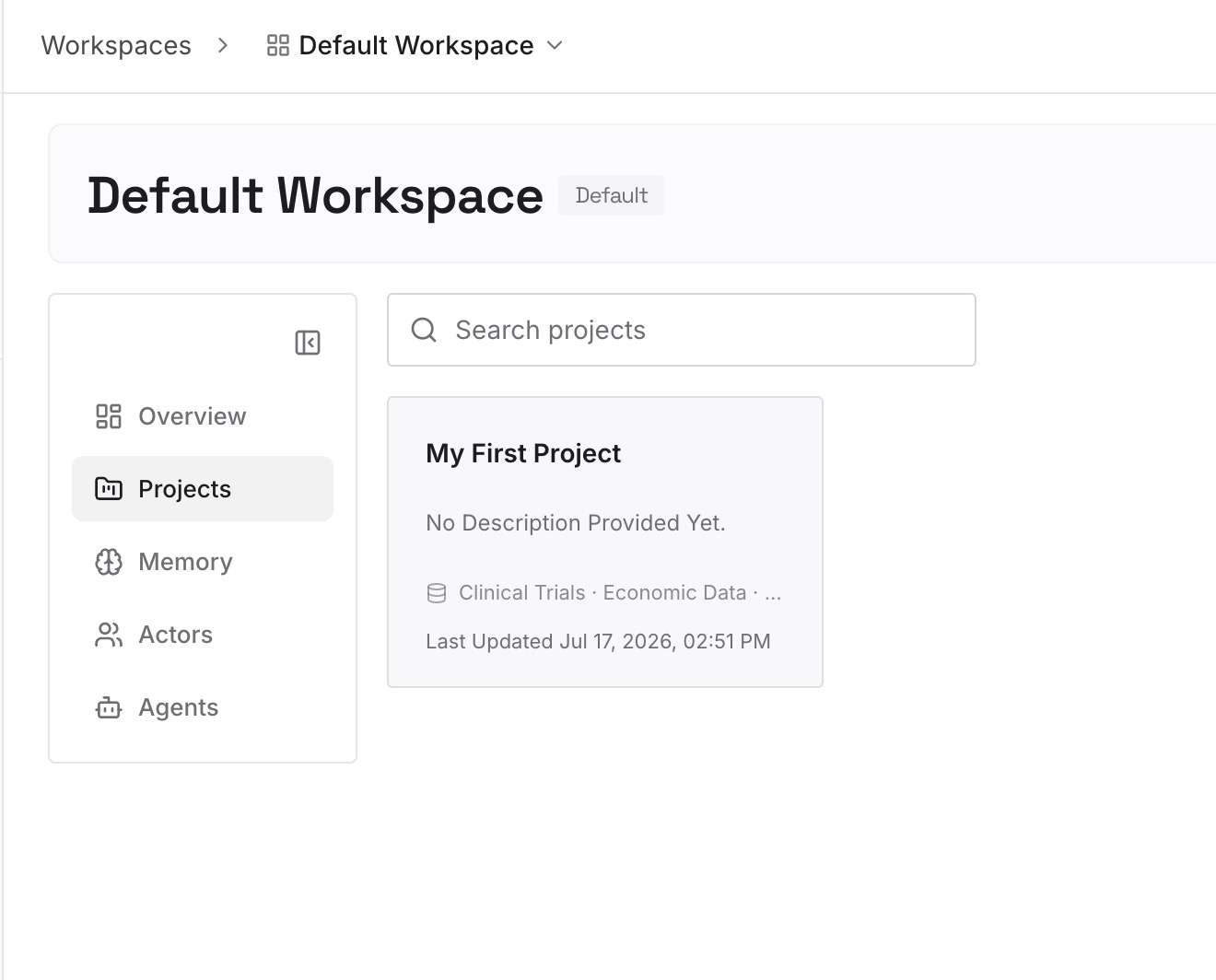
Step 2: Upload your first memories
Start with the durable facts from Step 1 of the fix and the corrections from Step 2: decisions, preferences, and conventions. One point per entry, dated, and labeled with the role or project it belongs to.
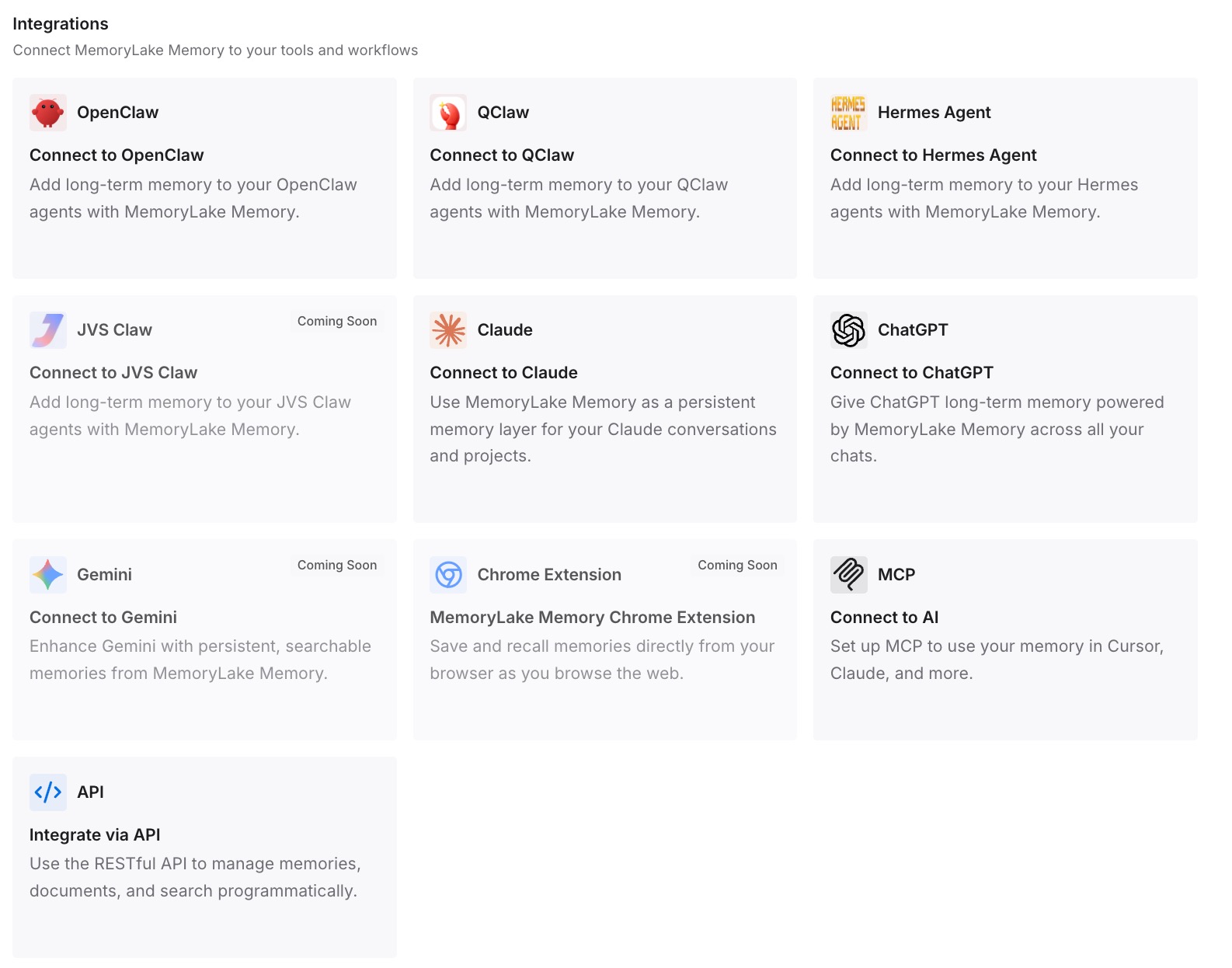
Step 3: Connect your AI & agents
Connect ChatGPT and the other assistants you use. The context you wrote down is available in the other tools you work in, and it doesn't depend on any one Bot staying around.
What this changes in practice
The first difference is that you stop re-teaching a personal Bot in each new chat. What it saved in one chat is there in the next.
The second is that you know where a Team Bot keeps what you tell it. Your preferences stay in your notes, and facts reach the team only when someone says they should.
The third is that copying and deleting stop being surprises. You know a duplicate starts without learned memory, a template carries configuration, publishing asks what to bring, and deletion takes the memory with it. If you also use Grok Build for coding, our guide to what Grok Build's memory leaves out covers how memory works on that side.
Best practices for Grok Bot memory
One role per Bot. Memory follows the Bot, so a focused role keeps its memory useful.
Say durable facts once, clearly. A personal Bot now carries them across chats.
Keep changing data in its source. Ask the Bot to reopen it for decisions that matter.
Review memory on a schedule. Ask the Bot what it remembers and correct what's stale.
Say when something is for the team. In a Team Bot, that's what moves a fact into team memory.
Check memories before publishing. Keep personal facts private when you turn a Bot into a Team Bot.
Write down what you'd hate to lose. A Bot's memory stays with that Bot. Our guide to auditing what your AI assistants remember covers checking the other assistants you use.
Conclusion
Since October 22, a personal Grok Bot remembers what it saved in one chat across all your chats with it, and only you can change it. Team Bots keep two layers: team memory that every teammate's chat reads, filled only when someone says a fact is for the whole team, and private notes for each person.
A duplicate doesn't inherit learned memory, a template starts from what it shares, and publishing to the team is where you choose which memories come along. Deleting a Bot erases its memory, while files on the shared computer may remain. Give each Bot one role, check what it keeps, and keep a written copy of the context you depend on. If you're thinking about moving off Grok, our guide to migrating Grok conversations to ChatGPT covers that path, and our guide to setting up a shared AI memory for your team covers sharing context across people.