
What the deal covers, and what the announcement leaves open
Start with what was bought. The assets named in the press release are Cosmos, the Auggie CLI, the Code Context Engine, and related technology. The future role of Cosmos is stated directly: "Cosmos will become Harness Cosmos Software Factory Agent, with a clear role: automate engineering work from idea to code." The release also says "Harness Cosmos is now available."
Two lines in the release speak to context. The first is about the index: "Augment's Code Context Engine keeps a live map of the codebase, so changes fit the code already there." The second is about memory: "Shared memory carries lessons from each review into the next change." Both are described as part of what Harness Cosmos offers going forward.
Harness's own blog post adds a line aimed at existing users: "Customers can adopt the Harness Cosmos Software Factory Agent, continue using their preferred coding tools, or use both." It also says, of the products and the team, "We are investing in the products, the technology, and the people who built them."
What the announcement and its FAQ do not describe is the mechanics for existing accounts: how current workspaces, indexes and Expert memories move, whether anything changes in billing or data handling, or what happens to the Augment extensions for VS Code and JetBrains, which the release does not name among the acquired assets. That is not, by itself, a sign of trouble. It means the published material is about direction, and the operational details for existing customers will come from Harness and Augment directly.
That gap is exactly why an inventory is worth doing now. You do not need to wait for an email to know which of your context is portable by design.
Context that lives in your repository
Augment's documentation is clear about where rules and workspace guidelines are stored: "Workspace Guidelines and Rules are stored directly in your repository." The CLI documentation says the same about workspace rules: "Workspace rules are stored in the project repository and apply only to that specific project."
Augment also reads tool-neutral files. Its rule hierarchy includes CLAUDE.md and AGENTS.md alongside .augment/rules/, and it discovers AGENTS.md and CLAUDE.md in subdirectories as you work. Anything your team wrote into these files is version-controlled, reviewable, and readable by other agents. It belongs to your repository, not to a vendor account.
Context that lives on your machine
Personal preferences sit closer to you. "User Guidelines are stored locally in your IDE and will be applied to all future chats in that IDE." In VS Code, Augment names the file: "In Visual Studio Code, the per-user guidelines file is ~/.augment/user-guidelines.md." For the CLI, "User rules are stored in your home directory and apply to all projects."
These are plain files in your home directory. They are yours in the most literal sense, though they are also easy to forget because nobody commits them.
Context that lives on Augment's platform
The rest is held by the service. Indexing is the clearest example: "When you open a workspace with Augment enabled, your codebase will be automatically uploaded to Augment's secure cloud." The remote Context Engine works the same way: you "Connect to Augment-hosted Context Engine over HTTP," and it indexes selected repositories' default branches.
Cosmos Expert memory is also platform-side. "Memory lets an Expert retain useful context across sessions. It stores scoped knowledge in the shared virtual filesystem (VFS)." The documentation adds that "An Expert's memory belongs to its team and is separated by a scope appropriate to the workflow," and that "The Expert writes the information as readable Markdown under its own VFS directory."
An index can be rebuilt from your code. Expert memory is different. It is the residue of months of review comments, corrections and decisions, distilled into short notes. That is the piece most worth securing in a form you control.
What people try instead
Assuming nothing changes. Possibly true for a while. But "select assets" were sold, and the published material covers the future of Cosmos, not the path for each existing workspace. Treat continuity as something to confirm rather than assume.
Assuming everything is lost. Also wrong. Rules, workspace guidelines and AGENTS.md files are in your repository. User guidelines and user rules are files on your machine. A large share of the context that shapes Augment's behavior was never on the platform at all.
Trying to export the index. The index is a derived artifact built from your code. You do not need a copy of it. Any tool that indexes your repository will build its own.
Waiting for a migration notice before doing anything. The inventory below takes an afternoon and is useful whatever Harness announces next, including if you keep using Cosmos under its new name.
Moving everything into one vendor's rules format. If you later evaluate other tools, .augment/rules/ will need translating. Tool-neutral files travel further, as the notes on migrating from Augment Code to Cursor show in detail.
The Fix: Sort your Augment context by where it lives, then make the portable layer complete
Step 1: Inventory every place your team's Augment context lives
Make a short list per repository and per person.
In each repository, check for .augment/rules/, .augment-guidelines, AGENTS.md and CLAUDE.md, including nested copies in subdirectories. Note which rules are always applied and which are conditional, since Augment's frontmatter controls when a workspace rule applies.
On each developer's machine, check ~/.augment/rules/ and, for VS Code users, ~/.augment/user-guidelines.md. JetBrains users should check their IDE settings, because Augment notes that guidelines "defined in VSCode will not propagate to JetBrains IDEs and vice versa."
On the platform side, list your Cosmos Experts, which ones have memory enabled, and what scope each uses. Augment's documentation says "Memory is enabled for all Template Experts," so if you use templates, assume memory is accumulating. If you have been tuning that memory deliberately, the settings described in steering what Augment's Cosmos Experts learn from your feedback are the ones to record.
Finally, note which repositories are connected to the remote Context Engine, and which machines run the local server through the Auggie CLI.
Step 2: Write down what your Experts have learned while it is easy to read
Expert memory is stored as Markdown, and in interactive sessions an Expert "tells you when it remembers something so you can correct or veto it." That makes it reviewable. Read through the remembered guidance for each Expert and repository scope.
Then sort it. Some of it will be durable team knowledge: naming conventions, review standards, a dependency that must never be upgraded without a test run, a service that owns a particular table. Some of it will be noise or already outdated.
Move the durable items into the repository, in your own words. A short AGENTS.md section or a workspace rule is enough. Augment's own guidance supports this division: "Use skills or Expert instructions for explicit workflows; use memory for context learned through ongoing work." Once a learned lesson has proven itself, it deserves to become an explicit instruction that lives with the code.
Do the same for personal context. If a developer's user guidelines contain team conventions rather than personal preferences, move those conventions into the repository so they do not leave with that person or that laptop. The general version of this handover is covered in keeping your team's AI context when someone leaves.
Step 3: Keep the rules layer readable by more than one tool
Augment reads AGENTS.md and CLAUDE.md hierarchically, which is convenient: you can put shared conventions in those files and they keep working in Augment while also being readable by other agents. Reserve .augment/rules/ for things that genuinely depend on Augment features, such as conditional application through frontmatter.
Check that the files are actually being read. Augment's documentation notes a scoping detail that is easy to miss: "Files in .augment/rules/ are only loaded from the workspace root, not from subdirectories." Nested context should go into nested AGENTS.md files instead. More broadly, why AI agents ignore the instruction files you wrote walks through the loading rules that trip teams up.
If your team came to Augment from Claude Code, the reverse mapping in migrating from Claude Code to Augment Code is a useful checklist: whatever you translated on the way in is what you would translate on the way out.
Setting this up in MemoryLake
Steps 2 and 3 move team knowledge into the repository. Some context does not fit there: decisions that span several repositories, the reasons behind a convention, lessons from one project that apply to the next, and personal working preferences you want in every tool you use. MemoryLake is a place to keep that layer, independent of which vendor owns your coding agent this quarter.
You write the entries yourself, in your own words. Nothing is read out of, written to, or deleted from Augment, Harness, your repositories, or any vendor's store. Before adding anything about your employer's code or decisions, check your organization's policy.
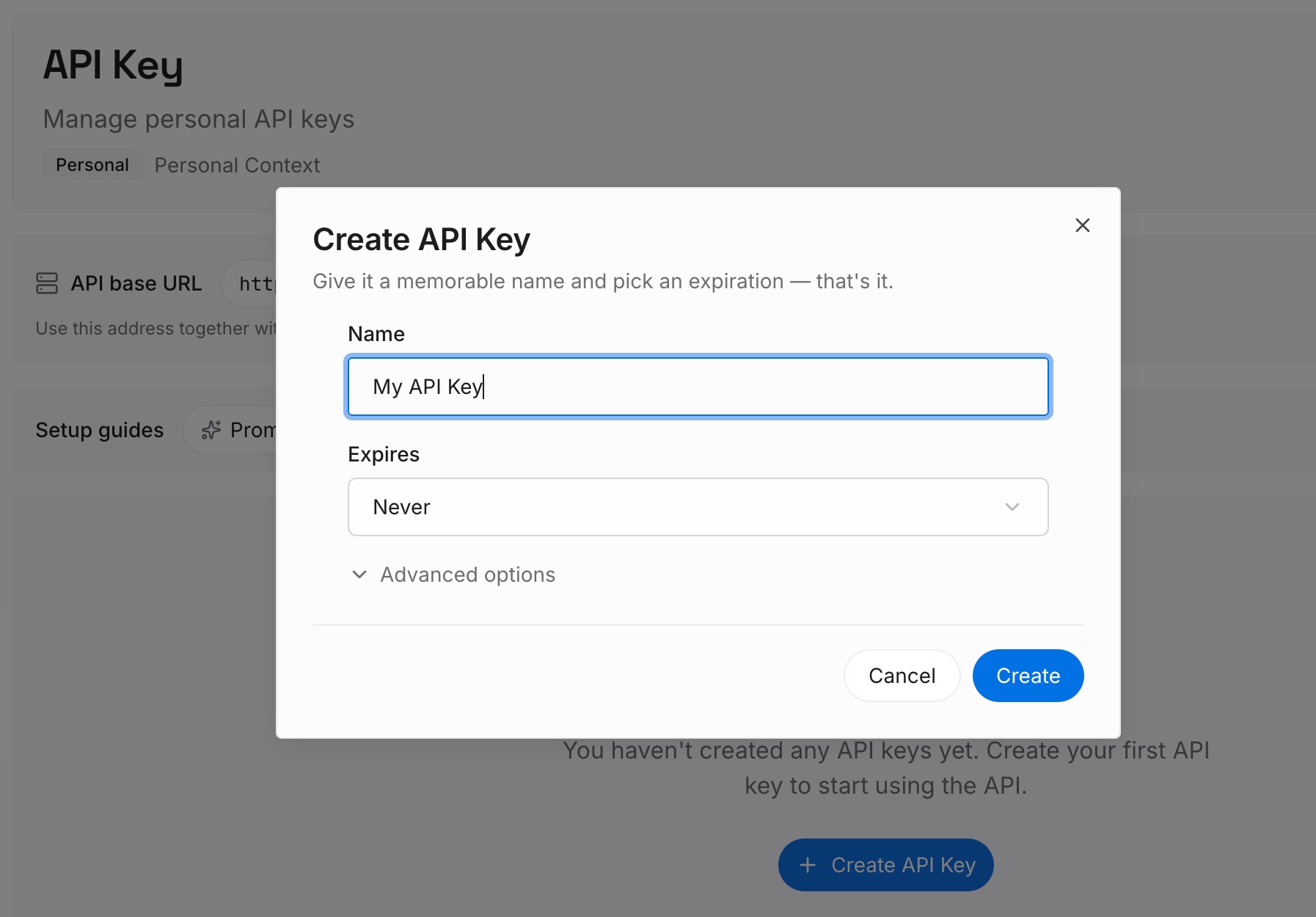
Step 1: Create an API key
Sign in and generate a key from the dashboard. The key belongs to your MemoryLake workspace, separate from any Augment or Harness account.
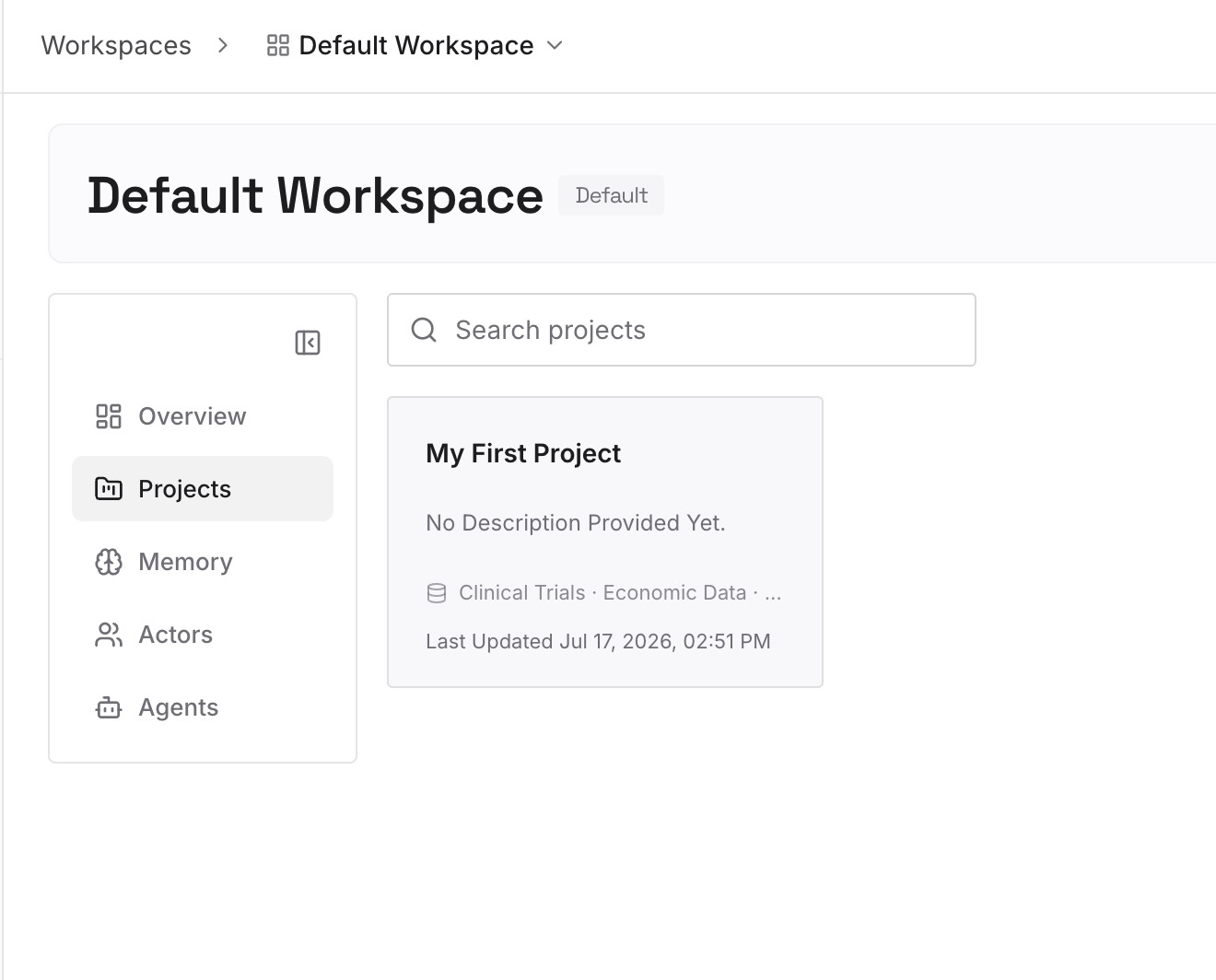
Step 2: Upload your first memories
Start with the cross-repository lessons you sorted out of your Expert memory in Step 2, and the personal preferences that are not specific to one codebase. One decision or preference per entry, dated.
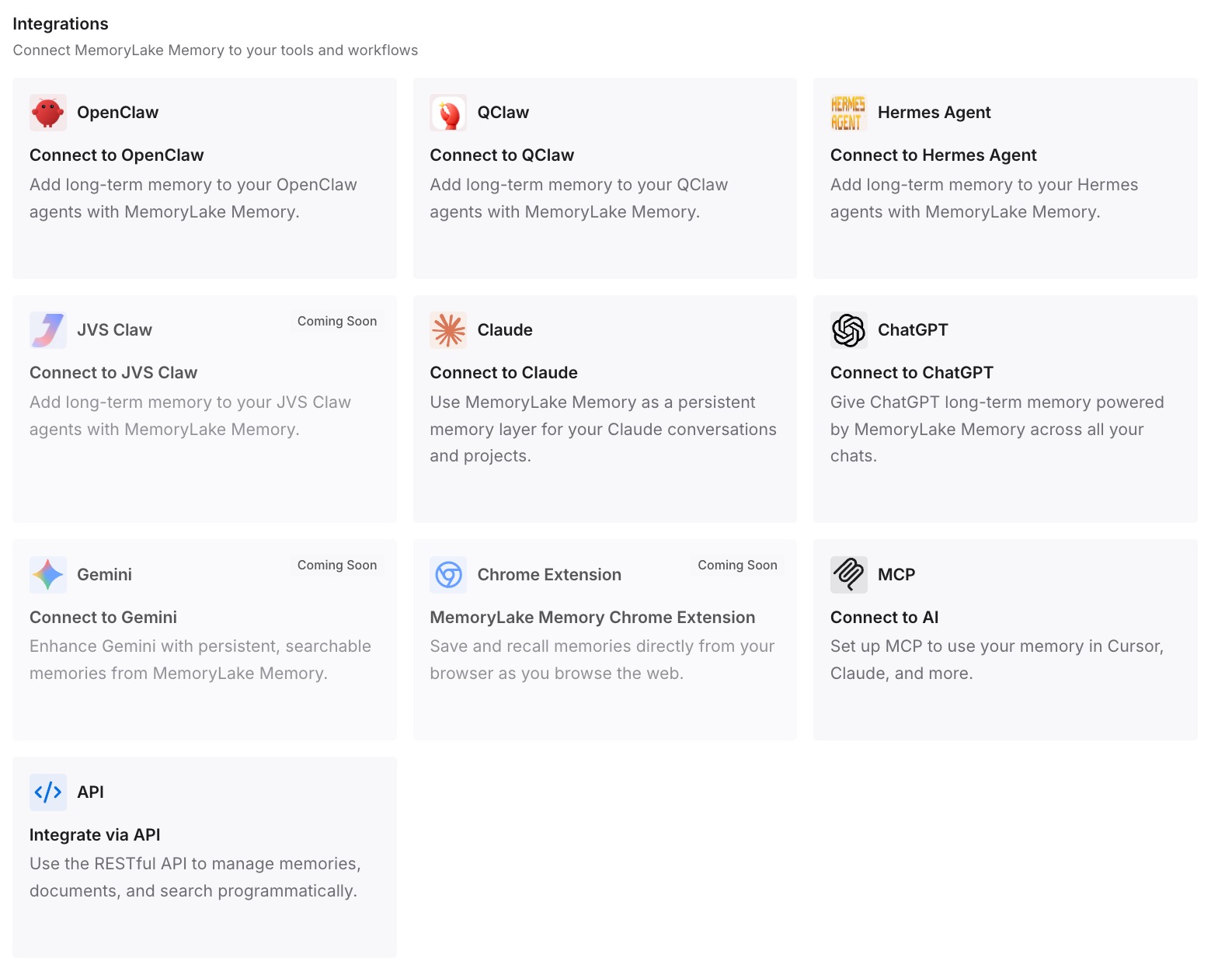
Step 3: Connect your AI & agents
Connect the coding agents and assistants you use. The same context is then available whether you stay on Cosmos, add another agent, or switch.
What this changes in practice
The first difference is a clear picture. Instead of treating everything as one undifferentiated pile of Augment context, you know which parts are in Git, which are on laptops, and which are on the platform.
The second is that the platform-held part shrinks to what it should be. Indexes are rebuilt from code. Expert memory keeps doing its job, but the lessons that matter most also exist as reviewed text in your repository.
The third is optionality. Whether you adopt Harness Cosmos, keep using Augment's tools as they evolve, or evaluate something else, your rules travel. The broader argument for keeping context portable is laid out in is AI memory a feature or a lock-in.
The fourth is resilience to the next change, whatever it is. Acquisitions, renames and pricing changes are normal in this category. Teams whose context lives in files they control treat them as procurement questions rather than knowledge-loss events.
Best practices for Augment teams after the Harness deal
Inventory before you act. List repository rules, local guidelines, and platform-held context separately.
Read your Expert memory now. It is Markdown and reviewable. Promote durable lessons into the repository.
Prefer tool-neutral files for shared rules. AGENTS.md and CLAUDE.md work in Augment and beyond.
Move team conventions out of personal guidelines. Personal files leave with the person.
Do not try to preserve the index. It is rebuilt from your code by whichever tool you use.
Confirm account details directly. Ask Harness or Augment about workspaces, data handling and extensions rather than inferring from the press release.
Compare options with clear criteria. If you are reviewing alternatives, the best codebase memory tools for engineering teams lists what to evaluate.
Conclusion
Harness has acquired Cosmos, the Auggie CLI, the Code Context Engine and related technology, and the team behind them. The announcement describes a future in which code context and delivery context are connected, and it tells existing customers they can adopt Harness Cosmos, keep their preferred tools, or use both.
What it does not yet spell out is how existing workspaces, indexes and Expert memories carry over. You do not need that answer to protect your context. Rules and workspace guidelines are already in your repository. User guidelines and user rules are files on your machine. The index can be rebuilt. The piece worth acting on is Expert memory: read it, keep what has earned its place, and write it into files your team owns.
Do that, and the acquisition becomes a question about tools rather than a question about what your team knows.