
What ChatGPT memory is
OpenAI's overview is short: "When Memory is enabled, ChatGPT can remember relevant preferences and details from your chats and other available sources."
The article then lists those sources. Depending on your plan and region, they can include:
- past chats
- saved memories
- custom instructions
- saved files available through Library or Space
- content from connected apps, such as Gmail
Two lines in the same section set expectations. First: "Memory does not retain every detail from every conversation." Second: "ChatGPT decides which available information is relevant to a response, and Memory can change as your context changes."
So memory isn't a transcript of everything you've said. It's ChatGPT drawing on whichever of those sources seems relevant to the question in front of it.
Saved memories
Saved memories are the most explicit part. OpenAI defines them as "details that you explicitly ask ChatGPT to remember or that ChatGPT saves as useful context when that behavior is available."
The key fact about saved memories is where they live: "Saved memories are stored separately from chat history." That's why deleting a chat doesn't necessarily remove something ChatGPT saved from it. The article says: "Deleting the original chat does not automatically delete a separate saved memory."
It works the other way too. Deleting a saved memory "prevents it from being used in future personalization, but it does not remove mentions of that information from past conversations."
Depending on your plan and platform, the saved-memory controls can include search, sorting, automatic prioritization, and version history. We covered how to change a saved memory in our guide to updating ChatGPT memory.
Reference chat history
The second main source is your past conversations. If your settings include Reference chat history, turning it on "lets ChatGPT use relevant information from past conversations to personalize future responses."
This is the part that can explain the half marathon. You never asked ChatGPT to remember it, but it came up in a chat, and ChatGPT drew on it later.
It behaves differently from saved memories. OpenAI says: "Unlike an explicit saved memory, information derived from chat history can change as ChatGPT updates what is most useful to remember."
There's also no fixed cap: "There is no separate storage limit for what ChatGPT can reference through chat history."
The two settings are linked. If your account has a Reference saved memories setting, turning it off also turns off Reference chat history. Turning off Reference chat history, on the other hand, doesn't delete your saved memories. When you turn it off, OpenAI says "information remembered from past chats is scheduled for deletion from OpenAI systems within 30 days", while the chats themselves stay in your history.
And ChatGPT doesn't check your history every time. The FAQ says: "ChatGPT looks for relevant context when it is likely to improve a response."
For more on this setting, see our guide to ChatGPT's Reference chat history.
Improved memory and the legacy experience
Not every account sees the same memory screen. OpenAI describes two experiences: "Improved Memory continually updates a broader summary of relevant context. Legacy saved memories use a more explicit list of individual memory items."
Where the option is available, you can switch between them in Settings > Personalization > Memory. Switching doesn't delete your chat history.
That's why controls vary from account to account. The article lists the controls you might see as Memory, Reference saved memories, Reference chat history, Memory summary, Manage, or Saved memories. It adds: "If a setting described here is not visible, it may not be available for your account yet."
Custom instructions are not memory
Custom instructions feed into personalization, but OpenAI treats them as a separate thing. The FAQ answers the question directly: "Custom instructions are direct guidance that you provide about what ChatGPT should know and how it should respond. Memory can use relevant information that develops across conversations and other available sources."
The practical difference is who writes it. You write custom instructions and they apply to every chat. Memory develops from what you share and what ChatGPT decides is useful.
Custom instructions also have a length limit. OpenAI says Free and Go users can save up to 1,500 characters, and Plus, Pro, Enterprise, Business, and Education users up to 5,000.
How projects change what memory can see
Projects can use one of two memory settings, chosen when you create the project and changeable later.
Default memory. Your saved memories are referenced, and chats can draw on other conversations in the same project. Whether they can reach conversations outside the project depends on your plan.
Project-only memory. OpenAI lists what changes:
- "Your previously saved memories are not referenced in project chats."
- "Chats can reference other conversations within the same project."
- "Chats cannot reference conversations outside the project, such as general ChatGPT conversations or conversations in another project."
- "Chats outside the project cannot reference conversations from the project."
Shared projects always use project-only memory. OpenAI says they "cannot be switched to default memory" and don't have access to an individual member's context, custom instructions, or memories outside the project.
Changing a project's setting isn't instant. The projects article notes: "Changes may take a few hours to take effect."
Temporary chats and locked chats
Temporary chats don't add to memory. You choose before the first message whether the chat is Personalized, which can use existing memories, custom instructions, and plugins, or Unpersonalized. Either way, OpenAI says: "Temporary chats do not create or update memories, even with personalization on."
That changes if you save one. Saving converts it to a regular chat, and "If Memory is on, ChatGPT may use the saved conversation to personalize future responses."
Locked chats work in one direction. Locked chats can use relevant information from regular Memory, but "New messages sent while a chat is locked do not personalize regular chats." After a permanent unlock, the whole conversation may be used for regular Memory if your settings allow it.
How to check what ChatGPT remembers
OpenAI gives you three ways to look.
The memory summary. It's "a high-level view of information that ChatGPT may use to personalize responses." It isn't complete. The FAQ says the summary "may omit details that are less relevant, unsuitable for the summary, or derived from sources that are not displayed individually."
Sources. When ChatGPT uses personal context, Sources may appear below the response, pointing to a past chat, saved memory, custom instruction, file, or connected email. The article cautions: "Sources may not show every factor that shaped a response."
Asking. You can ask ChatGPT what it remembers about you.
From the summary, you can correct something, or select Don't mention this again. That option "reduces future references to the information. It does not delete the original source."
How to remove something completely
Because memory has several sources, removing a detail means removing it from each one. OpenAI's list is:
- the memory summary
- saved memories
- regular and archived chats
- saved files available through Library or Space
- connected apps
The article adds two timing notes: "It can take time for deletion and Memory updates to propagate", and "OpenAI may retain logs of deleted saved memories for up to 30 days for safety and debugging purposes."
Turning memory off isn't the same as deleting. OpenAI says: "Turning off Memory does not delete your past chats." If you turn Memory back on later, ChatGPT may create new remembered information from chats still in your history.
We went through the deletion layers one by one in our guide to whether ChatGPT remembers deleted chats.
Where your dot's memory fits
If you have a dot, it has its own memory. OpenAI says: "This memory stays on even if you turn off Memory in ChatGPT."
Turning off ChatGPT Memory stops your dot from receiving new memories from your ChatGPT chats and files, but "It can still remember details from conversations you have with it directly."
What people try first
Expecting the summary to show everything. It's a high-level view and can leave details out.
Deleting a chat to remove a memory. A saved memory made from that chat is stored separately.
Turning memory off to erase it. Turning it off doesn't delete past chats.
Using Don't mention this again as a delete. It reduces references but keeps the source.
Assuming project chats see everything. Project-only memory and shared projects limit what chats can reach.
The Fix: Decide what ChatGPT should remember
Step 1: Check your memory settings
Open Settings > Personalization > Memory and note which controls your account shows.
Step 2: Review the summary and saved memories
Correct anything outdated and delete what you don't want used.
Step 3: Set memory per project
Use project-only memory for work that shouldn't mix with your other chats.
Step 4: Write down the context you want everywhere
List the preferences and facts you'd want any assistant to know, in your own words.
Setting this up in MemoryLake
ChatGPT's memory is built from several sources and decides for itself what's relevant. That's useful inside ChatGPT, but it means the picture it holds of you can be hard to see in full, and it stays in ChatGPT.
MemoryLake is a memory layer for the context you choose to keep, in one place you maintain and available to the assistants you connect, such as ChatGPT, Claude Code, and Codex.
You write the entries yourself, in your own words. Nothing is read out of, written to, or deleted from your ChatGPT chats, your saved memories, your memory summary, your custom instructions, your dot, or any vendor's store. ChatGPT memory works the way OpenAI describes it.
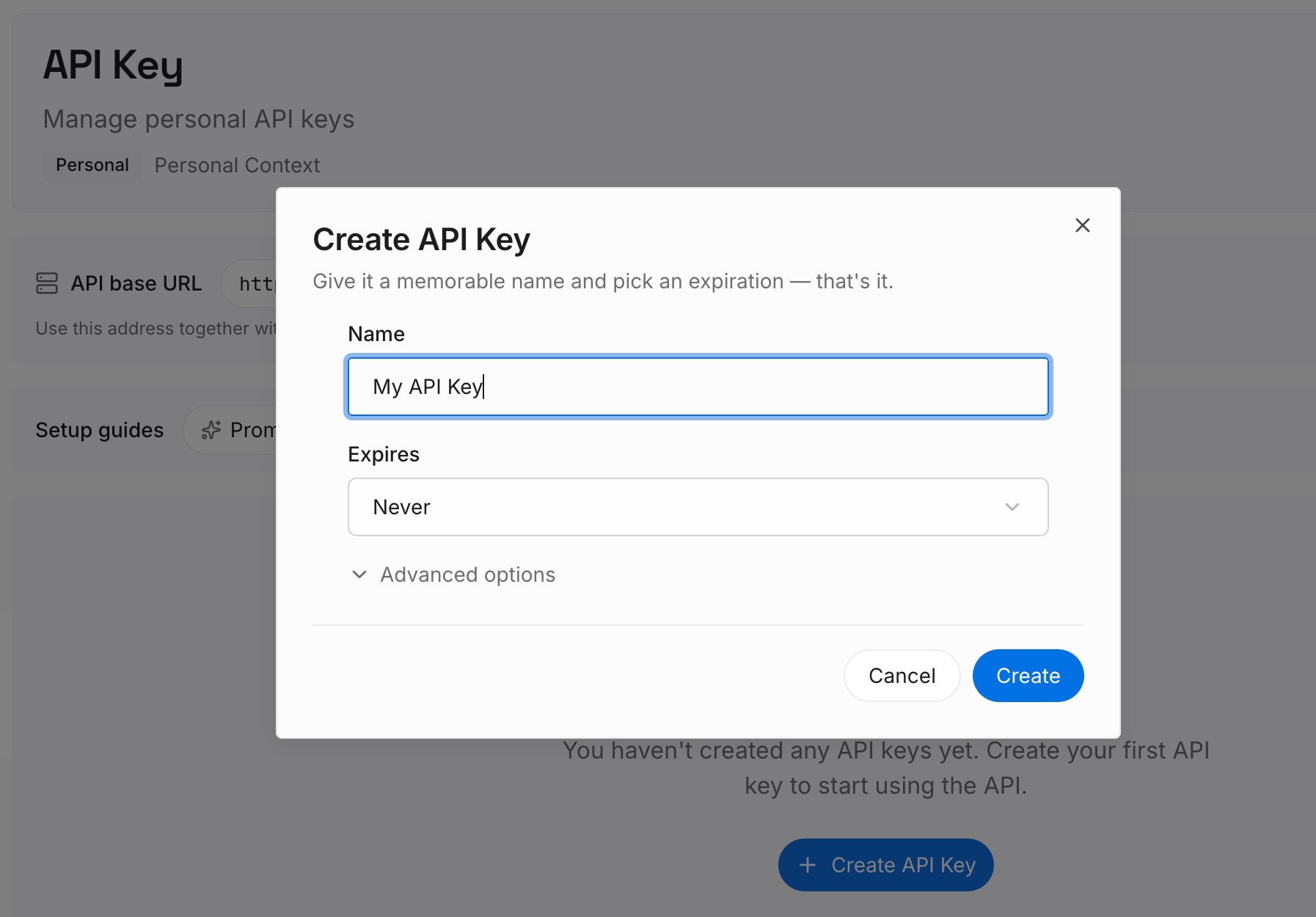
Step 1: Create an API key
Sign in and generate a key from the dashboard. Keep it somewhere private.
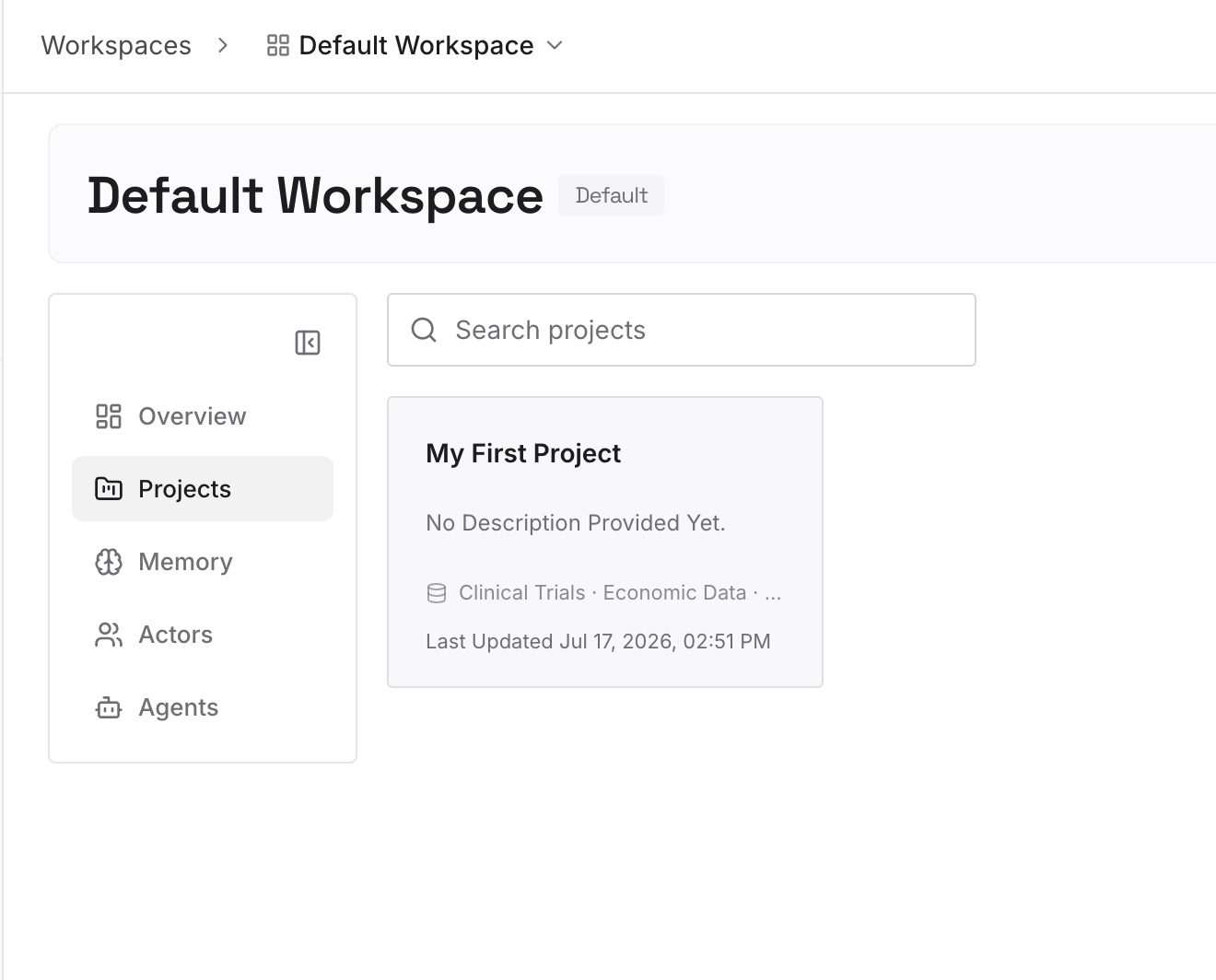
Step 2: Upload your first memories
Start with what you wrote in Step 4 of the fix: the preferences and facts you want any assistant to know. One topic per entry.
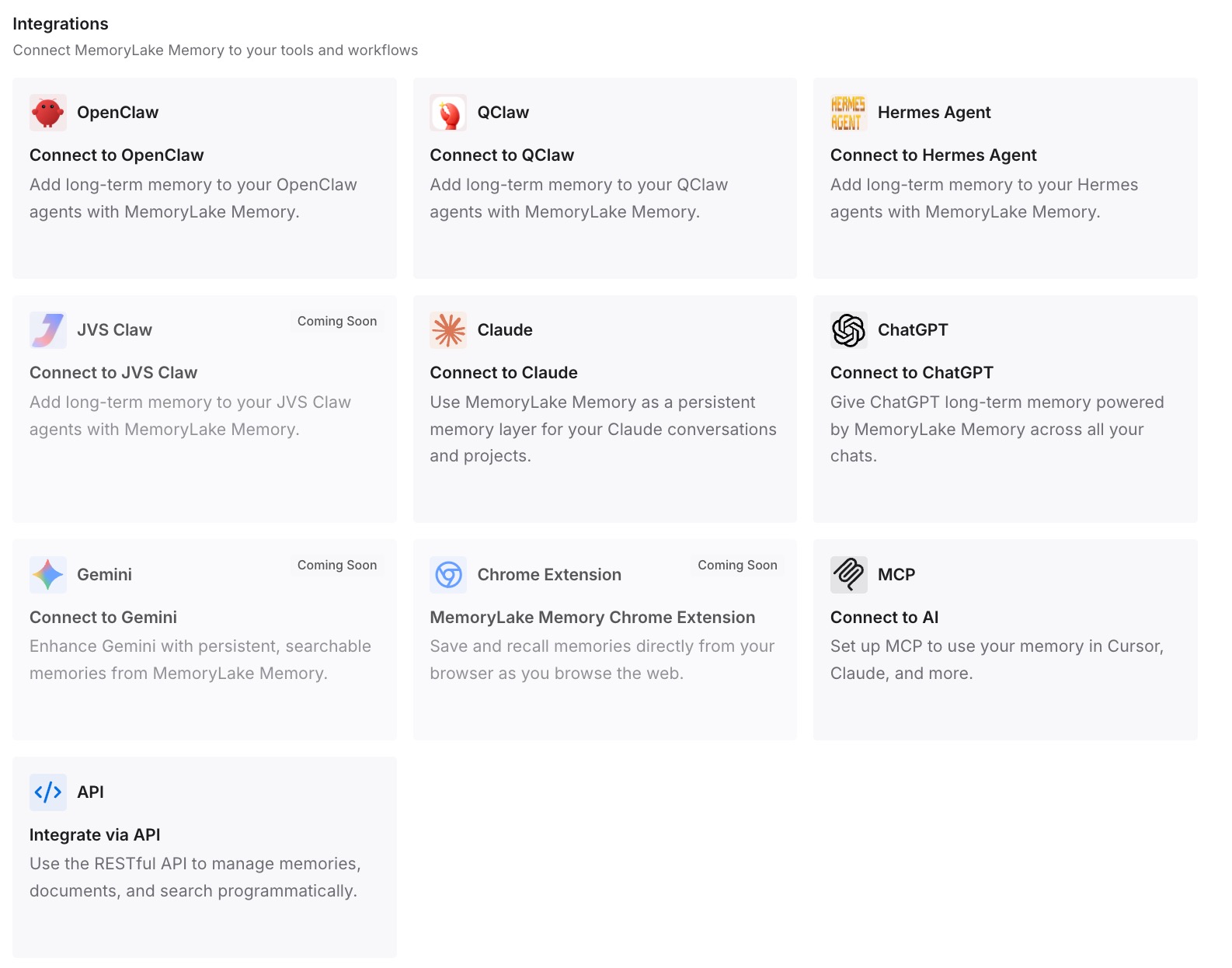
Step 3: Connect your AI & agents
Connect ChatGPT, Codex, Claude Code, and the other assistants you use, so each starts from the same notes.
What this changes in practice
The first difference is visibility. You can read every entry, because you wrote it.
The second is control. Removing something means editing one entry, not five sources.
The third is portability. The same context is available in other assistants, not only ChatGPT.
Best practices for ChatGPT memory
Know your sources. Memory can draw on chats, saved memories, instructions, files, and apps.
Use custom instructions for how to answer. Use memory for what ChatGPT should know.
Check Sources on personal answers. They show some of what shaped a response.
Use project-only memory for separate work. It keeps a project's chats apart.
Use temporary chats for one-offs. They don't create or update memories.
Delete from every source. One deletion may not cover every source.
Conclusion
ChatGPT memory draws on several sources: past chats, saved memories, custom instructions, saved files, and connected apps. Saved memories are explicit and stored separately from chat history. Reference chat history lets ChatGPT draw on past conversations and changes over time. Custom instructions are guidance you write, which OpenAI treats as separate from memory.
Projects, temporary chats, and locked chats each limit what memory can see or create. The memory summary and Sources show part of what ChatGPT remembers, not all of it, and removing a detail means removing it from each source. Your dot keeps its own memory even when ChatGPT Memory is off.