
Two features: chat search and memory
Anthropic's article starts by separating them.
Chat search. "You can prompt Claude to search through your previous conversations to find relevant information across sessions and reference specific details when needed." It's available on paid plans, and Claude's searches "will appear as tool calls during your conversations."
Memory. "Claude can generate memory based on your chats." Anthropic describes the effect: "With the addition of memory, Claude transforms from a stateless chat interface into a knowledgeable collaborator that builds understanding over time."
The difference matters. Search looks things up in your chat history when you ask. Memory is a set of saved topics Claude uses without being asked.
Who has memory on by default
Anthropic's article says: "Memory is on by default for Free, Pro, Max, and Ultra plans on the web, Claude Desktop, and Claude Mobile."
Team and Enterprise plans work differently. The article says: "On Team and Enterprise plans, owners control whether memory is available." In most organizations created on or after October 31, 2026, memory starts on for each member unless they turned it off before. In older organizations, it's off until each member turns it on.
How Claude saves memory
Claude doesn't summarize your chats after the fact. Anthropic's article says: "Claude saves memory as a set of individual topics as you chat, rather than summarizing conversations after they end."
It gives an example: "Mention that a deadline moved, and your next conversation already knows."
You can also save something on purpose. The article says Claude saves on its own, and that you can also ask Claude to remember something to save it directly.
That explains the launch date in the opening example. It was saved as a topic during the chat where you mentioned it.
What Claude remembers
Anthropic lists the everyday context memory is built for:
- Your role, projects, and professional context
- The people and places in your work and life
- Communication preferences and working style
- Technical preferences and coding style
- Project details and ongoing work
What Claude leaves out
Sensitive topics, by default. Anthropic's article says: "By default, Claude does not store topics related to personal or sensitive subject matter, like your health, race, ethnicity, religious beliefs, politics, gender identity, and other similar areas."
You can choose to include them with Include sensitive topics in memory in Settings > Your Claude. Anthropic notes that once it's on, "Anything from before you turned it on isn't saved retroactively", and that if you turn the setting off later, "Claude removes any sensitive items already saved to memory."
Some information, always. The article says: "Some information is never saved to memory, even if you ask. This includes government ID numbers, criminal history, financial account numbers, and immigration status."
Incognito chats. These aren't saved to memory or your chat history.
Chats with memory turned off. Claude doesn't use or add to memory in those chats.
Chats that used Personal Finance. Anthropic says that once Claude has used your linked accounts in Personal Finance in a chat, "it's designed not to save anything from that chat to memory or search that chat later."
How project memory works
Projects have their own memory. Anthropic's article says: "Each project has its own memory."
Inside a project, Claude combines two sources: "While working in a project, Claude uses the project's memory alongside your memory from chats outside of projects, but not memory from other projects."
New memory from a project is saved to that project, and if you have memory turned on, Claude can reference it outside projects too. To keep a project fully separate, the article says to turn off Use account memory under Memory on the project's page.
That explains the opening example as well. The project knew things from its own memory that your other chats didn't.
Memory across chat and Cowork
Memory isn't limited to chat. Anthropic's article says: "Memory is shared between Chat and Claude Cowork when Cowork runs in the cloud; Cowork sessions that run locally on your computer don't use memory."
It gives an example: "ask Cowork to draft an update for your manager, and it already knows who that is and how they like updates written."
Claude Duet, a research preview, also uses and adds to your memory, according to the same article.
Turn memory off for one chat
You can keep memory on and skip it for a single conversation. Anthropic's article says: "Claude won't use what it remembers about you in that chat, and nothing from the chat is saved to memory."
On the web and in Claude Desktop, start a new chat, click + in the message box, and click Memory to turn it off, then send your first message. The setting is fixed once the chat starts: "Once the chat starts, the setting can't be changed."
This differs from incognito. Anthropic says a chat with memory off "stays in your chat history and Claude can still find it when searching past chats from your other conversations." An incognito chat isn't saved to your history.
Turn memory off for your account
Go to Settings > Your Claude (or Settings > Memory in the older layout). Turning off Generate memory from chats gives you two choices.
Pause memory. Anthropic says Claude "keeps its existing memory, including sensitive topics if you have it turned on, but won't use memory or make new memories." Conversations while memory is paused won't be added later.
Reset memory. This "Permanently deletes all memories including project memories." Anthropic adds that it "cannot be undone."
Choose pause if you might want your memory back. Choose reset only if you want it gone.
See and edit what Claude remembers
Anthropic's article says you can see exactly what Claude remembers about you in Settings > Your Claude by selecting Manage next to Your memory.
Everything is listed under Topics. Select a topic to read it, use the edit icon to change it, or delete it. The article says: "Fix something in one topic and the change applies to every conversation from then on."
You can also correct memory from a chat: "Tell Claude what you'd like it to remember, change, or forget, and the update applies to your next conversation."
We went through each setting on that page in our guide to Claude's memory settings.
What happens when you delete a chat
Deleting a chat doesn't delete what Claude learned from it. Anthropic's article says: "When a conversation is deleted, including under a retention period, memory entries generated from it aren't removed, but you can delete individual memories while memory is on."
So if you want something forgotten, delete the chat and also check the matching topic under Manage.
Memory is included in exports. The article says: "All memory data is included in data exports."
Bring memory in from another assistant
Claude can import memory from other AI services. Anthropic's import article says you can "import memories from other AI providers into Claude, or export your Claude memory for backup or migration."
It adds a caution: "Claude's memory is designed to focus on work-related topics to enhance its effectiveness as a collaborator. As a result, Claude may not retain imported personal details unrelated to work."
Team and Enterprise controls
Owners and Primary Owners control memory for the organization. Anthropic's article says: "Owners can't turn memory on for individual users."
Owners also can't see your memories: "Owners can't view or edit a user's individual memories."
And turning memory off for the organization pauses rather than deletes: "Turning off memory at the organization level doesn't delete existing memory entries."
What people try first
Deleting a chat to make Claude forget. The memory entries stay. Delete the topic too.
Using incognito to skip memory but keep the chat. Turn memory off for that chat instead.
Expecting health details to be remembered. Sensitive topics are left out unless you opt in.
Resetting when a pause would do. Reset permanently deletes all memories, including project memories.
Assuming projects share memory. Each project keeps its own.
The Fix: Make Claude's memory work for you
Step 1: Read your topics
Open Manage next to Your memory and read what Claude has saved.
Step 2: Correct or delete what's wrong
Edit outdated topics and delete anything you don't want kept.
Step 3: Separate projects that need it
Turn off Use account memory on projects that should stay separate.
Step 4: Write down what you want every tool to know
Note your role, projects, and preferences in your own words.
Setting this up in MemoryLake
Claude's memory is built from your chats and kept in Claude. The parts that matter most, such as your projects, your preferences, and the decisions behind your work, are also useful in other assistants, written once and kept current by you.
MemoryLake is a memory layer for that kind of context, kept in one place you maintain and available to the assistants you connect, such as ChatGPT, Claude Code, and Codex.
You write the entries yourself, in your own words. Nothing is read out of, written to, or deleted from your Claude memory topics, your chats, your projects, your Claude settings, or any vendor's store. Claude's memory works the way Anthropic describes it.
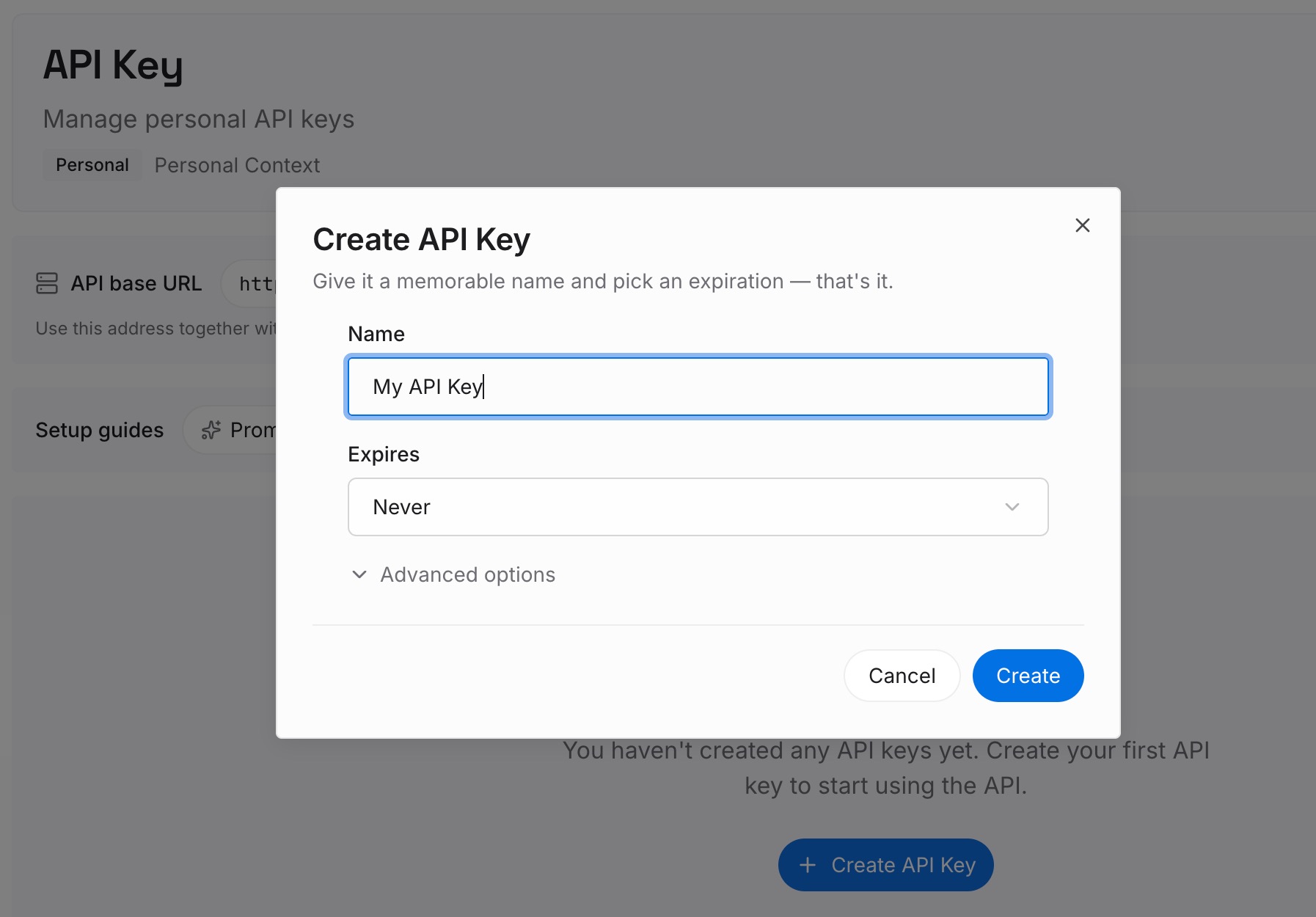
Step 1: Create an API key
Sign in and generate a key from the dashboard. Keep it somewhere private.
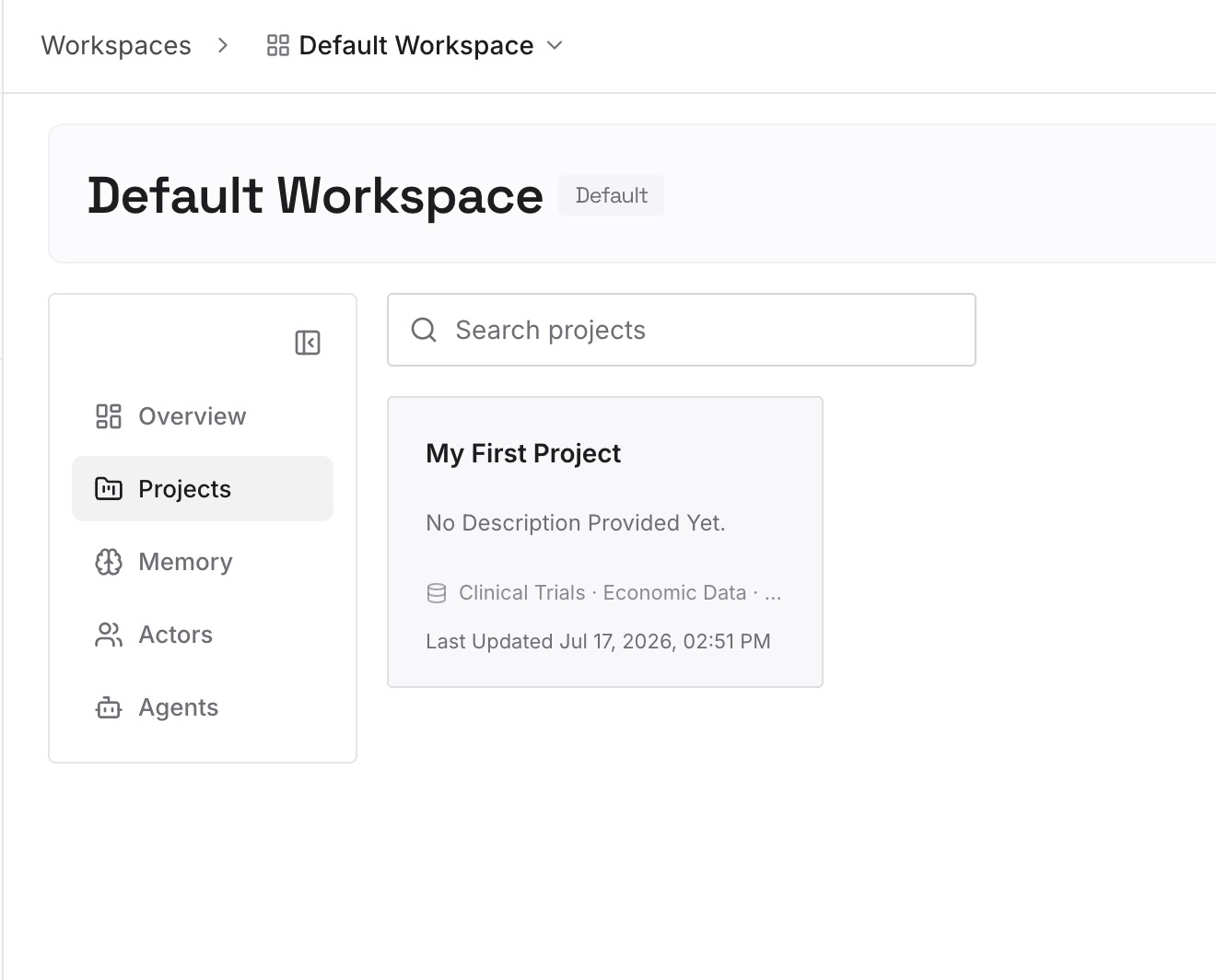
Step 2: Upload your first memories
Start with what you wrote in Step 4 of the fix: role, projects, and preferences. One topic per entry.
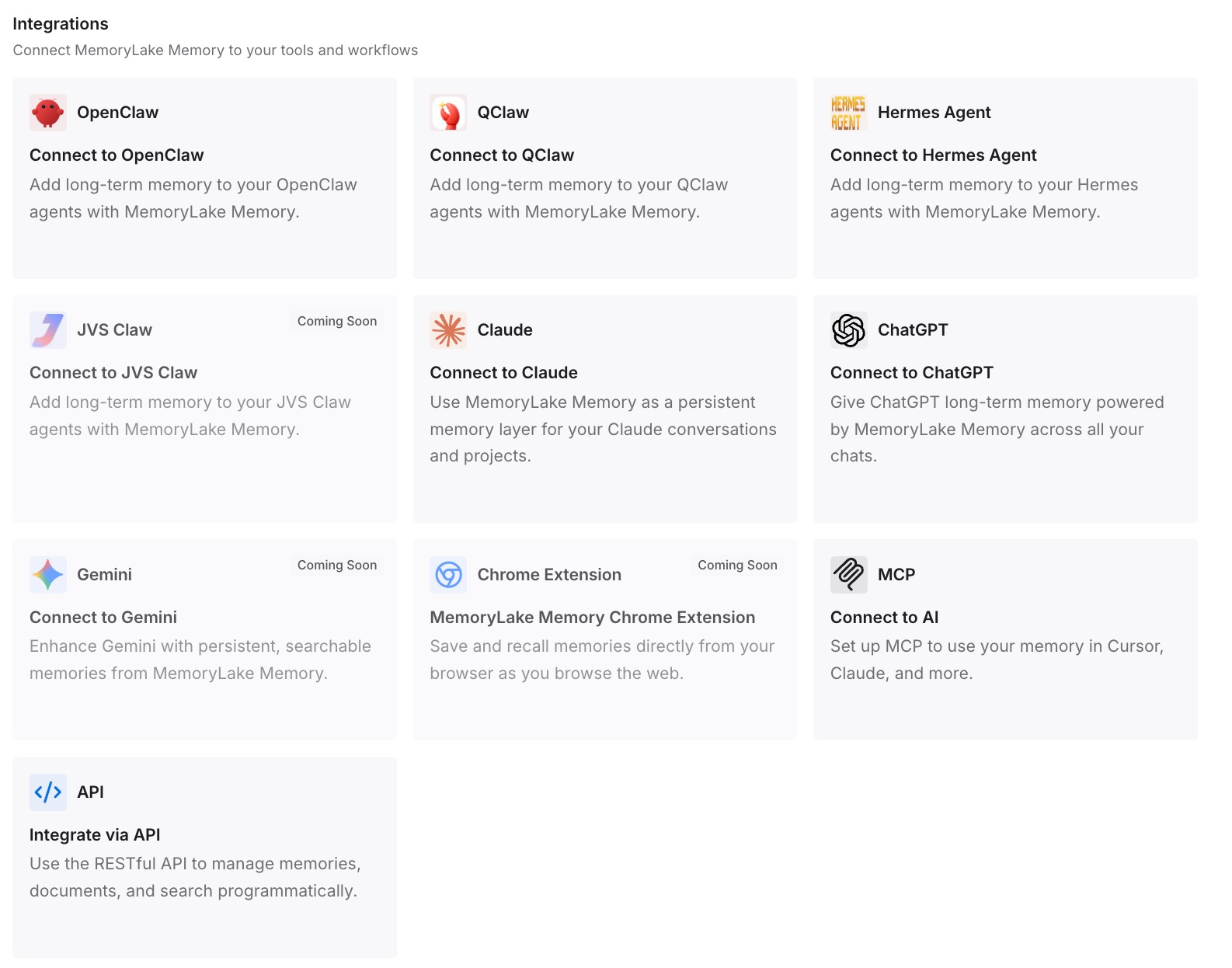
Step 3: Connect your AI & agents
Connect ChatGPT, Claude Code, Codex, and the other assistants you use, so the same context is there in each.
What this changes in practice
The first difference is a record you wrote. You know exactly what each entry says.
The second is portability. The same context works outside Claude.
The third is fewer surprises. Deleting a chat or resetting memory in one app doesn't decide what the rest of your tools know.
Best practices for Claude memory
Check your topics regularly. Fix outdated entries in one place.
Delete topics, not just chats. Deleting a chat doesn't remove memory from it.
Pause before you reset. A pause keeps your memory.
Use memory-off chats for one-offs. The chat stays in your history.
Separate projects deliberately. Turn off Use account memory where needed.
Opt in to sensitive topics only if you want them. They're off by default.
Conclusion
Claude has two related features: chat search, which looks up past conversations when you ask, and memory, which saves topics as you chat and carries them into new conversations and cloud Cowork tasks. Memory is on by default on Free, Pro, Max, and Ultra plans, leaves out sensitive topics unless you opt in, and never saves items such as government ID numbers. Each project keeps its own memory alongside your account memory.
You can turn memory off for one chat from the + menu, pause or reset it for your account, and read, edit, or delete every topic under Manage. Deleting a chat doesn't remove the memories generated from it, so check your topics too. Keeping the context you care about in your own words gives you a record that works beyond Claude.