
Why a departure takes context with it
Chats become unreachable the moment the account is removed
This is the sharpest boundary, and Anthropic documents it plainly: "When a user is removed from your Team or Enterprise organization, remaining members will no longer be able to access their chats."
It applies to shared links too. The help center even gives the message people will hit: "Conversation not found. The requested conversation either doesn't exist or you don't have permission to access it." A link someone pasted into a ticket six months ago stops resolving.
The data is not gone — "the removed user's data will still be included in any data exports run by your organization's Primary Owner" — but an admin export is a compliance instrument, not a way to answer a question on a Tuesday.
Private projects stay private after the person is gone
Project visibility is decided when the project is created, and removal does not relax it. "If the project's visibility was set to private, other members of the organization will not be able to access it once the team member has been removed from the account."
The documented remedy puts the work on the person who is leaving: "If a team member knows they're working on something in a private project they want to pass on, they will need to adjust the project's permissions so either everyone in the organization can edit it, or invite specific users and grant them 'Can edit' permissions."
Which is correct as design and fragile as process. It depends on someone in their last week remembering which of their projects other people will need.
Personal memory is personal, on purpose
Claude's memory is a per-user store. On Team and Enterprise plans an owner controls whether the feature is available, and then, in Anthropic's words, "Owners can't view or edit a user's individual memories."
That is a privacy protection and it should stay one. But it means everything Claude learned about how that person's work fits together — the vocabulary, the recurring constraints, the people involved — is not organizational knowledge in any retrievable sense. There is no view where you inherit it.
The coding tools split the same way, and the split is in the paths
The pattern repeats once you know to look for it, and it is usually visible in the file path.
Claude Code loads project instructions from ./CLAUDE.md, which its own documentation describes as shared "Team members via source control." Personal instructions live at ~/.claude/CLAUDE.md, scoped to "Just you (all projects)." And auto memory — the notes Claude writes for itself about corrections and decisions — sits at ~/.claude/projects/<project>/memory/, with the explicit caveat that it "is machine-local" and that "Files are not shared across machines or cloud environments." A laptop being wiped is the end of it.
Cursor puts Project Rules in .cursor/rules and states they "are version-controlled." User Rules are personal. Team Rules are managed centrally and "included in the model context for Agent (Chat) across all repositories and projects for that team." And Plan Mode has a default worth knowing: "Plans are saved by default in your home directory. Click 'Save to workspace' to move it to your workspace for future reference, team sharing, and documentation." Every plan nobody clicked that button for is a personal file.
Cline is unusually direct about the intent. Its guidance is to use project configuration "for team-shared behavior that should travel with the repo," and "Commit .cline/ files you want to share with your team." Global rules sit outside the repo, in ~/.cline/ and ~/Documents/Cline/Rules.
Kiro separates workspace steering in .kiro/steering/ from global steering in ~/.kiro/steering/, and its Crew memory layers live under ~/.kiro/crew/workspace/memory/. Kiro Web's learned memory is scoped tighter still: "Only your feedback, as the user who created the task, influences what the agent learns."
The rule, across all four: in the repo, it survives. In a home directory or an account, it leaves.
What people try
A longer exit interview. Useful, and it captures what the person thinks to say. It does not capture the forty small constraints they stopped noticing years ago.
Exporting everything before the last day. This gets you an archive, not a resource. Anthropic notes the removed user's data stays in organization exports, and most tools have some export path. But a zip file of conversations is not something anyone queries when a question comes up.
Asking them to share their projects. Correct, and it is the documented remedy. It also requires them to predict which of their private projects someone will need next quarter, during their busiest fortnight.
Keeping the account open "just in case." Common and expensive, and it usually creates an unowned login that no offboarding checklist covers.
Re-adding them temporarily. This does work in Claude: "If a team member is removed and later added back to the same organization using the same email address, previous chats, projects, and skills will be restored." It is a real recovery path for an emergency. It is not a plan, and it is an odd thing to ask of someone who has already started somewhere else.
Writing more documentation. The right instinct with the wrong target. Docs answer a page; a question needs an answer. The gap between the two is covered in how to turn project docs into AI memory.
The Fix: Write Shared Knowledge Into a Shared Place While People Are Still There
The reframe that makes this tractable: you are not trying to recover someone's context after they go. You are trying to make sure the part that was always organizational was living somewhere organizational the whole time.
That distinction also keeps you on the right side of a line worth respecting. A departing colleague's personal memory, private projects, and unshared skills are theirs — Anthropic is explicit that unshared skills "stay on their account and remain recoverable," and that owners cannot read individual memories. None of that should be a target. What you want is the team's knowledge: the decisions, the constraints, the reasons, the things that were true of the project rather than of the person.
That is what MemoryLake holds: a shared memory layer your tools query, owned by the workspace rather than by an individual account. Setup is three steps.
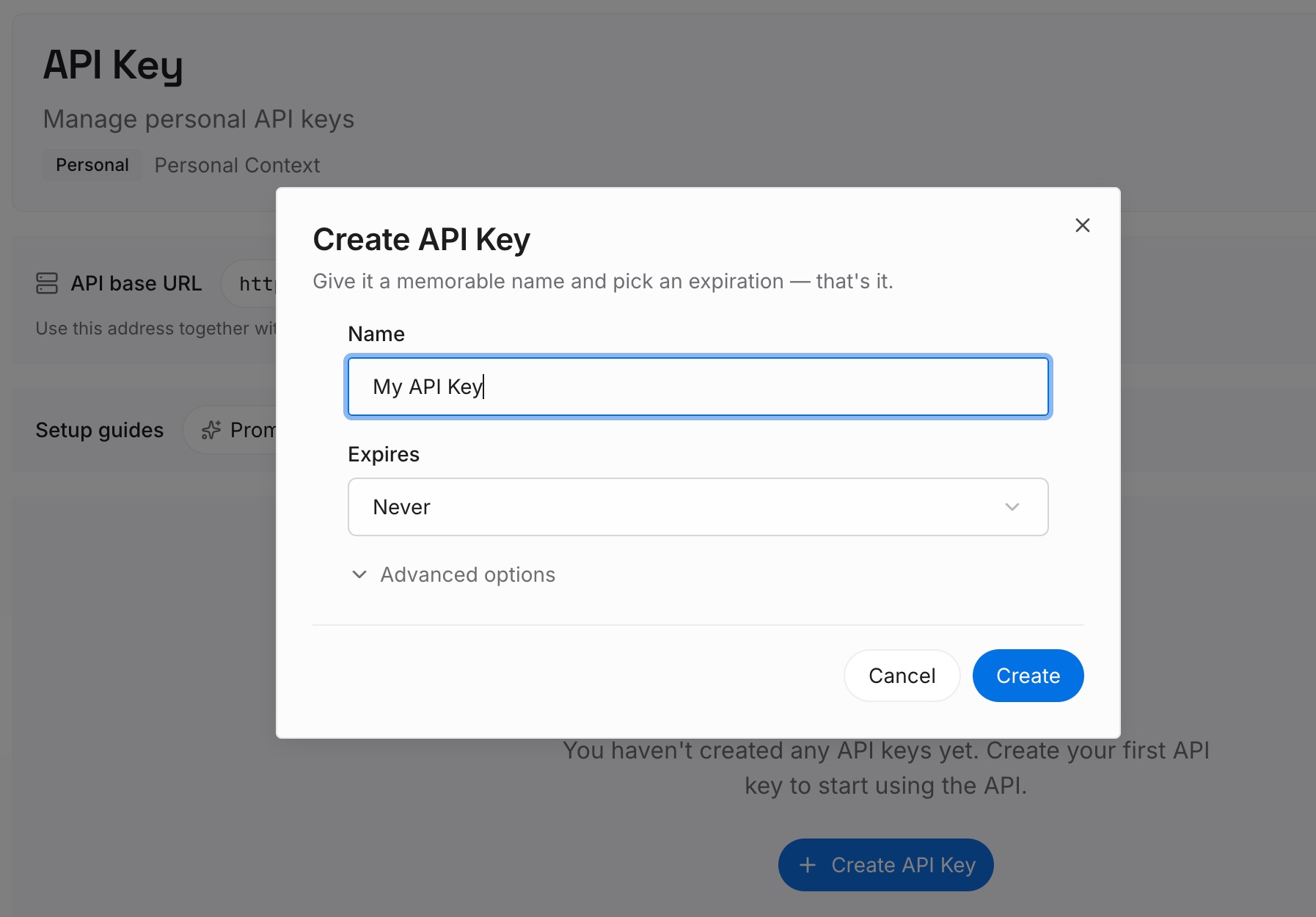
Step 1: Create an API key
Sign in and create an API key for the workspace. The credential belongs to the team, so it does not leave with a person.
Step 2: Upload your first memories
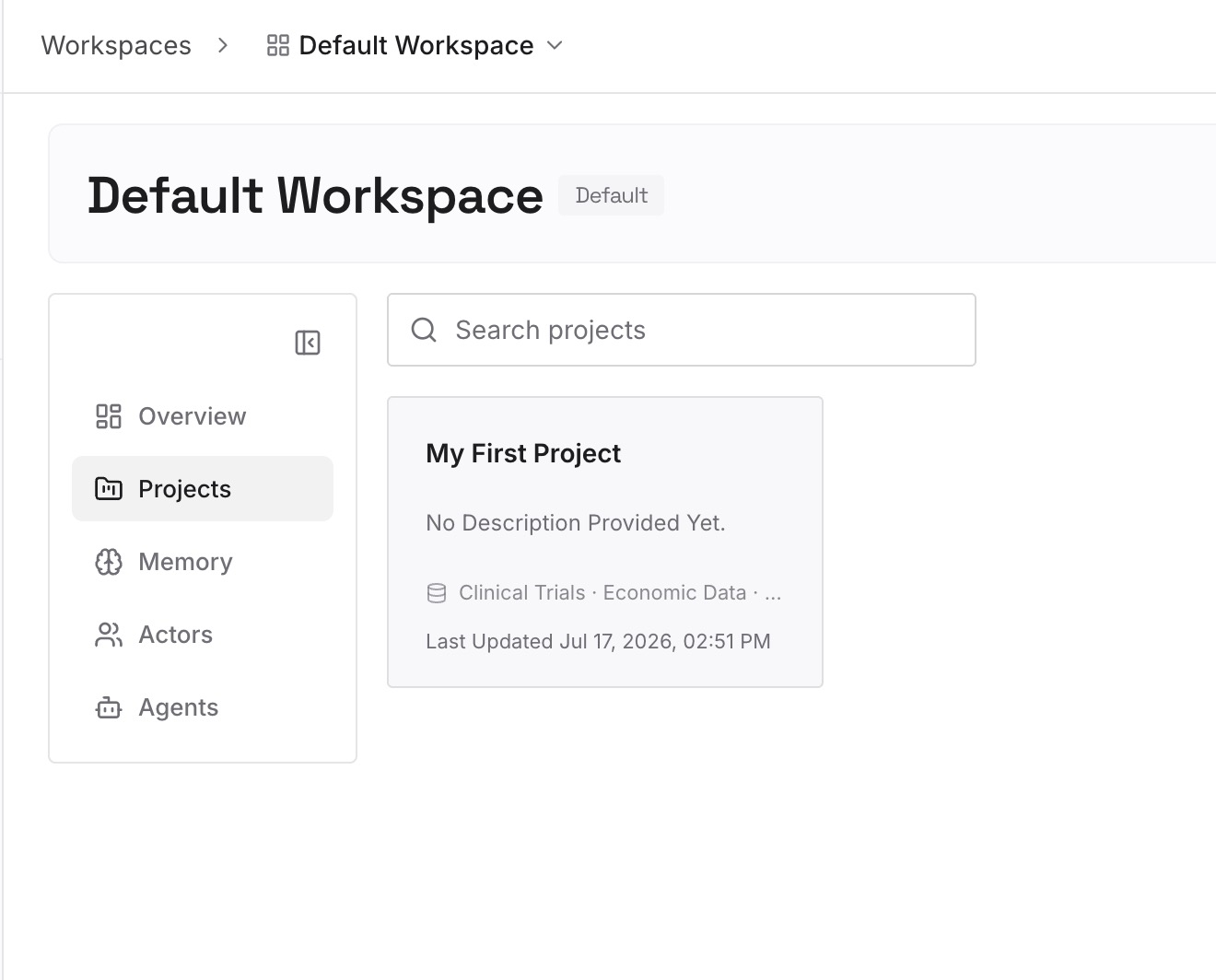
Short entries, one claim each. The highest-value pass is to sit with one person and write down what only they know. What to capture:
Decisions with the reason attached. "We shard by tenant, not by region, because the compliance review in Q1 ruled out cross-region replication." The decision is in the code; the reason is in one person's head.
Approaches already rejected here. The single most re-litigated category, and the one that appears in no document and no commit message.
Environmental facts nothing announces. The job that must run before the other one. The vendor limit nobody documented. The test that only fails in CI.
Who and what, in plain terms. Which team owns the thing that breaks. Which customer the odd workaround exists for. What the internal name of that service actually refers to.
The workarounds that are load-bearing. Every team has two or three. They are invisible until the person who maintains them leaves.
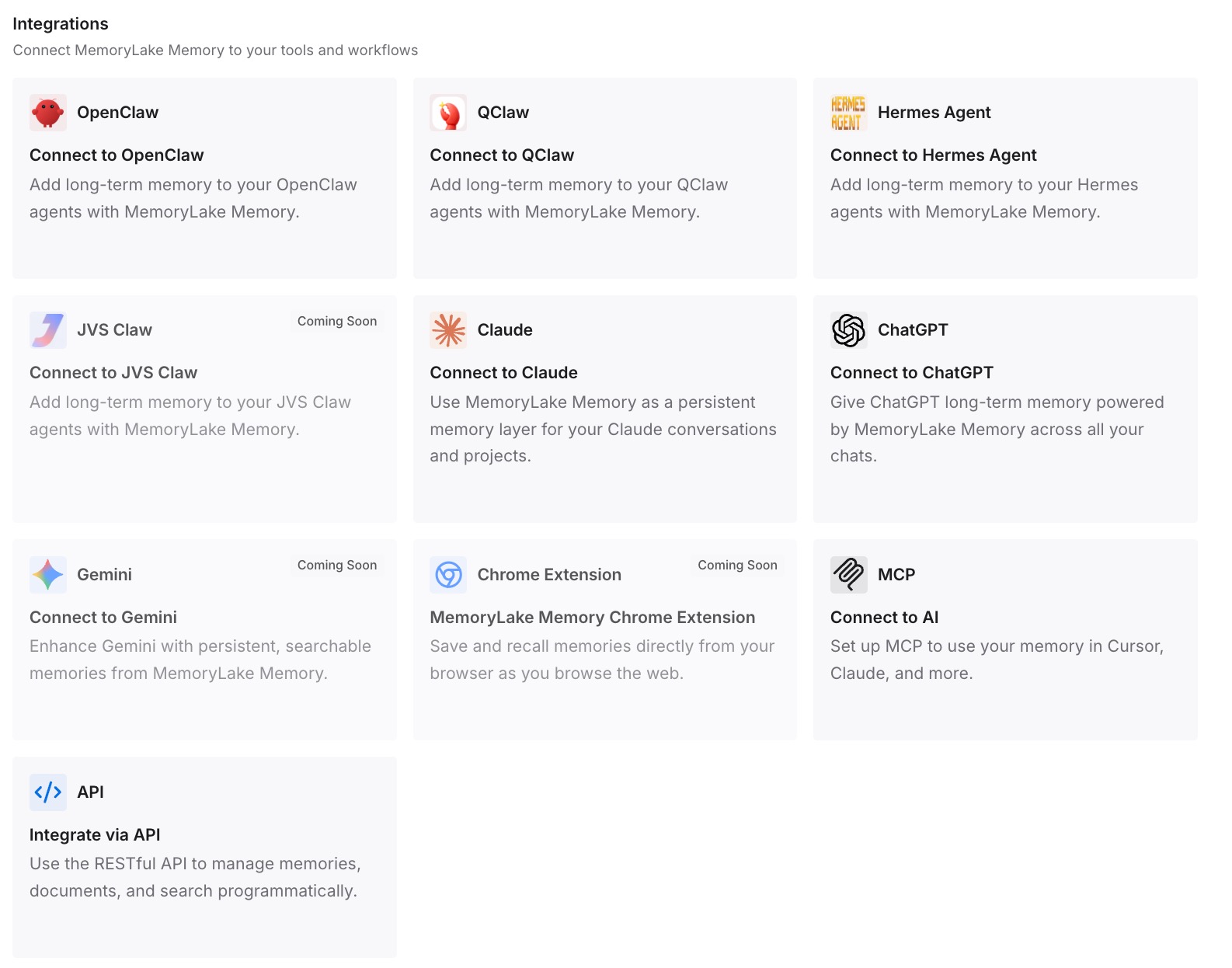
Step 3: Connect your AI & agents
Connect the tools your team uses. MemoryLake is reachable over MCP and over an API, so MCP-native agents — Claude Code, Cursor, Cline, Codex, and OpenClaw among them — connect by pointing at the MCP server, while other assistants read the same memory through the API. Which means a new hire's first week starts with the same answers the person who left had, without anyone needing access to their account. That cross-tool shape is the subject of cross-tool memory for knowledge workers.
Three honest limits. MemoryLake cannot read, recover, or import anyone's vendor-side memory, chats, or private projects — those live in each vendor's product under their access controls, and they should. It holds only what you or your agents put into it, so Step 2 is deliberate work by a person. And it is not an offboarding compliance tool: if you need a formal record of a departing employee's activity, that is an admin export under your retention policy, not a memory layer.
What this changes in practice
Offboarding stops being an extraction exercise. The knowledge was already written down somewhere the team owns.
A wiped laptop stops mattering. Machine-local auto memory was never the only copy.
"Why did we do it this way?" has an answer. Available to whoever asks, not to whoever knew whom to ask.
Onboarding gets shorter for a real reason. A new person queries the same layer, instead of interrupting four people.
Private-by-default stops being a landmine. You are not relying on someone remembering to change permissions in their last week.
Vendor memory stays personal, and that's fine. You stopped needing it to be organizational — the general distinction in what persistent memory actually means.
Best practices for keeping context through a departure
Audit where the line falls in your stack, once. For each tool, name what is in the repo and what is in a home directory or an account. It takes an hour and it is the whole diagnosis.
Default project visibility to the organization. Private should be a decision someone makes for a reason, not what happens when nobody chooses.
Make "Save to workspace" a habit, not a rescue. Cursor plans default to a home directory. So do a lot of things.
Commit the shared layer. .cursor/rules, .cline/, .kiro/steering/, ./CLAUDE.md — all of these are in-repo by design. Use them that way.
Write reasons, not just rules. A rule survives in version control. The reason it exists usually does not, and it is what stops the rule being reverted next year.
Do the knowledge pass at the start of a notice period, not the end. The last week is for logistics.
Ask what they stopped noticing. "What do you know that isn't written anywhere?" gets a shrug. "What did you have to explain to the last new person?" gets a list.
Respect what is theirs. Personal memory, unshared skills, and private projects belong to the individual. Ask them to share what the team needs; do not treat their account as an asset.
Conclusion
The reason a departure costs so much context is not deletion. It is access. Chats become unreachable the moment the account is removed — Anthropic states it directly, and even documents the error message people will see. Private projects stay private, with the documented remedy requiring the departing person to change permissions themselves. Personal memory stays personal, and owners are explicitly unable to read it. Claude Code's auto memory is machine-local and does not survive a laptop. Cursor plans default to a home directory. Kiro's Crew memory sits under a user's home path. Kiro Web only learns from the task creator's own feedback.
Every one of those is a defensible design, and several are privacy protections you would not want removed. Together they mean the same thing: the parts of your team's context that live in the repository survive a departure, and the parts that live in an account or on a laptop do not.
So make the split deliberate. Audit where the line falls in each tool you use, default projects to organization visibility, commit the shared layer, and put the decisions, reasons, and rejected approaches into a memory layer the workspace owns. Do it while people are still there — not because anyone is leaving, but because that is the only time it is easy.