
What Kiro announced
V3 isn't new. Kiro's blog post says "We introduced V3 as an opt-in experience in June", and that the company is now "preparing to make V3 the default for everyone." The prompt started on October 12, "ahead of the CLI 3.0 release by the end of October." The post adds that "This rollout applies only to Kiro CLI."
The prompt offers three choices:
- Switch to V3 and upgrade my configs: "Saves V3 as your default harness, enables automatic agent upgrades, and starts migrating your workspace and global custom agent configurations."
- Remind me later: the documentation says this "Keeps this session in V2 and shows the offer again in about seven days".
- Don't ask again: the blog is explicit that this choice doesn't opt you out. It "will not keep you on V2 and your setup will still be upgraded to V3 when CLI 3.0 is released at end of October."
You can switch back for a single launch with the V2 flag, but "The flag applies to that launch only."
CLI 3.0 also retires some things. "With CLI 3.0, we are retiring inline shell autocomplete and the CLI desktop app. We are also retiring Classic experience and focusing new capabilities on the terminal UI." The documentation lists one more difference worth knowing: "The experimental /checkpoint feature remains classic-only; V3 provides /rewind for conversation branches".
What happens to your V2 sessions
Kiro CLI saves every session automatically. Its session documentation says it "automatically saves all chat sessions on every conversation turn", and sessions are stored per directory, so each project has its own history.
V3 keeps sessions in a different place. The migration guide is direct: "V3 uses a different session store from V2. Existing V2 sessions are not converted or deleted when you try V3." It tells you how to get back to them: run the chat command with the V2 flag and the resume picker "when you need to return to a V2 session".
The other direction is closed. The V3 overview says "V2 cannot open a V3 session because the stored session formats differ; that is a cross-version migration boundary, not a missing V3 resume capability." Its table of breaking changes marks the session format change as high impact.
Here's where Kiro's sources differ. The launch blog post says "You can resume your V2 sessions in V3, but you cannot resume sessions created in V3 in V2." The migration guide describes V2 sessions as not converted and points you to the V2 flag to return to them. Both agree that V3 sessions can't go back to V2. They describe the V2-to-V3 direction differently.
These aren't necessarily in conflict. The session dashboard, which is V3-only, can search old work: "Queries of three or more characters also search indexed session content from local V2 and V3 transcripts." Finding a V2 session from V3 and continuing it in V3 may not be the same thing, and the documentation doesn't say which one the blog meant. The safe reading is the migration guide's: V2 sessions stay where they are, readable through V2, and you shouldn't count on continuing them in V3 until you've tried it with one that matters.
For conversations you can't afford to lose, the migration guide gives specific advice: "If you need an external record of an important conversation, open it with the harness that created it and run /chat save <path>. Treat the exported file as an archive unless you have verified that the target harness can load it."
The words to notice are "as an archive". An exported session preserves what was said. It doesn't put that context back in front of the agent on its own.
What the new memory learns from
V3 adds memory to the CLI. Kiro's memory page describes it plainly: "Memory lets Kiro carry useful context from one chat session to the next." It can remember "repository commands and conventions, corrections, debugging insights, approaches already ruled out, and how you prefer to work."
Two conditions shape what it learns from.
It needs V3. "Memory in Kiro CLI requires V3." The launch post describes it as learning "from your work in local V3 sessions". Nothing in the documentation describes it learning from V2 sessions, so what you taught Kiro there stays in those sessions unless you bring it forward yourself.
It needs permission. You choose an access level with the memories command: read and write, read only, or off. Only read and write lets Kiro change anything, and "Memory access changes apply when you start a new Kiro CLI session." There's also an option for automatic updates, whose help text reads "Automatically create and refine memories, including after a session ends." Workspace trust adds a limit: "Even with read & write, Kiro cannot add, change, or delete memories in a workspace you have not trusted. It can still read them."
You can review what it holds. The memories list shows each memory's type, scope, and update time, but "The list is read-only. To fix or delete a memory, ask Kiro in the chat."
Memory isn't meant to replace your rules. The documentation says "Memory adds learned context; it does not replace your current conversation, Steering, or reference material", and gives a clear instruction: "If a rule must apply consistently, write it in Steering."
One more boundary: memory is a CLI and Web feature for now. For the IDE, Kiro's memory page says "Memory support coming soon."
What else changes in the context Kiro loads
Sessions and memory are the visible changes. A few quieter ones change what the agent sees at the start of a session.
Steering inclusion modes now apply in full. Kiro's steering page says "Kiro CLI V3 supports all four inclusion modes: always, fileMatch, manual, and auto. In V1/V2, files marked always load automatically. Files marked fileMatch or manual are excluded from automatic loading". After the switch, a steering file you scoped to certain paths starts loading when you work on those paths, and files marked auto load when your request matches their description. Earlier versions of this page described CLI inclusion modes differently, and our earlier guide to splitting steering files between the IDE and CLI was written against that version. Check your steering front matter against current behavior.
AGENTS.md reaches deeper. The launch post notes you can "place AGENTS.md files in subdirectories, not just the repository root," and the steering page confirms they're "discovered in subdirectories throughout your workspace." AGENTS.md files don't support inclusion modes; they're always included.
Custom agents keep their context fields. The upgrade documentation says "All other fields (name, description, model, prompt, resources, mcpServers, welcomeMessage) pass through unchanged." Kiro's steering docs add a related point: "When using custom agents, steering files are not automatically included. You must explicitly add them to the agent's resources configuration to load steering context." That rule still applies after the upgrade.
Some hooks don't make it. The blog says "Hooks that cannot be converted are left out of the V3 configuration and reported as warnings." The hooks migration page says the converter "drops a Hook that V3 cannot represent and reports a warning instead of writing an invalid profile." If you used a hook at agent start to inject project context, check that it came through as a SessionStart hook. A dropped context hook doesn't stop Kiro from working. The context just isn't there.
Hand edits can be overwritten. This is the one most likely to catch careful users. "If you edit generated V3 fields by hand, Kiro stops refreshing them automatically." The agent then appears as out of sync, and "Selecting that group rebuilds V3 from the V2 settings and overwrites your manual V3 edits." Kiro keeps a backup when it does, but it's worth knowing before you start tuning.
What people assume instead
Assuming Don't ask again keeps you on V2. It stops the prompt. CLI 3.0 upgrades your setup anyway.
Assuming V3 starts where V2 left off. New sessions start from your steering, AGENTS.md files, and whatever memory V3 has learned, which starts with your V3 work.
Assuming an exported session restores context. Kiro calls it an archive unless you've verified the target can load it.
Assuming memory replaces steering. Kiro says rules that must apply consistently belong in steering.
Assuming the upgrade carries every hook. Hooks that can't be converted are left out with a warning.
The Fix: Save what matters from V2, upgrade with the warnings in view, then decide what memory should learn
Step 1: Close out the V2 sessions you still depend on
List your recent V2 sessions per project and pick the ones with unfinished work or decisions you'd struggle to reconstruct. Finish them in V2 if you can. For the rest, save an external copy with the chat save command from V2, as the migration guide suggests, and keep a copy of your Kiro home directory before you switch. Kiro's permissions page names ~/.kiro/sessions/ as the default session store and ~/.kiro/memories/ as the memory database.
Then pull the conclusions out of those sessions: the decisions, the approaches you ruled out, the conventions you settled on. That's the part Kiro's documentation doesn't describe V3's memory picking up from V2.
Step 2: Upgrade your agents with a dry run, then read every warning
If your team keeps agents in a repository, preview the directory upgrade first. Kiro's post says to run it with the dry-run option, and the upgrade page says a dry run "reports what would change and includes conversion warnings." Then run the upgrade, which backs each file up, and open the diagnostics.
Look specifically for hooks that were dropped and for resources entries that point at steering or knowledge files. Check your steering files' inclusion modes, since fileMatch and auto files start behaving differently in V3. Avoid hand-editing generated fields until you understand the out-of-sync rebuild. For a broader view of which files coding agents read at startup, see our guide to what coding agents actually read.
Step 3: Turn on memory deliberately, and keep rules in steering
Choose a memory access level yourself rather than accepting whatever is set. Read and write lets Kiro learn; read only lets you use what's there without changes. Trust the workspaces where you want memory to grow.
Then move anything that must always hold into steering or AGENTS.md. Memory is for what Kiro learns; steering is for what you decide. If rules have been ignored before, our guide to why agents ignore instruction files covers the common causes.
Setting this up in MemoryLake
A version change is a good moment to notice how much of your project context lived in one tool's session store. MemoryLake is a memory layer for keeping the decisions behind your work in one list you maintain, available to Kiro and the other assistants you use.
You write the entries yourself, in your own words. Nothing is read out of, written to, or deleted from your Kiro sessions, Kiro memory database, steering files, or any vendor's store. If you work on company code, check your organization's policy before copying project details elsewhere.
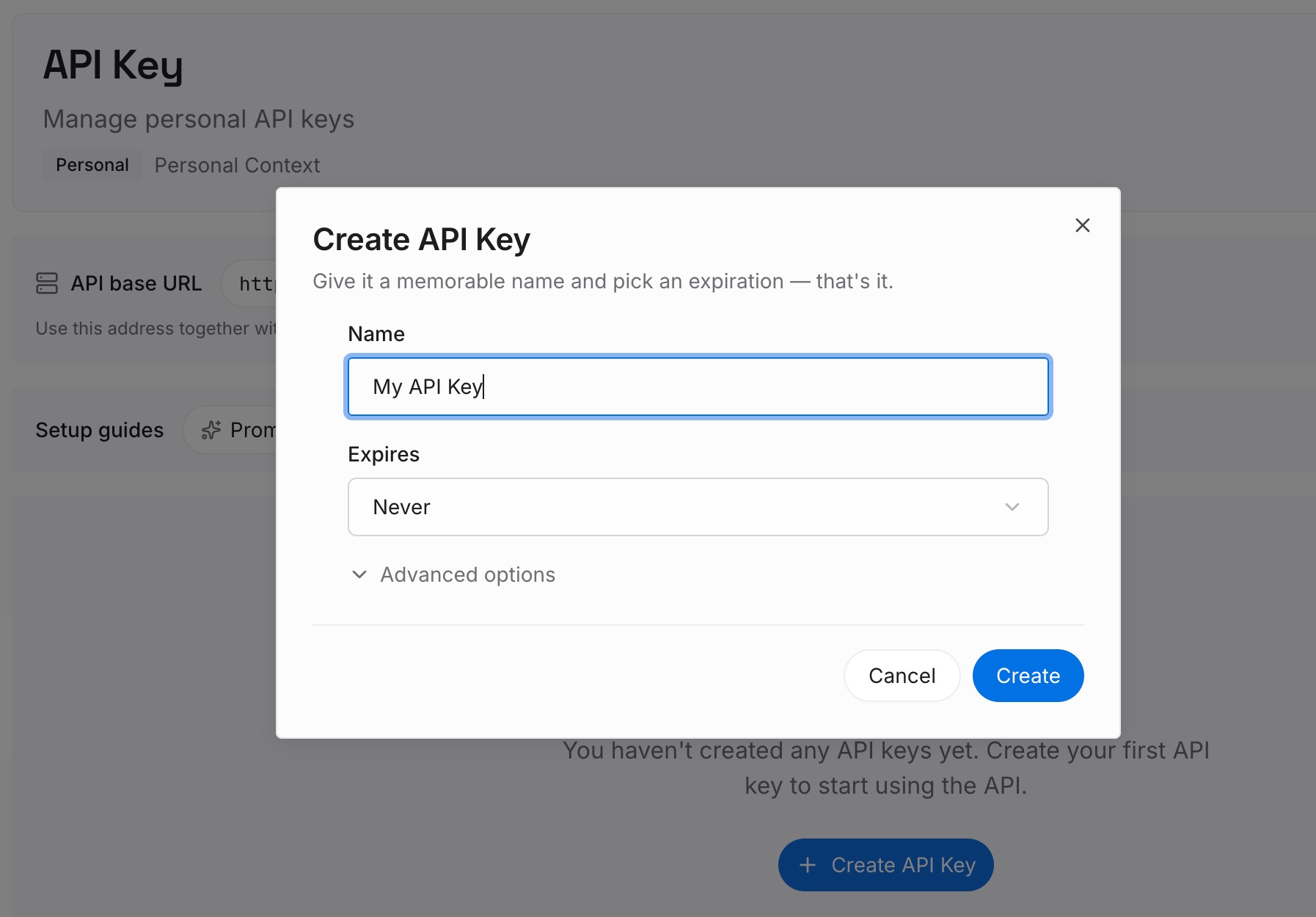
Step 1: Create an API key
Sign in and generate a key from the dashboard. The key belongs to your MemoryLake workspace and is separate from your Kiro or AWS account.
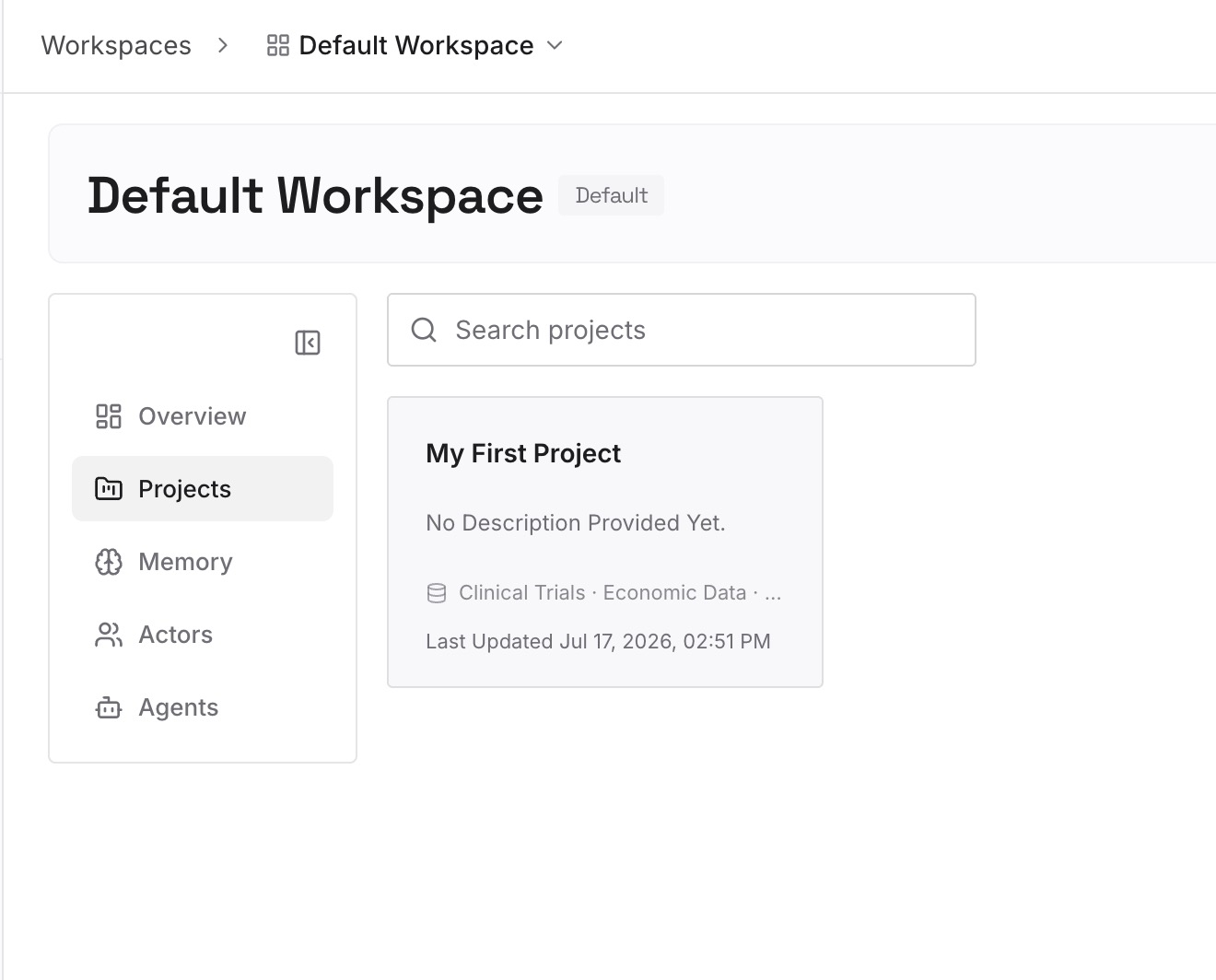
Step 2: Upload your first memories
Start with what you pulled out of your V2 sessions in Step 1: decisions, approaches ruled out, and conventions. One item per entry, dated, with the reason.
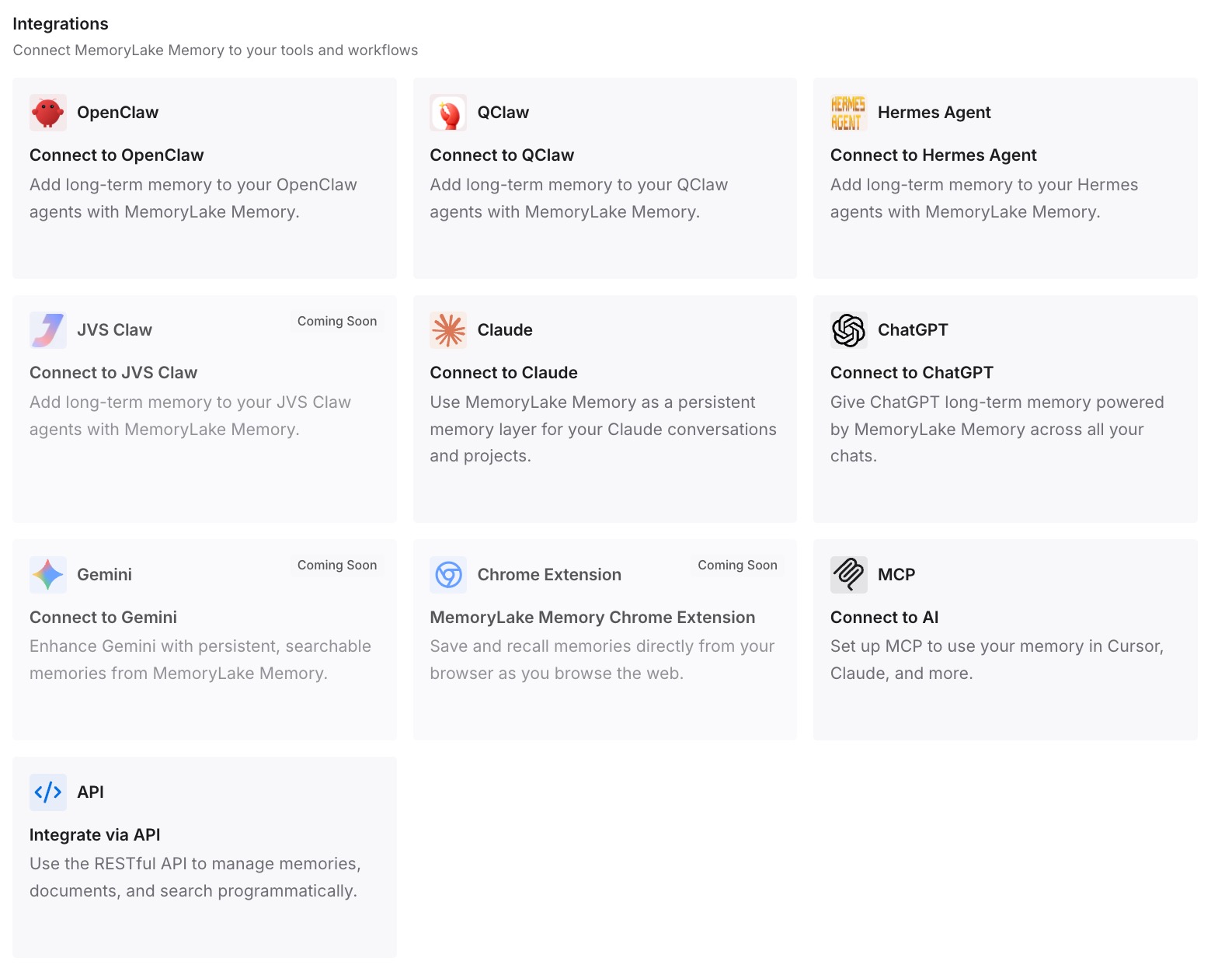
Step 3: Connect your AI & agents
Connect Kiro and the other assistants you use. The same decisions are then available in V3 from your first session, and in any other tool, without waiting for V3's memory to relearn them.
What this changes in practice
The first difference is that the switch stops being a gamble. You know which sessions you can return to, how, and which ones you've already summarized.
The second is a cleaner first week on V3. Steering, AGENTS.md, and your own notes give V3 sessions a starting point while its memory builds up. Other tools have had similar quiet context changes in version updates; our look at Cline's silent context fixes is one example.
The third is fewer surprises from the upgrade itself. Dropped hooks and changed inclusion modes are found during the dry run instead of during real work.
The fourth is portability. If you later move some work to another agent, as covered in our guide to migrating from Kiro to Claude Code, your decisions don't depend on either tool's session format.
Best practices before CLI 3.0
Don't rely on Don't ask again. The upgrade happens at CLI 3.0 regardless.
Back up your Kiro home directory first. Sessions and memories live there.
Finish important V2 sessions in V2. Then summarize them.
Dry-run agent upgrades. Read every warning before committing.
Recheck steering front matter. Inclusion modes apply fully in V3.
Set memory access on purpose. And trust only the workspaces you mean to.
Keep rules in steering. For how steering and powers divide context, see our guide to routing context between Kiro powers and steering.
Conclusion
Kiro CLI V3 becomes the default with CLI 3.0 at the end of October 2026, and choosing Don't ask again won't keep you on V2. V3 uses a new session store. V3 sessions can't be opened in V2. Kiro's blog says V2 sessions can be resumed in V3, while its migration guide says they aren't converted and points you back to V2 to open them, so test with a session that matters before relying on either reading.
V3 also brings memory to the CLI. Kiro describes it as learning from local V3 sessions, with access you control, and its documentation doesn't describe it learning from V2.
Before the deadline, close out the V2 sessions you depend on, upgrade your agents with the warnings in view, and write the decisions you want to keep somewhere no version change can strand them.