
Why your preferences don't stick
Two systems, and only one of them takes orders
Start with what each is for. OpenAI positions memory as a personalization feature — its stated purpose is "to personalize your experience, so you don't have to repeat yourself as often." Read that carefully: as often. It's a convenience layer designed to reduce repetition, not a configuration store that guarantees behavior.
Custom instructions are the configuration store. Whatever you put in that field is stored verbatim and, per OpenAI, "applied immediately to all chats." If a preference is non-negotiable, that's where it belongs. If you typed it into a conversation instead, you filed a suggestion with a system built to infer patterns.
That single distinction explains most preference drift. People declare requirements in chat, where they become synthesis material, and then wonder why the requirement is honored inconsistently.
A synthesis can hold two contradictory beliefs about you
This is the part that produces the genuinely strange experiences. Because memory is a running synthesis rather than a list of current facts, it can carry an old conclusion alongside a newer one. OpenAI's own documentation illustrates this with a marathon-training example alongside a sprained ankle — context that made sense at different times, now coexisting.
Applied to preferences, that looks like: you preferred verbose explanations while learning a framework, you now want terse output, and both readings are somewhere in the synthesis. The model picks. Some days you get the version of you from March.
You do have levers. The memory summary can be reviewed and corrected, and there's a documented refresh path — Settings, then Personalization, then Memory Summary, then Manage, then Refresh from the three-dot menu — for when the summary looks emptier or staler than it should. If you're on the legacy system, saved memories are an enumerable list, and OpenAI notes that "Unless you delete them, saved memories are always considered in future responses," which makes deleting the outdated ones a real action with a real effect. The general triage is in what to do when ChatGPT memory isn't working.
Some preferences aren't global, and global is the only shape a setting has
"I want terse answers" is probably true everywhere. "Use British spelling" is true for one client and wrong for another. "Prefer functional style" applies to one codebase.
Custom instructions are account-wide by design, and memory is likewise about you rather than about a context. So contextual preferences land in a system with no notion of context, which produces the version of this problem where a preference is correct half the time and annoying the other half. Projects help — they have their own memory space — but they also introduce their own boundaries, which is a separate topic.
Temporary chats and account boundaries quietly break the loop
Two documented behaviors that explain otherwise baffling gaps. Temporary Chats, per OpenAI, "do not use existing memories or create new memories." So a preference you stated in a temporary chat was never going to persist, and a preference you already had wasn't applied there either.
And memory doesn't cross accounts: "Memories are: Tied to each individual account. Not transferable to other users, even within the same Business workspace." On a Business workspace there's another wrinkle worth knowing — if a workspace owner turns off Memory for the workspace, "existing saved memories for members in that workspace are deleted." Preferences you accumulated can be removed by an administrative change you didn't make.
What people try
Saying it again, louder. "I've told you three times." It works for the current conversation and teaches the system nothing durable, because a conversation is not a settings screen.
Writing a very long custom instructions entry. The right system, and it runs into a hard ceiling: 1,500 characters on Free and Go, 5,000 on Plus, Pro, Enterprise, Business, and Education. Preferences plus project context plus style samples do not fit. What gets cut is usually the newest and most specific thing you added.
Asking ChatGPT to "remember that I prefer X." Better than nothing — it may become part of the synthesis. But it's a request, not a write, and you can't verify it landed except by asking later.
Curating the memory summary regularly. Genuinely useful and underused. It's also maintenance work on a derived artifact, which means you're editing a summary rather than a source of truth.
Starting fresh with a new account. Resets the noise and loses everything, including the preferences that were working. And the accumulation problem starts again on day one — the same wall as when ChatGPT memory is full.
Pasting a preferences block at the top of every chat. The universal fallback. It works, it costs tokens on every conversation, and it exists entirely in your habits — so it doesn't survive you switching devices, tools, or assistants.
The Fix: Declare Requirements, Store Knowledge, Stop Repeating Both
A setup that holds has three tiers, and the mistake is trying to make one tier do all three jobs.
Tier one — requirements. The handful of behaviors that must always hold. These go in custom instructions, short and testable, well inside the character limit. Make them specific enough to grade: "answers under 150 words unless I ask for detail" rather than "be concise."
Tier two — observations. Let memory do what it's good at: noticing that you work in TypeScript, that you're in Berlin, that you prefer examples over theory. Correct it when it drifts, don't rely on it for anything you require.
Tier three — knowledge. Everything that isn't a behavior rule and isn't a fact about you: your project's structure, your constraints, your decisions, the style samples that are too long for a settings field. This tier has no home inside ChatGPT, which is why it keeps leaking into the other two and breaking them.
MemoryLake is tier three: a memory layer your assistants read from, so custom instructions can stay a short preference sheet and memory can stay a personalization feature. Setup is three steps.
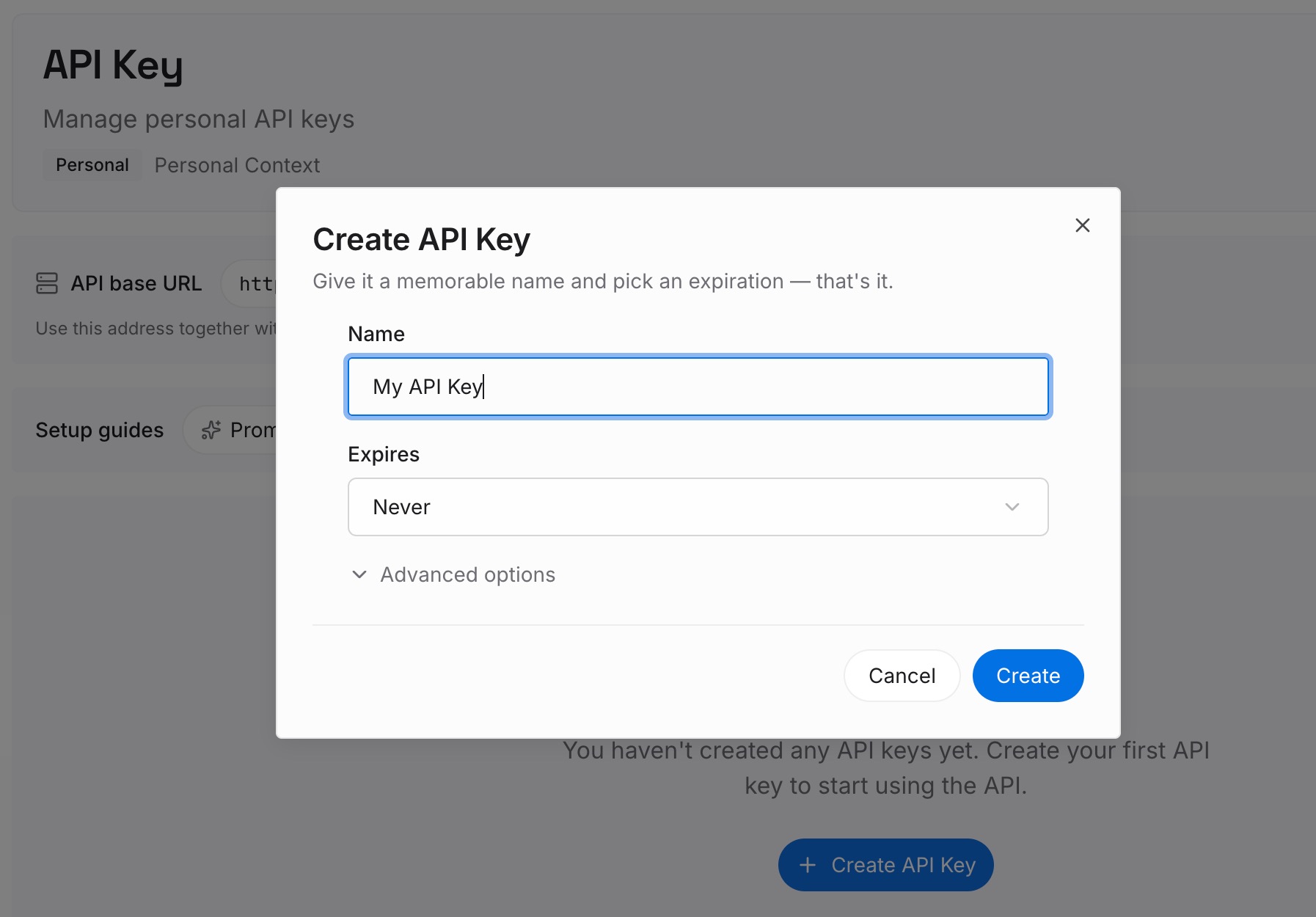
Step 1: Create an API key
Sign in to MemoryLake and create an API key. One credential across the tools you connect — which matters because preferences you care about usually aren't ChatGPT-only.
Step 2: Upload your first memories
Write down what you keep re-declaring, one item per entry. Not just behavior preferences: the context that makes them make sense. "British spelling for the Acme account, American for everything else" is a preference that only works when the context travels with it. Add the project facts, the constraints, the decisions and the reasons — the material that has been overflowing your 1,500-character field.
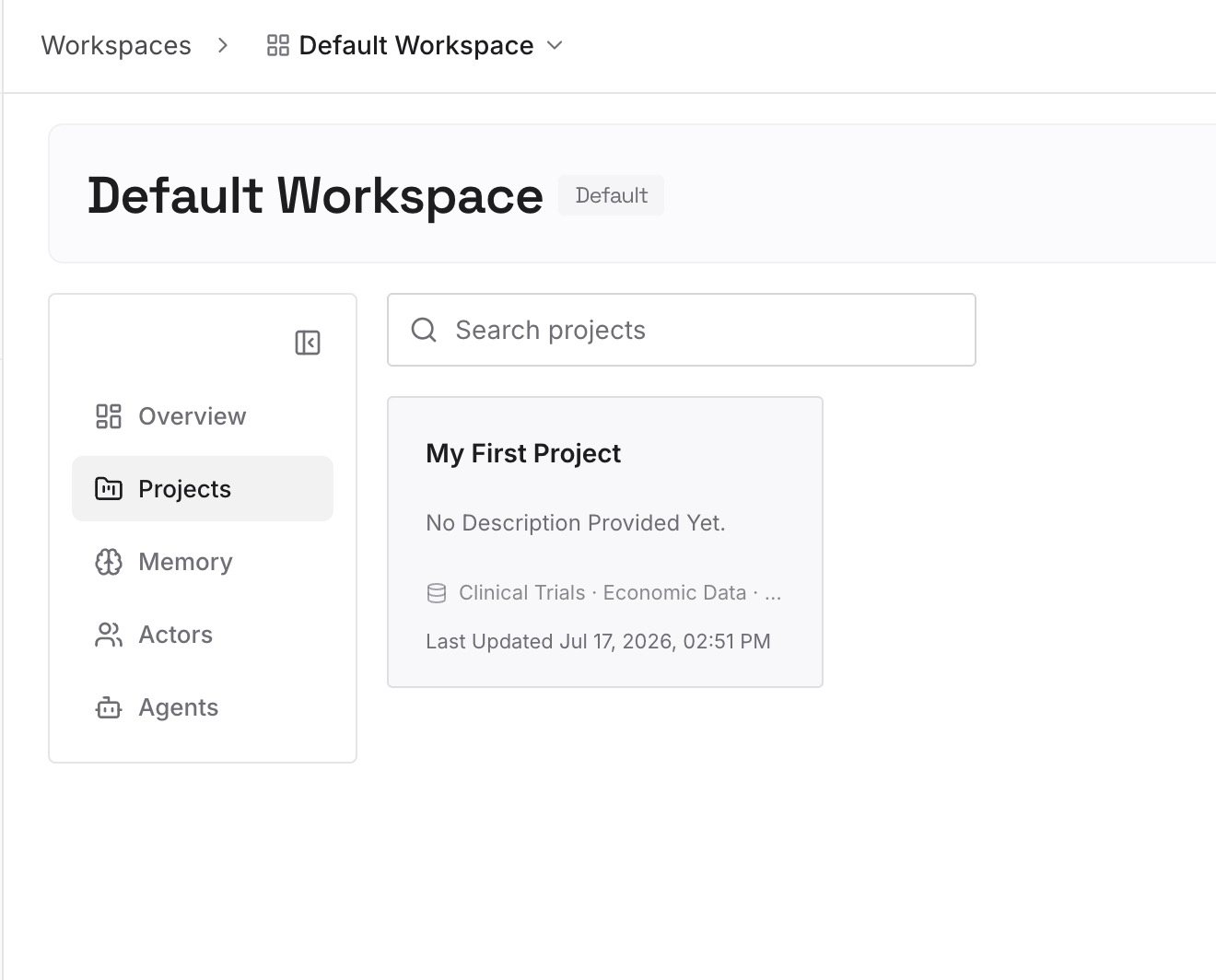
Keep entries short and single-topic, and delete rather than accumulate. A preference layer that contains both your March self and your August self has the same problem as a synthesis.
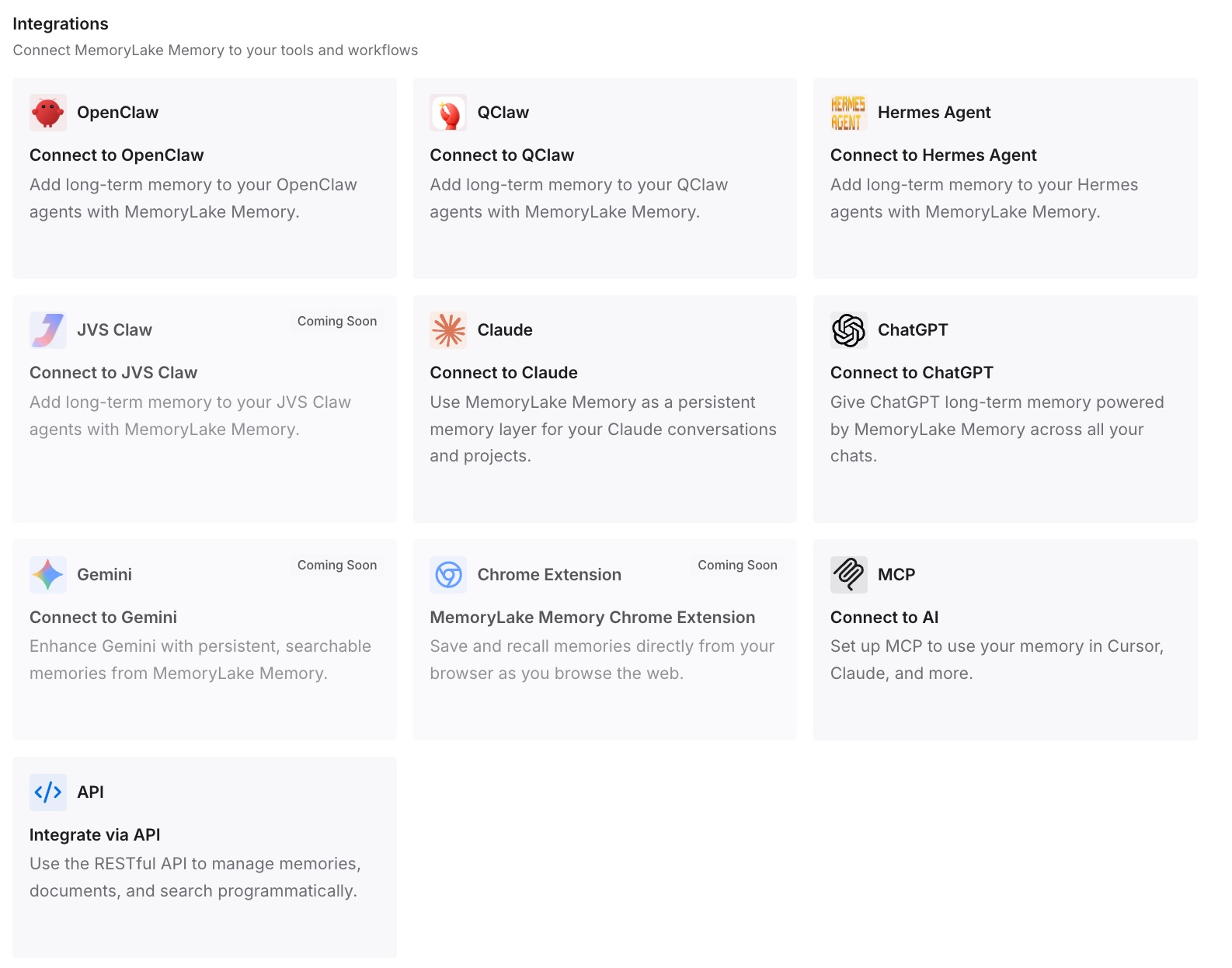
Step 3: Connect your AI & agents
Connect the tools you use. MemoryLake is reachable over MCP and over an API, so MCP-native agents — Claude Code, Codex, and OpenClaw among them — connect by pointing at the MCP server, and other assistants read the same memory through the API. Your requirements stay in the field where they're guaranteed to load; your context becomes retrievable; and the same preferences are available in whatever you're using next month.
Two honest limits. This doesn't write to ChatGPT's memory — that system stays OpenAI's, and a preference you require still belongs in the custom instructions field. And it isn't enforcement: no memory layer makes a model comply, in any assistant.
What this changes in practice
Preferences stop regressing to an older version of you. When the requirement is declared rather than inferred, there's no competing March-vintage conclusion to lose to.
The character ceiling stops forcing trade-offs. Today, adding a useful instruction can mean deleting another. When knowledge lives elsewhere, the field only holds behavior rules and never fills up.
Contextual preferences become possible. "British spelling for this client" is expressible when the client context is retrievable. In an account-wide field, it's either always on or always off.
Corrections stop evaporating. The most common preference loss is a correction given mid-conversation that never made it anywhere durable. Recording it takes ten seconds and it survives the session.
The same preferences work in other assistants. Custom instructions are ChatGPT-only and have no API. Anything you want in Claude, Cursor, or an agent has to live outside — the shape covered in one memory across ChatGPT, Claude, and Gemini.
Best practices for preferences that hold
Put requirements in the field, not in chat. If you'd be annoyed to see it violated, it's a requirement. Requirements go where they're stored verbatim.
Make every preference gradeable. A preference you can check compliance against is one a model can follow. Vague preferences get sensible interpretations that aren't yours.
Prune quarterly. Both the instructions field and your memory. Old preferences are the main source of the "why did it do that" experience.
Use the refresh path when the summary looks wrong. Settings → Personalization → Memory Summary → Manage → Refresh. It's documented, it takes seconds, and most people have never opened it.
Don't state preferences in a temporary chat. They aren't stored — temporary chats don't use or create memories.
Attach context to contextual preferences. "Terse" is global. "British spelling" is not. Writing the scope next to the preference is what makes it usable.
Expect nothing to be transferable between accounts. Memory is per account and not transferable to other users, even in the same Business workspace. If a teammate needs the same context, it has to live somewhere shared.
Know what an admin can change. On Business workspaces, an owner turning Memory off deletes members' existing saved memories. If that would hurt, keep the important parts outside.
Conclusion
"Make ChatGPT remember my preferences" turns out to be two different requests. The ones you require should be declared in custom instructions, where they're stored verbatim and applied to every chat. The ones you'd merely like can be left to memory, which is a synthesis doing its best — useful, and not a place to put anything you'd be upset to lose.
What breaks the system is the third category nobody has a home for: the knowledge and context that makes preferences meaningful, which is too large for a 1,500-character field and too specific for a synthesis. Give that its own layer and both ChatGPT systems get to do what they're actually good at. If you want the mechanism behind the symptom, why ChatGPT forgets your personal preferences covers it, and giving ChatGPT long-term memory covers the general setup.