
Why Claude looks like it forgot your last conversation
The mechanism-level explanation of the underlying behavior is in why Claude forgets previous conversations. What follows is the diagnostic version: five specific reasons, each with a different fix.
You might be on a different memory experience than the article you're reading
There's a one-second test, and Anthropic documents it: "If you see Settings > Memory, you're using the new memory experience." "If you see Memory in Settings > Capabilities, you're using the legacy memory experience."
The difference isn't cosmetic. In the new experience, "Claude builds memory as a set of individual entries that are organized into categories," and "Claude reads, writes and updates these entries in real time as you chat rather than on a fixed daily schedule." In the legacy experience, Claude "will automatically summarize your conversations and create a synthesis of key insights across your chat history (not including chats in projects)," and — this is the part people trip on — "This synthesis is updated every 24 hours."
If you're on legacy, something you told Claude an hour ago may genuinely not be in its memory yet. That isn't a bug and no amount of re-explaining will speed it up.
Availability differs too. The new memory experience "is available for Claude users on free, Pro, and Max plans," applies to web, Desktop and Mobile, and "is not currently available for Cowork." The legacy experience is documented as available for Enterprise plans.
Chat search is retrieval — and it's a different feature
Two features get conflated constantly. Memory is generated context. Searching past chats is a tool call Claude makes on request, and it's available "to users on paid plans (Pro, Max, Team, and Enterprise plans) on the web, Claude Desktop, and Claude Mobile apps."
Anthropic is unusually explicit about the mechanism: "These searches use Retrieval-Augmented Generation (RAG) and will appear as tool calls during your conversations." That single sentence explains a lot of frustration. Retrieval finds passages that match what you asked. It doesn't hand Claude a standing understanding of your work — which is the distinction covered in why RAG isn't memory.
Practically: if you want Claude to pull something specific from history, ask for it. "What did we decide about the pricing tiers?" triggers the search. Waiting for it to surface on its own often won't.
Projects are sealed off from each other, deliberately
This is the boundary that produces the most confused bug reports. "Each project has its own separate memory space and dedicated project summary, so the context within each of your projects is focused, relevant, and separate from other projects or non-project chats."
Chat search respects the same walls. You can search "All chats outside of projects" or "Individual project conversations (searches are limited to within each specific project)."
So a conversation you had inside Project A is invisible from Project B and from your regular chats. Nothing is broken. The isolation is the feature — it's what stops your client work bleeding into your side project.
Inside a single project, chats still don't share context
The quietest gotcha in the documentation, stated as a note: "Context is not shared across chats within a project unless the information is added into the project knowledge base."
People read "project" as "shared workspace where Claude keeps up." The knowledge base is the shared part. The chats aren't.
One more that catches everyone at least once: when you create a project you "Give your project a name and description (note that Claude will not have access to these details)." A project called Q4 Pricing Rework tells Claude nothing.
Incognito chats leave nothing behind, on purpose
If you started the conversation from the ghost icon, it "isn't saved to your chat history," Claude "won't remember your chats," and "Claude won't pull information from incognito chats when searching previous conversations."
Worth knowing if you use it as a scratchpad and then wonder where the good idea went.
What people try
Re-pasting the same background at the top of every chat. Works, costs you the same five minutes forever, and it's the exact loop described in how to stop re-explaining context to AI.
Keeping one enormous conversation open. Delays the problem instead of solving it, and eventually you're scrolling a thread nobody can navigate.
Making one project for everything. Defeats the isolation you actually want, and the project summary becomes a blur of unrelated work.
Asking Claude "do you remember X?" as a test. A reasonable check that produces misleading results — on legacy the synthesis updates every 24 hours, so a "no" may just mean "not yet."
Resetting memory to start clean. Read the warning first: Reset memory "Permanently deletes all memories including project memories. Once you select this option and click 'Reset memory,' this cannot be undone." Use Pause memory if you want a break — it "keeps its existing memory but won't use memory or make new memories."
Assuming deleting a chat cleans up its memory. It doesn't, and the asymmetry is documented: "When a conversation expires or is deleted, related memory entries generated from it won't be removed, but you can delete individual memories at any time."
The Fix: Switch It On, Prune It, Then Keep a Copy Outside
Do the native setup first. It's genuinely good and most people have never opened the panel.
Turn memory on and confirm which experience you're in. Go to Settings > Memory and enable Generate memory from chats. If Memory sits under Settings > Capabilities instead, you're on legacy — expect the 24-hour synthesis cycle. On Enterprise plans, members "can only enable this feature individually when it's enabled by an Owner for their organization."
Read what Claude actually has, then edit it. The Memory panel "lists everything Claude remembers, grouped by category." Change an entry with the "Tell Claude what to change or remove" box, or delete it outright. You can also do this mid-conversation — just tell Claude what to remember — and "Any edits made in this way will immediately apply to your next conversation." Ten minutes here beats an hour of re-explaining, because Claude's memory focuses on work context: your role and professional context, communication preferences and working style, technical preferences and coding style, project details and ongoing work.
Move chats to shape project memory. Because each project has its own memory, you can curate it by moving chats in and out. If an unrelated chat landed in a project, "Remove from project" pulls it out of that project's memory summary.
Take a snapshot. There's a documented way to read your memory as text: ask Claude, "Write out your memories of me verbatim, exactly as they appear in your memory." Save the result.
That snapshot is where the native setup runs out. It's a text file — nothing reads it, and it only describes one assistant's view of you. The durable version is to keep that knowledge in a layer your tools read from, which is what MemoryLake is: your project's context held outside any single vendor's account, reachable by the assistants and agents you use. Setup is three steps.
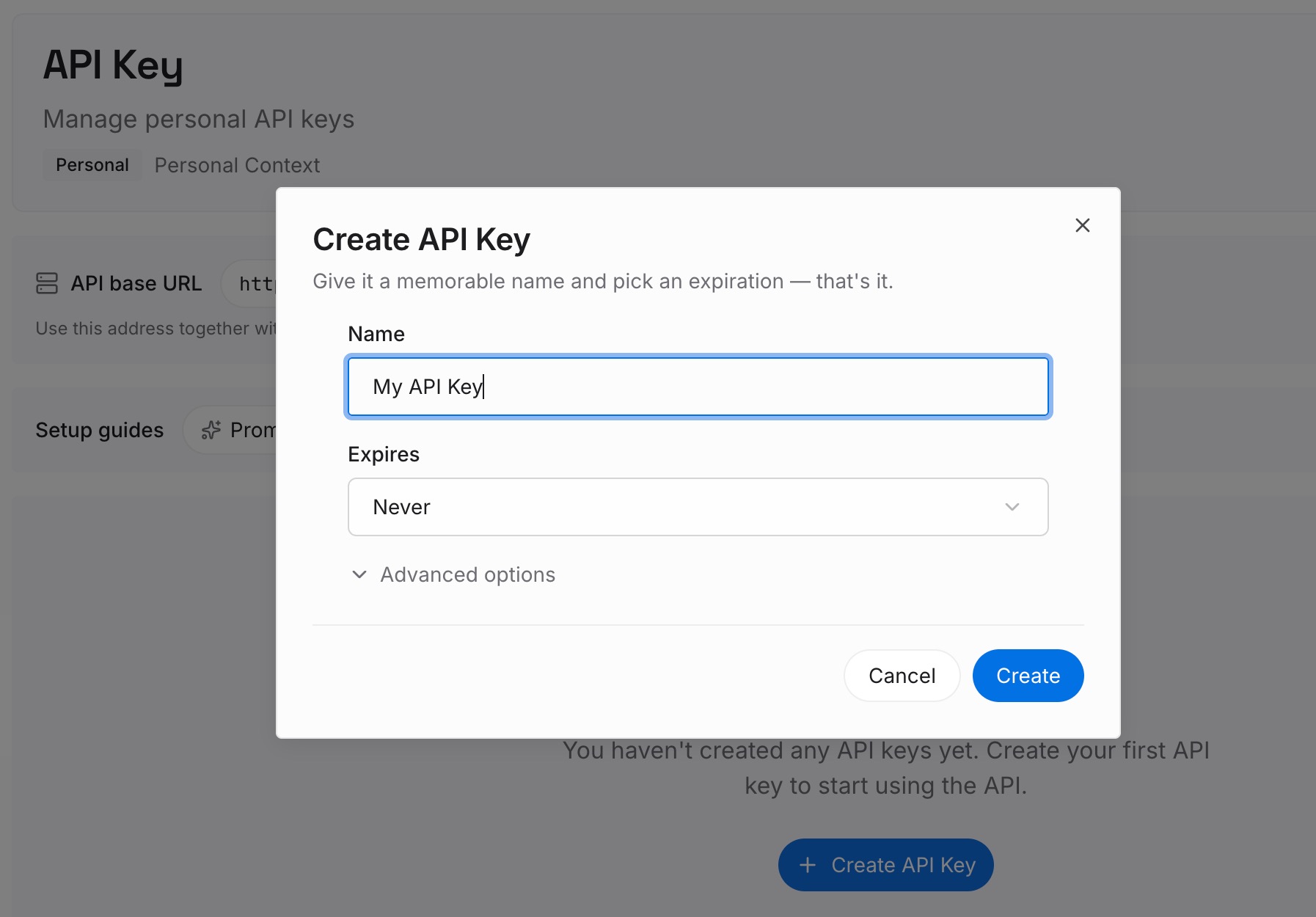
Step 1: Create an API key
Sign in to MemoryLake and create an API key. One credential across the tools you connect.
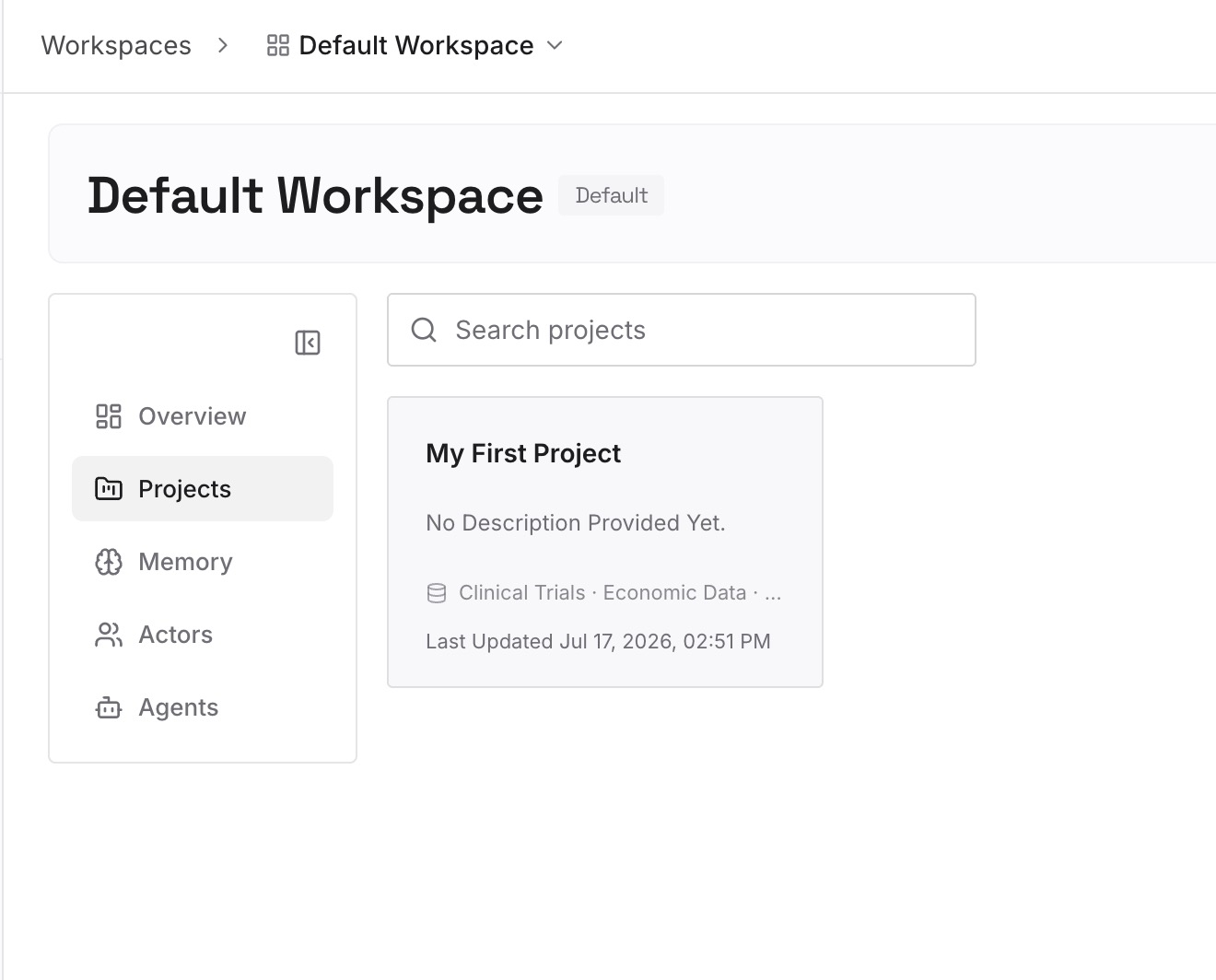
Step 2: Upload your first memories
Start from the snapshot, but rewrite rather than paste. Split it into short entries, one claim each, and keep the material that would be expensive to rediscover:
Decisions and the constraint behind them. "We bill annually" is a fact. "We bill annually because monthly churn made forecasting useless" is a memory that stops the same debate restarting.
The things you've rejected. The highest-value category and the one nobody writes down. Every fresh conversation will propose them again.
Cross-project knowledge. Your domain vocabulary, your standards, the constraints that hold everywhere. This is precisely what project isolation cannot hold for you.
Corrections you've made more than once. Repetition is a missing entry announcing itself.
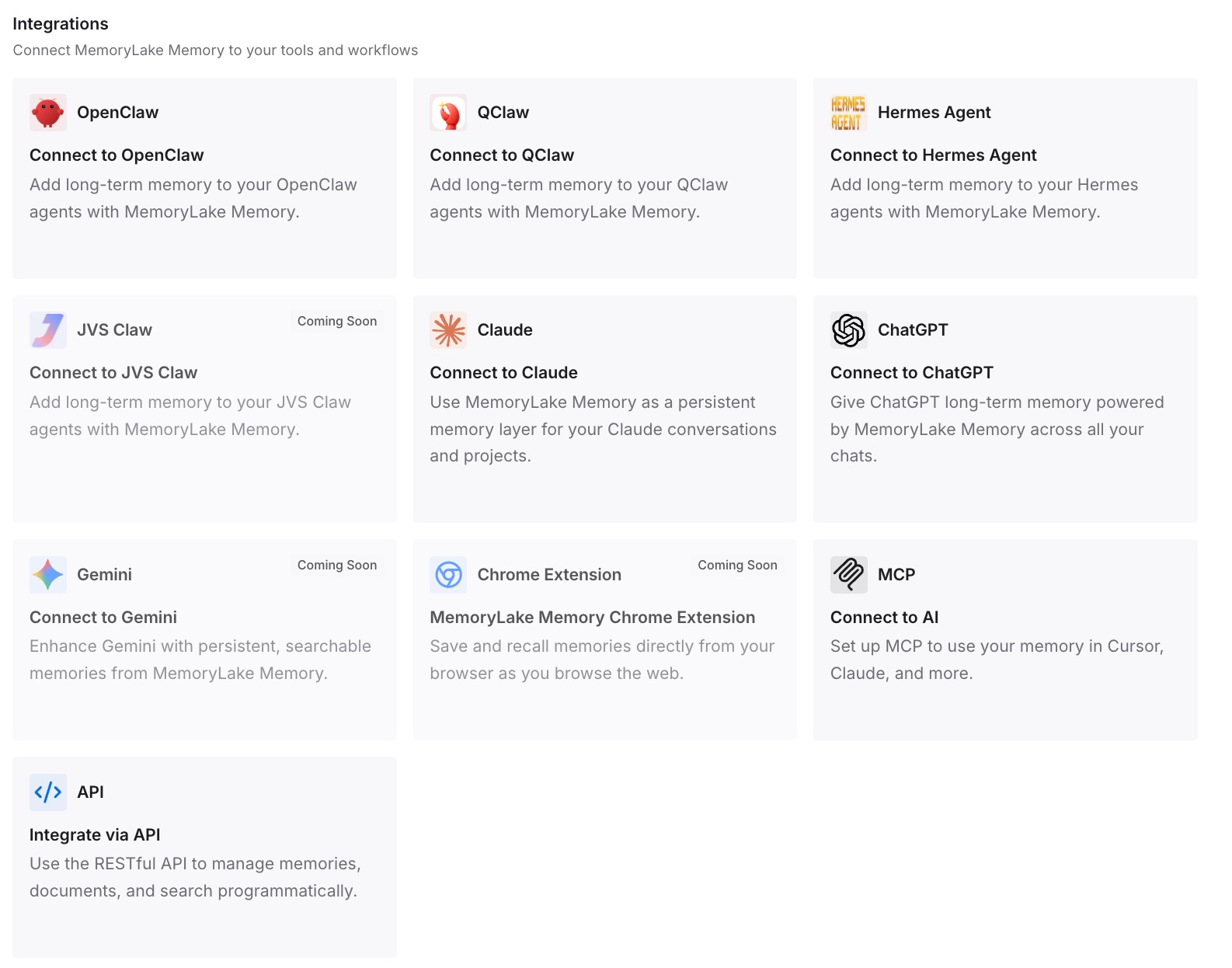
Step 3: Connect your AI & agents
Connect the tools you use. MemoryLake is reachable over MCP and over an API, so MCP-native agents — Claude Code, Codex, and OpenClaw among them — connect by pointing at the MCP server, while other assistants read the same memory through the API.
Three honest limits. MemoryLake does not write into Claude's memory — it can't reach inside your Claude account, and Step 2 is manual. It doesn't preserve conversations; Claude's own history and export do that. And it isn't a compliance or retention system.
What this changes in practice
"Which project was that in?" stops being a question. Project isolation is right for your chats and wrong for your standing knowledge. Keeping the standing part outside means it's available in every project and in plain chats.
A rollout stops being your problem. Two memory experiences, migrating at different times per plan, is normal for a feature this new. Knowledge kept outside doesn't change behavior when your account moves between them.
Pruning gets cheap. Deleting a chat leaves its memory entries in place; deleting memory entries is a separate, safe action. When the durable version lives elsewhere, both are just housekeeping.
The same context works in your other tools. The side effect that ends up mattering most: what you taught Claude is also readable by Cursor, Codex, and your agents — the shape described in one memory across ChatGPT, Claude, and Gemini.
Best practices for keeping Claude current
Check Settings first, not the internet. Whether Memory is under Settings > Memory or Settings > Capabilities determines which advice applies to you.
Ask for history explicitly. Chat search is a retrieval tool that runs when prompted. "Find our conversation about the migration plan" works; hoping doesn't.
Give each project a real scope. One project per body of work, since each carries its own memory and summary. And put the context in the knowledge base — the name and description aren't visible to Claude.
Say what to remember out loud. Telling Claude in-chat updates memory immediately for your next conversation. It's the fastest correction loop available.
Prefer Pause over Reset. Reset is permanent and includes project memories. Pause is reversible.
Re-read the panel monthly. Preferences go stale. An entry describing how you worked in March is worse than no entry.
Keep the reasons, not just the rules. A rule survives one round. The reason behind it survives a change of tools — the general case in what persistent memory actually means.
Conclusion
Claude does remember previous conversations, and in the new experience it does so as individual entries updated in real time as you chat. What makes it feel otherwise is a set of deliberate boundaries: projects isolated from each other, chats within a project not sharing context, chat search working by retrieval on request, incognito leaving no trace, and — on legacy — a synthesis that refreshes once a day.
Open Settings > Memory, turn memory on, read what's there, edit what's wrong, and move chats to shape each project's memory. Then take the verbatim snapshot and put the durable half somewhere that isn't inside one account, so the next rollout, project split, or tool change doesn't take your context with it. If you want to know what Claude's built-in memory can and can't hold before you decide how much to keep outside it, extending Claude's memory beyond the built-in feature covers the boundary.