
Why your coding style doesn't stick
Memory might not be on, and there are two different versions of it
First check which experience you have, because the toggle lives in a different place in each. The documented test: if you see Memory in Settings > Memory you're on the new experience; "If you see Memory in Settings > Capabilities, you're using the legacy memory experience."
On the new experience, memory is a per-user opt-in you have to turn on: navigate to Settings > Memory and turn on Generate memory from chats. It's available "for Claude users on free, Pro, and Max plans," applies to web, Claude Desktop, and Claude Mobile, and "is not currently available for Cowork." If you're on an Enterprise plan, there's an extra gate — members "can only enable this feature individually when it's enabled by an owner for their organization."
The two experiences also behave differently in a way that matters for corrections. The new one "builds memory as a set of individual entries that are organized into categories," and "Claude reads, writes and updates these entries in real time as you chat rather than on a fixed daily schedule." The legacy one is a summary "updated every 24 hours." On legacy, a style correction you make this afternoon may simply not be in memory yet.
Anthropic describes the rollout as in progress, so it's worth re-checking which one you're on rather than assuming.
Project memory is separate, which is the real answer most of the time
This is the boundary that produces the most "but I already told you" moments. Memory in a project stays in that project. Non-project chats have their own space. So there are three realistic ways your style vanishes without anything going wrong:
You trained it in non-project chats and then started working inside a project. You trained it in Project A and opened Project B. Or your team spun up a new project for a new service, and it started from nothing.
None of that is a bug — the docs frame the isolation as the point, keeping each project "focused, relevant, and separate." But it means memory alone will never give you one coding style across everything you do. Something has to be the canonical copy.
Memory is derived from your chats, not authored by you
Memory is generated from conversations. That's useful — it means you don't have to write anything — and it's also why what lands is Claude's summary of your preferences rather than your style guide. "Use tabs, width 4, never semicolons, named exports only, tests colocated" is a specification. What memory keeps is closer to an impression of one.
Two categories are also excluded by design. Incognito chats don't contribute: "When this mode is switched on, Claude won't remember your chats, so they won't be saved to Claude's memory or your chat history." And a correction you gave in a single chat and never repeated may simply not have cleared the bar for being worth remembering.
Someone else's instructions may be overriding yours
If you're on a Team or Enterprise plan, there's a layer above you. Organization instructions let "Admins and above on Team and Enterprise plans set custom instructions that Claude follows in every conversation across your organization," and the precedence is stated plainly: "When both are set, organization instructions take precedence. If an individual instruction directly contradicts an organization instruction, Claude favors the organization-level instruction."
The visibility line is the part worth knowing: "Only Admins and above can view or edit" organization instructions. So a formatting or language standard set at the org level can outrank your personal preference, and you won't see the text doing it. Your own instructions "still apply for anything the organization instructions don't address." The broader map of which instruction container wins is in how to stop Claude forgetting your system prompts.
What people try
Repeating the correction and hoping it sticks. Sometimes it does — that's what memory is for. It's also the version with no confirmation step, which is why people are still unsure three weeks later.
Pasting the whole style guide into every chat. Reliable and expensive, and it's the loop described in how to stop re-explaining context to AI.
Putting the style guide in project knowledge. The right instinct, wrong scope — it's per project, so you're maintaining N copies that drift. The general version of that problem is in giving Claude permanent domain knowledge.
Writing "follow good practices" in personal instructions. Too vague to act on. Anthropic's own guidance for instructions is the fix: "Instead of vague instructions like 'be professional,' give concrete direction such as 'Respond in formal English. Don't use contractions, slang, or emojis.'" Code style needs the same treatment.
Assuming memory covers what a linter should. Formatting that a formatter can enforce shouldn't be a prompt-level request at all. Save the instructions for the choices tooling can't make.
Treating team conventions and personal style as one thing. They're different scopes with different homes — the team side is why Claude forgets your house conventions.
The Fix: Write the Style Down Once, Then Put It Where Every Project Can Read It
Three passes. The first makes memory work for you instead of at you. The second makes the important part deterministic. The third stops you maintaining copies.
Open the Memory panel and edit it directly. This is the step people skip. Go to Settings > Memory: "The Memory panel lists everything Claude remembers about you, grouped by category. Select any entry to see its summary and details. To change an entry, use the 'Tell Claude what to change or remove' box. To remove an entry entirely, select 'Delete.'" Read what's actually in there about your technical preferences. Correct the entry that's wrong. Delete the one from the project you abandoned in March.
You can also add to it conversationally — tell Claude what you'd like it to remember and it updates without your leaving the chat. On the legacy experience, edits made this way "will immediately apply to your next conversation, so you don't need to wait for the daily synthesis to run."
Put the non-negotiable rules in instructions, not memory. Anything you'd consider a code review comment belongs in your personal instructions, written concretely enough to check: "Functional React components only, named exports, no default exports. Tests colocated as *.test.ts. No semicolons." Memory learns tendencies; instructions state rules. Keep in mind Anthropic's own caveat — "Instruction prioritization relies on prompt-level instructions. In rare edge cases involving directly contradictory instructions, behavior may vary. Test your instructions to confirm they produce the results you expect."
Let the formatter own formatting. Indentation, quotes, and line length belong in a config file that runs. Use the instruction budget for architecture-shaped preferences a tool can't decide.
Give the spec one home. Which is the part neither memory nor instructions solves. Memory is per project by design. Project knowledge is per project by definition. Personal instructions are one short block of always-on text, not a document. So a real style spec — the one with the reasons attached — ends up either duplicated or nowhere.
That's what MemoryLake holds: your durable preferences and their reasons in a layer your tools read from, so every project and every assistant sees the same version. Setup is three steps.
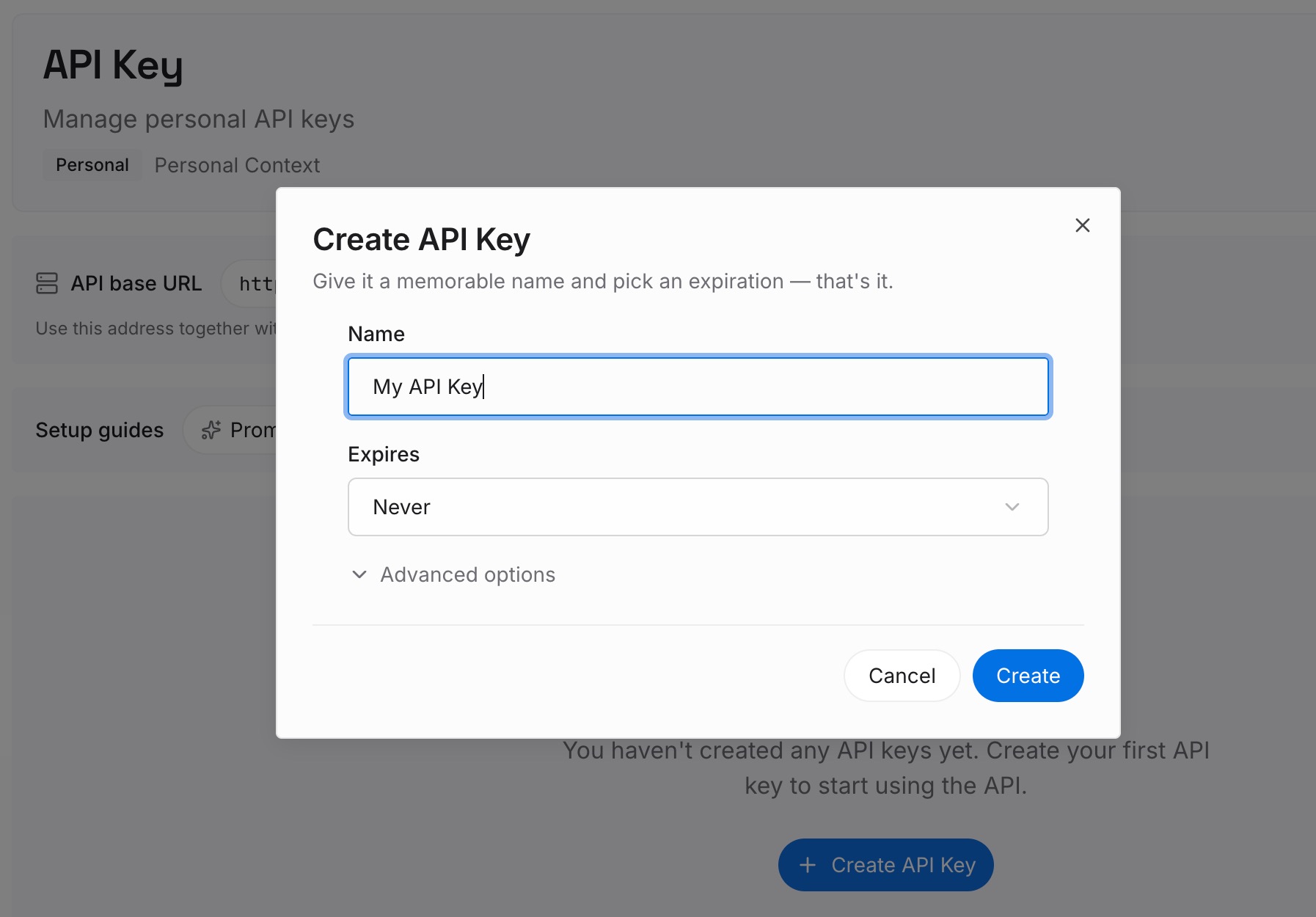
Step 1: Create an API key
Sign in to MemoryLake and create an API key. One credential across the tools you connect.
Step 2: Upload your first memories
Short entries, one claim each. What belongs here rather than in a rule or a memory entry:
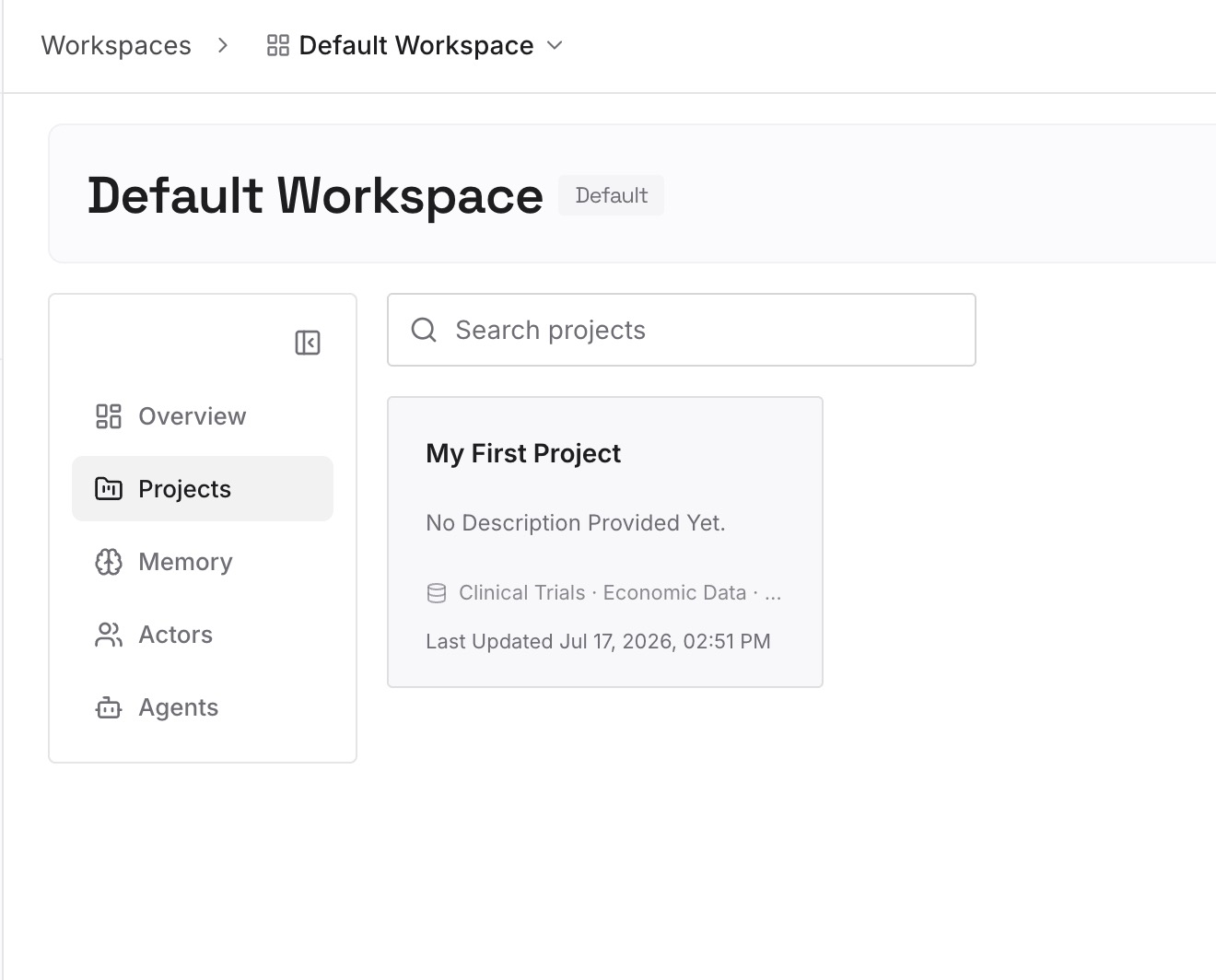
Style choices with the reason attached. "Named exports only, because our bundler's tree-shaking misses default exports in the shared package." A rule states the first half. Only this stops the suggestion returning in a project that doesn't have the rule yet.
The conventions that differ from the ecosystem default. Anything where a well-trained model's instinct is reasonable and wrong for your codebase. These are the corrections you find yourself giving in every new project.
Patterns you've deliberately rejected. The abstraction you tried and backed out of, and why. It exists in no config file and no commit message, and every fresh session proposes it again.
Vocabulary that's specific to your stack. What you call a "service," a "handler," a "module" — the words your review comments assume and a new agent doesn't know.
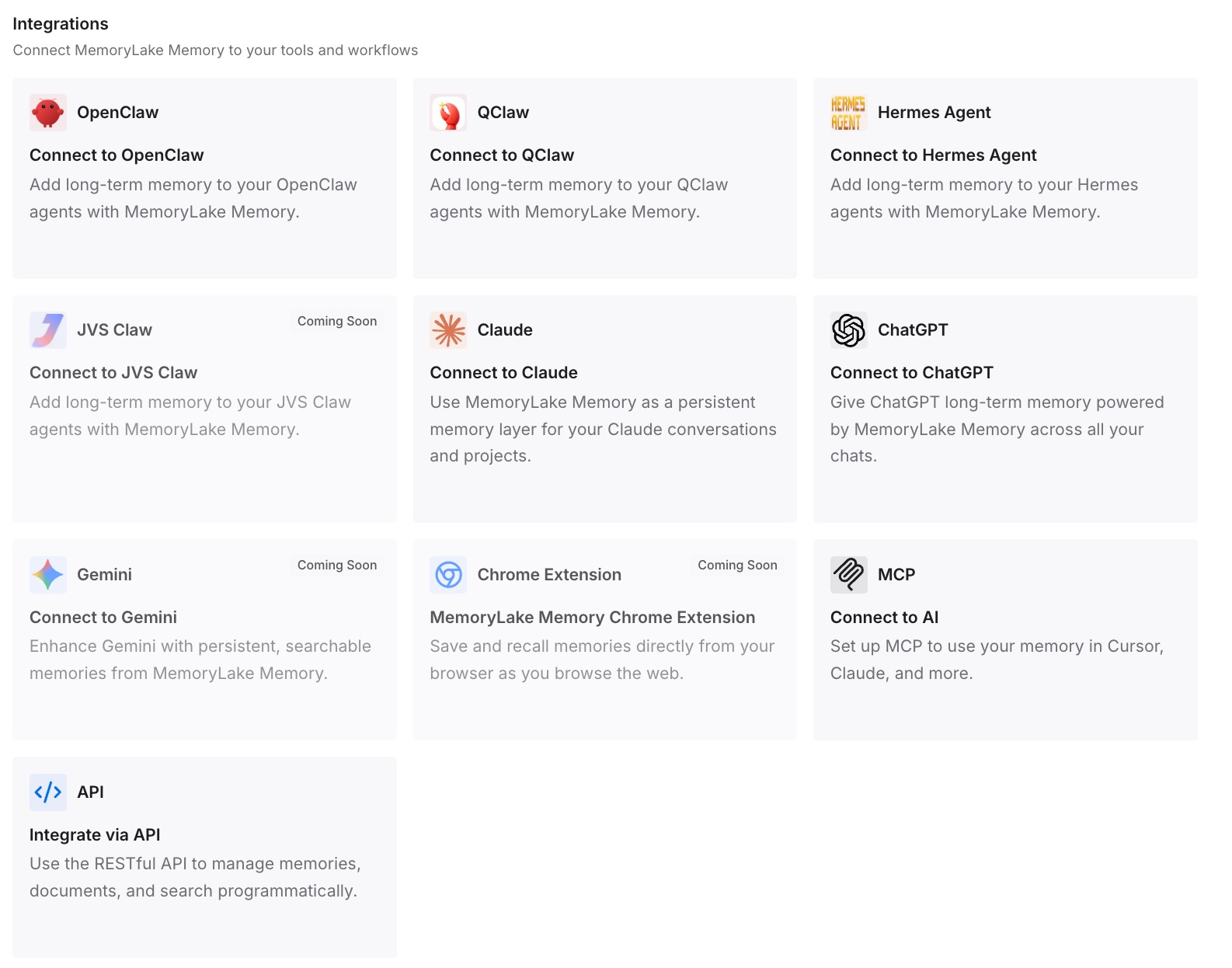
Step 3: Connect your AI & agents
Connect the tools you use. MemoryLake is reachable over MCP and over an API, so MCP-native agents — Claude Code, Codex, and OpenClaw among them — connect by pointing at the MCP server, while other assistants read the same memory through the API. The practical effect is that the style spec you wrote once is the same one your editor's agent reads.
Three honest limits. MemoryLake does not write your Claude memory entries or your instructions — those are Anthropic's surfaces, and you should still set them up properly, because they're what steers a chat with no tools attached. It holds only what you or your agents put into it, so Step 2 is manual. And this is context, not enforcement: for anything a formatter or linter can check, the config file is the real guarantee.
What this changes in practice
"Did it actually remember?" becomes something you can look at. The Memory panel lists entries by category. Open it, read the technical preferences, correct what's wrong. No guessing.
A new project stops being a fresh start. Project memory is isolated by design, so the fix isn't to fight that — it's to keep the canonical spec somewhere projects read from.
Instructions get shorter and more specific. When the reasoning lives elsewhere, the always-on block goes back to being a handful of rules concrete enough to verify.
Your editor and your chat agree. The same preferences, read by Claude in the browser and by whatever agent is in your IDE — the shape covered in what persistent memory actually means.
Team standards and personal taste stop colliding. Organization instructions take precedence over individual ones, so the personal layer should hold what the org layer doesn't address, not compete with it.
Best practices for keeping Claude on your coding style
Check which memory experience you're on first. Settings > Memory means the new one; Memory under Settings > Capabilities means legacy, where the summary updates every 24 hours.
Read the Memory panel once a month. Entries can be wrong, and a wrong entry is worse than no entry because it competes with your instruction.
Write rules concretely enough to verify. "Functional components, named exports" is checkable. "Follow modern React practices" isn't.
Never rely on memory for something a linter can enforce. Put formatting in a config file and let the prompt handle judgment calls.
Expect project isolation and plan for it. A style trained in one project doesn't reach the next one. Keep the canonical version outside all of them.
Remember incognito chats contribute nothing. If you did your best explaining in an incognito chat, it wasn't saved.
On Team and Enterprise, ask what the org instructions say. They take precedence and only Admins and above can view them, so a mystery override may have a mundane explanation.
Store the reason next to the rule. A style choice with its justification survives a new project, a new tool, and a new teammate. The rule alone doesn't — the general case in why agents ignore the instruction files you wrote.
Conclusion
Claude's memory is documented as capturing "Technical preferences and coding style," so the starting assumption should be that this works — and that when it doesn't, something specific is in the way. Usually it's one of four things: memory is off or you're on the legacy 24-hour experience, you crossed a project boundary into a separate memory space, the preference was learned as a tendency rather than stated as a rule, or an organization instruction you can't see takes precedence over yours.
Three of those you can fix in about ten minutes. Turn memory on, open the Memory panel and correct what's there, and move your non-negotiables into instructions written concretely enough to check. The fourth — project isolation — is deliberate, and no setting turns it off.
Which is why the style spec itself wants a home outside any single project or tool: written once, with the reasons attached, in a layer everything reads from. Then a new repository, a new project, or a new agent starts with the same conventions you already explained, instead of a blank slate and a familiar conversation.