
Why your research context disappears
Only one of Perplexity's three layers is memory
Worth getting these straight, because they fail differently.
Personalization is a profile. The settings page lists what it holds: "Your occupation," "Company name," "Date of Birth," "Gender," "Custom instructions: Free-text field for preferences, interests, and style," and an opt-in for location. Perplexity's framing is that "Personalization is where you give Perplexity context about you so responses feel tailored." It's about you, it's static, and it is not where your research findings live.
Project instructions are deterministic and generous. When you create a Project you can "Add instructions (up to 8,000 characters) that tell Computer how to work inside this Project — for example, a preferred response format or a status file to keep updated." Eight thousand characters is a lot of room for standing rules. It is still instructions, not accumulated findings.
Brain is the memory. It's generated from project activity, viewable in its own tab, and it's the only one of the three that grows as you work.
Most "Perplexity forgot my research" reports are one of these three carrying a job it wasn't built for.
Brain might be set to run manually
This is the setting people miss, and it's stated in the docs: Brain runs are "billed to the creator of the project and you can control whether it runs automatically or manually in the memory section in the Settings tab."
Two things follow. If it's on manual, memory only accumulates when you ask it to, which will look exactly like forgetting. And because runs bill to the project creator, on a shared project the person paying is not necessarily the person doing the research — which is a reasonable design and a genuine reason a team project might have Brain dialled down.
The related setting in the same panel is project summary, which "generates a running status update of the work done in a project" and, when enabled, also draws on Brain for more context.
Everything is scoped to one project
A Project is described as "a persistent, shareable workspace in Perplexity that keeps everything for an ongoing effort in one hub — your Search conversations, your Computer tasks, files, custom instructions, connected tools, and the context Perplexity builds up as you work."
One hub. Which means the context Perplexity built up in last quarter's project is in last quarter's project. Start a new Project for a new client and Brain starts over, by design. No setting changes that, and nothing about it is a fault — but it does mean Brain alone will never give you one continuous body of research knowledge across everything you do.
Your personal memory may be walled off from the project
There's a switch for this that almost nobody has looked at. In the Settings tab's memory section you can "Control whether queries in the project are allowed to draw from individual memory."
If that's off, the project is deliberately isolated from what Perplexity knows about you individually. Useful for client work, confusing if you didn't set it and don't know it exists.
The terminology changed, and older guides didn't
If you're following instructions that mention Spaces, they're describing the same feature under its previous name. The help centre article is now titled "What are Projects?" while its URL still contains what-are-spaces, and it carries a last-updated date of July 30, 2026. Worth knowing so you don't go looking for a menu item that was renamed.
What people try
Pasting the previous session's summary into a new chat. Works, permanently, at the same cost every time — the loop in how to stop re-explaining context to AI.
Putting findings in Personalization's custom instructions. Wrong container. That field is for "preferences, interests, and style," and it's always-on text about you rather than a store for what you learned.
Uploading the same source documents again. A Project has persistent Files, so this is usually a symptom of researching outside a Project — the adjacent case in why Perplexity forgets uploaded files.
Making one giant Project for everything. Solves the boundary problem and creates a worse one, since Brain then builds memory from unrelated work. Contributor limits also bite: "up to 5 contributors on non-Enterprise Projects; up to 9,999 on Enterprise-owned Projects."
Writing the findings into the 8,000-character instructions. Better than nothing, and it inverts the containers: instructions are how Computer should work, not what you concluded. They also get sent with every query in the project.
Assuming Brain is on because Projects exist. The most common one. Projects are the container; Brain is a setting inside it.
The Fix: Put the Work in a Project, Turn Brain On, Then Route by Container
Four passes. The first three take about ten minutes. The fourth is the one that survives the project ending.
Move the research into a Project — and you don't have to start over. Perplexity supports promoting existing work: "In a Computer task, use Convert session to project to spin up a Project and carry your files and artifacts into it or just ask Computer to create a project from an ongoing session or from existing sessions." It will even suggest the setup for you: "You can also start a Project from an existing session, and Perplexity will suggest a title, description, and instructions based on it."
Give it a title (up to 50 characters) and a description (up to 1,000). Note that Projects are "private (Restricted) by default," so nothing is shared until you choose to.
Open the Settings tab and fix the four switches. In the memory section: turn Brain on, and decide automatic versus manual deliberately rather than by default. Enable project summary if you want a running status. Decide whether project queries may draw from your individual memory. And in the Context section, "Add and manage web links and domains to be prioritized" — for research work, restricting or prioritising sources is the highest-leverage setting in the panel and it has nothing to do with memory.
Read the Brain tab. This is the step that turns Brain from a black box into something you can trust. It shows the current memory generated for the project. If it's empty, Brain isn't running. If it's wrong, you know before it shapes twenty answers.
Use the 8,000 characters for rules, not findings. Response format, which sources to prefer, a status file to keep updated, how to cite. The docs' own example is "a preferred response format or a status file to keep updated" — procedural, not factual.
That covers everything inside one project. What it can't cover is the part that outlives it: the constraint you discovered in March that still applies, the source you learned not to trust, the definition your team settled on, the approach you already ruled out. Brain is scoped to a project by design and project instructions are sent with every query, so the durable layer has nowhere to sit.
That's what MemoryLake holds: your durable findings and constraints as entries you can read, correct, and delete, in a layer any assistant can query. Setup is three steps.
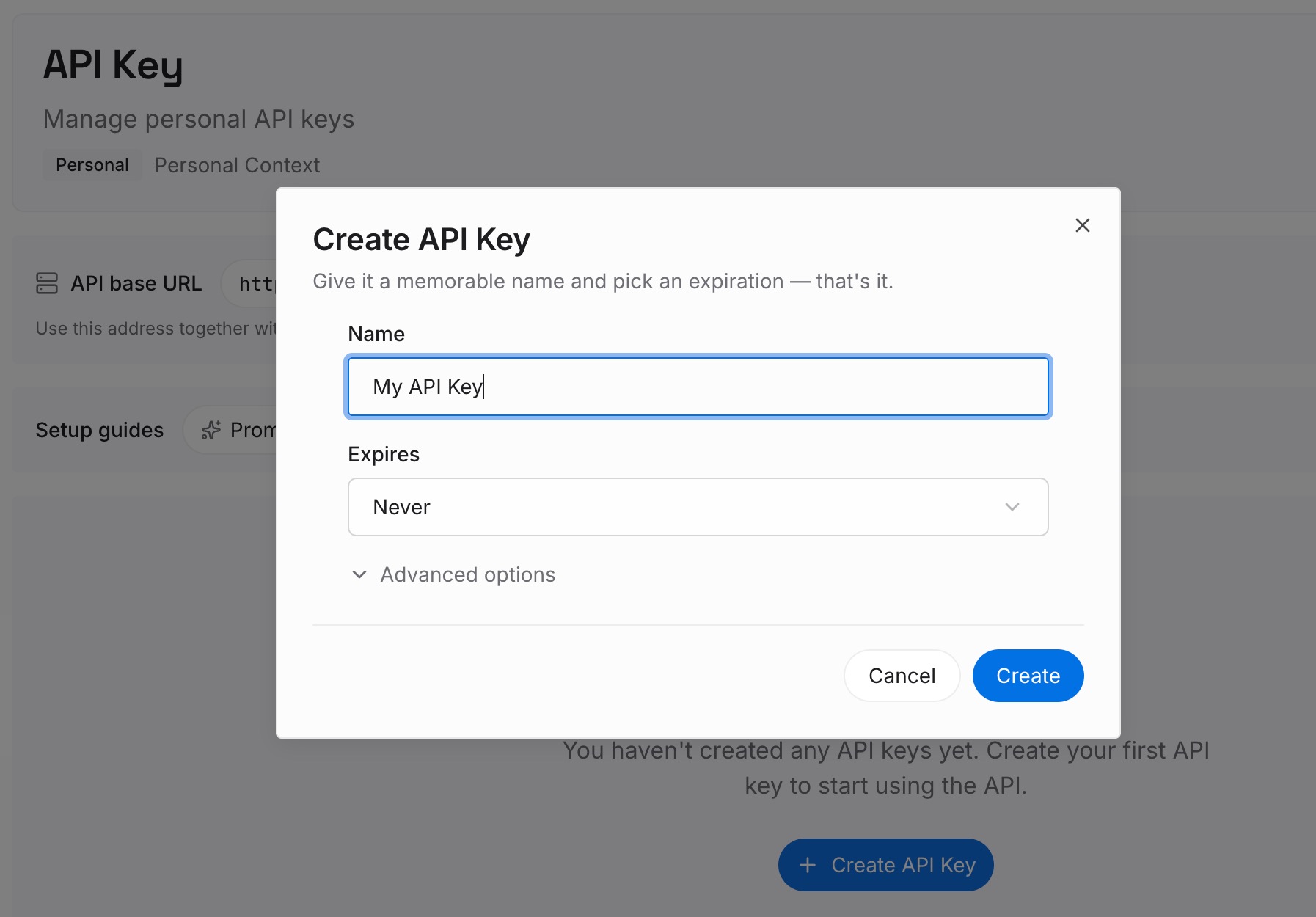
Step 1: Create an API key
Sign in to MemoryLake and create an API key. One credential across the tools you connect.
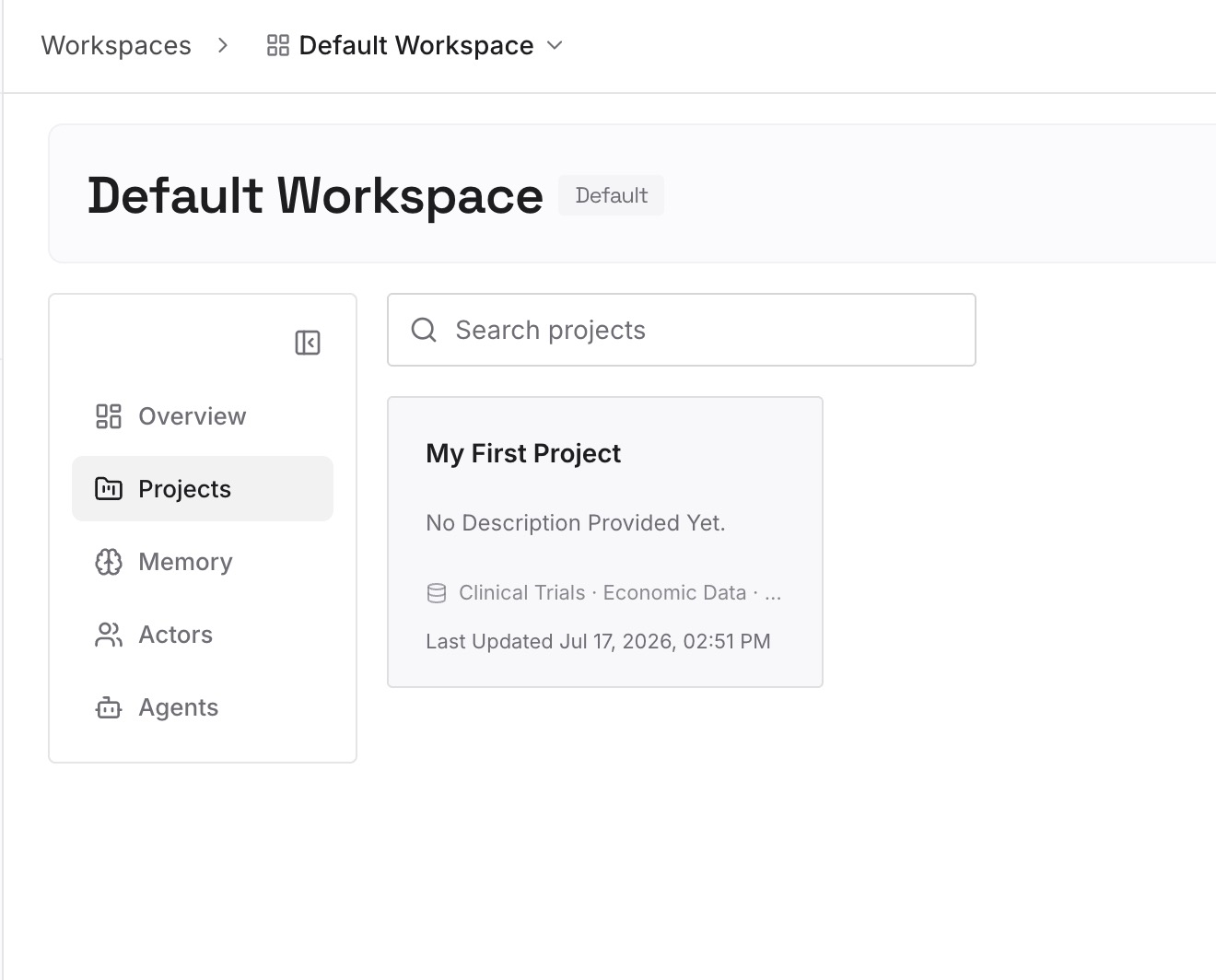
Step 2: Upload your first memories
Short entries, one claim each. What belongs outside any single project:
Conclusions with the evidence attached. "Vendor pricing pages understate the enterprise tier because the published number excludes the platform fee." The conclusion alone gets re-litigated; the reason doesn't.
Sources you learned to weight differently. The trade publication that recycles press releases, the dataset with a two-quarter lag. This is the most reusable research knowledge there is and it exists in no document.
Definitions your team actually uses. What counts as an active user, which fiscal calendar, whose numbers are canonical. Every new project re-argues these.
Questions already answered, and where. So the next project starts from your findings rather than the open web.
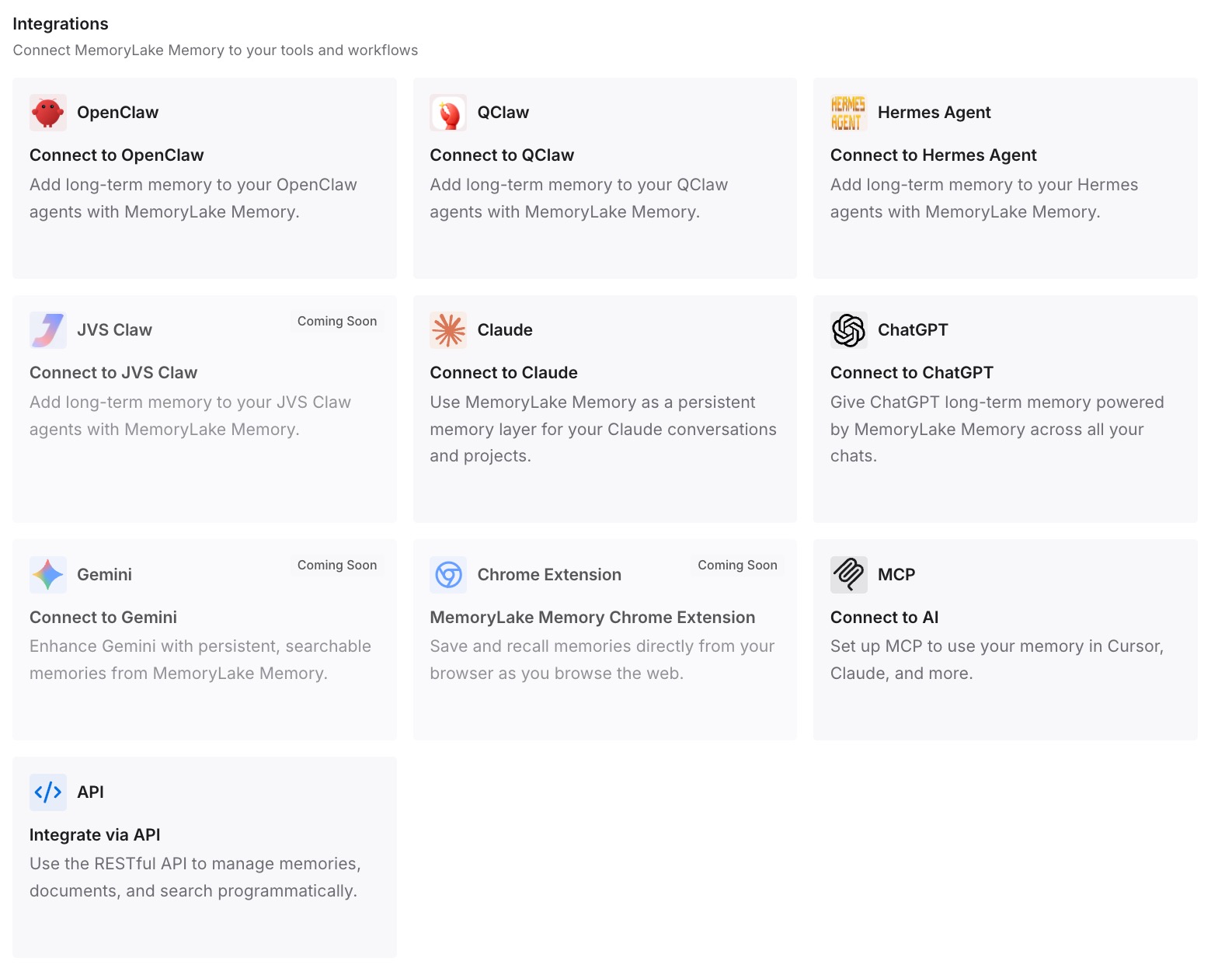
Step 3: Connect your AI & agents
Connect the tools you use. MemoryLake is reachable over MCP and over an API, so MCP-native agents — Claude Code, Codex, and OpenClaw among them — connect by pointing at the MCP server, while other assistants read the same memory through the API. Which is what makes the findings portable: the same conclusions are available whether you're in Perplexity, a chat assistant, or an agent.
Three honest limits. MemoryLake does not read your Brain and does not write your Perplexity project settings — Brain is Perplexity's memory for work inside a project, and if you're working in Projects you should turn it on and use it. It holds only what you or your agents put into it, so Step 2 is manual. And it doesn't do research: source prioritisation, retrieval, and citations are what Perplexity is for.
What this changes in practice
"Is it remembering?" becomes something you can look at. The Brain tab shows the memory generated for the project. Empty means off, not broken.
A new project stops being a blank slate. Project scoping is deliberate; keeping the durable layer outside it is the answer, not fighting the scoping.
Instructions get shorter and more procedural. When findings live elsewhere, the 8,000 characters go back to being rules about how to work.
Shared projects stop being confusing. Brain runs bill to the creator and individual memory can be walled off — two settings that explain most "it knows less in the team project" reports.
Your research outlives the tool. The same conclusions are readable by whatever assistant you use next — the shape covered in what persistent memory actually means.
Best practices for research context that survives in Perplexity
Do sustained research inside a Project, not in one-off sessions. Brain only builds memory from project activity.
Use Convert session to project instead of starting over. It carries your files and artifacts across.
Check whether Brain is automatic or manual. Manual looks exactly like forgetting.
Read the Brain tab before you trust it. A wrong memory is worse than none, because it competes with your instruction.
Prioritise domains in the Context settings. For research, source control matters more than memory settings.
Keep instructions procedural. Format, citation style, status file — not conclusions.
Know who's paying and what's walled off. Brain runs bill to the project creator, and individual memory can be blocked from project queries.
Don't build one Project for everything. Brain then learns from unrelated work, and non-Enterprise projects cap at 5 contributors.
Store conclusions and their evidence outside the project. A finding with its reasoning survives a new project, a new tool, and a new teammate; the finding alone doesn't — the general problem in why RAG isn't memory.
Conclusion
Perplexity does have memory for research, and it's more capable than most people using it realise. Brain builds live, updating knowledge from a project's activity, you can read exactly what it has in the Brain tab, and a Project keeps conversations, tasks, files, instructions, and connected tools in one persistent hub.
What makes it look absent is almost always one of four things: the research is happening in one-off Search sessions instead of a Project, Brain is set to run manually, you've crossed into a different Project with its own separate memory, or project queries have been blocked from drawing on your individual memory. The first three are ten minutes of settings. The fourth is a switch you probably didn't know existed.
The one thing no setting fixes is scope. Brain is per project on purpose, and project instructions are sent with every query, so the conclusions that outlive a project — the sources you learned not to trust, the definitions your team settled on, the approaches you already ruled out — need a home outside all of them. Put those somewhere any assistant can query, turn Brain on for the work inside each project, and a new project starts from what you already know instead of from the open web.