
Why your Copilot memory seems to disappear when your license changes
Copilot Memory stores two kinds of information. Repository-level facts cover "coding conventions, architectural decisions, build commands, and project-specific rules." User-level preferences are "Implied or stated personal preferences about how a user wants to interact with Copilot."
The two are scoped differently.
Repository facts belong to the repository. GitHub explains that "those facts can only be used in operations on the same repository," and that they are only created "in response to actions by users with write access to the repository who have Copilot Memory enabled." Anyone with access to Copilot Memory in that repository benefits from them. They are also checked before use: "Repository-level facts are stored with citations pointing to the code that supports them," and when one looks relevant, Copilot checks those citations against the current branch. "Only validated facts are used."
User preferences follow you, but with an owner attached. This is the key passage: "Preferences are owned by the billing entity, which is the organization or enterprise that grants the user their license." When a preference is created, "it is stored against the active billing entity for the user's current usage." And when Copilot builds context for a session, "it looks at the user's current active billing entity again and only retrieves memories that are owned by that billing entity."
So a preference Copilot learned while your license came from your employer is owned by your employer's organization or enterprise. When you work under a different license, Copilot retrieves the preferences owned by that one instead.
If you have more than one source of access, there is an extra requirement: "If you receive Copilot access through multiple enterprises or organizations, you must select a default billing entity in order to generate user-level preferences with Copilot Memory." That default decides which account can manage and delete the preferences generated for you.
Ownership has practical effects for administrators too. On Business and Enterprise plans, user-level preferences "can be viewed and deleted by an organization or enterprise administrator." GitHub's admin guide adds that administrators "can export or delete all user-level preferences that were generated with your organization as the active billing entity," in JSONL format. Those actions are recorded: "Events appear in your organization or enterprise's audit log when an administrator exports or deletes memories, and when a user opts out of Copilot Memory."
Two more rules shape what you keep. Availability depends on the plan: for individual plans Copilot Memory is on by default, while "For enterprise- and organization-managed Copilot subscriptions, Copilot Memory is off by default and must be enabled in the enterprise or organization settings." And memories age out: "any stored fact or preference that goes unused is automatically deleted after 28 days." Copilot Memory is also in public preview, so details can change.
What people try instead
Assuming Copilot Memory is one memory per person. It is one set of preferences per billing entity. A personal plan and a company license each have their own.
Never choosing a default billing entity. With access from more than one place, GitHub requires a default before it generates user-level preferences for you. If your Memory page shows no preferences at all, this is the first thing to check.
Expecting preferences to show up in code review. GitHub states that "Copilot code review uses repository-level facts only. User-level preferences are not applied during code review." The CLI is different: "Copilot CLI applies repository-level facts and the user-level preferences of the user who initiated the operation."
Counting on memory for rules the team needs. Repository facts are useful, but they are inferred by Copilot and expire when unused. Team rules belong in instruction files, as how Copilot resolves its instruction files explains.
Confusing Copilot Memory with VS Code's local memory tool. They are separate features with different storage and lifetimes, covered in setting up Copilot memory in VS Code.
The Fix: Know who owns each memory, then keep what you need somewhere it can follow you
Step 1: Check which billing entity owns your preferences today
Open your Copilot settings on GitHub and go to Memory. GitHub notes that "Users can view all their stored preferences and corresponding owners in their personal settings." Read through them and note the owner of each. GitHub adds that "Users can view and delete their own user-level preferences regardless of their Copilot plan," so remove anything outdated while you are there.
If you get Copilot from more than one place, go to your Copilot feature settings and select a default billing entity. Choose the one you use for most of your work. GitHub makes this selection a condition for generating user-level preferences when your access comes from more than one place.
While you are there, check whether Copilot Memory is enabled. On an organization-managed plan, an administrator has to enable the policy first; after that, users are opted in and can opt out individually. GitHub describes the feature as off for organization-managed subscriptions until the organization or enterprise turns it on, so check with your administrator if your work sessions show no memories.
Finally, list the preferences that matter to you: the coding style choices, review habits and workflow details you would want any Copilot, under any license, to know.
Step 2: Put team knowledge in the repository, and keep your personal preferences in your own words
Separate the two kinds of context, and give each a home that matches its owner.
Team knowledge belongs to the repository. Conventions, architecture decisions, build commands and project rules should live in .github/copilot-instructions.md, path-specific instruction files, or AGENTS.md. Copilot Memory's repository facts can supplement these, but written instructions do not expire after 28 days of disuse and do not depend on Copilot inferring them correctly. If the repository facts Copilot stored are useful, use them as a prompt to write the rule down. Where Copilot keeps losing the codebase's shape, why GitHub Copilot forgets codebase context covers the broader fixes.
Personal preferences are yours to restate. Write a short list in your own words: how you like code structured, naming habits, testing preferences, how you want explanations. This is your description of yourself, not a copy of anything stored under an employer's billing entity. You can tell Copilot these things under any license, and it will learn them again.
Be careful with the line between the two. Preferences generated under your employer's license are owned by your employer, and administrators can export or delete them. Treat them as company data. If you want something from them, ask your administrator; do not try to copy them out yourself.
Step 3: Prepare for license changes before they happen
License changes are predictable: a new job, a team moving to an enterprise account, a personal plan you add or cancel. Plan for them.
Before you leave an organization, make sure the team context you contributed is in repository instruction files, not only in memory. Repository facts stay with the repository, but they can expire, and written instructions keep the knowledge available to whoever comes next. The broader version of this handover is covered in keeping AI context when someone leaves.
When you start under a new license, give Copilot your personal list early. Tell it your preferences in the first sessions rather than waiting for it to infer them, and check the Memory settings page after a week to see what it saved and who owns it.
If you work across a personal plan and a company license, be deliberate about which one you use for which work. GitHub stores each preference against the billing entity that was active when it was created, so notice which license you are using when Copilot learns something you care about.
Setting this up in MemoryLake
The fix keeps team rules in the repository and personal preferences in your own words. Some context sits between the two and outlives any license: decisions you made across several projects, the reasons behind your conventions, lessons that apply in every codebase you touch. MemoryLake is a place to keep that layer, independent of who pays for your Copilot seat.
You write the entries yourself, in your own words. Nothing is read out of, written to, or deleted from Copilot Memory, your repositories, or any vendor's store. Before adding anything about an employer's code or decisions, check your organization's policy.
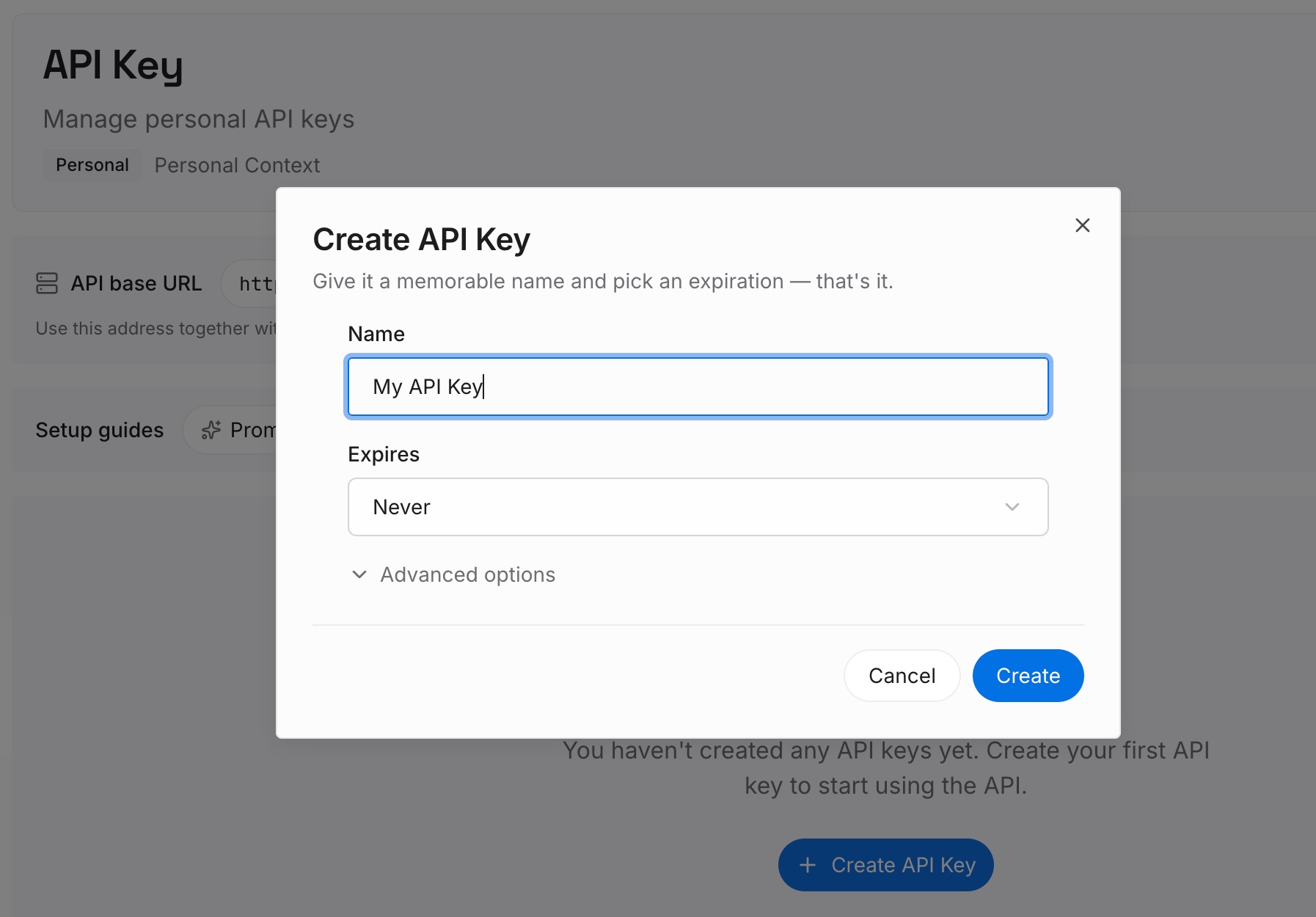
Step 1: Create an API key
Sign in and generate a key from the dashboard. The key belongs to your MemoryLake workspace, separate from any GitHub organization or license.
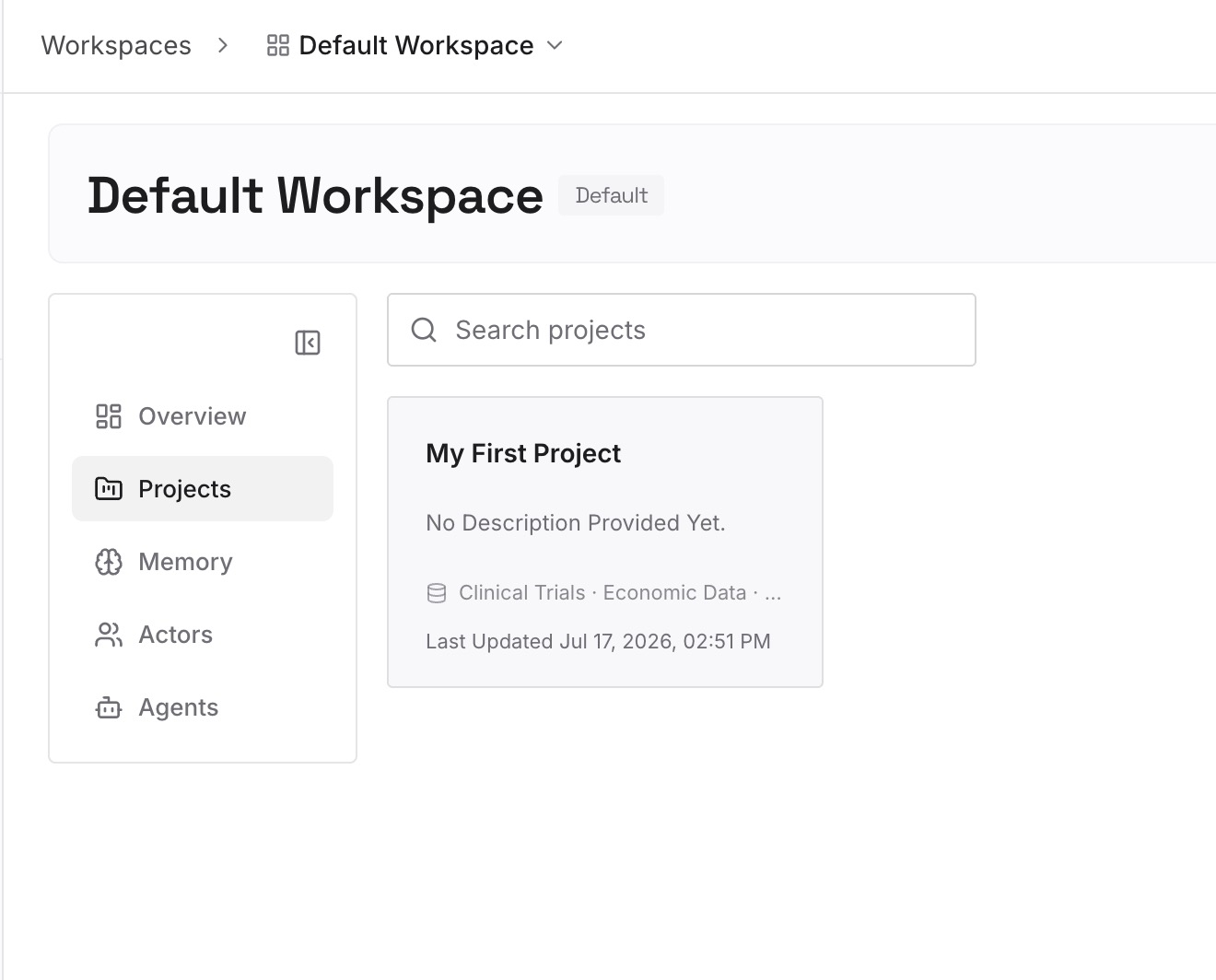
Step 2: Upload your first memories
Start with the personal list from Step 2 and the cross-project reasons you would want in any session. One preference or decision per entry, dated.
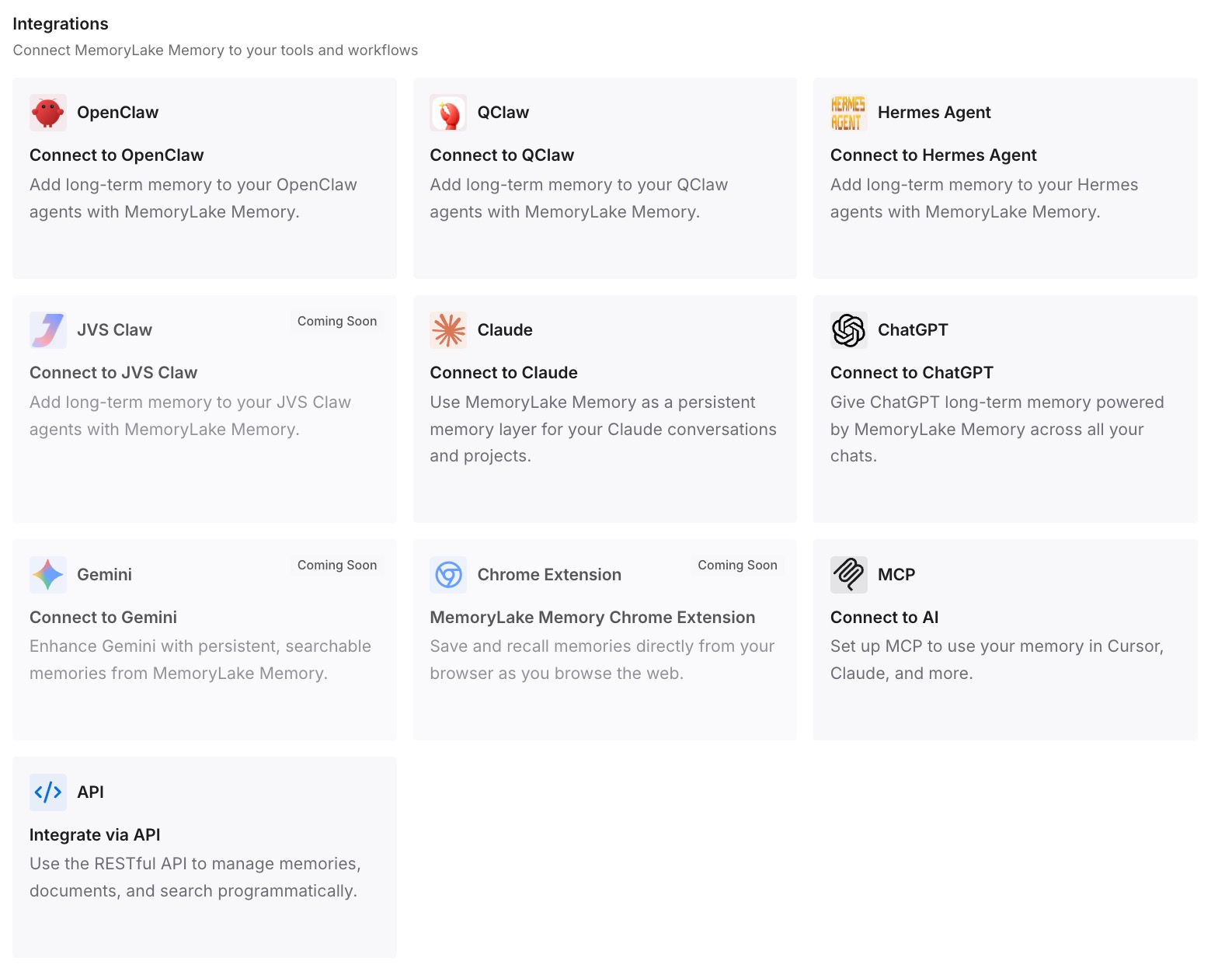
Step 3: Connect your AI & agents
Connect Copilot and the other coding agents you use. Your preferences are then available whichever license or tool you are working under.
What this changes in practice
The first difference is that missing preferences stop being a mystery. You know which billing entity owns which memories, and why a session under one license does not show what another learned.
The second is that team knowledge survives turnover. Rules live in instruction files that every Copilot surface reads, so they outlast both 28-day expiry and the people who first explained them. For how those files load in the terminal, see wiring Copilot CLI instructions.
The third is that a new job does not mean starting over. Your own written preferences get a new Copilot up to speed in a session or two.
The fourth is a clean line between company and personal context. Company-owned preferences stay with the company, under its administrators' control, and your portable knowledge is what you wrote yourself.
Best practices for Copilot Memory across licenses
Set a default billing entity. It is required when you have access from more than one place.
Check owners in your Memory settings. Each preference shows who owns it.
Write team rules into instruction files. Memory is inferred and expires when unused.
Restate personal preferences in your own words. Keep the list short and current.
Treat employer-owned memories as company data. Ask an administrator rather than copying them.
Remember where each memory applies. Code review uses repository facts only; the CLI uses both.
Use other sources of context too. A curated space can carry project knowledge that memory does not, as building a Copilot Space that stays current shows, and teams moving tools can compare approaches in migrating from Copilot to Codex.
Conclusion
GitHub Copilot Memory stores repository facts that stay with the repository and personal preferences owned by whichever organization or enterprise grants your license. Copilot only retrieves preferences owned by your current billing entity, administrators can export or delete the ones their organization owns, and unused memories expire after 28 days.
That design makes sense for organizations, and it means your Copilot memory is not one continuous thing. Choose a default billing entity, check who owns what, put team rules in instruction files, and keep your personal preferences in your own words.
Do that, and a license change becomes a short reintroduction rather than a fresh start.