
What Manus actually published about restoration
Everything quoted here comes from the Service Change articles in the Manus Help Center. No third-party summaries, and no numbers Manus did not publish.
The window has no closing date, and the files are the only key
"Starting from 8:00 a.m. on August 25, any users impacted by our service changes can restore your account and tasks using the backup packages you previously saved."
For deployed sites, Manus is explicit that the open-endedness is deliberate: any deployed website is unreachable from the start of deletion "until you actively restore your data (restore portal opens at 7:59 a.m. on August 25) — since the restoration time is up to you, there is no fixed end date."
The other side of that flexibility is that the backup period is closed for good. On lost files, the documentation says to check your cloud drive's trash and version history first, and then: "If the file is genuinely lost or damaged, please create a new backup within the Data backup period; once the Data backup period has ended, a new backup cannot be made." There is also a handling instruction that is easy to violate while tidying up a Downloads folder: "Do not modify, rename, or move the backup files, as this may render them unusable."
Restoration runs once
The sentence appears twice in the restore article, which is usually a sign the vendor expects people to miss it: "Restoration can only be completed once."
The surrounding paragraph explains why that is less brutal than it sounds, and where the one relief valve sits: "The data restoration supports uploading multiple backup packages. After upload, we will deduplicate and consolidate the contents to restore the most complete set of task data. Data restoration can only be performed once. We strongly recommend that you carefully check and confirm that the backup packages are correct and contain the latest versions before proceeding with the restoration."
So you are not limited to one file. You are limited to one completed restore, and everything you want must be in that upload. The valve is narrow but real: "A failed package-validation attempt does not count as a completed restoration, so you may retry with the complete set." A rejected upload is not a spent attempt. A successful restore of the wrong set is.
Two packages, and a 4 GB split that creates most of the failures
The backup produced up to two archives with different jobs. The Account Data Backup is "small — no more than 10 MB, delivered as an email attachment," and only Type C users could generate one. For those users the dependency is absolute: "Without the Account Data Backup, the task data cannot be restored."
The Task Data Backup is the large one, and Manus describes its contents plainly: it "Contains your tasks, generated files (such as websites and slides), and configuration data."
Then the constraint that produces most of the confusion: "The upper limit of a single data package is 4GB. For example, a total of 8GB will be divided into two 4GB backup packages." On the restore side that becomes a hard requirement: "If an export contains multiple files, upload the unnumbered main package and every numbered part package from the same export together. An incomplete package set cannot be restored."
If your export was 12 GB, you have three files, and all three have to go up in the same operation.
Which steps apply depends on your account type
Manus sorted affected accounts into three types, and the restore path differs by type. For accounts that survived: "Type A and B users: Your account remains unaffected and you can continue using Manus as usual, but your deleted task data, Manus-generated artifacts, and authorized connectors cannot be retrieved unless you restore them yourself later using your backup files."
For the deleted ones: "Type C users: Your account will remain deleted, and you will not be able to log in. To use Manus services, you would have to create a new account." Their sequence is account first, then task data.
Teams add three more constraints. "Only the team owner has the authority to restore team data. Team members cannot initiate a team data restoration." If nobody does it: "If the team owner does not perform the restoration, the team data cannot be retrieved and members will not be able to access it." And an instruction worth reading twice before improvising: "Do not create a new team for this purpose; backup packages for the original team cannot be restored into or merged with a newly created team." Anyone holding both a personal account and a team must "complete two separate account restoration operations as well as data restoration operations."
What this does and doesn't change
What comes back is well defined: tasks, generated files including websites and slides, and configuration data. Deployed sites return on their own — "After you restore your Task Data Backup, your deployed websites will come back online automatically." Third-party connectors come back in a half-state: "Data restore will also restore third-party connectors, but you'll need to manually turn that toggle back on."
What does not come back is defined just as clearly, and in a single sentence from the backup guide: "The backup only captures a snapshot of your data at the moment it was generated and will not automatically sync new tasks." The package is frozen at export time. Anything created between your last export and the deletion window is not in it, and no restore will conjure it.
There is a third category, and Manus is the one who draws the line. Team members who could not create a backup were told they "can export a readable copy of their task data via plaintext export, but this differs from a backup and cannot be used to import or restore task data."
Read that as a description of two different shapes. One is readable by a person and reusable anywhere, but the vendor's restore tool will not accept it. The other is accepted by the restore tool and useless to anything else. Nothing in this event produced a third shape — a record of what the tool had learned about how you work, in a form that both you and another system could pick up. Task archives do not carry that. Neither do plaintext exports. It was never in a package, so it cannot come out of one, which is the same gap that shows up in ordinary use when Manus loses your project history.
What people will take from this, and shouldn't
"No deadline means no urgency." The deadline that mattered has already passed. Your backup files are, in Manus's own words, "the only means of restoring your data," they cannot be regenerated, and renaming or moving them "may render them unusable."
"I'll start a restore and see what happens." Only a validation failure is free. A completed restore is spent, and the documentation asks you to confirm the packages "are correct and contain the latest versions before proceeding."
"Someone on my team can handle it." Only the owner can restore team data, and if the owner's own account was deleted they have to restore themselves first.
"The backup is a copy of my account." It is a snapshot with a timestamp.
"First I should pick a replacement tool." Restoring what you had and deciding where durable knowledge lives next are two separate decisions on two separate clocks. Doing them in the wrong order is how people end up doing neither.
The Fix: Keep the Reusable Half Somewhere No Single Restore Decides
The restore returns your artifacts. The part that made those artifacts good — the brief you refined over a dozen attempts, the sources you rejected and why, the format your team actually accepts — lives in a layer no archive format has a field for. That layer is worth putting somewhere that does not belong to any one vendor's export tool.
That is what MemoryLake is for: a memory layer you own, that your assistants and agents read from through an API rather than through each vendor's private archive format. Setting it up takes three steps.
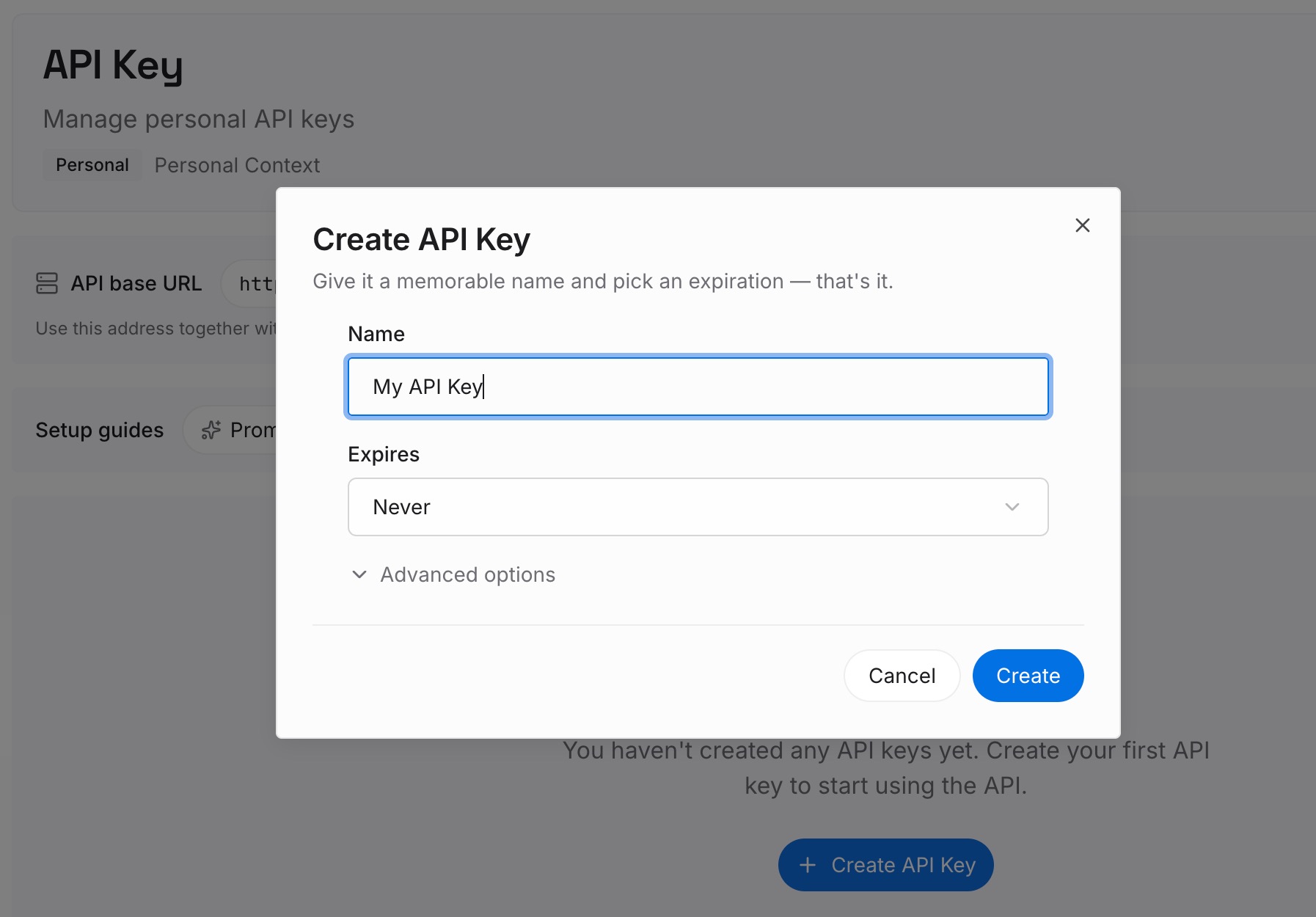
Step 1: Create an API key
Sign in and create an API key from your workspace settings. This is the credential your assistants and agents will use, and it belongs to you rather than to any single tool, so switching tools later does not invalidate it.
Step 2: Upload your first memories
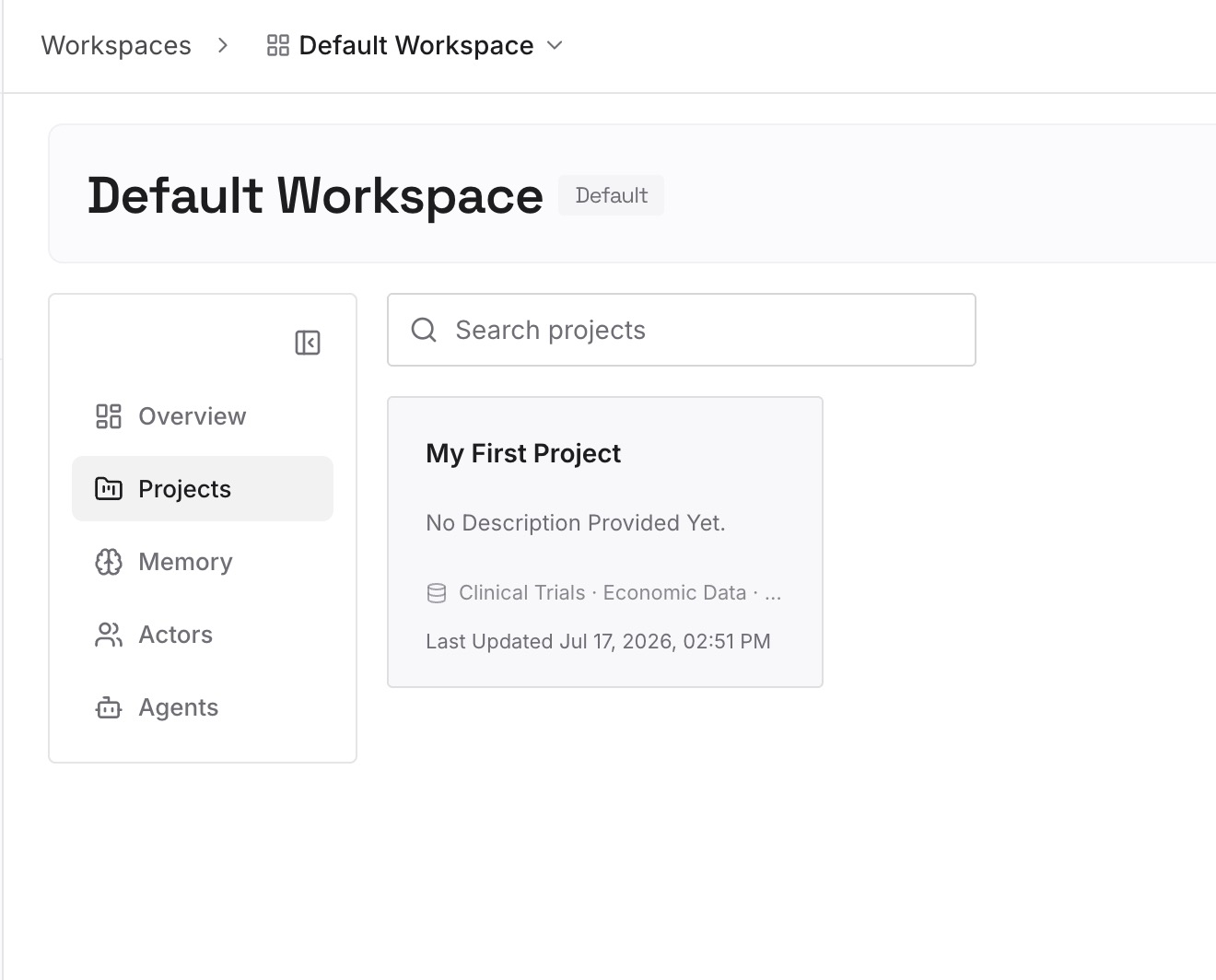
Start with the reusable half rather than the artifacts. The working brief that finally produced good output. The sources you decided not to trust. Your team's naming and formatting conventions. Constraints that keep coming back — the audience, the tone, the two things that must never appear in a deliverable. Files come in as they are, and MemoryLake handles the multimodal ones, so a slide deck or a spreadsheet that encodes a convention can go in directly.
Step 3: Connect your AI & agents
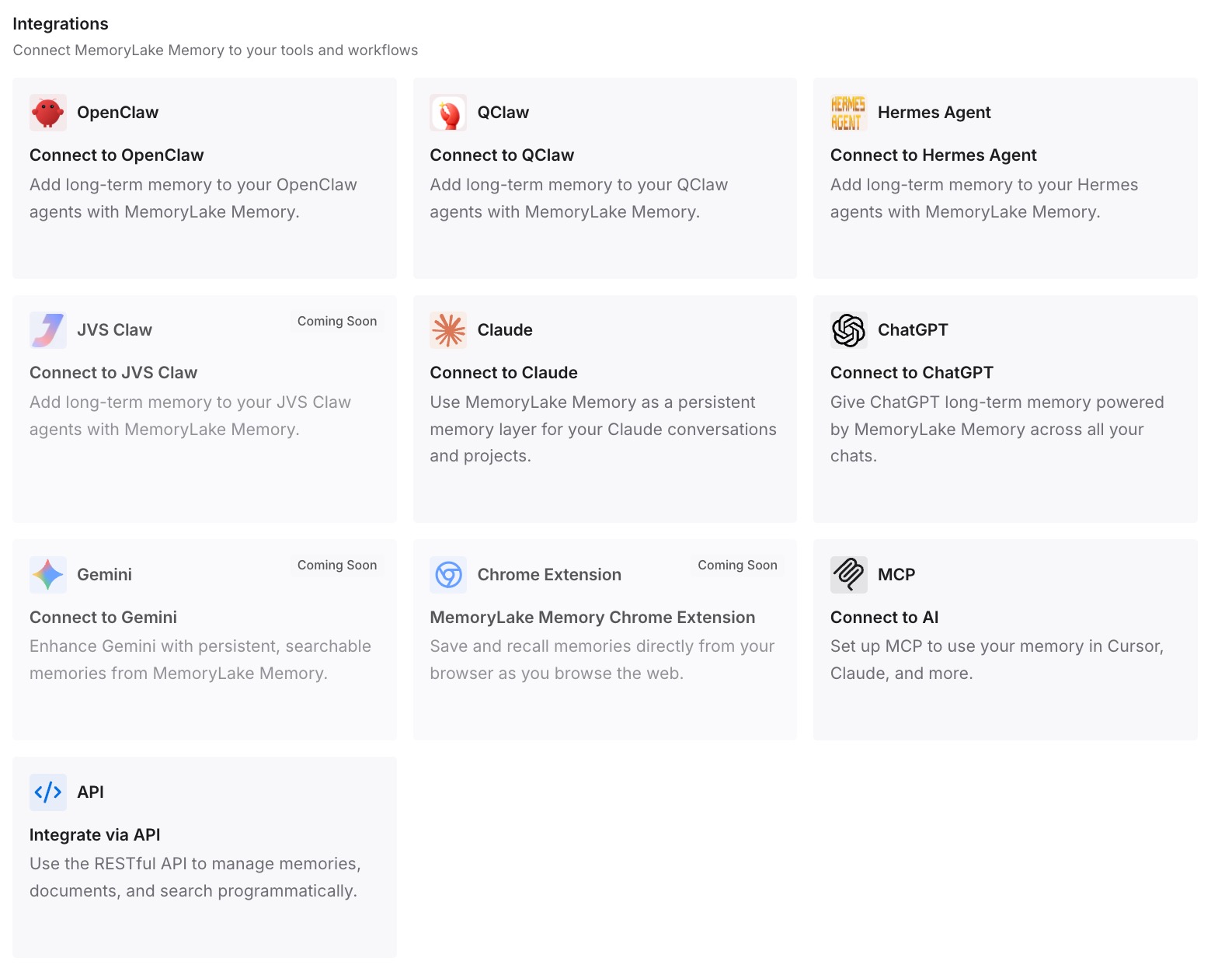
Connect the assistants you actually use. From then on, the durable half is read from one place instead of being rebuilt inside whichever tool you happen to be in. When a tool changes, gets acquired, or asks you to restore from an archive, that layer is unaffected, because it was never inside the tool.
Two honest limits. MemoryLake cannot restore your Manus tasks, read your backup packages, or interact with the restoration tool in any way — that path runs entirely through Manus, and this section is about the next round, not this one. And it does not replace an archive: files and deliverables still belong in a backup.
What this changes in practice
Right now it changes the order of operations. Verify your package set, restore once, then decide separately where the reusable layer goes.
Over the next year it changes what a service change costs you. The event that just happened was unusually well documented, with a named window, two package types, a published restore path, and a support channel. Most disruptions are messier: a tool sunsets a feature, a plan changes, a workspace gets migrated, an acquisition closes. Every one of those is survivable at the artifact level as long as you exported. The layer that keeps getting lost is the accumulated understanding, because it usually has no export at all — see what makes memory persistent for why an archive and a memory layer are not the same object.
It also changes how much of a rebuild a switch is. When the durable half is already outside the tool, evaluating an alternative is a matter of pointing it at what you already know, not of re-teaching it from scratch. That is the same argument behind carrying context between tools, and it applies whether you stay on Manus or not.
Best practices before you spend the attempt
Locate every file from the same export first. The unnumbered main package plus every numbered part file. An incomplete set cannot be restored, and a partial set is exactly how a single attempt gets wasted.
Do not rename, move, or unzip anything. The documentation says modifying the files may render them unusable. Copy them into one folder without touching the names.
Check the timestamp against your memory of the work. If your last export predates work you care about, that work is not in the package, and no restore will change that. Better to know before than after.
Confirm you are signed into the matching account. Manus verifies the backup against the logged-in account, and mismatches halt the process with an "Account Information Inconsistent" error. The published remedies for related errors — including "Backup couldn't be verified" and "[permission_denied] HTTP 403" — are to sign out, sign back in as the account the backup belongs to, and retry.
If you own a team, plan two restores, not one. Personal first if your own account was deleted, then the team, and do not create a new team to restore into.
Re-enable connectors afterwards, and check them. Restore brings the connectors back but leaves the toggle off, so an automation that looks intact may be doing nothing.
Write down the reusable half while it is still fresh. Before you close this chapter, spend twenty minutes capturing the briefs, conventions and rejected approaches that were never in any package. That is the only part of this event you can prevent from recurring. If your team's knowledge is spread across several assistants, auditing what each one actually remembers is a reasonable place to start.
Conclusion
Manus removed the clock and kept the constraint. You can restore whenever you are ready, and you get one shot at it, so the work happens before you press the button: gather the complete package set, leave the filenames alone, check the export date, and make sure the right person is signed in.
Then treat the other half separately. Your tasks and files were recoverable because they were in a package. The understanding built up around them was not in any package, and that is a fixable condition — but only outside the tool that lost it.