
The short answer
A task handle gives you crash-resilient control over long-running MCP work, but it doesn't store what the task learned. To give MCP Tasks long-term memory, write the task's context to an external layer: create a MemoryLake Project, generate an MCP Server endpoint, and have the task read and write context through it — so a resumed task recovers both its handle and its memory.
Why a task handle isn't memory
The Tasks extension (which moved from an experimental core feature in 2025-11-25 to an extension after production feedback) solves a transport problem: long operations no longer tie up a connection or hit gateway timeouts, and a durable task ID lets a client reconnect and keep polling. That's exactly what long-running agent work needed.
But durability of the handle is not durability of the context. When your task spends ten minutes researching, calling tools, and forming intermediate conclusions, that accumulated knowledge lives in process. Resume the task after a restart and you recover the handle — yet the facts it gathered, the decisions it made, and the user input it collected are gone unless you stored them somewhere. The clean pattern is to keep the task itself stateless and push its memory into an external layer it reads on resume. The Tasks extension handles where the task is; a memory layer handles what the task knows.
Before you start
You'll need:
- A free MemoryLake account
- An MCP server that advertises the Tasks extension (task support requires opt-in from both client and server)
- The context the task should persist — intermediate results, rules, or files (PDF, Word, Excel, PowerPoint, text/Markdown, or images)
How to give MCP Tasks long-term memory (step by step)
Step 1: Build a memory Project
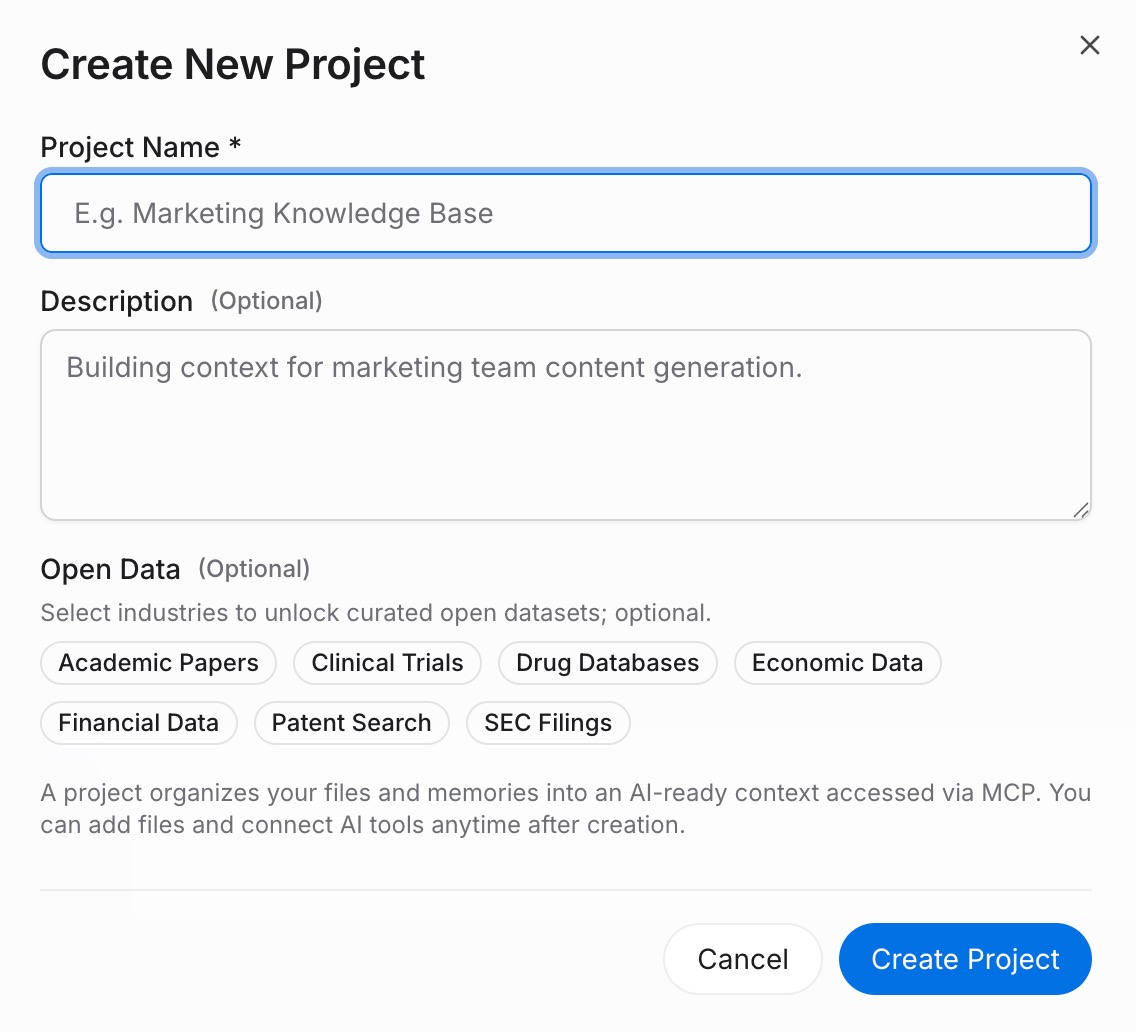
Sign in to MemoryLake and open Project Management. Click Create Project and name it (for example, "Long-running task memory"). Open the Document Drive, use Upload to add reference files, then Documents Tab → Add Documents → Confirm to attach them. Capture durable rules through the Memories Tab → Add Memory → Save.
Step 2: Generate an MCP Server endpoint
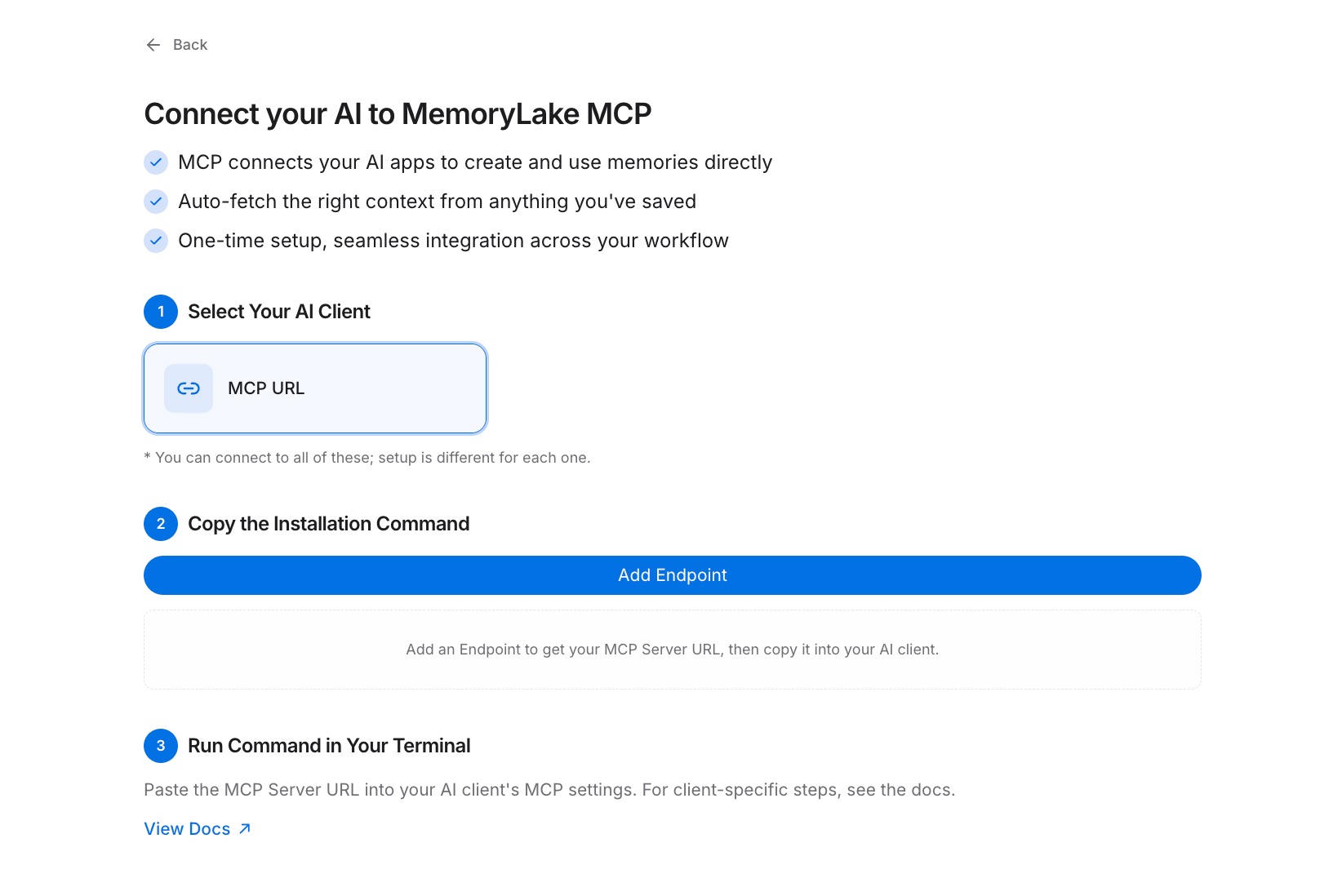
Open the MCP Servers Tab → Add MCP Server → describe it (for example, "Task context backend") → Generate. MemoryLake returns a Key ID, a Secret, and an Endpoint URL. Copy the Secret immediately — it's shown only once.
Step 3: Read and write task context through the endpoint
In your task's execution code, call the MemoryLake Endpoint URL with the Secret as a Bearer token to checkpoint context as the task progresses, and to read it back when a client resumes with tasks/get after a disconnect. Because memory lives outside the process, a resumed task — even on a different instance — recovers both its handle and everything it had learned. See the MCP setup guide for the configuration reference. [Try MemoryLake free]
Task handle alone vs Task + MemoryLake
| Dimension | Task handle alone | Task + MemoryLake |
|---|---|---|
| Resume after disconnect | Yes (same task ID) | Yes |
| Recover accumulated context | No (lost on restart) | Yes |
| Works across server instances | Handle only | Handle + full memory |
| Version control of context | No | Yes (Git-style history) |
| Data ownership | In-process, volatile | You own it (AES-256, durable) |
| Benchmark | — | LoCoMo #1 — 94.03% |
Tips & best practices
- Checkpoint context at meaningful steps, not every tick — write after a tool result or a decision, so a resumed task picks up at the last solid state.
- Key memory by a stable identifier (the task's logical job, not the transient connection) so any instance resuming the task reads the right context.
- Keep durable rules in Memory entries and bulk artifacts in the Document Drive — small rules read back fast on resume.
- Read the Bearer token from shared config so every instance that can pick up the task authenticates the same way.
Troubleshooting
- A resumed task acts like it forgot everything: confirm the task reads context back from the Endpoint URL on resume, not just the task handle from
tasks/get. - Different instances see different context: key memory by the logical job, and point every instance at the same Project and Endpoint URL.
- "Secret not found": the Secret is shown only once. Revoke the key and Generate a new one in the MCP Servers Tab.
Give long-running tasks a memory, not just a handle
Externalize task context once and a resumed MCP Task recovers everything it knew — not just where it left off.