
What actually transfers
Rules: what Antigravity loads, and what Claude Code reads
Antigravity describes rules as "persistent instructions, coding standards, and architectural constraints that shape how Antigravity behaves in your codebase." It discovers them in several places: an AGENTS.md or GEMINI.md in any directory, rule files in .agents/rules/, and global files under ~/.gemini/. It also combines them. "Rules are cumulative rather than replacement-based", and "When instructions conflict, more specific directory rules take priority."
Claude Code's instruction files are CLAUDE.md files and .claude/rules/. It can also read AGENTS.md, with one condition you need to know before you add anything. Its documentation says "By default, Claude reads AGENTS.md only when you have no CLAUDE.md in your working directory or above it." The files that count for that check are "a CLAUDE.md, .claude/CLAUDE.md, or CLAUDE.local.md in your working directory or any directory above it."
That gives you three cases to plan for:
- Your project uses
AGENTS.mdonly. Claude Code reads it with no changes, provided you don't add aCLAUDE.md. - You want both. Claude Code has a Project instructions setting with a value,
claude-md-and-agents-md, that reads "YourCLAUDE.mdandAGENTS.mdfiles together." Alternatively, aCLAUDE.mdcan import theAGENTS.md. - Your project relies on
GEMINI.md. Claude Code's memory documentation doesn't listGEMINI.mdamong the files it reads. Anything that lives only there needs to move.
The same split applies to global rules. Antigravity's standalone global files include ~/.gemini/AGENTS.md and ~/.gemini/GEMINI.md. Claude Code's personal file is ~/.claude/CLAUDE.md, with personal rules in ~/.claude/rules/.
Activation modes don't map one to one
This is where most of the behavior change hides. Antigravity's modular rules each declare a trigger in their frontmatter, with four values: always_on, model_decision, glob, and manual.
Claude Code's rules have two states. "Rules without a paths field are loaded unconditionally and apply to all files." A rule with paths "loads when Claude uses the Read, Write, or Edit tool on a matching file."
So the mapping looks like this:
always_onbecomes a rule with nopaths, or content inCLAUDE.md.globbecomes a rule withpaths. Antigravity writes patterns as a comma-separated string inglobs. Claude Code's examples list them underpathsas YAML entries, so rewrite them rather than copying the line.model_decisionis the interesting one. Antigravity injects only the rule's path and description upfront, and "The agent reads the full rule on demand when your task matches the description." Claude Code's closest equivalent is a skill. Its documentation says skills "only load when you invoke them or when Claude determines they're relevant to your prompt."manualrules load only when you mention them. In Claude Code, a skill you invoke by name does the same job.
One more Antigravity detail is worth checking before you port anything. If a rule file "omits frontmatter or specifies an unrecognized trigger value (such as camelCase alwaysOn or modelDecision), Antigravity silently discards the rule." Some rule files in your repository may never have been active. Porting them to Claude Code would switch them on for the first time.
File references behave differently
Both tools let a rule point at other files, but they treat the reference differently, and this one can quietly change what's in context.
Antigravity has two forms. @[label](path) "Inlines the target file's contents directly into the rule" before the prompt is evaluated and size limits are checked. A plain @filename doesn't inline anything. Antigravity resolves the path and rewrites it so the agent has an unambiguous reference to the file.
Claude Code has one form, and it imports. "CLAUDE.md files can import additional files using @path/to/import syntax. Imported files are expanded and loaded into context at launch alongside the CLAUDE.md that references them."
That means a line like "check @src/db/schema.ts first", which in Antigravity was a pointer, becomes an import once it sits in a CLAUDE.md. Claude Code's documentation says @path imports are expanded inside an AGENTS.md as well, so the file's contents load alongside your instructions. The documentation also gives the escape: wrapping a path in backticks keeps it as literal text. Go through your rules for plain @filename references and decide, one by one, whether you want the file's contents loaded or just its name mentioned.
Limits differ as well. Antigravity truncates any rule file over 24,000 bytes and keeps all always-on rules within a shared token budget, demoting the largest files to pointers when they exceed it. Claude Code suggests you "target under 200 lines per CLAUDE.md file" and warns that "Longer files consume more context and reduce adherence." A large always-on rule that Antigravity was quietly demoting loads at launch in Claude Code if you port it as an unconditional rule.
Skills move almost as they are
Skills are the easiest part. Antigravity says "Skills are an open standard for extending agent capabilities", and Claude Code says its skills "follow the Agent Skills open standard, which works across multiple AI tools." Both use a folder with a SKILL.md file and YAML frontmatter.
What changes is the location. Antigravity defaults to .agents/skills/ in the workspace, with global skills under ~/.gemini/. Claude Code reads project skills from .claude/skills/<skill-name>/SKILL.md and personal skills from ~/.claude/skills/<skill-name>/SKILL.md. Copy each skill folder into the matching place and check its description, since both tools use it to decide when the skill applies.
MCP servers need a format change
Antigravity keeps MCP servers in dedicated files: .agents/mcp_config.json for the workspace and ~/.gemini/config/mcp_config.json globally. Remote servers use a serverUrl key.
Claude Code shares project servers through a .mcp.json file. Its documentation is specific about remote entries: "A JSON entry that has a url but no type is a configuration error, because Claude Code reads an entry with no type as a stdio server." It doesn't describe a serverUrl key, so rewrite each remote entry with a url and the right type rather than copying the file across.
Conversations and knowledge items stay in Antigravity
Antigravity keeps conversation history per workspace. Its CLI documentation says it "scopes conversation histories directly to your current working directory." You can resume, rename, fork, and delete conversations, and the CLI can import threads started in the Antigravity 2.0 app. The agent's local data directory, ~/.gemini/antigravity/, "contains artifacts, knowledge items, and more."
The Antigravity documentation describes managing that history inside Antigravity. It doesn't describe exporting conversations or knowledge items for another tool, and Claude Code's documentation doesn't describe importing them. Treat both as material you read and summarize, not files you move.
The manual migration
Step 1: Inventory what Antigravity actually loads, then decide where each piece goes
List every instruction source in your repository and your home directory: each AGENTS.md and GEMINI.md, every file in .agents/rules/ with its trigger, global files under ~/.gemini/, skills, and MCP configuration. Note which surface you use, since the 2.0 app, the CLI, and the IDE each document their own global locations.
Then sort each item:
- Shared project rules that every agent should read go in
AGENTS.md, if you plan to keep using more than one tool, or inCLAUDE.mdif Claude Code is your only agent. GEMINI.mdcontent that isn't Gemini-specific moves into one of those.globrules become.claude/rules/files withpaths.model_decisionandmanualrules become skills.- Rules with broken frontmatter get a decision: fix and keep, or delete.
Finally, open your recent Antigravity conversations and write down decisions that never made it into a rule: why a library was chosen, which approach was rejected, what a tricky module assumes. If you're coming from Cursor as well, our guide to moving Cursor rules to Claude Code covers the same kind of sorting for Cursor's rules.
Step 2: Rebuild the instructions, skills, and servers in Claude Code's formats, then check what loads
Write the new files. Keep CLAUDE.md short and move anything topic-specific into rules or skills. Rewrite plain @filename references as either deliberate imports or literal text. Copy skill folders into .claude/skills/. Rewrite MCP entries into .mcp.json with url and type.
Then verify. Claude Code's troubleshooting guide suggests running /context and checking the Memory files list for files that load at launch, and notes that path-scoped rules and subdirectory files load on demand. If you rely on AGENTS.md, it also suggests running /memory and looking for its path. Ask Claude Code to summarize its project instructions and compare the answer with your inventory.
If two files now give conflicting guidance, fix it before you rely on either. Claude Code warns that "if two instructions contradict each other, Claude may pick one arbitrarily." Our guide to reconciling conflicting CLAUDE.md layers walks through it.
The Better Way: Keep your project knowledge in one place every coding agent can use
The manual migration moves your rules. It doesn't move the reasoning that lived in Antigravity conversations, and it ties your project knowledge to whichever file format the current agent reads.
Rule files are good at telling an agent what to do. They're less good at holding why: the decision history, the rejected approaches, the context behind a convention. That knowledge tends to get lost when you change tools, as our look at why agents ignore the instruction files you wrote shows from another angle.
MemoryLake is built for that: a memory layer you keep once and connect to the coding agents you use.
You write the entries yourself, in your own words. Nothing is read out of, written to, or deleted from your Antigravity data, your Claude Code configuration, or any vendor's store. If the code belongs to an employer or client, check their policy before copying project details elsewhere.
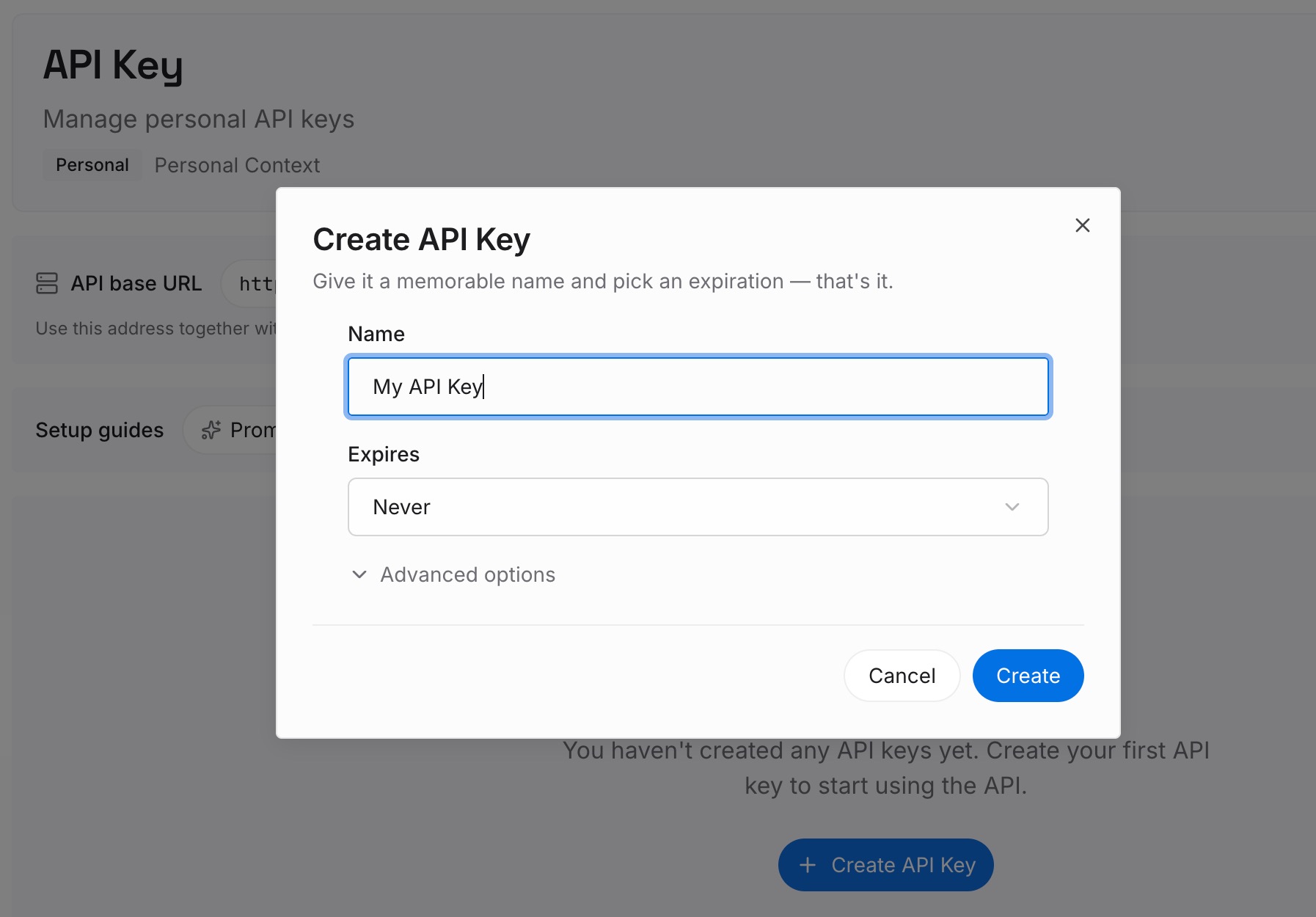
Step 1: Create an API key
Sign in and generate a key from the dashboard. The key belongs to your MemoryLake workspace, separate from your Google and Anthropic accounts.
Step 2: Upload your first memories
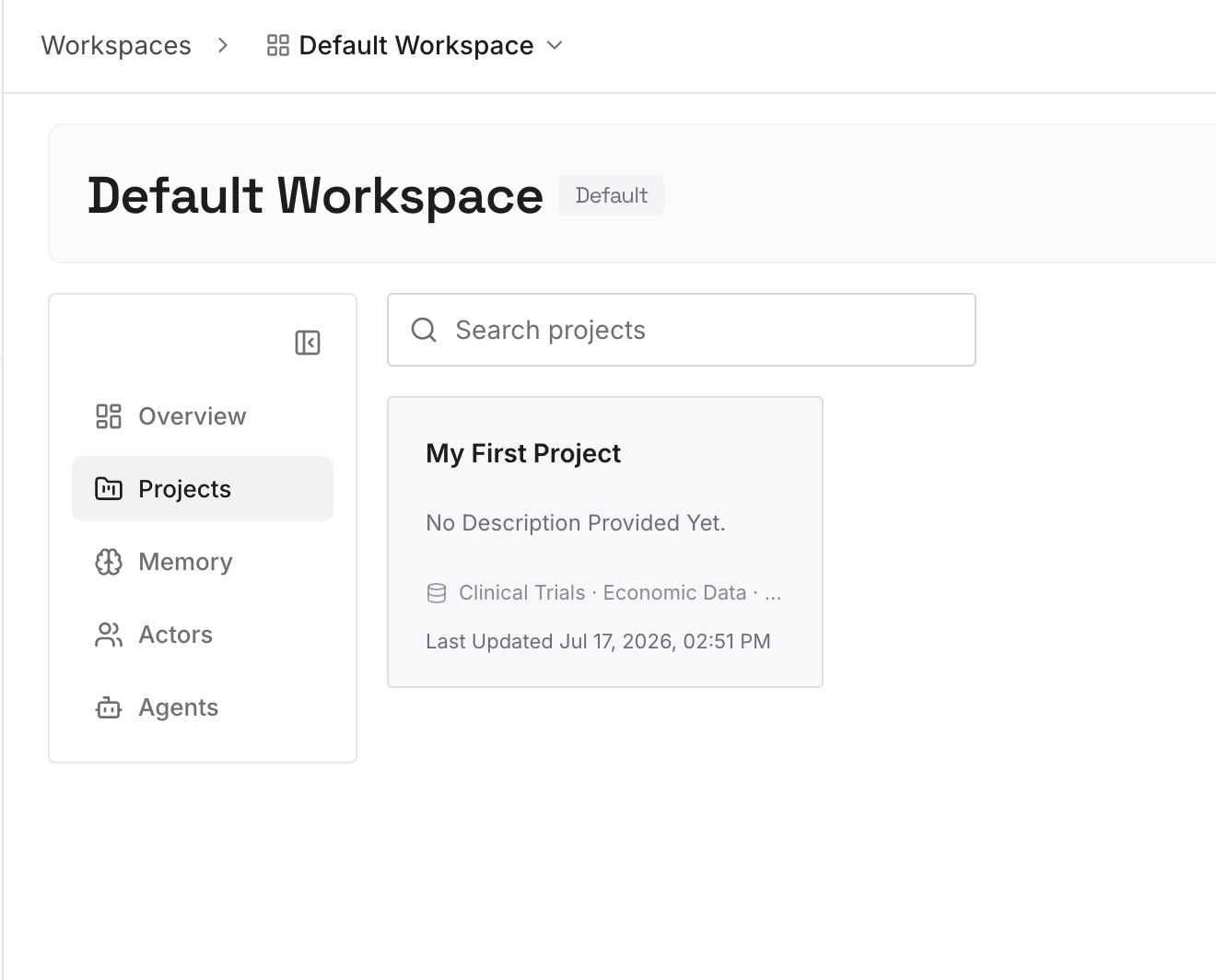
Start with the decisions you wrote down from your Antigravity conversations in Step 1. One decision per entry, with the date, the reason, and the part of the codebase it affects.
Step 3: Connect your AI & agents
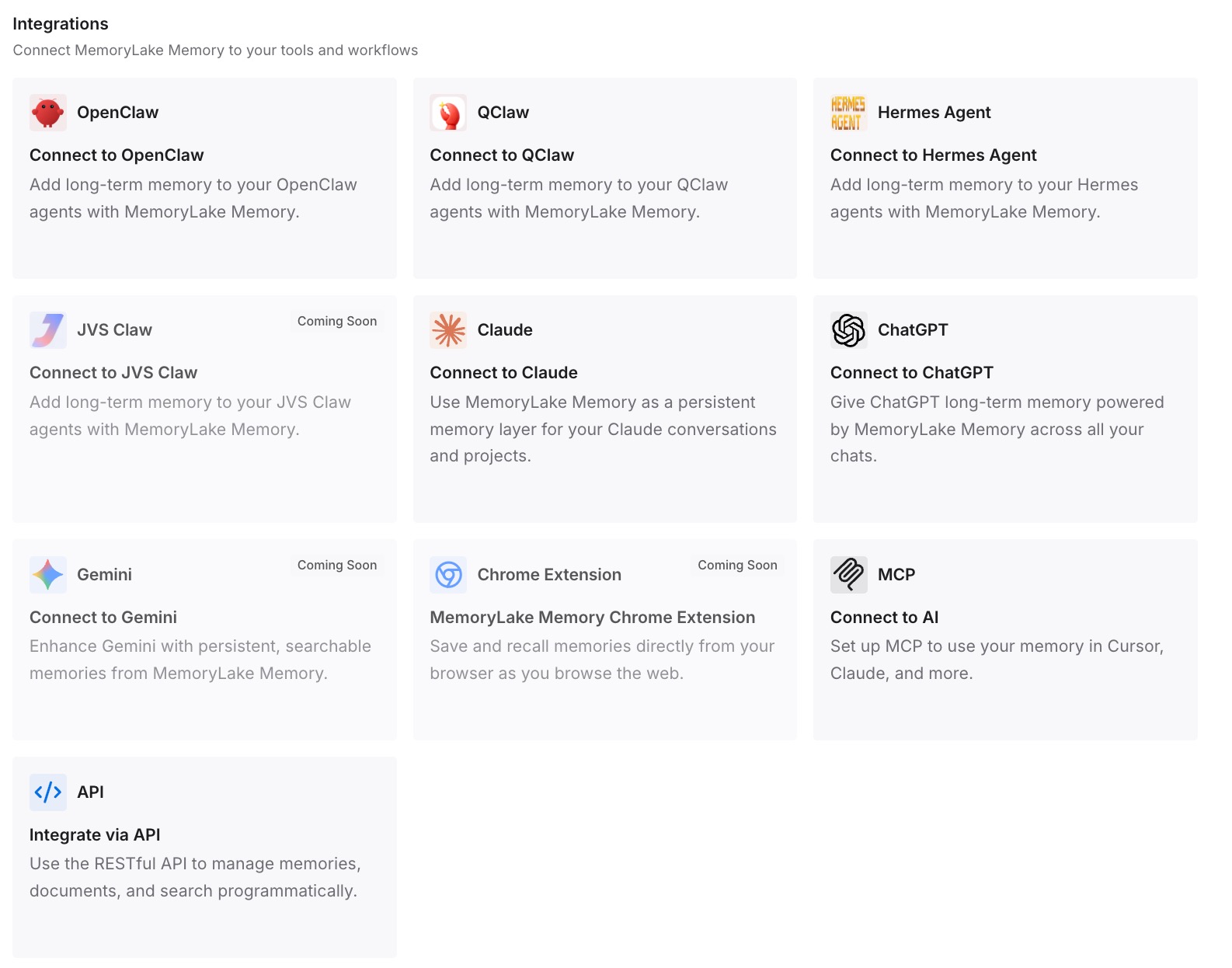
Connect Claude Code and any other agents you use. The same project decisions are then available in each, without being rewritten into every tool's file format.
What this changes in practice
The first difference is that rules and reasons are separate. Rules stay in CLAUDE.md, .claude/rules/, and skills, where Claude Code loads them. Reasons live where any agent can find them.
The second is that the next migration is smaller. Instruction formats keep changing, as our look at what coding agents actually read describes. Decisions kept outside those formats don't have to be translated again.
The third is fewer repeated explanations. Claude Code starts each session from its instruction files. If it keeps asking about context you already settled, our guide to Claude Code forgetting project context covers the common causes.
The fourth is a cleaner skills library. Skills are procedures, not memory, a distinction covered in why agent skills aren't memory. Keeping decisions out of skills keeps each skill focused on one task.
Best practices for moving from Antigravity to Claude Code
Decide on AGENTS.md first. Adding a CLAUDE.md changes whether Claude Code reads it.
Don't leave content in GEMINI.md. Claude Code's documentation doesn't list it.
Map triggers deliberately. glob becomes paths, and model_decision usually becomes a skill.
Audit @ references. A pointer in Antigravity becomes a full import in Claude Code.
Check rules with broken frontmatter. Antigravity may never have loaded them.
Rewrite MCP entries. Use url with a type in .mcp.json.
Write down decisions from conversations. They don't move on their own.
Conclusion
Most of an Antigravity setup has a home in Claude Code. AGENTS.md can be read as-is when there's no CLAUDE.md, skills follow the same open standard, and MCP servers need a format change. The differences that matter are quieter: GEMINI.md isn't on Claude Code's list, activation triggers collapse into paths and skills, and a plain @filename that was only a pointer in Antigravity becomes an import in Claude Code.
Conversations and knowledge items stay behind. Read through them, write down the decisions they hold, and keep those decisions somewhere that doesn't depend on any one agent's file format.