
What actually transfers
What ChatGPT lets you export
OpenAI describes two routes. You can request a copy through its Privacy Portal, or "Use ChatGPT settings to request an export from an eligible signed-in account or workspace." The settings route runs from your profile menu through Settings and Data controls to the export option.
Eligibility depends on your plan. Exports from settings are "Available for ChatGPT Free, Go, Plus, Pro, and eligible ChatGPT Edu workspaces." For organization plans, OpenAI is direct: "If you use a ChatGPT Business, Enterprise, or ChatGPT for Healthcare workspace, contact your workspace owner about organization-managed data access. Self-service export is not available in these workspaces."
Timing has two clocks. "Exports can take up to 7 days to arrive." Once the message arrives, "The download link expires 24 hours after you receive it." OpenAI also asks you to "Download the export while you are signed in to the same account that requested it."
The export only contains what still exists. "An export cannot restore chats that have already been deleted." If you've been tidying your sidebar, what you deleted won't be in the file.
What's inside the export
OpenAI says "The downloaded ZIP file includes your chat history and other relevant account data." Its article on moving conversations between ChatGPT accounts names the file you'll work with: "Find conversations.json. Larger exports may contain numbered conversation JSON files instead."
That article is also a useful preview of the limits. Even between two ChatGPT accounts, "ChatGPT does not support fully merging accounts or moving conversations from one account's chat history into another account's chat history." OpenAI's suggested route is to upload the exported conversation file as reference, and it lists what that doesn't do, including that it doesn't "Recreate previous conversations as separate chats." If that's the limit within ChatGPT, expect the same shape of result when the destination is Claude.
Clocks to watch before you start
A few things on the ChatGPT side can shrink what an export contains, so check them before you tidy anything up.
Temporary chats. OpenAI says "Temporary chats don't appear in your chat history unless you save them." If a useful exchange happened in one, it won't be in your history to export.
Archived chats. These are safe to leave alone. "Regular and archived chats remain saved to your account until you delete them or an applicable workspace retention policy removes them."
ChatGPT projects. Deleting one takes its conversations with it. OpenAI says "Deleting a project permanently removes its chats and instructions, along with files stored only in the project." Export first, then clean up.
A move to a work account. If your personal workspace is being merged into a company plan, OpenAI's export article has a specific warning: "After a personal workspace is removed, you may no longer be able to open an earlier export link or request another export from that workspace." Request, download, and check the export before that happens.
The safe order is simple: export, confirm the ZIP opens and contains what you need, and only then delete or reorganize anything in ChatGPT.
What Claude can take in
Anthropic's help center describes two relevant entry points, and neither is described as a conversation importer.
The first is memory import. Anthropic's help center says "You can transfer your memory between Claude and other AI providers." The flow works from a prompt: you ask your current assistant to list what it knows about you, then paste the result into Claude's import box. Two cautions come with it. "Claude's memory is designed to focus on work-related topics to enhance its effectiveness as a collaborator. As a result, Claude may not retain imported personal details unrelated to work." And "Memory imports are experimental and still in active development". That flow carries a summary of you, not your conversations. Our guide to what arrives after a Claude memory import walks through checking the result.
The second is file upload. Claude accepts JSON among its supported document types, and "Files can be uploaded to individual chats or uploaded to a project's Files section for persistent reference across conversations." That's the route for conversation content.
Where your conversations should land in Claude
For anything you'll come back to, use a project. Anthropic describes projects as "self-contained workspaces with their own chat histories and knowledge bases." You can also give each project its own instructions, which is where the standing parts of an old conversation belong.
Project files have their own limits. Anthropic lists "File size: 30MB per file" for project files and says the number of files is unlimited, but "total content must fit within Claude's context window". On paid plans, a project that grows past that point switches to retrieval: "Claude uses a project knowledge search tool to retrieve relevant information from your uploaded documents." Our guide to working with a Claude project after it switches to RAG mode explains what changes when that happens. Free accounts can create up to five projects, so choose your topics carefully on that plan.
Retrieval works best on clean material. Anthropic's advice for RAG projects includes "Use clear, descriptive filenames" because "Well-named files help Claude understand and retrieve the right information more effectively." A single export file named conversations.json is the opposite of that.
What to expect from search afterward
Uploaded conversations become reference material inside a project. They don't become chats in your Claude sidebar, and Claude's own search across past chats has its own scope. Anthropic documents searchable boundaries separately for chats outside projects and conversations inside each project, which our guide to Claude's search scope in projects covers in detail.
The manual migration
Step 1: Export your ChatGPT history and choose the conversations worth carrying
Request the export from ChatGPT's settings, download it within the 24-hour window, and keep the original ZIP somewhere safe. That file is your complete record. Everything after this step is a selection from it.
Before you choose anything, back up your saved memory and custom instructions too. OpenAI's article on moving conversations between accounts says uploading them doesn't "Transfer custom instructions, memories, GPTs, or other account settings." Our guide to backing up your ChatGPT memory covers how.
Then sort. Most conversations were one-off questions. Look for the ones that hold decisions, working drafts, explanations you'd want again, and ongoing projects. Group them by topic: a client, a codebase, a research area, a piece of writing.
Before anything leaves your hands, remove what shouldn't travel. Conversations often contain personal details, credentials pasted in a hurry, and other people's information. If any of this work belongs to an employer or a client, check their policy before you copy it into another tool.
Step 2: Rebuild each topic as a Claude project, with a summary you wrote and the source conversations
Create one Claude project per topic. Don't upload the whole conversations.json into every project. Split out the conversations for each topic and save them as separate files with descriptive names, such as one file per conversation, named by date and subject.
Write a summary yourself for each project: what the work is, what was decided and when, what's still open, and which conventions to follow. Put the standing rules in the project's instructions. Put the summary and the selected conversations in project knowledge.
Then test. Ask the project about a decision from a specific old conversation. If Claude can't find it, or finds an earlier version of a decision you later changed, move the current answer into your summary. Summaries outrank transcripts because they say which version is final.
If you organized your work in ChatGPT projects, our guide to moving ChatGPT projects to Claude projects covers instructions and files in more detail.
The Better Way: Keep the conclusions from your conversations in one place every assistant can use
The manual migration works, and the summaries are why. The conversations themselves are mostly the path to an answer. What you need in Claude, and in whatever you use next, is the answer: the decision, the reason, and what's still open.
Those conclusions shouldn't depend on which assistant held the conversation. The better approach is to keep them in one place you maintain and let each assistant draw on them.
MemoryLake is built for that: a memory layer you keep once and connect to the assistants you use.
You write the entries yourself, in your own words. Nothing is read out of, written to, or deleted from your ChatGPT account, your Claude account, or any vendor's store. Check your organization's policy before copying work content anywhere.
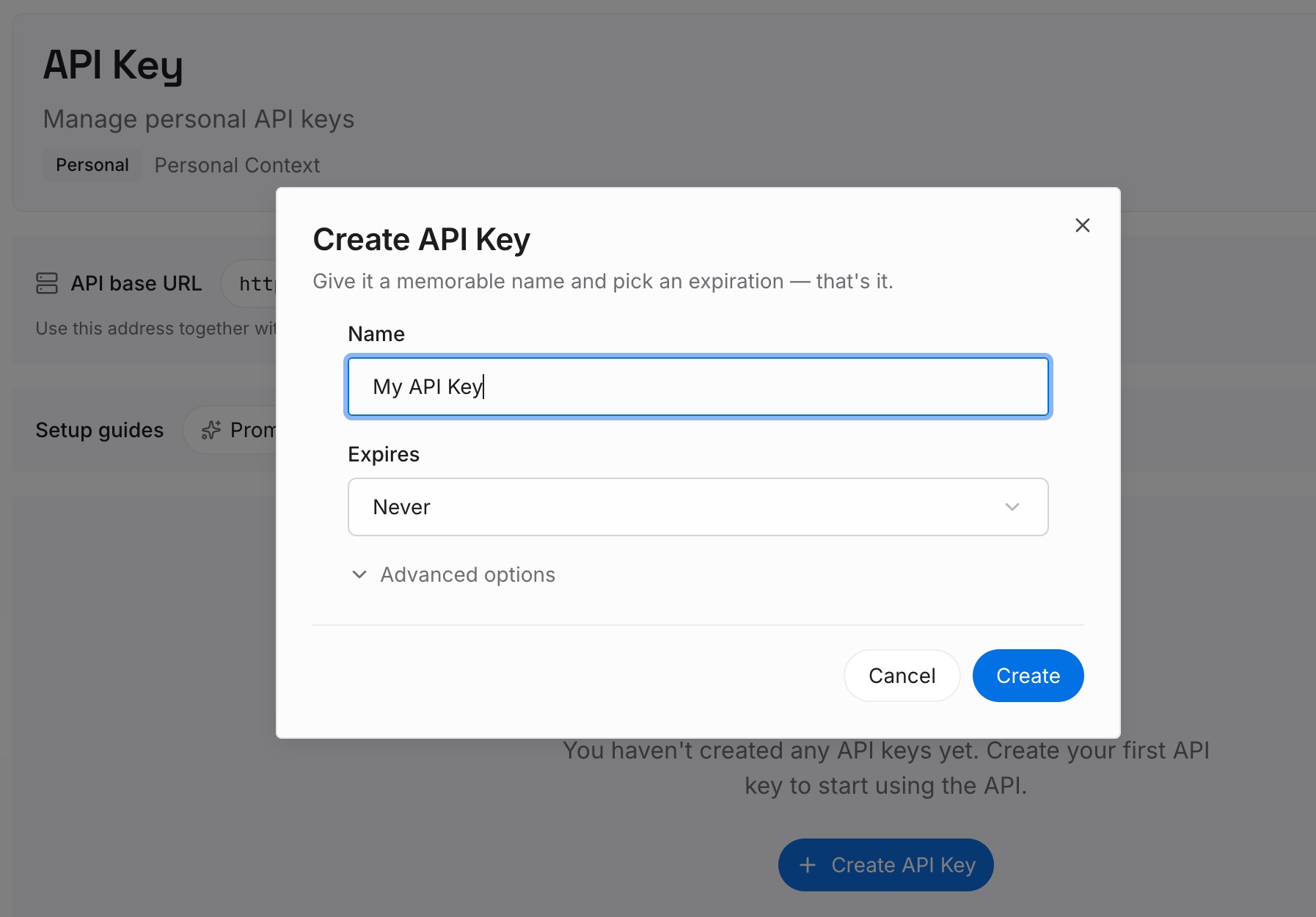
Step 1: Create an API key
Sign in and generate a key from the dashboard. The key belongs to your MemoryLake workspace, separate from your OpenAI and Anthropic accounts.
Step 2: Upload your first memories
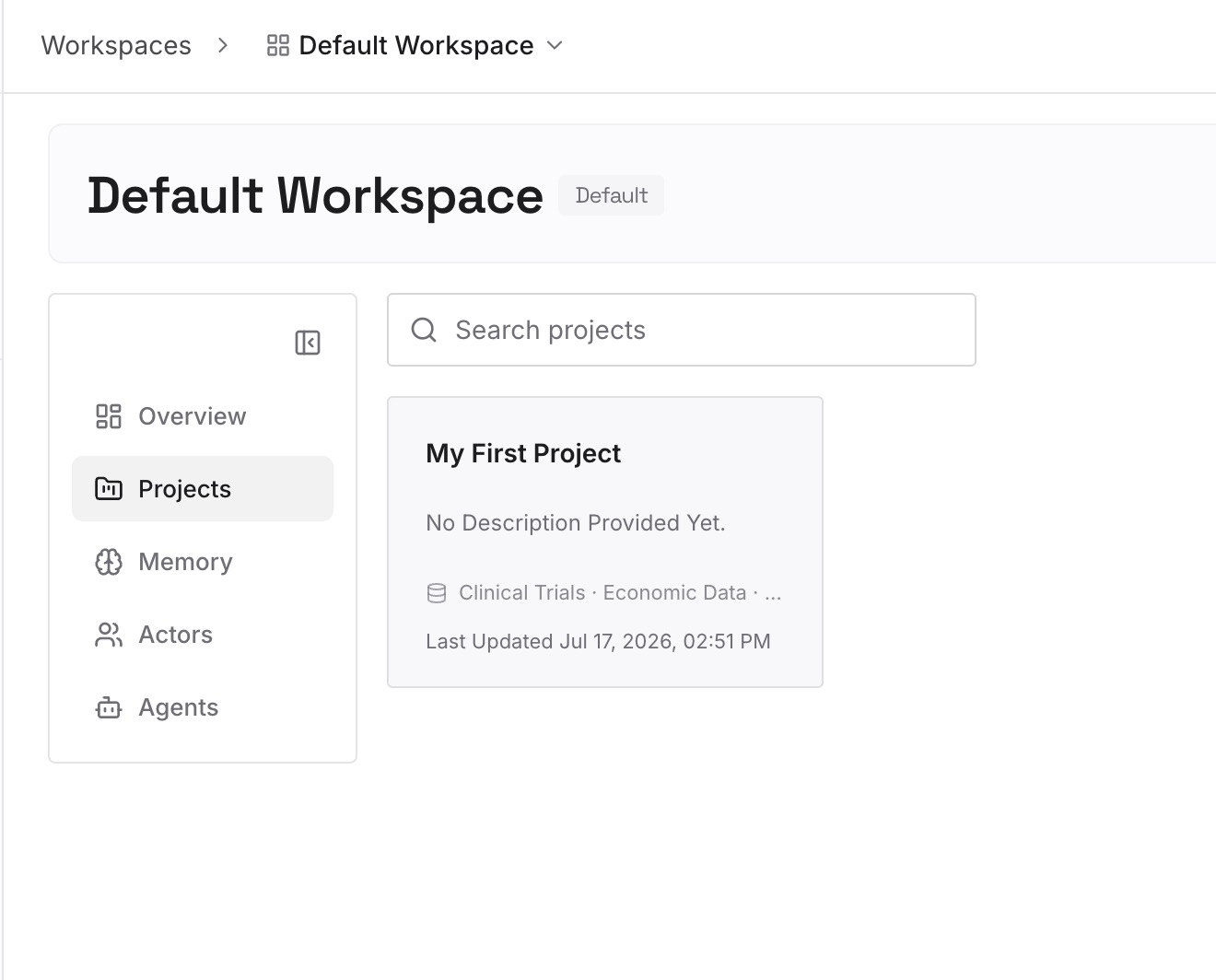
Start with the summaries you wrote in Step 2 of the manual migration. One decision per entry, dated, with a line on why it was made and which conversation it came from.
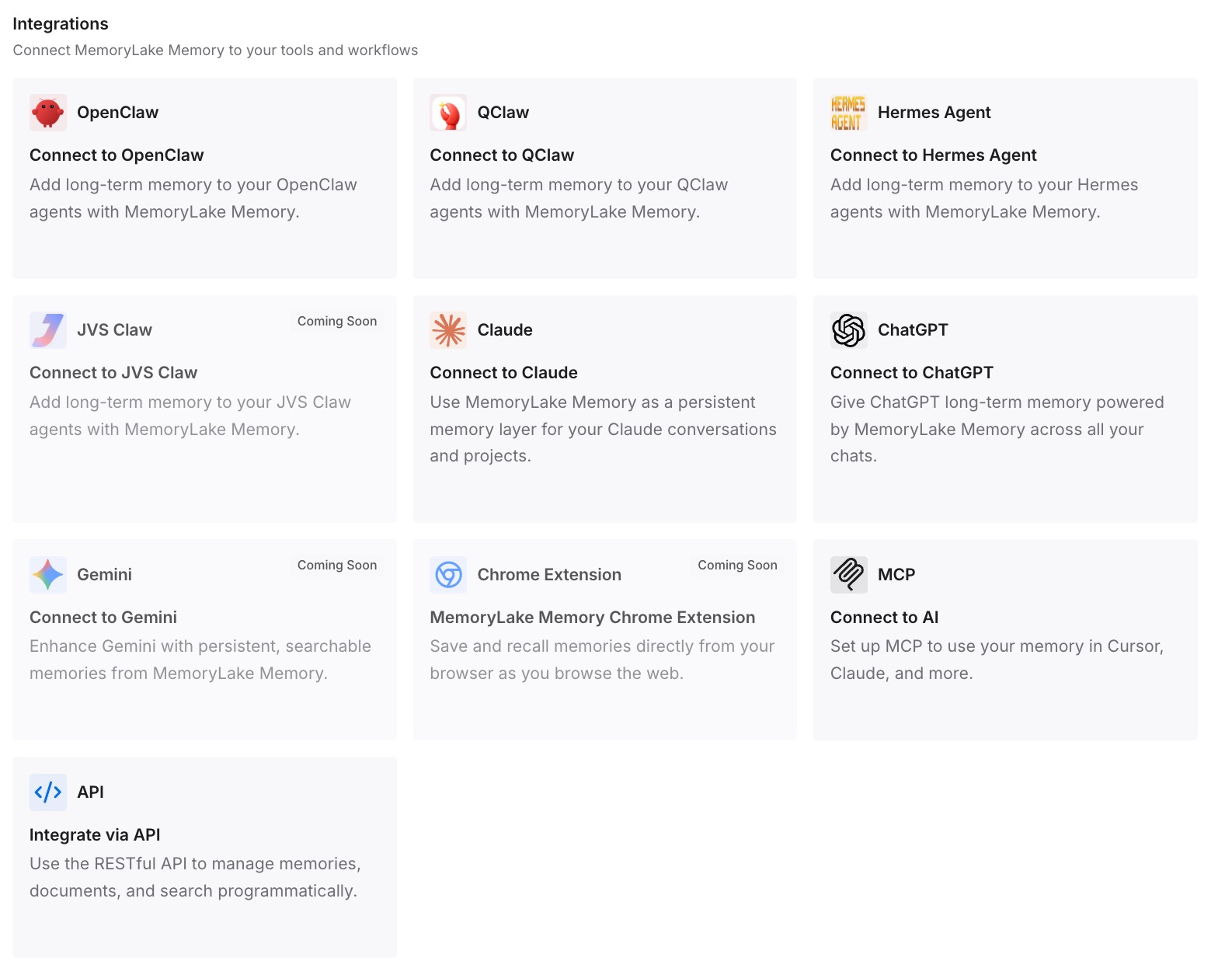
Step 3: Connect your AI & agents
Connect Claude and the other assistants you use. The same decisions are then available in each, whichever assistant you were using when you made them.
What this changes in practice
The first difference is a smaller, sharper starting point. Instead of a single large export file, each Claude project starts with a short account of what was decided.
The second is that you stop relitigating old decisions. When the final answer is written down, Claude doesn't have to guess which of three drafts in an old conversation was the one you kept.
The third is that your history stops being tied to one product. Deleted chats, retention settings, and plan changes on either side matter less when the conclusions live in your own notes.
The fourth is easier switching next time. If you later add another assistant, the decisions are already in one place, and the conversation archive stays as a backup rather than a starting point.
Best practices for moving ChatGPT conversations to Claude
Export early. Exports can take up to a week, and the link lasts a day.
Keep the original ZIP. It's your only complete copy.
Back up memory separately. The conversation export isn't a memory transfer.
Bring topics, not everything. Split conversations by project instead of uploading the whole history.
Name files clearly. Descriptive names help Claude's project search.
Write a summary per project. It does more work than any transcript.
Check work policies first. Business and Enterprise workspaces can't self-export, and the data may not be yours to move.
Conclusion
ChatGPT lets eligible personal accounts export their history as a ZIP with conversations.json, and Claude accepts JSON files in projects. Neither side recreates old conversations as chats. Claude's memory import brings over a summary of you, and it's described as experimental.
The migration that holds up is selective. Export everything, choose the conversations with decisions in them, split them by topic, and rebuild each topic as a Claude project with a summary you wrote and the conversations as reference.
Keep those summaries current. They're the part of your ChatGPT history that will still be useful in Claude, and in whatever comes after it.