
What actually transfers
Start with what OpenAI says about the group chat itself. The retirement notice promises that "Your existing group chat history will remain available," and lays out the sequence. "Beginning July 9: You can no longer create a group chat, turn an existing conversation into a group chat, or join one through an invite link." During the transition, "Existing group chats remain active. You can keep using a chat until it becomes read-only. Timing may vary as this change rolls out."
After that point, the chat becomes an archive: "You can open it and review the messages, files, and images already shared there, but you can no longer send new messages." New members are ruled out, too. "New participants cannot join, including through an existing invite link." Your individual conversations are unaffected; the change "applies only to group chats."
On preserving history, OpenAI is reassuring: "No action is required to preserve your history." If you want your own copy, "you can request an export through ChatGPT or the OpenAI Privacy Portal."
What the notice does not describe is a way to turn a group chat into a project. It covers reviewing and exporting, and it tells you to decide where to continue. So the conversation itself stays behind, and the context has to be rebuilt in the new home.
Now the destination. OpenAI's projects article describes shared projects as the place where "ChatGPT can draw from anything in the shared project – including chats, uploaded files and custom instructions – so responses are informed by your group's internal knowledge, and you can pick up where others left off." Sharing is broad: "Project sharing is available on ChatGPT Free, Go, Plus, Pro, Business, Enterprise, and Edu across the web and mobile apps."
A shared project behaves differently from a group chat in several ways worth knowing before you move.
Memory is walled to the project. "Shared projects are automatically set to project-only memory and cannot be switched to default memory. Shared projects do not have access to an individual member's context, custom instructions, or memories outside the project." Whatever the group needs has to be inside the project. How those walls work in both directions is covered in whether ChatGPT projects share memory.
Instructions are shared and take priority. "Project instructions apply only within that project and override your global custom instructions."
Access comes in two levels. "Edit access allows members to update instructions, upload or remove files, and invite others (but not remove existing members)," while "Chat access lets members see and interact with the project's chats, files, and instructions (but not invite others)."
There are limits. For personal plans, OpenAI lists "Pro users: up to 40 files and 100 collaborators," "Plus and Go users: up to 25 files and 10 collaborators," and "Free users: up to 5 files and 5 collaborators." A workspace project "can include up to 100 collaborators," and Business, Enterprise and Edu projects "support up to 40 files."
Some tools behave differently. Under project-only memory, OpenAI notes that "ChatGPT Work is not available in the project."
Shared changes are shared. "In a shared project, deleting a file removes it from the project for everyone, but it can be added again later." And if someone leaves, they "will be given the option to make a copy of their chats within the project prior to leaving."
The manual migration
Step 1: Pull the group's context out of the chat before it goes read-only
Open the group chat while you can still post in it, and treat this as a handover meeting rather than an archive job.
First, ask ChatGPT in the group chat to produce a working summary: the decisions made so far, who owns what, open questions, deadlines, and the reasoning behind any choice that is likely to be questioned later. Read it as a group. Summaries leave things out, and the people who were there are the only ones who can spot what is missing. Correct it in the chat so the final version reflects what the group agreed.
Second, collect the files. List the documents, images and references people shared, and download the ones the project will need. Check the count against your plan's per-project file limit, and combine or trim if necessary.
Third, capture the conventions nobody wrote down. How the group wants answers formatted, which sources are trusted, which terms mean something specific to you. These become project instructions.
Fourth, decide whether anyone needs a full copy of the history. The retirement notice points to data export; everyone can still open the read-only chat later, but an export gives you something outside ChatGPT. If your team is on a managed workspace, check with the workspace owner first, since self-service export works differently there.
One caution about links: sharing a single chat is not the same as sharing a project. For chats shared from a private project, OpenAI notes that "People with the link can view only the shared chat, not the project's other chats, files, instructions, or history." What a ChatGPT shared link actually carries is a separate thing from what the group knows.
Step 2: Build the shared project and seed it with that context
Create a new project and give it a name the whole group will recognize. Then add context in this order.
Project instructions first. Paste the conventions from Step 1: purpose of the project, formatting preferences, trusted sources, and any definitions. Because these override each member's global custom instructions inside the project, they are the right place for group-wide rules.
The working summary second. Upload it as a file, or paste it into a project chat and use Save to project on the response. OpenAI describes this route for "a summary, decision note, draft, or analysis" you want to reuse, so it can be found "later in your project sources."
Files third. Upload the documents from your list. If some material lives in Google Drive or a Slack channel, OpenAI describes adding links from those apps as sources in a private project, so do this before you share.
Then share. Select Share, choose who gets Edit and who gets Chat, and invite the group. Keep edit access to the people who will maintain the instructions and files; everyone else can contribute through chats.
Finally, test. Ask a question the group chat could answer, such as what was decided about a specific item and why. If the project answers from the summary and files, the move worked. If it does not, the missing piece is not in the project yet.
Post a last message in the old group chat pointing everyone to the new project, so nobody keeps adding to a thread that is about to freeze.
The Better Way: Keep the group's decisions somewhere every member's tools can reach
A shared project is a good home for ongoing group work in ChatGPT. It is also, by design, a walled room. Its memory is project-only, it cannot see members' own context, and it lives inside one product. The group chat you are leaving was a pilot that OpenAI chose to wind down; the project you are moving into is a different container with different rules. Some of your group's knowledge will need to outlive both.
Decisions are the clearest example. The reasoning behind a choice, the constraints the group agreed on, the lessons from the last project — members will want those in the other tools they use, and the next time the group's container changes they should not have to be rebuilt again. MemoryLake is a place to keep that layer.
You write the entries yourself, in your own words. Nothing is read out of, written to, or deleted from your group chats, your shared projects, or any vendor's store.
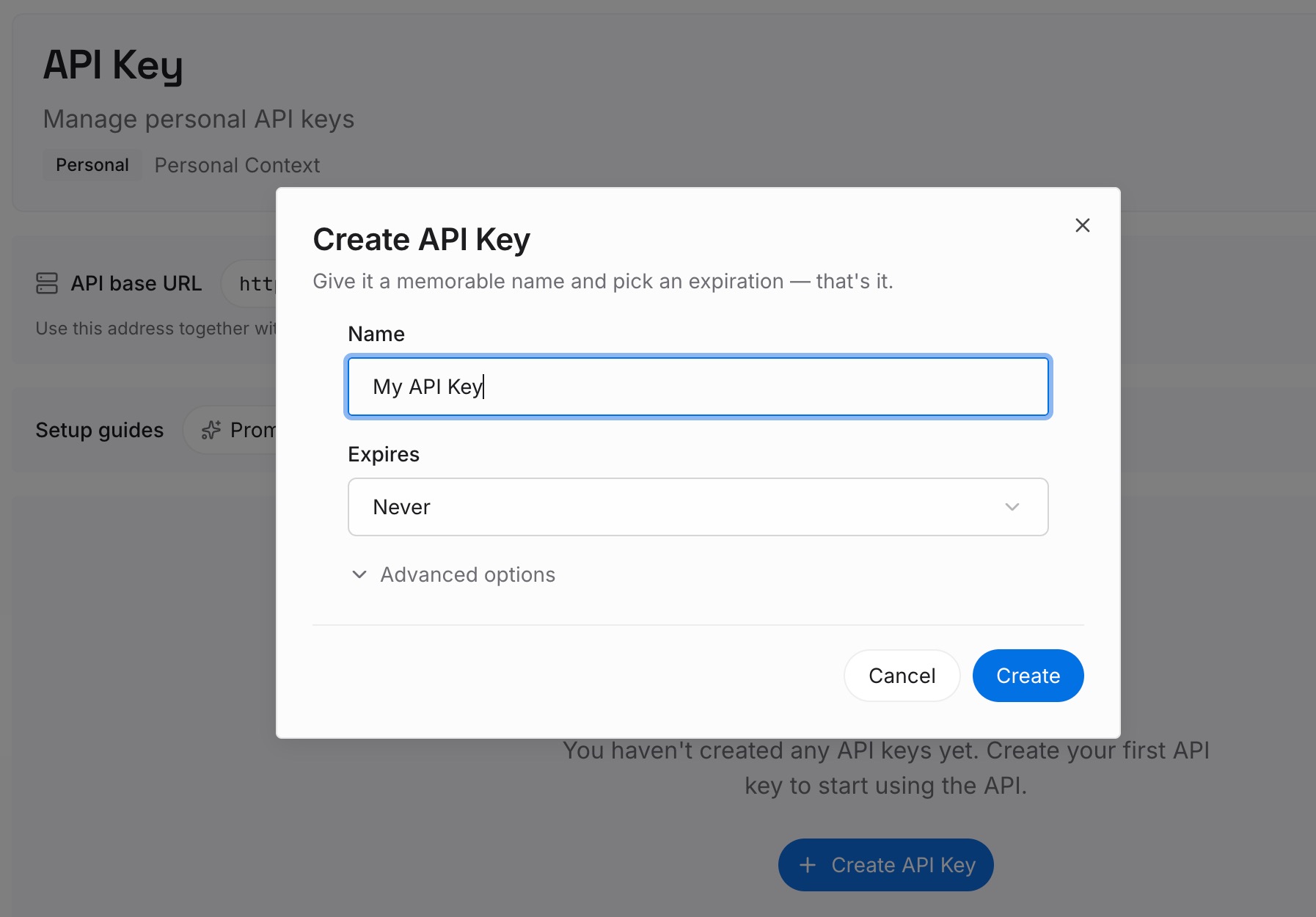
Step 1: Create an API key
Sign in and generate a key from the dashboard. The key belongs to your workspace in the memory layer, separate from any ChatGPT project or chat.
Step 2: Upload your first memories
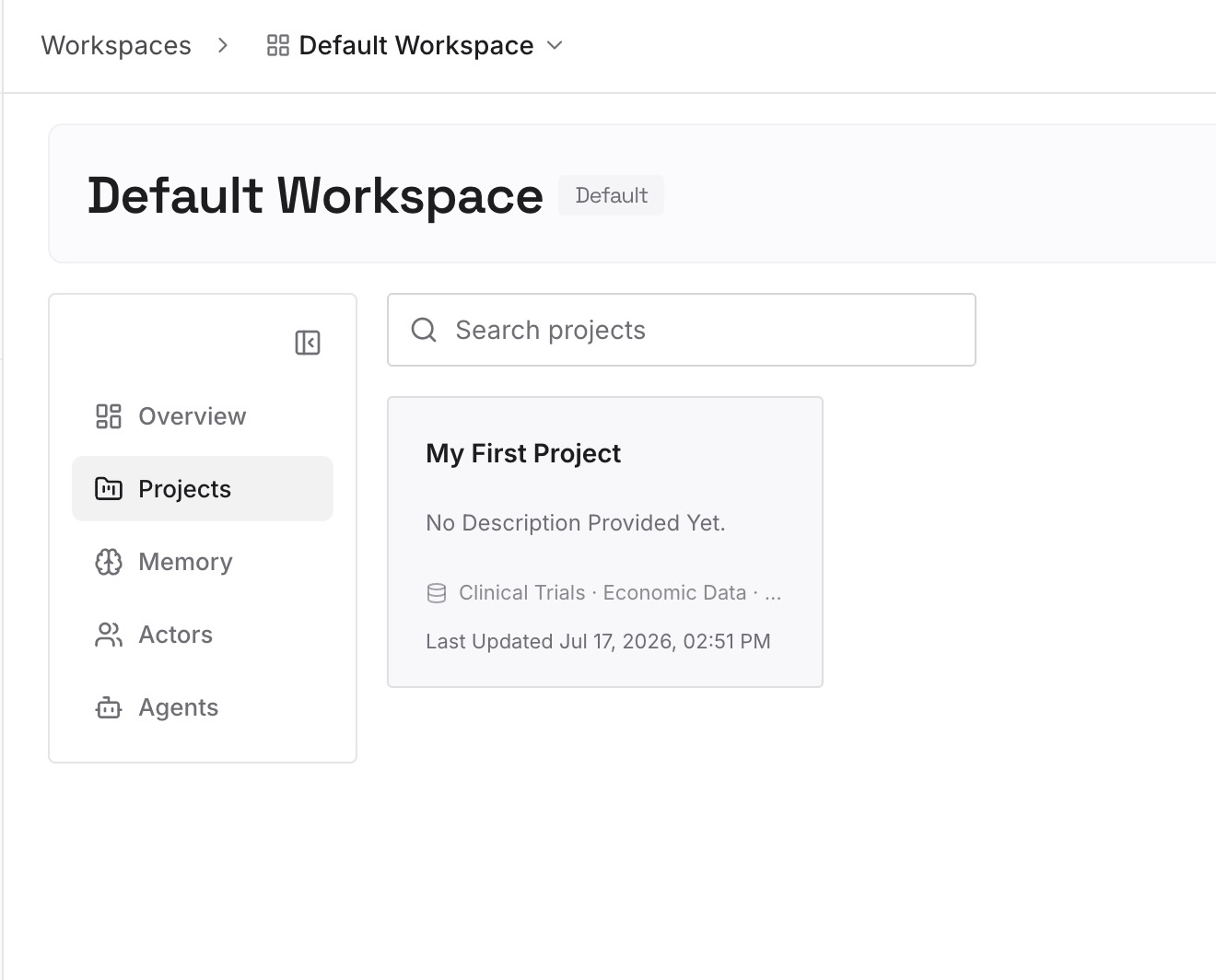
Start with the corrected summary from Step 1: the decisions, owners and reasoning the group agreed on. One decision per entry, dated, with the reason attached.
Step 3: Connect your AI & agents
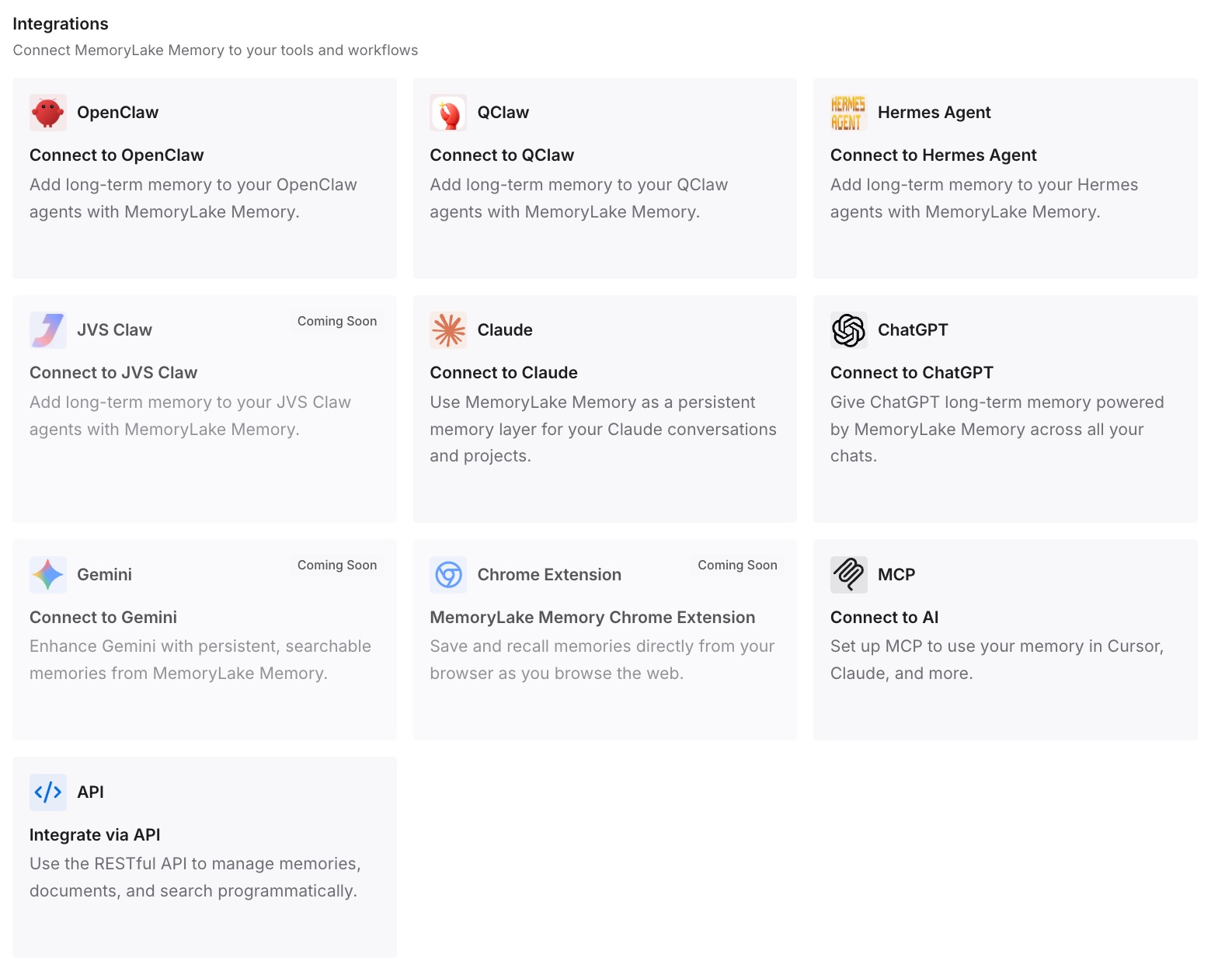
Connect ChatGPT and the other assistants group members use. The same decisions are then available beyond the project, including in tools that were never part of the group chat.
What this changes in practice
The first difference is that the handover becomes an asset. Writing down what the group decided, and correcting it together, produces something clearer than a long chat ever was. Groups that answer the same questions repeatedly find this useful on its own, the same benefit described in stopping the same questions in Slack.
The second is that responsibility for context becomes visible. In a group chat, whoever posted last shaped the context. In a shared project, the instructions and files are maintained by people with edit access, which gives the group an obvious place to fix things.
The third is that the old chat stays useful as a record. Read-only does not mean gone. When someone asks where a decision came from, the history is still there to review, just as archived chats remain in your account.
The fourth is that the group's knowledge stops depending on one container. When the decisions also live outside ChatGPT, the next change — a new plan, a new tool, a member leaving — costs less. That matters for teams that also route knowledge through their chat apps, as in connecting a knowledge base to team chat.
Best practices for moving a group chat into a shared project
Move before the chat freezes. Ask for the working summary while you can still correct it in the chat.
Correct the summary as a group. Summaries miss things; the people who were there are the fix.
Put group rules in project instructions. They override members' global custom instructions inside the project.
Save the summary as a project source. Use Save to project or upload it as a file so every chat can draw on it.
Give edit access sparingly. Editors can change instructions and remove files for everyone.
Test with a question the old chat could answer. If the project cannot answer it, something is still missing.
Expect each chat to see only the project. Project-only memory means a member's personal context stays out; ChatGPT forgetting previous conversations outside the project is expected here. When a side question needs exploring, branching a chat inside the project keeps it with the rest of the group's work.
Conclusion
OpenAI's group chat pilot is ending gently. Your history stays available, the chats become read-only, and OpenAI's advice is to decide where the conversation continues. For most groups that is a shared project: a place where ChatGPT "can draw from anything in the shared project" and members can pick up where others left off.
What does not move automatically is the context. A shared project uses project-only memory, cannot see members' own context, and starts empty. Summarize the group chat while you can still correct it, collect the files, turn conventions into instructions, and seed the project before you invite everyone.
Keep the decisions that matter beyond this one project somewhere every member's tools can reach, and the next change will be easier than this one.