
What actually transfers
The memory itself: by hand, and you have to ask for it. There's no export from ChatGPT memory into another tool's format. What there is, per OpenAI's own guidance, is asking in chat — and that's not a workaround, it's the documented way to find out what's in there, because the memory summary is explicitly incomplete. Budget one session for extraction rather than one click.
Preferences and working style: transfer well. How you like responses structured, which conventions you hold, what you always want checked. These map cleanly onto Cline rules, and they're the entries most likely to still be true a year later.
Project facts: transfer, after a currency check. Stack, architecture decisions, naming conventions, environment quirks. ChatGPT's memory has been quietly updating these as you worked, and some entries are stale in ways you won't notice until an agent acts on them. This is the pile that needs reading, not copying.
Legacy saved memories: check whether you have them. If you're on the older system, OpenAI documents a separate list under Settings > Memory > "saved memories," with the note that "Unless you delete them, saved memories are always considered in future responses." That list is enumerable, unlike the synthesis, so it's the easiest thing to move first.
What doesn't come along at all. Temporary Chats never contributed anything — OpenAI documents that they "do not use existing memories or create new memories." Anything a colleague's ChatGPT knows stays with them; memories are "Tied to each individual account. Not transferable to other users, even within the same Business workspace." And uploaded files aren't memory: the file content lived in conversations, so moving the knowledge means moving the files themselves. If you've hit that boundary before, it's the same one in why ChatGPT forgets uploaded files.
On the receiving side, Cline has two homes, not one. Rules live in .clinerules/ for workspace scope and in the global Cline Rules directory for personal preferences, and the docs are specific about how they combine: "When both workspace and global rules exist, Cline combines them. Workspace rules take precedence when they conflict with global rules." Separately, Memory Bank is a documented methodology — a set of markdown files that Cline is instructed to read at the start of every task, described in the docs with a first-person line that is unusually honest for vendor documentation: "I am Cline, an expert software engineer with a unique characteristic: my memory resets completely between sessions."
That sentence is the whole design. Cline doesn't pretend to carry state; it compensates with documentation discipline. Your migration is a decision about which of your ChatGPT knowledge belongs in that discipline.
The manual migration
Step 1: Get the memory out, knowing the summary is incomplete
Open a normal ChatGPT conversation — not a Temporary Chat, which by design won't use existing memories — and ask it directly to write out what it knows about you and your work. Then ask again from different angles, because a synthesis doesn't come with an index: ask what it knows about your coding style, then about this specific project, then about things you've told it not to do. Each framing surfaces different entries.
Two things make this less painful. First, if you're on the legacy system, start with the enumerable list under Settings > Memory before you start asking; it gives you a spine to work from. Second, if the memory summary looks emptier than you expect, OpenAI documents a refresh path — Settings > Personalization > Memory Summary, then Manage, then Refresh from the three-dot menu — though the summary still won't be exhaustive. The general troubleshooting cases are covered in what to do when ChatGPT memory isn't working.
Paste the results into one scratch file. Don't organize yet. The sorting is Step 2 and doing it while extracting makes you stop early.
Step 2: Sort into three destinations, not one
This is where most migrations go wrong, because the obvious move — dump the scratch file into .clinerules/ — has a specific documented consequence. Cline combines everything in that directory into a unified set of rules, and "Rules without frontmatter are always active." A pasted memory dump becomes permanent context on every task you ever run, competing with the actual work for the model's attention and for your token budget.
Sort into three piles instead.
Always-active rules. The small set that should hold on every task in this repo: language and framework conventions, commands to use, hard prohibitions. These go into .clinerules/ files without frontmatter, deliberately. Keep this pile ruthlessly short — it's the part you're choosing to pay for on every single task.
Scoped rules. Anything true only for part of the codebase. Cline's conditional rules use YAML frontmatter with glob patterns, and Cline evaluates them against what you're actually working on — open files, visible tabs, mentioned paths, files being edited — activating the ones that match. Most "project facts" from a ChatGPT memory belong here rather than in the always-active pile, because they were never universal; they were about the API layer, or the migrations, or the front end.
Memory Bank. The growing, changing knowledge that isn't a rule at all. Cline's Memory Bank defines six files with distinct jobs: projectbrief.md for core requirements and goals, productContext.md for why the project exists and its UX goals, activeContext.md for current focus and next steps, systemPatterns.md for architecture and design patterns, techContext.md for stack, setup, and constraints, and progress.md for what works, what's left, and known issues.
Read those six descriptions against your scratch file and the sorting mostly does itself. "We use pnpm, never npm" is a rule. "We chose event sourcing for the ledger because auditors need to replay state" is systemPatterns.md. "The staging database resets nightly" is techContext.md. "We're mid-way through the billing refactor" is activeContext.md — and it's also the entry most likely to be wrong in six weeks, which is exactly why it has its own file.
Two honest notes about Memory Bank before you commit to it. It's a convention you install, not a runtime feature: the docs describe setting it up by putting the custom instructions into a Cline Rules file such as .clinerules/memory-bank.md and then asking Cline to initialize the memory bank. And because Cline is instructed to read all of the files at the start of every task, the reading costs context — the docs themselves note that context window limits mean you'll periodically need to update the files, start a fresh conversation, and resume. It's a good system with an ongoing maintenance cost, which is worth knowing before you move a year of accumulated context into it. The practical setups are compared in the best memory setups for Cline.
The Better Way: One Memory Layer, Either Assistant
Here's the part worth naming: you just spent a session interrogating one assistant to recover knowledge that was always yours, and you're about to hand it to a second assistant in a format only that assistant reads. Do this twice more and you'll have three private copies drifting apart.
MemoryLake is the alternative: keep the project's durable knowledge in one layer and let each assistant read from it. Cline's rules keep doing their narrow job — the things that must be in context on every task — while the accumulated body of knowledge stops being duplicated per tool. Setup is three steps.
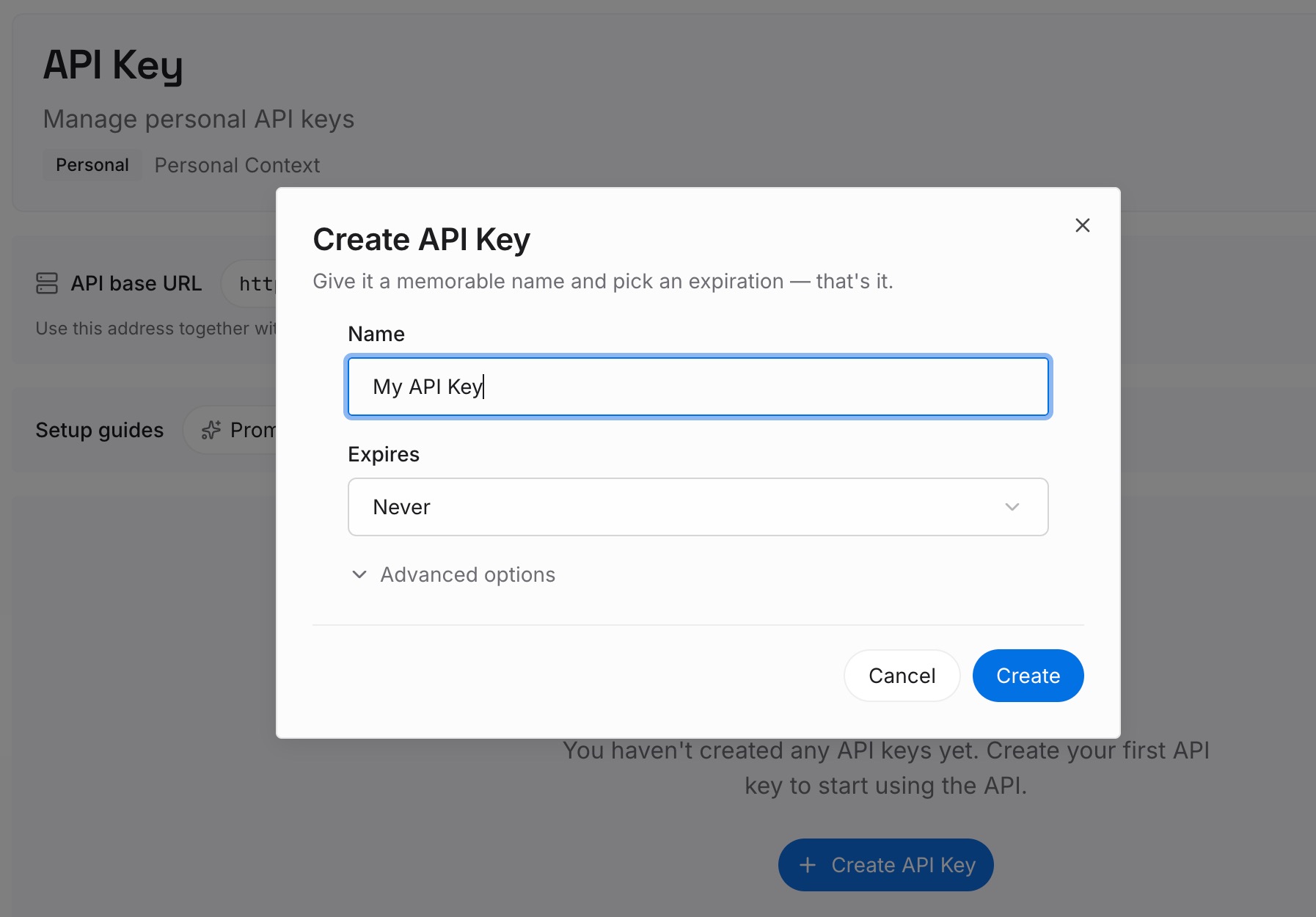
Step 1: Create an API key
Sign in to MemoryLake and create an API key. One credential used by every tool you connect, which is the property that makes it outlive this migration.
Step 2: Upload your first memories
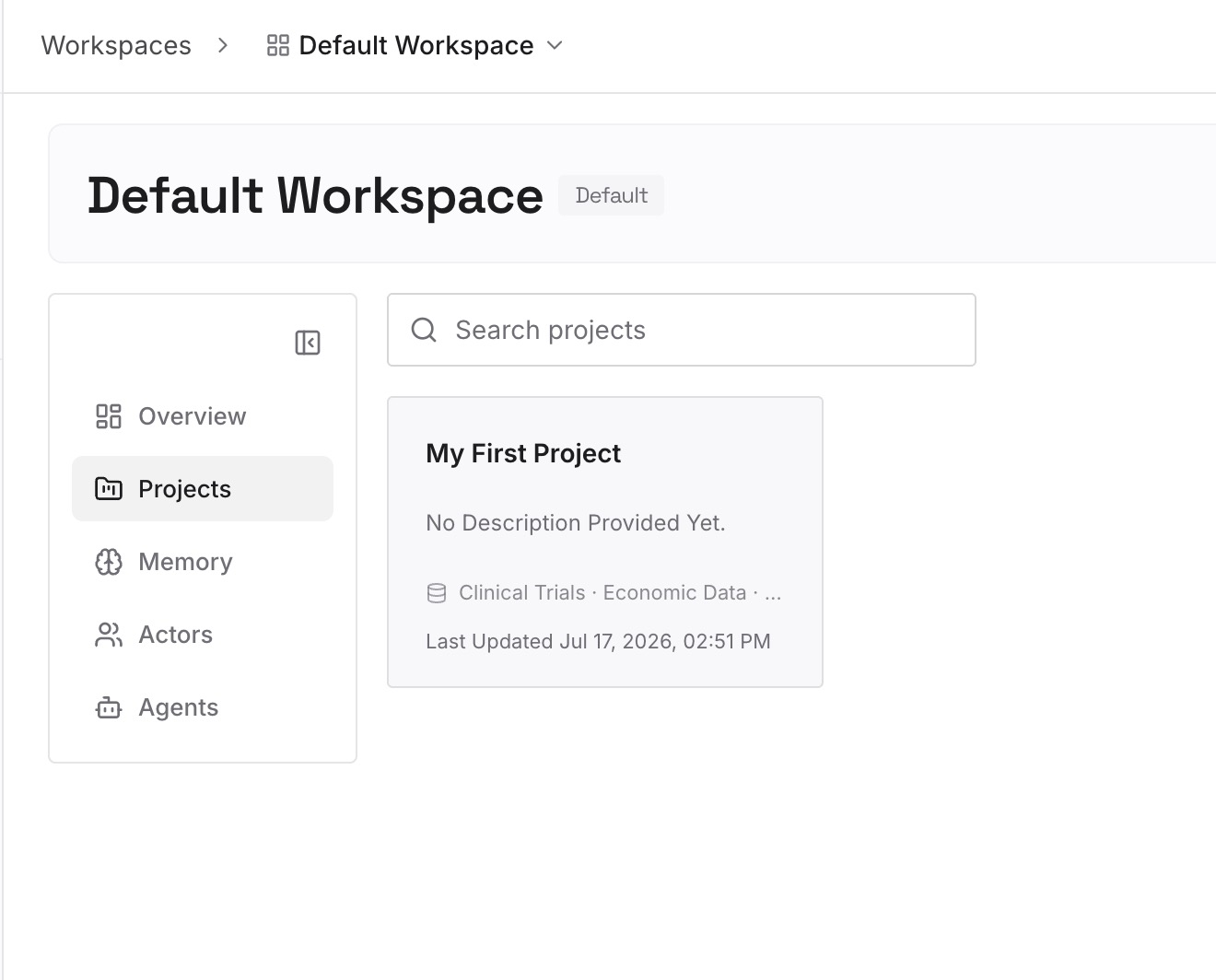
Upload the scratch file you built in Step 1 above, sorted but not yet scattered — the decisions, the constraints, the conventions, and especially the things you decided against and why. Keep entries short and single-topic; retrieval works better on specific entries than on long documents, and short entries are easier to keep current.
Step 3: Connect your AI & agents
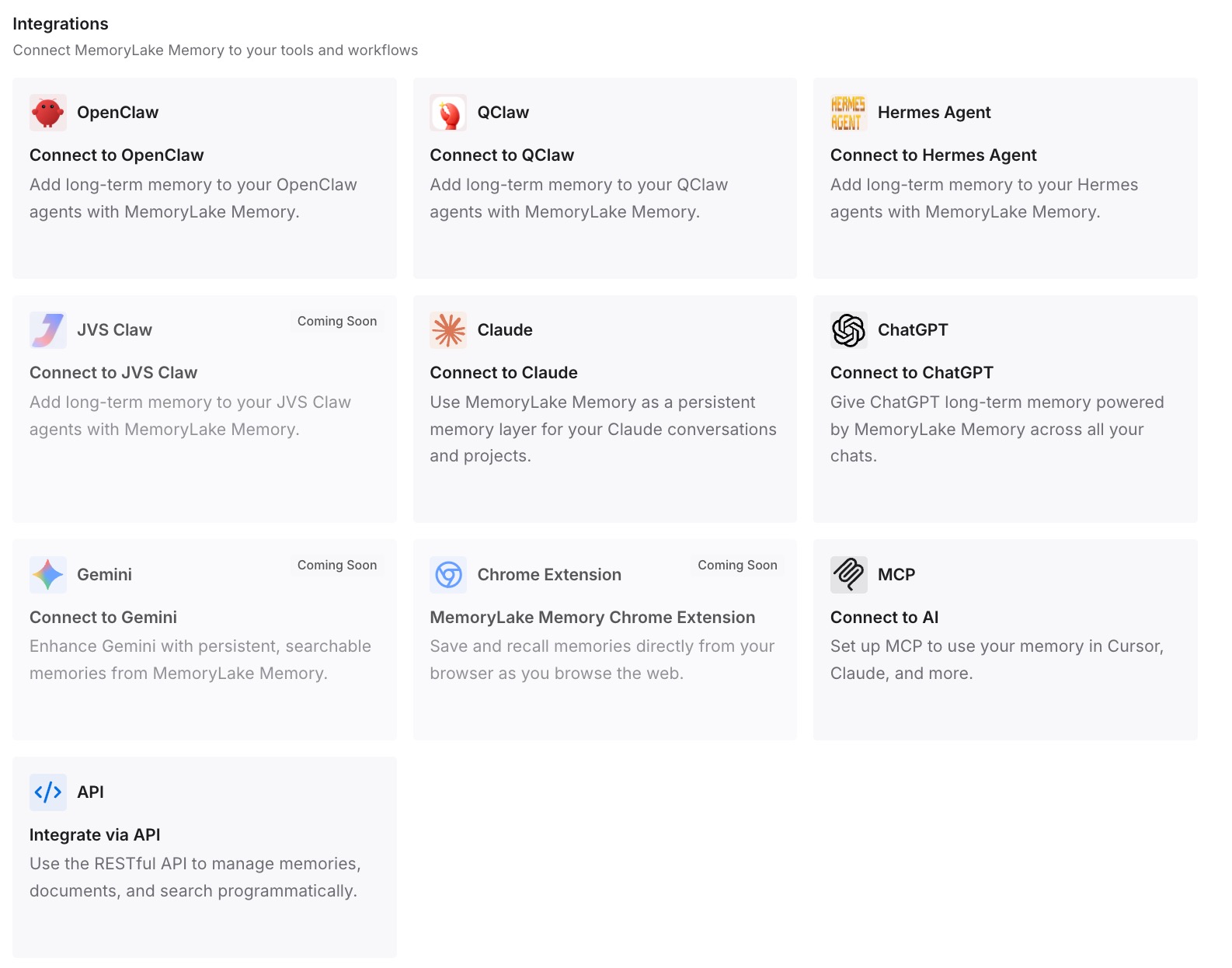
Connect the tools you use. MemoryLake is reachable over MCP and over an API, so MCP-native agents — Claude Code, Codex, and OpenClaw among them — connect by pointing at the MCP server, and other assistants read the same memory through the API. The result is that the next tool you adopt starts from the same knowledge rather than from another extraction session.
Two limits worth stating plainly. MemoryLake doesn't read your ChatGPT memory for you — there's no export to import, so Step 1 above is real work you do once. And it isn't an enforcement layer: anything that must hold regardless of what a model decides belongs in a rule file or a check, which is exactly what Cline's always-active rules are for.
What this changes in practice
The always-active pile stays small. When durable knowledge is retrievable, you stop being tempted to make everything a rule. That keeps .clinerules/ doing what it's good at and keeps per-task context cost down.
Extraction happens once. The interrogation you did to get memory out of ChatGPT is the expensive step. Doing it into a shared layer means the next assistant is a connection rather than a repeat performance.
Stale entries become visible. A synthesis you can't enumerate hides its own staleness. A short list of explicit entries doesn't — you can read it, and so can a teammate.
Teammates get the same context. ChatGPT memory is per account and, per OpenAI, not transferable to other users even inside the same Business workspace. Anything the team needs to share was never going to live there.
Cline's own strengths get clearer. Memory Bank is genuinely good at project state. It's less good as a dumping ground for a year of personal preferences, and separating the two makes both work better — a distinction visible in why Cline forgets task history.
Best practices for the move
Ask, don't rely on the summary. OpenAI says the summary won't include everything and recommends asking in chat. Take that at face value and ask several times from different angles.
Add frontmatter on purpose, not by accident. A rule without frontmatter is always active. That's a feature when you intend it and a tax when you don't.
Move project state into Memory Bank, preferences into rules. The six-file structure exists to keep these apart. Respect it and the files stay useful; ignore it and activeContext.md becomes a junk drawer.
Delete before you migrate. Old preferences, abandoned conventions, workarounds for a model that no longer behaves that way — none of it improves by being copied. Migration is the cheapest moment to prune you'll ever get.
Keep workspace and global rules separate. Workspace rules take precedence on conflict, so put team standards in .clinerules/ and personal habits in the global directory. Mixing them makes conflicts hard to reason about later.
Write down rejections with reasons. The single most valuable category and the one no memory system captures on its own. Without the reason, a fresh agent proposes the rejected approach again, confidently.
Conclusion
The reason this migration is more work than it looks is structural: you're converting a synthesis you can't fully read into a set of files that are always on unless you say otherwise. Skip the sorting and you get a Cline setup that carries a year of half-relevant preferences into every task; do the sorting and you get something better than what you had, because for the first time the knowledge is enumerable.
Do the extraction once, keep the always-active pile small, put project state where Memory Bank expects it, and put the durable body of knowledge somewhere that isn't specific to Cline — so the next move is a connection instead of another interrogation. If you're heading elsewhere later, migrating from Cline to Cursor covers the trip out, and ChatGPT memory limitations covers what you're leaving behind.