
What actually transfers
Worth being precise about what you're moving, because "my ChatGPT memory" is three different things and they migrate differently.
Saved memory entries transfer as content, not as data. These are the short facts ChatGPT has accumulated — preferences, your stack, ongoing projects. As of the memory rebuild OpenAI announced on June 4, 2026, what you see is increasingly a readable memory summary page rather than the older flat list of saved entries. Either way you can read it, and reading it is the export mechanism. There is no documented one-click path that hands you a file Codex can consume.
Custom instructions transfer almost verbatim. Whatever you put in ChatGPT's custom-instructions block is already written as directives to a model. It maps onto AGENTS.md with very little editing — mostly you're deleting the parts that describe chat behavior rather than coding behavior.
Chat history doesn't transfer, and mostly shouldn't. Codex's /import can pull recent chats, but only from the agents it supports, and only local session data — web-only history isn't importable from anywhere. Your ChatGPT threads stay where they are. This is less of a loss than it feels: the durable knowledge in a year of threads is a page of conventions, and you're about to write that page.
Project files and uploads don't transfer. Anything you attached to a ChatGPT Project stays in that Project. If a document matters to your work, it needs to exist somewhere your coding agent can reach — in the repo, or in a memory layer.
One thing that doesn't move at all: the reason behind your preferences. ChatGPT knows you want small commits; it doesn't know it's because of a rollback incident in 2025. Codex won't know either unless you write it down. Whether that's worth writing down is a judgment call, and the answer is usually yes for anything you've had to re-explain more than twice.
The manual migration
Step 1: Read your ChatGPT memory out and sort it
Open Settings → Personalization → Memory and read what's there. If your account is on the newer memory system, you'll get a memory summary page describing what ChatGPT has synthesized about you; if not, you'll get the saved-memories list. Both are readable, and both are the only export you get.
Then, in a chat, ask it to write everything out: "Write out everything you remember about me and how I work, verbatim, one item per line, no commentary." Copy that into a scratch file. Do this in addition to reading the settings page, not instead of it — the two often don't match, and the difference is informative.
Now sort what you have into three buckets:
- Durable and portable — your stack, your conventions, your tooling, how you want output formatted, what you've told it never to do. This is the material that becomes
AGENTS.md. - Project-specific — anything true of one codebase only. This belongs in that repo, not in your global config.
- Neither — everything that describes how you like to chat, plus anything the model inferred rather than learned. Drop it. And be ruthless here: memory entries don't come labeled with where they came from, so anything you don't recognize as something you actually said is a guess you'd be carrying into a new tool. That's a consequence of how flat, unattributed memory entries are stored, and a migration is the natural moment to stop paying for it.
Rewrite the first bucket as imperatives. ChatGPT memory tends to be phrased as observations about you — "the user prefers TypeScript strict mode." Codex reads instructions. "Use TypeScript strict mode; do not add any to silence an error" is the same fact in a form the agent can follow.
Step 2: Put it where Codex actually looks
Codex reads AGENTS.md. It does not read CLAUDE.md, and it does not read ChatGPT's custom instructions — if you've come from Claude Code you may already know this from the other direction of this move.
The lookup is hierarchical: your Codex home directory (~/.codex/AGENTS.md, or $CODEX_HOME if you've moved it), then the repository root, then intermediate directories, then your working directory. Files are combined from the top down, with the nearer file winning on conflicts. So:
- Global preferences — your language defaults, output style, the things true of all your work — go in
~/.codex/AGENTS.md. - Repo conventions go in
AGENTS.mdat the repository root, committed, so your team gets them too. - Sub-project quirks go in an
AGENTS.mdin that subdirectory.
Keep each file short. Everything in scope gets loaded into context on every task, so a 2,000-word global file is a tax you pay on every request forever. Instructions, not documentation.
Then decide about Codex's own memory feature. Codex memories are off by default. You enable them in the desktop app under Settings → Personalization by toggling "Enable memories," or by adding memories = true to the [features] section of ~/.codex/config.toml. In the EEA, the UK, and Switzerland, Codex uses or generates memories only after you enable them there. You can tune the two halves independently:
[features]
memories = true

[memories]
generate_memories = true   # extract memories from new sessions
use_memories = true        # inject memories into future sessions
Enabled, Codex carries stable preferences, recurring workflows, tech stacks, project conventions, and known pitfalls forward between threads, storing summaries, durable entries, recent inputs, and supporting evidence under ~/.codex/memories/. Use /memories in the desktop app or the TUI to control whether a given chat can read from or contribute to it.
It's worth turning on. It's also worth being clear about what it is, because the official caveats are the whole story: memory generation skips active or short-lived sessions, pauses when your remaining rate-limit percentage drops below the configured threshold, and may not update right away when a chat ends. The files are generated state and shouldn't be hand-edited. Secrets are redacted from generated memory fields, but you should still review the files before sharing them. And the store is local to that machine and global across your projects — it isn't scoped per repository, and it doesn't sync anywhere.
Which means when you set up your next machine, or open Codex on the work laptop, or hand a task to a different agent, you're doing Step 1 again.
The Better Way: One Memory Layer, Either Tool
The migration above is the correct answer to the question you asked. It is also the third time some of you have done it this year.
Notice what the manual route actually is: you extracted knowledge from one product's proprietary store, hand-converted it into a second product's file format, and left a copy in a third place that neither tool can read. Nothing about that gets easier next time. The knowledge is the durable thing; the tools are what churn.
The alternative is keeping that knowledge outside both tools and letting each one read from it. MemoryLake is a memory layer that sits underneath your assistants — you put the documents, decisions, and conventions in once, and Codex, Claude, OpenClaw, and the rest read from the same store. A tool switch stops being a migration and becomes a config change.
To be fair about the trade: AGENTS.md has real advantages a memory layer doesn't. It's plain text, it lives in your repo, it's reviewable in a pull request, and your team inherits it automatically. Keep using it for repo conventions — that's what it's good at. The memory layer is for the accumulated knowledge that isn't repo-shaped and shouldn't be re-typed per tool.
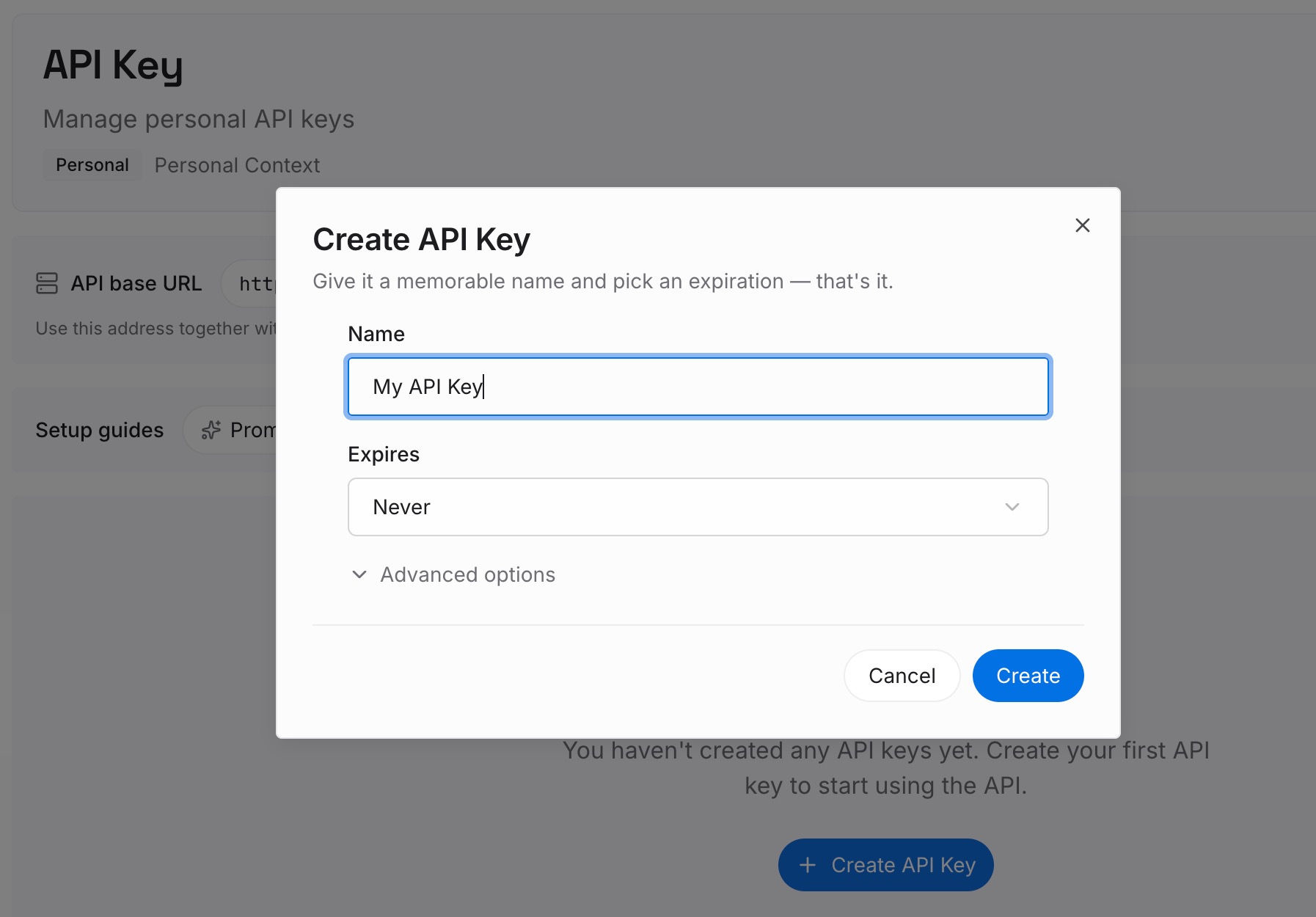
Step 1: Create an API key
Generate a key and make your first request in about 30 seconds. Keep it in your environment or a secret manager rather than inline in a config file — config files get copied between machines during exactly this kind of migration.
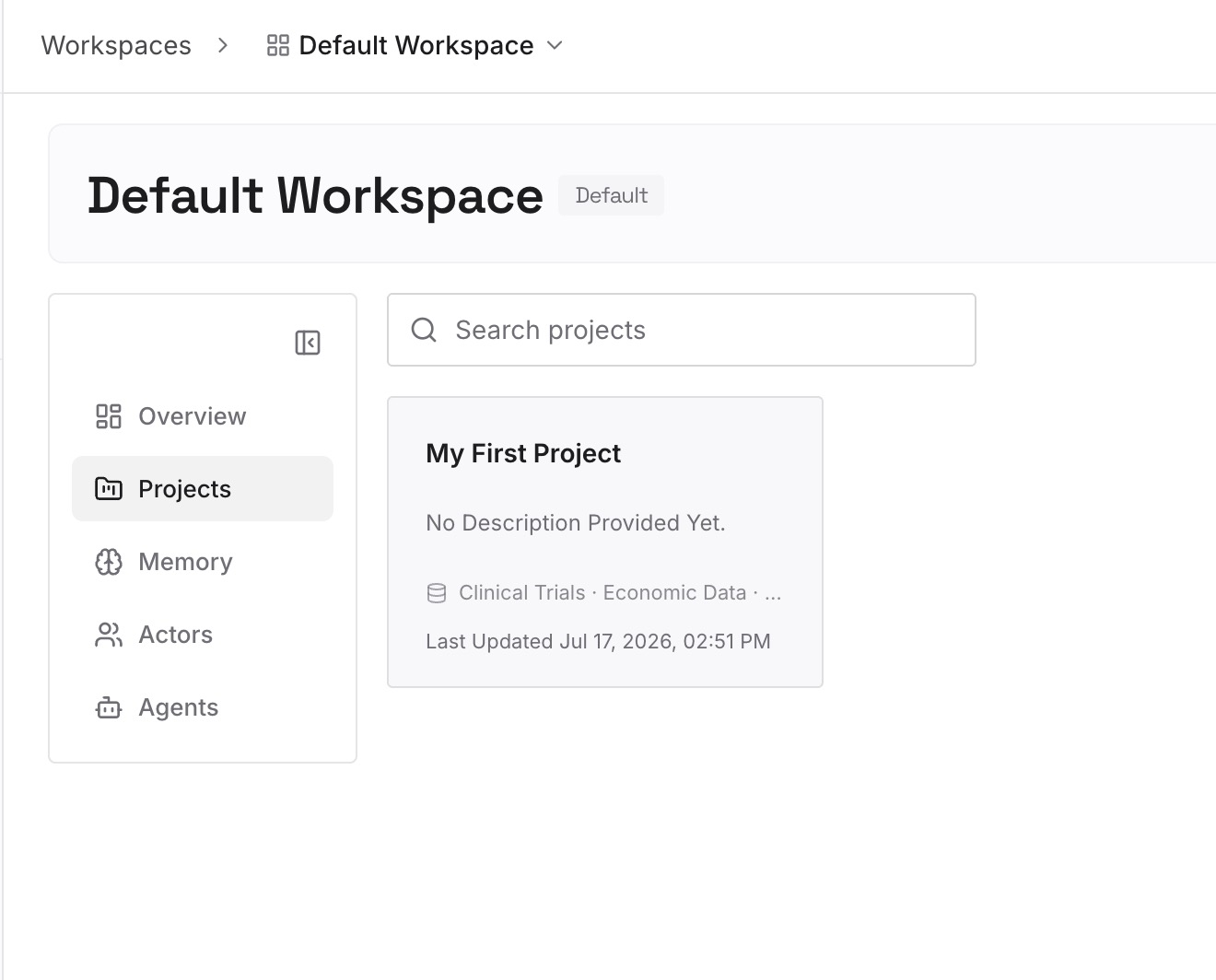
Step 2: Upload your first memories
Drop in the documents, images, and files that hold the knowledge you just spent an hour extracting by hand: the conventions doc, the architecture decisions, the client brief, the runbook. Upload the sources rather than your summary of them where you can — the summary is one more place for detail to quietly disappear.
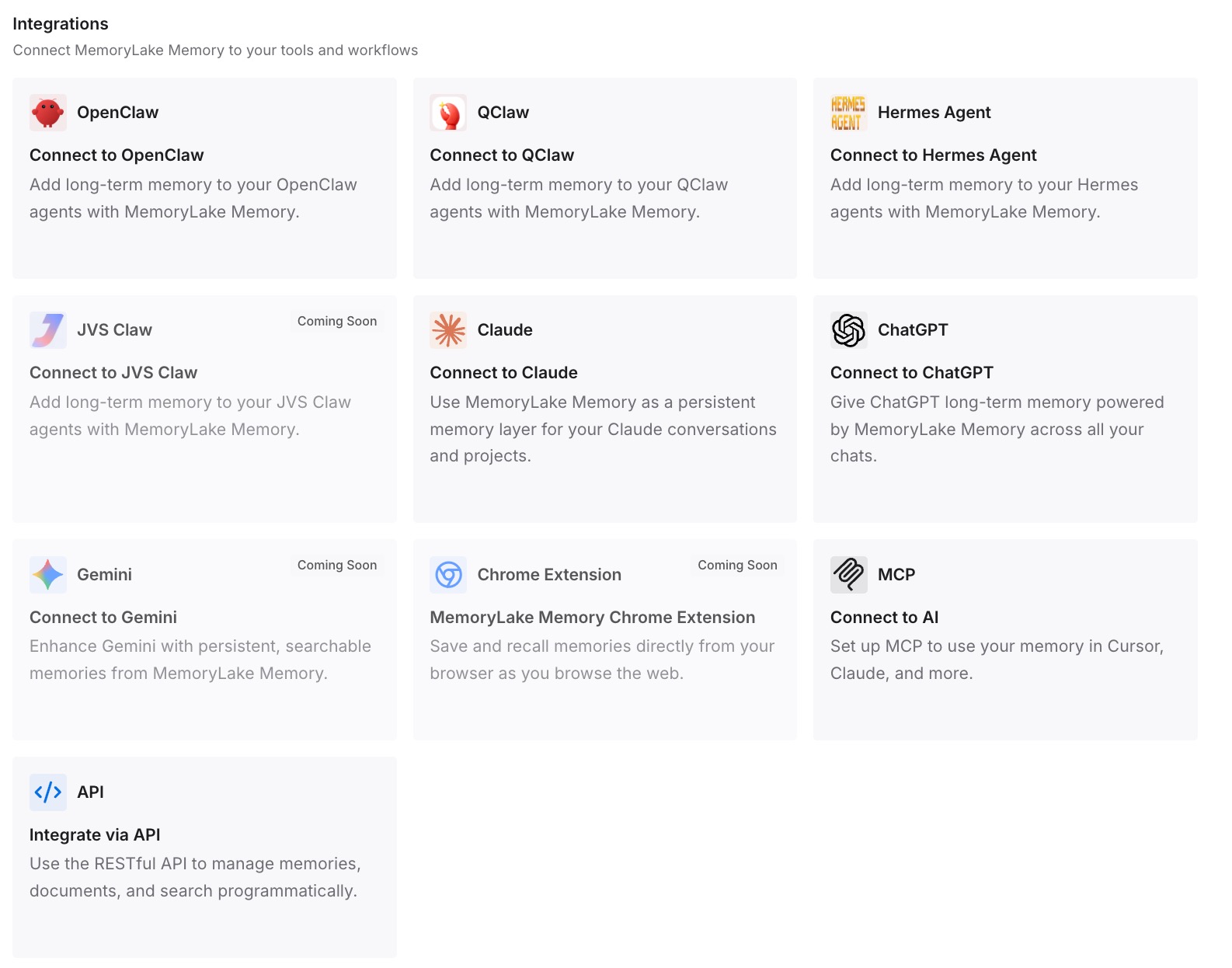
Step 3: Connect your AI & agents
Give Claude, Codex, OpenClaw, and other AI agents access to memory via MCP or the API. Codex supports MCP servers, so this is a configuration entry rather than a rewrite; the same store is then reachable from your other agents, and from anything you build against the API. If you also use ChatGPT — which has no MCP client — retrieve what you need through the API and inject it into the prompt or workflow.
What this changes in practice
The first difference is on day one in a new tool. Instead of an agent that knows nothing, you get one that can answer "what did we decide about retries?" because the decision is in the store, not in a thread you can't export.
The second is across machines. Codex memories are local and per-machine by design; a memory layer isn't. Your laptop and your work desktop see the same knowledge, which is the difference between a preference and a setup you have to reproduce.
The third is the direction of travel. Right now the honest state of the ecosystem is that Codex forgets your project context between sessions unless you've configured it not to, and so does every one of its competitors, in slightly different file formats. Once the knowledge lives in one place, running Codex and Claude Code side by side stops requiring you to maintain two copies of the same conventions.
Best practices for the switch
Migrate instructions and knowledge separately
AGENTS.md is for rules — short, imperative, loaded on every task. The memory layer is for knowledge — documents, decisions, history, the stuff that's too long to load every time and too valuable to lose. Mixing them gives you a bloated instructions file that's expensive on every request and still incomplete.
Turn on Codex memories, but don't treat them as your archive
Enable the feature; it genuinely reduces repetition. Just size your expectations to the documented behavior: local to one machine, global rather than per-project, skipped for short sessions, paused near rate limits, possibly stale right after a chat ends, and generated state you shouldn't edit. It's a convenience layer over your work, not a record of it.
Do the extraction once, properly
The temptation is to migrate the ten things you remember caring about and let the rest rebuild organically. It doesn't rebuild — you just re-explain it in scattered prompts over the next two months. Read the whole memory page, sort it, write it once. If you're keeping a memory layer, that pass is the last time you do it.
Review what you carry over instead of copying it wholesale
Some of what your assistant "remembers" about you is inference it made and stored in the same format as things you said. Copying the list verbatim into a new tool launders those guesses into your permanent config. Read each line and ask whether you recognize it.
Conclusion
Moving from ChatGPT to Codex is a manual job because OpenAI built the importer for competitors' coding agents, not for its own consumer app: read out your memory, sort it into durable and project-scoped, rewrite it as imperatives, and place it in the AGENTS.md hierarchy Codex actually loads. Turn on Codex memories while you're there — off by default, local, global-scoped, worth having.
The part worth deciding deliberately is whether the knowledge lives in the tool or underneath it. Tool-shaped memory means you do this migration again at the next switch, on every new machine. A memory layer both tools read from means the knowledge outlasts the tool choice, which — given how fast this category moves — is the more conservative bet.