
What actually transfers
Nothing automatically. There's no export. What ChatGPT gives you is a memory summary you can read in Settings under Personalization → Memory, and the documentation is explicit that the summary "will not include everything that ChatGPT remembers based on your chats," adding the useful diagnostic: "If you want to know if ChatGPT has remembered something, just ask in chat."
And what's stored isn't your sentences. ChatGPT's memory is described as "a continually updated synthesis of context from your past chats." That's good for personalization and lossy for anything precise. Expect to find a paragraph that's directionally right and missing the reason behind every rule — which means the migration is partly a rewriting job.
Your explicit instructions are the easy half. Whatever you put in Custom Instructions is text you authored, so it moves cleanly. OpenAI's own guidance points there for anything explicit: "For explicit information or instructions, you can add it to your Custom Instructions."
Zed's side has three receiving surfaces, and this is the part worth learning before you start.
- Instructions are always-on context. Personal instructions live at
~/.config/zed/AGENTS.md(on Windows,%APPDATA%\Zed\AGENTS.md) and apply to every project you open. Project instructions come from the first matching file in a documented list:.rules,.cursorrules,.windsurfrules,.clinerules,.github/copilot-instructions.md,AGENT.md,AGENTS.md,CLAUDE.md,GEMINI.md. Per the docs, "Project instructions override personalAGENTS.mdwhen they conflict." - Skills are reusable instruction packages loaded on demand. A skill is "a folder containing a
SKILL.mdfile with metadata and instructions," and "the agent sees a catalog of all installed skills and can load one on demand," or you invoke it directly with a slash command. Global skills go in~/.agents/skills/, project-local ones in.agents/skills/. Note that Rules were replaced by Skills and Instructions starting in Zed v1.4.0 — if you had Zed Rules, non-default ones were migrated to global Skills withdisable-model-invocation: true, and default ones were appended to your globalAGENTS.md. - MCP servers are configured under
context_serversin settings, added from Settings → AI → MCP Servers, for local servers (command,args,env) or remote ones (url,headers). Zed supports MCP's Tools and Prompts today.
What doesn't exist on either side. Zed's agent panel runs multiple threads, "each working independently with its own agent, context window, and conversation history." So Zed doesn't accumulate a picture of you across threads the way ChatGPT does across chats. Instructions, Skills, and MCP are the continuity. That's a fair trade — it's legible, in files, under version control — and it means anything you don't write down doesn't exist.
The manual migration
Step 1: Get your memory out, and sort it three ways
Open Settings → Personalization → Memory and read the summary. Then, in a chat, ask ChatGPT to write out everything it remembers about how you work, your stack, and your conventions — verbatim, as a list. Ask twice, phrased differently, because the summary is documented as incomplete. Paste the output into a scratch file next to your Custom Instructions text.
Now sort every line into exactly one of three piles. This is the whole trick, and it maps onto Zed's three surfaces:
Pile A — always true, everywhere. "Be terse." "Prefer explicit types over inference." "Never suggest a library without checking it's already a dependency." Short, few, personal. These become personal instructions.
Pile B — always true, this project. "The API returns camelCase, the DB is snake_case." "Migrations run before deploys, never after." "The legacy/ directory is frozen." These become project instructions, committed, so your teammates get them too.
Pile C — procedures you invoke. "How I want a PR description written." "The steps for adding a new endpoint." "How we do a schema migration." These are the ones people wrongly cram into always-on files, and they're what Skills exist for: loaded on demand, invoked by name, costing nothing when irrelevant.
Two rules while sorting. Anything with a reason attached — a constraint that exists because something broke — gets the reason written back in, since the synthesis dropped it. And be ruthless about pile size: most of what ChatGPT remembers about you is disposable preference that will regenerate, and copying it forward just dilutes what matters.
Step 2: File each pile where Zed actually reads it
Pile A → ~/.config/zed/AGENTS.md. Keep it genuinely short. It loads for every project on your machine, so every line competes with the actual request. If you're over a screen of text, you're moving things to Pile C.
Pile B → your project's instruction file. Use AGENTS.md at the repo root unless the repo already has one of the earlier-matching filenames — remember Zed takes the first match in that list, so an old .cursorrules sitting in the repo will win over an AGENTS.md you just wrote. Check for stragglers before you're confused. Commit whatever you write, and note the documented precedence: project instructions override your personal file when they conflict.
Pile C → Skills. Run /create-skill and let the agent walk you through it, or use the Skills Manager from the agent panel. Each skill is a folder with a SKILL.md; put it in ~/.agents/skills/ to have it everywhere or .agents/skills/ to scope it to the project. Write the description carefully — it's what the agent uses to decide whether to load the skill. If you want a skill to be yours-only-on-request, toggle disable-model-invocation so it's user-invocable rather than model-selected.
Then wire up MCP. Settings → AI → MCP Servers → Add Server, local or remote, which writes entries under context_servers in your settings file. This is the surface that turns Zed from "an editor with instruction files" into something that can read a live store, which is the next section.
One caution from the docs while you set this up: if you use External Agents or Terminal Threads, they may read their own native instruction files directly, and "Do not assume Zed's instruction loader controls those agents." A Claude Code CLI running in a terminal thread reads CLAUDE.md natively, not because Zed handed it over.
The Better Way: One Memory Layer, Either Assistant
Step back and look at what you just did. You hand-copied a synthesis out of a chat window, rewrote the reasons the synthesis had dropped, and split the result into three file locations that only Zed reads. It's an improvement — files, version control, explicit scoping — and you'll do it again the next time you change tools.
The durable version separates rules from knowledge. Instructions and Skills are how you tell Zed what to do. The knowledge behind them — the decisions, the incidents, the contracts, the documents — belongs somewhere every assistant can read, including the ChatGPT you're still using for writing and thinking.
MemoryLake is a memory layer for that — your documents, constraints, and decisions in one store, reachable from Zed over MCP, from Claude and Codex directly, and from ChatGPT through the API. The instruction files stay small because they no longer have to hold everything.
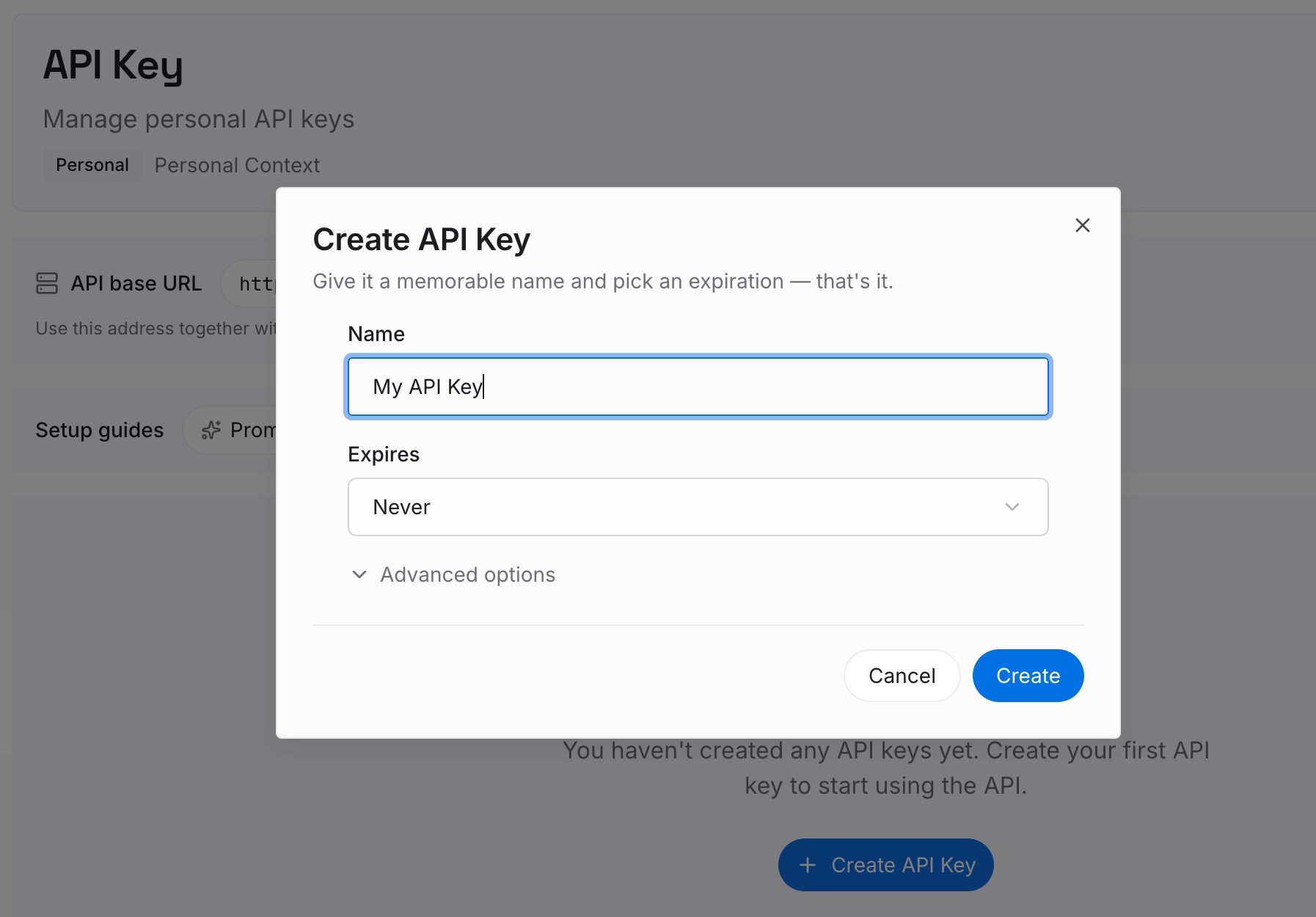
Step 1: Create an API key
Generate a key and make your first request in about 30 seconds. Keep it in your environment or a secret manager rather than pasting it into a chat window.
Step 2: Upload your first memories
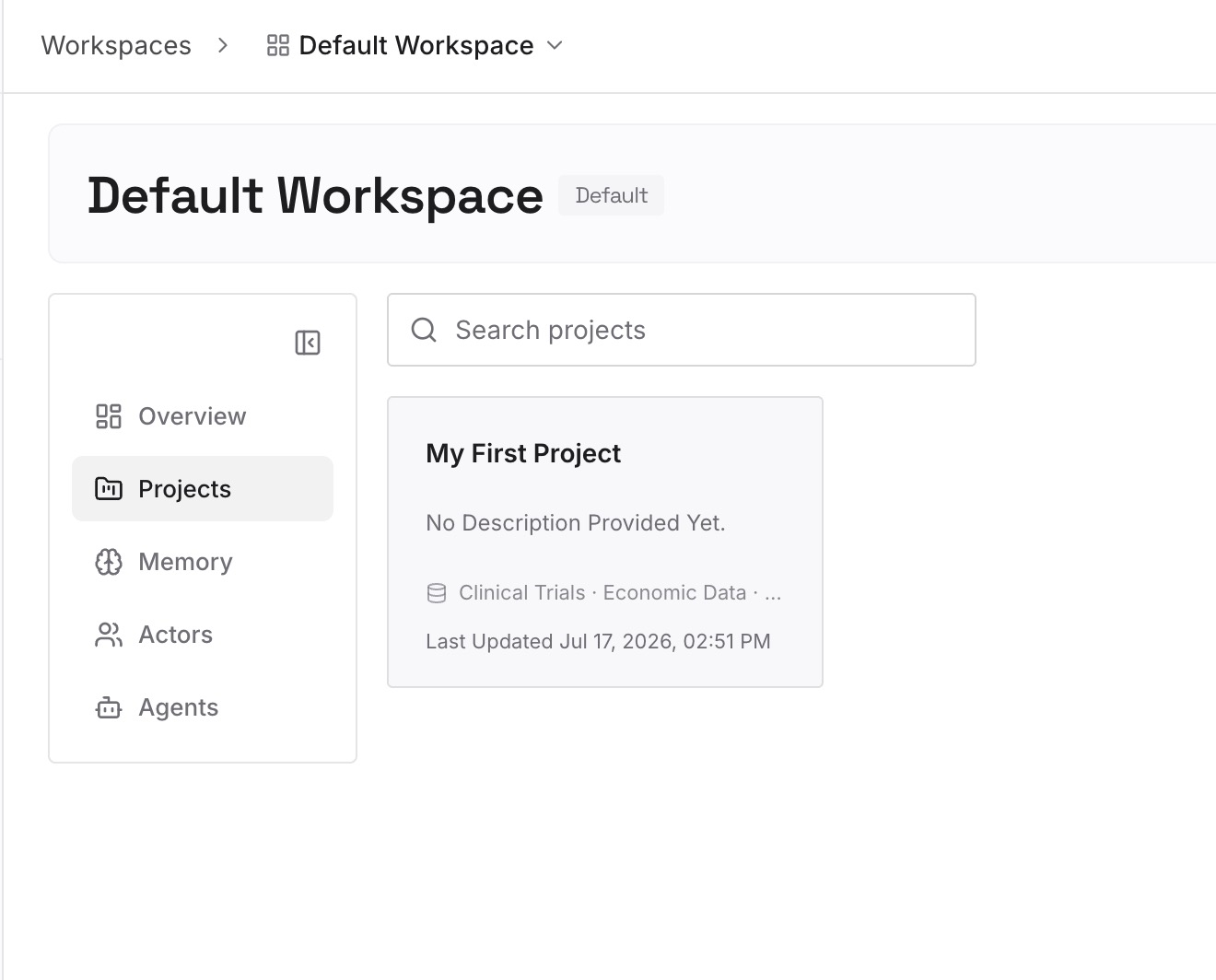
Drop in the documents, images, and files behind your rules: the architecture decisions and their dates, the incident writeups, the API contracts, the style guide, the schema. Upload the sources rather than a summary — you've just spent an hour reconstructing what a summary lost, so don't start a new one.
Step 3: Connect your AI & agents
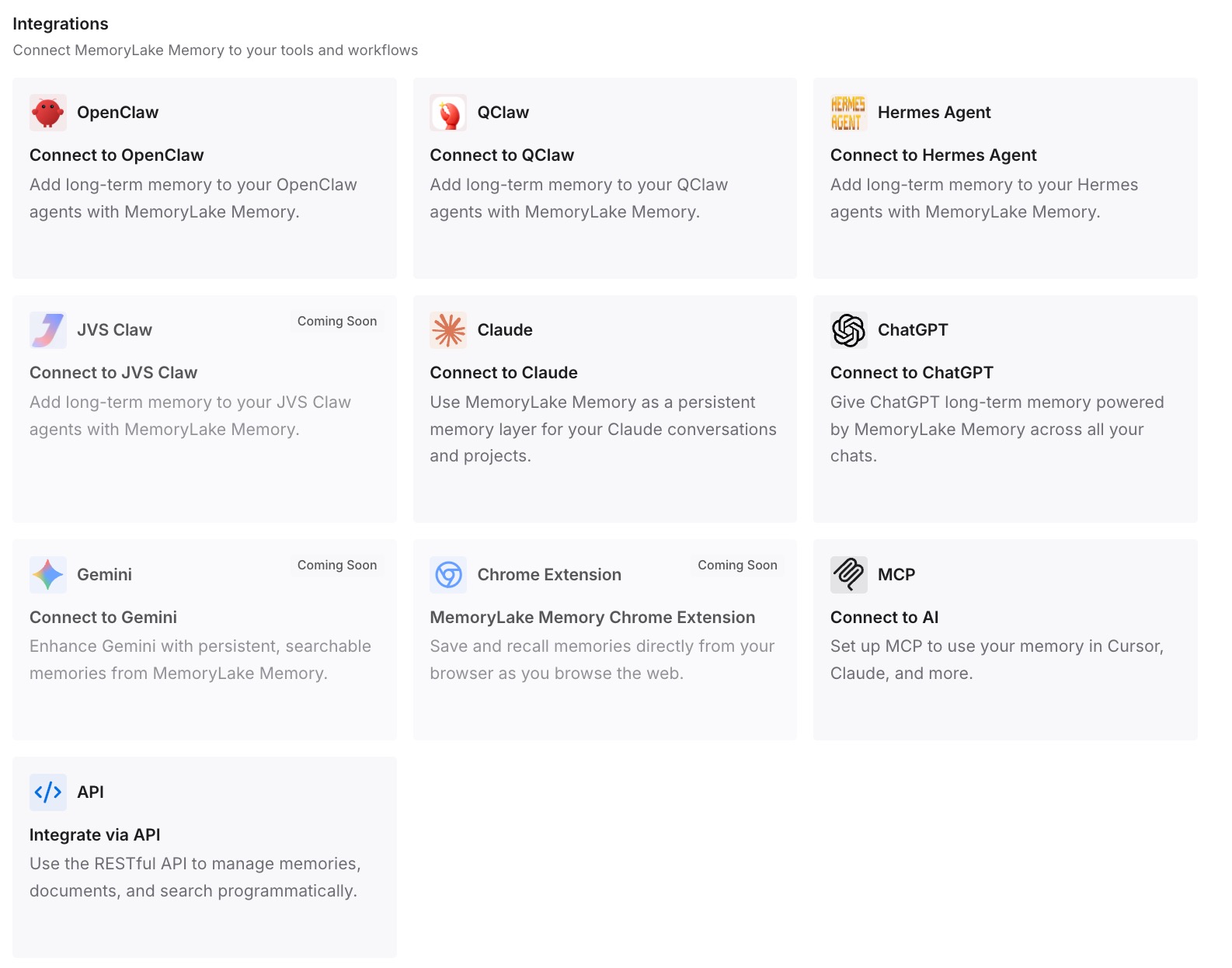
Give Claude, Codex, OpenClaw, and other AI agents access to memory via MCP or the API. In Zed, add the server under Settings → AI → MCP Servers so it lands in context_servers, and every thread can query the same store. ChatGPT has no MCP client, so retrieve what you need through the API and inject it into the prompt or the workflow that calls the model.
What this changes in practice
The first difference is that your always-on files stay small. The reason people end up with 500-line instruction files is that there's nowhere else to put the detail. With retrieval available, personal instructions hold your handful of hard preferences and project instructions hold the constraints that would make an answer wrong.
The second is that new threads stop being a cost. Zed threads are independent by design — own context window, own history — so continuity comes from what's loaded, not from what was said. That's a clean model once the loading is cheap, and it's the same reason an agent that starts every thread from zero feels expensive when everything must be re-explained.
The third is that ChatGPT and Zed stop knowing different things. Today the assistant you plan with and the editor you build with learn separately, from separate conversations. Reading the same store is what makes one memory across your tools a configuration rather than a copying discipline.
And it composes with what each side does natively. ChatGPT memory keeps personalizing — with its documented boundaries, including that it's per-account and not always behaving the way people expect. Zed keeps loading instructions and Skills. Neither has to be the record.
Best practices for moving memory into Zed
Sort by cost, not by topic
The question for each item isn't "what is this about?" but "should this be in context every single time?" Always-on for the few things that change every answer, Skills for procedures, retrieval for the long tail. Getting this wrong in the direction of always-on is the most common and most expensive mistake.
Check which instruction file Zed will actually read
Zed uses the first matching file from its list, and .rules, .cursorrules, .windsurfrules, and .clinerules all rank ahead of AGENTS.md. A leftover file from a previous editor will silently take precedence. Look before you write.
Write skill descriptions for the model, not for yourself
The agent picks a skill from its catalog based on the description. "Migration steps" is a bad description; "Steps to add or alter a database column safely, including the ordering of migration and deploy" is a good one. If you'd rather choose manually, set disable-model-invocation and invoke it by name.
Commit project instructions and project skills
Both AGENTS.md and .agents/skills/ live in the repo, which means your teammates and your other machines inherit them. Personal instructions and global skills stay yours. Deciding which is which is the difference between a team standard and a personal habit.
Do the ChatGPT export while you still have access
Reading the memory summary and asking it to write out what it knows takes twenty minutes and can only be done from inside a live account. Everything else in this migration is repeatable; that isn't.
Don't expect instruction files to be enforcement
They add context; they don't guarantee behavior. Formatting, banned imports, protected paths — put those in formatters, linters, and CI, which apply regardless of what any thread loaded. Let the instruction file explain why the rule exists.
Conclusion
Migrating ChatGPT memory to Zed is manual, because ChatGPT has no export and its memory is a synthesis rather than a transcript. Read the summary, ask it in chat to write out what it knows, and accept that you'll be rewriting the reasons it compressed away.
Then sort what you recover into Zed's three surfaces: personal instructions in ~/.config/zed/AGENTS.md for the few things that are always true, project instructions in the repo for constraints your team shares, and Skills in ~/.agents/skills/ or .agents/skills/ for the procedures you invoke on demand. Check which instruction filename Zed will match first, keep the always-on files short, and wire up MCP under context_servers so the knowledge behind the rules lives in one store both Zed and ChatGPT can read. Then the next editor change is a config file, not an archaeology project.