
What actually transfers
Your CLAUDE.md prose, as content. Build commands, conventions, architecture notes, "always do X" rules. Cursor reads AGENTS.md — "Agent instructions in markdown format. Simple alternative to .cursor/rules" — in the project root and in subdirectories. Rename or copy, and you're done. Note that this is the reverse of the constraint on the Claude Code side, where the docs are explicit: "Claude Code reads CLAUDE.md, not AGENTS.md."
Path-scoped rules, with a genuine one-to-one mapping. This is the cleanest part of the whole migration and most people miss it. Claude Code's .claude/rules/ files take a paths: frontmatter field of glob patterns, and "Rules without a paths field are loaded unconditionally and apply to all files." Cursor's project rules use globs in .mdc frontmatter with the same intent: with alwaysApply: false and globs provided, the rule is "Auto-attached when a matching file is in context." So a rule scoped to src/api/**/*.ts in Claude Code becomes a rule scoped to src/api/**/*.ts in Cursor. Same pattern syntax, same idea.
Your personal preferences, into a settings pane. Claude Code's user-level layer is ~/.claude/CLAUDE.md plus ~/.claude/rules/. Cursor's is User Rules — "global preferences defined in Customize → Rules that apply across all projects." Same job. One caveat worth knowing before you rely on it: "User Rules are not applied to Inline Edit (Cmd/Ctrl+K). They are only used by Agent (Chat)."
Organization-wide instructions, into a dashboard. Claude Code supports a managed policy CLAUDE.md deployed by IT at an OS-level path. Cursor's counterpart is Team Rules, created from the Cursor dashboard on Team and Enterprise plans, where "Enforce this rule: When enabled, the rule is required for all team members and cannot be disabled in Customize."
Nothing else. Here's the specific list.
Auto memory has no destination. Claude saves four kinds of notes for itself, recorded as a type field in each file's frontmatter: user (your role and working preferences), feedback (corrections you give Claude and approaches you confirm), project (ongoing work and decisions Claude can't derive from code or git history), and reference (where to find things outside the project). It deliberately skips what it can read off the codebase and "anything your CLAUDE.md files already say" — which means auto memory holds, by design, exactly the material that is written down nowhere else. And it doesn't travel: "Auto memory is machine-local. All worktrees and subdirectories within the same git repository share one auto memory directory. Files are not shared across machines or cloud environments." Read it before you go.
@path imports have no Cursor equivalent. CLAUDE.md can pull in other files with @path/to/import syntax, recursively, "with a maximum depth of four hops," and imported files "are expanded and loaded into context at launch." Cursor's nearest mechanism is @filename.ts inside a rule, which the FAQ confirms — "Use @filename.ts to include files in your rule's context" — but it isn't an import chain and it doesn't compose four levels deep. A four-hop import tree has to be flattened into one file or split into several rules.
CLAUDE.local.md loses its shape. It's the gitignored personal layer at the project root, "for private per-project preferences that shouldn't be checked into version control." Cursor's User Rules are global rather than per-project, so a personal note that only made sense in one repo either becomes global or becomes an uncommitted AGENTS.md you have to remember not to stage.
Conflict handling works differently, and this one changes behavior. Claude Code: "All discovered files are concatenated into context rather than overriding each other," ordered filesystem root down, and if two files disagree "Claude may pick one arbitrarily." Cursor states an actual precedence: "Rules are applied in this order: Team Rules → Project Rules → User Rules. All applicable rules are merged; earlier sources take precedence when guidance conflicts." If you have been living with a contradiction that Claude Code resolved by coin flip, Cursor will resolve it consistently — possibly not the way you'd been getting used to.
Hooks don't come along. Claude Code is explicit about the escape hatch: "To block an action regardless of what Claude decides, use a PreToolUse hook instead." That's enforcement rather than context, and not part of the rules system you're migrating.
Subagent memory was already separate. "The main conversation's auto memory isn't loaded into subagents," and a subagent's own auto memory is its own directory — per-subagent state that stays behind. That boundary is covered in why Claude Code subagents don't share memory.
The manual migration
Step 1: Dump what is actually loaded, before you change anything
You cannot migrate a setup you haven't read, and in Claude Code the loaded set is rarely what you remember writing.
Run /context in a session and read the list under Memory files. That is the ground truth for which CLAUDE.md and CLAUDE.local.md files made it in — the docs use it as the first debugging step, because "If a file is missing there, Claude can't see it." Files above your working directory load at launch; files in subdirectories "load on demand when Claude reads files in those directories," so a subdirectory rule that never matched won't appear.
Then run /memory. It lists your CLAUDE.md, CLAUDE.local.md, and other memory file locations, and gives you an option to open the auto memory folder. Open it. Everything in there is plain markdown you can read, edit, or delete, and the feedback and project files are usually the highest-value paragraphs in the entire setup: the corrections you gave, the deadlines, the decisions that aren't in the code. Copy what still matters into something portable. It is not going to Cursor by itself.
Two things worth noticing while you're in there. MEMORY.md loads only up to "the first 200 lines of MEMORY.md, or the first 25KB, whichever comes first" — so if it's long, the tail wasn't being read anyway. And topic files aren't loaded at startup at all; Claude "reads them on demand using its standard file tools." If you want the audit as a log rather than by eye, the InstructionsLoaded hook records "exactly which instruction files are loaded, when they load, and why."
Step 2: Rebuild the layers in Cursor, deciding format once
Four decisions, in this order.
Repo instructions: AGENTS.md or .cursor/rules. Copy CLAUDE.md to AGENTS.md and you're functional immediately. Convert to .cursor/rules only for what you want conditionally loaded — that's the capability .mdc frontmatter buys. Cursor's four rule types are Always Apply, Apply Intelligently ("When Agent decides it's relevant based on description"), Apply to Specific Files ("When file matches a specified pattern"), and Apply Manually ("When @-mentioned in chat"). If you already had paths:-scoped rules, those are the ones to convert; the rest can stay prose.
Watch the extension. "A plain .md file in .cursor/rules is ignored by the rules system because it has no frontmatter to specify description, globs, and alwaysApply. If you prefer plain markdown, use AGENTS.md instead." Dropping your old rule files into that directory unchanged is the most common way to migrate into silence.
Flatten the imports. Resolve every @path chain into the file that references it, or into separate rules. Keep an eye on length while you do: Cursor's guidance is to "Keep rules under 500 lines" and to "Reference files instead of copying their contents—this keeps rules short and prevents them from becoming stale as code changes." Claude Code points the same direction, with a target "under 200 lines per CLAUDE.md file."
Split global from local. Personal preferences go to Customize → Rules. Repo conventions go into AGENTS.md or .cursor/rules and get committed. Nested AGENTS.md gives you directory scoping with no frontmatter at all — instructions "are combined with parent directories, with more specific instructions taking precedence."
If your team shares rules, use Remote rules. Cursor can import rules from a GitHub repository: Customize → Rules → Add Rule → Remote Rule (Github), paste the repo URL, and "Cursor will scan for all .mdc files in the repo," placing them in .cursor/rules/imported/<repoName> while preserving relative paths. It's .mdc-only, so it's a reason to convert rather than keep prose — and it's the closest thing either tool has to a shared, updatable rule source.
If you end up running both for a while, the reverse direction is written up in migrating from Cursor to Claude Code, and the file-standard question is covered in migrating your CLAUDE.md to AGENTS.md.
The Better Way: Give the Accumulated Knowledge a Home Outside Both Tools
Look at what you just did in Step 1. You opened a folder of notes Claude wrote about your project over months, read it by hand, and copied the good parts somewhere else. That worked, and it works exactly once.
The reason it's manual is structural. Auto memory is machine-local by design. Cursor's rules are per-repo and version-controlled by design. Both tools cap what they'll carry — 200 lines here, 500 lines there — because always-on content ships with every request. Neither is built to be the durable store for why your architecture is the way it is, and neither claims to be.
That's what MemoryLake holds: your project's durable knowledge in a layer your tools read from, so a tool switch stops being a knowledge transfer. Setup is three steps.
Step 1: Create an API key
Sign in to MemoryLake and create an API key. One credential across the tools you connect.
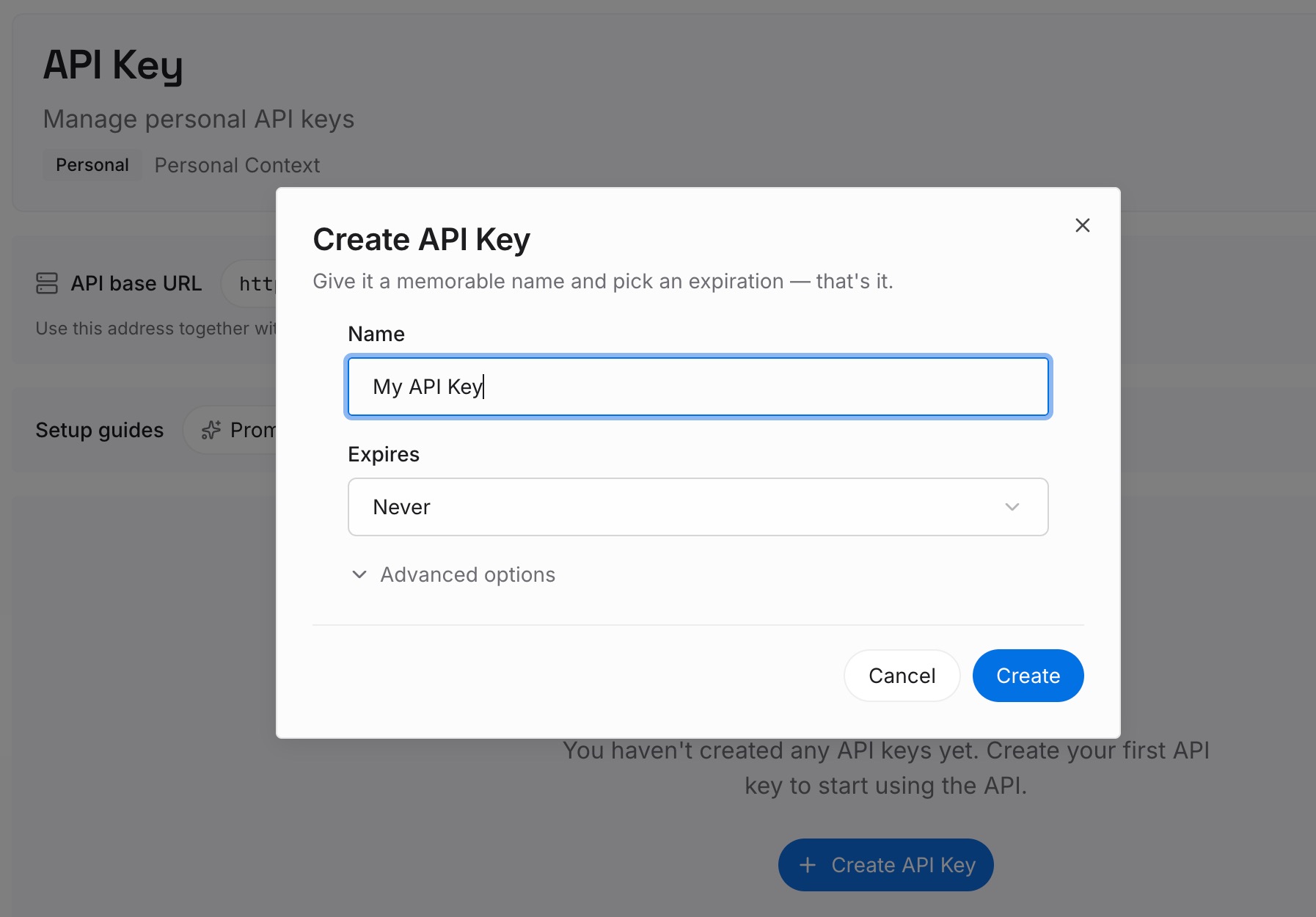
Step 2: Upload your first memories
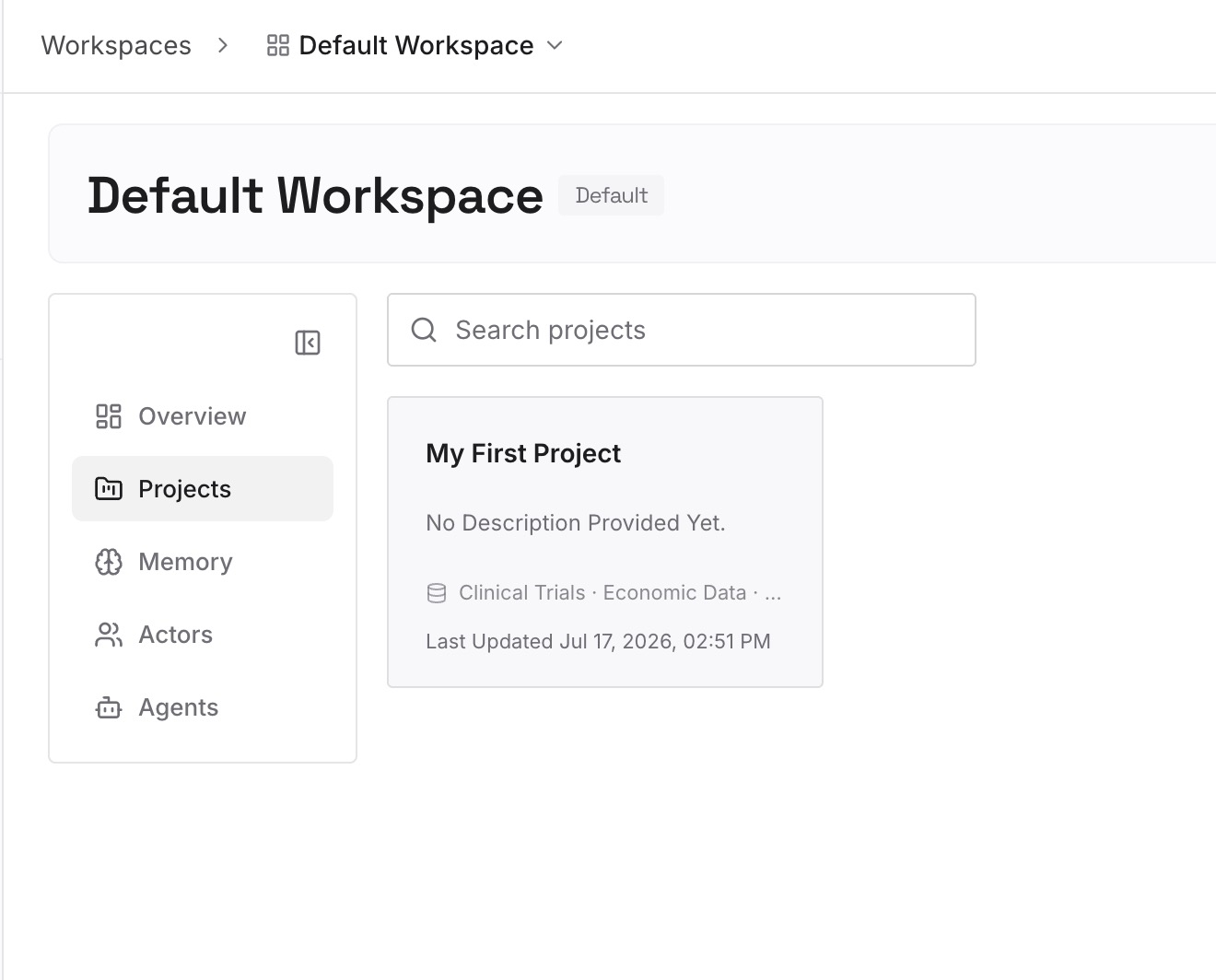
Short entries, one claim each. The auto memory folder you just read is your source material — it's already sorted into roughly the right categories:
Corrections you had to give more than once. This is Claude Code's own feedback category, and it's the highest-value thing in the directory. Move it somewhere both tools can read.
Decisions with the constraint that forced them. "Migrations are additive-only because the read replica lags under load." A rule states the policy; only this stops the alternative being proposed again next week.
Approaches you already rejected, and why. The category that appears in no rule file and no commit message. Every fresh agent proposes it again.
Environmental facts you learned the hard way. The test that only fails in CI, the rate limit that isn't documented, the staging database with no recent rows.
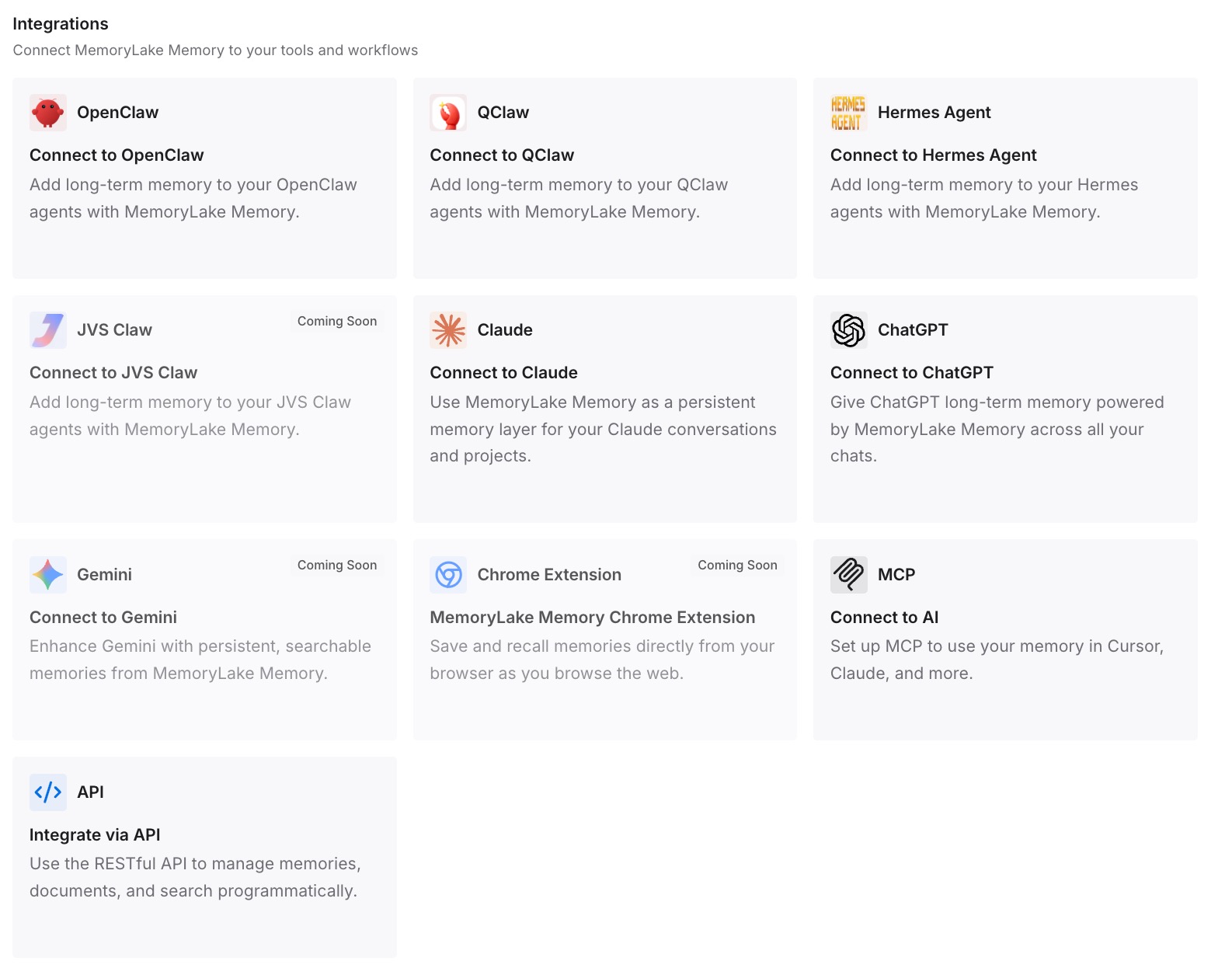
Step 3: Connect your AI & agents
Connect the tools you use. MemoryLake is reachable over MCP and over an API, so MCP-native agents — Claude Code, Codex, and OpenClaw among them — connect by pointing at the MCP server, while other assistants read the same memory through the API. Which is what makes the switch reversible: both editors can read the same layer while you're still deciding.
Three honest limits. MemoryLake does not read your auto memory folder and does not write your CLAUDE.md or your Cursor rules — Step 1 stays a manual read, and rule files are how you steer each tool. It holds only what you or your agents put into it. And rules and memory are both context rather than enforced configuration; if you need something to happen every time regardless, that's a hook or a CI check, not a memory layer.
What this changes in practice
The switch stops being a one-way door. Both editors reading the same external memory means you can run Cursor for two weeks without dismantling your Claude Code setup.
The auto memory read is worth doing even if you stay. Most people have never opened that folder, and the project and feedback files are a surprisingly good summary of the last six months.
Rule files get shorter in the new tool. A CLAUDE.md grows past 200 lines because it's doing two jobs — steering and remembering. Split them once and neither tool's ceiling binds.
"It doesn't know my project yet" gets a real answer. Not "write more rules" but "that knowledge was never in the rules" — the general case in why RAG isn't memory.
Best practices for switching from Claude Code to Cursor
Open the auto memory folder before you do anything else. It's the only part of your setup with no importer on the other side, and it's the part you didn't write.
Trust /context, not your memory of what you wrote. The Memory files list is what actually loaded. Subdirectory files that never matched won't be there.
Convert paths: rules to globs, keep the rest as prose. The mapping is direct. Everything else is cheaper as AGENTS.md.
Never leave a plain .md inside .cursor/rules. It's silently ignored. Use .mdc with frontmatter, or AGENTS.md.
Flatten @path imports rather than recreating them. Cursor's @filename references aren't a four-hop import chain.
Decide where contradictions should land. Cursor merges with Team Rules over Project over User; Claude Code concatenated and picked arbitrarily. Resolve the conflicts you'd been getting away with.
Put global preferences in User Rules, and note the Inline Edit gap — they apply across projects but not to Cmd/Ctrl+K.
Keep the reasoning outside both rule systems. Rules are direction and pointers; the argument behind a decision is what lets an agent handle the case you didn't anticipate — the shape covered in why agents ignore the instruction files you wrote.
Conclusion
Claude Code to Cursor is easy on paper and lossy in practice, and the split isn't where people expect. Your CLAUDE.md becomes AGENTS.md with a rename. Your paths:-scoped rules map onto Cursor's globs almost exactly. Your user-level file becomes User Rules, and a managed policy file becomes Team Rules.
What doesn't move is everything Claude wrote for itself. Auto memory is on by default, stored as machine-local markdown at ~/.claude/projects/<project>/memory/, holding precisely the material your CLAUDE.md doesn't — and Cursor will never see it. @path chains have to be flattened, CLAUDE.local.md loses its per-project scope, and conflicts Claude Code resolved arbitrarily will now resolve by a stated precedence order.
So read the auto memory folder first, dump the loaded set with /context, convert only the rules that need conditions, and put the decisions and rejected approaches in a layer both editors can query.