
What actually transfers
First, which OpenCode you're moving to
OpenCode's migration guide notes that "OpenCode 1 and OpenCode 2 both use the opencode command and are no longer installed side by side by default." The two versions read the same configuration locations, and the guide says supported V1 behavior "is intended to remain compatible with V1." But on Claude Code files specifically, they differ, so check which one you're running before you rely on anything below.
Instructions: CLAUDE.md
In V1, CLAUDE.md works as a fallback. OpenCode reads a project CLAUDE.md if no AGENTS.md exists, and ~/.claude/CLAUDE.md if there's no global OpenCode AGENTS.md. The rule is "The first matching file wins in each category." So adding an AGENTS.md to a project turns its CLAUDE.md off.
V1 also gives you switches for this compatibility. "To disable Claude Code compatibility, set one of these environment variables". OPENCODE_DISABLE_CLAUDE_CODE turns off all .claude support, while OPENCODE_DISABLE_CLAUDE_CODE_PROMPT and OPENCODE_DISABLE_CLAUDE_CODE_SKILLS turn off the global CLAUDE.md and the skills separately.
In V2, there's no fallback. V2 loads a global AGENTS.md and then "every AGENTS.md from the current workspace directory toward the home directory", and files deeper in the project load as the agent reads that area. It also stacks them rather than choosing one: "OpenCode combines the files and does not resolve conflicts between them."
The V2 migration guide addresses Claude Code users directly: "If a V1 setup relied on a CLAUDE.md fallback, move that guidance into the applicable AGENTS.md." It adds that "V2 currently only discovers AGENTS.md" and, since V1 behavior is meant to stay compatible, asks users to "also file a compatibility issue with the affected project details." The word currently matters. This could change, but today V2 doesn't load a CLAUDE.md on its own.
The safe move for either version is the same: put your instructions in AGENTS.md. Claude Code can read it too, as our guide to Claude Code's AGENTS.md default explains, so one file can serve both tools.
Imports and path-scoped rules
Claude Code's CLAUDE.md can pull in other files. "Imported files are expanded and loaded into context at launch alongside the CLAUDE.md that references them." If your CLAUDE.md is mostly a list of @docs/... lines, most of your instructions live in those other files.
OpenCode's V1 rules documentation says "While opencode doesn't automatically parse file references in AGENTS.md, you can achieve similar functionality in two ways". Its recommended route is the instructions field in opencode.json. V2 keeps it: "Use the instructions array to add files, glob patterns, or HTTP(S) URLs alongside discovered AGENTS.md files". If you list remote URLs there, our guide to mirroring OpenCode's remote instruction files covers what happens when a fetch is slow.
Claude Code also supports rules in .claude/rules/, with paths: frontmatter that limits a rule to matching files. OpenCode's instruction documentation describes AGENTS.md files and the instructions array, and .claude/rules/ isn't among the locations it lists. The closest OpenCode pattern is a nested AGENTS.md in the directory the rule covers. In V2, nested files are "loaded nearest-first" as the agent reads that part of the project.
Skills
Skills are the part that moves most easily. Both versions read Claude Code's skill folders. V2 lists ~/.claude/skills as a global compatibility source and .claude/skills as a project compatibility source, alongside OpenCode's own .opencode/skills.
V2 also understands one Claude Code field. Its table lists disable-model-invocation with the note "Set to true for the same effect as opencode/autoinvoke: false". Fields from the open skills standard are accepted, though "V2 accepts portability fields such as license and compatibility but does not interpret them."
The fields V2's skills documentation lists are name, description, metadata.opencode/autoinvoke, and disable-model-invocation. Claude Code's other skill fields, such as context, paths, hooks, and model, aren't among them, so skills that depend on those need a rewrite. One more difference to know: in V2, "The file path determines the skill ID. The frontmatter name is only a display label."
Subagents and commands
Claude Code subagents live in ~/.claude/agents/ or a project's .claude/agents/. OpenCode's agent files live in ~/.config/opencode/agents/<name>.md or .opencode/agents/<name>.md, and their frontmatter is OpenCode's own, with a mode: subagent setting and a permissions list. The Markdown body carries over cleanly, since in OpenCode "The Markdown body becomes the agent's system prompt".
Custom commands follow the same pattern. Claude Code's .claude/commands/ files become .opencode/commands/<name>.md, or ~/.config/opencode/commands/ for global ones. OpenCode commands use $ARGUMENTS too, and note that "Only .md files are discovered."
If you use subagents heavily, our guide to Claude Code subagents not sharing memory covers what each one sees, which is worth rechecking after a move.
What stays behind
Auto memory. Claude Code writes its own notes: "Auto memory lets Claude accumulate knowledge across sessions without you writing anything." They're stored on your machine, and "Each project gets its own memory directory at ~/.claude/projects/<project>/memory/." OpenCode's documentation doesn't describe reading that directory. Whatever Claude learned there, such as your corrections, preferences, and project facts, stays with Claude Code unless you move it by hand. Our guide to migrating from Claude Code to Cursor covers the same gap for another destination.
Sessions. OpenCode's V1 CLI can export and import session data as JSON, but those commands describe OpenCode's own sessions. Your Claude Code conversations stay in Claude Code. Our guide to exporting a Claude Code session to another machine covers keeping them.
Hooks and plugins. Claude Code hooks live in its settings. OpenCode extends behavior through plugins instead, and the V2 guide warns that "V1 plugin implementations do not run in V2." Treat hooks as something to rebuild, not copy.
MCP servers. These move as configuration. OpenCode defines them in opencode.json, and V2 groups them under a servers key. Reconnect each one and sign in again where needed.
The manual migration
Step 1: Build one AGENTS.md that OpenCode will read, in either version
Start by collecting everything that shapes how Claude works in this project:
- Your
CLAUDE.mdfiles, at the project root, in.claude/CLAUDE.md, in subdirectories, and in~/.claude/CLAUDE.md. - Every file they import with
@. - Your
.claude/rules/files, noting which ones usepaths:. - Your auto memory. Open
~/.claude/projects/<project>/memory/and readMEMORY.mdand the topic files it points to.
Then write the result into AGENTS.md:
- Project-wide instructions go in the root
AGENTS.md. Copy the contents of imported files in, or list them in theinstructionsarray inopencode.jsonso they load without being pasted. - Path-scoped rules go in an
AGENTS.mdin the directory they cover. - Auto memory notes get sorted. Corrections and project facts that still hold become instructions. Personal preferences that apply across projects go in
~/.config/opencode/AGENTS.md. Anything outdated stays behind. - Global instructions from
~/.claude/CLAUDE.mdmove to~/.config/opencode/AGENTS.md.
If you'll keep using Claude Code on the same repository, keep CLAUDE.md as a short file that points Claude at AGENTS.md, so both tools read one set of instructions. Our guide to migrating CLAUDE.md to AGENTS.md covers that pattern.
Because V2 combines every AGENTS.md it finds without resolving conflicts, read the files together once you're done and remove contradictions.
Step 2: Move skills, agents, and commands, then test without the fallbacks
Skills can stay where they are, since OpenCode reads .claude/skills/ and ~/.claude/skills/. Open each SKILL.md and check its frontmatter. Keep name, description, and disable-model-invocation. Rewrite anything that depends on Claude Code-only fields, and keep each folder name stable, since in V2 the path sets the skill's ID.
Subagents move from .claude/agents/ to .opencode/agents/. Keep the Markdown body, set mode: subagent, and translate tool restrictions into OpenCode's permissions.
Commands move from .claude/commands/ to .opencode/commands/. Check that each template's $ARGUMENTS usage still makes sense.
Then test. On V1, set OPENCODE_DISABLE_CLAUDE_CODE in your environment for a session and confirm the agent still follows your instructions. That variable also turns off .claude/skills, so skills you left there will disappear for that session. Any instruction that goes missing was coming from a Claude Code file you haven't moved yet. On V2, no such test is needed, because the fallback isn't there. Start a session, ask the agent to summarize the instructions it's working under, and compare that with your AGENTS.md. One V2 detail for testing: "Edits to a nested file are not detected automatically after it loads." Start a new session after changing one.
The Better Way: Keep your project context in one place you control
Step 1 is the hard part of this migration, and much of the work is in the auto memory notes and imported files, the context Claude Code accumulated without it being one obvious file. Moving it into AGENTS.md fixes this move. It doesn't help the next one, and it doesn't cover context that belongs to you rather than the repository.
MemoryLake is a memory layer for keeping decisions and preferences in one list you maintain, available to Claude Code and the other assistants you connect.
You write the entries yourself, in your own words. Nothing is read out of, written to, or deleted from your CLAUDE.md files, Claude Code's auto memory, your OpenCode configuration, or any vendor's store. Check your organization's policy before storing project details outside your repository.
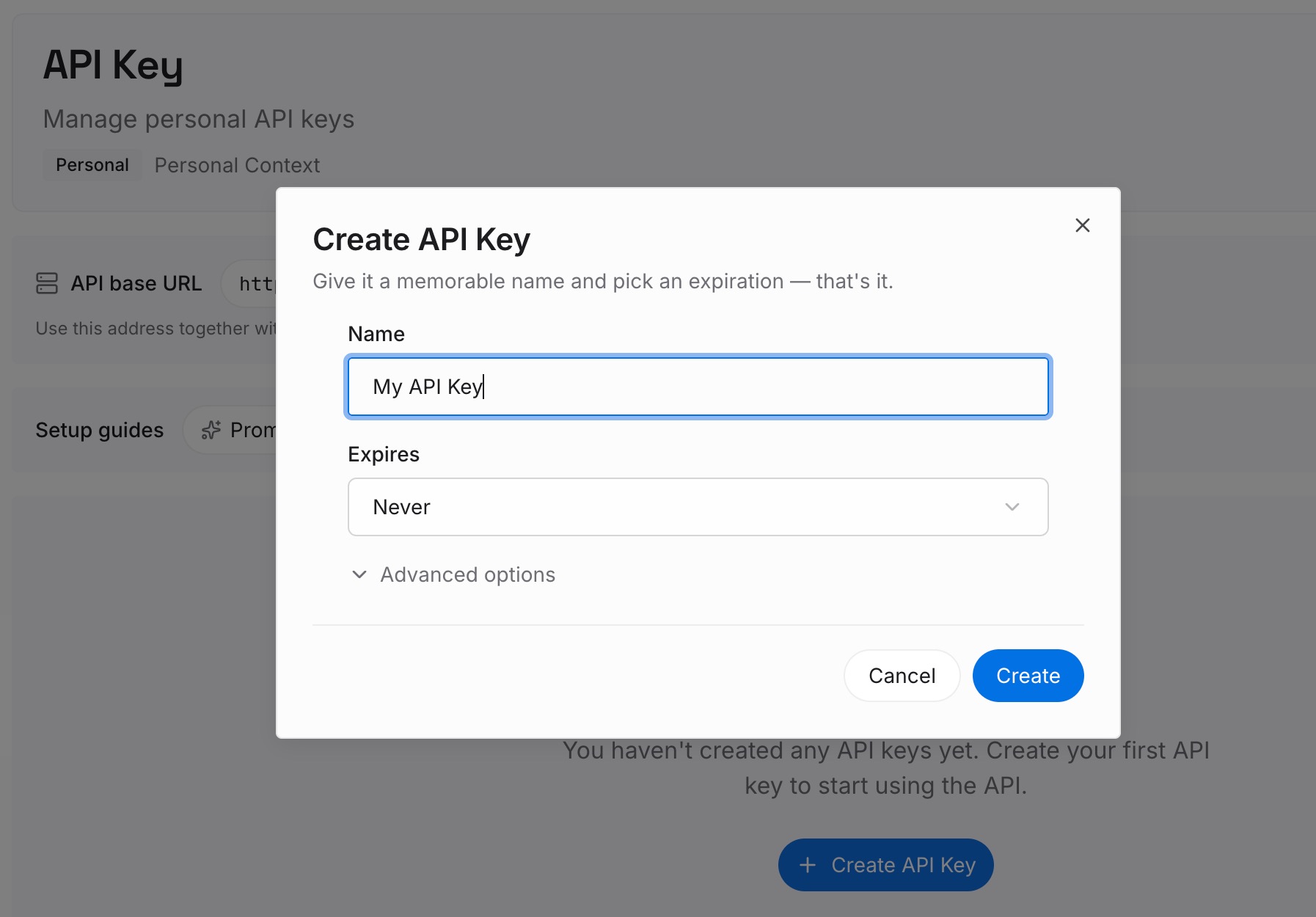
Step 1: Create an API key
Sign in and generate a key from the dashboard. The key belongs to your MemoryLake workspace and is separate from your Anthropic account and your model providers.
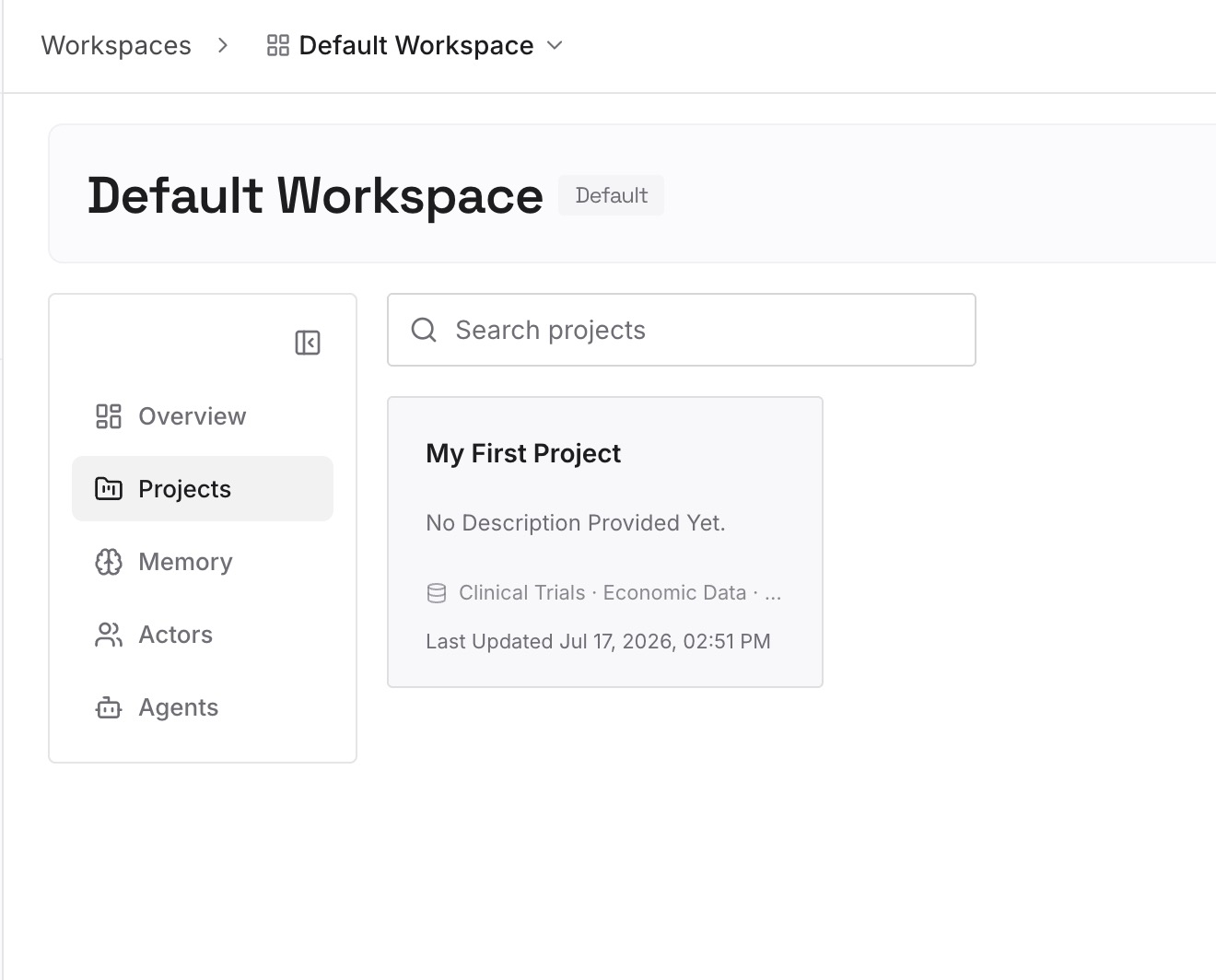
Step 2: Upload your first memories
Start with what you found in auto memory that isn't a repository rule: your preferences, the reasoning behind decisions, the approaches you ruled out. One decision per entry, dated.
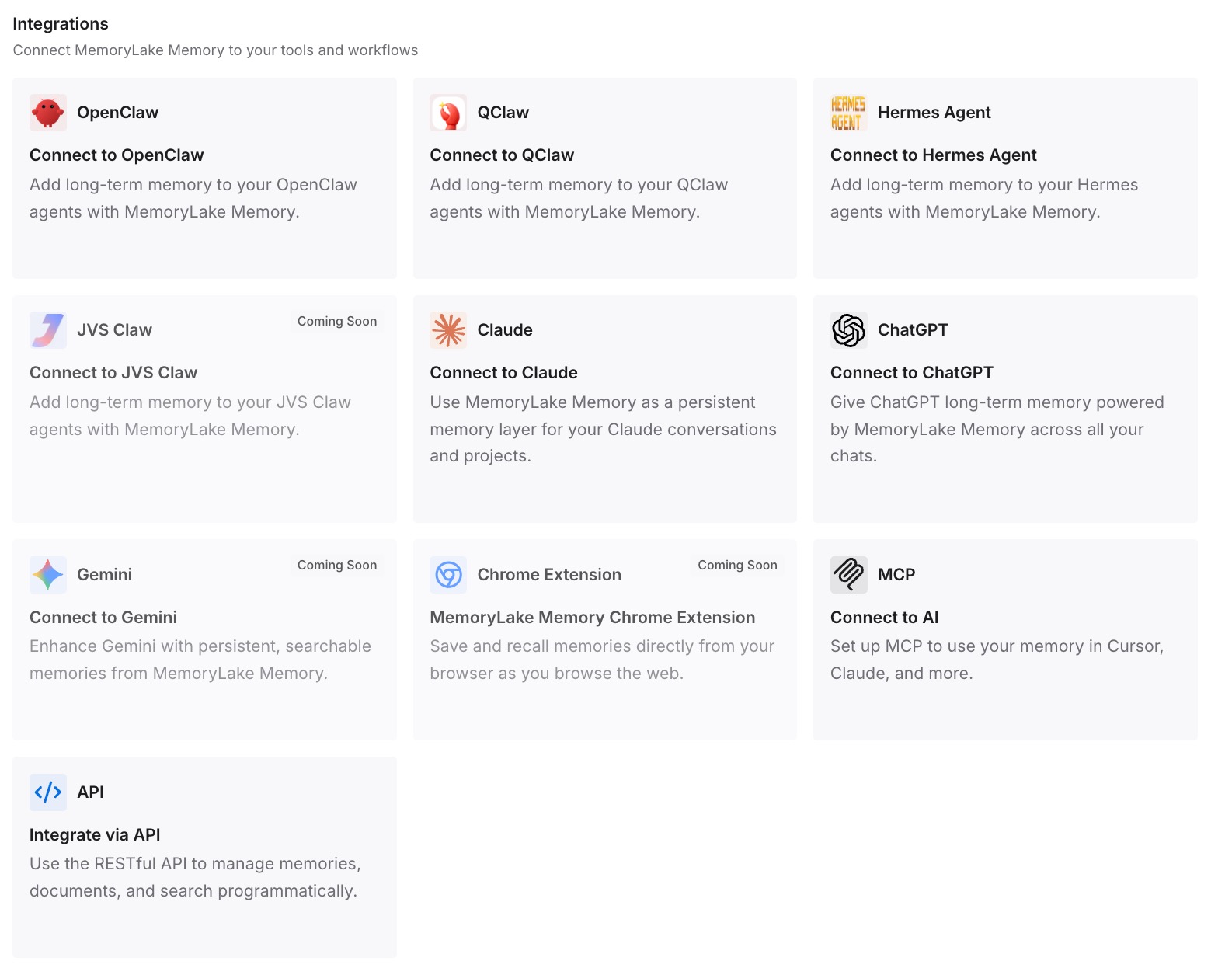
Step 3: Connect your AI & agents
Connect the assistants you use. The context is then available wherever you work, rather than tied to the tool that first learned it.
What this changes in practice
The first difference is one instruction file instead of a fallback chain. With AGENTS.md in place, OpenCode reads your instructions in V1 and V2, and Claude Code can read the same file.
The second is that nothing important lives only in Claude's auto memory. Reading it during the move turns notes Claude wrote for itself into instructions you can see and edit.
The third is a test you can repeat. Turning off the V1 compatibility, or running V2, shows exactly what OpenCode reads, so you know the move is complete rather than hoping it is.
Best practices for moving from Claude Code to OpenCode
Check your OpenCode version first. V1 reads CLAUDE.md as a fallback. V2 doesn't.
Write AGENTS.md, not CLAUDE.md. It works in both versions and in Claude Code.
Resolve imports. Paste imported content in or use the instructions array.
Read your auto memory before you leave. It's the one source Claude wrote rather than you.
Leave skills in .claude/skills/ if you like. OpenCode reads them, but check the frontmatter.
Move agents and commands into .opencode/. Their Claude Code folders aren't on OpenCode's lists.
Test with the fallbacks off. It shows what still depends on Claude Code files.
Conclusion
OpenCode's documentation has addressed Claude Code users from the start, and for skills the move is still easy: both versions read .claude/skills. For instructions, the picture depends on the version. V1 reads CLAUDE.md when there's no AGENTS.md. V2 recognizes AGENTS.md only, and its migration guide tells you to move the guidance over.
The reliable path is the same either way. Build an AGENTS.md from your CLAUDE.md files, their imports, your path-scoped rules, and the auto memory Claude kept for itself. Move subagents and commands into .opencode/, check skill frontmatter, and test with the fallbacks off. Then OpenCode works from your context, whichever version you run.