
Where Claude Design lives now
Claude Design now works inside Claude. Anthropic's getting-started article describes it as "one of the templates you can start an artifact from, so you can use it in any chat, in Claude Code, and from the Artifacts tab, with on-canvas editing and your design system included." It's available on Free, Pro, Max, Team, and Enterprise plans.
The original standalone site at claude.ai/design is closing. Anthropic's migration guide says it "will close on December 14, 2026, and you can still access it until that date." Projects there can move into Claude as artifacts, a move that is rolling out gradually to paid plans.
That gives you three possible starting points for a design you want to build:
- A design made in Claude, as an artifact
- A design still in the standalone site
- A design drafted inside Claude Code with the
/designcommand
All three end up in the same place, but the route and what comes with it differ.
What Claude Code can take from Claude Design
The design itself, through handoff
The getting-started article describes the handoff in one sentence: "When a design is ready to become software, you can hand it off to Claude Code, which continues from your existing work instead of starting over from a screenshot."
In the export options, the handoff to Claude Code has two destinations: Send to local coding agent, for Claude Code on your machine, and Send to Claude Code Web, for a cloud session. The same menu offers other formats, including a .zip download, PDF, PPTX, Google Slides, and standalone HTML.
From the Claude Code side, the same article says: "From Claude Code, use /design to import a design into your codebase, export your code as a live prototype, or let Claude build the whole thing from start to finish."
The design system, through /design-sync
A design system is the second piece. Anthropic's design system article says that if your design system "already exists as React components, run /design-sync in Claude Code. It reads your tokens and components directly, and works best for product design systems in code."
The getting-started article puts the purpose plainly: "Use /design-sync to pull in your design system, so everything you build in Claude Design starts from your existing components." When your components live in the repository, the repository becomes the source, and designs start from what you actually ship.
Design tokens, through CLAUDE.md
Claude Code also has its own place for visual rules. The Claude Code artifacts documentation says that to keep artifacts consistent with your branding, "record them where Claude can find them, such as the project's CLAUDE.md or a theme file in your repository". It adds how Claude ranks them: "Claude treats your design system as higher precedence than its own choices, and your prompt as higher precedence than both."
So a short design system section in CLAUDE.md, with colors, type, and spacing, is something every Claude Code session in that repository reads. Our guide to Claude Code's subdirectory CLAUDE.md limit explains where to put long files so the important lines still load.
What doesn't come along on its own
Anthropic's description of the handoff is about the design. It doesn't say the conversation behind the design comes along, and for the standalone site it says chats and comments can't move. Three kinds of context are worth bringing yourself.
The conversation that shaped the design. The reasons you chose one layout over another, the edge cases you agreed to handle, and the constraints you set live in the chat. For the standalone site, Anthropic is explicit: "Your chats and comments can't move to Claude, so they stay in the standalone version until it closes." Its list of what isn't carried over names "Your chats with Claude" and "Comments on your projects and design systems", and it advises: "Save anything you need from your chats and comments before the standalone version closes."
Comments and review notes. Feedback left on a design is part of that same list for the standalone site.
The rules that apply beyond one design. Which component to use for a form, what the empty states should say, how errors are worded. If those were settled in conversation, they're not in the design file.
None of this is a flaw in the handoff. A design file holds the design. The decisions behind it are a separate thing, and Claude Code reads them from files in the repository.
What people try first
Sending a screenshot. It works for a rough start, but Anthropic's own description of the handoff contrasts it with starting over from a screenshot. A screenshot doesn't carry the structure or the components.
Pasting the whole design chat into Claude Code. It brings the reasoning along with a lot of noise, and it fills the session's context with discussion that doesn't need to be there.
Relying on Claude Code to infer the design system. Without tokens in CLAUDE.md or components it can read, it makes its own visual choices.
Leaving standalone projects until December. Chats and comments there don't move, and public links to standalone projects stop working after it closes.
The manual migration
Step 1: Gather the design, the system, and the decisions
Before you hand anything off, collect three things.
- The design. Make sure the version you want built is the current one. If it's still in the standalone site, move the project into Claude when that option is available to you, or download the project as a .zip. Anthropic notes that moving a project shows a review that "lists what moves, anything that will work differently, and what stays behind."
- The design system. If your system lives in code, note which repository and which components. If it was built in Claude from brand assets, check that it moved over and that it's the one your designs use.
- The decisions. Go back through the design chat and write down what was decided and why: the layout choices, the states each screen needs, the copy rules, the accessibility requirements, and anything you ruled out. One line per decision. For a standalone project, do this before December 14, because the chat won't move.
Step 2: Bring each piece into Claude Code
In the repository where the feature will live:
- Pull in the design system. If your components are in the repository, run
/design-syncso Claude Design and Claude Code work from the same components. - Add the visual rules to CLAUDE.md. Write a short design system section with colors, typography, and spacing, or point to the theme file that holds them.
- Add the decisions where Claude Code will read them. Put the rules that apply across the feature in CLAUDE.md or a short design notes file the CLAUDE.md references. Keep one-off details for the session itself.
- Hand the design off. From the design, choose Send to local coding agent for a local session or Send to Claude Code Web for a cloud session. Or, from Claude Code, use
/designto import it. - Start the build with the context in view. In the first message, tell Claude Code which design this is, which decisions to follow, and what done looks like. Then ask it to summarize what it's going to build before it writes code.
If you hand off to a cloud session, local-only setup on your machine doesn't automatically follow. Our guide to what stays on your laptop in Claude Code cloud sessions covers what a cloud environment loads.
The Better Way: Keep design decisions in one list that outlives the design file
The manual migration works, but it shows where the decisions were: in a design chat that doesn't travel. You copy them into CLAUDE.md for this repository, and the next design for a different product starts the same way. When you review the build in ChatGPT, or plan the next feature in another assistant, those decisions aren't there either.
MemoryLake is a memory layer for keeping the design decisions and conventions you work by in one list you maintain, available to Claude Code and the other assistants you connect, such as ChatGPT and Codex.
You write the entries yourself, in your own words. Nothing is read out of, written to, or deleted from Claude Design, your artifacts, your design systems, your Claude chats, or any vendor's store. For work content, follow your organization's policy on what you keep outside its tools.
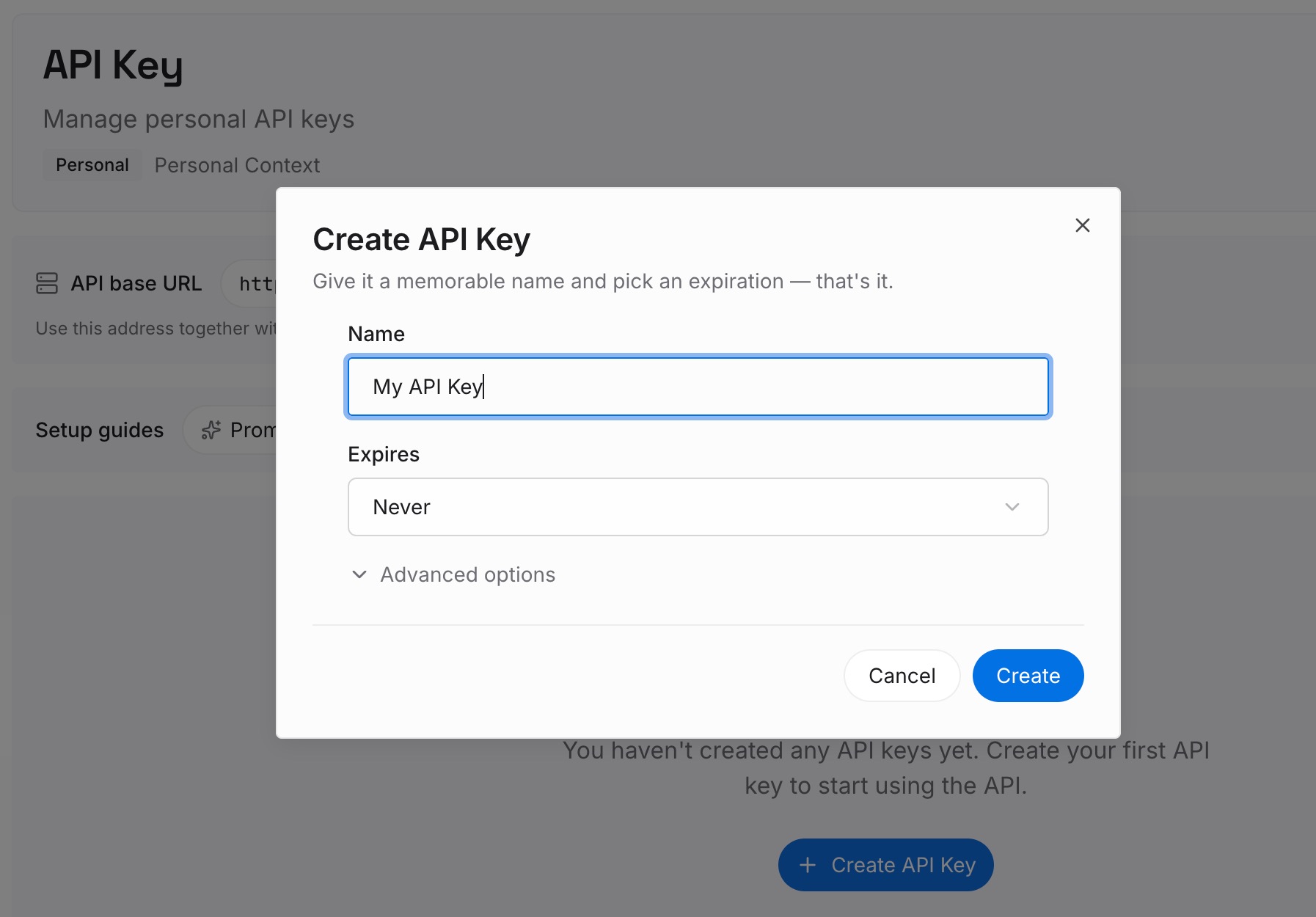
Step 1: Create an API key
Sign in and generate a key from the dashboard. The key belongs to your MemoryLake workspace and is separate from your Claude account.
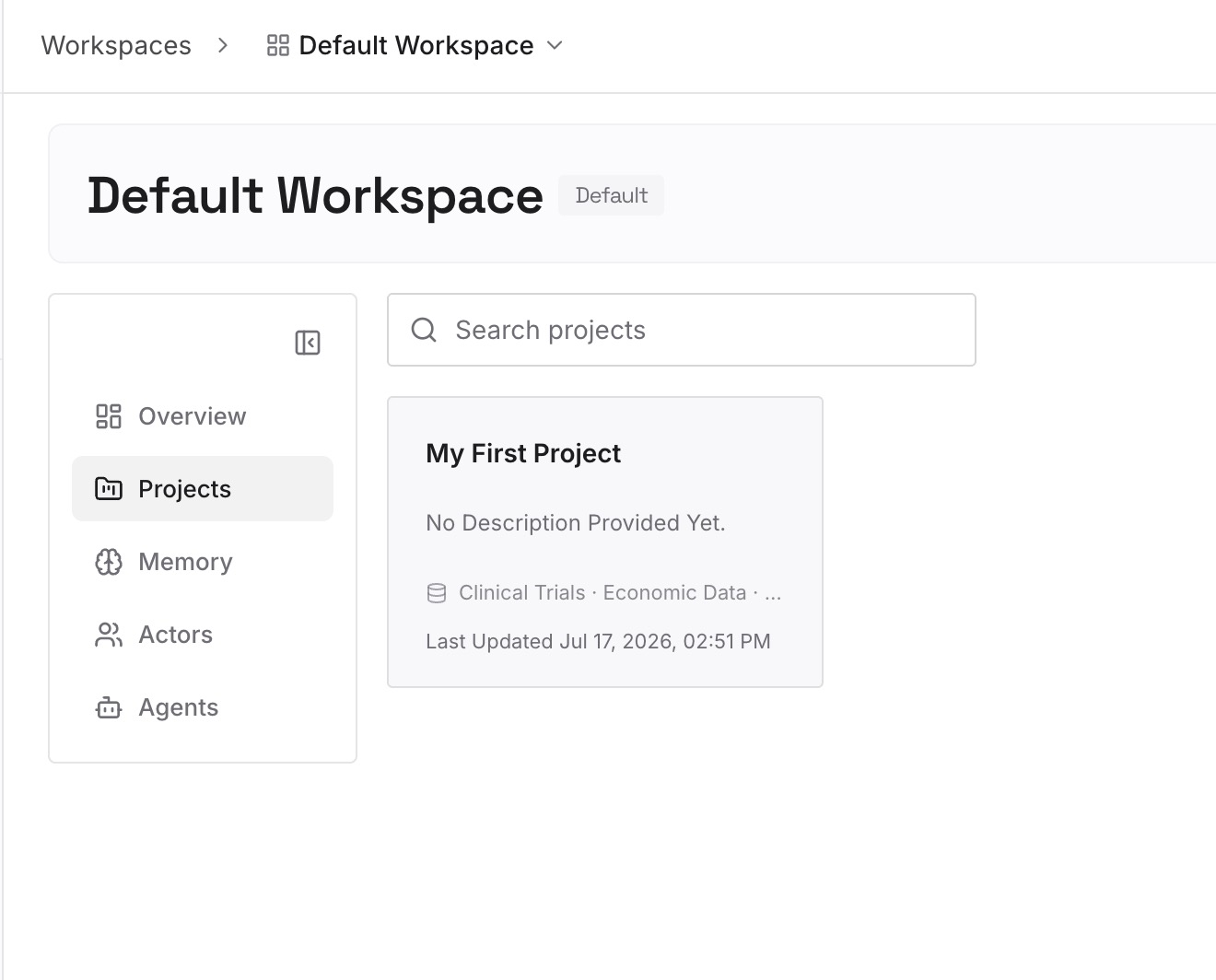
Step 2: Upload your first memories
Start with the decisions you wrote down in Step 1 of the manual migration: layout choices, states, copy rules, and what you ruled out. One decision per entry, dated, and labeled with the product or feature it belongs to.
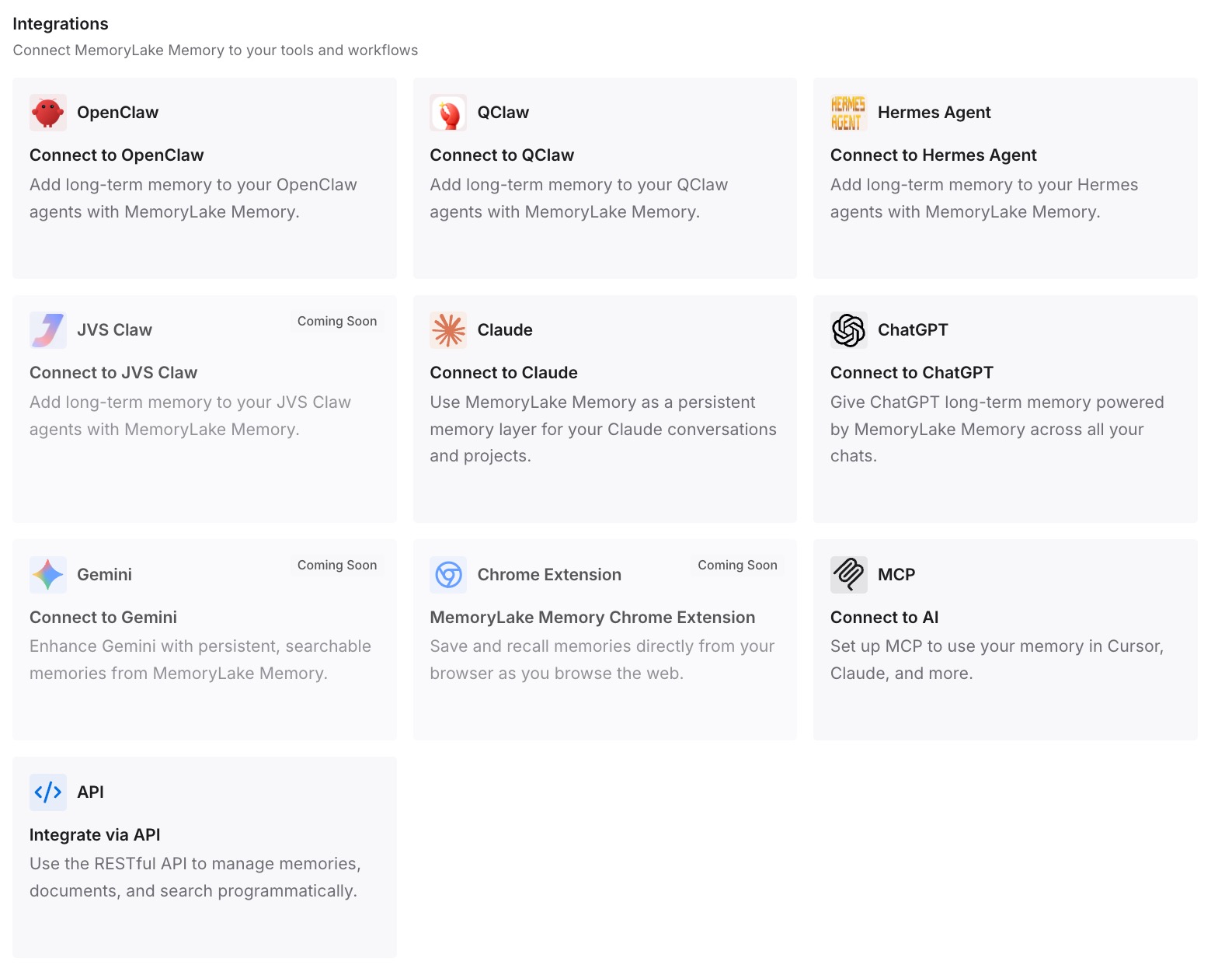
Step 3: Connect your AI & agents
Connect Claude Code and the other assistants you use. The next design handoff, review, or follow-up feature starts with the decisions already in reach.
What this changes in practice
The first difference is that the build matches the design for the right reasons. Claude Code has the design, the components, and the decisions behind them, so it doesn't have to guess why the second step is optional.
The second is that the design system stays in one place. With /design-sync reading components from the repository and tokens in CLAUDE.md, new designs and new code start from the same source.
The third is that the decisions survive the tools. The standalone chat closing in December, or a design chat you never reopen, doesn't take the reasoning with it. If you also design in ChatGPT, our guide to why ChatGPT forgets your design system covers that side.
Best practices for moving from Claude Design to Claude Code
Hand off the design, not a screenshot. The handoff keeps the structure Claude Code needs.
Make the repository the source for components. Use /design-sync when your design system exists as code.
Put visual rules in CLAUDE.md. Every session in the repository reads them.
Write down decisions before you leave the design chat. One line each, with the reason.
Save standalone chats and comments before December 14. They don't move to Claude.
Ask Claude Code to restate the plan before it builds. It's the fastest check that the decisions arrived.
Keep feature-wide rules separate from one-off details. Rules go in files; details go in the session.
If Claude Code still drifts from what you agreed, our guide to why Claude Code forgets project context covers the usual causes.
Conclusion
Claude Design now lives inside Claude and Claude Code. A finished design can be handed to Claude Code with Send to local coding agent or Send to Claude Code Web, or imported with /design. A design system in code can be pulled in with /design-sync, and visual rules can sit in CLAUDE.md.
Anthropic doesn't describe the conversation behind a design traveling with the handoff. Write the decisions down before you leave the design chat, put the feature-wide ones in the repository, and keep them somewhere they'll outlast the design file. Then the build follows the design for the same reasons the design was made.