
What actually transfers
Plain instruction content transfers completely. Setup commands, code style, testing instructions, PR conventions, architectural constraints — this is the bulk of most CLAUDE.md files, and AGENTS.md is the same thing: a markdown file of instructions with no required frontmatter.
Always-on scope transfers, with a caveat per tool. A root-level AGENTS.md is treated as always-on by the tools that read it. Codex "reads AGENTS.md files before doing any work." Zed "supports AGENTS.md as the primary instruction file for personal and project-level agent guidance." Cursor lists AGENTS.md as a "Simple alternative to .cursor/rules" with nested subdirectory support. Devin "will automatically pull and update Knowledge based on specialized files in your codebase including … CLAUDE.md, and AGENTS.md."
Directory scoping transfers, but the mechanics differ. Both formats support per-directory files. Claude Code walks up the tree from your working directory and concatenates what it finds, ordered "from the filesystem root down to your working directory." Codex builds its chain the same direction — "Codex concatenates files from the root down, joining them with blank lines. Files closer to your current directory override earlier guidance because they appear later in the combined prompt." Cursor's nested AGENTS.md files are "combined with parent directories, with more specific instructions taking precedence."
Same shape, three different loaders. Nested instructions work; don't assume identical precedence semantics.
One file, four different loaders
Worth knowing before you consolidate: "reads AGENTS.md" means something slightly different in each tool, and the differences decide how you structure the file.
Codex builds an instruction chain once per run. It starts with a global file in your Codex home directory, then walks from the project root down to your working directory, taking at most one file per directory, and concatenates them root-down. It also caps the whole chain — "stops adding files once the combined size reaches the limit defined by project_doc_max_bytes (32 KiB by default)."
Cursor treats a root AGENTS.md as the zero-config alternative to .cursor/rules, with nested files "combined with parent directories, with more specific instructions taking precedence."
Zed uses it as the primary instruction file for both personal and project scope — ~/.config/zed/AGENTS.md personally, and a project file that "override[s] personal AGENTS.md when they conflict." Its project loader takes the first matching file from a list, which is why stale rules files matter.
Devin doesn't load it as instructions at all; it "will automatically pull and update Knowledge based on specialized files in your codebase including … CLAUDE.md, and AGENTS.md." Whether that Knowledge then reaches a session depends on pinning and trigger descriptions.
The practical takeaway is the same in all four: keep the root file short and push specifics into directory-level files. That satisfies Codex's cap, Cursor's precedence, and Zed's override behavior simultaneously.
One small relief while you're wiring this up: the @AGENTS.md import doesn't trigger Claude Code's external-import approval dialog. That dialog appears when an import "resolves outside your working directory" — a repo-root AGENTS.md is inside it, so the import loads without prompting.
What does not transfer — three things, and they're the reason you keep CLAUDE.md rather than delete it:
@path imports. Claude Code's import syntax has no AGENTS.md equivalent.
CLAUDE.local.md. Personal, uncommitted notes appended after CLAUDE.md in each directory. No counterpart.
Anything Claude Code wrote itself. Auto-generated memory is Claude-specific by definition.
The manual migration
Two documented paths. Pick based on whether you need Claude-specific content.
Step 1: Move the shared content into AGENTS.md
Create AGENTS.md at your repo root and move everything tool-agnostic into it — setup, tests, style, conventions. Then read what's left in CLAUDE.md and sort it: genuinely Claude-specific instructions stay, everything else goes.
While you're here, delete rather than migrate the parts that stopped being true. A consolidation is the best chance you'll get to drop the paragraph describing a service you retired.
If your repo also has .cursorrules, .windsurfrules, or .clinerules, fold them in now too. Several tools will read AGENTS.md natively, and Zed's project-instruction loader takes the first matching file from a list that includes .rules, .cursorrules, .windsurfrules, .clinerules, .github/copilot-instructions.md, AGENT.md, AGENTS.md, CLAUDE.md, and GEMINI.md — so leaving a stale .cursorrules in place can mask your new AGENTS.md entirely.
Step 2: Wire Claude Code to the same file
Anthropic documents two ways. The import version, which lets you keep Claude-specific additions:
@AGENTS.md

## Claude Code

Use plan mode for changes under `src/billing/`.
Per the docs, "Claude loads the imported file at session start, then appends the rest." Or the symlink, "if you don't need to add Claude-specific content":
ln -s AGENTS.md CLAUDE.mdTwo verification notes straight from the documentation. "The command prints no output on success. In your next session, run /context and confirm CLAUDE.md appears under Memory files." And on Windows, "creating a symlink requires Administrator privileges or Developer Mode, so use the @AGENTS.md import instead."
There's a shortcut worth knowing if you'd rather not hand-sort: /init "reads Cursor rules, in .cursor/rules/ or .cursorrules, and Copilot rules, in .github/copilot-instructions.md, and incorporates the relevant parts into the generated CLAUDE.md. With CLAUDE_CODE_NEW_INIT=1 set, /init also reads AGENTS.md, .devin/rules/, .windsurf/rules/ or .windsurfrules, and .clinerules." Note the direction — that generates a CLAUDE.md from your other files, which is the reverse of what you want here, but it's the fastest way to see everything you've accumulated in one place before you sort it.
Then check your size budget. Codex "stops adding files once the combined size reaches the limit defined by project_doc_max_bytes (32 KiB by default)," and recommends raising the limit or splitting across nested directories if you hit it. Claude Code's guidance is that longer files consume more context and reduce adherence. One consolidated file is the goal; one enormous consolidated file isn't.
The Better Way: Keep the File Small and the Knowledge Retrievable
Consolidating gets you one file instead of three. It doesn't change what a file is good at — and instruction files are good at direction, not at holding your project's reasoning.
Every loader above concatenates always-on content into context on every run. That's exactly why the size caps exist. So the parts you most want an agent to know — why the architecture is the way it is, which approaches you already tried and abandoned, the constraint that makes an odd decision correct — are precisely the parts that don't belong in a file shipped with every request.
That's what MemoryLake holds: your durable project knowledge in a layer your tools read from, so AGENTS.md stays short and the reasoning stays available. Setup is three steps.
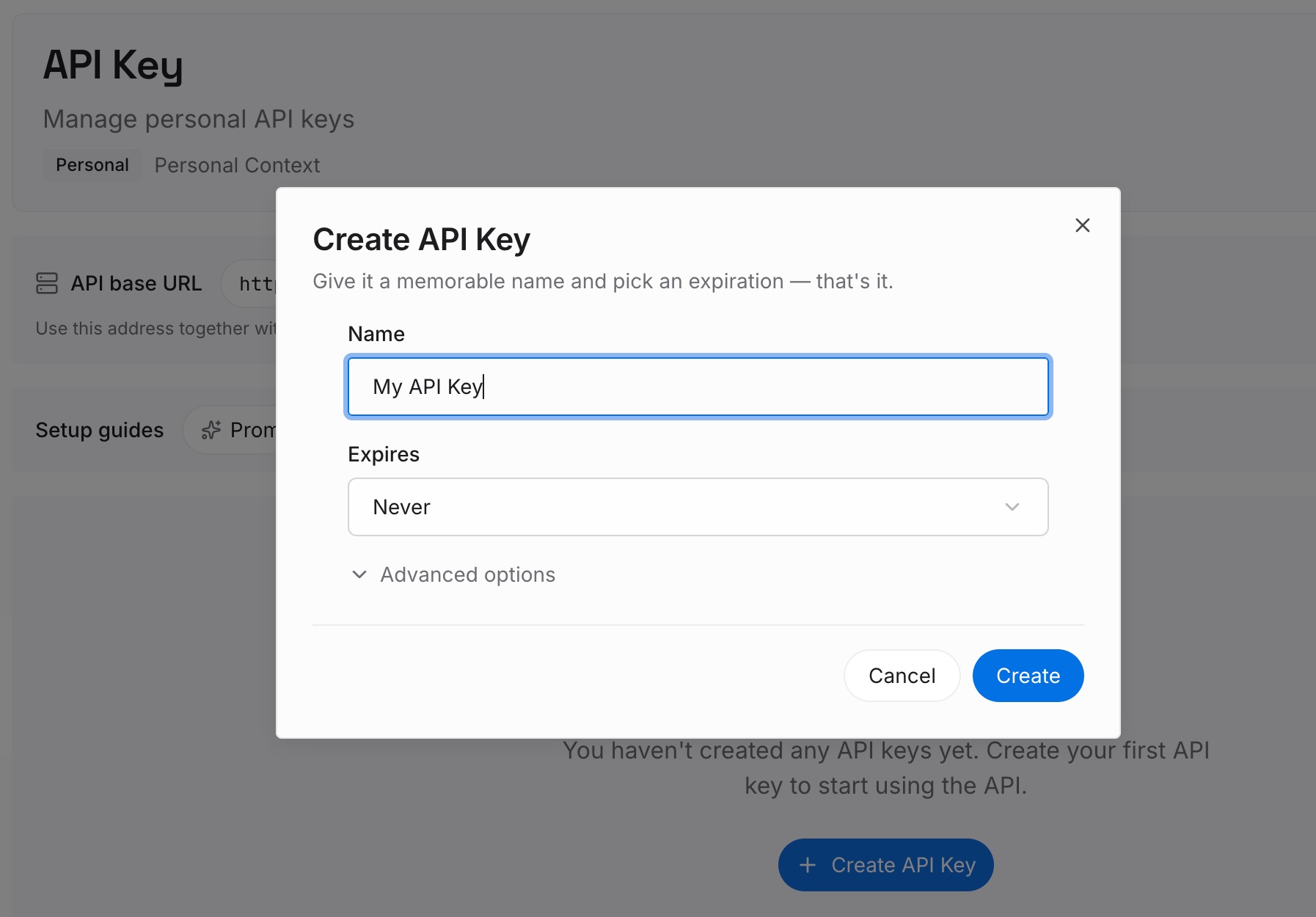
Step 1: Create an API key
Sign in to MemoryLake and create an API key. One credential across the tools you connect.
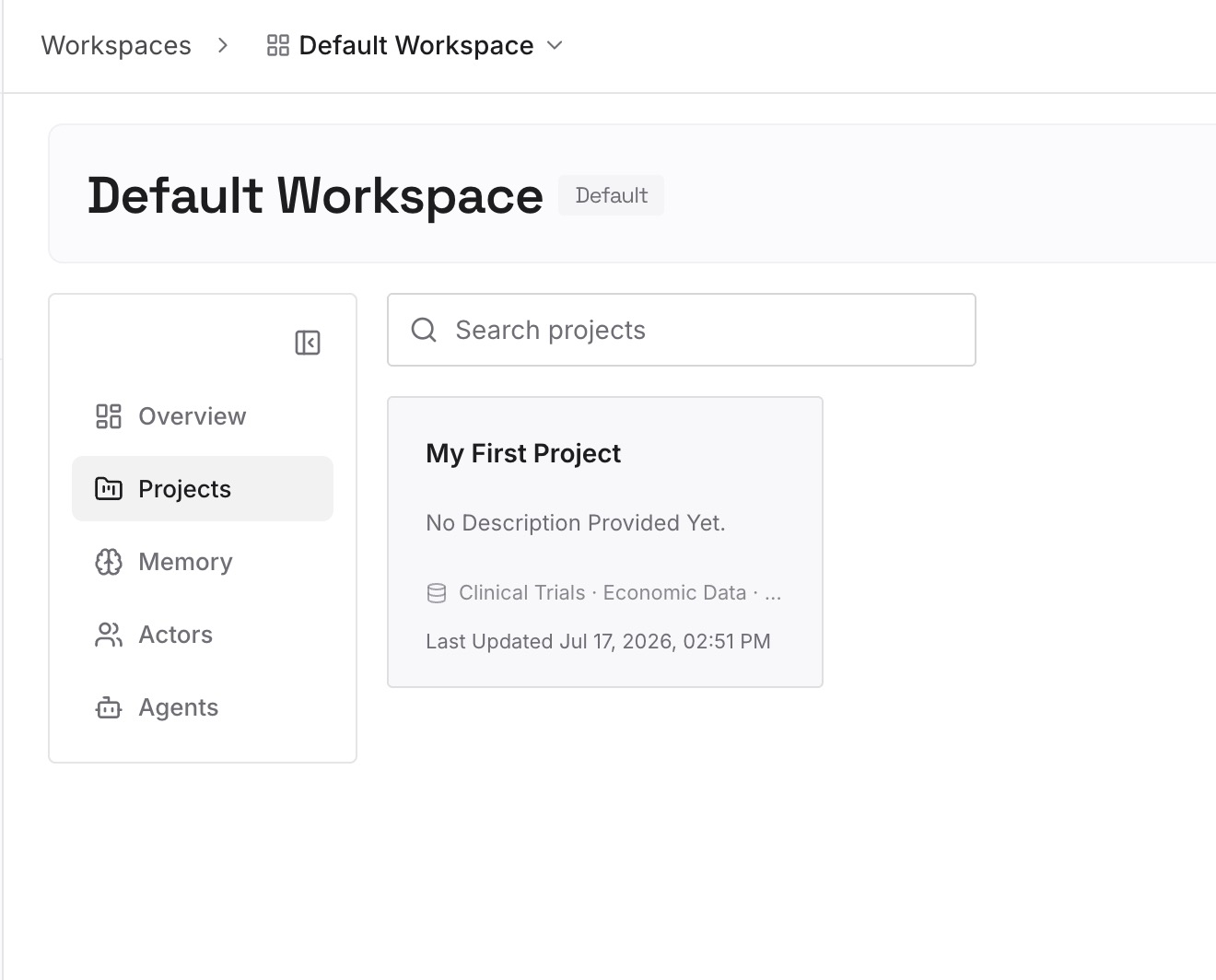
Step 2: Upload your first memories
As you sort CLAUDE.md, you'll find a third pile that belongs in neither file. Write those as short entries, one claim each:
Decisions with the constraint that produced them. "Writes go through the outbox table because the payment provider retries without idempotency keys." A rule states the first half; only this version stops the alternative being proposed again.
Approaches already ruled out. The highest-value category and the one that exists nowhere in the repo.
Cross-repo knowledge. Domain vocabulary and standards that apply to every project you own. AGENTS.md is per-repo by design; this isn't.
Corrections you've made more than once. If you've said it twice, it's a missing entry — and the reason belongs beside it.
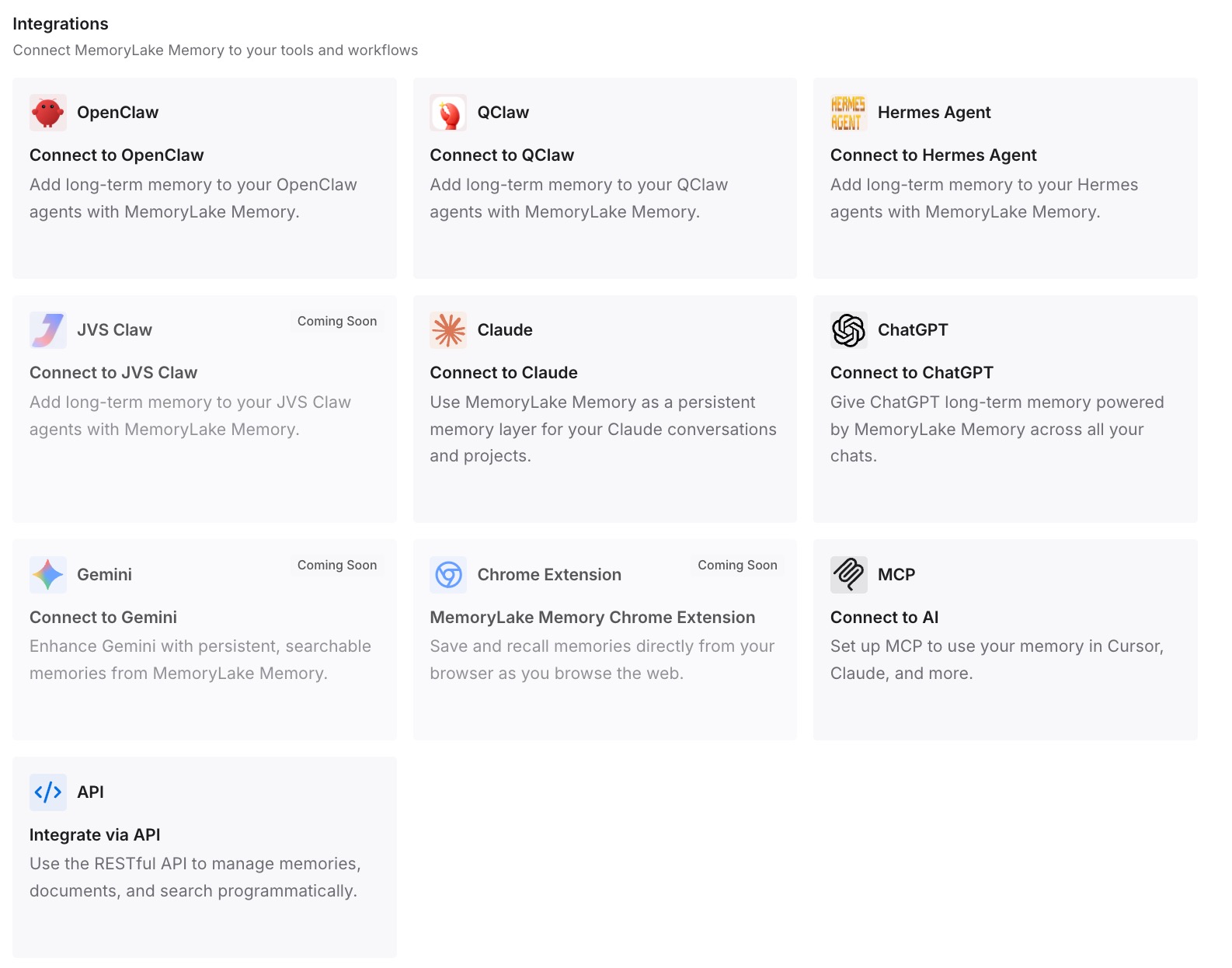
Step 3: Connect your AI & agents
Connect the tools you use. MemoryLake is reachable over MCP and over an API, so MCP-native agents — Claude Code, Codex, and OpenClaw among them — connect by pointing at the MCP server, while other assistants read the same memory through the API.
Three honest limits. MemoryLake is not a replacement for AGENTS.md — you still want that file, and the consolidation above is worth doing on its own. It holds only what you or your agents write into it, so Step 2 is manual. And instruction files are context rather than enforced configuration; a memory layer doesn't change that.
What this changes in practice
One file, and it stays accurate. Three drifting copies become one, and the tools that read AGENTS.md natively pick it up with no per-tool wiring.
Claude Code keeps working. The @AGENTS.md import is documented, one line, and reversible. You're not choosing between the standard and your existing setup.
The size cap stops being a problem. 32 KiB is generous for direction and inadequate for a knowledge base. Splitting those jobs is what keeps you under it.
A stale rules file can't shadow your new one. Once you know Zed takes the first matching file from its list, deleting .cursorrules becomes part of the migration rather than a mystery three weeks later.
A new tool costs nothing. Most of the list already reads AGENTS.md, and anything that doesn't reads a memory layer over MCP — the shape covered in sharing one memory between Cursor and Claude Code.
Best practices for a consolidated instruction file
Put shared content in AGENTS.md, Claude-specific content below the import. That's the documented pattern and it keeps the diff readable.
Delete .cursorrules and .windsurfrules once folded in. Otherwise a first-match loader can pick the stale one.
Use the import, not the symlink, if you have Claude-specific instructions. And on Windows, use the import regardless.
Verify with /context. Confirm CLAUDE.md appears under Memory files in your next session rather than assuming.
Keep it under the caps, and split by directory when it grows. Codex's default is 32 KiB across the whole chain; nested files are the documented way to stay inside it.
Don't paste documents into it. Reference them. Copies go stale as the code changes — the point behind why agents ignore the instruction files you wrote.
Check it into git. That's what makes the consolidation a team asset rather than a personal one.
Keep reasons out of the file and in a retrievable layer. Direction in AGENTS.md, argument in memory. That split is what lets the file stay small enough to actually be followed.
Conclusion
AGENTS.md won by being boring: an open markdown file with a predictable name that over 60k repositories and most of the major agents already read. Consolidating onto it removes the three-file drift problem, and Claude Code — the notable tool that reads CLAUDE.md rather than AGENTS.md — has a documented one-line bridge in the @AGENTS.md import, or a symlink if you have nothing Claude-specific to add.
What consolidation doesn't solve is the part instruction files were never for. Every loader ships always-on content with each request, which is why they all have size limits. So move the shared instructions into AGENTS.md, keep the Claude-specific lines under the import, delete the stale rules files, and put your decisions, constraints, and rejected approaches in a layer your agents can query. One short file that gets followed beats one long file that gets truncated.