
What actually transfers
The memory entries: fully, and with dates. Anthropic describes Claude's memory as "a set of individual entries that are organized into categories," which Claude "reads, writes and updates in real time as you chat." Those entries come out in the verbatim dump, and because most carry a save date, you get something rare in a migration: a way to tell fresh knowledge from fossils without reading every line for plausibility. Sort by date first and half the triage is done.
The categories: as a hint, not a structure. In Settings > Memory the entries are grouped by category, and the documented focus areas are your role and professional context, communication preferences and working style, technical preferences and coding style, and project details and ongoing work. Those groupings don't map one-to-one onto Zed's layers, but they're a useful first pass — preferences and style tend to belong in one place, project details in another.
Per-project memory: separately, and this matters. Anthropic documents that "Each project has its own separate memory space and dedicated project summary, so the context within each of your projects is focused, relevant, and separate from other projects or non-project chats." If you've used Projects, you don't have one memory to export — you have one per project plus the non-project pile. Export them separately or you'll merge contexts that Claude deliberately kept apart, and you'll lose the signal that told you which repo an entry was about.
What was never captured. Incognito chats contributed nothing: Anthropic's documentation says that with the mode on, "Claude won't remember your chats, so they won't be saved to Claude's memory or your chat history." And project knowledge files are a different thing from memory — files you uploaded live in the Project, and moving their content means moving the files, not the memory entries. That boundary trips people regularly, as covered in why Claude forgets project knowledge files.
On the Zed side, the destination changed recently. If you set Zed up before v1.4.0 and remember a Rules Library, that model is gone. The current documentation states it plainly: "Rules have been replaced by Skills and Instructions: reusable, on-demand Rules become Skills; default, always-on Rules become personal AGENTS.md; project .rules files remain supported as compatibility project instruction files." So there are three homes, with different loading behavior and different costs:
- Instructions — always on. Personal instructions live at
~/.config/zed/AGENTS.md(on Windows,%APPDATA%\Zed\AGENTS.md). Project instructions come from a file in your repo. Everything here loads every time. - Skills — on demand. Folders containing a
SKILL.md, in~/.agents/skills/globally or.agents/skills/per project, which the agent loads when they're relevant or when you invoke them directly. - MCP servers — live data and tools, configured under
context_servers. Not a place for knowledge, but the right answer for anything that should be looked up rather than remembered.
The manual migration
Step 1: Export verbatim, then read the dates before you read the content
Open Claude and ask for the dump exactly as Anthropic documents it: "Write out your memories of me verbatim, exactly as they appear in your memory." Do it once for your general memory and once inside each Project whose context you care about, since those memory spaces are separate. Paste each result into its own scratch file, labelled by source.
Now do the pass that people skip. Before evaluating whether an entry is useful, evaluate whether it's current, using the save dates in the dump. An entry from eight months ago describing your test framework is a claim about a codebase that has since changed. Mark anything older than your last significant refactor as suspect, not as fact.
You can also open Settings > Memory to browse entries grouped by category, edit anything wrong through the "Tell Claude what to change or remove" box, and delete individual entries. Cleaning up before exporting is usually faster than cleaning up after, because the interface groups things for you.
One thing to be careful about: if you're planning to stop using Claude, don't reach for Reset memory as part of the cleanup. Anthropic documents it as permanently deleting all memories and not undoable. Pause memory exists if you want it to stop accumulating while you migrate.
Step 2: Route each entry to one of Zed's three homes
Take the cleaned dump line by line. Each entry goes to exactly one place, and the test is when it needs to be true.
Always true, everywhere you work → personal ~/.config/zed/AGENTS.md. Your language preferences, how you want explanations structured, conventions you carry between jobs. Keep this file short; it's loaded on every session in every project, so length here is a standing tax.
Always true, in this repo → the project instructions file. Architecture decisions, house conventions, build and test commands. This is also where the trap is — see below.
True sometimes, when you're doing a specific thing → a Skill. This is the layer most people miss, and it's where a surprising share of a Claude memory belongs. Multi-step procedures, release checklists, "how we write migrations," the debugging routine you always follow: none of that needs to be in context while you're editing CSS. As a Skill, it loads when relevant or when you invoke it. Skills go in ~/.agents/skills/ for personal use or .agents/skills/ to share with the repo.
Not knowledge at all → MCP. Entries that are really pointers to live systems — "the staging status is in Grafana," "ticket state lives in Linear" — are better served by a server under context_servers than by a stale sentence in an instructions file.
Now the trap, and it's worth reading twice. Zed looks for project instructions across a list of filenames: .rules, .cursorrules, .windsurfrules, .clinerules, .github/copilot-instructions.md, AGENT.md, AGENTS.md, CLAUDE.md, GEMINI.md. And the documentation says "Zed uses the first matching file in this list."
First match. Not merged, not most-specific — first. If your repo has a .cursorrules left over from an earlier experiment, that file wins, and the AGENTS.md you just carefully wrote from your Claude export never loads. Nothing errors. The agent simply behaves as though your migration didn't happen. Before you write anything, list which of those nine filenames exist in the repo, and delete or consolidate the ones you don't want to be authoritative.
Also worth knowing for later: "Project instructions override personal AGENTS.md when they conflict." So the repo file is the stronger voice, which is usually what you want on a team — and a reason to keep genuinely personal preferences out of it. If a project starts behaving as though it has forgotten your setup, this ordering is the first thing to check, ahead of anything model-related — the pattern in why Zed forgets project context.
The Better Way: One Memory Layer, Either Assistant
Notice what the two steps above have in common: both are about a knowledge base that exists, is valuable, and lives in a format only one vendor reads. Claude gives you a good export — better than most — and you still spend an afternoon converting a flat list of dated entries into a three-tier file layout that the next tool will not understand either.
MemoryLake removes that repetition: one memory layer holding the project's durable knowledge, read by whichever assistant you're using. Zed's Instructions keep doing their narrow job — the small set that must be in context every session — while the accumulated body of knowledge lives somewhere both Claude and Zed can reach. Setup is three steps.
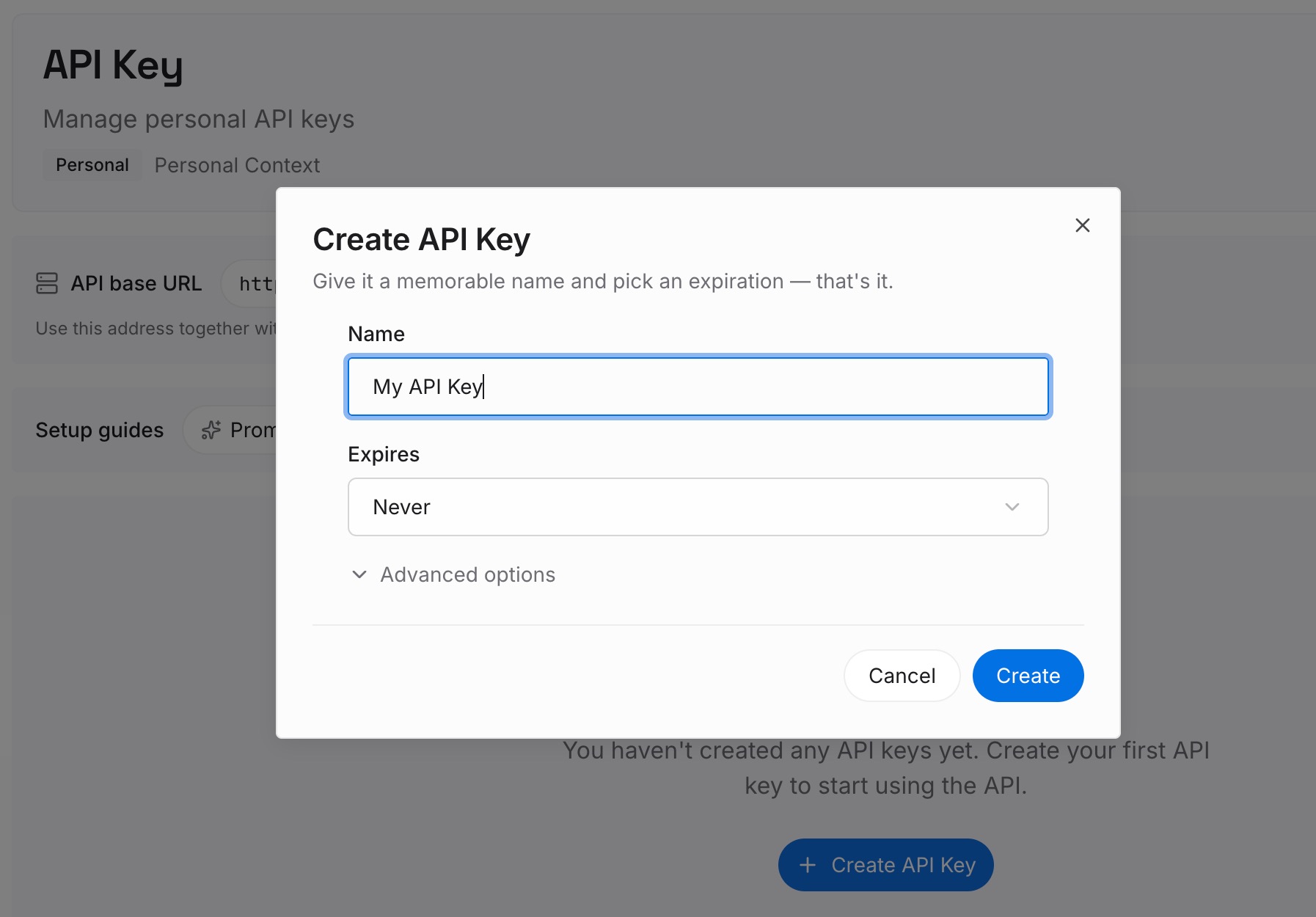
Step 1: Create an API key
Sign in to MemoryLake and create an API key. One credential for every tool you connect — the piece that makes this the last conversion you do by hand.
Step 2: Upload your first memories
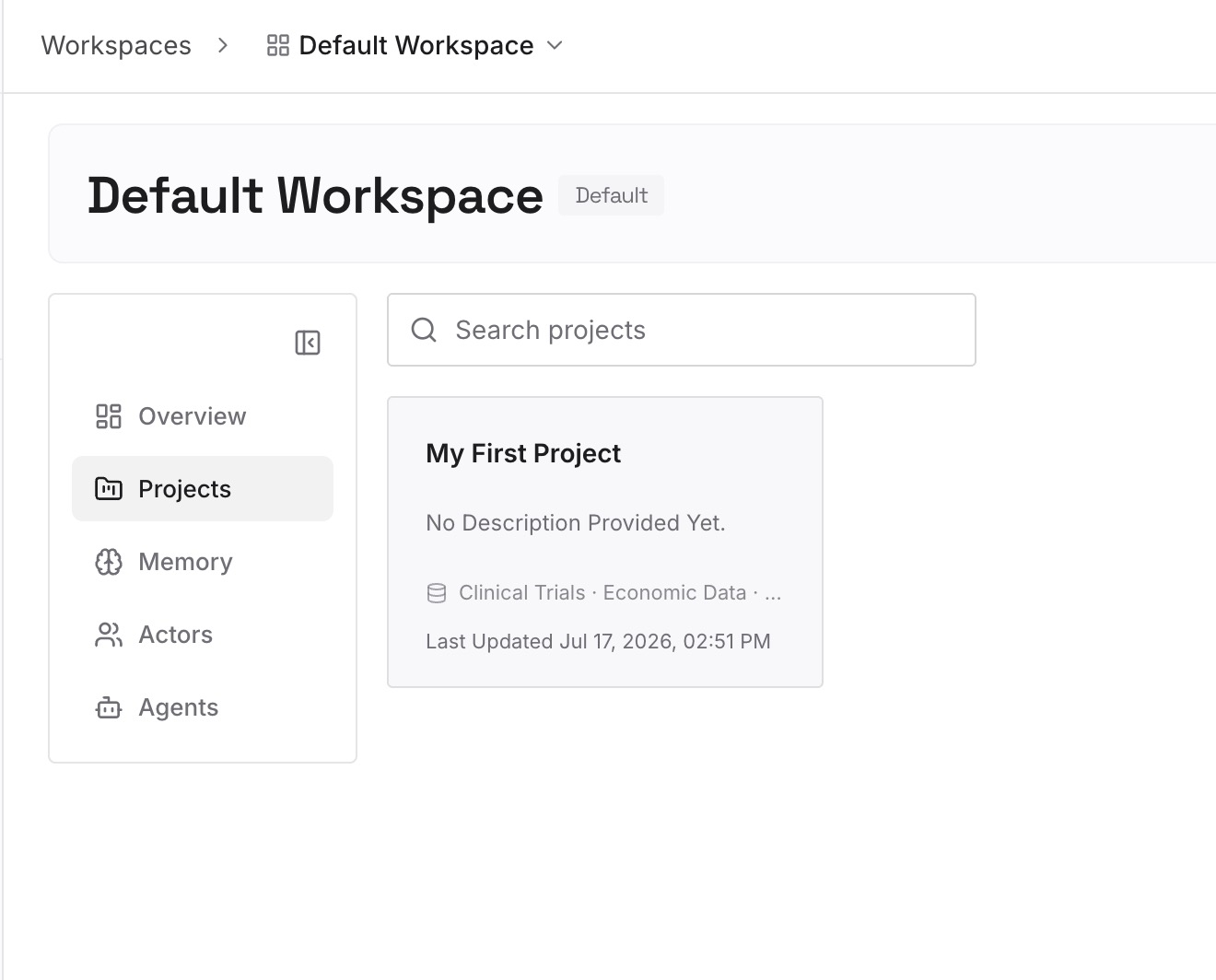
Upload the cleaned export: the entries that survived the date check, plus the decisions and constraints behind them. Keep entries short and single-topic, the way Claude's own memory stores them — that shape retrieves well and stays easy to correct. Give particular attention to rejections: the approaches you tried and abandoned, with reasons. They're the entries a new assistant most needs and is least able to infer.
Step 3: Connect your AI & agents
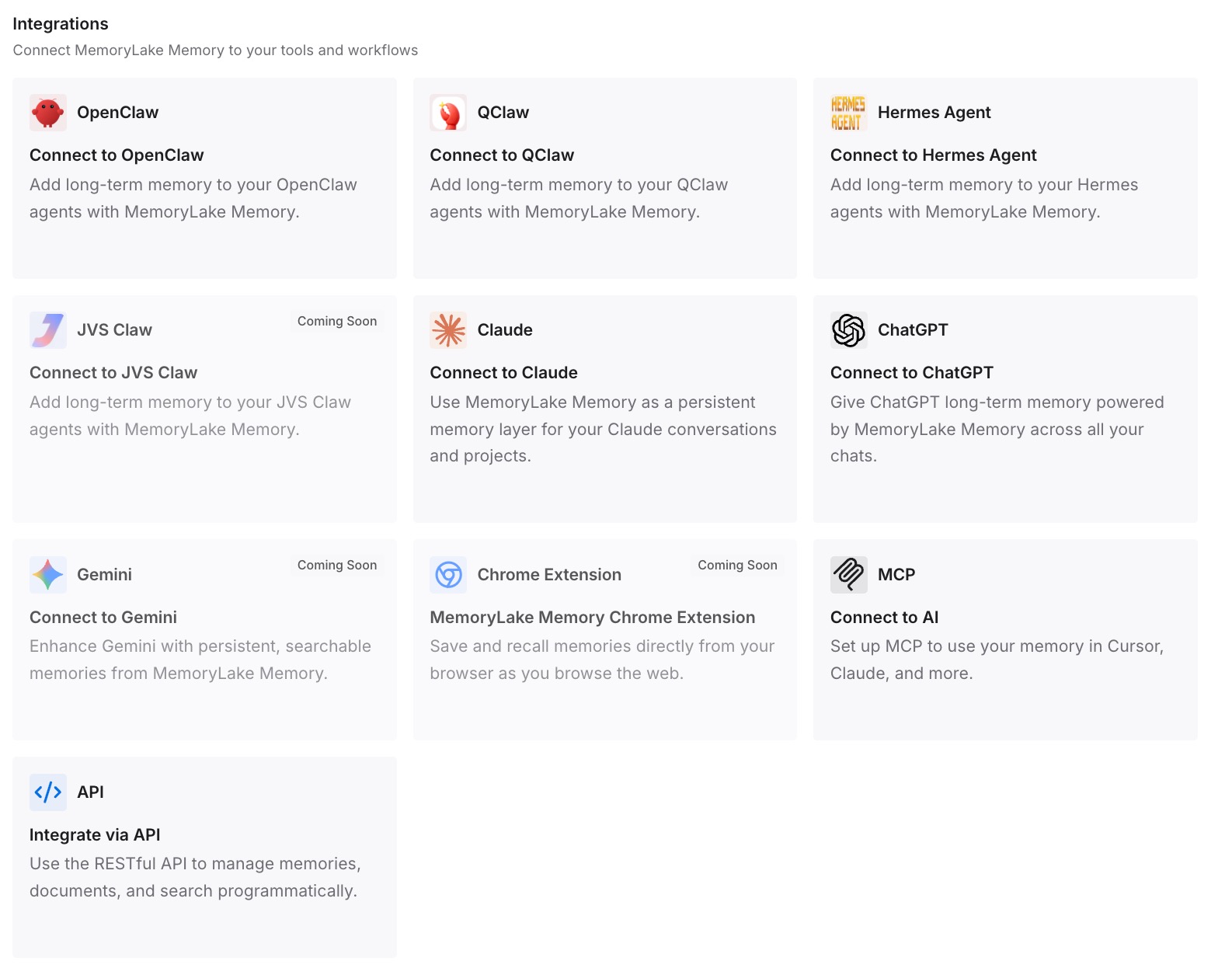
Connect your tools. MemoryLake is reachable over MCP and over an API, so MCP-native agents — Zed among them, via context_servers, alongside Claude Code, Codex, and OpenClaw — connect by pointing at the MCP server, and other assistants read the same memory through the API. Your AGENTS.md stays short, your Skills stay purposeful, and the growing pile of project knowledge stops being copied into either.
Two honest limits. MemoryLake doesn't read Claude's memory for you; Step 1 above is real work, done once. And it isn't an enforcement layer — Zed's instructions shape behavior rather than guarantee it, and no memory layer changes that.
What this changes in practice
Your always-on files stay small. The temptation after a migration is to paste the whole export into AGENTS.md because it's the one file you're sure gets read. That's how a 400-line instructions file happens, and long always-on files reduce adherence to the rules that matter. Retrievable knowledge removes the temptation.
Skills finally get used. Most people never populate the on-demand layer because it's extra work with no immediate payoff. When you're routing an export anyway, the sorting happens once — and that's the moment procedures move out of always-on context.
Per-project separation survives the move. Claude keeps project memories separate for a reason. Flatten them into one file during migration and you lose that; keep them separate — in repo instructions or in a memory layer with project scope — and the boundary keeps paying off.
The next tool costs a connection, not an afternoon. This is the actual saving. You'll change editors again. Whether that costs ten minutes or a day depends on whether the knowledge is in a vendor's format or yours.
Claude keeps working. Nothing here requires abandoning Claude — Anthropic's import flow accepts pasted memory back, so a shared layer feeds both. Most people end up using the chat assistant and the editor for different things anyway, and extending Claude's memory beyond the built-in feature covers that combination.
Best practices for the move
Export per project, not once. Project memory spaces are separate by design. One combined dump destroys the mapping between knowledge and repo.
Trust the dates more than the wording. A confidently phrased entry from March is still an entry from March. The dump gives you save dates; use them as the first filter.
Audit the nine filenames before writing anything. .rules, .cursorrules, .windsurfrules, .clinerules, .github/copilot-instructions.md, AGENT.md, AGENTS.md, CLAUDE.md, GEMINI.md — first match wins. A leftover file from a tool you abandoned will quietly outrank your new one.
Put procedures in Skills, facts in Instructions. If it has steps, it's a Skill. If it's a standing truth, it's an instruction. Mixing them is what makes always-on files bloat.
Don't reset memory as a cleanup step. Anthropic documents Reset memory as permanent and not undoable. Pause is the reversible option while you migrate.
Expect imports to be lossy in both directions. Anthropic's own import documentation notes that "Claude may not always successfully incorporate imported memories" and that work-related content is prioritized. Treat any memory transfer as a starting draft you verify, not a completed sync.
Verify what loaded before blaming the model. After the move, confirm which instructions file Zed picked up. Half of "the agent ignores my rules" reports are a file that never loaded.
Conclusion
This is the rare migration where extraction is the easy half. Anthropic documents a verbatim export, the entries come out dated, and Settings > Memory lets you clean up before you start. The work is on the receiving side: Zed replaced Rules with Skills and Instructions, which means deciding for each entry whether it should be in context always, on demand, or not at all — and confirming that the file you wrote is the one Zed actually reads, given that first match wins.
Do that routing once, and put the durable knowledge somewhere neither vendor owns. Then the next editor is a connection instead of another afternoon. If your source is a different assistant, migrating ChatGPT memory to Zed covers that trip, and migrating Claude memory to Cursor covers the other common destination.