
What actually transfers
.clinerules/ transfers, and there are two documented mechanisms.
The first is /init. Per Claude Code's documentation, it "reads Cursor rules, in .cursor/rules/ or .cursorrules, and Copilot rules, in .github/copilot-instructions.md, and incorporates the relevant parts into the generated CLAUDE.md. With CLAUDE_CODE_NEW_INIT=1 set, /init also reads AGENTS.md, .devin/rules/, .windsurf/rules/ or .windsurfrules, and .clinerules."
Note the condition: .clinerules is only read when that environment variable is set. Run /init without it and your Cline rules are skipped in silence.
The second is /import, which does more. It brings "a supported coding agent's configuration into Claude Code, which appends a one-time copy of instruction files such as AGENTS.md to the matching CLAUDE.md and carries over MCP servers, commands, subagents, and skills. Requires Claude Code v2.1.213 or later." Two things to hold onto there: it's a one-time copy, not a sync, and it has a version floor.
Always-active rules map cleanly. Cline "processes all .md and .txt files inside .clinerules/, combining them into a unified set of rules," and "Rules without frontmatter are always active." Claude Code's CLAUDE.md is always-on by the same logic, so those rules land where you'd expect.
Conditional rules do not map. Cline's frontmatter-gated rules activate based on your current working context — open files, visible tabs, mentioned paths, the file being edited. Claude Code has no frontmatter conditionals in CLAUDE.md. What it has instead is a directory-tree behavior: it "reads CLAUDE.md files by walking up the directory tree from your current working directory," and separately, files in subdirectories "are included when Claude reads files in those subdirectories" rather than loaded at launch. That's path-based rather than pattern-based. Close in spirit, different in mechanism — a glob-scoped Cline rule becomes a CLAUDE.md in the directory it applies to.
Rule precedence flips in an important way. Cline: "When both workspace and global rules exist, Cline combines them. Workspace rules take precedence when they conflict with global rules." Claude Code: "All discovered files are concatenated into context rather than overriding each other," ordered "from the filesystem root down to your working directory," with CLAUDE.local.md appended after CLAUDE.md in each directory. So Claude Code has no explicit conflict resolution — later text simply appears later. Contradictions that Cline resolved by precedence become contradictions Claude Code just reads both halves of. Clean them up during the move.
The Memory Bank has no destination. Its six files — projectbrief.md, productContext.md, activeContext.md, systemPatterns.md, techContext.md, progress.md — are ordinary markdown, so they'll survive as files. What doesn't survive is the system: the methodology's own instruction, written in Cline's voice, is "I MUST read ALL memory bank files at the start of EVERY task - this is not optional," driven by commands like "initialize memory bank," "update memory bank," and "follow your custom instructions."
That's a prompt-enforced ritual, and it's the part that made it work. Claude Code has no equivalent command, and pasting six documents into CLAUDE.md isn't a substitute — it's six documents shipped with every request.
The manual migration
Step 1: Import the rules, then reconcile them
Check your version first — /import needs Claude Code v2.1.213 or later. Then:
CLAUDE_CODE_NEW_INIT=1 claude…and run /init to have .clinerules folded into a generated CLAUDE.md, or run /import if you also want MCP servers, commands, subagents, and skills carried over. Remember /import appends a one-time copy; it won't track later edits on the Cline side.
Then read the result rather than trusting it. Three things to fix by hand:
Conditional rules that became unconditional. Anything that was glob-scoped in .clinerules is now always-on. Move each one into a CLAUDE.md in the directory it actually governs, or delete it if it was only ever relevant to one area.
Contradictions that used to be resolved. Workspace-over-global no longer applies. If two rules disagreed and Cline picked one, Claude Code will read both.
Length. Claude Code's guidance is that longer files consume more context and reduce adherence, and there's a structured alternative: .claude/rules/ for organizing instructions. Split rather than accumulate.
Verify with /context and confirm CLAUDE.md appears under Memory files.
One warning if your CLAUDE.md ends up importing anything from outside the project: "The first time Claude Code encounters external imports in a project, it shows an approval dialog listing the files. If you decline, the imports stay disabled and the dialog doesn't appear again." Imports in user-scope files like ~/.claude/CLAUDE.md load without the dialog. If instructions seem missing after a migration, a declined dialog is a candidate.
Step 2: Decide what happens to the Memory Bank
Read the six files and sort their contents into three piles. This is the real work of the migration and it takes about twenty minutes.
Conventions and constraints → CLAUDE.md. Most of systemPatterns.md and techContext.md is this: architecture patterns, component relationships, tech stack, setup, dependencies. It's stable, it's short when compressed to rules, and it belongs in the instruction file.
Requirements and product context → the repo, referenced not pasted. projectbrief.md and productContext.md are documents for humans as much as agents. Keep them as docs and point at them; don't inline them.
State → nowhere, and that's the problem. activeContext.md ("Current focus, recent changes, next steps," and the docs note it "updates most frequently") and progress.md ("What works, what's left, known issues") are running state. They aren't conventions and they aren't documentation. Put them in CLAUDE.md and you're shipping last Tuesday's status with every request; leave them as files and nothing reads them.
That third pile is what the Memory Bank existed for, and it's the one Claude Code has no container for. The habit is worth keeping even without the mechanism — the general case is in why Cline forgets task history.
The Better Way: Give the State a Home That Isn't an Instruction File
The Memory Bank got one thing exactly right: some project knowledge is state rather than rules, and it needs to be written down and re-read. Where it hit a ceiling is that the store was six markdown files kept honest by a prompt, which meant it depended on the agent following a ritual, and it lived in one repo for one tool.
That's what MemoryLake is for: the state and reasoning your agents read from, as individual retrievable entries rather than documents shipped in full. Setup is three steps.
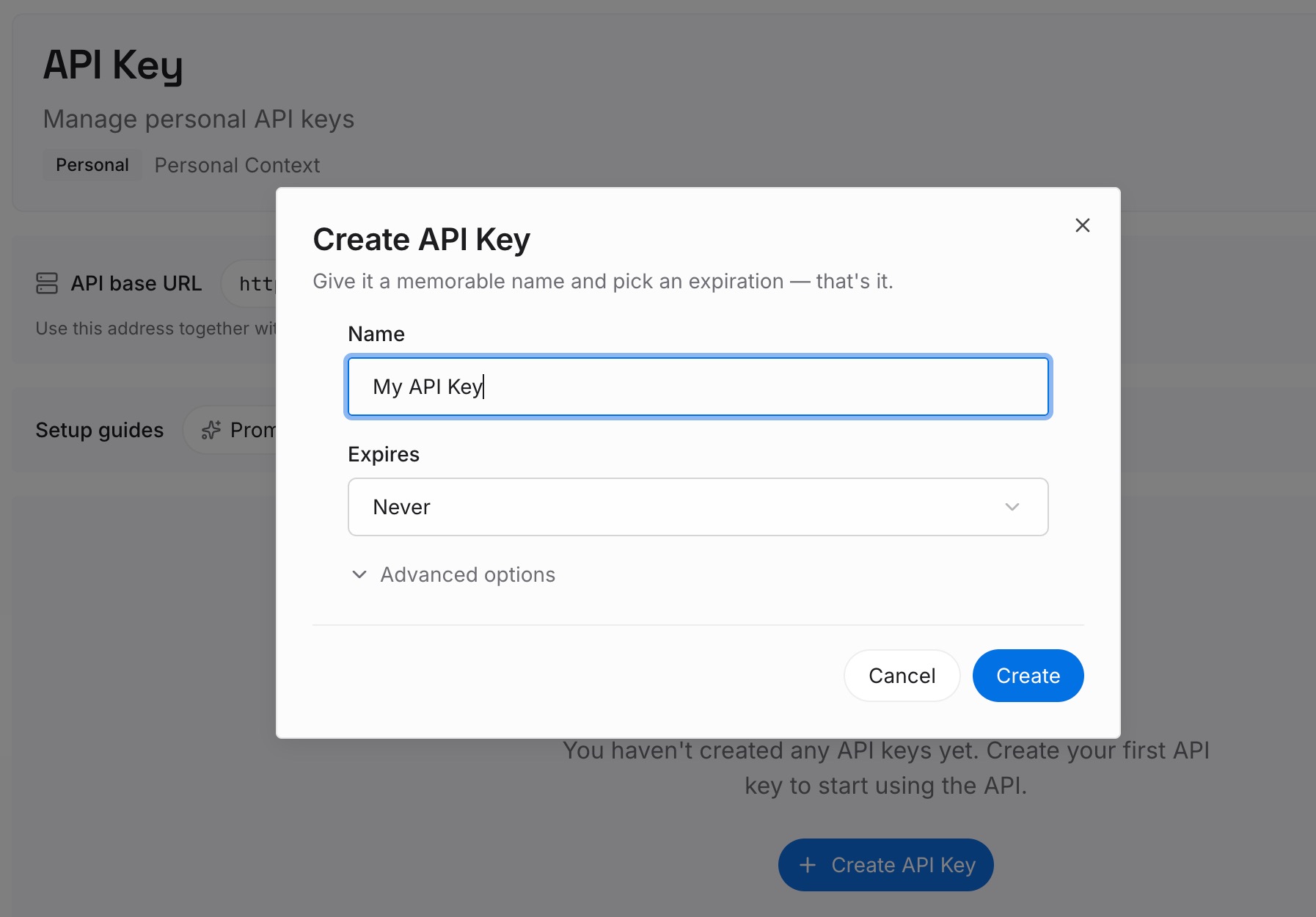
Step 1: Create an API key
Sign in to MemoryLake and create an API key. One credential across the tools you connect.
Step 2: Upload your first memories
Your Memory Bank is an unusually good starting point, because someone already did the extraction. Don't paste the files — split them into short entries, one claim each:
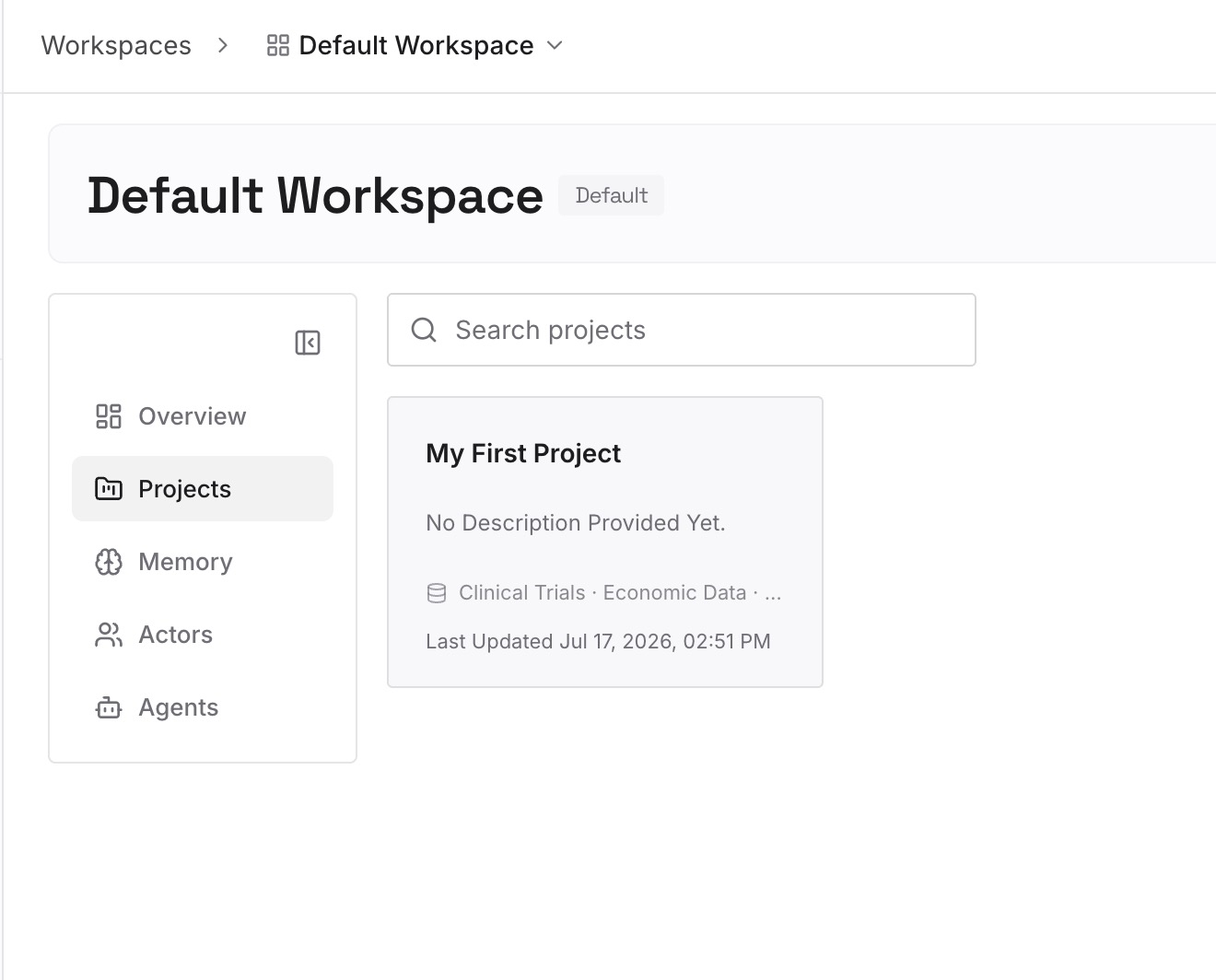
From progress.md: what works, what's left, and the known issues. Each known issue is one entry with its symptom and cause. This is the highest-value content in the whole Memory Bank and it retrieves far better as entries than as a document.
From activeContext.md: the decisions behind the current focus. Not "working on the billing refactor" — that expires. "Billing refactor uses the outbox pattern because the provider retries without idempotency keys" doesn't.
From systemPatterns.md: the reason beside each pattern. The pattern goes in CLAUDE.md; the argument for it goes here, so an agent handles the case you didn't anticipate.
Everything you've had to correct twice. Both Cline and Claude Code will propose the rejected approach again unless the rejection is written down.
Keep entries short and drop anything describing a system you retired. A six-file Memory Bank typically yields twenty to forty entries; if you're producing two hundred, you're transcribing.
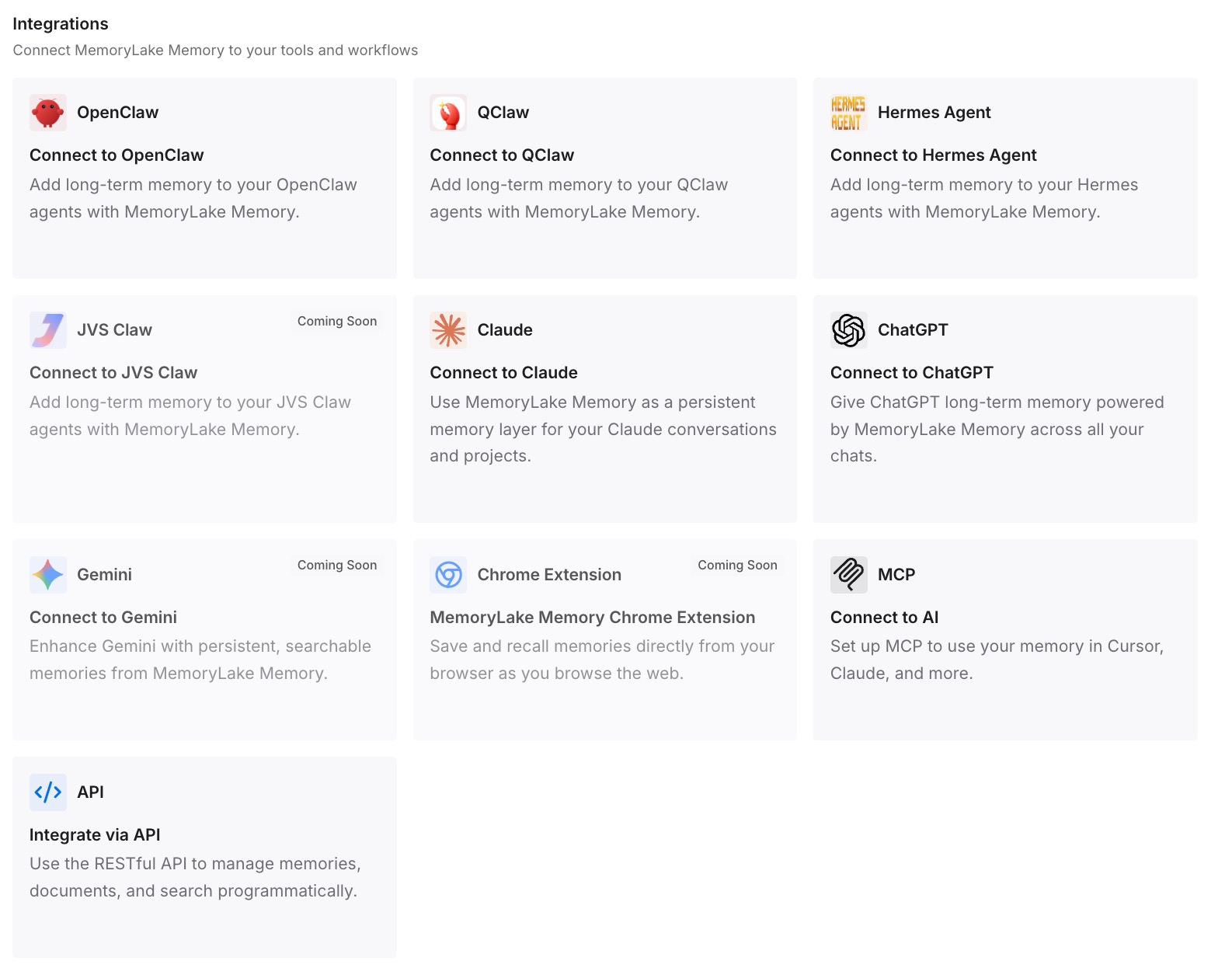
Step 3: Connect your AI & agents
Connect the tools you use. MemoryLake is reachable over MCP and over an API, so MCP-native agents — Claude Code, Codex, and OpenClaw among them — connect by pointing at the MCP server, while other assistants read the same memory through the API. Which means you can do this before you finish switching, and both tools read the same state while you evaluate.
Three honest limits. MemoryLake is not a replacement for CLAUDE.md or .clinerules — those are how you steer each tool, and the import above is worth doing on its own. It holds only what you or your agents write into it, so Step 2 is manual work. And it isn't an enforcement mechanism: retrievable context doesn't guarantee a model acts on it.
What this changes in practice
activeContext.md stops being a file nobody reads. Running state as retrievable entries is available on demand instead of pasted wholesale or forgotten.
The instruction file stays short. CLAUDE.md carries conventions. It doesn't carry six documents, which is what keeps it inside the length where adherence holds up.
"Update memory bank" becomes unnecessary as a ritual. The value was in writing things down, not in the ceremony of re-reading six files at every task start.
A declined import dialog stops costing you your context. When the durable knowledge is external, an instruction file that failed to load is an inconvenience rather than a reset.
Switching tools again is cheap. The state isn't in a Cline-shaped or Claude-shaped container — the shape covered in what AI memory is and isn't.
Best practices for the switch
Set CLAUDE_CODE_NEW_INIT=1 before /init. Without it, .clinerules is not among the files read.
Check for v2.1.213 before relying on /import. That's the documented floor, and /import is what carries MCP servers, commands, subagents, and skills.
Treat the import as a snapshot. It appends a one-time copy. Later .clinerules edits don't propagate.
Re-scope every conditional rule. A glob-scoped Cline rule becomes always-on unless you move it into the directory it governs.
Resolve contradictions yourself. Claude Code concatenates rather than overrides, so the precedence Cline applied is gone.
Keep projectbrief.md as a document. Reference it; don't inline it.
Never paste activeContext.md into CLAUDE.md. It's the file that changes most often, per Cline's own docs — the worst possible content for something shipped with every request.
Run /context after each change. Confirming CLAUDE.md under Memory files takes five seconds and settles most "did it load" questions — related territory in why Claude Code forgets project context.
Conclusion
The rules half of this migration is close to solved for you: /init with CLAUDE_CODE_NEW_INIT=1 reads .clinerules, and /import on v2.1.213 or later carries the wider configuration including MCP servers, commands, subagents, and skills. Budget your time for the reconciliation instead — conditional rules that silently became unconditional, and the workspace-over-global precedence that no longer exists because Claude Code concatenates rather than overrides.
The Memory Bank is the half worth thinking about. Its insight was correct: some knowledge is state, and state has to be written down and re-read. Its implementation was six documents held together by a prompt in one repo for one tool. Move the conventions into CLAUDE.md, keep the briefs as referenced docs, and put the known issues, decisions, and rejected approaches into a layer your agents query — so the next tool switch doesn't cost you the part that took six months to accumulate.