
What actually transfers
Your rules transfer as text and not as behavior. Cline's documentation describes workspace rules going in .clinerules/ at the project root, with Cline processing "all .md and .txt files inside .clinerules/, combining them into a unified set of rules." Global rules live under ~/Documents/Cline/Rules on macOS and Linux, and workspace rules take precedence when they conflict.
Cursor's model is different in kind. Project rules are .mdc files in .cursor/rules, under version control, and three frontmatter fields — alwaysApply, description, globs — decide when each one enters context. Its documentation is explicit that ordinary .md files in that folder are ignored by the rules system because they lack those fields, and that plain Markdown belongs in AGENTS.md instead.
Note the .txt case specifically: Cline reads .txt rules, and Cursor's rules system has no place for them at all. Those disappear without a warning.
The activation semantics almost map, and the shape doesn't. Cline's conditional rules "activate only when your current files match their defined scope," and — the sentence that matters most for conversion — "Rules without frontmatter are always active."
So a typical .clinerules/ folder is a pile of always-active files, combined. That's effectively one large always-on instruction blob. Convert it one-to-one into .mdc files with alwaysApply: true and you've faithfully reproduced the blob, in a tool whose own guidance is to keep rules under 500 lines. Faithful and wrong.
Memory Bank transfers as files and loses its mechanism. This is the important part. Cline's Memory Bank is documented as "a structured documentation system that helps Cline maintain context across sessions," which turns Cline "from a stateless assistant into a persistent development partner." It prescribes six core files: projectbrief.md, productContext.md, activeContext.md, systemPatterns.md, techContext.md, and progress.md.
Read the premise it's built on, stated in the first person in Cline's own documentation: "my memory resets completely between sessions. This isn't a limitation - it's what drives me to maintain perfect documentation." And the operating rule: "After each reset, I rely ENTIRELY on my Memory Bank to understand the project and continue work effectively."
That works because Cline is instructed to read all of it at the start of each task. Cursor has no equivalent convention. Copy the folder over and the documents are there, current, and unread.
What Cursor gives you instead. Four rule types per its documentation: project rules in .cursor/rules scoped to the codebase and version-controlled, user rules applying across your whole Cursor environment, team rules managed in the dashboard on Team and Enterprise plans, and AGENTS.md as a plain-Markdown alternative to .cursor/rules. Rules are prepended to the model's context. And Cursor states the underlying reality as plainly as Cline does: "Large language models don't retain memory between completions. Rules provide persistent, reusable context at the prompt level."
Both tools agree there's no memory. They differ on what you're supposed to do about it — Cline says maintain documentation religiously, Cursor says configure rules precisely. The migration is between those two philosophies, not between two file formats.
The manual migration
Step 1: Split the unified blob before you convert anything
Don't convert file-for-file. Read the combined content of .clinerules/ as one document — which is how Cline treated it — and re-cut it by when each part should apply:
- Always, in every completion: the two or three constraints that would make an answer wrong. Copyright headers, "never edit generated files," the hard architectural rule.
- Only when touching certain files: anything that mentions a directory, a language, or a layer. This is usually the bulk of it.
- Only when the model judges it relevant: domain conventions that don't map to a path.
- Only when you ask: long checklists, release procedures, review protocols.
Then write one .mdc file per group in .cursor/rules, and set the frontmatter to match:
- Always →
alwaysApply: true(globs and description ignored) - File-scoped →
globs: src/api/**/*.tswithalwaysApply: false - Model-selected → a good
description:and no globs - Manual → neither, and invoke it with
@rule-namein chat
Two traps while you do this. The extension must be .mdc — a .md file in .cursor/rules is ignored outright, with no error. And your Cline global rules (~/Documents/Cline/Rules) are personal, not project, so they belong in Cursor's User Rules under Customize, not in the repo. If your team shares standards, the dashboard-managed team rules are the layer above that on Team and Enterprise plans.
Do the deletions here too. A migration is the one moment someone reads every rule with fresh eyes; the rule written for a service you decommissioned will otherwise be obeyed indefinitely.
Step 2: Decide what happens to the Memory Bank
You have three options, and picking deliberately matters more than which one you pick.
Option A: keep it and point Cursor at it. Write one .mdc rule, alwaysApply: true, that tells the agent to read memory-bank/activeContext.md and memory-bank/progress.md before starting work, and to update them when it finishes. This is the closest reproduction of Cline's behavior. The cost is real: you're re-adding an always-on instruction plus the file reads it triggers, in every session.
Option B: fold the durable parts into rules and keep the rest as docs. systemPatterns.md and techContext.md are mostly stable architecture and stack facts — those become project rules or an AGENTS.md. projectbrief.md and productContext.md are orientation documents that a human reads once; leave them as repository docs. activeContext.md and progress.md are session state, and this is where you have to be honest: nothing in Cursor maintains them for you, so either you update them by hand or they rot into a confidently wrong description of where the project stands.
Option C: retire the format and keep the content. The six-file structure exists because Cline needed a fixed place to look after every reset. If you're not running Cline anymore, the structure is scaffolding — what matters is that the decisions, architecture, and constraints inside it stay somewhere retrievable.
Whatever you choose, do not silently do nothing. A stale activeContext.md in the repo is worse than no memory bank, because the next person — or the next agent that stumbles into it — will believe it.
One more inventory item before you close the old setup: anything Cline learned that you never wrote into the Memory Bank. Ask it, in a session, what it knows about the project's quirks and what it would warn a new developer about. Paste the answers somewhere. That's the only part of this migration with a deadline.
The Better Way: One Memory Layer, Either Agent
Notice what Cline's Memory Bank got right, because it's the reason people love it: it treats knowledge as a first-class artifact instead of a side effect of chatting. Its weakness is where that artifact lives and who maintains it — six files in one repo, updated by one tool's convention, invisible to every other assistant you use.
So keep the instinct and change the address. Rules stay in the repo, in Cursor's format, small. The knowledge behind them — decisions, architecture, incidents, contracts — goes in a store any tool can read and write.
MemoryLake is a memory layer for that — one store your documents, decisions, and project knowledge live in, readable from MCP-capable tools like Claude and Codex directly and from ChatGPT through the API. The Memory Bank idea, minus the requirement that one agent's convention be the thing keeping it alive.
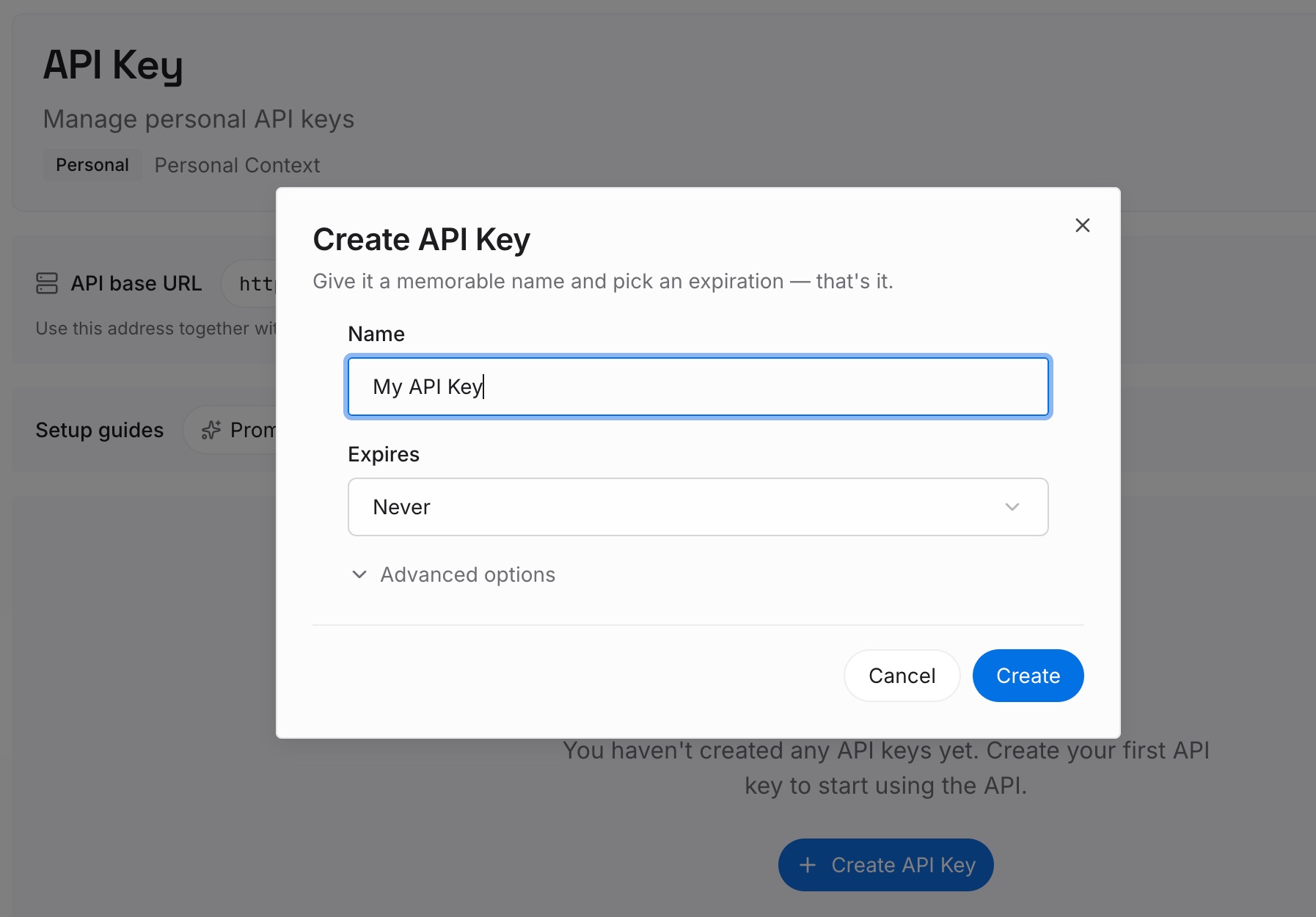
Step 1: Create an API key
Generate a key and make your first request in about 30 seconds. Keep it in your environment or a secret manager rather than pasting it into a chat.
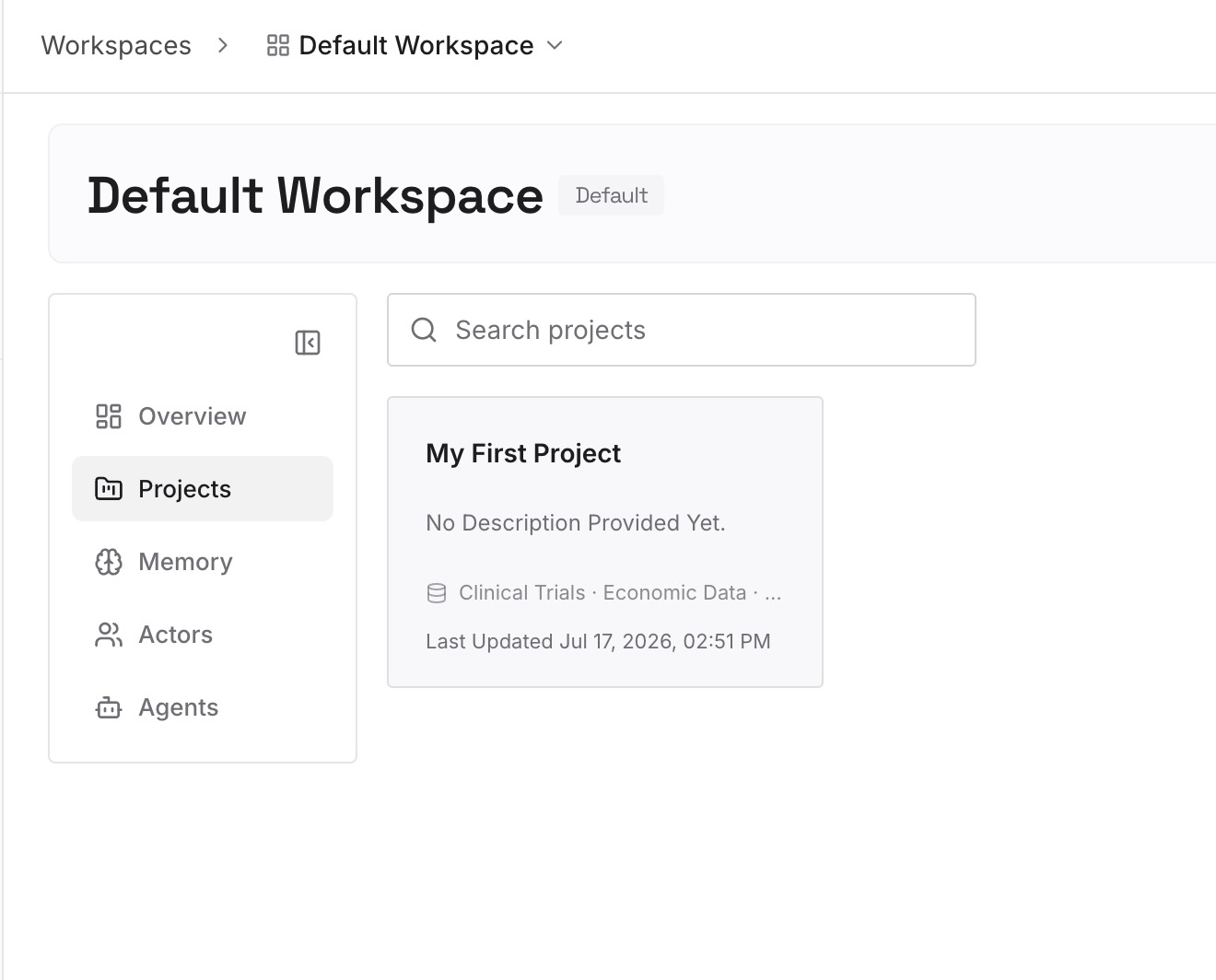
Step 2: Upload your first memories
Drop in the documents, images, and files your Memory Bank was standing in for: systemPatterns.md and techContext.md as they are, the architecture decisions with their reasons, the incident writeups, the API contracts, the constraints you've accumulated. Upload the sources rather than a condensed version — condensing is what loses the reason behind a rule.
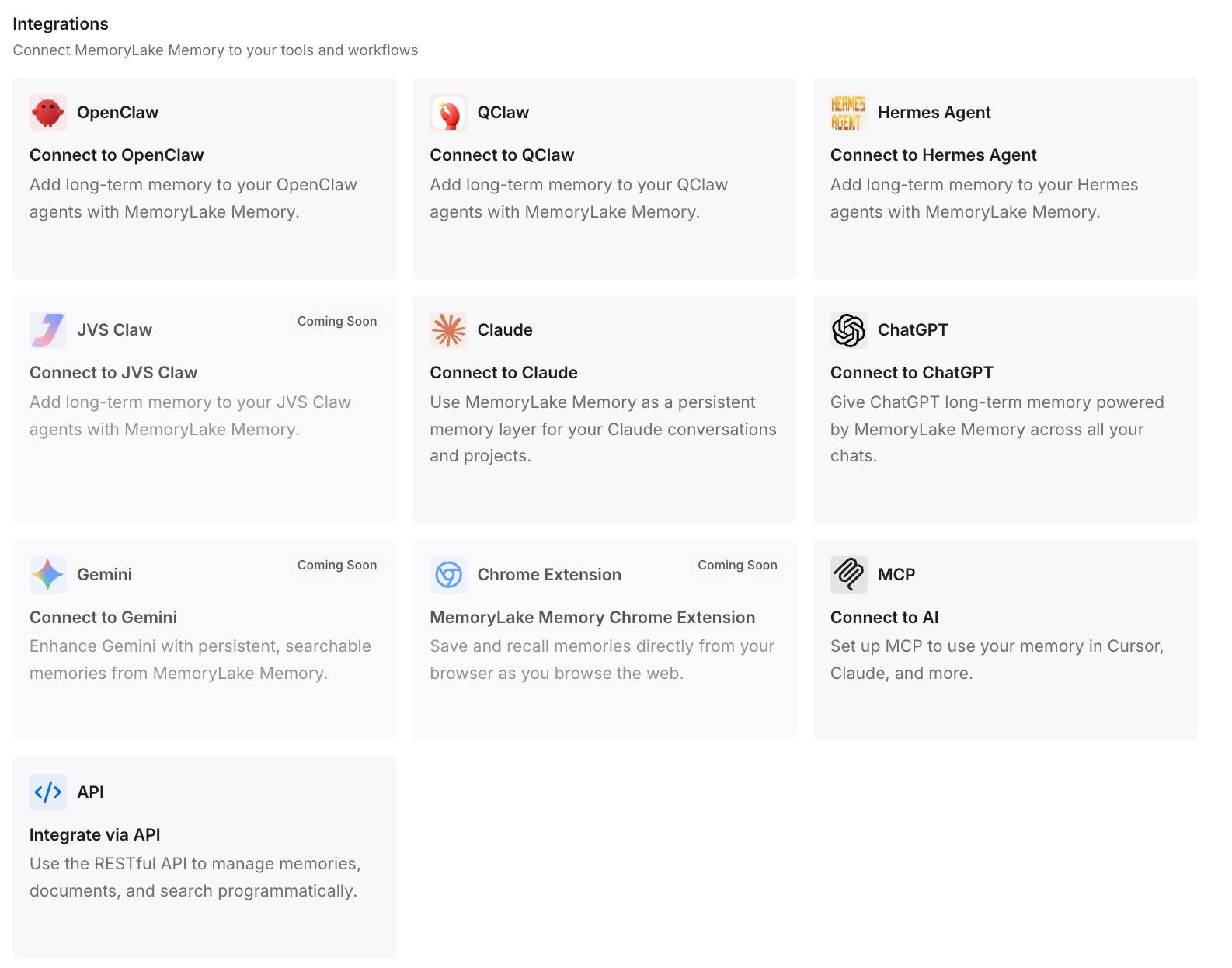
Step 3: Connect your AI & agents
Give Claude, Codex, OpenClaw, and other AI agents access to memory via MCP or the API. Tools that speak MCP read the same store directly, so the knowledge reaches whichever agent you're using this month rather than the one whose folder convention you adopted last year.
What this changes in practice
The first difference is that your always-on rules can be three rules. The pressure to make everything always-apply comes from having nowhere else to put context; with retrieval available, alwaysApply: true is reserved for what would make an answer wrong.
The second is that activeContext.md stops being a lie waiting to happen. State that nobody maintains decays; state in a store that agents write back to as they work stays current, and the parts that are genuinely stable — decisions, architecture — don't need maintaining at all.
The third is that the knowledge stops being tool-shaped. A Memory Bank is a Cline convention, .cursor/rules is a Cursor convention, CLAUDE.md is a Claude Code convention. The material inside all three is the same material, which is why switching editors keeps costing a weekend until it lives outside them.
And it composes with what Cursor does natively. Rules keep providing prompt-level context exactly as documented, team rules keep distributing standards, and neither has to hold your project's history — which is what makes Cursor's rules feel like they keep forgetting when they're really just short by design.
Best practices for switching coding agents
Re-cut rules by activation, never file-for-file
Cline combined everything; Cursor evaluates each file on its own terms. A one-to-one copy either loses conditionality or makes everything always-on. Spend the hour re-cutting — it's the difference between rules that fire when relevant and a blob that dilutes every prompt.
Check the extension before you debug anything
.mdc or it doesn't exist. .md files in .cursor/rules are ignored by the rules system, and .txt files have no home at all. If Cursor "isn't following your rules" right after a migration, check this first.
Put personal rules in User Rules, team standards in team rules
Cline's global rules folder is a personal layer; the repo isn't. Cursor's User Rules cover your habits across projects, and dashboard-managed team rules cover organization standards on Team and Enterprise plans. Mixing the three into project rules is how everyone inherits someone's personal preferences.
Decide the Memory Bank's fate on day one
Keep it with an always-on rule, fold it into rules and docs, or retire the format and move the content. All three are defensible. Leaving six unmaintained files in the repo is not, because their whole value was being current.
Ask the old agent what it knows before you stop using it
Anything not written into the Memory Bank exists only in the sessions you're about to abandon. Ten minutes of asking Cline what it would warn a new developer about is the cheapest insurance in this whole process.
Don't expect rules to be enforcement
Cursor says it directly: rules provide persistent, reusable context at the prompt level. Context is influence. Formatting, protected files, banned imports, and commit policy belong in formatters, linters, and CI — and then the rule file can explain why they exist.
Conclusion
Cline to Cursor is two migrations wearing one coat. The rules half needs re-cutting rather than copying, because Cline combines every .md and .txt file in .clinerules/ into one unified set while Cursor decides each .mdc file's fate from its frontmatter — and a plain .md file in .cursor/rules is ignored with no error at all. The Memory Bank half is the one that quietly breaks: six markdown files that arrive intact and lose the convention that made Cline read them after every reset.
Both tools tell you the truth about the underlying problem. Cline says its memory resets completely between sessions, which is why it insists on documentation. Cursor says models don't retain memory between completions, which is why it insists on rules. Take the Memory Bank's instinct seriously, keep rules small and scoped, and put the knowledge itself in a store neither tool owns. Then the next migration is a config change instead of an excavation.