
What a skill is in Codex and in Claude Code
Both tools build on the same open standard. OpenAI's documentation says: "Skills build on the open agent skills standard." Anthropic's says: "Claude Code skills follow the Agent Skills open standard, which works across multiple AI tools."
In Codex, OpenAI describes the structure: "A skill is a directory with a SKILL.md file plus optional scripts and references. The SKILL.md file must include name and description." A skill folder can also hold scripts/, references/, assets/, and an agents/openai.yaml file.
In Claude Code, a skill is also a folder with a SKILL.md file. The frontmatter between the --- markers tells Claude when to use the skill, and the markdown below it holds the instructions.
So the core of a skill, the folder, the SKILL.md file, its name, its description, and its instructions, is the same format in both tools. That's the good news for a migration. Most of the work is about location and about the few parts each tool adds on top of the standard.
Where each tool looks for skills
This explains the opening example.
Codex reads skills from repository, user, admin, and system locations:
- Repository:
.agents/skillsin the current working directory and every folder up to the repository root. - User:
$HOME/.agents/skills, for skills that apply in any repository. - Admin:
/etc/codex/skills, shared on the machine. - System: skills bundled with Codex, such as
skill-creatorandskill-installer.
Claude Code reads skills from these locations:
- Project:
.claude/skills/<skill-name>/SKILL.mdin the repository. - Personal:
~/.claude/skills/<skill-name>/SKILL.md, for all your projects on that machine. - Enterprise: a managed settings directory that your organization deploys.
- Plugins: skills bundled in a plugin you've enabled.
Neither tool's documentation lists the other's folders. So plan on a skill in .agents/skills not appearing in Claude Code until it's in .claude/skills/, and the same in reverse.
There's one more difference for monorepos. Anthropic's documentation says Claude Code "loads project skills from .claude/skills/ in the directory where you start it and in every parent directory up to the repository root". It adds: "Skills in a .claude/skills/ directory below where you started don't load at startup." They load the first time Claude reads or edits a file in that subdirectory.
What carries over unchanged
Because both tools follow the same standard, the parts you write most carry over as they are:
- The folder name and
SKILL.md. The structure is the same. nameanddescription. Both tools use the description to decide when a skill applies.- The instructions. The markdown body is plain text that either tool can follow.
- Supporting files. Scripts, references, and templates inside the skill folder come along with it.
Descriptions deserve a second look after the move. OpenAI's advice for Codex is to "write concise descriptions with clear scope and boundaries." Anthropic's documentation adds a limit for Claude Code: "the combined description and when_to_use text is truncated at 1,536 characters in the skill listing to reduce context usage." A description that's long but fine in Codex may be cut short in Claude Code's listing.
What doesn't map one to one
A few parts of a Codex skill are specific to OpenAI's products.
agents/openai.yaml. OpenAI describes this file's purpose: "Add agents/openai.yaml to configure UI metadata in the ChatGPT desktop app, to set invocation policy, and to declare tool dependencies for a more seamless experience with using the skill." It holds display names and icons, the implicit invocation policy, and dependencies such as an MCP server. Claude Code's skill documentation doesn't describe reading this file.
Invocation policy. In Codex, the policy section of that file holds settings such as allow_implicit_invocation. Claude Code has its own frontmatter field for the same idea, disable-model-invocation. The documentation says: "Set to true to prevent Claude from automatically loading this skill." If you had turned off implicit invocation for a skill in Codex, set this field in the skill's SKILL.md after the move.
Tool dependencies. If a Codex skill declares an MCP server in openai.yaml, Claude Code needs that server configured separately. Check that the skill's instructions still work without it, or add the server to Claude Code.
How you call a skill. In Codex CLI or the IDE extension, OpenAI says to "run /skills or type $ to mention a skill." In Claude Code, you invoke a skill directly with /skill-name.
Duplicate names. OpenAI notes: "If two skills share the same name, Codex doesn't merge them; both can appear in skill selectors." Claude Code also keeps nested skills with the same name available. If you're combining skill sets, rename any that clash before you rely on them.
Route 1: Use /import
Claude Code has a command for this. Its command reference describes /import as a way to bring configuration from OpenAI Codex and other coding agents on your machine into Claude Code, "including instruction files, MCP servers, commands, subagents, and skills."
Two options make it safer to run:
- Preview first. The reference says: "Add
--dry-runto preview without writing anything, or--yesto skip the interactive picker." - Run it from the terminal.
claude importstarts an interactive session that runs/import, with the same options.
When you set up a new project, /init also offers to carry Codex configuration over with /import if it finds any.
There's one detail in Anthropic's memory documentation worth reading before you run it. It says /import "appends a one-time copy of instruction files such as AGENTS.md to the matching CLAUDE.md and carries over MCP servers, commands, subagents, and skills."
The key words are one-time copy. After the import, your AGENTS.md and your CLAUDE.md are separate files. If you change a convention in AGENTS.md next month, Claude Code won't see it unless you update CLAUDE.md too, or run the import again. The same thinking applies to skills: once a skill is copied, editing the Codex version doesn't change the Claude Code version.
The documentation doesn't describe how /import handles agents/openai.yaml or other OpenAI-specific metadata. After an import, open each skill in Claude Code and check its frontmatter and supporting files.
Route 2: Keep one copy with a symlink
If you'll keep using both tools, two copies of every skill will drift. Both tools support symlinked skill folders, which lets you keep one source.
OpenAI's documentation says: "Codex supports symlinked skill folders and follows the symlink target when scanning these locations."
Anthropic's says a skill entry in the enterprise, personal, or project location can be a symlink to a directory elsewhere on disk. "Claude Code reads SKILL.md from the target and loads the skill once even if several locations point at the same target."
A simple layout is to keep each skill in one real folder and point the other tool's location at it:
- Keep the skill in
.agents/skills/release-notes/, where Codex finds it. - Add
.claude/skills/release-notesas a symlink to that folder.
Edits to the one SKILL.md then reach both tools. Codex "detects skill changes automatically", and its documentation says to restart Codex if an update doesn't appear. If an edit doesn't show up in Claude Code, start a new session.
Two cautions apply. A symlinked skill shares one description, so write it to work in both tools' listings. And Claude Code-only frontmatter, such as disable-model-invocation, will sit in a file Codex also reads, so test that Codex still loads the skill after you add it.
Personal skills
The same choices apply to skills you keep for yourself rather than in a repository. Codex reads personal skills from $HOME/.agents/skills. Claude Code reads them from ~/.claude/skills/. You can copy them, run /import, or symlink individual skill folders.
Anthropic's documentation reserves one folder name in the personal location. Claude Code uses ~/.claude/skills/synced/ for skills downloaded from your claude.ai account, so don't name one of your own skills synced.
If you've moved the other way before, the same location and packaging questions came up for plugins. We covered that direction in our guide to migrating Claude Code plugins to Codex.
What to check before you start
- Which skills you actually use. A migration is a good time to drop skills nobody calls.
- Which skills depend on OpenAI-specific metadata. Look for
agents/openai.yamlfiles with invocation policy or MCP dependencies. - Whether you'll keep using Codex. If yes, plan for symlinks. If not, a copy or
/importis enough. - Name clashes. Compare skill names across both tools.
- Your
AGENTS.md. Decide whether Claude Code should read a copy or whether you'll maintain both files.
What people try first
Copying .agents/skills into the repository and expecting Claude Code to find it. Claude Code reads .claude/skills/.
Assuming /import keeps files in step. It appends a one-time copy of instruction files.
Leaving openai.yaml settings to carry over. Set disable-model-invocation in Claude Code if a skill shouldn't run automatically.
Keeping long descriptions as they are. Claude Code truncates the combined description text in its listing.
Maintaining two copies of the same skill. They'll drift. Use a symlink if you'll keep both tools.
The manual migration
Step 1: List your Codex skills
Collect the skills in .agents/skills across your repository, in $HOME/.agents/skills, and in any admin location you use.
Step 2: Preview the import
Run /import with --dry-run in Claude Code to see what it would bring over.
Step 3: Import or link
Run the import, or create symlinks from .claude/skills/ to the skill folders you'll keep in one place.
Step 4: Adjust frontmatter
Add disable-model-invocation where a Codex skill had implicit invocation turned off, and shorten long descriptions.
Step 5: Reconnect dependencies
Configure any MCP servers a skill depended on through openai.yaml.
Step 6: Test each skill by name
Invoke each skill with /skill-name, then try a request that should trigger it automatically.
The Better Way: Keep the reasons behind your skills in one place
A skill captures how to do a task. The reasons behind it, such as why the release checklist has a manual step, which migration pattern replaced an older one, or what a test-triage skill should never touch, are project context. When you move skills between tools, the instructions come along, but the history of why they read the way they do can live only in someone's memory.
MemoryLake is a memory layer for that kind of project context, such as decisions, conventions, and the reasons behind your workflows, kept in one place you maintain and available to the assistants you connect, such as ChatGPT, Claude Code, and Codex.
You write the entries yourself, in your own words. Nothing is read out of, written to, or deleted from your skill folders, your SKILL.md files, your AGENTS.md or CLAUDE.md files, your Codex or Claude Code settings, or any vendor's store. Skills and /import work the way OpenAI and Anthropic describe them.
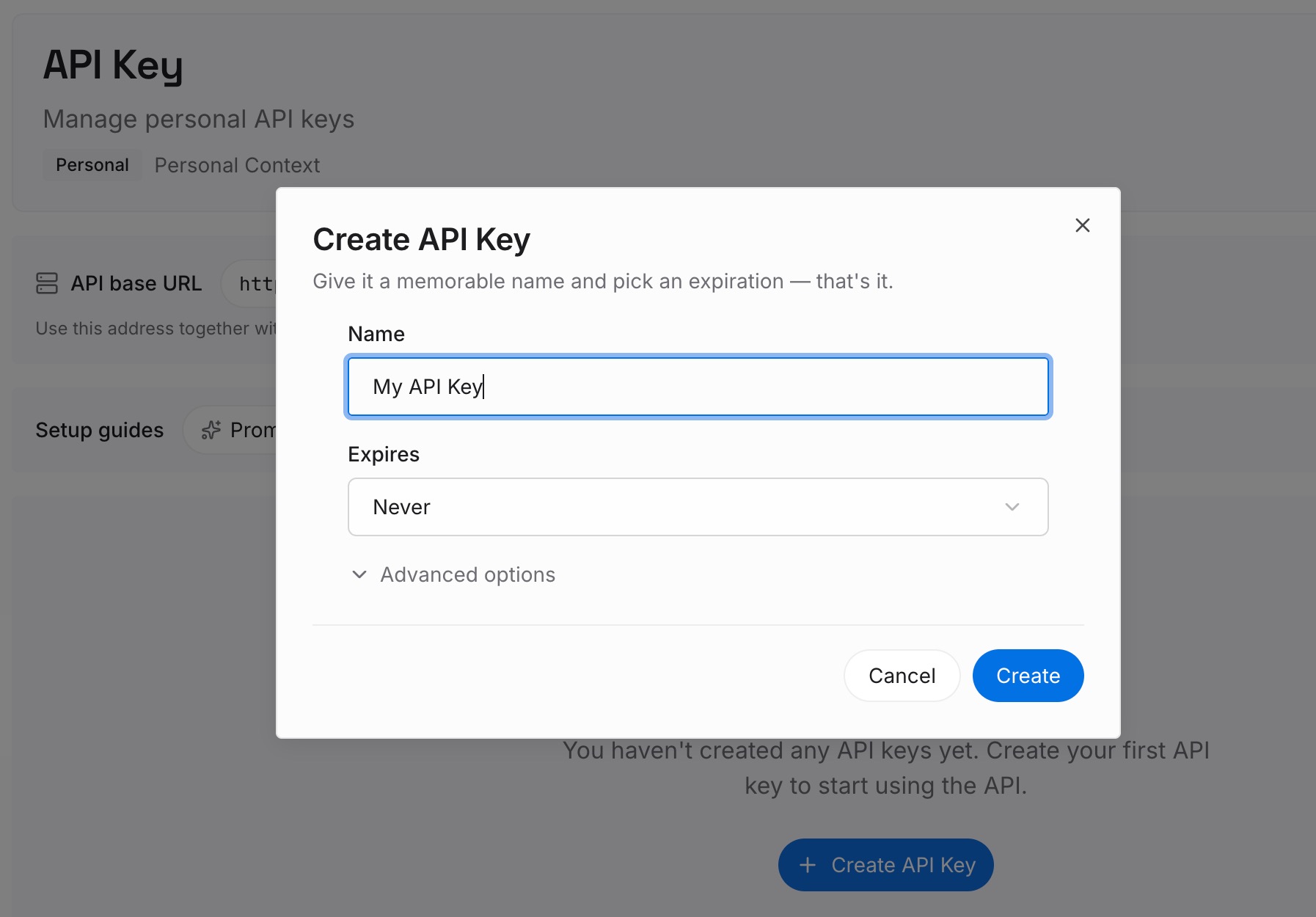
Step 1: Create an API key
Sign in and generate a key from the dashboard. Store it outside your repositories, like any other credential.
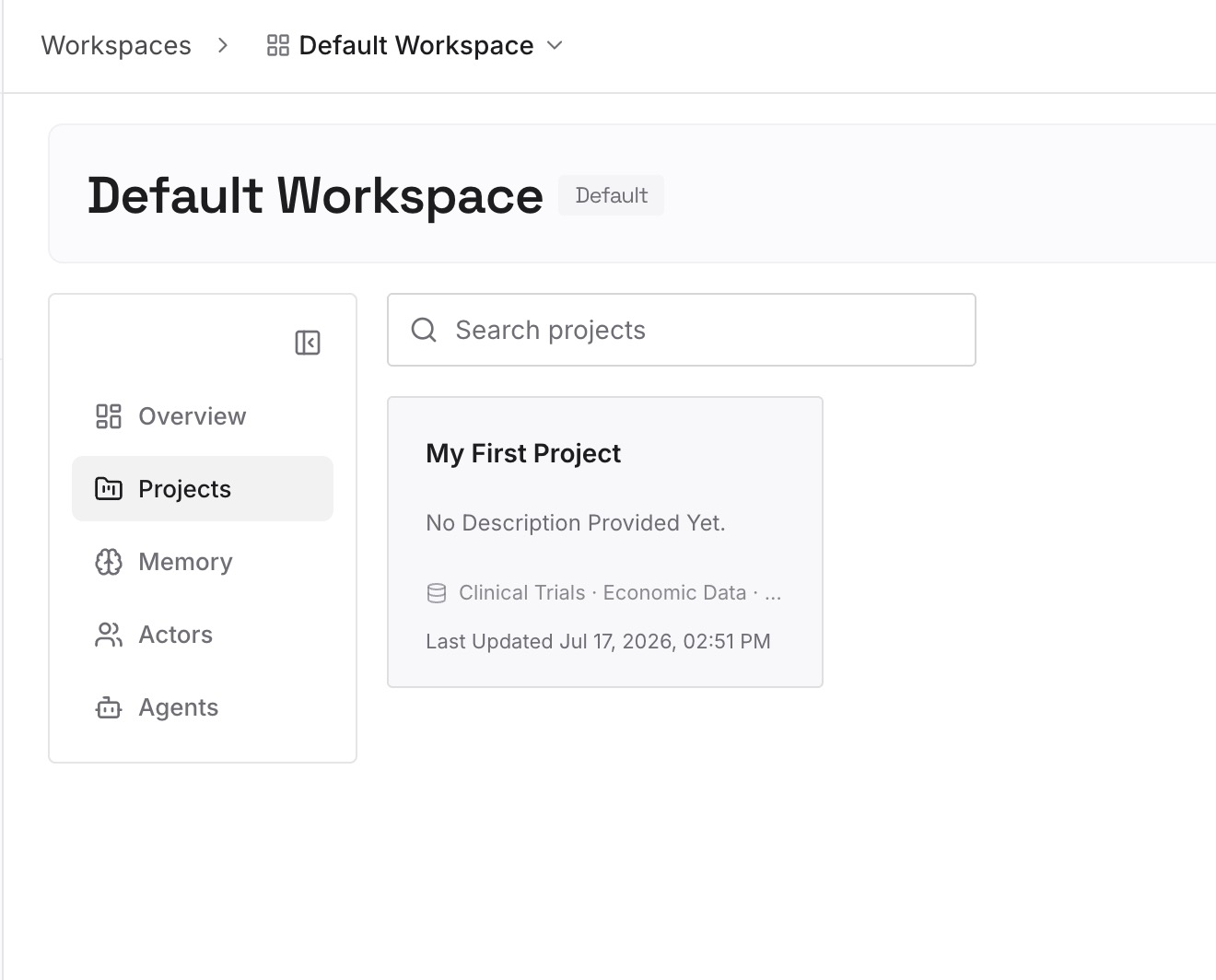
Step 2: Upload your first memories
Start with the skills you listed in Step 1 of the manual migration. For each one, write down why it exists and what it must not change. One skill per entry.
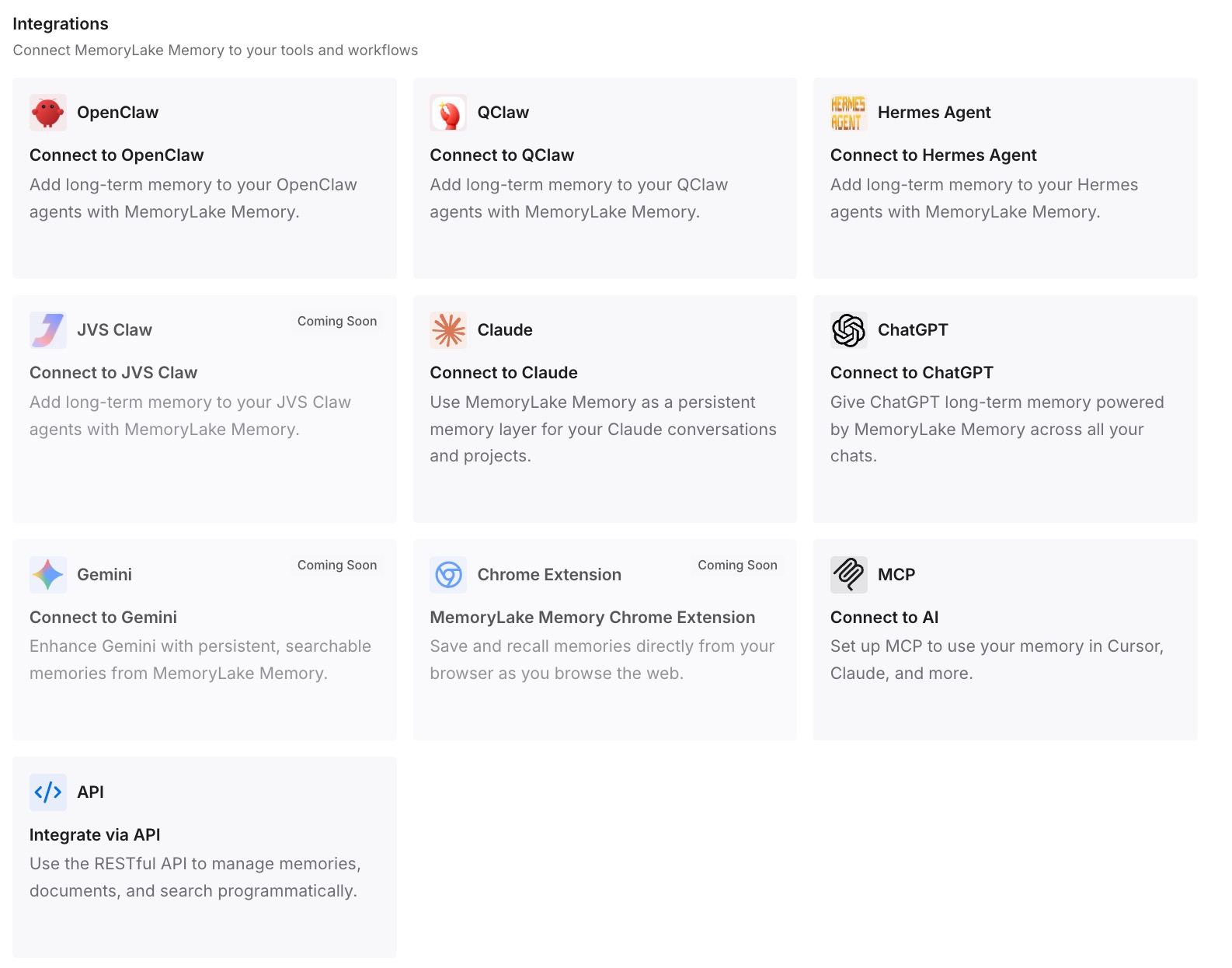
Step 3: Connect your AI & agents
Connect Claude Code, Codex, and the other assistants you use. Each can draw on the same reasons, whichever tool runs the skill.
What this changes in practice
The first difference is a cleaner migration. Skills can be trimmed to instructions, because the history lives elsewhere.
The second is consistency across tools. The same reasoning is available in Claude Code and in Codex.
The third is easier updates. When a convention changes, you update one entry and the skill that follows it.
Best practices for moving Codex skills to Claude Code
Put skills where Claude Code looks. Use .claude/skills/ or ~/.claude/skills/.
Preview before importing. Use --dry-run.
Remember the one-time copy. Instruction files don't stay in sync after /import.
Symlink if you'll use both tools. One folder avoids drift.
Translate invocation policy. Use disable-model-invocation in Claude Code.
Keep descriptions short. Both tools match on them, and Claude Code truncates long ones.
Test by name and by request. Check both manual and automatic invocation.
Conclusion
Codex and Claude Code use the same skill format, built on the open agent skills standard, so a skill's folder, SKILL.md, name, description, and instructions carry over unchanged. What differs is where each tool looks: .agents/skills for Codex and .claude/skills/ for Claude Code. Codex-specific metadata in agents/openai.yaml needs a Claude Code equivalent, such as disable-model-invocation.
You can bring skills across with /import, which also appends a one-time copy of instruction files like AGENTS.md, or keep one copy with a symlink that both tools follow. Either way, check each skill after the move, and keep the reasons behind your skills somewhere both tools can use.