
What actually transfers
AGENTS.md transfers by doing nothing. Both tools read it, both resolve nearest-first. If you've already consolidated on AGENTS.md, open Codex in the repo and your instructions are live. This is the strongest argument for standardizing on that file regardless of which agent you're using this quarter.
.github/copilot-instructions.md doesn't transfer, but converts cleanly. GitHub describes it as instructions that "apply to all requests made in the context of a repository." Codex has an exact conceptual match — the repository-root AGENTS.md — so this is a copy with a rename, plus a read-through to delete what's stale.
Path-scoped instructions convert, but not mechanically. Copilot supports one or more NAME.instructions.md files under .github/instructions, each with an applyTo frontmatter field using glob syntax to declare which files or directories it covers. Codex has no glob mechanism. Its only scoping tool is where the file sits: ~/.codex/AGENTS.md (or $CODEX_HOME), then the repository root, then intermediate directories, then your working directory, assembled top-down with the closest file taking precedence.
So a rule scoped by applyTo: "src/api/**" becomes an AGENTS.md inside src/api/. That works when your globs follow your directory layout, and needs a decision when they don't — a glob like **/*.test.ts spans the whole tree and has no single home.
Organization instructions don't transfer at all. GitHub documents a three-tier precedence: "Personal instructions take the highest priority. Repository instructions come next, and then organization instructions are prioritized last." Codex has no org-managed instruction layer to receive that third tier.
Note what this means practically: some of the guidance shaping your Copilot output may have been written by someone else, and you may never have read it. Before you migrate, find out whether your organization set instructions, and get a copy. Otherwise you'll spend weeks wondering why Codex writes code that looks subtly unlike your team's.
excludeAgent has no counterpart either. Copilot's path-specific instructions accept an optional excludeAgent field with values like code-review or cloud-agent, so a rule can be deliberately withheld from certain surfaces. Nothing in Codex expresses that. A rule you scoped away from code review will, once converted, apply everywhere the file is loaded — check those specifically.
Personal instructions convert to your global file. GitHub's personal instructions apply across your work and take highest precedence; the Codex equivalent is ~/.codex/AGENTS.md. Keep it short, since it loads for every project on the machine.
What no file holds, in either tool. GitHub's custom-instructions documentation makes no claim about Copilot retaining memory between sessions, and Codex's own memory feature is off by default. So the reasoning behind your conventions — the incident, the constraint, the rejected alternative — isn't in either system to move. That's the part that makes a fully migrated setup still feel like it doesn't know your project, the same complaint behind Copilot losing your codebase context.
The manual migration
Step 1: Inventory all four Copilot layers, including the one you didn't write
Collect these before you touch Codex:
.github/copilot-instructions.md— the repo-wide file- everything under
.github/instructions/, and for each file, itsapplyTopattern and anyexcludeAgentvalue - any
AGENTS.mdfiles already in the repo, and their locations - your personal instructions from your GitHub settings
- organization instructions, which you'll have to ask an owner or admin for
Then sort by origin, the same triage that makes every migration cheaper: derived from the repo (delete — Codex reads the repo), written by you and still true (this is the migration), obsolete (delete now, while you still recognize it).
Pay attention to the applyTo patterns as you go. They are not decoration; they're the only record of when each rule was supposed to matter. A rule copied without its scope becomes either noise in every session or a rule you delete for looking irrelevant.
Step 2: Rebuild scope as directory position, and decide about the leftovers
Place each surviving rule where Codex will find it:
- Repo-wide →
AGENTS.mdin the repository root, committed. - Path-scoped and directory-shaped →
AGENTS.mdinside that directory.applyTo: "src/api/**"becomessrc/api/AGENTS.md, and the scope is now enforced by location rather than by a pattern the tool has to honor. - Path-scoped and cross-cutting → this is the judgment call. A rule matching
**/*.test.tsacross a dozen packages has three options: promote it to the root file if it's short and important, place copies in the two or three directories where tests actually live, or drop it and rely on your linter. Promoting everything is how root files get to 600 lines and stop being followed. - Personal →
~/.codex/AGENTS.md, kept short. - Organization-level → into the repository, as a committed section of the root
AGENTS.md, since Codex has no org tier. Say in the file that it came from an org policy, so nobody deletes it as someone's personal preference. - Anything with
excludeAgent→ decide consciously whether it should now apply everywhere, and delete it if the answer is no.
Two more mechanical notes. Codex does not read CLAUDE.md, so if your repo picked up one of those from another tool, its contents need to exist in AGENTS.md too. And Codex memories are a separate decision: enable them in Settings under Personalization or with [features] memories = true, and know what you're getting — generated state stored in ~/.codex/memories/, global rather than per-project, on that machine only, useful as a convenience layer and not as a record.
Then read the whole assembled result once, in one sitting. This is the step people skip, and it's where you catch the rule from 2024 that tells the agent to use a package you removed.
The Better Way: One Memory Layer, Either Agent
Notice what the inventory in Step 1 was really about. Four layers, three formats, one tier you had to request from an admin, and none of it containing a single sentence about why. The rules are the compressed output of decisions that were never written down.
That's the part worth relocating. Keep instruction files in the repo where the agent reads them, and put the reasoning in a store that isn't inside any vendor's config directory.
MemoryLake is a memory layer for that — the decisions, incident writeups, and source documents behind your rules in one store, readable from MCP-capable tools like Claude and Codex directly and from ChatGPT through the API. AGENTS.md says what to do; the store says why, and doesn't need migrating next time.
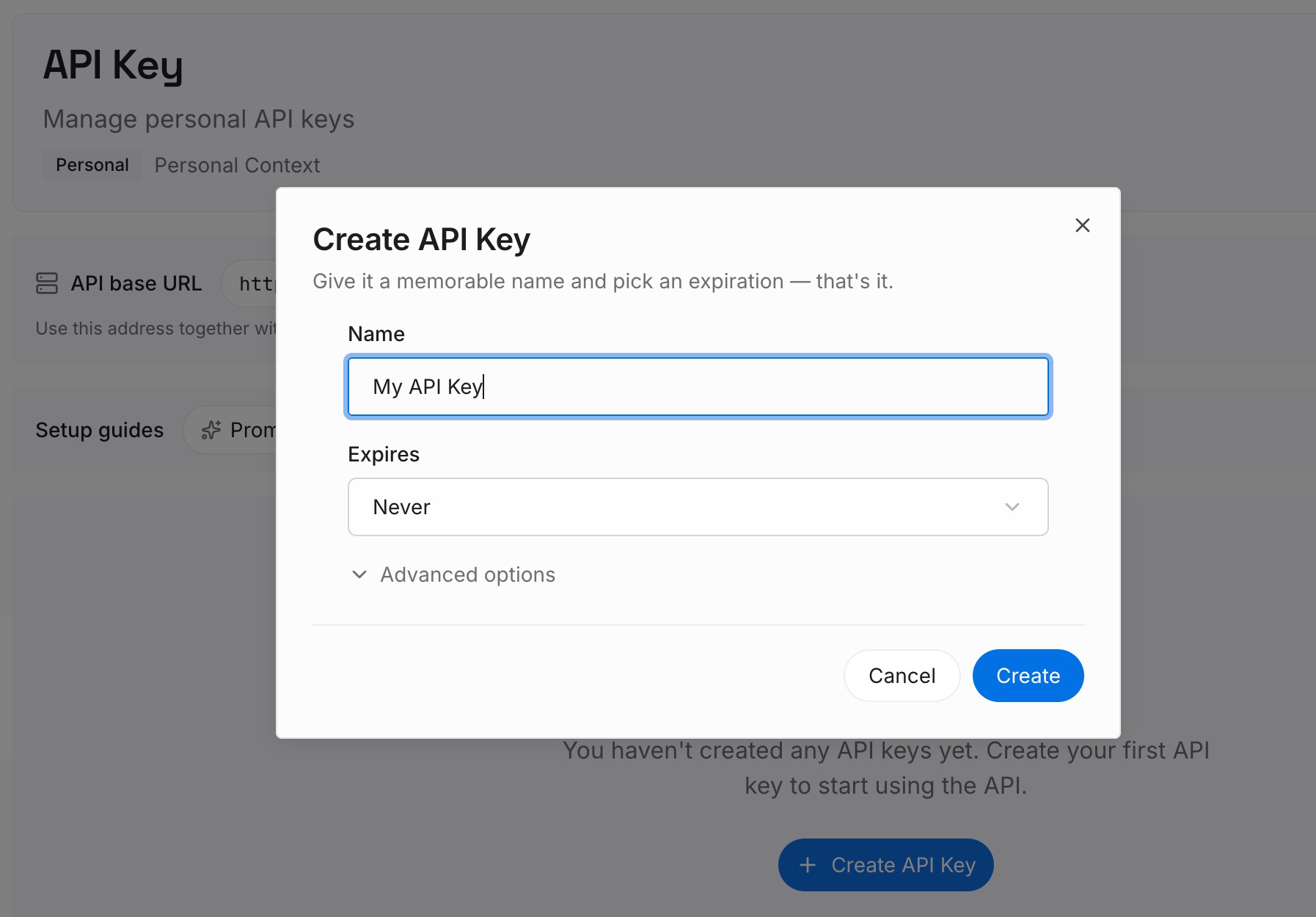
Step 1: Create an API key
Generate a key and make your first request in about 30 seconds. Keep it in your environment or a secret manager rather than pasting it into a session.
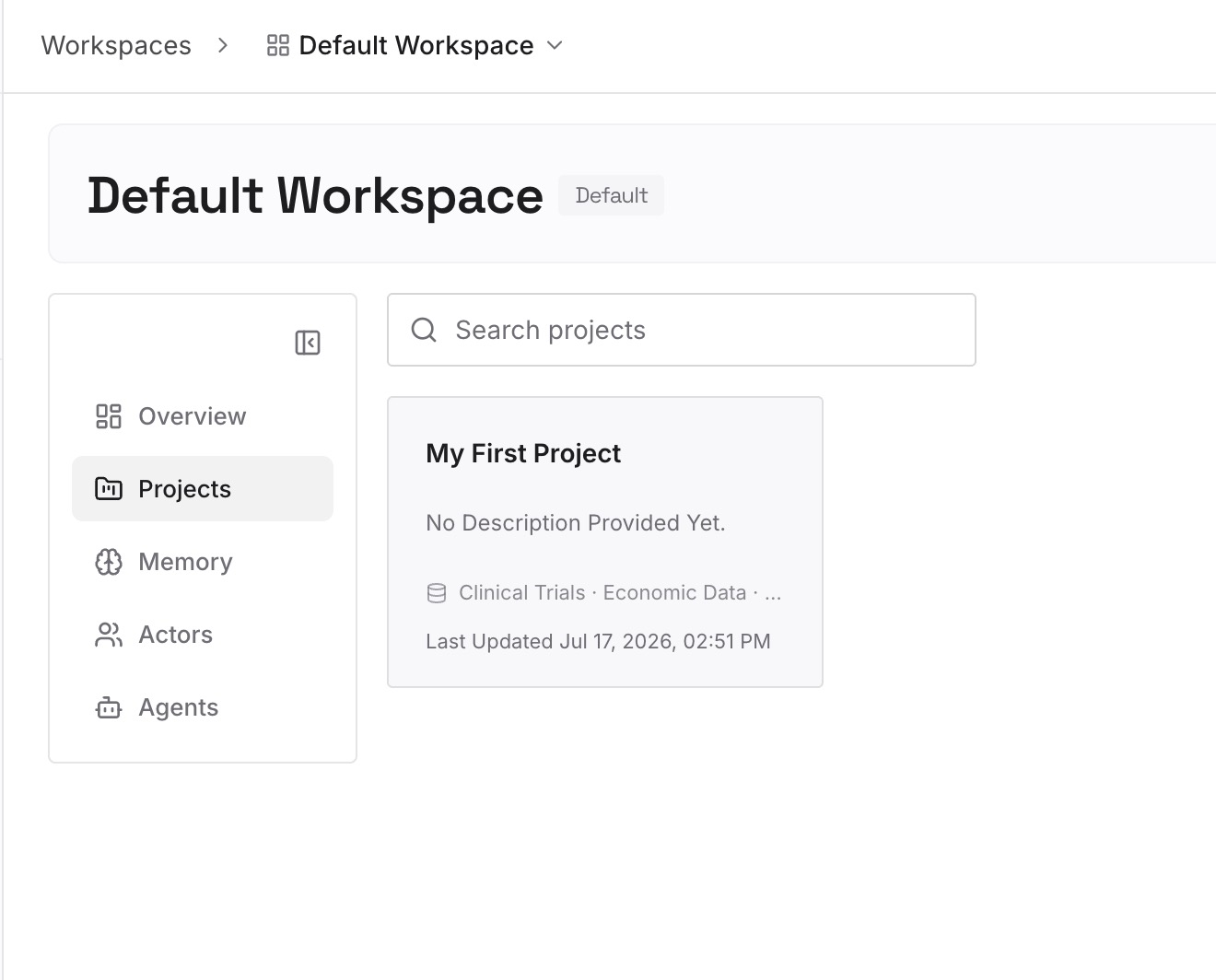
Step 2: Upload your first memories
Drop in the documents, images, and files your rules were derived from: the architecture decision records, the incident writeups, the API contracts, the security requirements your org instructions were enforcing, the RFC everyone agreed to. Upload the sources rather than the one-line rule — the one-line rule is what you already have and what keeps getting questioned.
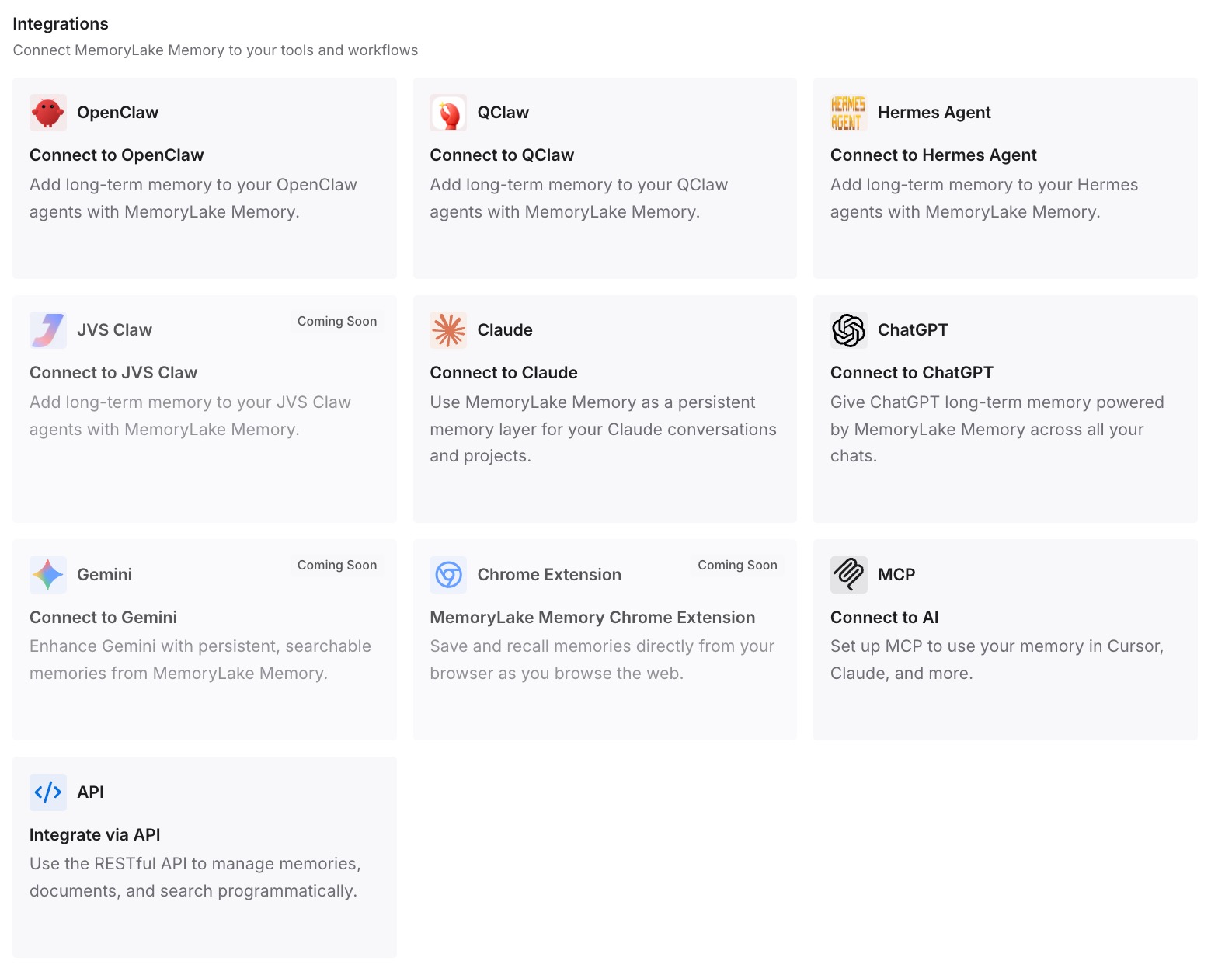
Step 3: Connect your AI & agents
Give Claude, Codex, OpenClaw, and other AI agents access to memory via MCP or the API. Codex reads the store directly over MCP alongside your AGENTS.md files. For ChatGPT, retrieve what you need through the API and inject it into the prompt or the workflow that calls the model.
What this changes in practice
The first difference is that the cross-cutting rules stop being a dilemma. A rule that matches test files everywhere doesn't need to be duplicated into six directories or crammed into the root file — it can be retrieved when the agent is working on tests and absent when it isn't.
The second is that the org-policy layer stops disappearing on migration. Rules your admin set were invisible infrastructure; once they're a documented, retrievable record with their rationale, they survive both a tool change and a change of admin.
The third is that the root AGENTS.md can stay short enough to be obeyed. Every file that loads into every session competes with the request. With retrieval carrying the detail, the always-loaded file holds constraints that would make an answer wrong — and re-explaining your project each session stops being the alternative.
And it composes with Codex's own memory. Local memories keep accumulating your habits on that machine; the shared store holds what your teammates and your other tools need. Neither pretends to be the other, which is the split that keeps multi-tool setups from drifting.
Best practices for switching coding agents
Standardize on AGENTS.md before you need to
The reason the AGENTS.md layer of this migration is free is that both tools read it. That property is worth optimizing for: whatever you can express in AGENTS.md rather than a vendor-specific file is content you never migrate again.
Get the organization instructions in writing
This is the single most overlooked item when leaving Copilot. Someone else's rules were shaping your output at the lowest precedence tier. Ask for them, read them, and decide what to carry — don't discover their absence through subtly wrong code six weeks later.
Express scope with position, and accept that some rules lose precision
Directory placement is Codex's only scoping mechanism, and it's a genuine downgrade for glob patterns that cut across the tree. Name that tradeoff explicitly per rule instead of pretending the conversion is lossless: promote, duplicate, or drop.
Keep the always-loaded files small
The root AGENTS.md and ~/.codex/AGENTS.md load constantly. Put hard constraints there and nothing else. Long instruction files don't fail loudly; they just quietly stop being followed, which is worse.
Verify what actually loaded before you trust it
The failure mode after any instruction migration is silent: the agent doesn't announce that it never saw your rules. Once you've placed the files, open a session in the repo and ask Codex to state the instructions it's operating under, then work in a subdirectory and ask again. If a directory-scoped AGENTS.md doesn't show up when you're working in that directory, the placement is wrong, and you'd rather learn that in one minute than through a month of subtly off diffs.
Don't confuse instructions with enforcement
Neither tool's instruction files guarantee behavior — they add context to a prompt. Formatting, banned imports, protected files, and commit policy belong in linters, hooks, and CI. Let the instruction file explain the reason and let tooling be the guarantee.
Conclusion
Migrating from GitHub Copilot to Codex splits cleanly into free and not-free. Free: AGENTS.md, which both tools read anywhere in the repository with nearest-wins precedence. Not free: the repo-wide .github/copilot-instructions.md, the path-scoped .instructions.md files whose applyTo globs must become directory placement, and the organization tier that Codex has no equivalent for — and /import won't do any of it, since it targets Claude Code and Cursor.
So inventory all four layers including the one your admin owns, triage by origin with a delete key in hand, rebuild scope as position, and read the assembled result once before you trust it. Then put the reasons behind those rules in one store your assistants read, so the next switch is a config change rather than an excavation. If Cursor is your destination instead, the Copilot-to-Cursor path covers a rules system with the opposite tradeoff: real conditional loading, and its own conversion cost.