
What actually transfers
Cursor and Codex both read Markdown instructions. That similarity hides the difference that matters.
Rule content transfers verbatim. The Markdown body of an .mdc file is just instructions to a model. Nothing about the prose needs rewriting.
Rule activation does not transfer, because Codex has no activation model. Cursor's project rules live in .cursor/rules as .mdc files with frontmatter — description, globs, alwaysApply — and four modes built on top:
- Always Apply — applies to every chat session
- Apply Intelligently — applies when the Agent decides it's relevant based on the description
- Apply to Specific Files — applies when a file matches a specified pattern
- Apply Manually — applies when @-mentioned in chat
Codex has one mechanism: AGENTS.md, resolved hierarchically from your Codex home directory (~/.codex/AGENTS.md, or $CODEX_HOME) down through the repository root and intermediate directories to your working directory, combined top-down with nearer files taking precedence. Scope is a function of where the file sits, not of a glob or a description. There is no "the agent decides if this is relevant" tier.
That's the whole migration problem in one sentence. Four conditional modes have to be flattened onto one positional mechanism.
AGENTS.md transfers directly — and you may already have it. Cursor supports AGENTS.md in the project root as an alternative to .cursor/rules, including nested files in subdirectories. If your rules are already there, most of this migration is a no-op, because that's exactly the shape Codex wants.
User Rules transfer as a global file. Cursor's User Rules are global preferences defined in Customize → Rules that apply across all projects. Their Codex equivalent is ~/.codex/AGENTS.md. Same intent, different location, no conversion needed beyond copy-paste.
MCP servers, settings, plugins, slash commands, and recent sessions transfer via the importer. /import covers six surfaces: settings.json converted to config.toml, MCP servers in both JSON dialects, plugins, up to 50 recent sessions from the past 30 days, custom slash commands, and project-scoped memories.
Some things can't come. Chat history from Cursor's web interface can't be imported — only local session data. Import is one-way; nothing you change in Codex flows back. And memory fidelity isn't guaranteed: memories referencing tool-specific features like Cursor's composer history don't map onto Codex's operational model, which is why reviewing with /memories list after import is worth the two minutes.
One thing that transfers in neither direction: the reasoning behind a rule. Cursor's own documentation is blunt about why rules exist at all — "Large language models don't retain memory between completions. Rules provide persistent, reusable context at the prompt level." Rules are the workaround, and a workaround that only holds what you thought to write down.
The manual migration
Step 1: Inventory your rules by how they activate
Before running anything, open each .mdc file and sort it by frontmatter, because the mode determines the destination.
alwaysApply: true → these go straight into AGENTS.md at the level that matches their real scope. If a rule is genuinely global to your work, it belongs in ~/.codex/AGENTS.md. If it's about this repository, the repository root. Direct translation, no thought required.
Rules with globs → these need placement, not translation. A rule scoped to src/api/** becomes an AGENTS.md inside src/api/, where Codex will pick it up when working in that directory. This is the conversion that pays for itself: done properly you keep the scoping behavior; done lazily — dumped into the root file — you've made an API-specific rule apply to your CSS.
Where a glob doesn't map cleanly to a directory (**/*.test.ts scattered across the tree), you have two honest options: state the condition in prose inside the nearest AGENTS.md ("When editing test files, …"), or accept that it's now always loaded. Prose conditions are weaker than a glob match — the model has to notice the condition applies — so use them for rules where a miss is cheap.
Rules using Apply Intelligently → these are the ones to think hardest about. Cursor decided at runtime whether the description made a rule relevant. Codex won't. Each one becomes either always-on (costing context on every request) or effectively gone. Sort them: the ones that matter go in the file, the ones that were nice-to-have get dropped. Don't migrate all of them into the root file, which is the default failure and produces exactly the bloated instructions file everyone regrets.
Apply Manually rules → these were reference documents you pulled in deliberately. Keep them as documents in the repo — docs/ is fine — and add one line in AGENTS.md telling the agent to read the relevant file for that kind of work. Don't inline them.
While you're here, apply Cursor's own sizing advice in the new home: keep rules under 500 lines and split larger ones into composable pieces. It's good guidance in Cursor and it's better guidance in Codex, where everything in scope is loaded on every task.
Step 2: Run /import, then fix what it couldn't map
Make sure you're on Codex v0.145 or later, start a fresh Codex TUI session in the project root, and run /import. Choose Cursor as the source and select the categories you want. Note that /import requires a local embedded TUI session — it won't run against a remote session or while a task is in flight.
Then do the review pass the importer can't do for you:
- Read the resulting
AGENTS.md. Anything phrased around Cursor-specific concepts — composer history, @-mention workflows, Cursor's own tool names — should be rewritten or cut. It'll otherwise sit there instructing Codex to use things that don't exist. - Place the glob-scoped rules into subdirectory
AGENTS.mdfiles per Step 1. The importer moves content; it doesn't infer directory structure from your frontmatter. - Run
/memories listand check what came over. Imported memories that reference Cursor mechanics are noise at best. - Verify MCP servers actually start. Both JSON dialects convert, but converted config is still config — a server that needed an environment variable in Cursor needs it in Codex too.
Then decide about Codex's own memory feature, which is a separate thing from instructions. Local Codex memories are off by default. Enable them in the desktop app under Settings → Personalization with "Enable memories," or set memories = true in the [features] section of ~/.codex/config.toml; in the EEA, the UK, and Switzerland, Codex only uses or generates memories after you enable it there. You can control the two halves separately:
[features]
memories = true

[memories]
generate_memories = true   # extract memories from new sessions
use_memories = true        # inject memories into future sessions
Enabled, Codex carries stable preferences, recurring workflows, tech stacks, project conventions, and known pitfalls between threads, storing summaries, durable entries, recent inputs, and supporting evidence under ~/.codex/memories/.
Worth turning on. Also worth reading the official caveats, because they define what it is: generation skips active or short-lived sessions, pauses when your remaining rate-limit percentage falls below the configured threshold, and may not update right away when a chat ends; the files are generated state you shouldn't hand-edit; secrets are redacted from generated memory fields but the docs still advise reviewing before sharing. And the store is global rather than per-project, and local to that machine — it doesn't sync, and memories from one repo can surface in another.
The Better Way: One Memory Layer, Either Editor
Step 1 was the interesting work, and notice what kind of work it was: translating one tool's activation model into another tool's directory layout. That effort produces nothing reusable. Do it again for the next editor.
There's also a category of knowledge that never appears in this migration at all, because it was never in a rules file. Why the retry logic looks wrong but isn't. What the client rejected in March. The constraint you discovered at 6pm on a Friday. Rules hold what you sat down and decided to write; the rest lives in threads that don't survive an export.
Keeping that layer outside the editor is what makes it survive both problems. MemoryLake is a memory layer your tools read from — decisions, documents, and accumulated context in one store, reachable from Codex and Cursor over MCP and from anything else through the API. The next migration becomes a config entry instead of a conversion project.
Being fair to the files: .cursor/rules and AGENTS.md have real advantages. They're plain text, they live in the repo, they're reviewed in pull requests, and your teammates inherit them without doing anything. Keep them for standing rules — that's what they're good at, and Codex reads them natively. The memory layer earns its keep for what's too long to load every time, too specific to publish, or too easily lost to rely on someone remembering to write it down.
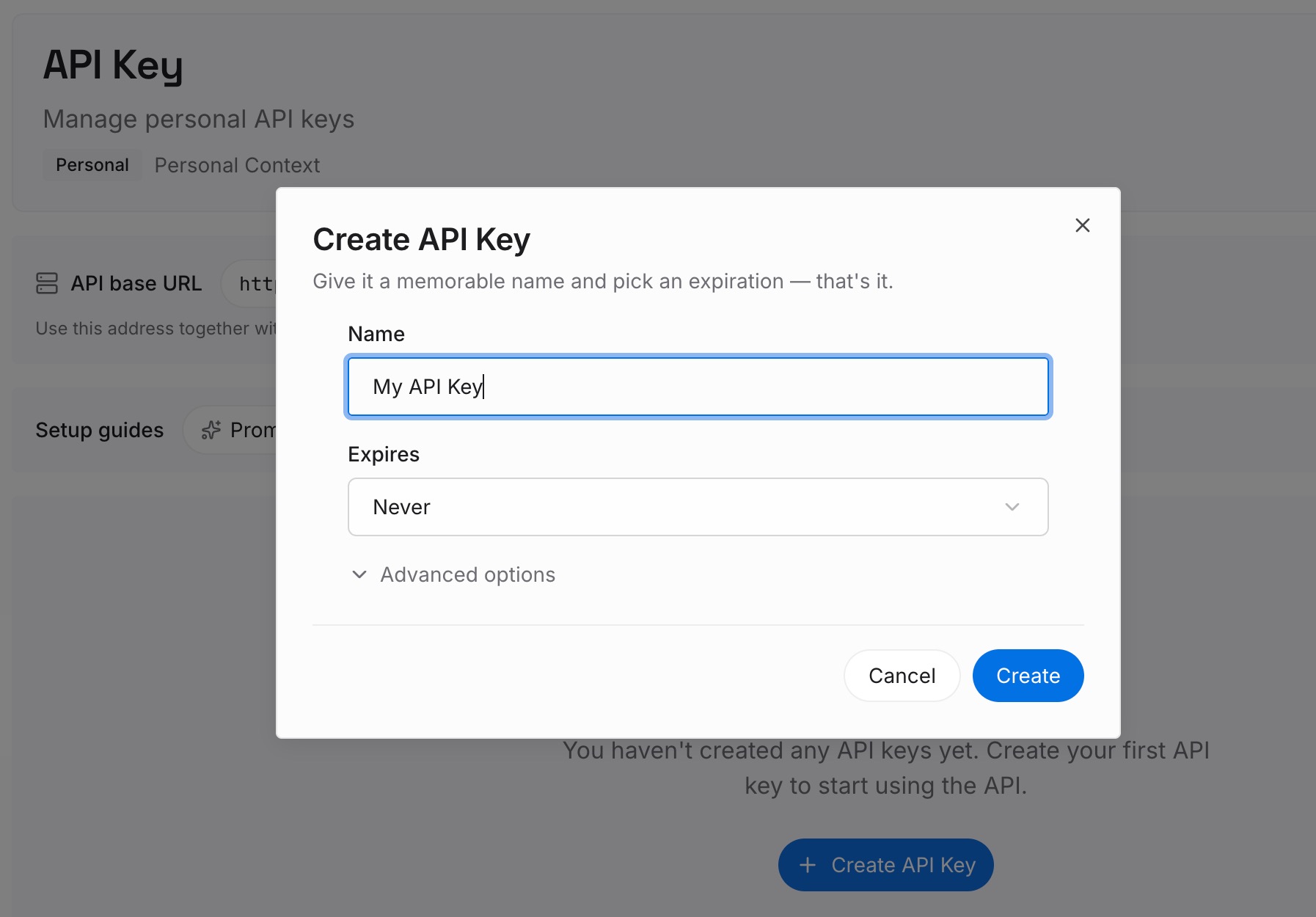
Step 1: Create an API key
Generate a key and make your first request in about 30 seconds. Keep it in your environment or a secret manager rather than in a config file — config files are exactly what gets copied around during a migration like this one.
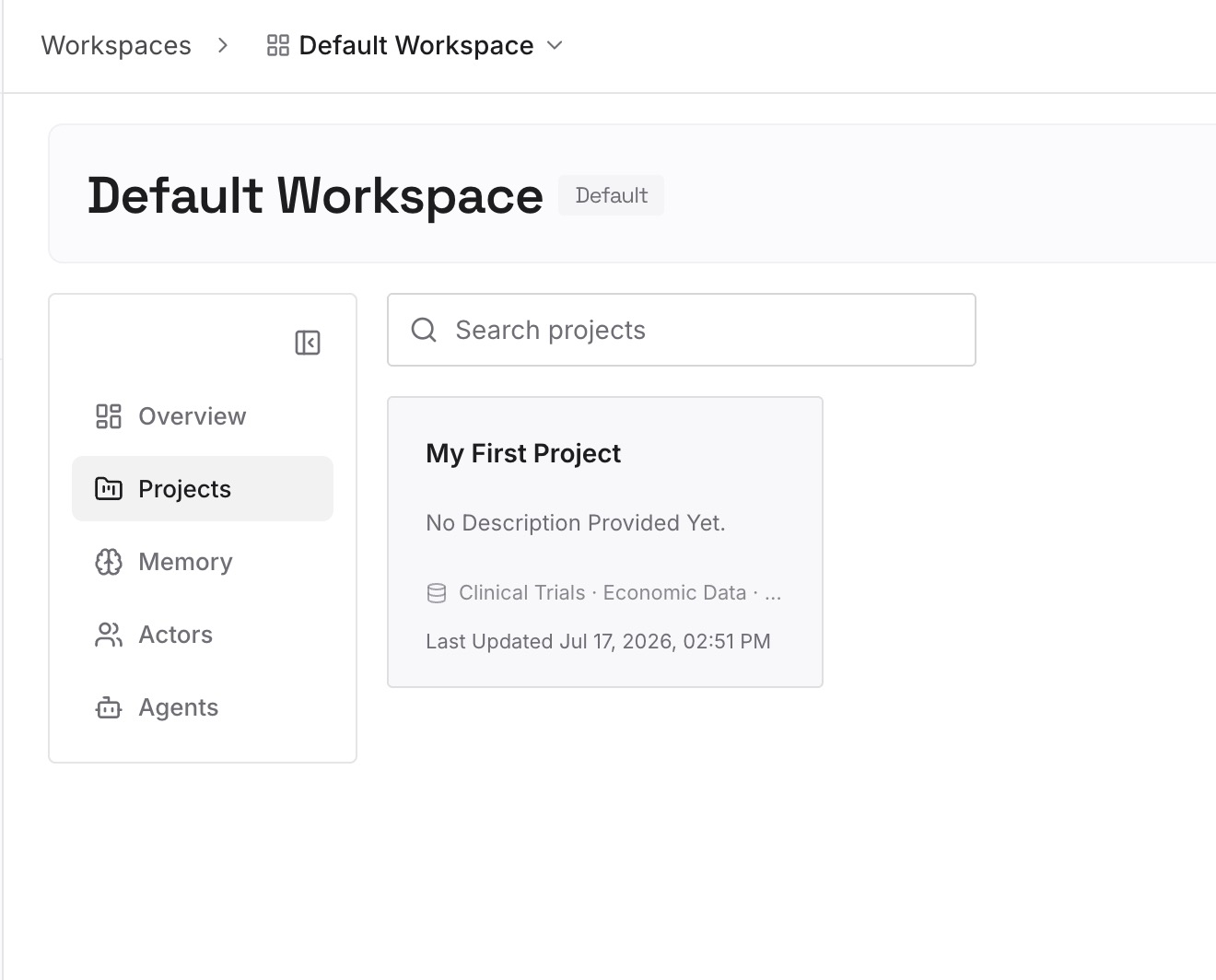
Step 2: Upload your first memories
Drop in the documents, images, and files holding the context your rules never captured: architecture decisions with their reasons, the incident writeup that explains the odd retry, the client's constraints. Upload sources rather than summaries where you can.
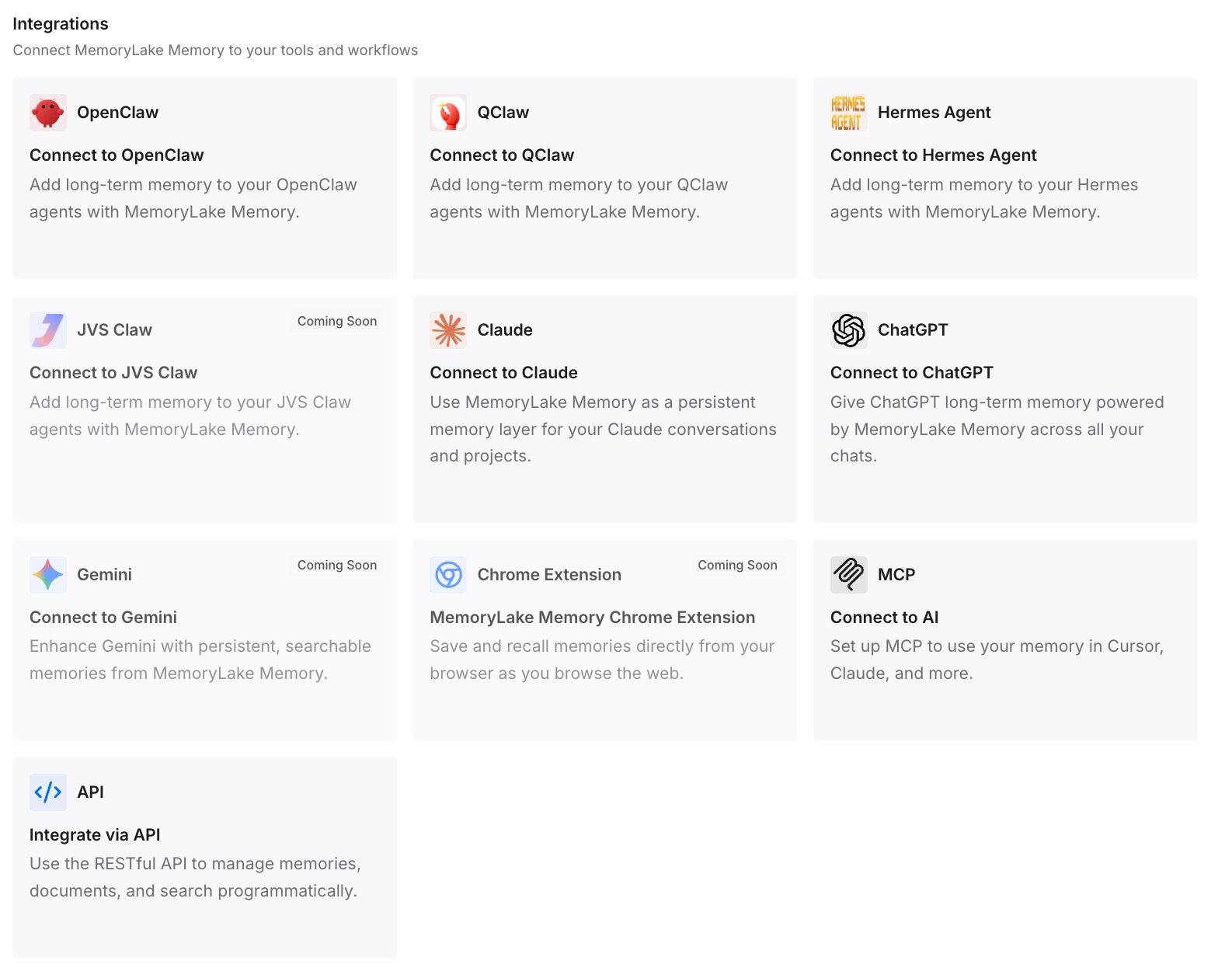
Step 3: Connect your AI & agents
Give Claude, Codex, OpenClaw, and other AI agents access to memory via MCP or the API. Codex supports MCP servers, and the importer already converted your existing MCP config, so this is one more server entry. The same store is then readable from Cursor if you keep using it, and from anything you build against the API.
What this changes in practice
The first difference is that a rules migration stops being lossy. Right now you lose the activation logic and the unwritten knowledge; afterward you're only converting the part that genuinely is a file.
The second is that running both editors becomes normal. Plenty of people keep Cursor for editing and use Codex for longer agentic runs. Today that means maintaining two copies of the same conventions in two formats and watching them drift. One store both read from removes the duplication — the same reason wiring shared memory over MCP is worth doing once rather than per tool.
The third is machine independence. Codex memories are local by design, so a second laptop starts empty even after a perfect migration. A memory layer doesn't have that property.
And your instructions files get smaller, which matters more in Codex than in Cursor: everything in scope loads on every task, so Codex starting each session without your project context is a problem you want to solve with retrieval, not with a longer root file.
Best practices for the switch
Convert by activation mode, not by file
The instinct is to migrate file by file. Sort by frontmatter instead — alwaysApply, globs, description-based, manual — because each mode has a different destination and one of them (Apply Intelligently) has no destination at all. File-by-file migration is how everything ends up in the root AGENTS.md.
Put scoped rules in scoped directories
A rule about your API layer belongs in an AGENTS.md inside the API directory. This is the single highest-value habit in the whole migration: it preserves the scoping you'd otherwise lose and keeps your root file short. It also means new team members discover the rule where the code is.
Review the import instead of trusting it
/import is good and it is not a translator. Read the output, cut Cursor-specific phrasing, run /memories list, confirm MCP servers start. Fifteen minutes here prevents months of an agent following instructions written for a different tool.
Decide what actually deserves to be always-on
Everything in scope costs context on every request, forever. Before promoting a formerly-conditional rule to always-on, ask whether you'd pay for it on every single task. Most Apply Intelligently rules fail that test, and cutting them is a better outcome than carrying them.
Conclusion
The mechanical part is easy now: Codex v0.145 imports Cursor settings, MCP servers, plugins, sessions, slash commands, and project-scoped memories in one command. The part that needs your judgment is that Cursor's four activation modes collapse onto Codex's single positional mechanism — so alwaysApply rules move straight over, glob-scoped rules become subdirectory AGENTS.md files, description-triggered rules have to be promoted or dropped deliberately, and manual rules stay as documents you point at.
Then there's the layer this migration never touches, because it was never in a file. Keeping that in a store both editors read is the difference between migrating your rules and migrating your knowledge — and it's the one that stops the next switch from costing you another afternoon.